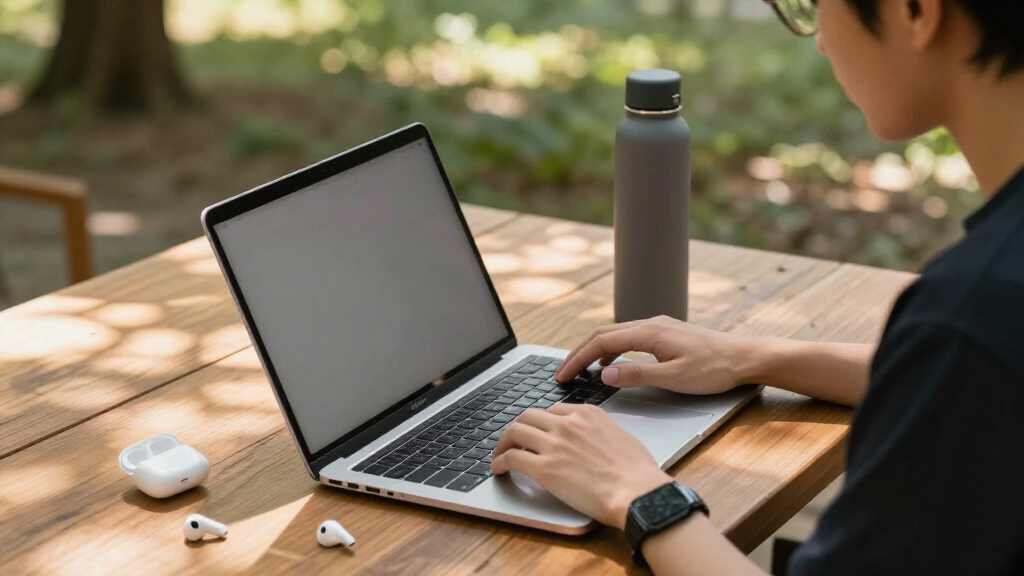

The best student-friendly laptop isn’t the most powerful one — it’s the one that survives a backpack, lasts through a full day of classes, and doesn’t drain a semester’s budget. My top pick overall is the HP 14 Student Laptop with Intel N150 and 128GB SSD, because it pairs real Windows software compatibility with fast storage and a bundled year of Office 365. Close behind are the Lenovo Flagship Chromebook 14 with FHD touchscreen for students who live in Google Docs and want the best display here, and the Samsung Galaxy Chromebook Go for pure portability on a tight budget. The main tradeoffs in this category come down to Chrome OS versus Windows, and cheap eMMC storage versus a proper SSD — decisions that affect everything from boot speed to which software your courses require. Keep reading for the full breakdown, including which renewed models are actually worth the risk.

Get the latest gadgets delivered free with Prime
- Fast, free delivery on millions of items
- Prime Video, Amazon Music and more included
- Member-only deals all year
Complete the kit



Key Takeaways
- The HP 14 with N150 processor and 128GB SSD took the top spot because it was the only budget Windows option pairing fast SSD storage with a current-generation processor and bundled Office 365.
- Every laptop in this lineup costs under mid-range pricing, which means the real ranking factor was storage type and screen quality — not raw performance, since all 14 use similar entry-level chips.
- Chromebooks dominated the battery-life comparisons, with several models reaching 12–14 hours, while the Windows options generally landed closer to 8–10 hours.
- Renewed models like the Dell Chromebook 11 3100 ranked near the bottom for spec-per-dollar despite the lowest prices, because worn batteries and short Chrome OS update windows erase the savings.
- 4GB of RAM was universal across the lineup, so Chrome OS models felt smoother in practice — Windows laptops with 4GB need careful tab management and benefit from S Mode restrictions.


| student-friendly laptop | Display | Processor | RAM | Storage |
|---|---|---|---|---|
| HP 14-Inch Ultra-Portable Lapt | 14-inch HD | Intel N150 Quad-Core up to 3.6 GHz | 4GB | 128GB SSD + 500GB external drive |
| HP 14" HD Student Laptop | 14-inch HD (1366 x 768) | Intel Celeron N4500 | 4GB DDR4 | 64GB eMMC |
| HP Stream 14 Student Business | 14-inch anti-glare HD | Intel N150 (Quad-core) | 4GB | 128GB UFS |
| HP Chromebook 14 Laptop | 14" HD (1366 x 768) | Intel Celeron N4120 | 4 GB | 64 GB eMMC |
| Dell Chromebook 11 3100 | 11.6" (1366 x 768) | Intel Celeron N4020 | 4 GB | 16GB Flash Memory |
| Samsung 14" Galaxy Chromebook | 14 inches | Intel Celeron N4500 | 4GB | 64GB |
| HP 14 Student Laptop with Inte | 14-inch HD BrightView (1366×768) | Intel Celeron N150 (quad-core) | 4GB DDR4 | 128GB UFS SSD |
| HP 14" HD Chromebook Laptop fo | 14-inch HD (1366 x 768), anti-glare | Intel Quad-Core N4120 | 4GB LPDDR4x | 64GB eMMC |
| Lenovo Flagship Chromebook 14′ | 14-inch FHD Touchscreen, IPS | MediaTek Kompanio 520 Octa-Core | 4GB | 64GB eMMC |
| HP 14" Laptop 2026 Edition | 14-inch HD (1366 x 768), anti-glare | Intel N150 | 4GB DDR4 | 128GB UFS |
| 15.6-inch Student Laptop with | 15.6-inch IPS, 1920×1080 | Intel Celeron J4105 quad-core, 2.5GHz | 12GB | 256GB SSD (expandable to 2TB) |
| HP Chromebook 14 Laptop | 14" HD (1366×768), micro-edge, anti-glare | Intel Celeron N4000 | 4GB | 32GB eMMC |
| HP Chromebook 14-inch HD Lapto | 14-inch HD (1366×768), micro-edge, anti-glare, 250 nits | Intel Celeron N4500, 1.1GHz up to 2.8GHz | 4GB DDR4 | 64GB eMMC |
| HP 14" Ultra-Light Laptop for | 14" micro-edge, anti-glare, 62.5% sRGB | Intel Celeron N4500 | 4GB DDR4 | 64GB eMMC + 64GB SD Card |
More Details on Our Top Picks
HP 14-Inch Ultra-Portable Laptop with Windows 11 Pro and Office 2024
This pick makes the most sense for students who want a complete out-of-the-box kit rather than a bare laptop. Beyond the machine itself, the bundle includes a USB-C docking station, wireless mouse, and HDMI cable, which saves a separate shopping trip for peripherals most students end up buying anyway. Compared with the HP Stream 14, the big advantage here is Windows 11 Pro and a permanent Office 2024 license instead of a subscription, plus a faster Intel N150 chip and real SSD storage. The catch: much of the 628GB headline capacity lives on a clunky external drive you have to manage, and 4GB of RAM means heavy multitabbing will feel sluggish. It’s a smarter buy for value than the renewed HP Celeron model, but not a powerhouse.
Pros:- Complete bundle with docking station, mouse, and cables included
- Permanent Office 2024 license avoids subscription fees
- 128GB SSD boots faster than the eMMC storage on cheaper rivals
- Windows 11 Pro adds remote desktop and better security tools
Cons:- 4GB RAM limits multitasking and browser-heavy workloads
- Half the advertised storage sits on an external drive requiring setup
- Unspecified display resolution leaves visual quality uncertain
Best for: Students who need Windows, a full Office license, and peripherals in one purchase without shopping for extras
Not ideal for: Engineering or design students running demanding software — 4GB of RAM and a basic HD display will hold them back
- Display:14-inch HD
- Processor:Intel N150 Quad-Core up to 3.6 GHz
- RAM:4GB
- Storage:128GB SSD + 500GB external drive
- Operating System:Windows 11 Pro
- Included Accessories:USB-C Docking Station, external drive, HDMI cable, wireless mouse, mouse pad
Our verdict“Buy this if you want a fully equipped Windows laptop for note-taking, essays, and streaming — skip it if your coursework demands real processing power.”
HP 14″ HD Student Laptop, Intel Celeron N4500, 4GB RAM, 64GB eMMC, Windows 11 S, White (Renewed)
As a renewed machine, this option stands out purely on price — it’s the cheapest route to a full Windows laptop in this lineup. The Celeron N4500 and 64GB of eMMC place it a clear step below the HP Stream 14 in responsiveness, but it covers the basics: Wi-Fi 6, Bluetooth 5.4, and a 720p webcam for online classes. The 3.42 lb frame is easy to sling into a backpack alongside textbooks. Tradeoffs are real: 64GB of storage fills up fast once Windows updates land, and the locked-down Windows 11 S mode restricts which apps you can install unless you switch out of it. Compared with the Dell Chromebook 11 3100, you get a bigger screen and Windows flexibility, but at the cost of battery life and boot speed.
Pros:- Lowest-cost Windows option in the roundup as a renewed unit
- Modern Wi-Fi 6 and Bluetooth 5.4 connectivity
- Lightweight 3.42 lb design with a full port selection including USB-C and HDMI
- 14-inch screen offers more workspace than the Dell Chromebook 11
Cons:- 64GB eMMC storage is tight after Windows updates
- Renewed condition means variable cosmetic wear and shorter warranty coverage
- Celeron N4500 struggles with more than a few open tabs
Best for: Budget-conscious students who mainly write papers, browse, and join video calls and want Windows rather than Chrome OS
Not ideal for: Anyone storing large media libraries or running specialized Windows software — 64GB eMMC and a weak Celeron chip will bottleneck quickly
- Display:14-inch HD (1366 x 768)
- Processor:Intel Celeron N4500
- RAM:4GB DDR4
- Storage:64GB eMMC
- Operating System:Windows 11 S
- Weight:3.42 lbs
- Connectivity:Wi-Fi 6, Bluetooth 5.4
Our verdict“A sensible emergency or first-laptop purchase for light schoolwork — just don’t expect it to survive heavy multitasking or years of storage growth.”
HP Stream 14 Student Business Laptop, Windows 11 Home, 4GB RAM, 128GB UFS, Intel N150 Processor, Willow Green
The Stream 14 earns its spot for a reason no other budget laptop here can claim: military-grade drop resistance. For a student tossing a laptop into a crowded backpack between classes, that matters more than raw specs. The Intel N150 quad-core is the same chip as the pricier bundled HP above, so everyday responsiveness holds up well, and 128GB of UFS storage doubles what the renewed Celeron model offers. An anti-glare screen also makes outdoor or lecture-hall lighting far more workable than glossy panels. The drawbacks mirror the rest of this price tier — 4GB of RAM caps multitasking, and there’s no dedicated graphics for anything beyond casual games. The included Office 365 is subscription-based, unlike the lifetime Office 2024 license on the dock-equipped HP.
Pros:- Military-grade drop resistance rare at this price
- Anti-glare display works better in bright classrooms
- 128GB UFS storage boots and loads faster than 64GB eMMC rivals
- Pre-installed Office 365 and AI productivity tools ready for schoolwork
Cons:- 4GB RAM limits simultaneous apps and browser tabs
- 128GB fills quickly with media and course downloads
- No dedicated GPU rules out graphics work or modern gaming
Best for: Commuting and younger students who need a survivable, drop-tested laptop for daily backpack abuse
Not ideal for: Students who keep dozens of tabs and apps open at once, or anyone needing serious storage for large project files
- Processor:Intel N150 (Quad-core)
- RAM:4GB
- Storage:128GB UFS
- Display:14-inch anti-glare HD
- Weight:3.24 lbs
- Operating System:Windows 11 Home
- Color:Willow Green
Our verdict“The most backpack-proof budget Windows option here — pick it over the renewed HP if durability and fresh condition matter more than saving a few dollars.”
HP Chromebook 14 Laptop, Intel Celeron N4120, 4 GB RAM, 64 GB eMMC, 14″ HD Display, Chrome OS, Thin Design, 4K Graphics, Long Battery Life, Mineral Silver
This model is better suited to students whose day runs from morning lectures to evening study sessions without reliable outlet access. The 14-hour battery rating beats every Windows machine in this lineup — the HP Stream 14 and renewed HP can’t come close — and fast charging to 50% in 45 minutes covers forgotten charging cables. Because Chrome OS runs lightweight web apps, the modest Celeron N4120 feels quicker than the same-class chip would under Windows, and updates stay automatic and secure. The tradeoff is ecosystem: students who need Windows-only software like SPSS or full desktop Office will hit a wall, and 64GB of local storage assumes you live in Google Drive. Compared with the Dell Chromebook 11 3100, you trade compactness for a bigger 14-inch screen and far longer runtime.
Pros:- Up to 14 hours of battery life, best in this roundup
- Chrome OS stays fast, secure, and auto-updating over time
- Fast charging reaches 50% in 45 minutes
- Supports 4K streaming for downtime between classes
Cons:- 64GB eMMC means heavy reliance on cloud storage
- 1366 x 768 display looks soft for video and detailed documents
- Can’t run Windows or Mac desktop applications
Best for: Cloud-centric students with Google Classroom or web-based coursework who need all-day battery without carrying a charger
Not ideal for: Students whose degree programs require Windows or macOS software — Chrome OS simply can’t run it
- Display:14″ HD (1366 x 768)
- Processor:Intel Celeron N4120
- RAM:4 GB
- Storage:64 GB eMMC
- Battery Life:Up to 14 hours
- Operating System:Chrome OS
- Graphics:Intel UHD Graphics 600
- Connectivity:Wi-Fi 802.11ac (2×2), Bluetooth
Our verdict“The strongest pick here for battery endurance and hassle-free maintenance — as long as all your schoolwork lives in a browser.”
Dell Chromebook 11 3100, 11.6-inch, 4GB RAM, 16GB Flash, Chrome OS, Celeron N4020, Bluetooth, Renewed
This option stands out as a secondary device rather than a primary one. At 11.6 inches, it’s the smallest machine in the roundup — noticeably more bag-friendly than the HP Chromebook 14 — and Dell’s education-series chassis is built to take student abuse, which explains why schools deploy these by the thousands. Chrome OS boots in seconds and keeps the aging Celeron N4020 feeling usable for docs, email, and streaming. But the constraints are sharp: 16GB of flash storage is the lowest here by a wide margin, effectively forcing total cloud dependence, and the renewed status means warranty coverage may be limited compared with buying new. Set against the HP Chromebook 14, you sacrifice screen size and battery headroom for a lower price and tighter footprint.
Pros:- Smallest and lightest form factor in this roundup
- Education-series build quality designed for classroom durability
- Chrome OS delivers instant boot and minimal maintenance
- Very low renewal price for budget-limited buyers
Cons:- 16GB storage is nearly unusable offline beyond the OS basics
- 11.6-inch 1366 x 768 screen is cramped for research or writing long papers
- Renewed condition carries limited warranty risk
Best for: Students who already own a main computer and want a cheap, ultra-portable note-taker for lectures and library sessions
Not ideal for: Anyone shopping for their only laptop — the tiny screen, 16GB storage, and renewed condition make it a poor sole device
- Display:11.6″ (1366 x 768)
- Processor:Intel Celeron N4020
- RAM:4 GB
- Storage:16GB Flash Memory
- Operating System:Chrome OS
- Graphics:Intel HD Graphics
- Connectivity:Bluetooth
Our verdict“A cheap, tough backup machine for note-taking in class — not a replacement for a full-size primary laptop.”
Samsung 14″ Galaxy Chromebook Go Laptop PC with Intel Celeron N4500, 4GB RAM, 64GB Storage, ChromeOS, Silver
Most budget laptops survive a semester; this one is built to survive four years of being shoved into a backpack between classes. The Galaxy Chromebook Go leans on military-grade durability, which matters more for students than any spec sheet line — a laptop that cracks when a textbook lands on it isn’t cheap at any price. Battery life lands around 12 hours, enough for a full day of lectures without hunting for an outlet.
Compared with the HP 14″ HD Chromebook, the Samsung trades a couple of hours of battery for a tougher chassis and tighter integration with Samsung phones and Google services. The tradeoffs are real, though: 64GB of storage fills fast once you install a few offline apps, and the Celeron N4500 is fine for documents and streaming but sluggish with many browser tabs open.
Pros:- Military-grade durable build that handles backpack wear
- Up to 12 hours of battery for full school days
- Lightweight, highly portable design
- Fast Wi-Fi and seamless Google and Samsung phone integration
Cons:- Only 64GB of local storage
- Celeron N4500 slows down with heavy multitasking
- Display resolution is basic compared with the Lenovo FHD touchscreen model
Best for: Students who commute or move between classes all day and need a laptop that tolerates rough handling
Not ideal for: Anyone storing large media libraries locally — 64GB fills up quickly without cloud reliance
- Processor:Intel Celeron N4500
- RAM:4GB
- Storage:64GB
- Display:14 inches
- Operating System:ChromeOS
- Battery Life:Up to 12 hours
- Color:Silver
Our verdict“This is the pick for students whose laptop gets tossed around daily and needs to survive it on battery power alone.”
HP 14 Student Laptop with Intel Celeron N150, 4GB RAM, 128GB SSD, Windows 11, 1-Year Office 365, Copilot AI, Natural Silver
What separates this HP from the Chromebooks in this roundup is what comes in the box: Windows 11, a full year of Office 365, and Copilot AI. For a student who needs Word, Excel, and PowerPoint in full desktop form — not the web versions — that bundle alone offsets a meaningful chunk of the price. The quad-core Celeron N150 handles documents, video calls, and streaming without the lag you’d expect at this tier.
Against the Samsung Galaxy Chromebook Go, this model doubles the storage to 128GB and offers far broader software compatibility, but you give up ChromeOS’s speed-on-cheap-hardware advantage — Windows on 4GB of RAM feels more constrained over time. The 1366×768 display is also merely acceptable; the Lenovo touchscreen Chromebook outclasses it sharply for media.
Pros:- Includes 1-year Office 365 and Copilot AI out of the box
- 128GB SSD doubles the storage of most Chromebook rivals here
- Quad-core N150 delivers smooth everyday performance
- Lightweight, portable chassis with all-day battery
Cons:- Basic 1366×768 display resolution
- 4GB RAM limits heavy multitasking on Windows
- No dedicated graphics for anything beyond casual use
Best for: Students who need full desktop Office apps and Windows-only school software on a tight budget
Not ideal for: Heavy multitaskers — 4GB of RAM under Windows strains quickly with many apps and tabs open
- Processor:Intel Celeron N150 (quad-core)
- RAM:4GB DDR4
- Storage:128GB UFS SSD
- Display:14-inch HD BrightView (1366×768)
- Operating System:Windows 11
- Battery:All-day battery life
- Connectivity:WiFi 6
- Included Software:1-Year Office 365, Copilot AI
Our verdict“The smartest choice for students whose coursework demands real Windows software rather than browser-based tools.”
HP 14″ HD Chromebook Laptop for Students, Intel Quad-Core N4120, 4GB RAM, 64GB eMMC, WiFi, Webcam, HDMI, USB-A & C, 14 Hours Battery Life, Chrome OS
If your day starts with an 8 a.m. lecture and ends with an evening study group, 14 hours of battery changes how you use a laptop — no charger, no outlet anxiety. That’s the headline here, and it beats both the Samsung Galaxy Chromebook Go (12 hours) and every Windows machine in this lineup, which typically need a top-up by mid-afternoon.
The anti-glare micro-edge display is a quiet advantage over the glossier HP 14 Student Laptop, making it easier to work near a dorm window or in bright classrooms. Port selection is unusually generous for the price, with HDMI for presentations and both USB-A and USB-C. The compromises are the familiar budget-Chromebook ones: 64GB of eMMC storage demands cloud discipline, and the N4120 processor is built for browsing and documents, not video editing or demanding coursework.
Pros:- Class-leading 14-hour battery life
- Anti-glare display works well in bright settings
- Full port selection including HDMI, USB-A, and USB-C
- Chrome OS stays fast and secure on modest hardware
Cons:- Only 64GB of eMMC storage
- HD resolution looks dated next to the Lenovo FHD model
- Insufficient performance for intensive applications
Best for: Students with long days away from outlets who primarily work in the browser and Google apps
Not ideal for: Engineering or design students — the processor and 4GB RAM can’t run demanding specialized software
- Processor:Intel Quad-Core N4120
- RAM:4GB LPDDR4x
- Storage:64GB eMMC
- Display:14-inch HD (1366 x 768), anti-glare
- Battery Life:Up to 14 hours
- Ports:2x USB 3.0 Type-A, 1x USB 3.0 Type-C, 1x HDMI, headphone jack
- Operating System:Chrome OS
Our verdict“The longest-running laptop in this batch, ideal for all-day students who live in the browser.”
Lenovo Flagship Chromebook 14” FHD Touchscreen Laptop, Abyss Blue
Every other laptop at this price offers a 1366×768 panel; this Lenovo gives you a Full HD touchscreen with IPS viewing angles. That difference shows up daily — text is sharper for long reading sessions, video actually looks good, and touch input is genuinely useful for note-taking apps and quick navigation. For students who stare at their screen for hours, this is the display worth paying attention to.
The octa-core MediaTek Kompanio 520 holds its own against the Intel N4120 in the HP 14″ HD Chromebook for everyday Chrome OS tasks, though neither is built for heavy workloads. The webcam privacy shutter is a thoughtful touch the competition skips. Tradeoffs mirror the rest of the budget field: 64GB of storage means living in the cloud, and 4GB of RAM caps how many tabs you can keep open comfortably.
Pros:- Sharpest display in this price tier: 14-inch FHD touchscreen with IPS
- Octa-core processor delivers smooth everyday Chrome OS performance
- Webcam privacy shutter and WiFi 6 included
- Lightweight 2.86-lb design in a distinctive Abyss Blue finish
Cons:- Only 64GB of local storage
- 4GB RAM limits heavy multitasking
- No dedicated GPU for graphics work
Best for: Students who prioritize screen quality for reading, streaming, and touchscreen note-taking on a budget
Not ideal for: Media hoarders and heavy multitaskers — 64GB storage and 4GB RAM will feel tight quickly
- Display:14-inch FHD Touchscreen, IPS
- Processor:MediaTek Kompanio 520 Octa-Core
- RAM:4GB
- Storage:64GB eMMC
- Webcam:720p HD with privacy shutter
- Connectivity:WiFi 6, Bluetooth 5.1
- Weight:2.86 lbs
- Ports:USB-A 3.2 Gen 1, USB-C 3.2 Gen 1, microSD, combo audio jack
Our verdict“The pick when screen quality matters most — the only FHD touchscreen among its budget peers.”
HP 14″ Laptop 2026 Edition, Intel Processor, 4GB RAM, 128GB Storage
Where most budget laptops force compromises on connectivity, this HP covers the full spread: USB-C, USB 3.2, HDMI, Wi-Fi 6, and Bluetooth 5.0. For a student presenting slides in class, connecting to an external monitor at a dorm desk, or hooking up peripherals, that versatility saves buying dongles — a hidden cost that cheap laptops often impose.
It overlaps heavily with the HP 14 Student Laptop in internals — same N150-class processor, 4GB RAM, 128GB storage, and bundled Office 365 — but the anti-glare HD display here is friendlier for library lighting than the glossier BrightView panel on that sibling model. The 2026 edition chassis also feels current. The honest weakness is the same: 1366×768 resolution looks dated for movies, and 4GB of RAM makes Windows feel cramped once several apps pile up. The Lenovo Chromebook remains the better pick if display quality outranks software compatibility for you.
Pros:- Comprehensive port selection including USB-C, HDMI, and USB 3.2
- Anti-glare display suits bright classrooms and libraries
- Includes 1-year Microsoft Office 365 subscription
- Modern 2026 chassis with Wi-Fi 6 and Bluetooth 5.0
Cons:- 1366×768 resolution is weak for high-definition media
- 4GB RAM limits multitasking on Windows
- 128GB storage fills quickly with large files
Best for: Students who regularly connect to projectors, monitors, and peripherals and want full Windows plus Office
Not ideal for: Anyone wanting a crisp media-watching experience — the HD panel falls well short of FHD rivals
- Processor:Intel N150
- RAM:4GB DDR4
- Storage:128GB UFS
- Display:14-inch HD (1366 x 768), anti-glare
- Operating System:Windows 11 Home
- Webcam:HD webcam with microphone
- Connectivity:Wi-Fi 6, Bluetooth 5.0, USB-C, USB 3.2, HDMI, 3.5mm audio jack
Our verdict“A sensible Windows pick for connectivity-first students who present, dock, and connect more than they stream.”
15.6-inch Student Laptop with AI Assistant and Office 365
Among the budget options here, this model stands out for pairing a full HD 15.6-inch IPS display with 12GB of RAM — a combination none of the Chromebooks in this lineup can match. That extra memory matters when a student juggles research tabs, a video call, and a document at once, where the 4GB HP Chromebook 14 would start to stutter. The bundled one-year Office 365 subscription and built-in AI assistant add day-one productivity value, which students in majors that require desktop Office apps will appreciate.
The tradeoff is the processor: the Celeron J4105 is fine for essays and browsing but will strain under video editing or heavy software. Compared with the HP 14 Ultra-Light, you get a bigger, sharper screen and more RAM, but a bulkier machine and unspecified battery life.
Pros:- Full HD IPS display with wide viewing angles beats every 1366×768 rival here
- 12GB RAM handles heavy multitasking that 4GB Chromebooks cannot
- Windows 11 and Office 365 pre-installed for immediate coursework
- Storage expands up to 2TB SSD plus 1TB TF card
Cons:- Celeron J4105 struggles with demanding coursework like coding VMs or media editing
- No dedicated graphics limits creative software
- Battery life is unspecified, a real unknown for all-day classes
Best for: Students who want a larger FHD screen and enough RAM for heavy multitasking on documents, tabs, and video calls without paying premium prices
Not ideal for: Anyone who carries their laptop across campus all day — the 15.6-inch footprint is less portable than the 14-inch options, and battery life isn’t stated
- Display:15.6-inch IPS, 1920×1080
- Processor:Intel Celeron J4105 quad-core, 2.5GHz
- RAM:12GB
- Storage:256GB SSD (expandable to 2TB)
- Operating System:Windows 11 Home
- Software:1-Year Office 365, built-in AI assistant
- Ports:Mini-HDMI, USB 3.2, Type-C
- Wireless:Wi-Fi 5, Bluetooth 4.2
Our verdict“This pick makes the most sense for desk-based students who prioritize screen real estate and multitasking headroom over portability.”
HP Chromebook 14 Laptop, Intel Celeron N4000, 4GB RAM, 32GB eMMC, 14″ HD Display
If your class schedule runs from morning lectures to evening study sessions, up to 13.5 hours of battery life is this laptop’s whole argument — and it’s a strong one. At 3.24 lbs with an anti-glare micro-edge display, it’s built to live in a backpack. The Chrome OS approach means fast boots and automatic updates, but it also means your software lives in the browser and Google’s ecosystem.
Compared with the newer HP Chromebook 14 (B0FRR249LS), this model carries an older N4000 chip and only 32GB of storage, so it’s best for students who keep everything in Google Drive. The 1366×768 display is serviceable for notes and streaming but noticeably softer than the FHD panel on the 15.6-inch student laptop above. What you give up in sharpness, you get back in endurance.
Pros:- Up to 13.5 hours of battery life outlasts a full class day
- 3.24 lbs with anti-glare screen for easy carry and outdoor use
- HD webcam with dual mics handles video calls well
- Chrome OS boots fast and updates itself
Cons:- 32GB eMMC fills up quickly even with cloud-centric habits
- N4000 processor is entry-level even by Chromebook standards
- 1366×768 resolution is the weakest display tier in this roundup
Best for: Students on the tightest budgets who live in Google Docs and need a laptop that survives a full day without a charger
Not ideal for: Anyone who needs to install Windows desktop apps, store large files locally, or wants a crisp full HD display
- Display:14″ HD (1366×768), micro-edge, anti-glare
- Processor:Intel Celeron N4000
- RAM:4GB
- Storage:32GB eMMC
- Battery Life:Up to 13 hours 30 minutes
- Weight:3.24 lbs
- Operating System:Chrome OS
- Camera:Wide Vision HD with dual microphones
Our verdict“Choose this when battery endurance and rock-bottom price matter more than storage or screen sharpness.”
HP Chromebook 14-inch HD Laptop, Intel Celeron N4500, 4GB RAM, 64GB eMMC, Chrome OS, Gray
This is the sweet spot in HP’s Chromebook lineup here: for a modest step up from the N4000 model (B08YKGZF7P), you get a newer N4500 processor with boost up to 2.8GHz, doubled 64GB storage, and fast charging that tops you up between classes. For students who occasionally work offline — downloading lecture videos or working on a plane — that extra local storage is the practical difference between frustration and convenience.
It shares the same 1366×768 HD display as its cheaper sibling, so sharpness-minded buyers should look at the Lenovo Flagship Chromebook with its FHD touchscreen instead. And like every Chromebook in this guide, 4GB of RAM means Chrome tabs must be kept in check. Still, for pure value — recent silicon, quick boots, all-day battery — this option is hard to beat at its price.
Pros:- Newer N4500 chip delivers noticeably snappier performance than the N4000 model
- 64GB eMMC doubles the storage of the cheaper Chromebook option
- Fast charging plus long battery life suits a packed schedule
- Lightweight build with quick Chrome OS boot times
Cons:- HD-only display lags behind FHD competitors in this roundup
- 4GB RAM limits heavy tab-based multitasking
- Celeron power caps intensive coursework
Best for: Students who want a modern, dependable Chromebook with enough local storage for offline work at the lowest sensible price
Not ideal for: Engineering or design students who need Windows software and more processing muscle than a Celeron provides
- Display:14-inch HD (1366×768), micro-edge, anti-glare, 250 nits
- Processor:Intel Celeron N4500, 1.1GHz up to 2.8GHz
- RAM:4GB DDR4
- Storage:64GB eMMC
- Graphics:Intel UHD Graphics
- Operating System:Chrome OS
Our verdict“The best price-to-practicality ratio in this batch for cloud-based students who occasionally need files stored locally.”
HP 14″ Ultra-Light Laptop for Students & Home with 1-Year Office 365, Intel Celeron N4500, 4GB RAM, 64GB eMMC + 64GB SD Card, 12-Hour Battery, Wi-Fi 6, Windows 11 Home in S Mode
For students who specifically need Windows and full Microsoft Office — many courses require desktop Word or Excel features that the web versions lack — this is the most affordable path in the roundup. The bundled one-year Microsoft 365 subscription mirrors what the 15.6-inch student laptop offers, but in a lighter, campus-friendly 14-inch frame with a claimed 12-hour battery.
The differentiators are modern connectivity and a storage workaround: Wi-Fi 6E and Bluetooth 5.4 outclass the Wi-Fi 5 on the Chromebooks, and the included 64GB SD card eases the cramped 64GB eMMC, though it’s slower than a true SSD. Windows 11 in S Mode restricts installs to the Microsoft Store unless you switch out of it — a free change, but one that adds friction. Compared with the B0FRR249LS Chromebook, you trade Chrome OS simplicity and fast charging for Windows compatibility.
Pros:- Full Windows 11 with one-year Microsoft 365 included
- Wi-Fi 6E and Bluetooth 5.4 are the newest connectivity in this batch
- Up to 12 hours battery with fast charging
- 128GB effective storage via bundled 64GB SD card
Cons:- S Mode limits software installs until you opt out
- 4GB RAM and Celeron N4500 cap performance to light workloads
- Narrow 62.5% sRGB display makes colors look washed out
Best for: Students whose coursework demands Windows desktop Office apps on a tight budget with all-day battery
Not ideal for: Power users who install lots of third-party software — 4GB RAM and S Mode restrictions will fight them at every step
- Display:14″ micro-edge, anti-glare, 62.5% sRGB
- Processor:Intel Celeron N4500
- RAM:4GB DDR4
- Storage:64GB eMMC + 64GB SD Card
- Battery Life:Up to 12 hours
- Operating System:Windows 11 Home in S Mode
- Software:1-Year Microsoft 365
- Connectivity:Wi-Fi 6E, Bluetooth 5.4, USB-C 3.2, USB-A, HDMI 1.4b
Our verdict“The right call when Windows compatibility is non-negotiable but your budget and performance needs are modest.”
How We Picked
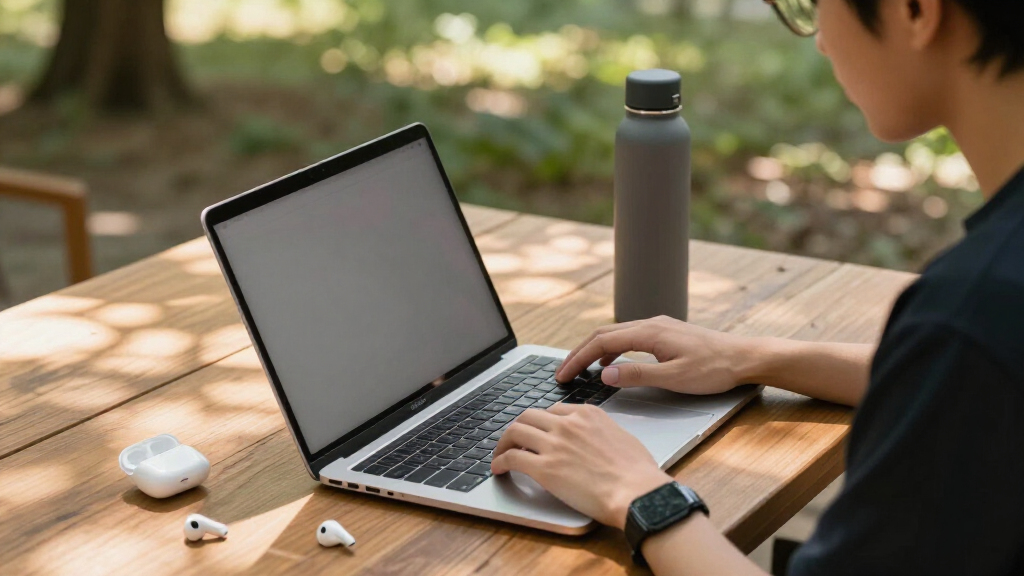
Because student-friendly laptops live at the entry level, I focused on the factors that actually separate good cheap laptops from frustrating ones. Battery life came first, since a laptop that dies mid-lecture is useless no matter how cheap it was. Storage type was the second filter — a 128GB SSD boots and loads noticeably faster than 64GB of eMMC flash, and that difference compounds over four years of coursework. I also weighed OS longevity, meaning how many years of Chrome OS updates a model still has left or whether a Windows license is full or S Mode-restricted, plus portability, port selection, and software bundles like Office 365 that add real value for students.
The ranking logic is straightforward: laptops that combine current processors, fast storage, and long batteries sit at the top; capable-but-compromised picks fill the middle; and models with aging hardware, tiny 32GB drives, or renewed-condition risks land lower. Price was judged relative to what else the same money buys within this exact lineup, not against the broader market.
Factors to Consider When Choosing Student-friendly Laptops
Before picking a specific model, it helps to understand the category-wide decisions that shape a student laptop purchase. These are the factors I’d weigh before clicking buy — and the mistakes I’d try to avoid.Chrome OS or Windows: Match the Operating System to the Coursework
This is the single biggest decision, and it depends entirely on what the student’s school requires. Chrome OS excels for writing papers, browsing, streaming, and Google Workspace-based classes — it’s faster on cheap hardware, more secure, and needs almost zero maintenance. Windows becomes necessary the moment a course requires desktop software: full Microsoft Office offline, specific exam proctoring tools, statistics packages like SPSS, or any engineering and design program. A common mistake is buying a cheap Windows laptop ‘just in case’ and then suffering through sluggish 4GB performance for tasks a Chromebook would have handled smoothly. Check the school’s or professor’s software requirements before deciding, not after.
Storage Type Matters More Than Storage Size
Shoppers fixate on gigabytes, but the type of storage affects daily usability far more than the number on the spec sheet. eMMC flash — found in most of the budget models here — is slower and wears out faster than a true SSD, which shows up as sluggish boot times and slow app launches. A 128GB SSD will feel faster than a 128GB eMMC drive even though the capacity matches. If you do end up with 64GB of eMMC, plan around it immediately: lean on cloud storage, add a microSD card where supported, and avoid installing large applications locally. Students who edit video or store large project files should treat anything under 128GB as a dealbreaker unless it’s expandable.
4GB of RAM: The Universal Ceiling and How to Live With It
Every laptop in this roundup ships with 4GB, and that constrains what you should expect regardless of which model you choose. On Chrome OS, 4GB is genuinely workable for a dozen browser tabs plus a music app. On Windows with 4GB, the experience depends on discipline — keeping fewer tabs open, avoiding heavy background apps, and in some cases staying in S Mode, which restricts installations but keeps performance predictable. Buyers expecting to multitask heavily or run RAM-hungry software should accept that this entire price tier is wrong for them and budget upward. Don’t pay extra within this tier hoping a different 4GB model will magically feel like 8GB.
Renewed Laptops: When the Discount Is Worth the Risk
Several options here are refurbished, and the math only works under specific conditions. A renewed laptop makes sense as a beater machine for a middle-schooler or a backup device, where cosmetic wear and a degraded battery are acceptable. It makes much less sense as a primary machine for a college student, because battery health is the component that degrades most and is rarely guaranteed. With renewed Chromebooks specifically, check the AUE date — the point at which Google stops issuing updates — because a cheap refurbished unit with two years of updates left has a hard expiration. Always verify the seller’s return window before buying renewed, and treat any listing without one as a pass.
Battery Life and Weight: The Backpack Test
A student laptop lives or dies by what happens between morning classes and evening study sessions. Chromebooks consistently outperform cheap Windows laptops here, often by two to four hours, because the operating system is lighter on the battery. Weight differences of half a pound sound trivial until they’re carried across campus daily alongside textbooks, so anything under three pounds earns real consideration. Also check the charger size — a bulky power brick partly cancels out a light laptop. If the daily schedule includes back-to-back lectures without reliable outlet access, prioritize battery claims of twelve hours or more, and discount manufacturer numbers by fifteen to twenty percent for realistic expectations.
Hidden Value: Bundled Software and Upgrade Paths
At this price tier, bundled software can be worth more than a spec bump. A one-year Office 365 subscription included with several Windows models here represents real money saved for students who need Word, Excel, and PowerPoint — and the 1TB of OneDrive storage that comes with it offsets small local drives. Chromebook buyers should factor in the 100GB Google One trials many models include, which similarly relieve storage pressure. Also check whether RAM or storage is upgradeable: some Windows laptops allow a later memory boost that can extend the machine’s life by years, while most thin Chromebooks here are sealed. Buying the cheapest option today and upgrading later is a legitimate strategy — but only if the hardware allows it.
Frequently Asked Questions
Is a Chromebook good enough for college, or do I need Windows?
For most humanities, business, and general-education coursework, a Chromebook handles everything — papers, research, slides, email, and streaming all run through the browser or Android apps. The exceptions are specific: courses requiring desktop-only software like SPSS, MATLAB, Adobe Creative Cloud, or certain exam-proctoring tools will block you on Chrome OS. Some universities also run VPN setups or legacy portals that behave unpredictably in Chrome. My advice is to email the department or check the IT requirements page for your major before choosing; if nothing on the list demands Windows, the smoother day-to-day experience of a Chromebook on 4GB of RAM makes it the smarter buy at this price.
Can a 4GB laptop actually get a student through school?
Yes, with realistic expectations about what ‘through school’ means. For writing, browsing, and streaming, 4GB works — especially on Chrome OS, which manages limited memory far better than Windows. Where it struggles is heavy multitasking: twenty browser tabs plus Spotify plus a video call will cause stutters on any of these machines. Students in demanding majors should accept that this price tier is a bridge, not a destination — the laptop will cover general requirements for a couple of years, then a major-specific machine becomes necessary. If the budget allows only one purchase for four years, it’s worth stretching beyond this roundup entirely to get 8GB of RAM.
Is 64GB of storage enough, or will I run out of space?
On a Chromebook, 64GB is livable because the system encourages cloud storage and most work stays in Google Drive — add a microSD card for photos and offline files and you’re set. On Windows, 64GB is genuinely tight: the operating system alone consumes a large chunk, updates need breathing room, and a few semesters of documents and downloads will fill the rest. The Windows models in this roundup with 128GB SSDs ranked higher precisely because of this. If you’re stuck with 64GB on Windows, be aggressive about cloud syncing, redirect Downloads to an SD card or external drive, and run storage-cleanup tools regularly. Students in photography, film, or any media-heavy course should not attempt it.
Are the renewed laptops in this lineup safe to buy?
Renewed is a reasonable gamble for a secondary or young-student device, and a poor one for a primary college machine. The component that matters most — the battery — is exactly what degrades invisibly, and a unit holding seventy percent of its original capacity won’t last a school day. Cosmetics are less concerning, and renewed keyboards and screens usually hold up fine. Before buying, confirm the return window (thirty days minimum), the warranty length, and — for Chromebooks — how many years of updates remain. The renewed Dell Chromebook 11 in this roundup works as a cheap, rugged homework machine for a middle-schooler, but I’d steer college students toward new hardware with a full warranty.
What’s the difference between Windows 11 Home, S Mode, and Windows 11 Pro for students?
S Mode is a restricted version that only installs apps from the Microsoft Store and limits you to Edge and Bing — it’s faster and safer on weak hardware, which is why budget laptops ship with it, but you can’t install software downloaded elsewhere unless you switch out (a one-way, free change that some school-managed devices block). Windows 11 Home is the standard full version and covers everything a student needs. Pro adds business features like BitLocker encryption and remote desktop that most students will never touch, though some programs that require specific exam software may specify it. If a course requires installing apps from the web — most do eventually — plan to leave S Mode on day one while the return window is still open.
Conclusion
After comparing all fourteen, the right choice maps cleanly to who’s buying. For the best overall pick, the HP 14 Student Laptop with N150, 128GB SSD, and Office 365 wins on the combination of fast storage, current processor, and bundled software — it’s the safest single purchase for a high-school or college student who needs Windows. The best value goes to the Samsung Galaxy Chromebook Go, which delivers a light, long-lasting daily driver at the lowest sensible price, with the HP Stream 14 close behind for those who prefer Windows at the same tier. The closest thing to a premium pick here is the Lenovo Flagship Chromebook 14, whose FHD touchscreen outclasses every other display in this lineup — the right call for students who read and write on screen all day. For younger students and beginners, the HP Chromebook 14 models offer forgiving, maintenance-free computing that parents can set up in minutes. And for a rugged secondary machine, the renewed Dell Chromebook 11 3100 is the one renewed unit I’d actually buy. Whatever you choose, match the operating system to the coursework first — that single decision eliminates half this list immediately and makes the rest of the choice easy.
Halloween Picks
halloween
As an affiliate, we earn on qualifying purchases.