
Augmented reality smart glasses range from wearable virtual screens to AI eyewear designed for hands-free tasks. For a display-first pick, I’d start with the XREAL One Pro, whose X1 chip, native 3DoF, and 120Hz screen features give it a strong mix of spatial control and smooth viewing. The RayNeo Air 4 Pro stands out for HDR10 and B&O audio, while Ray-Ban Meta (Gen 2) makes more sense if you want camera and AI functions in familiar everyday frames. The main tradeoff is whether you value a large private screen, spatial features, or glasses you can wear for daily tasks. Read on for the full breakdown of all 15 options and the buyer factors that separate them.

Get the latest gadgets delivered free with Prime
- Fast, free delivery on millions of items
- Prime Video, Amazon Music and more included
- Member-only deals all year
Complete the kit



Key Takeaways
- Display-first models lead this lineup: the XREAL One Pro and RayNeo Air 4 Pro emphasize large virtual screens, while Ray-Ban Meta and other camera-focused frames serve a different kind of everyday use.
- Spatial control is a meaningful dividing line: native 3DoF on select XREAL models supports a more anchored viewing experience; a large stated screen size alone does not tell you how content behaves when you move.
- Similar product names can hide different configurations: this list includes multiple XREAL One Pro and RayNeo Air 4 Pro listings, so buyers should compare included features and exact model details rather than relying on the family name.
- AI eyewear is not a substitute for a personal display: INMO GO3, Ray-Ban Meta, iONCT, and Meta Adventurer prioritize functions such as translation, cameras, or AI over a cinema-style virtual screen.
- Accessories and device compatibility affect the real experience: the Rokid Max2 with Station2 is a more complete spatial-computing setup than glasses alone, but it also adds another device to carry and manage.
| INMO GO3 Smart Glasses with AI Translation and AR Display |  | Best for Translation and Captions | Display: Dual-eye monochrome LED | Maximum display brightness: 1500 nit | Translation languages: 98 | VIEW LATEST PRICE | See Our Full Breakdown |
| XREAL xbx a01+ AR Glasses with 147-Inch Virtual Display |  | Best for Simple Big-Screen Viewing | Virtual screen size: 147 inches | Display: Dual Full HD 1080p-per-eye Micro-OLED | Resolution: 1920 x 1080 | VIEW LATEST PRICE | See Our Full Breakdown |
| XREAL One Pro AR Glasses with X1 Chip, 171-Inch Virtual Display and 120Hz Refresh Rate | 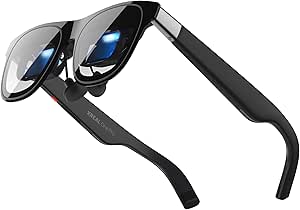 | Best Premium Spatial Display | Chip: XREAL X1 | Display: Sony 0.55-inch Micro-OLED | Refresh rate: 120Hz | VIEW LATEST PRICE | See Our Full Breakdown |
| Rokid AR Spatial Glasses with Max2 and Station2 Spatial Computer |  | Best for Standalone Multiscreen Use | Operating system: YodaOS-Master | Display: OLED, 1920 × 1200 | Refresh rate: 120 Hz | VIEW LATEST PRICE | See Our Full Breakdown |
| XREAL One Pro AR Glasses with X1 Chip, 171-Inch 120Hz FHD Display and Native 3DoF | | Best for Portable 3DoF Viewing | Chip: XREAL X1 | Tracking: Native 3DoF; optional 6DoF with XREAL Eye | Latency: 3 ms M2P | VIEW LATEST PRICE | See Our Full Breakdown |
| XREAL 1S AR Glasses with X1 Chip and Native 3DoF |  | Best for Native Spatial Viewing | Display: OLED, 1920 × 1200 | Spatial tracking: Native 3DoF | Refresh rate: Up to 120Hz in 3DoF mode; 90Hz global refresh | VIEW LATEST PRICE | See Our Full Breakdown |
| RayNeo Air 3s AR/XR Glasses with 201-Inch 120Hz FHD HueView Display |  | Best for Straightforward 120Hz Viewing | Display: OLED, 1920 × 1080 | Refresh rate: 120Hz | Virtual screen: 201 inches | VIEW LATEST PRICE | See Our Full Breakdown |
| DOMARS AR/XR Video Glasses with 3-Screen Micro-OLED Display |  | Best for Multi-Screen Workspaces | Display technology: Micro-OLED | Resolution: 1920 × 1200 | Refresh rate: 120Hz in description; 160Hz in product information | VIEW LATEST PRICE | See Our Full Breakdown |
| RayNeo Air 4 Pro AR/XR Glasses with HDR10 Display and B&O Audio |  | Best for Premium-Looking Media | Virtual display: 201 inches | Display format: HDR10 | Refresh rate: 120Hz | VIEW LATEST PRICE | See Our Full Breakdown |
| Ray-Ban Meta (Gen 2) Wayfarer Smart Glasses, Shiny Black with Green Lenses | 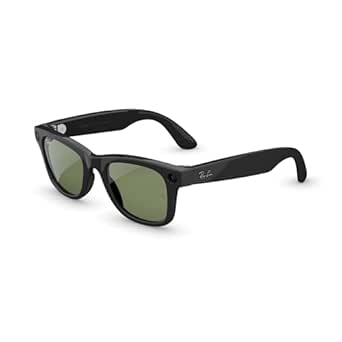 | Best for Everyday Smart Glasses, Not AR Display | Generation and style: Gen 2, Wayfarer | Display: No augmented reality display | Connectivity: Bluetooth, Wi-Fi | VIEW LATEST PRICE | See Our Full Breakdown |
| iONCT AI Smart Glasses with Camera and 4K Video Recording |  | Best for Camera and Translation Features | Video resolution: 4K | Photo resolution: 32MP | Camera sensor: 8MP IMX219 | VIEW LATEST PRICE | See Our Full Breakdown |
| RayNeo Air 4 Pro AR/XR Glasses with HDR10, 201-Inch Virtual Display, and 120Hz |  | Best for HDR Movies and Gaming | Virtual display size: 201 inches | Maximum resolution: 819 x 461 | Refresh rate: 120 Hz | VIEW LATEST PRICE | See Our Full Breakdown |
| Ray-Ban Meta (Gen 2) Wayfarer Large Smart Glasses, Matte Black, Clear Lenses |  | Best for Everyday Wear | Model: Meta Gen 2 Wayfarer | Size: Large | Frame color: Matte Black | VIEW LATEST PRICE | See Our Full Breakdown |
| Rokid Max 2 Black AR Glasses |  | Best for Prescription Flexibility | Display: Micro-OLED | Virtual screen size: 215 inches at 6 meters | Field of view: 50° | VIEW LATEST PRICE | See Our Full Breakdown |
| Meta Adventurer AI Glasses |  | Best for Hands-Free Capture with Meta AI | Camera: 12 MP | Video: 3K | Battery life: Up to 8 hours with moderate use | VIEW LATEST PRICE | See Our Full Breakdown |
| augmented reality smart glasse | Connectivity | Display | Refresh rate |
|---|---|---|---|
| INMO GO3 Smart Glasses with AI | Bluetooth | Dual-eye monochrome LED | — |
| XREAL xbx a01+ AR Glasses with | USB-C DisplayPort | Dual Full HD 1080p-per-eye Micro-OLED | — |
| XREAL One Pro AR Glasses with | USB-C video input; requires device with video output support | Sony 0.55-inch Micro-OLED | 120Hz |
| Rokid AR Spatial Glasses with | — | OLED, 1920 × 1200 | 120 Hz |
| XREAL One Pro AR Glasses with | USB-C video output | Sony 0.55-inch Micro-OLED | 120 Hz |
| XREAL 1S AR Glasses with X1 Ch | USB-C DisplayPort | OLED, 1920 × 1200 | Up to 120Hz in 3DoF mode; 90Hz global refresh |
| RayNeo Air 3s AR/XR Glasses wi | — | OLED, 1920 × 1080 | 120Hz |
| DOMARS AR/XR Video Glasses wit | — | — | 120Hz in description; 160Hz in product information |
| RayNeo Air 4 Pro AR/XR Glasses | USB Type-C | — | 120Hz |
| Ray-Ban Meta | Bluetooth, Wi-Fi | No augmented reality display | — |
| iONCT AI Smart Glasses with Ca | Bluetooth 5.3, Wi-Fi | — | — |
| RayNeo Air 4 Pro AR/XR Glasses | USB-C | — | 120 Hz |
| Ray-Ban Meta | — | — | — |
| Rokid Max 2 Black AR Glasses | — | Micro-OLED | 120Hz |
| Meta Adventurer AI Glasses | Bluetooth | — | — |
More Details on Our Top Picks
INMO GO3 Smart Glasses with AI Translation and AR Display
The INMO GO3 is the most communication-focused option here: its dual-eye monochrome display can show live translation, captions, navigation, and teleprompter text, while support for 98 translation languages gives frequent travelers and multilingual workers a broad toolset. Unlike the XREAL One Pro, which centers on a large, high-refresh virtual screen, the GO3 prioritizes glanceable information and voice assistance over immersive video. Its two swap-in batteries, each rated for up to eight hours, offer a practical way to extend use, though the product data does not clarify whether that runtime applies to each battery under the same conditions. The 8 MP camera and meeting assistant add utility, but Bluetooth requires a compatible phone, and the glasses are not water resistant. I’d choose it for language and work prompts, not as a personal cinema display.
Pros:- Real-time translation supports 98 languages
- Dual-eye display can present captions, navigation, and teleprompter text
- Two included quick-swap batteries can extend use between charging sessions
- 8 MP camera and AI meeting assistant add work and capture features
Cons:- Monochrome display is less suited to immersive video than the XREAL models’ Micro-OLED screens
- Bluetooth features require a compatible smartphone
- Not water resistant
Best for: Frequent travelers, multilingual professionals, and presenters who want translation, captions, navigation, or teleprompter prompts in their field of view.
Not ideal for: Buyers seeking a large, bright virtual screen for films or gaming, or anyone who needs glasses that can handle rain or use their features without a compatible smartphone.
- Display:Dual-eye monochrome LED
- Maximum display brightness:1500 nit
- Translation languages:98
- Camera:8 MP
- Battery capacity:660 mAh
- Battery life:Up to 8 hours
- Included batteries:2
- Weight:53 g
- Connectivity:Bluetooth
Our verdict“Choose the INMO GO3 for language support and glanceable work prompts, rather than for a cinema-sized AR screen.”
XREAL xbx a01+ AR Glasses with 147-Inch Virtual Display
The XREAL xbx a01+ makes the most sense for buyers who want a large virtual screen without stepping up to the One Pro’s more advanced tracking and wider field of view. Its dual Full HD Micro-OLED panels, HDR10 support, and stated 1600-nit maximum brightness are aimed at vivid personal viewing, while the built-in directional speakers keep audio close without requiring earbuds. At 62 g, it remains relatively light for a display you can connect to a phone, tablet, handheld, or computer. The tradeoff is a simpler, device-dependent setup: it uses USB-C DisplayPort, some devices need an adapter, and the supplied details do not list native spatial tracking. Compared with the Rokid Max2 and Station2 bundle, this is the more direct screen accessory, but it lacks that system’s standalone computing and multitasking features. Prescription lenses are also sold separately.
Pros:- Dual Full HD Micro-OLED panels support HDR10
- Stated maximum brightness of 1600 nits suits bright virtual-screen viewing
- Directional speakers provide built-in audio with multiple listening modes
- Adjustable nose pads and 62 g weight support a wearable fit
Cons:- Some connected devices require an adapter
- Prescription lenses are sold separately
- No spatial-tracking feature is specified, unlike the XREAL One Pro
Best for: Viewers who want a lightweight personal display for compatible USB-C phones, tablets, handhelds, or computers and value HDR video over standalone apps.
Not ideal for: Buyers who need spatial anchoring, a self-contained computing system, or guaranteed plug-and-play compatibility with devices that lack USB-C DisplayPort output.
- Virtual screen size:147 inches
- Display:Dual Full HD 1080p-per-eye Micro-OLED
- Resolution:1920 x 1080
- Maximum brightness:1600 nits
- HDR:HDR10
- Field of view:50°
- Connectivity:USB-C DisplayPort
- Weight:62 g
- Audio:Built-in directional speakers
Our verdict“Pick the xbx a01+ for a straightforward, bright virtual display when your device supports USB-C DisplayPort.”
XREAL One Pro AR Glasses with X1 Chip, 171-Inch Virtual Display and 120Hz Refresh Rate
The XREAL One Pro earns its premium-leaning role through a stronger spatial-display package than the xbx a01+: a built-in X1 chip, native 3DoF tracking, a 57° field of view, and a 120Hz Sony Micro-OLED screen. Native tracking can keep the virtual screen positioned as you move your head, making it better suited to focused viewing than a basic screen-mirroring setup. The stated 3 ms motion-to-photon latency and Bose-tuned audio further target responsive, self-contained viewing from a connected device. There are limits: 6DoF anchoring requires the optional XREAL Eye, and the USB-C source must support video output. The xbx a01+ lists a higher maximum brightness, while this One Pro trades that spec for tracking and a wider field of view. Buyers should also check fit: the listed IPD sizes divide into medium and large ranges.
Pros:- Native 3DoF tracking is built in, with optional 6DoF through XREAL Eye
- 120Hz Sony Micro-OLED display and 57° field of view support immersive viewing
- Stated 3 ms motion-to-photon latency targets responsive screen behavior
- Adjustable electrochromic tint and Bose-tuned audio add viewing flexibility
Cons:- 6DoF spatial anchoring requires the separately mentioned XREAL Eye accessory
- Connected USB-C device must support video output
- Maximum brightness is listed at 700 nits, below the xbx a01+ specification
Best for: Frequent AR-display users who want native 3DoF screen positioning, a wide field of view, and high-refresh Micro-OLED viewing from a compatible USB-C device.
Not ideal for: Buyers who expect full 6DoF spatial anchoring in the box, need broad compatibility with USB-C charging-only devices, or prioritize the highest stated brightness.
- Chip:XREAL X1
- Display:Sony 0.55-inch Micro-OLED
- Refresh rate:120Hz
- Field of view:57°
- Virtual screen size:Up to 171 inches
- Tracking:Native 3DoF; optional 6DoF with XREAL Eye
- Motion-to-photon latency:3ms
- Brightness:Up to 700 nits
- Connectivity:USB-C video input; requires device with video output support
Our verdict“Choose the One Pro for native 3DoF and a wide, high-refresh virtual screen, and add the XREAL Eye only if you need 6DoF anchoring.”
Rokid AR Spatial Glasses with Max2 and Station2 Spatial Computer
This Rokid bundle is the most computer-like choice in the group: the Max2 glasses pair with the Station2 spatial computer, so buyers get an operating system, memory, storage, and a battery rather than only a display for a connected device. Its three-screen multitasking and 1920 × 1200 OLED panel suit people who want several viewing or work surfaces, while 120Hz supports smooth motion. The Station2 also lists Wi-Fi 6, Bluetooth 5.2, and support for named streaming and gaming sources, distinguishing it from the XREAL One Pro’s USB-C video-input approach. That added capability comes with a two-part setup and a stated 3.5-hour Station2 runtime; charging while in use helps, but does not remove the need to manage power. App behavior has caveats too: Android three-screen mode uses DLNA, and Netflix and Apple TV support only 0DoF. Myopia adjustment is useful, but astigmatism correction is not supported.
Pros:- Station2 adds an operating system, 8 GB RAM, and 128 GB storage
- Three-screen multitasking offers more workspace than the XREAL display-only glasses
- 1920 × 1200 OLED panel runs at 120 Hz
- Glasses offer myopia adjustment up to 600 degrees
Cons:- Station2 runtime is listed at 3.5 hours
- Android three-screen mode requires DLNA
- Netflix and Apple TV support only 0DoF, and astigmatism correction is not supported
Best for: Travelers and media users who want a bundled spatial computer for multiple screens, streaming, and gaming without relying solely on a phone or laptop display output.
Not ideal for: People who need long unplugged sessions, dependable 3DoF streaming in Netflix or Apple TV, Android three-screen mode without DLNA, or astigmatism correction.
- Operating system:YodaOS-Master
- Display:OLED, 1920 × 1200
- Refresh rate:120 Hz
- Maximum brightness:600 nits
- Memory:8 GB RAM
- Storage:128 GB
- Station2 battery and runtime:5000 mAh; 3.5 hours
- Wireless connectivity:Wi-Fi 6, Bluetooth 5.2
- Myopia adjustment:Up to 600 degrees
Our verdict“Choose the Rokid bundle for its Station2-based multiscreen setup, but not if you need long battery life or consistent spatial tracking across streaming apps.”
XREAL One Pro AR Glasses with X1 Chip, 171-Inch 120Hz FHD Display and Native 3DoF
This One Pro listing suits buyers who want the core XREAL X1 and native 3DoF experience without making the optional 6DoF accessory part of the purchase decision. Its 120Hz Sony Micro-OLED display, 57° field of view, and stated 3 ms motion-to-photon latency target fluid screen viewing, while the adjustable lens tint helps adapt the view to changing surroundings. Compared with the XREAL xbx a01+, this model adds native screen positioning and a wider field of view, but the xbx lists a higher maximum brightness and HDR10. The glasses still depend on a USB-C video source; HDMI devices may need a Beam or adapter, so device compatibility is a real part of the buying choice. Spatial anchoring beyond 3DoF calls for the optional XREAL Eye, and the supplied data does not list a battery or standalone operating system.
Pros:- Native 3DoF tracking is included
- 120Hz Sony Micro-OLED display with a 57° field of view
- Stated 3 ms motion-to-photon latency supports responsive viewing
- Adjustable lens tint and Bose-tuned audio support comfortable personal viewing
Cons:- Optional XREAL Eye is required for 6DoF spatial anchoring
- USB-C source must provide video output; HDMI devices may need an adapter or Beam
- Unlike the Rokid Station2 bundle, it has no listed standalone computer or battery
Best for: USB-C handheld, phone, and laptop users who want a portable large-screen experience with native 3DoF positioning and high refresh rate.
Not ideal for: Buyers seeking a standalone AR computer, full 6DoF without an added accessory, HDR10 support, or hassle-free connection to HDMI-only devices.
- Chip:XREAL X1
- Tracking:Native 3DoF; optional 6DoF with XREAL Eye
- Latency:3 ms M2P
- Virtual screen size:Up to 171 inches
- Field of view:57°
- Display:Sony 0.55-inch Micro-OLED
- Refresh rate:120 Hz
- Brightness:Up to 700 nits
- Connectivity:USB-C video output
Our verdict“Pick this One Pro listing for portable 3DoF viewing from a compatible USB-C device, not for standalone computing or out-of-box 6DoF.”
XREAL 1S AR Glasses with X1 Chip and Native 3DoF
The XREAL 1S is the clearest fit here for buyers who want a virtual screen that can hold its position as they move their head. Its native 3DoF tracking works over USB-C DisplayPort, so spatial viewing does not depend on adding the separate XREAL Eye accessory. The 1920 × 1200 OLED image and refresh rates up to 120Hz in 3DoF mode also give it a stronger motion-focused pitch than the RayNeo Air 3s, which offers 120Hz but does not list native 3DoF. Bose-tuned open-ear audio keeps sound available without fully blocking the surroundings. The tradeoff is that this remains a connected display, not a standalone headset: the source device needs USB-C DisplayPort, and 6DoF anchoring requires an additional accessory. I’d choose it for spatial screen use, not untethered AR.
Pros:- Native 3DoF supports spatial viewing without the separately mentioned XREAL Eye.
- 1920 × 1200 OLED display with up to 120Hz refresh in 3DoF mode.
- Multiple spatial viewing modes and a virtual screen advertised up to 500 inches.
- Bose-tuned open-ear audio and listed UV protection.
Cons:- Requires a compatible USB-C DisplayPort source device.
- 6DoF anchoring requires the separately mentioned XREAL Eye.
- Real 3D mode is limited to up to 30 fps and has listed latency of 90–100 ms.
Best for: Phone, computer, and console users with USB-C DisplayPort who want a large screen with native 3DoF positioning.
Not ideal for: Buyers seeking a standalone headset, 6DoF tracking without extra hardware, or compatibility with devices that lack USB-C DisplayPort video output.
- Display:OLED, 1920 × 1200
- Spatial tracking:Native 3DoF
- Refresh rate:Up to 120Hz in 3DoF mode; 90Hz global refresh
- Field of view:52 degrees
- Virtual screen:Up to 500 inches
- Connectivity:USB-C DisplayPort
- Audio:Bose-tuned open-ear audio
- IPD range:59.5–70.5 mm
Our verdict“Choose the XREAL 1S if native 3DoF and a high-resolution virtual screen matter more than standalone operation.”
RayNeo Air 3s AR/XR Glasses with 201-Inch 120Hz FHD HueView Display
The RayNeo Air 3s keeps its pitch simple: a 1920 × 1080 OLED image, 120Hz refresh, and a 201-inch virtual screen for compatible devices. That makes it a direct choice for video and gaming, without the spatial-tracking focus of the XREAL 1S or its higher stated resolution. Built-in speakers use opposing acoustic chambers, while brightness and viewing modes give users some flexibility across content and conditions. TÜV SÜD low-blue-light and flicker-free certifications may also appeal to people planning regular viewing sessions, though they do not remove the need to take breaks. The main limitation is its conventional connected-glasses approach: the listing does not describe native spatial tracking, and the glasses are not water resistant. I’d shortlist it for a simple high-refresh personal screen, not for anchored AR work.
Pros:- 120Hz OLED display suits smooth gaming and video playback.
- 1920 × 1080 resolution and a stated 201-inch virtual screen.
- Built-in speakers use a dual opposing acoustic chamber design.
- TÜV SÜD low-blue-light and flicker-free certifications are listed.
Cons:- Native spatial tracking is not listed, unlike the XREAL 1S.
- Not water resistant.
- Manufacturer recommends a 10-minute break after every 30 minutes of use.
Best for: Gamers and video watchers who want a 120Hz OLED personal screen for a compatible phone, computer, or console.
Not ideal for: Buyers who want native 3DoF screen anchoring, water resistance, or a resolution above 1920 × 1080.
- Display:OLED, 1920 × 1080
- Refresh rate:120Hz
- Virtual screen:201 inches
- Maximum brightness:650 nit
- Speakers:Built-in, dual opposing acoustic chamber design
- Compatible devices:iPhone, Android, Mac, Nintendo Switch, PS5
- Water resistance:Not water resistant
- Warranty:1 year
Our verdict“Pick the RayNeo Air 3s for uncomplicated 120Hz media viewing if spatial anchoring is not a requirement.”
DOMARS AR/XR Video Glasses with 3-Screen Micro-OLED Display
The DOMARS glasses are the lineup’s workspace experiment: paired with the spatial station, they support a three-screen layout rather than just a single floating display. That gives them a different purpose from the RayNeo Air 3s, which is a more straightforward choice for one-screen gaming and video. DOMARS also lists 3DoF support, a 75g frame, and adjustable myopia correction from 0 to -6.00D, features that could suit users who want spatial screens without relying on prescription inserts. The station adds a 5000mAh battery and connectivity options, but the three-screen setup depends on that extra device. I’d be cautious about buying based on the headline display figures: the supplied information conflicts on refresh rate, field of view, and virtual-screen size. Treat those claims as unverified until confirmed.
Pros:- Three-screen spatial layout supports multitasking when paired with the spatial station.
- Listed 3DoF support gives the workspace a spatial-viewing feature absent from the RayNeo Air 3s listing.
- 75g weight and adjustable myopia correction from 0 to -6.00D.
- Spatial station lists a 5000mAh battery and 128GB storage.
Cons:- Three-screen viewing requires the spatial station.
- Provided refresh-rate, field-of-view, and virtual-screen-size figures conflict.
- The station-dependent setup is more involved than a straightforward connected display such as the RayNeo Air 3s.
Best for: Multitaskers who want a three-screen virtual workspace and are willing to use the included or compatible spatial station.
Not ideal for: Buyers who want a simple glasses-only setup, verified display specifications, or a lightweight media viewer without extra equipment.
- Display technology:Micro-OLED
- Resolution:1920 × 1200
- Refresh rate:120Hz in description; 160Hz in product information
- Spatial display:Three-screen layout with 3DoF support
- Virtual screen:Up to 215 inches in description; 360 inches in title and product information
- Myopia adjustment:0 to -6.00D
- Weight:75 g
- Spatial station battery and storage:5000mAh battery; 128GB storage
Our verdict“Consider DOMARS for its station-powered three-screen workspace, but verify the inconsistent display claims before choosing it.”
RayNeo Air 4 Pro AR/XR Glasses with HDR10 Display and B&O Audio
The RayNeo Air 4 Pro is the media-first pick for buyers who value HDR presentation and built-in audio as much as a large virtual screen. Its HDR10 display, 120Hz refresh, and Vision 4000 chip with AI SDR-to-HDR upscaling give it a more image-processing-focused case than the RayNeo Air 3s, whose supplied specs list a standard FHD OLED display. Four Bang & Olufsen-tuned speakers add open-ear spatial audio, so there is no need to wear separate headphones for casual viewing. It also weighs 2.72 ounces and connects over USB-C, but it has no internal battery and still depends on a compatible source device. The optional Sound Tube is sold separately, so buyers seeking that accessory should account for the extra purchase. This is a connected screen, not a standalone AR computer.
Pros:- HDR10 and 120Hz refresh target detailed, smooth video playback.
- Vision 4000 chip supports AI SDR-to-HDR upscaling.
- Four Bang & Olufsen-tuned speakers provide open-ear spatial audio.
- Lightweight 2.72-ounce design with USB-C connectivity.
Cons:- Requires a compatible connected device and has no internal battery.
- The optional Sound Tube is sold separately.
- Compared with the XREAL 1S, the supplied specs do not list native 3DoF tracking.
Best for: Media viewers who want HDR10, 120Hz playback, and integrated open-ear audio from compatible USB-C devices.
Not ideal for: Buyers who need standalone operation, a built-in battery, or a fully self-contained audio setup with the optional Sound Tube included.
- Virtual display:201 inches
- Display format:HDR10
- Refresh rate:120Hz
- Processor:Vision 4000 chip
- Audio:Four Bang & Olufsen-tuned speakers
- Connectivity:USB Type-C
- Weight:2.72 ounces
- Power:No internal battery
Our verdict“Choose the RayNeo Air 4 Pro for HDR media and built-in tuned audio, not for standalone use or spatial tracking.”
Ray-Ban Meta (Gen 2) Wayfarer Smart Glasses, Shiny Black with Green Lenses
The Ray-Ban Meta Gen 2 belongs in this roundup as a useful contrast, not as a display alternative. Its Wayfarer frame combines a camera, video recording, open-ear audio, Bluetooth, Wi-Fi, and hands-free Meta AI features, but it has no augmented reality display. That makes it a better everyday wearable for capturing moments or using voice features than the RayNeo Air 4 Pro, which projects a large virtual screen for media. Battery life is listed at up to eight hours, with the charging case adding up to 48 hours, though actual runtime depends on use. Water resistance adds some everyday flexibility, but these glasses cannot show spatial screens, games, or work windows in the wearer’s view. I’d choose them only if camera and assistant functions matter more than visual AR.
Pros:- Built-in camera and video recording support hands-free capture.
- Open-ear audio allows awareness of surrounding sounds.
- Meta AI features include voice assistance and translation.
- Charging case provides up to 48 additional hours of charging.
Cons:- No augmented reality display, unlike the RayNeo Air 4 Pro.
- Battery life is listed at up to 8 hours with moderate use.
- Camera and AI functions do not replace the spatial-screen capabilities of AR display glasses.
Best for: People who want Ray-Ban styling with a hands-free camera, open-ear audio, and Meta AI features for everyday use.
Not ideal for: Anyone specifically shopping for augmented reality visuals, virtual screens, or spatially anchored content; this model has no display.
- Generation and style:Gen 2, Wayfarer
- Display:No augmented reality display
- Connectivity:Bluetooth, Wi-Fi
- Features:Camera, video recording, music player, voice control, GPS
- Battery life:Up to 8 hours
- Charging case:Up to 48 additional hours
- Water resistance:Water resistant
- Weight:0.05 kg
Our verdict“Buy the Ray-Ban Meta if you want camera and assistant features in familiar eyewear, but skip it for visual AR.”
iONCT AI Smart Glasses with Camera and 4K Video Recording
The iONCT is a better fit for hands-free capture and AI tools than for viewing projected AR content: it has no display, but records 4K video and 32MP photos and adds object recognition and translation for over 165 languages. That makes it more useful for documenting a walk or getting spoken help than the Rokid Max 2, which prioritizes a large virtual screen instead of a camera-and-assistant feature set. Open-ear audio keeps calls and music available without fully blocking nearby sounds, and the included sunglass and blue-light lenses suit different settings. The tradeoff is endurance: video recording is rated for up to 80 minutes, far less than the music playback figure. With no water resistance or GPS, I would skip it for wet outings or location-dependent activities.
Pros:- Records 4K video with electronic image stabilization and captures 32MP photos.
- Open-ear speakers support calls and music while leaving ambient sound audible.
- AI assistant, object recognition, and translation support over 165 languages.
- Includes both sunglass and blue-light lenses.
Cons:- Video recording lasts up to 80 minutes per charge.
- No water resistance or GPS.
- No AR display for viewing virtual screens or spatial overlays.
Best for: Travelers and casual creators who want hands-free 4K capture, open-ear audio, and multilingual translation in one pair of glasses.
Not ideal for: Buyers seeking a true AR screen, reliable all-day video capture, water resistance, or built-in GPS.
- Video resolution:4K
- Photo resolution:32MP
- Camera sensor:8MP IMX219
- Image stabilization:Electronic image stabilization (EIS)
- Translation languages:Over 165
- Battery capacity:300 mAh
- Video recording:Up to 80 minutes
- Connectivity:Bluetooth 5.3, Wi-Fi
Our verdict“Choose the iONCT if camera capture and broad translation support matter more to you than an AR display or extended recording time.”
RayNeo Air 4 Pro AR/XR Glasses with HDR10, 201-Inch Virtual Display, and 120Hz
For buyers who define AR glasses as a personal cinema or gaming screen, the RayNeo Air 4 Pro is the most direct fit here. Its 201-inch virtual display, HDR10 support, and 120Hz refresh rate target vivid video and smoother motion, while native 3D viewing and 2D-to-3D conversion add options that camera-first glasses such as the Ray-Ban Meta (Gen 2) Wayfarer do not provide. Bang & Olufsen-tuned spatial audio adds an immersive sound layer, though this remains a USB-C tethered display, not a standalone headset: the connected device supplies the content and power. That keeps the glasses light at 2.88 ounces but limits use to compatible devices. I would choose it over the Rokid Max 2 for HDR and 3D features, while buyers who want adjustable myopia correction should look at the Rokid instead.
Pros:- 201-inch virtual display with HDR10 visuals.
- 120Hz refresh rate supports smoother gaming motion.
- Supports native 3D films and 2D-to-3D conversion.
- Spatial audio tuned by Bang & Olufsen, with whisper mode.
Cons:- Requires a compatible USB-C device and depends on that device for power.
- No built-in battery for untethered use.
- Optional Sound Tube accessory is sold separately.
Best for: Movie watchers and mobile gamers with a compatible USB-C phone, computer, or console who want a large, high-refresh-rate virtual screen.
Not ideal for: People who want standalone glasses, wireless use, or a device-independent AR experience.
- Virtual display size:201 inches
- Maximum resolution:819 x 461
- Refresh rate:120 Hz
- Display features:HDR10, native 3D, and 2D-to-3D conversion
- Connectivity:USB-C
- Compatible devices:Game consoles, personal computers, and smartphones
- Weight:2.88 ounces
- Warranty:1 year manufacturer warranty
Our verdict“Pick the RayNeo Air 4 Pro for a tethered HDR movie and gaming screen, not for standalone or wireless AR use.”
Ray-Ban Meta (Gen 2) Wayfarer Large Smart Glasses, Matte Black, Clear Lenses
The Ray-Ban Meta Wayfarer makes the most sense for people who want camera, calls, open-ear audio, and AI in familiar-looking frames—not a visual AR interface. Its clear-lens Wayfarer design is a more everyday-wearable approach than the screen-focused RayNeo Air 4 Pro, which connects to a device to show a large virtual display but is built around viewing content. Meta’s glasses instead keep information in audio and capture in the frame, with up to eight hours of use and a case that supplies up to 48 additional hours. That convenience comes with a clear limitation: there is no AR display, so you cannot view virtual screens or overlays through the lenses. The stated runtime also depends on moderate use, making intensive camera or audio sessions harder to plan around.
Pros:- Combines a classic Wayfarer frame with camera, calls, music, and Meta AI.
- Open-ear speakers let ambient sounds and conversation remain audible.
- Charging case provides up to 48 additional hours of charging.
- Clear lenses suit indoor and everyday wear.
Cons:- No augmented reality display or virtual-screen capability.
- Up to eight hours of use is specified for moderate use, not demanding sessions.
Best for: People who want discreet-looking, clear-lens smart glasses for hands-free photos, calls, music, and Meta AI during everyday routines.
Not ideal for: Buyers who want a virtual screen, visible AR overlays, or a stated battery runtime beyond moderate daily use.
- Model:Meta Gen 2 Wayfarer
- Size:Large
- Frame color:Matte Black
- Lens type:Clear
- Audio:Open-ear speakers with Bluetooth connectivity
- Battery life:Up to 8 hours
- Charging case:Up to 48 additional hours of charging
- AR display:None
Our verdict“Choose these Ray-Bans for everyday camera and audio features in a familiar frame, and skip them if you expect visual AR.”
Rokid Max 2 Black AR Glasses
The Rokid Max 2 earns its place as the display-focused pick for myopic viewers: its built-in adjustment dial supports myopia correction up to 600 diopters, reducing the need for separate prescription lenses for some users. It also projects a 215-inch Micro-OLED screen at a 6-meter viewing distance, with a 50° field of view and 120Hz refresh rate. Against the RayNeo Air 4 Pro, Rokid’s clearest differentiator is that eyesight adjustment; RayNeo instead emphasizes HDR10, 3D viewing, and B&O-tuned audio. The Max 2 still needs a compatible USB-C source and draws power from it, so it is not a standalone viewer. Its correction also has firm limits: astigmatism and presbyopia are not supported, and stronger myopia calls for separate lenses.
Pros:- Micro-OLED virtual screen reaches 215 inches at a 6-meter viewing distance.
- 120Hz refresh rate and brightness up to 600 nits.
- Built-in myopia adjustment up to 600 diopters.
- Lightweight 75 g design with interchangeable cushioned nose pads.
Cons:- Does not correct astigmatism or presbyopia.
- Myopia above 600 diopters requires separate prescription lenses.
- Requires a compatible USB-C device and has no internal battery.
Best for: Myopic viewers who want a large, high-refresh-rate virtual display and whose prescription falls within the built-in adjustment range.
Not ideal for: People with astigmatism, presbyopia, myopia above 600 diopters, or no compatible USB-C device.
- Display:Micro-OLED
- Virtual screen size:215 inches at 6 meters
- Field of view:50°
- Refresh rate:120Hz
- Brightness:Up to 600 nits
- Myopia adjustment:Up to 600 diopters
- Connectivity and power:USB-C; powered by connected device
- Weight:75 g
Our verdict“Choose the Rokid Max 2 if you want a large USB-C virtual screen and its built-in myopia adjustment suits your prescription.”
Meta Adventurer AI Glasses
Meta Adventurer glasses suit buyers who want hands-free photos and 3K video alongside calls, music, messaging, and Meta AI. Like the Ray-Ban Meta Wayfarer, they are camera-and-audio smart glasses rather than true visual AR: neither model has a display for overlays or a virtual screen. The Adventurer’s listed 12MP camera and 3K video make capture the clearest reason to pick it, while its privacy light signals when recording. Open-ear speakers keep nearby sounds audible, and the case adds up to 40 hours of charging. Compared with the Wayfarer, that is eight fewer additional case hours, so the Ray-Ban is the stronger choice if extended case-supported use matters more. The Adventurer’s runtime is also stated for moderate use, and its lack of an AR display rules it out for spatial content.
Pros:- Captures hands-free photos and 3K video with a 12MP camera.
- Meta AI features include real-time translation.
- Open-ear speakers support calls and music while keeping surrounding sounds audible.
- Charging case provides up to 40 additional hours of charging and capture uses a privacy light.
Cons:- No augmented reality display or virtual-screen capability.
- Up to eight hours of battery life is specified for moderate use.
- Charging case adds less stated capacity than the Ray-Ban Meta Wayfarer case.
Best for: People who want hands-free 3K capture, Meta AI, calls, and open-ear audio without needing a display.
Not ideal for: Buyers seeking visual AR overlays, a virtual screen, or long stretches of intensive use without charging.
- Camera:12 MP
- Video:3K
- Battery life:Up to 8 hours with moderate use
- Charging case:Up to 40 additional hours of charging
- Audio:Open-ear speakers
- Connectivity:Bluetooth
- AI assistant:Meta AI
- Augmented reality display:Not included
Our verdict“Choose the Adventurer for hands-free 3K capture and Meta AI, but choose display-equipped glasses if visual AR is your goal.”

How We Picked
I ranked these augmented reality smart glasses by how clearly each option serves a distinct buyer need, rather than treating every pair as the same kind of AR product. I weighed the display experience, refresh rate and HDR features where stated, spatial capabilities such as native 3DoF, and whether the product focuses on a virtual screen or on AI, translation, and camera functions. I also considered practical factors buyers can verify before purchase: fit and prescription support, audio and privacy, device compatibility, portability, and whether a computing accessory is part of the package.
That approach puts models with a stronger combination of screen quality and spatial control ahead for buyers seeking an immersive personal display, while everyday camera glasses and specialist translation eyewear receive distinct roles rather than being judged by screen size. Closely named listings are not treated as interchangeable: the supplied descriptions differ, and buyers should confirm the exact configuration. Product specifications alone cannot establish real-world comfort or compatibility across every device, so I treat those as purchase checks rather than assumed strengths.
Factors to Consider When Choosing Augmented Reality Smart Glasses
Before choosing a pair, decide what you expect the glasses to do most often. The biggest mistake is comparing every model by its advertised screen size, even though some are designed for private video viewing and others for quick AI or camera tasks. These checks help narrow the field before you compare specific models.
Choose Between a Wearable Screen and Everyday Smart Glasses
Start by naming the task you want the glasses to handle: watching content on a large private display, viewing spatially anchored windows, or using hands-free camera and AI features. These are different product categories in practice, even when listings use similar AR or XR labels. A screen-focused pair can be awkward for quick daily interactions, while camera-first frames may not offer the visual workspace you expect. Ask how often you will sit and watch versus move around and use voice or capture features. If you want both, check whether one device genuinely supports both tasks or whether a second pair would be more comfortable. Choose by your most frequent use, not by the broadest feature list.
Check Your Source Device and Connection Before Buying
A pair of display glasses depends on the device sending it video, and compatibility can vary by phone, computer, console, port, and operating system. Verify that your source supports the required video output and that any needed adapter is available for your setup. A USB-C connector alone does not guarantee video support. If a package includes a spatial-computing accessory, check which tasks it handles independently and which still depend on another device. Also confirm what is included in the box; a glasses-only listing may need extra hardware to match the experience you have in mind. This check can matter more than a small difference in display specifications.
Treat Screen Size and Spatial Tracking as Separate Features
Advertised virtual-screen measurements describe an apparent viewing experience, not a conventional monitor that physically occupies the stated size. They do not tell you how stable the image feels, how much of your view it covers, or whether content stays in place as you move. Native 3DoF and other spatial features can change how a virtual screen behaves, so look for the exact tracking capability rather than assuming every AR-branded model offers it. For seated films or games, screen smoothness and image presentation may matter more than spatial anchoring. For multitasking or moving between virtual windows, tracking behavior deserves more attention. Compare the job each feature does instead of treating all display claims as equivalent.
Prioritize Fit, Prescription Needs, and Session Comfort
Fit can decide whether advanced displays are useful for more than short sessions. Consider frame weight, nose support, adjustability, lens options, and whether your prescription can be accommodated. Check the maker’s instructions for interpupillary adjustment and supported corrective lenses before buying, since a clear picture for one wearer may not be clear for another. Think about where the cable sits and whether you can use the glasses comfortably in your usual chair or travel setup. If possible, check return terms for fit-related issues, as comfort is difficult to judge from specifications. Avoid assuming that a familiar frame shape will fit like your regular glasses.
Weigh Privacy, Battery, and the Social Setting
Camera-equipped glasses and display glasses raise different practical questions. For camera and AI frames, check recording indicators, controls, microphone behavior, and the places where recording is appropriate. For display glasses, consider whether audio leaks to nearby people and whether you can hear your surroundings when needed. Battery life and charging matter more for voice, camera, and AI features used throughout the day than for a pair used briefly with a connected device. A subtle-looking frame may be easier to wear socially, but that does not make its recording features invisible to others. Match the design to your routines and the settings where you plan to use it.
Pay for a Complete Setup, Not a Feature List
Compare the full system you need, including adapters, prescription inserts, cables, computing accessories, and any required companion app or service. A bundled spatial computer can reduce setup friction but adds another device to charge, carry, and update. A glasses-only option may be simpler if you already own a compatible phone or computer. Check which functions work without an internet connection and whether AI tools depend on an app, account, or service availability in your region. Do not pay extra for spatial features if your main use is occasional video viewing. Likewise, do not choose the simplest pair if it cannot run the tasks you actually want.
Frequently Asked Questions
Can I use AR smart glasses as a monitor for my laptop or phone?
Some display-focused glasses can show a device’s video output as a private virtual screen, but compatibility depends on the source device and its connection. Check that your laptop or phone supports video over the required port and confirm whether an adapter is needed. A virtual screen can be useful for travel or private viewing, but it may not replace a desktop monitor for every task, especially if you need several physical peripherals or precise color work. Native spatial features can affect whether the screen stays anchored as you move. Verify the exact model and connection requirements before choosing based on screen size claims.
Do I need a separate spatial computer or accessory?
Not always. Some glasses are designed to receive video from a phone, computer, or other compatible source, while a bundle such as the Rokid setup pairs glasses with a dedicated computing accessory. That extra hardware may make certain spatial tasks more self-contained, but it also adds charging, setup, and carrying requirements. Check which features run on the glasses, which depend on the accessory, and which still need a phone or computer. If your goal is simply to watch content from a device you already own, a separate computer may not be necessary. Decide based on the actual apps and tasks you expect to use.
Are camera-and-AI glasses a good choice for watching a large virtual screen?
Usually, you should not assume that camera-and-AI glasses provide the same display experience as screen-focused AR glasses. Models such as Ray-Ban Meta, iONCT, and Meta Adventurer are positioned around everyday features like capture or AI, while display models emphasize a virtual viewing surface. Their frame styles may be easier to wear in ordinary settings, but that does not make them a replacement for a dedicated private screen. Check whether the specific listing provides a display and what it can show. If watching films or using a virtual monitor is your main goal, prioritize models built around that purpose.
Will these glasses work with my prescription?
Prescription support varies by model and may involve corrective inserts, adjustable optics, or limited fit options. Before ordering, check the manufacturer’s supported prescription range, insert availability, and whether your lens type is compatible. Also review interpupillary adjustment and fit guidance, since clear vision depends on alignment as well as prescription strength. Do not assume that a familiar frame shape will accept your existing lenses. If the information is unclear, ask the maker or seller before buying, especially if you need progressive lenses or a strong correction.
Which features should I prioritize if I plan to wear the glasses outside the home?
For regular use away from home, start with comfort, portability, battery needs, and how naturally the glasses fit your routines. Camera and AI features can be convenient for quick captures or voice tasks, but privacy controls and recording indicators matter in shared settings. Display glasses may need a connected device or cable, which can make them less convenient while walking or handling everyday errands. Check whether you can hear your surroundings and whether the glasses remain usable without a network connection. Choose the model whose main function fits your daily setting rather than one with the longest feature list.
Conclusion
For a best overall display-focused pick, I’d choose the XREAL One Pro for its stated combination of an X1 chip, native 3DoF, and 120Hz viewing; confirm the exact listing, since two configurations appear in this roundup. For a best value direction, compare the XREAL 1S and RayNeo Air 3s around the features you will use, rather than paying for spatial or HDR capabilities you do not need. The RayNeo Air 4 Pro is my premium media pick for buyers drawn to HDR10 and B&O audio. Beginners who want a familiar, everyday form should look at Ray-Ban Meta (Gen 2), while INMO GO3 is the more targeted choice for translation and Rokid Max2 with Station2 suits buyers seeking a glasses-plus-computing setup. If your priority is camera capture, compare the iONCT and Meta Adventurer listings closely. Pick the pair that fits your main task, compatible devices, and comfort needs—not the one with the biggest headline specification.
Halloween Picks

Kalolary 12ft Halloween Witch Haunted House Inflatable Archway

MGparty 14.5 ft Halloween Inflatable Walk-In Pumpkin House with LED Lights

HOPOCO Halloween Pumpkin Fog Machine with 12 LED Colors & Remote Control
As an affiliate, we earn on qualifying purchases.