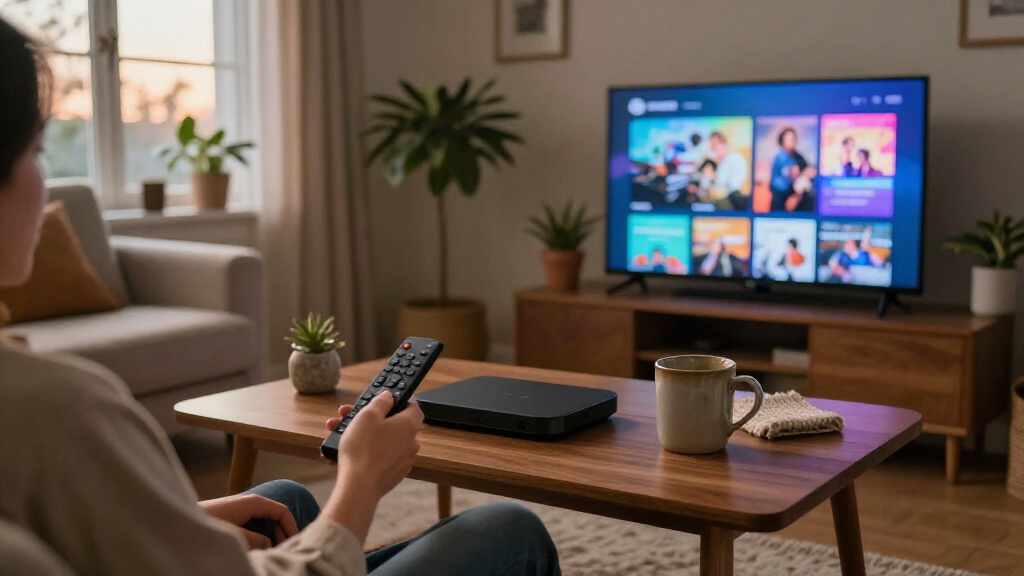

The best home streaming devices pair reliable 4K playback with a platform that feels easy to use, and the Apple TV 4K is my best overall pick for its polished interface and strong Apple ecosystem fit. For a flexible Google TV option, I’d also look at the Google TV Streamer 4K; the Roku Streaming Stick 4K is a simpler match for TVs where a compact, straightforward player matters more than premium extras. The main tradeoffs are platform preference, 4K and HDR support, connection options, and how much control you want over recommendations and smart-home features. A more capable box can be a better hub, while a stick may suit a secondary screen without adding clutter. Read on for the full breakdown and a pick for each kind of home setup.

Get the latest gadgets delivered free with Prime
- Fast, free delivery on millions of items
- Prime Video, Amazon Music and more included
- Member-only deals all year
Complete the kit



Key Takeaways
- Apple TV 4K ranks first for its polished experience and Apple ecosystem fit, while households that favor Google TV may find the Google TV Streamer 4K a more natural match.
- The Roku lineup splits by simplicity and capability: Express HD suits basic screens, Streaming Stick models keep the setup compact, and Ultra models add a more capable player format.
- 4K labels do not make devices interchangeable. Roku, Fire TV, Google TV, and Apple TV differ in interface, voice controls, and ecosystem, so the platform can matter more than a resolution badge.
- Amazon’s Fire TV range offers multiple levels of connectivity and features. The 4K Max, 4K Plus, 4K Select, and HD Stick target different setups; buyers should match the model to their TV and network rather than assume the newest-sounding name is necessary.
- Box-style players and HDMI sticks solve different problems. Boxes such as Google TV Streamer and the onn 4K Pro suit buyers who want a fuller living-room hub, while sticks work well when a low-profile install is the priority.
| Roku Ultra LT Streaming Device (4K/HDR/Dolby Vision) with Voice Remote |  | Best for Roku Simplicity | Resolution: 4K | Video formats: Dolby Vision, HDR10+, H.264, H.265/HEVC | Connectivity: HDMI, dual-band Wi-Fi, Ethernet | VIEW LATEST PRICE | See Our Full Breakdown |
| Apple TV 4K (4th Generation) |  | Best Premium Apple Ecosystem Pick | Chip: A19 | Video support: 4K, Dolby Vision, HDR10+ | Audio support: Dolby Atmos, Enhance Dialogue | VIEW LATEST PRICE | See Our Full Breakdown |
| onn 4K Pro Streaming Device with Google TV and Gemini |  | Best for Storage and Wired Networking | Resolution: 4K UHD | Storage: 32GB | RAM: 3GB | VIEW LATEST PRICE | See Our Full Breakdown |
| Xiaomi TV Box S 3rd Gen – 4K UHD Google TV Streaming Device |  | Best Compact Google TV Box | Resolution: 4K UHD (3840 × 2160) at 60FPS | Operating system: Google TV | Processor and GPU: Quad-core CPU up to 2.5GHz; ARM G310 V2 GPU | VIEW LATEST PRICE | See Our Full Breakdown |
| Amazon Fire TV Stick 4K Max (2nd Gen) Streaming Device with Wi-Fi 6E and Alexa Voice Remote |  | Best for Wi-Fi 6E and Alexa | Processor and GPU: Quad-core 2.0GHz; 850MHz GPU | Storage: 16GB | Wi-Fi: Wi-Fi 6E tri-band (2.4, 5, and 6GHz); 802.11 a/b/g/n/ac/ax | VIEW LATEST PRICE | See Our Full Breakdown |
| onn Android TV 4K UHD Streaming Device with Voice Remote and HDMI Cable |  | Best Value for Google TV and Android Users | Resolution: 4K UHD (3840 × 2160 pixels) | Operating system: Android TV | Connectivity: HDMI, Wi-Fi | VIEW LATEST PRICE | See Our Full Breakdown |
| Roku Streaming Stick 4K (2022) |  | Best Compact 4K Stick | Video resolution: 3840 × 2160 (4K) | HDR formats: Dolby Vision, HDR10+ | Connectivity: Wi-Fi, HDMI | VIEW LATEST PRICE | See Our Full Breakdown |
| Amazon Fire TV Stick HD with Alexa Voice Remote |  | Best for Full HD TVs | Resolution: Full HD | Wi-Fi: Wi-Fi 6 | Connectivity: HDMI, Bluetooth | VIEW LATEST PRICE | See Our Full Breakdown |
| Roku Ultra 4K Streaming Player with Voice Remote Pro |  | Best Premium Roku Player | Maximum resolution: 2160p (4K) | HDR formats: Dolby Vision, HDR10, HDR10+, HLG | Audio: Dolby Atmos | VIEW LATEST PRICE | See Our Full Breakdown |
| Roku Express HD Streaming Device with Standard Remote |  | Best Simple HD Starter | Resolution: 1080p (1920 × 1080 pixels) | Connectivity: Wireless, HDMI | Remote: Standard IR remote | VIEW LATEST PRICE | See Our Full Breakdown |
| Amazon Fire TV Stick 4K Select with Alexa Voice Remote |  | Best Value Fire TV Stick | Maximum resolution: 2160p up to 60 fps | Video formats: HDR10, HDR10+, HLG, H.265, H.264, VP9, AV1 | Processor: Quad-core 1.7 GHz | VIEW LATEST PRICE | See Our Full Breakdown |
| Amazon Fire TV Stick 4K Plus with Wi-Fi 6 and Alexa Voice Remote |  | Best for Dolby Vision and Wi-Fi 6 | Output resolution: 2160p, 1080p, and 720p up to 60 fps | Video formats: Dolby Vision, HDR10, HDR10+, HLG, H.265, H.264, VP9, AV1 | Audio: Dolby Atmos, 7.1 surround sound, stereo, HDMI audio pass-through up to 5.1 | VIEW LATEST PRICE | See Our Full Breakdown |
| Roku Ultra LT 4K Streaming Device with Dolby Vision, Dual-Band Wi-Fi, Voice Remote, HDMI Cable, and USB Extension Cord |  | Best for a Simple Roku Setup | Resolution: 4K UHD (3840 × 2160) | Video features: HDR and Dolby Vision | Wireless: 802.11ac dual-band Wi-Fi | VIEW LATEST PRICE | See Our Full Breakdown |
| Roku Streaming Stick 4K with Voice Remote, Dolby Vision and HDR10+ |  | Best Compact Roku Device | Resolution: 4K UHD, up to 2160p at 60 fps | HDR formats: Dolby Vision and HDR10+ | Connectivity: Wi-Fi | VIEW LATEST PRICE | See Our Full Breakdown |
| Google TV Streamer 4K with Voice Remote, 32 GB Storage, Porcelain |  | Best for Google TV and More Storage | Video output resolution: 3840 × 2160 | Video codec: H.265 | RAM: 4 GB | VIEW LATEST PRICE | See Our Full Breakdown |
| home streaming device | Connectivity | Resolution |
|---|---|---|
| Roku Ultra LT Streaming Device | HDMI, dual-band Wi-Fi, Ethernet | 4K |
| Apple TV 4K | — | — |
| onn 4K Pro Streaming Device wi | Wi-Fi 6, Ethernet | 4K UHD |
| Xiaomi TV Box S 3rd Gen | Wi-Fi 6, Bluetooth 5.2, HDMI 2.1, USB 2.0 | 4K UHD (3840 × 2160) at 60FPS |
| Amazon Fire TV Stick 4K Max | — | — |
| onn Android TV 4K UHD Streamin | HDMI, Wi-Fi | 4K UHD (3840 × 2160 pixels) |
| Roku Streaming Stick 4K | Wi-Fi, HDMI | — |
| Amazon Fire TV Stick HD with A | HDMI, Bluetooth | Full HD |
| Roku Ultra 4K Streaming Player | — | — |
| Roku Express HD Streaming Devi | Wireless, HDMI | 1080p (1920 × 1080 pixels) |
| Amazon Fire TV Stick 4K Select | — | — |
| Amazon Fire TV Stick 4K Plus w | — | — |
| Roku Ultra LT 4K Streaming Dev | — | 4K UHD (3840 × 2160) |
| Roku Streaming Stick 4K with V | Wi-Fi | 4K UHD, up to 2160p at 60 fps |
| Google TV Streamer 4K with Voi | Ethernet and Wi-Fi | — |
More Details on Our Top Picks
Roku Ultra LT Streaming Device (4K/HDR/Dolby Vision) with Voice Remote
I’d choose the Roku Ultra LT for a household that wants straightforward access to a wide range of streaming channels without committing to a particular phone or smart-home platform. Its 4K, Dolby Vision, and HDR10+ support gives it a broader picture-format mix than a basic HD streamer, while dual-band Wi-Fi and Ethernet offer flexibility if the TV’s wireless signal is unreliable. The remote also handles TV power, volume, and voice search, and private listening is a useful perk for late-night viewing.
Compared with the Amazon Fire TV Stick 4K Max, this Roku is less focused on Alexa and Wi-Fi 6E features, but its TV-box design includes Ethernet and a remote headphone jack. The tradeoff is that it lacks some advanced audio processing and extra ports found on the standard Roku Ultra, and most premium channels still require subscriptions.
Pros:- Supports 4K, Dolby Vision, and HDR10+ playback
- Dual-band Wi-Fi and Ethernet provide two network connection options
- Voice remote controls TV power and volume as well as search
- Private listening is available through the remote headphone jack or mobile app
Cons:- Lacks the advanced audio processing and additional ports of the standard Roku Ultra
- Most premium streaming channels require separate subscriptions
Best for: Households that want an easy-to-use Roku interface, 4K HDR formats, Ethernet as an option, and private listening from the remote.
Not ideal for: Viewers seeking advanced audio processing, extra device ports, or a streaming setup centered on Alexa and Wi-Fi 6E.
- Resolution:4K
- Video formats:Dolby Vision, HDR10+, H.264, H.265/HEVC
- Connectivity:HDMI, dual-band Wi-Fi, Ethernet
- Form factor:TV box
- Dimensions:6 × 2 × 2 inches
- Voice assistants:Siri, Google Assistant
- Included accessories:Roku Voice Remote, Premium High Speed HDMI Cable, USB Extension Cord
Our verdict“Choose the Roku Ultra LT if you want Roku’s simple channel-focused experience with 4K HDR support and flexible listening options, rather than the Fire TV Stick 4K Max’s Alexa-focused feature set.”
Apple TV 4K (4th Generation)
The Apple TV 4K is the premium choice here for viewers who already use Apple devices and want streaming to sit alongside smart-home control. Its A19 chip supports smooth 4K playback with Dolby Vision and HDR10+, while Dolby Atmos and Enhance Dialogue give supported content more sound options. Far-field microphones make hands-free Siri control possible, and the box can act as a smart-home hub for compatible accessories.
Compared with the Xiaomi TV Box S 3rd Gen, Apple’s strongest case is its Apple integration and smart-home role, not a longer list of connection details. That ecosystem benefit can be less compelling for households without an iPhone or iPad, which the product data says are needed for optimal Siri setup and Find My features. Surround sound also calls for additional HomePod speakers, so buyers should not treat that feature as built in.
Pros:- A19 chip paired with 4K, Dolby Vision, and HDR10+ support
- Dolby Atmos and Enhance Dialogue audio support
- Far-field microphones enable hands-free Siri control
- Functions as a hub for compatible smart-home accessories
Cons:- Optimal Siri setup and Find My features require Apple ecosystem devices
- Surround sound pairing requires additional HomePod speakers
Best for: Apple households that want a 4K streamer with hands-free Siri, Dolby Atmos support, and a role in controlling compatible smart-home accessories.
Not ideal for: Viewers without an iPhone or iPad, or buyers who want surround sound without adding HomePod speakers.
- Chip:A19
- Video support:4K, Dolby Vision, HDR10+
- Audio support:Dolby Atmos, Enhance Dialogue
- Smart-home features:Smart-home hub with remote accessory control
- Microphones:Far-field microphones
- Dimensions:3.67 × 3.67 × 1.22 inches
- Weight:7.7 ounces
- Model number:MLFF4LL/A
Our verdict“Pick the Apple TV 4K if your household already relies on Apple devices and smart-home accessories; otherwise, the Google TV-based onn 4K Pro offers a different route with listed storage and Ethernet details.”
onn 4K Pro Streaming Device with Google TV and Gemini
I’d put the onn 4K Pro near the top for buyers who want room for apps and the option of a wired network connection. Its listed 32GB of storage and 3GB of RAM give it more capacity than the Fire TV Stick 4K Max’s 16GB of storage, while Wi-Fi 6 and Ethernet let users choose between wireless convenience and a cable run to the router. Google TV with Gemini, Dolby Vision, and Dolby Atmos round out a feature set suited to a more capable living-room setup.
The backlit remote and Find My Remote feature can help in a dim room or a busy household. Compared with the smaller Xiaomi TV Box S 3rd Gen, the onn’s memory and storage figures are higher, but its listed size and weight make it less discreet. Streaming quality still depends on the internet connection, and it needs a TV with HDMI input.
Pros:- 32GB storage and 3GB RAM provide generous app capacity and multitasking resources
- Wi-Fi 6 and an Ethernet port offer wireless and wired networking
- Supports Dolby Vision and Dolby Atmos
- Backlit remote includes a Find My Remote feature
Cons:- Its listed 1.5-pound weight and 10 × 4 × 4-inch dimensions are less discreet than the Xiaomi TV Box S 3rd Gen
- Requires a TV with an HDMI input
- Playback can still be limited by internet speed
Best for: Google TV users who install several apps and want both Wi-Fi 6 and Ethernet, plus a remote that is easier to find and use in the dark.
Not ideal for: Buyers seeking a lightweight device to tuck behind a television, or anyone whose TV lacks an HDMI input.
- Resolution:4K UHD
- Storage:32GB
- RAM:3GB
- Connectivity:Wi-Fi 6, Ethernet
- Operating system:Google TV with Gemini
- Audio and video formats:Dolby Vision, Dolby Atmos
- Dimensions:10 × 4 × 4 inches
- Weight:1.5 pounds
- Model number:36233631
Our verdict“Choose the onn 4K Pro if storage, memory, and Ethernet matter more than a compact footprint; the Xiaomi TV Box S 3rd Gen is the tidier alternative for tight spaces.”
Xiaomi TV Box S 3rd Gen – 4K UHD Google TV Streaming Device
The Xiaomi TV Box S 3rd Gen makes sense when a small footprint matters as much as 4K playback. At just 3.82 inches square and 0.67 inches tall, it is easier to place discreetly than the larger onn 4K Pro, while still offering Google TV, 32GB of storage, and Wi-Fi 6. Support for Dolby Vision, HDR10+, Dolby Atmos, and DTS:X gives buyers a substantial set of picture and audio formats for a compact box.
Its main compromise is 2GB of RAM, less than the onn 4K Pro’s 3GB, which may limit heavier multitasking. The USB connection is also USB 2.0, so it is not the pick for fast file transfers. With 32GB of internal storage, it has room for apps, though updates and cache can use that space over time. This is a compact media hub, not a performance-first multitasking device.
Pros:- Compact, lightweight design is easy to place discreetly
- Supports 4K at 60FPS, Dolby Vision, and HDR10+
- 32GB storage offers room for streaming apps
- Wi-Fi 6, HDMI 2.1, and support for Dolby Atmos and DTS:X
Cons:- 2GB RAM may constrain heavier multitasking compared with the onn 4K Pro
- USB 2.0 offers slower data transfer speeds
- App updates and cache can use the 32GB of internal storage
Best for: Viewers who want a small Google TV box with 4K HDR formats, Wi-Fi 6, and enough listed storage for a collection of streaming apps.
Not ideal for: Heavy multitaskers or buyers who need faster USB transfers and more memory than 2GB of RAM.
- Resolution:4K UHD (3840 × 2160) at 60FPS
- Operating system:Google TV
- Processor and GPU:Quad-core CPU up to 2.5GHz; ARM G310 V2 GPU
- RAM:2GB
- Storage:32GB
- Connectivity:Wi-Fi 6, Bluetooth 5.2, HDMI 2.1, USB 2.0
- Audio support:Dolby Atmos, DTS:X
- Dimensions and weight:3.82 × 3.82 × 0.67 inches; 91.2g
Our verdict“Choose the Xiaomi TV Box S 3rd Gen if compact placement and Google TV matter more than the onn 4K Pro’s extra RAM and wired Ethernet.”
Amazon Fire TV Stick 4K Max (2nd Gen) Streaming Device with Wi-Fi 6E and Alexa Voice Remote
The Fire TV Stick 4K Max is the clearest match for a home with a compatible Wi-Fi 6E router and an Alexa-centered setup. Its tri-band Wi-Fi supports 2.4, 5, and 6GHz connections, while the quad-core processor and 16GB of storage support apps, games, and downloads. It also covers 4K Ultra HD, Dolby Vision, HDR10+, and Dolby Atmos, and the remote can search by voice and control compatible TVs and audio devices.
Compared with the Roku Ultra LT, this stick is smaller and adds Wi-Fi 6E, but it does not list Ethernet or private listening through a headphone jack. Wi-Fi 6E only helps with a compatible router, and the remote’s IR controls do not work with every device. Playback in 4K and HDR also depends on the TV, connection, service, and subscriptions, so the format list alone does not guarantee access.
Pros:- Wi-Fi 6E tri-band connectivity includes 2.4, 5, and 6GHz bands
- 16GB storage supports apps, games, and downloads
- Supports 4K Ultra HD, Dolby Vision, HDR10+, and Dolby Atmos
- Alexa Voice Remote Enhanced offers voice search and compatible IR device control
Cons:- Wi-Fi 6E benefits require a compatible router
- 4K and HDR availability depends on compatible equipment, connection, service, and subscriptions
- Some remote functions may not work with every compatible IR device
Best for: Alexa users with a Wi-Fi 6E router who want a compact 4K streamer, substantial app storage, and remote control of compatible TV or audio equipment.
Not ideal for: Households without a Wi-Fi 6E router that need the newer wireless band, or viewers who prefer Ethernet and remote-based private listening.
- Processor and GPU:Quad-core 2.0GHz; 850MHz GPU
- Storage:16GB
- Wi-Fi:Wi-Fi 6E tri-band (2.4, 5, and 6GHz); 802.11 a/b/g/n/ac/ax
- Bluetooth:Bluetooth 5.2 + BLE
- Video support:Up to 4K Ultra HD, Dolby Vision, HDR10, HDR10+, HLG
- Audio support:Dolby Atmos, 7.1 surround, stereo, HDMI audio passthrough up to 5.1
- Ports:HDMI 2.1 output with ARC input support; micro USB
- Dimensions and weight:99 × 30 × 14mm housing; 108 × 30 × 14mm including connector; 43.5g
- Remote:Alexa Voice Remote Enhanced with voice control, recents and channel buttons, and IR device control
Our verdict“Pick the Fire TV Stick 4K Max if you have Wi-Fi 6E and want Alexa control in a compact stick; choose the Roku Ultra LT if Ethernet or private listening matters more.”
onn Android TV 4K UHD Streaming Device with Voice Remote and HDMI Cable
I’d choose this onn device for a 4K setup that needs familiar Google features without the extra hardware of a premium player. Android TV, Google Play apps, and built-in Chromecast make it easy to find streaming apps or cast video from Android and iOS phones. Its Google Assistant remote also handles voice searches, while the included HDMI cable removes one connection-related purchase from the setup.
Compared with the Roku Streaming Stick 4K, this model is a better fit for buyers who want Google’s app and casting ecosystem; Roku offers Dolby Vision and HDR10+ support that this onn listing does not specify. The tradeoff here is just 8 GB of storage, which leaves less room for installed apps, and its United States-only compatibility rules it out for international use. I’d skip it if you want the richer format support or flexibility of a higher-end device like Roku Ultra.
Pros:- Supports 4K UHD resolution for compatible televisions.
- Built-in Chromecast supports casting from Android and iOS devices.
- Google Assistant voice remote makes voice search available.
- Includes an HDMI cable for connecting to the television.
Cons:- Designed for use in the United States only.
- 8 GB of storage may limit how many apps can be installed.
- The listed video formats do not include Dolby Vision or HDR10+.
Best for: U.S. buyers with a 4K television who use Google services or regularly cast from a phone.
Not ideal for: International buyers, or viewers who want stated Dolby Vision and HDR10+ support or ample app storage.
- Resolution:4K UHD (3840 × 2160 pixels)
- Operating system:Android TV
- Connectivity:HDMI, Wi-Fi
- Voice remote:Google Assistant
- RAM:2 GB
- Storage:8 GB
- Video codecs:H.264, H.265/HEVC
- Regional compatibility:United States only
- Included accessory:HDMI cable
Our verdict“Choose this onn device for an affordable-feeling Google-focused 4K setup, but skip it if you need international compatibility or advanced HDR formats.”
Roku Streaming Stick 4K (2022)
I’d rank the Roku Streaming Stick 4K as the straightforward pick for viewers who want 4K, Dolby Vision, and HDR10+ in a device that plugs directly into the TV. Its small stick form keeps the setup visually tidy, and the long-range Wi-Fi receiver is aimed at steadier streaming when the router is not close to the screen. The voice remote also controls TV power and volume, which can replace some everyday remote juggling.
Compared with the onn Android TV device, Roku adds named premium HDR formats, while onn has built-in Chromecast for phone casting. The Roku stick is a better match for a simple Roku-centered setup; the Roku Ultra is the more capable choice if you want Ethernet, USB, Wi-Fi 6, and Dolby Atmos support. This stick still depends on a compatible HDMI television, and access to some channels requires separate subscriptions. I’d pass if you want wired networking or a more feature-rich player.
Pros:- Supports 4K resolution, Dolby Vision, and HDR10+.
- Compact stick plugs directly into an HDMI port and stays out of sight.
- Long-range Wi-Fi receiver is designed to improve streaming reach.
- Voice remote includes TV power and volume controls.
Cons:- Requires an HDMI input and a television compatible with the desired resolution and formats.
- Some premium channels require separate subscriptions.
- Lacks the Ethernet and USB connections listed for Roku Ultra.
Best for: Viewers with a 4K HDR television who want a compact Roku device and TV power and volume controls on one remote.
Not ideal for: Buyers who need Ethernet, USB connections, Dolby Atmos support, or a device that does not depend on Wi-Fi.
- Video resolution:3840 × 2160 (4K)
- HDR formats:Dolby Vision, HDR10+
- Connectivity:Wi-Fi, HDMI
- Video codecs:H.265/HEVC, Dolby Vision
- Remote:Voice remote with TV controls
- Dimensions:0.45 × 0.83 × 3.72 inches
- Weight:9.12 ounces
- Model number:3820CA2
Our verdict“Pick this Roku stick for a discreet 4K HDR setup with a TV-controlling remote, but choose Roku Ultra if you need more ports or wired networking.”
Amazon Fire TV Stick HD with Alexa Voice Remote
This Fire TV Stick is a sensible match for a Full HD television or a secondary screen where 4K playback would go unused. Wi-Fi 6 support and a compact HDMI stick keep the hardware simple, while the Alexa Voice Remote can search for shows and control compatible TVs, soundbars, and receivers. Bluetooth headphone support is a useful distinction if you want to listen privately without adding a separate audio accessory.
Compared with the Roku Express HD, this model adds Wi-Fi 6 and Bluetooth headphone support; Roku Express instead includes a high-speed HDMI cable and supports listed smart-home platforms. The tradeoff is that this Fire TV Stick tops out at Full HD rather than 4K, so it is a weaker fit for a 4K main-screen setup than the Roku Streaming Stick 4K. It also draws power through the TV’s USB-C connection, so check that your television provides suitable power before choosing it.
Pros:- Wi-Fi 6 support in a compact HDMI stick.
- Alexa remote includes power and volume buttons for compatible equipment.
- Supports private listening through Bluetooth headphones.
- Uses the included USB-C cable for TV-provided power.
Cons:- Limited to Full HD resolution rather than 4K.
- Requires a television that can provide power through USB-C.
- Some streaming services require separate subscriptions.
Best for: Viewers with a Full HD television who want Alexa voice control and Bluetooth headphone listening in a compact device.
Not ideal for: Owners of a 4K television seeking 4K playback, or buyers whose TV cannot provide power through USB-C.
- Resolution:Full HD
- Wi-Fi:Wi-Fi 6
- Connectivity:HDMI, Bluetooth
- Power:Powered by TV via included USB-C cable
- Remote:Alexa Voice Remote with power and volume buttons
- Audio:Bluetooth headphone support
Our verdict“Choose this Fire TV Stick for Alexa features and private listening on a Full HD screen, but pick a 4K model for a higher-resolution television.”
Roku Ultra 4K Streaming Player with Voice Remote Pro
I’d put Roku Ultra ahead of the streaming sticks for a main television where connection options and remote convenience matter as much as picture quality. It supports 4K, Dolby Vision, HDR10+, HLG, and Dolby Atmos, and its Wi-Fi 6 and Ethernet options give buyers a choice between wireless setup and a wired network connection. The rechargeable Voice Remote Pro adds backlit buttons, hands-free voice control, and a locator for those moments when the remote disappears.
Compared with the Roku Streaming Stick 4K, Ultra adds Ethernet, USB, Bluetooth, and the more capable remote; the stick is the tidier choice when a compact, direct-to-TV design matters more. This player’s added connections make the most sense for a central home theater, not a spare bedroom with a basic HD TV. It still needs an HDMI television, and voice features depend on compatible services or devices. I’d skip the extra hardware if you only need simple HD streaming.
Pros:- Supports 4K plus Dolby Vision, HDR10+, HDR10, and HLG.
- Dolby Atmos support adds a high-end audio option for compatible setups.
- Offers Wi-Fi 6, Ethernet, Bluetooth, HDMI, and USB connections.
- Rechargeable remote has backlit buttons, hands-free voice control, and a locator.
Cons:- Requires a television with an HDMI interface.
- Voice controls and streaming features depend on compatible services or devices.
- Its added connections and remote features may be unnecessary for a basic secondary TV.
Best for: Home-theater viewers with a 4K HDR television who want Ethernet, Dolby Atmos support, and a rechargeable, feature-rich remote.
Not ideal for: Buyers setting up a secondary HD television who do not need the Ultra’s broader formats, ports, or remote features.
- Maximum resolution:2160p (4K)
- HDR formats:Dolby Vision, HDR10, HDR10+, HLG
- Audio:Dolby Atmos
- Wireless connectivity:Wi-Fi 6, Bluetooth
- Interfaces:HDMI, Ethernet, USB
- Remote:Rechargeable Voice Remote Pro with backlit buttons, hands-free voice control, and remote locator
- Smart home compatibility:Apple HomeKit, Amazon Alexa, Google Assistant
- Dimensions:5 × 4.9 × 1 inch
- Weight:0.2 kg
Our verdict“Choose Roku Ultra for a well-connected 4K home-theater setup, but pick the Roku Streaming Stick 4K if a small, simpler device is enough.”
Roku Express HD Streaming Device with Standard Remote
Roku Express is the plainspoken choice for adding streaming to a Full HD television without paying for 4K hardware the screen cannot display. Its guided setup, included HDMI cable, and compact player make it approachable for a first streaming device, while Roku’s stated selection of free live channels and major services gives viewers plenty of places to start. It also works with Alexa, Google Home, Apple AirPlay, and HomeKit.
Compared with the Amazon Fire TV Stick HD, Express includes an HDMI cable and lists broad smart-home support, while Fire TV adds Wi-Fi 6, Alexa voice search, and Bluetooth headphone support. Express’s standard IR remote lacks TV power and volume controls, and its 1080p limit makes it less suitable than the Roku Streaming Stick 4K for a 4K main screen. The listing says no external adapter is required, but a wall adapter is not included with its USB power cable.
Pros:- Guided setup is suited to first-time streaming-device buyers.
- Includes a high-speed HDMI cable and USB power cable.
- Supports 1080p playback and lists major streaming services.
- Works with Apple AirPlay, HomeKit, Google Home, and Alexa.
Cons:- Limited to 1080p and does not support 4K.
- Standard IR remote lacks TV power and volume buttons.
- USB power cable is included, but a wall adapter is not.
Best for: First-time streamers or households adding basic app access to a Full HD television who value a guided setup and included HDMI cable.
Not ideal for: Owners of 4K televisions who want higher-resolution playback, or viewers who want voice search and TV controls on the remote.
- Resolution:1080p (1920 × 1080 pixels)
- Connectivity:Wireless, HDMI
- Remote:Standard IR remote
- Smart home integration:Apple AirPlay, HomeKit, Google Home, Alexa
- RAM:512 MB
- Storage:16 GB
- Dimensions:1.54 × 0.75 × 2.83 inches
- Included accessories:High-speed HDMI cable, standard remote, two AAA batteries, USB power cable
Our verdict“Choose Roku Express for simple HD streaming on a secondary or older television, but step up to a 4K Roku model for a 4K main screen.”
Amazon Fire TV Stick 4K Select with Alexa Voice Remote
I’d choose the Fire TV Stick 4K Select for a straightforward 4K upgrade that keeps the setup small and the controls familiar. It handles 4K at up to 60 fps and HDR10+, while the included Alexa remote can search across apps and control compatible TV and soundbar functions. Its compact stick design suits a crowded entertainment center better than the larger Roku Ultra LT, though that Roku includes an HDMI cable and USB extension cord in the box.
The tradeoff is a more modest feature set than the Fire TV Stick 4K Plus: this Select model lacks the listed Dolby Vision and Wi-Fi 6 support. Its 8 GB of storage and dependence on Wi-Fi also make it less appealing for buyers who want more room for apps or a wired network option. Some content, subscriptions, and gaming accessories come separately.
Pros:- 4K output up to 60 fps with HDR10+, HLG, and multiple video codecs
- Included Alexa remote supports voice search and compatible device controls
- Compact 1.5-ounce design with dual-band, dual-antenna Wi-Fi
- Access to streaming apps, free ad-supported content, and live TV
Cons:- Does not list Dolby Vision or Wi-Fi 6 support, unlike the Fire TV Stick 4K Plus
- Some services, 4K content, and cloud gaming require separate subscriptions or accessories
- Requires Wi-Fi and a nearby power outlet
Best for: Fire TV newcomers who want a compact 4K stick, Alexa search, and access to ad-supported content on a compatible TV.
Not ideal for: Buyers with a Dolby Vision TV, a Wi-Fi 6 router who want that connection support, or a preference for a wired streaming device.
- Maximum resolution:2160p up to 60 fps
- Video formats:HDR10, HDR10+, HLG, H.265, H.264, VP9, AV1
- Processor:Quad-core 1.7 GHz
- Internal storage:8 GB
- Wi-Fi:Dual-band, dual-antenna MIMO; 802.11a/b/g/n/ac
- Bluetooth:Bluetooth 5.0 and Bluetooth Low Energy
- Dimensions and weight:3.9 × 1.2 × 0.6 in; 1.5 oz
- Ports:HDMI output; micro-USB for power
Our verdict“Choose this Select model for compact, Alexa-controlled 4K streaming if HDR10+ is enough and Dolby Vision is not a priority.”
Amazon Fire TV Stick 4K Plus with Wi-Fi 6 and Alexa Voice Remote
Among these compact sticks, I’d put the Fire TV Stick 4K Plus ahead of the Select when the TV supports Dolby Vision or the home network gets busy. It combines Dolby Vision, HDR10+, and Dolby Atmos support with Wi-Fi 6, which can help maintain streaming performance when compatible equipment and other devices share the network. Like the Roku Streaming Stick 4K, it keeps the hardware tucked behind the television; its Alexa remote also adds voice search and TV power and volume controls.
That extra format and network support is useful only when the rest of the setup can use it: Wi-Fi 6 needs a compatible router, and HDR or Atmos availability varies by service and title. The Roku offers a similarly compact route to Dolby Vision and HDR10+, while the Google TV Streamer 4K instead provides 32 GB of storage and Ethernet. The Plus remains a Wi-Fi stick with just 8 GB of storage, and cloud gaming needs separate subscriptions and a controller.
Pros:- Supports 4K, Dolby Vision, HDR10+, HLG, and Dolby Atmos
- Wi-Fi 6 support for compatible routers and busy home networks
- Alexa remote supports voice search and TV power and volume controls
- Compact stick form factor with Bluetooth 5.2
Cons:- Wi-Fi 6 benefits require a compatible router
- Only 8 GB of storage and no Ethernet connection listed
- Cloud gaming requires a separate subscription and compatible controller
Best for: Households with a Dolby Vision television and Wi-Fi 6 router that want a compact streamer with Alexa voice and TV controls.
Not ideal for: Buyers with an older router, those who need Ethernet, or viewers who will not use Dolby Vision or Atmos features.
- Output resolution:2160p, 1080p, and 720p up to 60 fps
- Video formats:Dolby Vision, HDR10, HDR10+, HLG, H.265, H.264, VP9, AV1
- Audio:Dolby Atmos, 7.1 surround sound, stereo, HDMI audio pass-through up to 5.1
- Processor and GPU:Quad-core 1.7 GHz; 650 MHz GPU
- Storage:8 GB
- Wi-Fi:Dual-band Wi-Fi 6, 2.4 GHz and 5 GHz
- Bluetooth:Bluetooth 5.2 and Bluetooth Low Energy
- Dimensions and weight:99 × 30 × 14 mm housing; 43.5 g
Our verdict“Pick the 4K Plus if your TV and router support its upgraded formats and Wi-Fi 6; otherwise, the Fire TV Stick 4K Select may cover the basics.”
Roku Ultra LT 4K Streaming Device with Dolby Vision, Dual-Band Wi-Fi, Voice Remote, HDMI Cable, and USB Extension Cord
The Roku Ultra LT makes sense for viewers who want a simple app-focused interface and a kit that includes the basic connection accessories. It supports 4K, HDR, and Dolby Vision, and its voice remote can control the player as well as TV power and volume. Compared with the Roku Streaming Stick 4K, this is a separate, larger player rather than a hidden HDMI stick; that form gives the setup a more conventional footprint, while the included HDMI cable and USB extension cord can make placement easier.
Its dual-band 802.11ac Wi-Fi is useful for choosing between network bands, but the listed specs do not include Wi-Fi 6 or Ethernet. The Google TV Streamer 4K is a better fit for buyers who specifically want Ethernet and a larger 32 GB storage allowance. The Ultra LT’s appeal is its straightforward Roku approach, not a broad set of advanced connectivity options; it still needs internet access and a TV HDMI input.
Pros:- Supports 4K UHD, HDR, and Dolby Vision
- Voice remote controls playback device, TV power, and volume
- Dual-band 802.11ac Wi-Fi
- Includes HDMI cable and USB extension cord
Cons:- Larger separate player rather than a compact stick that hides behind the TV
- No Ethernet or Wi-Fi 6 support listed
- Streaming requires a Wi-Fi connection and HDMI-equipped television
Best for: Roku users who want 4K Dolby Vision playback, a voice remote, and an HDMI cable and USB extension cord included.
Not ideal for: Buyers seeking a hidden stick, wired Ethernet, or newer Wi-Fi standards for a demanding network setup.
- Resolution:4K UHD (3840 × 2160)
- Video features:HDR and Dolby Vision
- Wireless:802.11ac dual-band Wi-Fi
- Operating system:Roku OS
- RAM:2 GB
- Video codec:HEVC (H.265)
- Included accessories:Roku Voice Remote, HDMI cable, USB extension cord
- Dimensions and weight:5 × 4.9 × 1 in; 5.9 oz
Our verdict“Choose the Ultra LT if you prefer Roku’s interface and want a conventional 4K player with key cables included.”
Roku Streaming Stick 4K with Voice Remote, Dolby Vision and HDR10+
For a TV where visible hardware is unwelcome, I’d favor the Roku Streaming Stick 4K. Its small HDMI form factor stays behind the screen, and the design is described as avoiding blocked neighboring HDMI ports. It brings Dolby Vision and HDR10+ to compatible 4K TVs, with a long-range Wi-Fi receiver for rooms farther from the router. Compared with the larger Roku Ultra LT, this stick is easier to conceal and takes up less space; the Ultra LT, in return, includes an HDMI cable and USB extension cord.
The Roku stick is a focused streaming choice rather than a wired-network hub: the listed connection is Wi-Fi, and streaming still depends on internet access. The Fire TV Stick 4K Plus is a closer rival if you want Alexa controls and Wi-Fi 6 support, while this Roku is the better match for someone who prefers Roku’s app experience. Its 4K and HDR benefits also depend on a compatible TV and available content.
Pros:- Compact HDMI stick stays hidden behind the TV
- Supports 4K UHD, Dolby Vision, and HDR10+
- Long-range Wi-Fi receiver is suited to farther rooms
- Voice remote provides voice control
Cons:- Wi-Fi and internet access are required for streaming
- 4K and HDR features need compatible TVs and supported content
- No Ethernet connection is listed
Best for: Roku fans who want a discreet 4K stick for a wall-mounted or space-constrained television, including rooms farther from the router.
Not ideal for: Buyers who need Ethernet, do not have reliable Wi-Fi, or want a full-size player with included HDMI accessories.
- Resolution:4K UHD, up to 2160p at 60 fps
- HDR formats:Dolby Vision and HDR10+
- Connectivity:Wi-Fi
- Connector:HDMI
- Voice control:Voice remote
- RAM:1 GB
- Storage capacity:16 GB
- Dimensions and weight:3.7 × 0.8 × 0.45 in; 25.54 g
Our verdict“Pick this Roku stick for discreet Dolby Vision and HDR10+ streaming when a compact design matters more than wired connectivity.”
Google TV Streamer 4K with Voice Remote, 32 GB Storage, Porcelain
The Google TV Streamer 4K stands apart from the sticks here with 32 GB of storage, 4 GB of RAM, and Ethernet alongside Wi-Fi. That combination suits buyers who want more room for apps and a wired network option rather than the smallest possible device. Its Google TV home screen brings supported services together with recommendations and a watchlist, giving it a different feel from the app-centered Roku Ultra LT and Amazon Fire TV choices. It also supports 4K HDR with Dolby Vision and can connect to Dolby Atmos speakers.
The tradeoffs are physical and practical: at 6.4 inches long, it is less discreet than the Roku Streaming Stick 4K, and an HDMI 2.1 cable is required but not included. Its recommendation-led interface may be less appealing to viewers who just want to open a chosen app. I’d choose it for Google TV features and connectivity, not for a hidden, plug-and-forget stick setup.
Pros:- 32 GB storage and 4 GB RAM
- Google TV groups supported services with personalized recommendations and a watchlist
- Supports 4K HDR with Dolby Vision
- Ethernet and Wi-Fi connectivity
Cons:- HDMI 2.1 cable is required and sold separately
- Larger than the Roku Streaming Stick 4K and other HDMI sticks
- Recommendation-led home screen may not suit viewers seeking a minimal interface
Best for: Google TV households that want a recommendation-led home screen, more onboard storage, and the option of Ethernet.
Not ideal for: Buyers who want a tiny device hidden behind the TV or prefer a simple app-first interface without recommendations.
- Video output resolution:3840 × 2160
- Video codec:H.265
- RAM:4 GB
- Storage capacity:32 GB
- Connectivity:Ethernet and Wi-Fi
- Connector:HDMI
- Included items:Streamer, power adapter, 1.8 m power cable, quick start guide, voice remote with 2 AAA batteries
- Dimensions and weight:6.4 × 3 × 1 in; 5.7 oz
- Warranty:1 year manufacturer warranty
Our verdict“Choose the Google TV Streamer if you want its unified recommendations, larger storage, and Ethernet more than a compact stick design.”

How We Picked
I compared these devices by the qualities that shape everyday home streaming: picture-format support, interface clarity, connection options, remote usefulness, and fit with major ecosystems. I also weighed form factor and the role each model can play, from a basic HD upgrade to a more capable 4K living-room hub. A feature only counted as an advantage when it could make a real difference to a household, such as matching an existing smart-home platform or freeing a crowded HDMI setup.
The order reflects versatility for the broadest range of buyers, not a claim that one platform suits everyone. Apple TV 4K leads for its polished overall experience, while Google TV, Roku, and Fire TV picks rise or fall based on platform preference, device type, and feature set. Simpler HD models rank lower for buyers seeking 4K, but can still make sense for older or secondary TVs. I treated each product’s stated features as the basis for comparison and did not assume that a more advanced spec automatically makes it the right choice.
Factors to Consider When Choosing Best Home Streaming Devices
Before choosing a device, I’d match it to the TV, network, and household rather than shop by resolution alone. These broader checks can prevent paying for features a screen cannot show or buying a platform that frustrates everyone who uses the remote.
Match the Device to Your TV’s Picture Capabilities
Start with the TV’s actual resolution and HDR formats, not the streaming device’s headline specification. A 4K player can still be useful on an older TV, but it will not turn an HD panel into a 4K display. HDR support also varies across TVs, so check the model’s manual or settings before choosing based on Dolby Vision or HDR10+. If the TV lacks those formats, prioritize a comfortable interface and dependable connectivity instead. For a secondary screen, an HD option may be a more sensible fit than paying attention to features the display cannot use. Also check for an available HDMI port before ordering, especially if a soundbar or game console already occupies one.
Choose the Platform Your Household Will Actually Use
Streaming interfaces shape what appears on the home screen and how quickly family members can find an app, so platform preference is a practical choice, not a technical footnote. Consider the services everyone uses, the voice assistant already in the home, and whether you want a neutral app-focused layout or stronger recommendations. A household using Apple devices may value Apple TV integration, while Google or Amazon users may prefer their matching ecosystem. If several people share the TV, check whether profiles and voice controls support the way they watch. Avoid choosing only by a familiar brand name: similar-looking devices from one maker can use different interfaces or offer different feature levels. When possible, look at the remote layout and home-screen approach before deciding.
Decide Whether a Stick or a Box Fits the Setup
An HDMI stick is designed to sit close to the TV and keep the installation visually simple, which makes it useful for wall-mounted sets and travel between rooms. A box-style player takes more space, but may be easier to reach and can suit a central living-room setup where the device stays in place. Check whether the device has the connection options your arrangement needs; do not assume every model has Ethernet or extra ports. Sticks can also be awkward when the TV is recessed or its HDMI ports are crowded, so confirm clearance around the connection. A compact shape is convenient only if it fits the real layout. Think about access to power and the location of the Wi-Fi router as well.
Check Network Fit Before Paying for Faster Wi-Fi
Strong, steady home Wi-Fi often matters more to streaming quality than a premium wireless specification. A device with advanced Wi-Fi support is most useful when the router can provide a compatible connection and the TV sits within good signal range. If the router is far away, walls and interference may remain the limiting factors regardless of the streaming player. Check your current network hardware before prioritizing Wi-Fi 6 or 6E. For a household that streams on several screens, router placement and network capacity may be better upgrades than replacing a device that already plays smoothly. If wired networking is a requirement, verify that the specific model supports it rather than assuming every box does.
Pay for Features You Can Use, Not the Longest Spec List
Advanced picture formats, smart-home controls, extra storage, and faster wireless support can all be useful, but only for the right household. A TV that cannot display a format gains nothing from that format on paper, and a viewer who never uses voice controls may not benefit from a remote built around them. Extra storage matters more if you expect to install many apps or use demanding services than if you only need a few. For a main screen used every day, ease of navigation and household compatibility may justify a more capable device. For a guest room or an older TV, a simpler model can avoid paying for unused features. The best choice is the one that removes a real limitation in your setup.
Plan for the Remote and Everyday Household Use
The remote is the part of a streaming device most people handle every day, so its layout can matter more than a small difference in specs. Consider whether you want voice search, shortcut buttons, or controls that can replace some TV functions. A simple remote may be easier for guests or less technical family members, while voice features can help people who find text searches slow. Check how the device handles switching between streaming apps and other TV inputs if the screen serves several purposes. Think about who will troubleshoot it too: a familiar platform can make setup and support easier across a household. A feature-rich device is not automatically the easiest one for everyone to operate.
Frequently Asked Questions
Should I buy a 4K streaming device for a TV that only supports HD?
You can, but the device will not add 4K detail to an HD television. It may still make sense if you plan to move it to a 4K screen later or prefer that model’s interface and remote. For a TV that will remain HD, a simpler device such as an HD streaming stick or player may be enough. Check that the device supports the apps you need and that your TV has a free HDMI port. Put the saved budget toward improving a weak Wi-Fi signal if streaming currently buffers.
Is a streaming stick or a box better for a living-room TV?
Neither form is automatically better; the TV layout and your preferred controls should decide it. A stick keeps the device out of sight and is handy when the screen is wall-mounted, but its position can be awkward if HDMI ports are recessed or crowded. A box takes up shelf space but is easier to reach and can suit a fixed media setup. Check power access, port clearance, and whether you need network connections beyond Wi-Fi. For a central TV used daily, comfort and access may matter more than a hidden installation.
Will a premium streaming device make streaming look better?
It can improve the viewing experience when its features match the rest of your setup, but it cannot improve every picture automatically. The TV must support the resolution and HDR formats, and the streaming service and title must provide them too. A better interface, remote, or ecosystem integration may still be worthwhile even when picture quality stays the same. If your current device already plays smoothly and you mainly watch on an HD TV, a premium model may offer little practical change. Identify the specific limitation you want to fix before upgrading.
Does my router need Wi-Fi 6E to use the Fire TV Stick 4K Max?
No, a compatible router is needed to use Wi-Fi 6E, but the device can connect through other supported Wi-Fi options when available. Without the matching network, you should not buy it expecting a Wi-Fi 6E speed benefit. Actual streaming performance also depends on signal strength, congestion, and your internet connection. If your current network reliably streams the quality you want, the Wi-Fi feature may not change much. Check router compatibility and where the TV sits before making that feature a deciding factor.
Which platform should I choose if my family uses different phones and smart-home systems?
Start with the TV habits your family shares, such as preferred streaming apps, ease of search, and remote familiarity. A household with mixed devices may benefit from a platform that feels straightforward to everyone rather than one that favors a single phone ecosystem. Compare how Roku, Google TV, Fire TV, and Apple TV organize apps and voice controls, then consider which assistant your home already uses. There is no need to match every device brand if the TV’s main job is opening streaming apps. If possible, choose the interface your least technical household member can operate comfortably.
Conclusion
For the broadest recommendation, I’d choose the Apple TV 4K as best overall, particularly for homes already using Apple devices. My best value direction is a Roku stick or simpler onn player when the goal is dependable everyday streaming without paying for a full-featured hub; match the exact model to the TV’s resolution. For a best premium Google TV experience, the Google TV Streamer 4K is a strong fit for buyers who want a box-style player and Google’s platform. For beginners, I’d favor a straightforward Roku model with a familiar, uncluttered experience. If your specific need is a compact HDMI setup, choose a streaming stick; if you want advanced Fire TV connectivity, compare the 4K Max with the 4K Plus and Select against your router and TV. The right choice is the one that fits your screen, household, and platform preferences—not the one with the longest feature list.