Your phone overheats when you run demanding apps, stream videos, or use high brightness settings for too long, especially in hot environments or when software is outdated. Background apps and gaming also increase processor workload, raising temperatures. To prevent this, lower your screen brightness, close unused apps, and keep your device out of direct sunlight. For more tips on keeping your phone cool and running smoothly, explore the full causes and solutions.
Key Takeaways
- Running demanding apps, games, or streaming increases CPU and GPU workload, causing heat buildup.
- Using high screen brightness and resource-intensive features accelerates power consumption and device temperature.
- Background apps and poor network signals cause extra processing, raising internal temperature.
- Hot environments, direct sunlight, and thick cases trap heat, reducing heat dissipation.
- Regular software updates, limiting intensive tasks, and enabling auto-brightness help prevent overheating.
As an affiliate, we earn on qualifying purchases.
Common Causes of Phone Overheating
One of the main reasons your phone overheats is because it’s working too hard, often due to demanding apps or games running in the background. When multiple apps operate simultaneously, your device’s processor and GPU strain to keep up, generating excess heat. Streaming videos, using high-resolution cameras, or running intensive tasks like editing or gaming also increase CPU activity, causing your phone to heat up quickly. Outdated software can make your device work inefficiently, forcing it to consume more power and produce more heat. Additionally, poor network signals cause your phone to boost its antenna power repeatedly, adding to overheating. All these factors push your phone’s components beyond their *ideal* temperature, making overheating more likely if you don’t manage app activity and software updates properly. High-performance components can also contribute to overheating if not properly managed. To help prevent this, it’s important to monitor thermal management settings and avoid overloading your device during intensive tasks. Regularly closing unused apps and ensuring your device’s firmware is current can significantly reduce thermal stress and improve overall device longevity. Maintaining proper device ventilation can also assist in dissipating excess heat more effectively. Recognizing signs of overheating early can help prevent hardware damage and improve your device’s lifespan.
As an affiliate, we earn on qualifying purchases.
How Excessive Screen Brightness Contributes to Overheating
When your screen brightness is set too high, it consumes more power and causes your phone to work harder. This increased activity generates heat, making your device warmer than normal. Managing brightness settings can help reduce heat buildup and prevent overheating. Additionally, utilizing adaptive lighting features can optimize brightness levels based on ambient conditions, further minimizing heat production. Using energy-efficient cloud solutions can also assist in reducing overall device strain and heat generation by offloading tasks to more efficient servers. Implementing power management settings is another effective way to control energy consumption and maintain a cooler device during extended use. Understanding the thermal management capabilities of your device can also help optimize performance and prevent overheating during intensive tasks. Exploring precious metals IRA strategies can provide long-term financial stability, much like managing device heat ensures optimal performance.
Brightness and Power Drain
Excessive screen brightness forces your phone’s display to work harder, which in turn increases power consumption and generates more heat. When your screen is set to maximum brightness, the phone’s backlight consumes a significant amount of energy, putting extra strain on the battery and the processor. This increased activity causes the device to generate heat as it continually powers the bright display. Over time, this extra heat can build up, contributing to overheating issues. Keeping your brightness at a moderate level helps reduce the load on your phone’s components, conserving battery life and preventing excess heat. By managing brightness wisely, you minimize power drain and help keep your phone cooler, ensuring better performance and longevity.
Screen Brightness and Heat
Keeping your screen brightness at high levels not only drains your battery faster but also directly impacts your device’s temperature. When the display is overly bright, it requires more power to illuminate the pixels, which causes the internal components to work harder and generate more heat. This extra heat can build up rapidly, especially if your phone is already under load from running apps or charging. Bright screens emit more light, meaning the backlight and display driver consume more energy, raising the device’s temperature. Over time, this excess heat can cause your phone to overheat, affecting performance and potentially shortening its lifespan. Lowering your screen brightness reduces energy consumption and helps keep your device cooler during extended use.
Managing Brightness Settings
Managing your brightness settings is a simple yet effective way to prevent your phone from overheating. When your screen brightness is too high, your device works harder to display images, generating extra heat. To keep things cool, consider adjusting your brightness manually or enabling auto-brightness. This feature automatically dims your screen in low-light conditions, reducing energy consumption and heat.
Here’s how you can manage your brightness effectively:
- Use auto-brightness to adapt to lighting conditions
- Manually lower brightness in bright environments
- Avoid setting brightness to maximum unless necessary
adaptive brightness screen protector
As an affiliate, we earn on qualifying purchases.
As an affiliate, we earn on qualifying purchases.
The Impact of Background Apps on Device Temperature
Background apps can considerably contribute to your phone overheating because they keep running in the background, using CPU power and draining battery. When multiple apps stay active without your knowledge, they force your device to work harder, generating excess heat. This constant activity prevents your phone from cooling down naturally, especially if you’re not regularly closing unused apps. Over time, the increased workload causes the processor to heat up, which can lead to overheating issues. To prevent this, regularly review your open apps and close those you’re not using. Disable background refresh for apps that don’t need real-time updates. Keeping background activity in check reduces unnecessary CPU use, helping your phone stay cooler and perform better over extended periods. Additionally, understanding your device’s processing workload can help you identify which apps are contributing most to overheating. Monitoring your device temperature can alert you to overheating before it causes any issues, so you can take action promptly.
thermal management phone accessories
As an affiliate, we earn on qualifying purchases.
As an affiliate, we earn on qualifying purchases.
Why Gaming and Video Streaming Can Make Your Phone Hot
Playing intensive games or streaming high-quality videos can substantially raise your phone’s temperature because these activities demand a lot of processing power and graphics performance. When you do this, your device’s CPU and GPU work harder, generating more heat. This increased workload can cause the phone to overheat quickly if not managed properly. Utilizing AI-powered optimization tools can help manage resource consumption and prevent overheating during demanding tasks. Additionally, understanding the thermal management capabilities of your device can help you better prevent overheating and improve performance. Modern smartphones often include temperature sensors that monitor heat levels and adjust performance accordingly to avoid damage. The device’s ability to distribute heat efficiently is crucial in maintaining optimal operating temperatures. To reduce overheating during gaming or streaming, consider the following tips:
- Lower the screen resolution or graphics settings
- Take regular breaks to allow the phone to cool down
- Use a cooling pad or keep your device in a cool, shaded area
Staying mindful of these actions helps prevent your phone from overheating, ensuring smoother performance and extending its lifespan.
Environmental Factors That Accelerate Overheating
Hot climates and devices in direct sunlight can cause your phone to overheat quickly. When you leave your phone in a hot environment or expose it to sunlight, its temperature rises faster than normal. Being aware of these environmental factors helps you prevent unnecessary overheating and potential damage. Additionally, avoiding heat accumulation areas where heat can build up can further protect your device from temperature spikes.
Hot Climates and Devices
When you use your phone in hot climates, the surrounding temperature directly impacts its ability to stay cool. High ambient temperatures reduce your device’s capacity to dissipate heat, making it more prone to overheating. The heat from the environment adds to the internal temperature, stressing the processor and battery. To minimize this, avoid leaving your phone outdoors in direct heat for extended periods. Also, refrain from covering your device with thick cases that trap heat. Keep your phone in shaded areas or cool spots whenever possible. Additionally, using essential oils for respiratory health such as eucalyptus or peppermint can help promote relaxation and reduce stress during hot weather. Being aware of thermal management techniques can further help prevent overheating and extend your device’s lifespan. Proper device cooling methods, like using a fan or placing the phone on a cooling surface, can also be effective in maintaining safe operating temperatures.
Direct Sunlight Exposure
Exposing your phone directly to sunlight markedly accelerates overheating, especially in already warm environments. When your device is in direct sunlight, it absorbs more heat, causing internal components to work harder and generate additional warmth. This effect is intensified in hot weather, where ambient temperatures are already high. To prevent overheating, avoid leaving your phone in sunny spots like dashboards, outdoor tables, or pockets exposed to the sun. Use shaded areas, keep your device in a cool bag, or carry it indoors when possible. Being proactive about sunlight exposure helps your phone stay cooler longer and maintains its performance and longevity. Additionally, understanding the thermal management of your device can help you take targeted steps to prevent excessive heat buildup. Proper heat dissipation techniques are essential for keeping your phone operating efficiently in warm conditions.
Signs Your Phone Is Overheating and What to Do
If your phone starts feeling unusually warm to the touch or the battery drains faster than normal, these are clear signs it’s overheating. You might also notice the screen becomes sluggish or apps crash unexpectedly. These symptoms indicate your device is struggling to manage its temperature. Ignoring these signs can lead to permanent damage or reduced lifespan. To address this, keep an eye out for:
- Excessive heat during regular use
- Rapid battery depletion
- Apps freezing or shutting down abruptly
If you notice these signs, stop using your phone immediately. Remove any cases, close background apps, and move to a cooler environment. Monitoring these cues helps prevent further damage and keeps your device running smoothly.
Practical Steps to Cool Down Your Smartphone
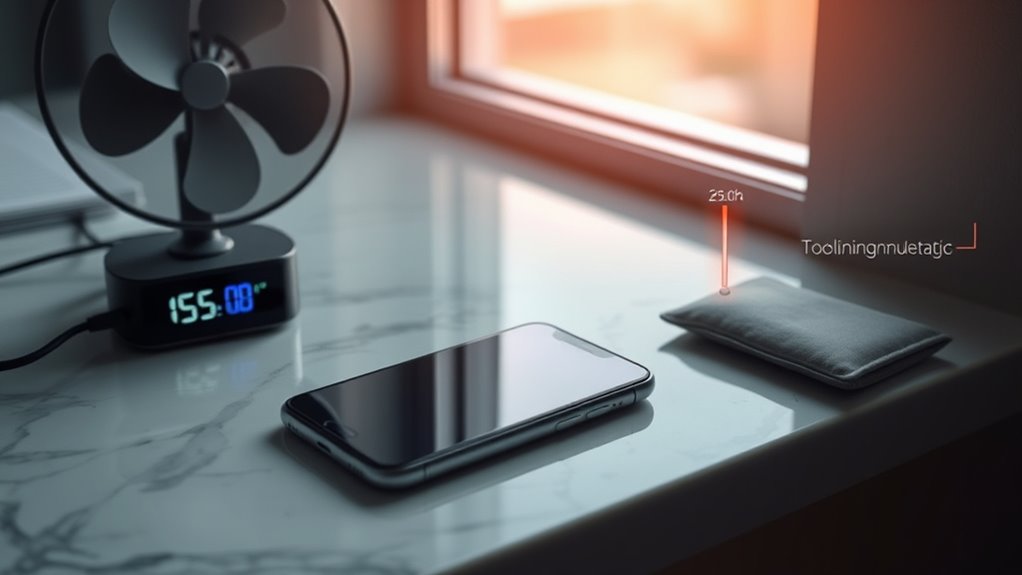
To effectively cool down your smartphone, start by removing the phone case, which can trap heat and prevent proper airflow. Next, turn off your device temporarily to cut power consumption and reduce heat generation. Avoid using demanding apps or playing games, as they boost processor activity and cause overheating. Move your phone to a cooler, shaded area away from direct sunlight or heat sources. If possible, turn on airplane mode to stop background processes and radios that generate heat. Remove any connected accessories like headphones or chargers, which can also contribute to excess warmth. Keep your device out of hot environments and avoid leaving it in a car or near heat-emitting electronics. Understanding thermal management principles can help you better prevent overheating and extend your device’s lifespan. These simple steps help lower your phone’s temperature quickly and prevent permanent damage.
Tips for Preventing Future Overheating Issues
One of the best ways to prevent your phone from overheating is to manage how and when you use resource-intensive apps. Avoid running multiple demanding apps simultaneously, especially in hot environments. Keep your software updated, as updates often include performance improvements and bug fixes that can reduce overheating. Additionally, monitor your device’s temperature and close apps that cause excessive heat buildup. To help prevent future issues, consider these tips:
- Limit screen brightness and enable auto-brightness to reduce power consumption.
- Use Wi-Fi instead of cellular data when possible, as it generates less heat.
- Remove your phone from direct sunlight and avoid using it in hot conditions.
Implementing these habits can considerably decrease the risk of overheating and prolong your device’s lifespan.
Frequently Asked Questions
Can Using a Protective Case Cause My Phone to Overheat?
Yes, using a protective case can cause your phone to overheat. Thick or poorly ventilated cases trap heat, preventing proper dissipation and increasing the device’s temperature. To prevent this, choose slim, breathable cases and avoid exposing your phone to direct sunlight or high temperatures. Regularly removing the case during intensive use can also help keep your phone cool and functioning efficiently.
Does Charging My Phone Too Quickly Lead to Overheating?
Charging your phone too quickly can turn it into a boiling pot, risking overheating. Fast chargers deliver a rush of power that heats up your device’s internal components faster than they can cool down. To prevent this, stick to the recommended charging speeds and avoid overnight quick-charge sessions. Think of it as giving your phone a gentle breeze instead of a blazing fire—keeping it cool and healthy longer.
How Do Software Updates Affect My Phone’s Temperature?
Software updates can temporarily increase your phone’s temperature because they often run background processes and optimize system functions. During updates, your device works harder, which can generate extra heat. However, once the update completes, your phone should stabilize and return to normal temperature. To prevent overheating during updates, avoid using your phone heavily and make sure it’s in a cool, well-ventilated place until the process finishes.
Are There Specific Apps That Are More Likely to Cause Overheating?
Ever notice some apps make your phone sweat more than others? You should be wary of resource-hungry apps like games, streaming services, or GPS navigation. These apps demand a lot from your processor and battery, causing heat buildup. To keep your phone cool, limit their use, close background apps, and avoid running multiple heavy apps simultaneously. Think of your phone as a marathon runner—pace it wisely to prevent overheating.
Can Environmental Humidity Contribute to My Phone Overheating?
Yes, environmental humidity can contribute to your phone overheating. High humidity levels trap moisture around your device, making it harder for heat to dissipate. When your phone operates in humid conditions, it may run hotter than usual, especially during intensive tasks. To prevent overheating, avoid exposing your phone to humid environments, keep it dry, and consider using silica gel packs or dehumidifiers in storage areas.
Conclusion
Now that you know what causes your phone to overheat, the key is staying alert to the signs and taking quick action. But what if there’s an even bigger threat lurking behind the usual culprits? The next step could change everything—are you ready to discover the ultimate secret to keeping your device cool and safe? Stay tuned, because what you learn next might just save your phone from overheating disaster.