
Mesh networking uses multiple interconnected nodes to create a seamless Wi-Fi experience in larger homes. It automatically connects devices to the strongest signal, eliminating dead zones and buffering issues. Nodes communicate to optimize speed and coverage, rerouting traffic if a node fails for reliable service. You can expand the system easily by adding more nodes. To learn how to set it up for your home, keep exploring the details below.
Key Takeaways
- Mesh networks use multiple interconnected nodes to provide seamless Wi-Fi coverage across large or multi-story homes.
- Nodes communicate automatically, optimizing coverage and speed while eliminating dead zones.
- Self-healing features reroute data if a node fails, ensuring reliable connectivity throughout the home.
- Proper placement of nodes enhances coverage, speed, and overall network stability in bigger spaces.
- Easily scalable by adding more nodes to adapt to larger or changing home layouts.

Have you ever wondered how your devices stay connected in a large, complex network without relying on a central hub? When you’re in a big home, traditional Wi-Fi routers can struggle to provide reliable coverage throughout every room. That’s where mesh networking comes in. Instead of a single router trying to cover the entire space, mesh systems use multiple nodes that work together seamlessly. This setup guarantees a strong, consistent wireless signal across your entire home, eliminating dead zones and buffering issues.
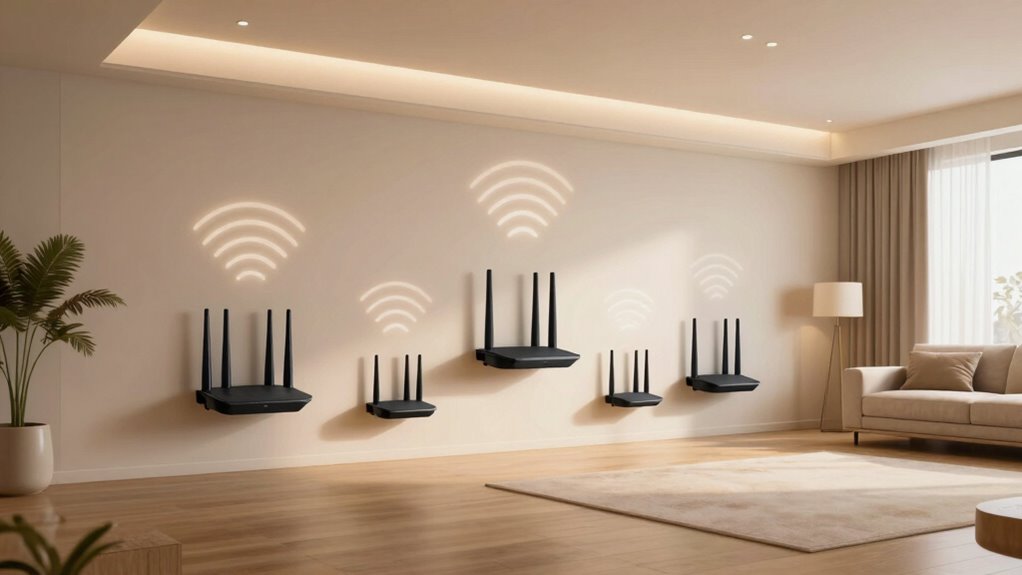
With mesh networking, each node communicates with the others to create a unified network. This means your devices automatically connect to the strongest signal available, whether you’re in the basement, attic, or backyard. The nodes continuously exchange information about network conditions, dynamically adjusting to optimize coverage and speed. As a result, your network coverage becomes more reliable and extensive, even in large or multi-story homes. You don’t have to manually switch between different networks or deal with weak signals from a distant router. Instead, your devices stay connected to a single, seamless Wi-Fi network.
Devices automatically connect to the strongest signal, ensuring reliable coverage throughout your entire home.
The key to mesh networking’s effectiveness lies in its ability to maintain a strong wireless signal throughout your home. Each node acts as a relay point, passing data along efficiently and reducing the load on any one device. This distributed approach means you get better wireless signal strength, less interference, and higher overall speeds. Plus, because the network is self-healing, if one node goes offline or experiences issues, the system reroutes traffic through other nodes, maintaining your connection without interruption. This resilience is especially valuable in larger homes where traditional routers might struggle to reach every corner. Additionally, the use of mesh networking technology allows for easier scalability, enabling you to expand your network simply by adding more nodes as needed. Understanding the wireless communication principles behind these systems can help you optimize your setup for maximum efficiency.
Setting up a mesh network is straightforward. You typically start with a main node connected to your modem, then add additional nodes around your home based on your coverage needs. Most systems come with user-friendly apps that guide you through placement and setup. Once configured, your entire home benefits from improved network coverage, with fewer dead zones and more stable wireless signals. Whether you’re streaming, gaming, or working from home, mesh networking ensures your devices stay reliably connected, providing a smooth online experience across the entire space. Knowing how wireless signals travel and interact within these systems can further enhance your network’s performance. Incorporating proper placement strategies for nodes can significantly improve coverage and speed.
In essence, mesh networking transforms your home Wi-Fi from a patchy, frustrating experience into a seamless, robust network. It intelligently extends coverage, maintains a strong wireless signal, and adapts to your environment, ensuring your devices stay connected no matter where you are in your bigger home.

TP-Link Deco X55 AX3000 WiFi 6 Mesh System – Covers up to 6500 Sq.Ft, Replaces Wireless Router and Extender, 3 Gigabit Ports per Unit, Supports Ethernet Backhaul, Deco X55(3-Pack)
- Wi-Fi 6 Mesh Technology: AX3000 speeds for seamless connectivity
- Wide Coverage: Up to 6500 sq. ft. of Wi-Fi coverage
- High Device Capacity: Connects up to 150 devices
As an affiliate, we earn on qualifying purchases.
As an affiliate, we earn on qualifying purchases.
Frequently Asked Questions
How Does Mesh Networking Compare to Traditional Wi-Fi Extenders?
Mesh networking outperforms traditional Wi-Fi extenders by creating a seamless, self-healing network that reduces wireless interference and improves coverage. Unlike extenders, which can cause signal redundancy and dead zones, mesh systems communicate directly with each other, ensuring a stable connection throughout your home. You’ll experience fewer disruptions, better speeds, and consistent coverage, making mesh an ideal choice for larger homes with complex layouts.
Can Mesh Networks Support Smart Home Devices Effectively?
Yes, mesh networks support smart home devices effectively by guaranteeing broad coverage and reliable connections, minimizing dead zones. They typically offer smart device compatibility, making it easy to connect various gadgets. Plus, mesh systems often include advanced network security features, protecting your devices from threats. This combination ensures your smart home functions smoothly and securely, giving you peace of mind while managing multiple devices across your larger home.
What Is the Average Cost of a Mesh Network System?
The average cost of a mesh network system ranges from $150 to $500, depending on coverage expansion and features. You should consider network security options included in the package to protect your devices. Larger homes typically require more nodes, which can increase costs. Investing in a reliable mesh system guarantees seamless coverage, reduces dead zones, and supports your smart home devices effectively.
How Difficult Is It to Set up a Mesh Network?
Setting up a mesh network is usually straightforward, often just involving a few app-guided steps. You’ll need to take into account wireless security during setup to protect your network. Be aware of potential signal interference from thick walls or electronic devices, which can affect performance. Most systems are user-friendly, but you might spend some time optimizing placement for the best coverage and minimal interference, ensuring a smooth installation process.
Do Mesh Networks Require Regular Maintenance or Updates?
Mesh networks generally don’t require much maintenance, but you should keep an eye on firmware updates to guarantee peak performance and security. Hardware durability is usually built to last, so you won’t need frequent replacements. Occasionally, you might need to reboot your devices or update firmware, which is straightforward. Staying current with updates helps fix bugs and improve your network’s stability, keeping your connection seamless across larger homes.

TP-Link Deco WiFi 6 Mesh System (Deco X20) – Covers up to 5800 Sq.Ft, Replaces Wireless Routers and Extenders, 3-Pack, 6 Ethernet Ports in Total, Supports Wired Backhaul, Dual-Band WiFi
- Wi-Fi Standard: Wi-Fi 6 AX1800 mesh system
- Coverage Area: Up to 5800 sq ft
- Whole Home Coverage: Eliminates dead zones and buffering
As an affiliate, we earn on qualifying purchases.
As an affiliate, we earn on qualifying purchases.
Conclusion
As you walk through your spacious home, imagine a web of seamless connections weaving together every corner. Mesh networking transforms your space into a harmonious digital landscape, where signals flow effortlessly like gentle currents in a vast ocean. With this system, your devices stay connected, no matter how big or complex your home is. Embrace this technology, and enjoy a smooth, uninterrupted online experience that feels as natural as sunlight filtering through your windows.

TP-Link AC1200 WiFi Extender – 1.2Gbps Home Signal Booster, Dual Band 5GHz/2.4GHz, Up to 1600 Sq.ft and 32 Devices, EasyMesh Compatible, One Ethernet Port (RE315)
- Enhanced Wi-Fi Coverage: Eliminates dead zones with strong signals
- Dual-Band Speed: Supports 867 Mbps on 5GHz and 300 Mbps on 2.4GHz
- Wide Coverage Area: Up to 1500 sq.ft for reliable connections
As an affiliate, we earn on qualifying purchases.
As an affiliate, we earn on qualifying purchases.
TP-Link Deco X55 AX3000 WiFi 6 Mesh System – Covers up to 6500 Sq.Ft, Replaces Wireless Router and Extender, 3 Gigabit Ports per Unit, Supports Ethernet Backhaul, Deco X55(3-Pack)
- Wi-Fi 6 Mesh Technology: AX3000 speeds for seamless connectivity
- Wide Coverage: Up to 6500 sq. ft. of Wi-Fi coverage
- High Device Capacity: Connects up to 150 devices
As an affiliate, we earn on qualifying purchases.
As an affiliate, we earn on qualifying purchases.