TL;DR

Get the latest gadgets delivered free with Prime
- Fast, free delivery on millions of items
- Prime Video, Amazon Music and more included
- Member-only deals all year
An XDA Developers article published Oct. 24, 2026, describes using the free Android player Musicolet to play locally stored music through Android Auto. Once the files are on the phone, playback does not require an internet connection or mobile data; the app supports FLAC and other formats and provides library browsing and playlists on the car display.
An XDA Developers article published Oct. 24, 2026, describes using the free Android music player Musicolet to play locally stored FLAC files through Android Auto without an internet connection. The setup gives drivers a way to listen to an existing music library in the car while avoiding mobile-data use for playback, provided the audio files have already been copied to the phone.
The method relies on music stored on the Android phone rather than a stream from a service or a network drive. According to the article, users copy audio files into phone storage, open Musicolet, and let it scan and organize the tracks. The resulting library can be browsed by album, artist, folder, or playlist, among other options described in the article.
Musicolet supports FLAC, MP3, AAC, ALAC, and Opus, so the writer says there is no need to convert files before transferring them. Once the phone is connected to Android Auto, the app can be opened on the car display to select music and playlists. Because playback comes from files already on the phone, it can continue in areas with weak or no mobile coverage.
The article also describes features for managing a local collection, including a tag editor for correcting metadata and album artwork, and tools for making playlists. The writer says Musicolet does not require an account and does not provide SMB or streaming compatibility. That means files kept on a NAS must first be moved to the phone using another method; Musicolet itself is not described as streaming directly from the NAS.
Offline listening · Android Auto · XDA Developers · Oct 24, 2026
Play Your FLAC Library in Android Auto Without Mobile Data
Use Musicolet to browse music stored on your phone and play it through Android Auto. Copy the files before driving, and playback can continue without a cellular connection.
Musicolet solves that problem by focusing entirely on local music.
Your library, ready for the road
Musicolet scans music files stored on the Android phone and presents the collection for listening through the car display.
Keep music on the phone
Copy selected albums or tracks into phone storage before the drive. Local playback does not need a live internet connection.
Browse with Android Auto
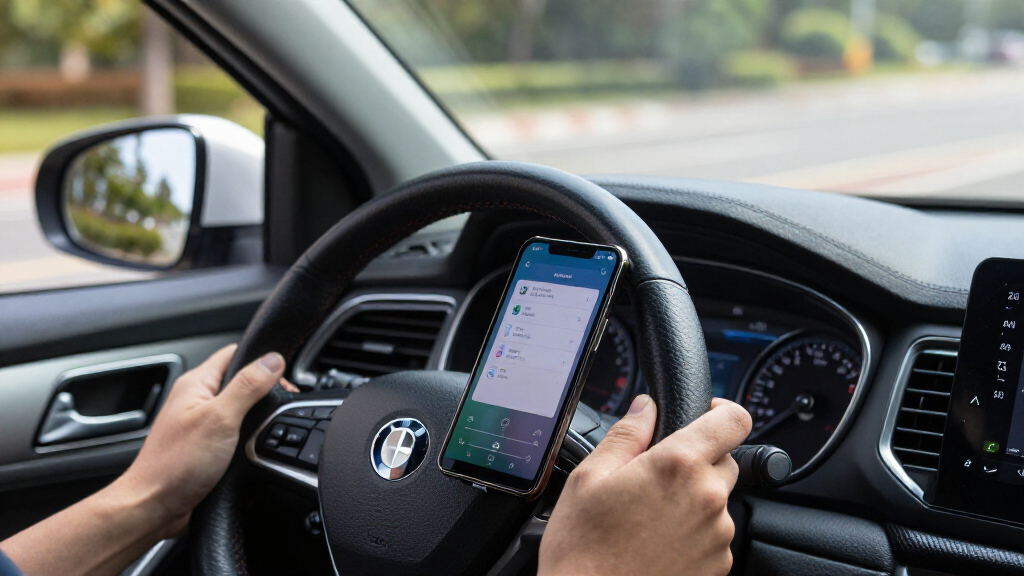
Connect the phone, open Musicolet on the car display, then choose music from the library or a playlist.
Find tracks your way
Browse by album, artist, folder, or playlist. The article also describes a tag editor for metadata and album artwork.
Four steps from files to car audio
Prepare and check the collection before setting off, especially when your route may have weak coverage.
Install
Get Musicolet from the Google Play Store.
Copy tracks
Move the music you want onto the phone.
Scan & check
Let the app organize the files and confirm they appear.
Connect & play
Open the local library in Android Auto and choose an album or playlist.
Bring the files you already have
The article lists several supported audio formats and says there is no need to convert before transferring.
Local playback can complement streaming
The writer uses Spotify for discovery and Musicolet for deliberate offline listening. An account is not required for Musicolet, according to the report.
Know what the method depends on
This is a personal-use report, not an independent benchmark across phones, vehicles, or Android Auto versions.
On-device music
Once files are stored locally, playback can work without mobile coverage and avoids streaming those tracks over cellular data.
Phone storage & transfer
You need the files and enough room on the phone. Copying or downloading them beforehand may use data depending on the transfer method.
No direct NAS streaming
The article says Musicolet does not support SMB or streaming. Use another method or NAS app to transfer files to the phone first.
Compatibility can vary
The report does not specify the phone, Android version, vehicle, or Android Auto version, and does not test reliability or library-size limits.
A personal example, not a universal estimate
The writer mentions a 2 GB daily mobile allowance and FLAC albums around 300–400 MB. These figures illustrate the writer’s situation; actual file sizes and streaming use vary, and no controlled comparison is provided.
From your collection to the speakers
Each link depends on the music being available on the phone before playback.
Offline Music for Android Auto
The practical benefit is that drivers can use Android Auto to reach a personal music collection without depending on a streaming subscription or a cellular connection during playback. That can be useful on long drives and routes with unreliable coverage, as well as for people who prefer to listen to albums or curated playlists from their own library.
Local playback also avoids mobile-data charges or limits associated with streaming. The source writer gives a personal example: a mobile plan with a 2GB daily allowance and FLAC albums said to be about 300–400MB. Those figures illustrate why streaming high-quality music can matter to that writer, but they are not a general estimate of data use: actual file sizes and streaming consumption vary, and the source does not provide a controlled comparison.
This is best understood as a way to complement streaming, not a replacement that suits everyone. The author says they use Spotify for music discovery and Musicolet for more deliberate, offline listening. The approach requires having the files and making room for them on the phone, but it can preserve access to a collection without relying on the network while driving.
USB-C flash drive for Android phone music storage
As an affiliate, we earn on qualifying purchases.
As an affiliate, we earn on qualifying purchases.
Phone Storage Is the Key
The article frames the problem as a gap between Android Auto’s convenient access to streaming services and the less obvious process of playing a personally maintained library. The writer describes keeping thousands of MP3 and FLAC tracks on a NAS, using Navidrome at home and an older iPod while away, but wanting a way to play selected albums in the car.
Musicolet addresses that specific use by reading files on the phone and presenting them through Android Auto. The key limitation follows from that design: the tracks must be available in local phone storage before the drive. The article says the writer retrieves files through the NAS’s app and then lets Musicolet scan them; it does not claim Musicolet can access the NAS over SMB or stream from it.
The source is a personal-use report by an XDA Developers contributor, not a formal product test or independent benchmark. Its account supports that the writer used the app for this setup, but it does not establish performance across every Android phone, car, Android Auto version, or library size.
“Musicolet solves that problem by focusing entirely on local music.”
— Dhruv Bhutani, XDA Developers contributor
microSD card for Android phone FLAC music library
As an affiliate, we earn on qualifying purchases.
As an affiliate, we earn on qualifying purchases.
Device Compatibility and File Limits
The article does not specify the Android version, phone model, vehicle, or Android Auto version used, so it does not establish that the experience will be identical across devices. It also provides no independent testing of audio quality, app reliability, or library-size limits. The writer’s report that Musicolet supports several formats is not accompanied by a format-by-format technical test.
The source does not give the storage space needed for a typical library or explain how users should transfer files from a NAS; it describes using a separate NAS app. File availability, phone storage, and the time required to copy music are therefore practical considerations. The data figures in the article are the writer’s own plan and album-size examples, not universal rates or a measured comparison with streaming services.
USB-C car charger for Android Auto
As an affiliate, we earn on qualifying purchases.
As an affiliate, we earn on qualifying purchases.
Copy Files Before Driving
For this setup, the next step is to install Musicolet from the Google Play Store, copy the desired tracks to the phone, and allow the app to scan them. After connecting the phone to Android Auto, drivers can browse the local library and choose an album or playlist from the car display. The files should be copied and checked before setting off, particularly if the route may have limited coverage.
The article does not announce a product update or a scheduled follow-up. Readers considering the method will need to check the app and Android Auto compatibility on their own devices and confirm that the music appears in the car interface. Musicolet’s role remains limited to local playback in the account provided: the source does not describe direct NAS streaming or automatic syncing.
USB-C cable for Android Auto data transfer
As an affiliate, we earn on qualifying purchases.
As an affiliate, we earn on qualifying purchases.
Key Questions
Can Musicolet play FLAC files through Android Auto?
According to the XDA Developers article, Musicolet supports FLAC and exposes the local music library through Android Auto. The files need to be stored on the phone first.
Does listening this way use mobile data?
Playback of files already stored on the phone does not require an internet connection, so it does not use mobile data to stream those tracks. Downloading or copying files to the phone beforehand may involve data depending on the transfer method.
Can Musicolet play music directly from a NAS?
The source says Musicolet does not offer SMB or streaming compatibility. The writer uses a separate NAS app to retrieve files and then has Musicolet scan the copies on the phone.
Which other audio formats does the article say Musicolet supports?
The article lists MP3, AAC, ALAC, and Opus, as well as FLAC. It does not provide independent format testing or specify playback limits for particular devices.
Does this replace Spotify or other streaming apps?
Not necessarily. The writer uses Musicolet for local, offline listening and Spotify for discovery, presenting the apps as complementary options.
Source: XDA Developers
Halloween Picks
halloween
As an affiliate, we earn on qualifying purchases.