
TL;DR

Get the latest gadgets delivered free — and shop member deals
- Fast, free delivery on millions of items
- Access to Prime Big Deal Days deals on October 6–7
- Prime Video, Amazon Music and more included
Wireless gaming headsets combine headphones and a microphone with a cable-free connection to your gaming device. For timing-sensitive play, start with a headset that supports a dedicated 2.4 GHz dongle, then check exact platform compatibility, comfort, microphone quality, and battery performance; Bluetooth, surround sound, and premium pricing are not automatic upgrades.
The cable catches your mouse arm, slips under your chair, and yanks your headset just as your squad calls out an enemy. Wireless gaming headsets remove that tug-of-war, but “wireless” alone doesn’t tell you whether a headset will work with your console, sound clear, or last through a long session.
This guide breaks down the decisions that matter: 2.4 GHz versus Bluetooth, platform compatibility, sound, microphone quality, comfort, and battery life. You’ll get a practical way to compare models and spot the trade-offs before you buy, whether you play on a PC, console, or phone.
For timing-sensitive games, start with a low-latency 2.4 GHz dongle; Bluetooth is often more useful for convenience and phones.
Check compatibility for your exact headset version and platform, especially Xbox support and voice-chat features.
Test stereo direction, microphone clarity, and comfort in realistic use; surround modes and high prices do not guarantee better results.
Treat battery runtime as dependent on settings, and verify whether the headset works while charging.
Pay for dual-device audio, apps, or extra processing only when those features work on the devices you use.
What a Wireless Gaming Headset Actually Gives You
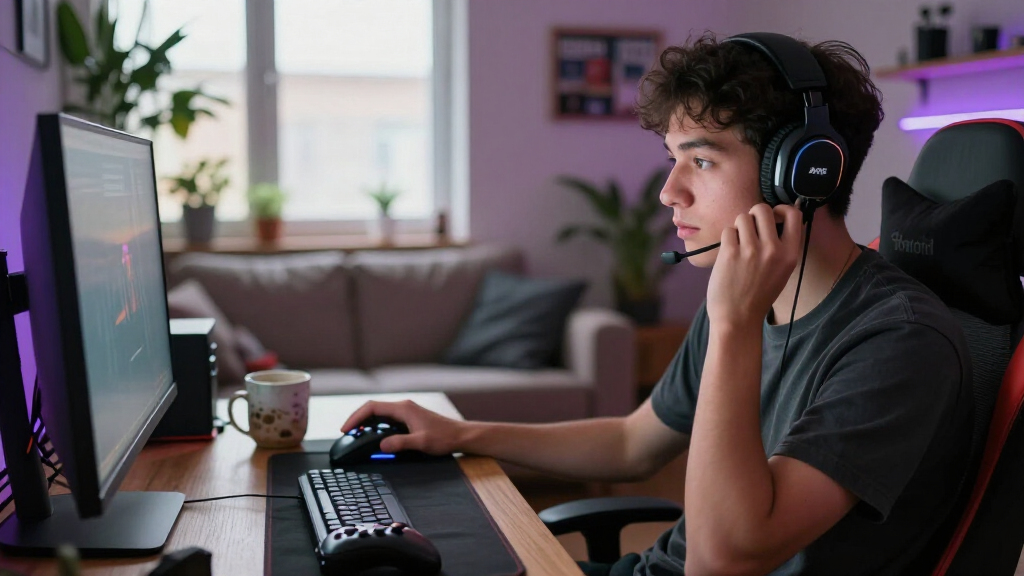
Wireless gaming headsets combine headphones, a microphone, and a cable-free connection to your gaming device. Their clearest benefit is freedom to move, while the trade-offs are charging, connection limits, and the need to check compatibility. Think of the headset as a small radio link between your game and your ears: when that link fits your setup, you can lean back or grab a drink without pulling a cable.
For example, if you play on a PC at a desk, a USB dongle can connect the headset to your computer while you turn to reach a second monitor. On a sofa, wireless play lets you stand up between matches without taking the headset off. Those conveniences matter, but they don’t automatically make wireless sound better than wired audio.
Sound depends on the headset’s drivers, tuning, fit, and the game’s audio mix. A clear stereo headset can make footsteps easy to place; a virtual surround mode can help some listeners but sound processed or less natural to others. The fit matters too: if the ear cups leak sound around your glasses, a dramatic advertised feature may count for less than a comfortable seal.
Price also needs perspective. Higher cost may bring sturdier construction, a clearer mic, extra connection options, or better controls, but price alone does not guarantee better sound or reliability. Compare the exact features you will use. A casual player who wants to hear a teammate and a game may value comfort more than a streaming-style microphone.
wireless gaming headset with 2.4 GHz dongle
As an affiliate, we earn on qualifying purchases.
As an affiliate, we earn on qualifying purchases.
Choose 2.4 GHz for Fast Play and Bluetooth for Convenience
Wireless gaming headsets often use a USB dongle with a dedicated 2.4 GHz connection for play, while Bluetooth commonly serves phones and other devices. For a competitive match, a well-designed 2.4 GHz link is generally the safer choice because it is built for low-latency gaming. Bluetooth is handy for casual play and mobile listening, but delay and feature support depend on the headset and device.
Latency is the pause between an action and its sound. In a rhythm game, even a small mismatch can make a sharp note feel late; in a relaxed building game, you may never notice it. Distance and wireless interference can also affect stability. If your router, console, and headset receiver crowd the same area, occasional dropouts become more likely than when the dongle sits close to you.
Some models support both connections, and a few can play game audio over a dongle while staying connected to a phone over Bluetooth. That can let you hear a game and answer a call, but the feature varies: some headsets mix both sources, while others only switch between them. Check the product’s exact behavior rather than trusting a broad “dual wireless” label.
| Connection | Best fit | What to check |
|---|---|---|
| 2.4 GHz USB dongle | PC and compatible console gaming | Latency, range, and device support |
| Bluetooth | Phones and casual listening | Delay, microphone behavior, and game support |
| Both | Gaming while staying connected to a phone | Whether audio mixes or only switches |
For instance, a player who takes work calls between PC matches may benefit from simultaneous connections. Someone who only plays a timing-sensitive shooter should first prioritize a stable dongle connection, not an impressive list of wireless modes.
compatible Xbox wireless gaming headset
As an affiliate, we earn on qualifying purchases.
As an affiliate, we earn on qualifying purchases.
Check Console and Computer Compatibility Before You Buy
Wireless gaming headsets do not work with every device just because they have no cable. Compatibility depends on the headset’s connection method and the platform’s rules, and voice chat or surround features may have separate limits. Check the exact model’s support list for your PC, PlayStation, Xbox, Switch, or phone before spending money.
This is especially easy to miss with Xbox. Some headsets need a specific Xbox-compatible model or Xbox Wireless support; a standard USB dongle that works on a computer may not work the same way on an Xbox. A headset might also play game sound while leaving chat controls unavailable, so look for details on both audio output and microphone support.
Use this quick check before ordering:
- Name every device you plan to use, including consoles, computer, and phone.
- Confirm the exact headset version supports each device—not just the product family.
- Check chat, controls, and audio features separately from basic sound playback.
- Review the return policy in case fit or connection behavior disappoints you.
Imagine buying a headset for both a gaming PC and an Xbox. If the PC uses the included dongle but the Xbox requires a different model, a “works with PC” listing doesn’t solve the problem. A few minutes with the compatibility chart can save you from opening a box that cannot serve your main setup.
gaming headset with clear microphone
As an affiliate, we earn on qualifying purchases.
As an affiliate, we earn on qualifying purchases.
Judge Sound and Microphone Quality in Your Own Games
Wireless gaming headsets should make game details easy to hear and your voice easy to understand, but those results depend on tuning, fit, microphone design, and software. A headset cannot rescue every muddy game mix, and a surround-sound badge does not prove that footsteps will sound clearer. Treat audio features as things to test, not promises.
Try a familiar game with distinct sounds: footsteps on gravel, a reload, and a teammate speaking over the action. Can you tell whether a sound comes from the left or right without turning the volume painfully high? Stereo can provide useful directional cues; virtual surround or spatial-audio processing is a preference that may change the sound differently across games and platforms.
Then record a short voice message or ask a friend how you sound. Listen for clipped words, a hollow tone, and keyboard noise. Microphone performance varies even among expensive headsets. A detachable or retractable mic is convenient for travel, while sidetone—hearing some of your own voice—can stop you from shouting in a lively party chat.
For example, a player who mostly chats with friends may prefer a headset with a clear, natural microphone over one with elaborate audio modes. A streamer who needs polished voice quality may still want a separate microphone. Match the headset to what you hear and how you use it, rather than assuming a higher price or “surround” feature settles the question.
long battery life wireless gaming headset
As an affiliate, we earn on qualifying purchases.
As an affiliate, we earn on qualifying purchases.
Make Sure Comfort and Battery Match Your Longest Session
Comfort depends on fit, weight, clamping force, heat, and ear-pad material, while battery life depends on the model and your settings. A headset that feels light for ten minutes may press on glasses or warm your ears after two hours. Advertised runtime is a useful starting point, not a guarantee of how long your own headset will last.
Think about a Saturday session that stretches from one match into five. A tight headband can leave a hot stripe across your scalp, and thick pads may trap heat in a warm room. Glasses add another pressure point at the temple. If you can try a headset on, wear it for more than a quick glance; otherwise, check its weight and look for detailed long-session feedback.
Battery estimates can change with features. RGB lighting, active noise cancellation, high volume, and wireless modes may shorten runtime. USB-C charging has become common, and some models can play while charging, but confirm that behavior before relying on it. Replaceable batteries or battery-swapping designs can be useful if you often play for hours without a break.
Picture a late-night match when the battery warning starts flashing. A headset that supports use while charging lets you plug in without ending the session; one that does not may leave you waiting. Compare real-world tests where available, and choose a battery margin that fits your routine rather than the most dramatic number on the box.
Spend on Features You Will Actually Use
The best-value headset fits your devices and habits, not the biggest feature list. More expensive models may add simultaneous Bluetooth and 2.4 GHz audio, noise cancellation, app-based equalizers, microphone controls, or replaceable batteries. Those extras help only when they work on your platform and solve a real annoyance.
For example, someone who plays on a PC and takes calls on a phone may appreciate mixed audio from both devices. A player who only uses a PlayStation may gain little from that feature if the headset cannot mix connections on the console. Likewise, a companion app might offer careful microphone tuning on a computer but provide no access to the same controls when you plug into a console.
Before buying, rank your needs. Put platform compatibility and a stable connection near the top; add comfort, mic clarity, and controls according to your play style. Useful controls include an easy-to-reach mute button, volume wheel, and game/chat balance. Extra buttons are less useful if you must hunt for them by touch during a match.
Features and product claims change with new models, so compare current specifications and independent listening or microphone tests rather than relying on an old ranking. Vendor battery claims use specific test conditions; actual runtime can vary with lighting, volume, and other settings. If two headsets meet your needs, compare comfort, build, return terms, and price—not just the feature count.
Frequently Asked Questions
Are wireless gaming headsets as good as wired ones?
Many wireless headsets provide sound and microphone quality that works well for gaming, with the convenience of moving without a cable. Wired models avoid charging and may cost less, while wireless models vary in latency, battery life, and stability. Compare the particular headset, not just its connection type.
Is Bluetooth good enough for gaming?
Bluetooth can work well for casual play and mobile gaming, but it may introduce more delay than a dedicated 2.4 GHz gaming connection. For timing-sensitive games, a compatible dongle headset is generally the safer choice. Results depend on the headset, device, and wireless conditions.
How do I know if a wireless headset will work with my console?
Check the manufacturer’s compatibility list for the exact model and console. Confirm that it supports both game audio and the microphone or chat features you want; basic sound playback does not always mean every control or feature works.
Can I connect a headset to my phone and console at the same time?
Some models support a dongle connection for game audio and Bluetooth for a phone. Check whether the headset can mix both audio sources or only switch between them, since those are different features.
Do I need surround sound or spatial audio?
No. Stereo can provide clear directional cues, and virtual surround or spatial audio is a preference rather than a guaranteed upgrade. Try the headset with your usual games; processing can sound helpful to one listener and unnatural to another.
Can I use a wireless gaming headset while it charges?
It depends on the model. Check its specifications and independent reviews to confirm whether it supports use while charging, and remember that runtime changes with features such as lighting, noise cancellation, and listening volume.
Conclusion
Start with the device you play on, then choose a connection that suits your games: 2.4 GHz for dependable, low-latency play, Bluetooth for convenience, or both if you need to hear two devices. After that, prioritize comfort, mic clarity, and a battery that can keep up with your longest session.
The right headset should disappear into the evening: no cable tugging at your arm, no hot spots on your head, and no teammate asking you to repeat yourself.
Halloween Picks
halloween
As an affiliate, we earn on qualifying purchases.