Your screen size should match your viewing distance for comfort and clarity, not to impress others. Larger screens viewed too closely can cause eye strain, while smaller screens from too far away reduce clarity and cause fatigue. The key is to choose a size that feels natural and minimizes eye movement. Prioritizing your visual perception over ego ensures healthier habits and better long-term comfort. If you’re curious about how to find the perfect balance, there’s more to weigh.
Key Takeaways
- Proper screen size depends on optimal viewing distance for comfort and clarity, not for impressiveness or ego.
- Larger screens require closer viewing, which can cause eye strain if not aligned with ergonomic principles.
- Small screens viewed from afar can lead to visual discomfort and reduced clarity.
- Prioritizing natural perception and ergonomic setup promotes healthier, more sustainable viewing habits.
- Screen size should match individual needs and workspace ergonomics, not external perceptions or ego.
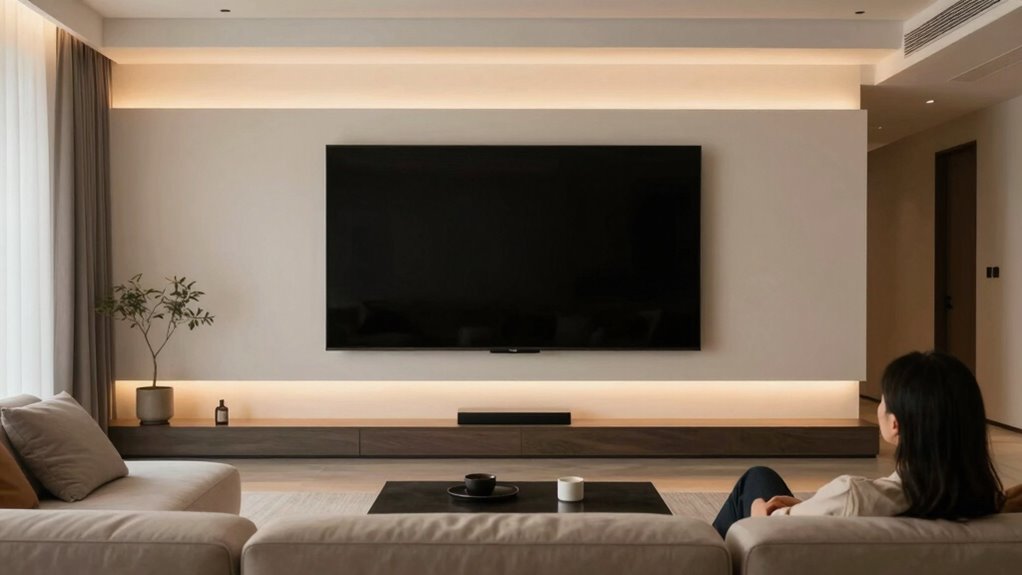
Have you ever contemplated that the size of your screen isn’t about ego but about your distance from it? When you think about choosing a monitor or TV, it’s tempting to assume bigger is better, but the real factor is how far you sit from the screen. Your visual perception plays a key role here, as our eyes interpret images differently based on how close or far away we are. A larger screen isn’t necessarily more comfortable if you sit too close, and a smaller one can strain your eyes if you sit too far back. The goal is to find a balance that aligns with your viewing distance, ensuring you get a clear, comfortable picture without unnecessary eye strain or discomfort.
Screen size should match your viewing distance for comfort and clarity, not for impressing others.
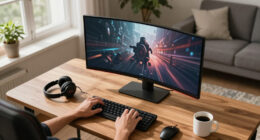
This is where ergonomic design comes into play. Good ergonomic principles help you optimize your setup for both comfort and efficiency. When selecting screen size, you need to consider your typical viewing distance—generally, a screen should be about one to two times the diagonal size away from your eyes. For example, if you’re sitting about three feet from your monitor, a screen around 24 inches provides the ideal balance, allowing your eyes to perceive the full image comfortably. This positioning helps your visual perception process the content naturally, minimizing the need for excessive eye movement or refocusing, which can cause fatigue over time. In addition, ergonomic principles can guide you to adjust other elements of your workspace for optimal comfort. Being aware of visual perception can also help you understand how your eyes interpret images based on distance, aiding in your setup decisions. Recognizing the significance of ergonomic design ensures your workspace supports healthy viewing habits over extended periods.
Choosing the right screen size isn’t just about aesthetics or status; it’s about aligning with how your eyes and brain work together. Larger screens, when viewed from a proper distance, can enhance immersion and detail, but if you’re too close, they can overwhelm your visual perception, leading to discomfort. Conversely, smaller screens can cause you to strain your eyes or squint if they’re too distant, reducing clarity and increasing fatigue. By applying ergonomic design principles, you guarantee your setup promotes healthier viewing habits, reducing eye strain and improving productivity.
Additionally, understanding the importance of air quality benefits can further enhance your overall comfort during extended screen time, as better air quality supports eye health and reduces fatigue.
Ultimately, understanding that screen size is about distance, not ego, helps you make smarter choices. It’s not about impressing others with a massive display but about creating a visual environment tailored to your needs. When you prioritize your natural visual perception and ergonomic comfort, you’ll find that the right screen size can transform your viewing experience into something more comfortable, efficient, and sustainable. Remember, the most effective setup respects the natural limits of your eyes and brain, helping you enjoy your screen time without unnecessary stress.
Frequently Asked Questions
How Does Screen Size Affect Eye Strain Over Time?
Larger screens can reduce eye fatigue because they allow you to see details more easily, promoting better visual comfort. When your screen is too small relative to your distance, you strain your eyes, leading to discomfort over time. By choosing a screen size appropriate for your viewing distance, you minimize eye fatigue and enhance visual comfort, helping you work or relax without unnecessary eye strain.
Are There Optimal Screen Sizes for Different Activities?
Yes, there are ideal screen sizes for different activities. For detailed work like graphic design, a larger screen with high resolution helps you see fine details comfortably. For casual browsing or watching videos, a smaller to medium size works well. An ergonomic setup guarantees your screen size matches your viewing distance, reducing eye strain. Always prioritize a screen that allows you to maintain good posture and view comfortably without straining your eyes.
How Does Room Lighting Influence the Ideal Viewing Distance?
Room lighting considerably influences your ideal viewing distance. When ambient illumination is bright, you should sit farther from the screen to reduce glare and eye strain. Conversely, in darker rooms, you can sit closer without discomfort. Proper ambient illumination and glare reduction help you enjoy clearer images and less eye fatigue. Adjust your distance based on lighting conditions to optimize your viewing experience, making it more comfortable and enjoyable.
Can Screen Size Impact Overall Visual Health?
Your screen size can impact your visual health by influencing visual ergonomics. Larger screens, paired with high resolution, reduce eye strain by allowing you to hold a comfortable distance. Smaller screens force you closer, increasing strain and fatigue. By choosing the right size for your space and ensuring the best screen resolution, you support eye comfort and prevent long-term issues, making your viewing experience safer and more enjoyable.
Is There a Standard Distance for All Screen Sizes?
There isn’t a fixed standard distance for all screen sizes because viewing ergonomics and screen resolution vary. Generally, you should position your screen about an arm’s length away, around 20-30 inches, to reduce eye strain. Adjust based on screen resolution; higher resolutions let you sit slightly closer without losing clarity. Prioritize comfort and eye health by maintaining a proper distance suited to your specific device and workspace setup.
Conclusion
Remember, your screen size isn’t about ego—it’s the lighthouse guiding others through your world. Like a beacon, it reflects how close or distant you want to feel, not how big you think you are. When you choose your screen size, you’re shaping your connection, not your stature. Embrace it as a symbol of your intent—whether to reach out or stand back. In the end, it’s your beacon, shining your true distance.