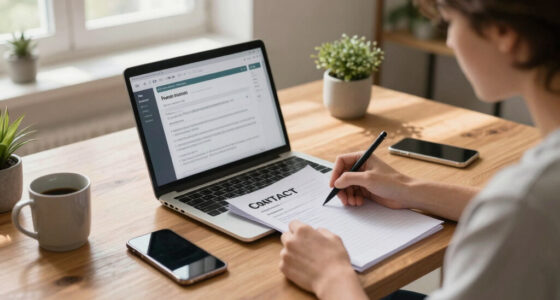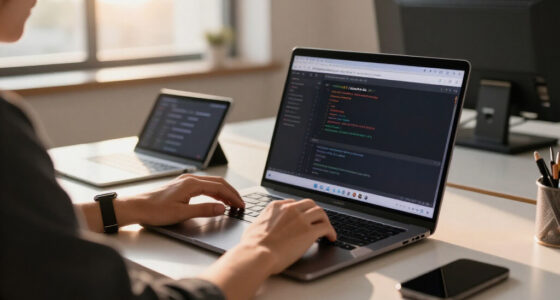
To create a great home conference setup, prioritize ergonomic furniture like adjustable chairs and a sturdy desk for comfort and space. Position your workspace near natural light and add adjustable LED lights for consistent lighting. Use a quality microphone or headset for clear sound and make certain your internet connection is stable. Keep your environment tidy, organized, and free of distractions, with a professional background that leaves a positive impression. If you want to know more, there’s plenty to explore for a seamless virtual experience.

Get the latest gadgets delivered free with Prime
- Fast, free delivery on millions of items
- Prime Video, Amazon Music and more included
- Member-only deals all year
Key Takeaways
- Ergonomic furniture and ample workspace promote comfort and reduce fatigue during long meetings.
- Proper lighting, preferably natural or adjustable LEDs, ensures clear visibility and professional video quality.
- High-quality microphone and stable internet connection are essential for clear audio and uninterrupted communication.
- A tidy, neutral background minimizes distractions and maintains a professional appearance.
- Organized technology and dedicated workspace enhance focus, efficiency, and confidence during virtual conferences.
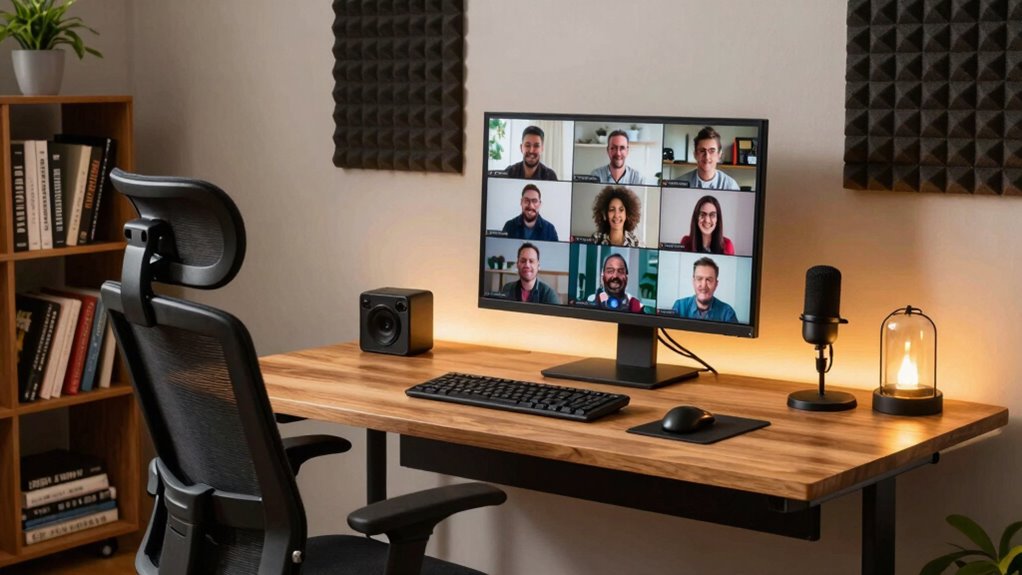
Are you ready to transform a corner of your home into a professional-quality conference space? Creating an effective home conference setup isn’t just about choosing a good spot; it’s about designing a space that promotes seamless virtual collaboration and comfort. When you prioritize these elements, your meetings become more productive, and your professional image remains sharp. The foundation of a great home conference setup lies in selecting the right furniture and organizing your environment to facilitate focused, distraction-free communication. Ergonomic furniture plays a vital role here. An adjustable chair with proper lumbar support ensures you stay comfortable during long video calls, preventing back pain and fatigue. Pair it with a sturdy desk that provides enough space for your laptop, notes, and any essential peripherals. Prioritizing ergonomic furniture helps you maintain good posture and focus, which is essential for clear, confident communication.
Create a professional home conference space with ergonomic furniture, proper lighting, and organized essentials for focused, confident virtual meetings.
Lighting is another key factor. Natural light is ideal, so position your setup near a window if possible. If not, invest in a good quality, adjustable LED light that illuminates your face evenly. Good lighting reduces glare on your screen and enhances your video feed, making you appear more professional. Additionally, keep your background tidy and free from clutter. A clean, neutral backdrop minimizes distractions and keeps the focus on you during your virtual collaboration sessions. If you want to add a touch of personality, choose subtle decor that doesn’t overpower your professional appearance.
Sound quality can make or break your conference calls, so consider investing in a quality microphone or headset. Clear audio ensures your ideas are heard without misunderstandings, and it minimizes background noise. This is especially important if you’re sharing your space with others or if your home environment is lively. To further improve your virtual collaboration experience, guarantee your internet connection is stable and fast enough to support high-quality video streaming. A wired connection is often more reliable than Wi-Fi, reducing lag and interruptions during meetings. Additionally, choosing a dedicated home office space can significantly enhance focus and reduce background distractions. Creating a well-organized technology setup can also streamline your workflow and prevent technical issues during calls. Incorporating smart home devices like voice-activated assistants can further optimize your workspace by controlling lighting or other electronics effortlessly. Remember that having an organized workspace can help boost your overall efficiency and reduce stress during busy workdays. Ensuring your workspace is environmentally friendly by reducing electronic waste and using sustainable materials can also contribute to a more sustainable and eco-friendly home office environment.
Finally, organize your tech essentials within easy reach—power strips, charging cables, and a dedicated space for your devices help keep your workspace tidy and efficient. By combining ergonomic furniture, proper lighting, sound equipment, and an organized environment, you’ll create a home conference setup that supports professionalism and productivity. When your space is optimized for virtual collaboration, you’ll feel more confident, stay engaged, and make a lasting impression every time you log into a meeting.
Products Worth Considering

Logitech MX Master 4 for Mac Wireless Ergonomic Mouse, Space Black

Bose SoundLink Flex Bluetooth Speaker (2nd Gen) – Portable Outdoor Speaker with Hi‑Fi Audio, Waterproof and Dustproof, USB‑C, Up to 12 Hours

Bose QuietComfort Wireless Noise-Cancelling Over-Ear Headphones, Black
As an affiliate, we earn on qualifying purchases.
Frequently Asked Questions
How Do I Reduce Background Noise During Meetings?
To reduce background noise during meetings, start with soundproofing techniques like sealing gaps and using rugs or curtains to dampen sound. Also, pay attention to microphone placement—position your mic close to your mouth and away from noisy appliances or windows. Using a noise-canceling microphone can further improve audio clarity. These steps help guarantee your voice comes through clearly, minimizing distractions and making your meetings more professional.
What Lighting Options Improve Video Quality?
Your video quality can skyrocket with the right lighting—it’s like turning on a spotlight in a dark room. Using smart lighting allows you to adjust brightness and color temperature easily, ensuring your face is well-lit and natural. Ring lights provide even, flattering illumination that minimizes shadows and highlights your features. Combining these options helps you look professional and confident, making sure your virtual presence leaves a lasting impression.
How Can I Prevent Technical Issues During Conferences?
To prevent technical issues during conferences, make certain your virtual background is clear and professional, avoiding distractions. Use soundproofing techniques like rugs, curtains, or foam panels to minimize background noise. Test your equipment—camera, microphone, and internet connection—before the meeting. Keep software updated, and have a backup plan, like a secondary device or internet source. These steps help you stay focused and professional without interruptions.
What Are the Best Ergonomic Furniture Choices?
You need an ergonomic chair selection that supports your back and promotes good posture, even during long meetings. Pair it with an adjustable desk height to switch between sitting and standing, reducing fatigue. This thoughtful setup balances comfort with productivity, making your workspace inviting and efficient. When you prioritize these ergonomic choices, you create a home conference environment that keeps you focused, energized, and free from discomfort.
How Do I Improve Internet Reliability for Meetings?
To improve internet reliability for meetings, start by upgrading your router and ensuring your devices are compatible with your network. Position your router centrally and elevate it for better coverage. Use a wired Ethernet connection when possible for stability. Also, secure your network with strong network security measures to prevent interruptions. Regularly update your device firmware to maintain compatibility and performance, ensuring smooth and dependable video calls.
Conclusion
So, you’ve got the perfect setup—high-quality camera, crisp microphone, and a cozy background. Ironically, it’s the little quirks, like a blinking light or a squeaky chair, that actually make your conference memorable. After all, a polished appearance can’t compete with genuine personality shining through. So, embrace your imperfections, because in the end, it’s the authentic connection that makes a home conference truly great—quirks and all.