

Digital file organization breaks down quickly when you don’t use clear naming conventions, store files in scattered folders, and neglect regular cleanup. As you add more files—photos, documents, projects—without consistent system, it becomes harder to find what you need fast. Over time, duplicates and outdated versions pile up, creating chaos. If you keep ignoring these habits, your digital space will become a tangled mess. Keep going to discover how to avoid this problem altogether.

Get the latest gadgets delivered free with Prime
- Fast, free delivery on millions of items
- Prime Video, Amazon Music and more included
- Member-only deals all year
Key Takeaways
- Lack of standardized naming conventions causes files to become confusing and hard to locate over time.
- Irregular maintenance and audits allow duplicates, outdated versions, and clutter to accumulate.
- Reliance on cloud storage without clear organization leads to chaotic file placement.
- Growing volume of files without a structured system overwhelms and hampers efficient retrieval.
- Disorganized habits and neglect of regular cleanup accelerate the disintegration of the system.
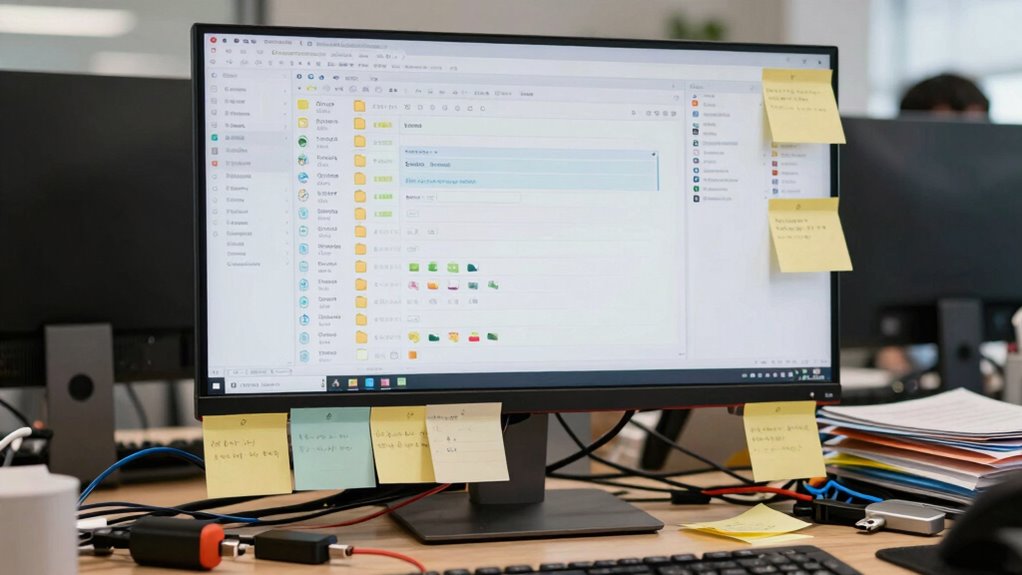
Have you ever felt overwhelmed by the chaos of your digital files? It’s a common experience, especially as your collection grows and you add more documents, photos, and projects. The main culprit often lies in how you organize—or fail to organize—your files. Many people rely on cloud storage to keep everything accessible, but without a clear system, chaos quickly ensues. Cloud storage offers convenience, but it can also tempt you to toss files into random folders, making it harder to find what you need later. This is where the importance of consistent naming conventions becomes clear. If you don’t label your files systematically, you’ll struggle to locate them, especially when you’re under pressure or working on multiple projects. Over time, disorganized naming habits create a tangled web that’s nearly impossible to untangle.
One reason digital file organization breaks down so fast is because people tend to overlook the foundational step of establishing a reliable naming system. Instead of using descriptive, uniform names, you might use vague titles like “Document1” or “Photo.” These vague labels don’t tell you anything about the content. When you need that specific invoice or a particular photo, you waste time opening multiple files to find the right one. If you had adopted clear, consistent naming conventions—such as “2023-01-15_ClientMeeting_Notes” or “Vacation_Paris_2022”—you’d save yourself frustration. But without discipline, it’s easy to slip back into inconsistent habits, especially when rushing or multitasking. As a result, your digital files become a jumbled mess, making it difficult to maintain order. Implementing a file organization plan early on can help prevent this chaos from taking over. Additionally, adopting a standardized naming convention can greatly improve your ability to quickly identify and retrieve files. Regular audits of your file system are also essential to ensure that your organization remains effective over time.
Another factor that contributes to rapid disorganization is the lack of regular maintenance. Even if you start with a good system, neglecting to review and tidy up your files leads to clutter. Files pile up, and the once-clear structure becomes cluttered with duplicates, outdated versions, or misplaced documents. Cloud storage platforms often make it easy to upload files quickly, but they also make it too tempting to ignore proper organization. Without scheduled cleanups or a disciplined approach to filing new documents, the system deteriorates quickly. The combination of inconsistent naming conventions and neglect creates a perfect storm that causes your digital organization to collapse in a short period. Additionally, overlooking the importance of regular maintenance can accelerate this breakdown, emphasizing the need for ongoing oversight. Regularly reviewing and purging unnecessary files is essential to keeping your digital workspace manageable and efficient.
Products Worth Considering

Amazon Kindle Paperwhite Signature Edition (12th Generation, 2024), 32 GB, Metallic Black

LG UltraGear 27-Inch QHD OLED Gaming Monitor, 240Hz, 0.03ms, G-SYNC Compatible, FreeSync Premium Pro, HDMI 2.1

Logitech MX Master 4 for Mac, Ergonomic Bluetooth Mouse with Haptic Feedback, Ultra-Fast Scrolling, USB-C Charging, for MacOS, iPadOS, Windo
As an affiliate, we earn on qualifying purchases.
Frequently Asked Questions
How Can I Prevent Digital File Clutter From Recurring?
To prevent digital file clutter from recurring, establish a consistent system for file naming and folder hierarchy. Name files clearly and systematically, so you can easily identify them later. Create a logical folder structure that groups related files together, and stick to it. Regularly review and delete unnecessary files, and use tools to automate organization. This way, your digital space stays tidy and easy to navigate over time.
What Tools Are Best for Maintaining Organized Files?
You should use tools like cloud storage services, such as Google Drive or Dropbox, to keep your files accessible and backed up. To stay organized, focus on consistent file naming conventions, making it easier to find documents quickly. Use folders and tags to categorize files. These tools help you maintain order, prevent clutter, and guarantee your digital files stay organized over time.
How Often Should I Review and Reorganize My Files?
You should review and reorganize your files at least once every three to six months. During these sessions, focus on updating your folder hierarchy to reflect current projects and use consistent file naming conventions. Regularly tidying up guarantees files stay accessible and organized, preventing clutter from taking over. Staying proactive helps you maintain a clear structure, saving time and reducing frustration when searching for important documents.
Why Do Some Files Become Corrupted or Inaccessible?
You might experience file corruption or inaccessible files due to unexpected power outages, malware, or hardware issues. These problems can damage data structures, making files unreadable. When this happens, data recovery tools can often help retrieve your information, but prevention is better. Regular backups, using reliable storage devices, and keeping your software up to date minimize the chances of file corruption and guarantee smoother data recovery if issues occur.
How Does Multiple Device Syncing Affect File Organization?
Multiple device syncing can disrupt your file organization because cloud synchronization often causes device fragmentation. As you update files across different devices, inconsistencies may occur, leading to duplicate versions or misplaced files. This fragmentation makes it hard to keep track of the latest versions and can cause confusion. To stay organized, regularly review synced files, consolidate duplicates, and make certain your cloud sync settings are optimized for all your devices.
Conclusion
So, next time your digital files feel like they’re spiraling out of control, remember it’s not just you. The chaos often stems from how quickly we add, forget, and neglect our organization systems. It’s a cycle fueled by habits and technology’s constant evolution. But understanding this pattern can help you stay ahead. By establishing simple routines and regularly tidying up, you can break the cycle and keep your digital space manageable—before it’s too late.