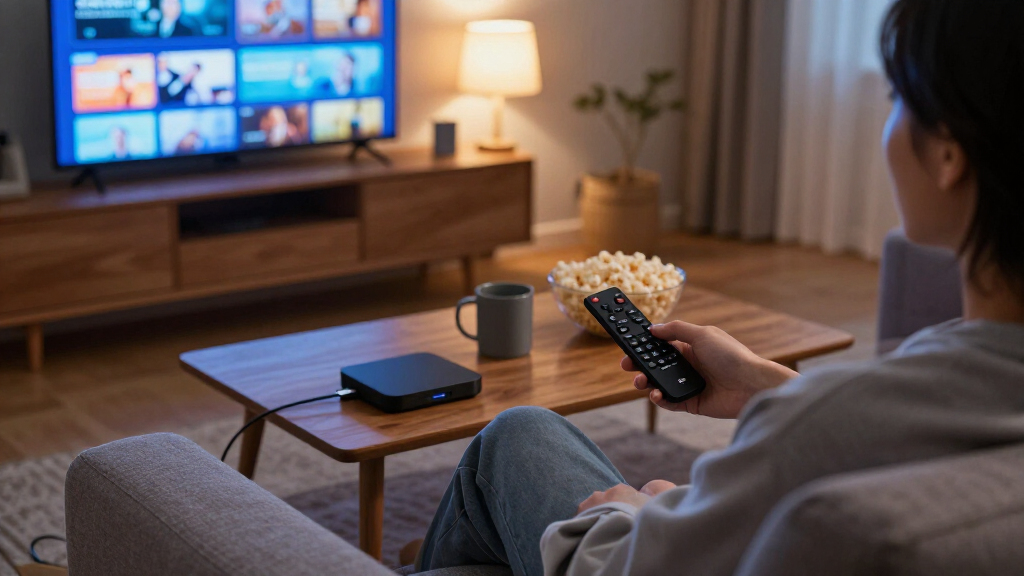

Fire TV streaming sticks turn any HDMI television into a smart streaming hub, but the lineup has grown confusingly similar, with several models differing only in Wi-Fi generation, storage, and remote features. The Amazon Fire TV Stick 4K Max (2nd Gen) earns my best overall pick for its combination of Wi-Fi 7, 4K Dolby Vision playback, and the fastest interface navigation in the family. If hands-free Alexa control matters more than a stick format, the Fire TV Cube (3rd Gen) is the stronger premium choice, while the Fire TV Stick HD covers basic 1080p streaming on a tight budget. The main tradeoff you will face is paying extra for performance you may never notice on a 1080p TV versus future-proofing for 4K displays. Read on for the full breakdown, including where refurbished models make sense and which picks to skip.

Get the latest gadgets delivered free — and shop member deals
- Fast, free delivery on millions of items
- Access to Prime Big Deal Days deals on October 6–7
- Prime Video, Amazon Music and more included
Complete the kit



Key Takeaways
- The gap between the Fire TV Stick 4K Max (2nd Gen) and the standard 4K Max is narrow — Wi-Fi 7 and extra storage only matter if your router and TV can take advantage of them.
- The Fire TV Cube (3rd Gen) is the only option here with true hands-free Alexa and an HDMI input, making it a hybrid streamer and soundbar controller rather than a simple stick.
- Refurbished units (the Like-New 4K Stick and Cube) offer near-identical hardware to new models, so the decision hinges on warranty comfort rather than performance.
- Two HD sticks in this lineup are effectively the same product sold under slightly different listings — buyers should compare what is included in the box, not the name.
- The amazon.com/dp/B0DJGDC3BD?tag=wiredguidecom-20&ascsubtag=dc-1084949″ target=”_blank” rel=”nofollow sponsored noopener”>amazon.com/dp/B09TLFJ6JC?tag=wiredguidecom-20&ascsubtag=dc-1084949″ target=”_blank” rel=”nofollow sponsored noopener”>amazon.com/dp/B09BKCDXZC?tag=wiredguidecom-20&ascsubtag=dc-1084949″ target=”_blank” rel=”nofollow sponsored noopener”>Roku Streaming Stick 4K stands apart with a cleaner, ad-lighter interface, but loses Alexa integration, which is the main reason Fire TV loyalists stay put.
- The Fire TV Stick 4K Plus sits awkwardly between the 4K and 4K Max, and only justifies itself when its Wi-Fi 6 support matches your home network.
| Amazon Fire TV Stick 4K Max (2nd Gen) Streaming Device |  | Best Overall | Output Resolution: 2160p / 1080p / 720p up to 60 fps | Processor: Quad-core 2.0 GHz | Storage: 16 GB | VIEW LATEST PRICE | See Our Full Breakdown |
| Amazon Fire TV Stick 4K Max Streaming Device (Refurbished) |  | Best Value | Condition: Refurbished, tested and certified | Video: 4K Ultra HD, Dolby Vision, HDR10+ | Audio: Dolby Atmos | VIEW LATEST PRICE | See Our Full Breakdown |
| Amazon Fire TV Cube (3rd Gen) Streaming Media Player with Alexa+, Wi-Fi 6E, 4K Ultra HD |  | Best Premium | Processor: Octa-core (4x 2.2 GHz + 4x 2.0 GHz) | Resolution: 2160p / 1080p / 720p up to 60 fps | Wi-Fi: Wi-Fi 6E tri-band | VIEW LATEST PRICE | See Our Full Breakdown |
| Amazon Fire TV Stick 4K (Like-New Refurbished) |  | Best Budget 4K | Condition: Refurbished, tested and certified like-new | Video: 4K Ultra HD, Dolby Vision, HDR10+ | Audio: Dolby Atmos | VIEW LATEST PRICE | See Our Full Breakdown |
| Amazon Fire TV Stick HD with Alexa Voice Remote |  | Best for Basic TVs | Output Resolution: 1080p / 720p up to 60 fps | Processor: Quad-core 1.7 GHz | Storage: 8 GB | VIEW LATEST PRICE | See Our Full Breakdown |
| Amazon Fire TV Stick 4K Select |  | Best 4K on a Budget | Resolution: Up to 2160p at 60 fps | HDR formats: HDR10, HDR10+, HLG | Processor: Quad-core 1.7 GHz | VIEW LATEST PRICE | See Our Full Breakdown |
| Roku Streaming Stick 4K with Voice Remote |  | Best Fire TV Alternative for Format Flexibility | Resolution: 4K Ultra HD | HDR formats: Dolby Vision, HDR10+ | RAM: 1 GB | VIEW LATEST PRICE | See Our Full Breakdown |
| Amazon Fire TV Cube (Like-New, Refurbished) – Hands-Free Streaming Device with Alexa, Wi-Fi 6E, 4K Ultra HD |  | Best Premium Power at a Refurb Price | Condition: Like-New (Certified Refurbished) | Resolution: 4K Ultra HD | HDR support: Dolby Vision, HDR | VIEW LATEST PRICE | See Our Full Breakdown |
| Amazon Fire TV Stick HD Streaming Media Player with Alexa Voice Remote |  | Best for Basic HD TVs | Resolution: Full HD (1080p) | Wi-Fi: Wi-Fi 6 | Bluetooth: Yes | VIEW LATEST PRICE | See Our Full Breakdown |
| Amazon Fire TV Stick 4K Plus with Wi-Fi 6 and Alexa Voice Remote |  | Best Future-Proof Stick | Resolution: Up to 2160p at 60 fps | HDR formats: Dolby Vision, HDR10, HDR10+, HLG | Audio: Dolby Atmos, 7.1 surround, stereo, HDMI pass-through up to 5.1 | VIEW LATEST PRICE | See Our Full Breakdown |
| Fire TV streaming stick | Audio | Processor | Wi-Fi | Resolution |
|---|---|---|---|---|
| Amazon Fire TV Stick 4K Max | Dolby Atmos, 7.1 surround, stereo | Quad-core 2.0 GHz | Wi-Fi 6E tri-band (2.4 / 5 / 6 GHz) | — |
| Amazon Fire TV Stick 4K Max St | Dolby Atmos | — | — | — |
| Amazon Fire TV Cube | Dolby Atmos, 7.1, DTS and Dolby TrueHD passthrough | Octa-core (4x 2.2 GHz + 4x 2.0 GHz) | Wi-Fi 6E tri-band | 2160p / 1080p / 720p up to 60 fps |
| Amazon Fire TV Stick 4K | Dolby Atmos | — | — | — |
| Amazon Fire TV Stick HD with A | HDMI pass-through of Dolby AC-3 / E-AC-3 | Quad-core 1.7 GHz | Dual-band 802.11a/b/g/n/ac | — |
| Amazon Fire TV Stick 4K Select | — | Quad-core 1.7 GHz | Dual-band 802.11ac with MIMO | Up to 2160p at 60 fps |
| Roku Streaming Stick 4K with V | — | — | — | 4K Ultra HD |
| Amazon Fire TV Cube | Dolby Atmos | Octa-core | — | 4K Ultra HD |
| Amazon Fire TV Stick HD Stream | — | — | Wi-Fi 6 | Full HD (1080p) |
| Amazon Fire TV Stick 4K Plus w | Dolby Atmos, 7.1 surround, stereo, HDMI pass-through up to 5.1 | Quad-core 1.7 GHz | Wi-Fi 6 dual-band (2.4/5 GHz) | Up to 2160p at 60 fps |
More Details on Our Top Picks
Amazon Fire TV Stick 4K Max (2nd Gen) Streaming Device
This is the stick I would point most people toward, because it pairs flagship-level picture quality with a dongle form factor that hides behind the TV. Compared with the standard Fire TV Stick 4K, the Max adds Wi-Fi 6E, a faster 2.0 GHz quad-core processor, and 16 GB of storage, which translates to snappier app launches and more headroom for downloaded content and cloud gaming. The Dolby Vision, HDR10+, and Dolby Atmos support makes it a sensible match for a modern home theater. The tradeoffs are real but conditional: Wi-Fi 6E only pays off with a compatible router, and 4K output is wasted on an HD set — where the Fire TV Stick HD below is the smarter buy. If you own a 4K TV and want one stick that covers everything, this pick makes the most sense.
Pros:- Full 4K Ultra HD with Dolby Vision, HDR10+, and Dolby Atmos
- Wi-Fi 6E and Bluetooth 5.2 for fast, stable connections
- 16 GB of storage for apps, games, and downloads
- Alexa Voice Remote Enhanced controls compatible TVs and soundbars
Cons:- Wi-Fi 6E speeds require a compatible router
- 4K and HDR playback depends on TV, service, and region
Best for: Owners of 4K HDR TVs who want the fastest Fire TV stick experience without a box sitting on the shelf
Not ideal for: Households with older routers or 1080p TVs — the Wi-Fi 6E and 4K features would go unused
- Output Resolution:2160p / 1080p / 720p up to 60 fps
- Processor:Quad-core 2.0 GHz
- Storage:16 GB
- Wi-Fi:Wi-Fi 6E tri-band (2.4 / 5 / 6 GHz)
- Audio:Dolby Atmos, 7.1 surround, stereo
- HDR Formats:Dolby Vision, HDR10, HDR10+, HLG
- Bluetooth:Bluetooth 5.2 + BLE
- Weight:43.5 g
Our verdict“The most complete Fire TV stick for anyone with a 4K TV who wants top-tier picture and speed in a hidden dongle.”
Amazon Fire TV Stick 4K Max Streaming Device (Refurbished)
Sitting one tier below the 2nd Gen 4K Max in this lineup, the refurbished 1st Gen 4K Max covers nearly all the same ground — 4K Dolby Vision, HDR10+, Dolby Atmos, Wi-Fi 6E, and 16 GB of storage — while typically costing less because it is a certified renewed unit. The performance gap between generations is modest for everyday streaming, so most viewers will not feel shortchanged. Where it differentiates itself is the Ambient Experience, which turns an idle TV into a display for artwork and photos. The tradeoffs: refurbished units arrive in non-retail packaging, and cloud gaming requires a separate controller and subscription. Compared with the refurbished Fire TV Stick 4K, this model is better suited to buyers who want the Max-tier processor and storage rather than just the basics of 4K streaming.
Pros:- 4K Ultra HD with Dolby Vision, HDR10+, and Dolby Atmos
- 16 GB storage for apps and downloads
- Cloud gaming support without a console
- Certified refurbished with the same limited warranty as new
Cons:- Xbox cloud gaming requires a compatible controller and subscription
- Refurbished units may arrive in generic packaging
Best for: Budget-conscious buyers who want flagship Fire TV features and don’t mind certified refurbished hardware
Not ideal for: Gift-givers or buyers who expect pristine retail packaging and the latest generation hardware
- Condition:Refurbished, tested and certified
- Video:4K Ultra HD, Dolby Vision, HDR10+
- Audio:Dolby Atmos
- Storage:16 GB
- Connectivity:Wi-Fi 6E
- Voice Assistant:Alexa
- Warranty:Same limited warranty as new device
Our verdict“A smart way to get near-flagship Fire TV performance at a reduced cost, provided renewed hardware doesn’t bother you.”
Amazon Fire TV Cube (3rd Gen) Streaming Media Player with Alexa+, Wi-Fi 6E, 4K Ultra HD
The Cube plays a different role than every stick here: it is a set-top box with built-in microphones and speakers, so Alexa works completely hands-free from across the room — no remote hunting required. Its octa-core processor outpaces the quad-core Fire TV Stick 4K Max, which shows up as faster app launches and smoother navigation, and its port selection (Ethernet, HDMI input, USB-A, IR extender) makes it the only option in this batch that belongs at the center of a full AV setup. It can even control cable boxes, soundbars, and receivers via IR, replacing multiple remotes. The tradeoffs: it is a visible box on the shelf rather than a hidden stick, and the extra power is overkill for casual streamers who would be equally served by the 4K Max for less complexity.
Pros:- Fastest processor in the lineup with quick app launches
- Hands-free Alexa with built-in far-field microphones and speaker
- Ethernet port and HDMI input for wired, hub-style setups
- Controls compatible TVs, soundbars, cable boxes, and smart-home devices
Cons:- Bulky set-top box form factor instead of a hidden stick
- Wi-Fi 6E requires a compatible router with WPA3
- Full 4K/HDR benefits demand a compatible TV and high-speed internet
Best for: Home theater enthusiasts who want hands-free Alexa, wired Ethernet, and central control of TVs, soundbars, and cable boxes
Not ideal for: Viewers who want an invisible stick behind the TV or who only stream casually without smart-home ambitions
- Processor:Octa-core (4x 2.2 GHz + 4x 2.0 GHz)
- Resolution:2160p / 1080p / 720p up to 60 fps
- Wi-Fi:Wi-Fi 6E tri-band
- Ports:HDMI 2.1 in/out, Ethernet 10/100, USB-A 2.0, IR extender
- Storage / Memory:16 GB internal / 2 GB RAM
- Audio:Dolby Atmos, 7.1, DTS and Dolby TrueHD passthrough
- Voice:Hands-free Alexa+ with built-in microphones and speaker
- Weight:513 g (1.13 lbs)
Our verdict“The pick for buyers who want a streaming hub and voice-command center rather than just a stick.”
Amazon Fire TV Stick 4K (Like-New Refurbished)
This option targets the buyer who wants 4K picture quality at the lowest possible entry point. It delivers the core premium-format support — Dolby Vision, HDR10+, and Dolby Atmos — but steps down to Wi-Fi 6 instead of the 6E found on both 4K Max models, which matters mainly if you stream heavy 4K files on a congested network. Compared with the refurbished 4K Max, this stick makes the most sense for someone who prioritizes image quality over processor speed and storage, since the Max’s extra muscle mostly benefits gaming and heavy multitasking. Like the other renewed unit, it carries the same limited warranty as a new device, softening the usual refurb risk. The main compromises are generic packaging and storage that fills up faster if you install many apps or downloads.
Pros:- 4K Ultra HD with Dolby Vision, HDR10+, and Dolby Atmos
- Wi-Fi 6 for reliable high-bandwidth streaming
- Alexa remote with TV power and volume controls
- Certified like-new with full limited warranty
Cons:- Wi-Fi 6 lacks the 6 GHz band of the Max models
- Refurbished units may arrive in generic Amazon packaging
Best for: First-time 4K streamers on a tight budget who want HDR formats without paying for Max-tier extras
Not ideal for: Cloud gamers or heavy app users who need the faster processor and larger storage of the 4K Max
- Condition:Refurbished, tested and certified like-new
- Video:4K Ultra HD, Dolby Vision, HDR10+
- Audio:Dolby Atmos
- Connectivity:Wi-Fi 6
- Voice Assistant:Alexa
- Gaming:Xbox Game Pass cloud gaming support
- Warranty:Same limited warranty as new device
Our verdict“The cheapest credible path into 4K HDR streaming, as long as you can live without Max-level speed and storage.”
Amazon Fire TV Stick HD with Alexa Voice Remote
Not every TV needs 4K, and this stick is built for exactly that reality. It caps out at 1080p Full HD, which is all a bedroom TV, kitchen screen, or older living-room set can display anyway — paying more for the 4K models would buy picture quality the panel physically cannot show. What you still get is the full Fire TV ecosystem: Alexa voice search, access to every major streaming app, and Bluetooth audio support for private listening through headphones. Compared with the refurbished Fire TV Stick 4K, the honest tradeoff is 8 GB of storage instead of 16 and a slower 1.7 GHz processor, so heavy app installers will feel the squeeze. Its compact, 32 g design also makes it a natural pick for travel and secondary TVs where simplicity beats specs.
Pros:- Full HD streaming up to 1080p at 60 fps
- Alexa Voice Remote for search and playback control
- Bluetooth audio support for headphone listening
- Lightweight and portable for travel or spare TVs
Cons:- No 4K or HDR support at all
- 8 GB storage fills quickly with many installed apps
Best for: Owners of 1080p or 720p TVs — bedrooms, kitchens, dorms — who want cheap, simple access to streaming apps
Not ideal for: Anyone with a 4K HDR TV, since the resolution ceiling wastes the panel’s capabilities
- Output Resolution:1080p / 720p up to 60 fps
- Processor:Quad-core 1.7 GHz
- Storage:8 GB
- Wi-Fi:Dual-band 802.11a/b/g/n/ac
- Bluetooth:Bluetooth 5.0 + BLE
- Audio:HDMI pass-through of Dolby AC-3 / E-AC-3
- Weight:1.1 oz (32 g)
- Warranty:90-day limited warranty
Our verdict“The right stick for HD-only screens where paying for 4K hardware would be wasted money.”
Amazon Fire TV Stick 4K Select
This option stands out as the entry point into 4K streaming without paying for extras you may not use. It covers HDR10+ and 2160p output, which is everything most 4K TVs can display, and the AV1 codec support means it streams efficiently even on modest internet connections. Compared with the Fire TV Stick 4K Plus, it gives up Dolby Vision, Dolby Atmos, and Wi-Fi 6 — but if your TV lacks Dolby Vision anyway, that sacrifice costs you nothing in practice. The remote still handles Alexa voice search and basic TV controls, so day-to-day use feels identical to pricier sticks. The tradeoff is longevity: the older Wi-Fi ac radio and Bluetooth 5.0 make this a shorter-term purchase than the Plus model.
Pros:- 4K Ultra HD streaming with HDR10+ at an accessible tier
- AV1 and VP9 codec support for efficient streaming on slower connections
- Alexa Voice Remote with TV power and volume control included
- Cloud gaming via Xbox Game Pass adds gaming without a console
Cons:- No Dolby Vision or Dolby Atmos support
- Older Wi-Fi 5 radio and Bluetooth 5.0 compared with the Wi-Fi 6 Plus model
- 8 GB storage fills quickly with apps and games
Best for: Buyers with a 4K HDR10+ TV who want to stop paying extra for features their screen can’t display
Not ideal for: Home theater owners with Dolby Vision TVs or Atmos soundbars — this stick simply doesn’t support them
- Resolution:Up to 2160p at 60 fps
- HDR formats:HDR10, HDR10+, HLG
- Processor:Quad-core 1.7 GHz
- Storage:8 GB
- Wi-Fi:Dual-band 802.11ac with MIMO
- Bluetooth:Bluetooth 5.0 + BLE
- Weight:1.5 oz (42 g)
- Warranty:90-day limited warranty
Our verdict“This pick makes the most sense for anyone whose 4K TV tops out at HDR10+ and who wants the core experience without the premium price.”
Roku Streaming Stick 4K with Voice Remote
Not every pick here needs to be a Fire TV device to belong in this comparison — and this one earns its place by doing something no Fire TV stick at this tier does: supporting both Dolby Vision and HDR10+ together. The Fire TV Stick 4K Select above picks HDR10+ only, while Dolby Vision support on Amazon’s side requires stepping up to the 4K Plus. Roku also wins on interface neutrality: menus aren’t crowded with Amazon storefront pushes the way Fire OS home screens are. The long-range Wi-Fi receiver is a genuine advantage for rooms far from the router. The tradeoff is ecosystem fit — no Alexa hands-free features, no Xbox cloud gaming, and Alexa-speaking households will find the remote’s voice control more basic.
Pros:- Dolby Vision and HDR10+ support in one affordable stick
- Long-range Wi-Fi receiver performs well far from the router
- Compact housing keeps neighboring HDMI ports usable
- Free live TV channel access built into the interface
Cons:- Only 1 GB of RAM, so heavy app switching feels slower than Fire TV sticks
- No hands-free voice assistant or smart home control
- No cloud gaming option, unlike comparable Fire TV models
Best for: Viewers with Dolby Vision TVs in distant rooms who want a neutral, ad-lighter interface and strong Wi-Fi reach
Not ideal for: Alexa-centric smart homes — no hands-free voice, no smart-home hub features, no Fire TV ecosystem integration
- Resolution:4K Ultra HD
- HDR formats:Dolby Vision, HDR10+
- RAM:1 GB
- Connectivity:Long-range Wi-Fi
- Connector:HDMI stick form factor
- Remote:Voice remote with TV control
- Key services:Netflix, Prime Video, Hulu, Pandora, Vudu
Our verdict“Compared with the Fire TV Stick 4K Select, this is the stronger buy for Dolby Vision owners who value a clean interface over Alexa integration.”
Amazon Fire TV Cube (Like-New, Refurbished) – Hands-Free Streaming Device with Alexa, Wi-Fi 6E, 4K Ultra HD
This model is better suited to buyers who want Flagship-tier performance without paying the new-unit premium. Its octa-core processor is rated twice as powerful as the Fire TV Stick 4K Max, and it’s the only device in this batch with Wi-Fi 6E, which matters on congested networks with many connected devices. Unlike every stick here, it’s hands-free: you can address Alexa across the room without touching a remote, and it doubles as a smart home hub and video-call device. The full Dolby Vision and Dolby Atmos stack is onboard, beating the 4K Select on formats. The honest tradeoff: it’s a refurbished unit that may arrive in generic packaging, and a box on your shelf is less portable and less discrete than a stick hidden behind the TV.
Pros:- Octa-core processor rated 2X faster than the Fire TV Stick 4K Max
- Wi-Fi 6E support for crowded, high-traffic networks
- Hands-free Alexa with far-field mics and a mic disconnect button
- Full Dolby Vision, HDR, and Dolby Atmos passthrough
Cons:- Refurbished condition may include generic Amazon-branded packaging
- Set-top box form factor is less portable and needs shelf space
- Subscription fees still apply for most streaming services
Best for: Power users and smart home owners who want hands-free Alexa, Atmos, and Wi-Fi 6E and don’t mind refurbished hardware
Not ideal for: Travelers and minimalist setups — a visible set-top box can’t hide behind a TV like a stick, and refurbished packaging won’t suit gift-givers
- Condition:Like-New (Certified Refurbished)
- Resolution:4K Ultra HD
- HDR support:Dolby Vision, HDR
- Audio:Dolby Atmos
- Processor:Octa-core
- Connectivity:Wi-Fi 6E
- Voice assistant:Alexa, hands-free
- Warranty:Same limited warranty as new device
Our verdict“This pick makes the most sense for someone who wants Fire TV Cube capabilities and Wi-Fi 6E at a lower entry point and is comfortable with certified refurbished hardware.”
Amazon Fire TV Stick HD Streaming Media Player with Alexa Voice Remote
For anyone streaming on a 720p or 1080p set — a bedroom TV, a spare room screen, an older living room panel — paying for 4K hardware is wasted money, and that’s exactly the problem this stick solves. The Wi-Fi 6 radio is a standout at this tier: it’s newer than the one inside the pricier Fire TV Stick 4K Select, which translates to steadier streams in apartments crowded with wireless devices. The TV-powered USB-C setup means one fewer cable and wall adapter, and it works for travel since no outlet is needed. The obvious tradeoff against the 4K Select: if you upgrade your TV later, this stick becomes the bottleneck and you’ll be buying again.
Pros:- Wi-Fi 6 connectivity despite the budget tier
- TV-powered USB-C design eliminates a wall adapter
- Full Fire TV app catalog including Prime Video, Netflix, and Disney+
- Alexa voice search and smart home controls included
Cons:- Limited to Full HD — no 4K or HDR at all
- Requires a TV with an HDMI port and adequate USB power output
- Some apps and content still need paid subscriptions
Best for: Owners of 1080p or 720p TVs, and travelers who want a stick that powers straight from the TV’s USB port
Not ideal for: Anyone planning a 4K TV upgrade within a few years — Full HD output will cap picture quality on the new set
- Resolution:Full HD (1080p)
- Wi-Fi:Wi-Fi 6
- Bluetooth:Yes
- Voice assistant:Alexa+
- Remote:Alexa Voice Remote
- Power:TV-powered via USB-C Direct Power
- Connection:HDMI
- Key apps:Prime Video, Netflix, YouTube, Disney+, Apple TV, Hulu, Peacock, Paramount+
Our verdict“This is the right stick for an HD TV that just needs apps and voice search reliably, and the wrong one for anyone eyeing a 4K upgrade.”
Amazon Fire TV Stick 4K Plus with Wi-Fi 6 and Alexa Voice Remote
This option stands out as the most complete stick in the lineup, and the differences from the 4K Select are real rather than cosmetic. It adds Dolby Vision and Dolby Atmos — the two formats that matter most for newer TVs and soundbars — plus Wi-Fi 6 and Bluetooth 5.2 for cleaner wireless performance. The HDMI 2.1 output with ARC support is the quietly forward-looking spec: it positions the stick to play nicely with newer TVs and audio setups longer than the Select will. Compared with the refurbished Fire TV Cube, you give up hands-free Alexa and Wi-Fi 6E but gain a stick that hides entirely behind the TV. The tradeoff is simply that you’re paying a premium over the Select for formats your current TV may not yet support.
Pros:- Complete format coverage: Dolby Vision, HDR10+, and Dolby Atmos
- Wi-Fi 6 and Bluetooth 5.2 for stable, modern wireless performance
- HDMI 2.1 output with ARC support for newer TV and audio setups
- Xbox cloud gaming support with Game Pass
Cons:- Premium over the 4K Select for formats not every TV can use
- Wi-Fi 6 speeds require a compatible Wi-Fi 6 router
- 8 GB storage limits how many apps and games you can keep installed
Best for: Buyers with a Dolby Vision TV and Atmos soundbar who want the fullest feature set in a stick that stays invisible behind the screen
Not ideal for: Budget shoppers with basic 4K TVs — if the screen lacks Dolby Vision, the cheaper 4K Select delivers the same picture
- Resolution:Up to 2160p at 60 fps
- HDR formats:Dolby Vision, HDR10, HDR10+, HLG
- Audio:Dolby Atmos, 7.1 surround, stereo, HDMI pass-through up to 5.1
- Processor:Quad-core 1.7 GHz
- Storage:8 GB
- Wi-Fi:Wi-Fi 6 dual-band (2.4/5 GHz)
- Bluetooth:Bluetooth 5.2 + BLE
- Ports:HDMI 2.1 output with ARC; micro USB power
- Weight:43.5 g
Our verdict“If you want one Fire TV stick purchase to remain current through your next TV and soundbar upgrade, this is the one to buy.”
How We Picked
I ranked these devices on four buyer-relevant criteria: streaming performance (resolution support, HDR formats, and interface speed), connectivity (Wi-Fi generation and how it affects buffering on real home networks), usability (remote quality, voice control depth, and how intrusive the Fire OS interface feels), and value over time (whether the hardware will still feel quick in three years). Where two models overlap heavily, as with the two HD sticks or the two 4K Max generations, I separated them by the practical difference a buyer would actually notice day to day rather than spec-sheet deltas.
The ranking logic is straightforward: devices that deliver the smoothest, most future-ready experience sit at the top; devices that excel within a defined niche (hands-free control, budget HD streaming) fill the middle; and near-duplicate listings or awkwardly positioned models land lower, not because they are bad products, but because another pick in this lineup does the same job better for most buyers.
| Fire TV streaming stick | Processor | Wi-Fi | Audio | Bluetooth |
|---|---|---|---|---|
| Amazon Fire TV Stick 4K Max | Quad-core 2.0 GHz | Wi-Fi 6E tri-band (2.4 / 5 / 6 GHz) | Dolby Atmos, 7.1 surround, stereo | Bluetooth 5.2 + BLE |
| Amazon Fire TV Stick 4K Max St | — | — | Dolby Atmos | — |
| Amazon Fire TV Cube | Octa-core (4x 2.2 GHz + 4x 2.0 GHz) | Wi-Fi 6E tri-band | Dolby Atmos, 7.1, DTS and Dolby TrueHD passthrough | — |
| Amazon Fire TV Stick 4K | — | — | Dolby Atmos | — |
| Amazon Fire TV Stick HD with A | Quad-core 1.7 GHz | Dual-band 802.11a/b/g/n/ac | HDMI pass-through of Dolby AC-3 / E-AC-3 | Bluetooth 5.0 + BLE |
| Amazon Fire TV Stick 4K Select | Quad-core 1.7 GHz | Dual-band 802.11ac with MIMO | — | Bluetooth 5.0 + BLE |
| Roku Streaming Stick 4K with V | — | — | — | — |
| Amazon Fire TV Cube | Octa-core | — | Dolby Atmos | — |
| Amazon Fire TV Stick HD Stream | — | Wi-Fi 6 | — | Yes |
| Amazon Fire TV Stick 4K Plus w | Quad-core 1.7 GHz | Wi-Fi 6 dual-band (2.4/5 GHz) | Dolby Atmos, 7.1 surround, stereo, HDMI pass-through up to 5.1 | Bluetooth 5.2 + BLE |
Factors to Consider When Choosing Fire TV Streaming Sticks
Before picking a specific model, it helps to understand what actually separates these devices in everyday use — and where buyers commonly overspend or buy too little.Match the Stick to Your TV, Not the Marketing
The most common mistake is buying a 4K-capable stick for a 1080p television. The extra processing power does make menus slightly snappier, but you are paying primarily for resolution and HDR formats your screen cannot display. Conversely, pairing a basic HD stick with a new 4K TV produces visibly soft picture quality that no setting will fix. Check your TV’s panel resolution and HDR support (Dolby Vision versus HDR10) before choosing — this single fact narrows the lineup more than any other. A Fire TV Stick 4K on a Dolby Vision TV, for example, delivers a noticeably richer image than the same services through an HD stick. Buying one tier above your current TV only makes sense if an upgrade is genuinely planned within the stick’s lifespan.
Wi-Fi Generation Matters More Than You Think
Fire TV devices now range from dual-band Wi-Fi 5 to Wi-Fi 7, and this spec quietly determines how well streaming holds up when your network is busy. Older Wi-Fi 5 sticks are fine for a lone streamer in a small apartment, but in a household full of laptops, phones, and smart devices, newer radios hold a steadier connection and load 4K streams faster. That said, a Wi-Fi 7 stick cannot outperform your router — if your router tops out at Wi-Fi 5, the premium hardware sits idle. The smart move is matching the stick’s Wi-Fi generation to your existing router, then upgrading the stick when the network does. Buyers routinely overspend here on capability they cannot use for years.
Stick Versus Cube: Form Factor Is a Feature
A streaming stick hides behind the TV, draws power from a USB port (sometimes), and travels easily — ideal for secondary TVs, dorm rooms, and vacations. The Fire TV Cube is a set-top box that needs shelf space and a wall outlet, but it adds far-field microphones for true hands-free Alexa and an HDMI input with infrared blasting that can control your soundbar, cable box, and receiver. If your setup is a single TV with built-in speakers, the Cube’s advantages largely go unused. If you run a multi-device entertainment center, the Cube replaces a jumble of remotes. This is a decision about how you interact with your whole setup, not just how you stream.
The Interface: Fire OS Versus Roku
Amazon’s Fire OS pushes its own content, Prime Video rows, and sponsored tiles heavily throughout the home screen. Some buyers find this convenient; others find it cluttered and slow to reach third-party apps. Roku’s interface is leaner and more neutral, treating apps equally rather than prioritizing one ecosystem, which is why the Roku Streaming Stick 4K appears in this comparison at all. The counterweight is Alexa: Fire TV devices integrate deeply with Amazon’s voice assistant and smart home ecosystem, which Roku cannot match. Your tolerance for ads and your loyalty to Alexa will decide this tradeoff more than any hardware spec.
When Refurbished Makes Sense
Amazon’s Like-New refurbished devices are typically customer returns that have been inspected, reset, and repackaged, often with minor cosmetic wear. For a product that lives behind a television, cosmetics barely matter, making streamers one of the better refurbished categories. The genuine tradeoff is warranty and return-window coverage, which can differ from new-unit terms — check the specific policy before buying. Refurbished makes the most sense on expensive items like the Fire TV Cube, where the savings are largest and the hardware is recent enough to stay current for years. On cheap HD sticks, the small saving rarely justifies the reduced peace of mind.
Remote Differences You’ll Notice Daily
The remote is the part of a streaming device you touch every single session, and Amazon’s lineup quietly varies here. Higher-end models include remotes with backlighting, TV power and volume buttons, and a headphone jack for private listening — features that sound minor until you use them. A backlit remote means no fumbling in a dark room; volume buttons mean one remote instead of two on the coffee table. If you watch late at night or share a wall with a light sleeper, a remote with headphone output can be the single most valuable feature on the box. When two sticks are otherwise similar, the remote is often the deciding factor worth checking.
Frequently Asked Questions
Is the Fire TV Stick 4K Max (2nd Gen) worth it over the regular 4K Max?
Only under specific conditions. The 2nd Gen adds Wi-Fi 7 and more internal storage, which speeds up app launches and helps if you install many apps or have a Wi-Fi 7 router. On a Wi-Fi 6 or older network with a modest app library, the two models feel nearly identical in daily streaming — same interface speed, same Dolby Vision support, same remote experience. If the price gap is small, taking the newer model is reasonable future-proofing. If the gap is meaningful, the older 4K Max remains one of the best values in the lineup and will not feel outdated anytime soon.
Do I need a Fire TV device if my TV already has smart apps built in?
It depends on how happy you are with your TV’s built-in interface. Many smart TVs ship with sluggish processors that get slower with each software update, while a dedicated streaming stick runs the same apps noticeably faster and receives updates longer. A Fire TV device also adds Alexa voice search across every app at once, something most built-in systems handle poorly app-by-app. On the other hand, if your TV’s apps load quickly and you use an Echo device for voice already, adding a stick mostly duplicates what you have. The strongest case for adding one is an aging smart TV, a dumb monitor-style TV, or a hotel/second-home TV you want to carry your setup to.
Can the Fire TV Cube replace my soundbar remote and other controllers?
Largely, yes — this is the Cube’s defining advantage over every stick in this lineup. Its infrared blasters and HDMI control can power on your TV, adjust soundbar volume, and switch inputs on cable boxes or game consoles, all through Alexa voice commands or its own remote. Setup requires pointing it at your equipment with a clear line of sight, and some older or obscure devices may not respond to every command. If your entertainment center currently needs three remotes, the Cube genuinely consolidates them. For a single TV with no peripherals, this capability goes unused and a stick is the smarter buy.
Are refurbished Fire TV sticks and Cubes reliable?
Amazon’s Like-New refurbishments are generally solid because streaming devices have no moving parts and little wear-prone hardware — most returns are buyer’s remorse rather than defects. Units are inspected, factory-reset, and repackaged, and the main cosmetic difference is usually minor scuffing you will never see behind a TV. The real consideration is the warranty and return policy, which can be shorter than for new units, so verify the terms at purchase. Refurbished makes the most sense for the Fire TV Cube, where the absolute savings are largest. For inexpensive HD sticks, the small saving rarely offsets the reduced coverage.
Should a Fire TV loyalist switch to the Roku Streaming Stick 4K?
Switch if interface clutter is your main frustration and you have little invested in the Alexa ecosystem. Roku’s home screen is cleaner, treats all apps equally instead of promoting Prime Video, and its universal search is consistently excellent. Stay with Fire TV if you use Alexa speakers, smart home routines, or Amazon’s live TV integrations, because Roku offers no equivalent. Picture quality between the Roku Streaming Stick 4K and comparable Fire TV sticks is essentially a wash — both handle 4K HDR competently. The honest answer is that this is a software-ecosystem decision, not a hardware one, and switching means re-learning where everything lives.
Conclusion
After comparing the full lineup, the right pick comes down to your TV, your network, and how you interact with your entertainment setup. For best overall, the Fire TV Stick 4K Max (2nd Gen) delivers the fastest experience and the most future-ready hardware for 4K households. The best value belongs to the Fire TV Stick 4K (Like-New Refurbished) or the standard 4K Max, depending on which discount you find — both deliver the core 4K Dolby Vision experience without premium pricing. For best premium, the Fire TV Cube (3rd Gen) stands alone with hands-free Alexa and whole-system control that no stick can match. Beginners and 1080p TV owners are best served by the simple, inexpensive Fire TV Stick HD, while the Roku Streaming Stick 4K suits the specific need of viewers who want a cleaner interface free of Amazon’s self-promotion. Whatever you choose, match the device to the TV you own today and the network you actually run — that single discipline separates a satisfying purchase from an overpriced one.
Evergreen bestsellers Picks
bestsellers
As an affiliate, we earn on qualifying purchases.