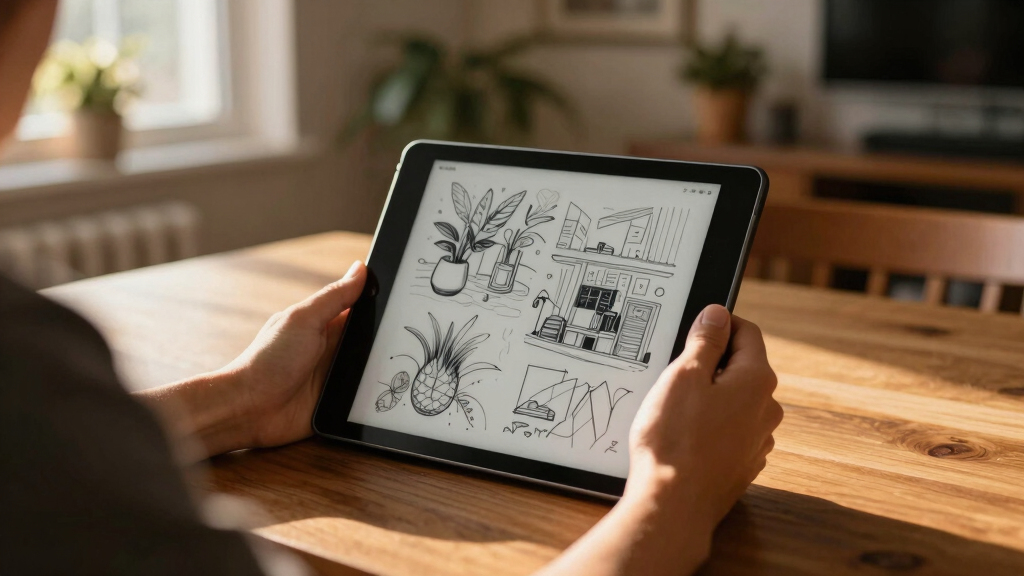
If you’re searching for an e ink tablet, you’re likely after a device that combines the paper-like reading experience with digital convenience. The BOOX Note Air 5 stands out as the best overall choice for its versatile features and smooth performance. The Kindle Scribe offers excellent integration for readers and note-takers on a budget, while the reMarkable Paper Pro excels for dedicated writers and artists. Each option balances tradeoffs like price, display quality, and functionality. Keep reading to see how these models compare and find the ideal e ink tablet for your needs.
Key Takeaways
- The best overall e ink tablet combines versatile note-taking, reading, and drawing features, with the BOOX Note Air 5 leading the pack.
- Price varies significantly; budget options like Kindle Scribe offer good value, but may lack advanced features of premium models.
- Display quality, such as 300+ PPI and color support, is a key differentiator for reading and creative work.
- Additional functionalities like voice-to-text, AI summaries, and stylus support impact usability depending on user needs.
- Build quality and weight are crucial for portability, especially for users who plan to carry their device daily.


More Details on Our Top Picks
XPPen 3 in 1 Color Digital Notebook 10.95” Paper Note Taking Tablet with 16384 Pressure Levels Battey-Free X3 Pro Pencil 2 Magnetic Folio 6+128GB Magic Note Pad for Writing/Reading/Meeting/Study
This XPPen model distinguishes itself with a large 10.95-inch AG nano-etched LCD screen, which offers a paper-like texture and anti-glare properties, making it ideal for extended writing sessions. Unlike E Ink screens, it supports 16.7 million colors and a smooth 90Hz refresh rate, providing a more dynamic visual experience—though this comes at the expense of typical E Ink’s energy efficiency and true black-and-white clarity. The device operates on Android 14, enabling access to thousands of apps, which is a step up from the dedicated e-ink tablets like the BOOX Note Air 5, but it also means more power consumption and a slightly heavier weight at 495 grams. The upgraded X3 Pro Pencil with 16K sensitivity makes nuanced annotations possible, though it still doesn’t match the simplicity and low latency of dedicated e-ink pens. Its 128GB storage and multimedia features make it a solid choice for students and professionals needing versatile functionality, but the display’s non-paper look might be a drawback for purists. The main tradeoff involves reduced battery life, averaging around 4 hours, compared with e-ink’s weeks-long stamina.
Pros:- Large 10.95-inch AG nano-etched LCD with paper-like texture
- Supports 16.7 million colors and 90Hz refresh rate for smooth visuals
- Runs on Android 14, enabling app downloads and multimedia use
- Includes upgraded X3 Pro stylus with 16K sensitivity
Cons:- Relatively short battery life of around 4 hours
- Displays a non-traditional LCD look, lacking the high contrast of E Ink
- Heavier at nearly 495 grams, less portable than dedicated e-ink tablets
Best for: Digital artists, students, or professionals who want a colorful, versatile device that runs Android and supports various apps.
Not ideal for: Pure e-ink enthusiasts seeking ultra-long battery life and a true paper-like monochrome display for reading and note-taking without distractions.
- Screen Size:10.95 Inches
- Display Type:AG nano-etched LCD
- Refresh Rate:90Hz
- Operating System:Android 14
- Storage:128GB
- Battery Life:Approx. 4 hours
Bottom line: Ideal for users who want a multi-functional, colorful note device with Android capabilities but are okay with shorter battery life and a less paper-like display.
VIWOODS Upgraded Bundle with AiPaper, Stylus Pro and 5 Nibs, Carta 1300 AI E Ink Tablet, 10.65” 300PPI Electronic Notebook with Pen, Ultra-Thin 4.5mm, Lightweight 370g, 128GB Note-Taking Device
This VIWOODS AiPaper tablet excels with a 10.65-inch Carta 1300 Mobius screen that offers high contrast and clarity, making it suitable for long reading or writing sessions, similar to the reMarkable but with more color options. Unlike the BOOX Note Air 5, it emphasizes a paper-like experience with minimal ghosting and a textured surface, appealing to those who prefer traditional paper feel. The device is lightweight at 370 grams and features a 300PPI resolution, providing sharp text and images that are comfortable for extended use—though its color capabilities are limited compared to LCD-based tablets. The AI-powered features, including note summarization and real-time voice-to-text, add a productivity edge over basic e-ink devices, but the overall performance can lag with complex apps and multitasking. Its integrated cloud sync and extensive storage make it well-suited for students and professionals who prioritize reading and note-taking in a distraction-free environment. The tradeoff? Slightly slower response times compared to more advanced tablets, and the device’s color is more muted than LCD counterparts.
Pros:- High 300PPI resolution with sharp, paper-like texture
- Ultra-lightweight at 370 grams for portability
- AI features for note summarization and speech-to-text conversion
- Includes a folio cover, stylus, and multiple nibs for extended use
Cons:- Limited color capabilities, mostly monochrome or muted tones
- Slower refresh rate typical of e-ink, not suitable for rapid scrolling or videos
- Performance may lag with complex app multitasking
Best for: Students, academics, and writers who need a pure e-ink experience with AI tools and excellent note clarity without distractions.
Not ideal for: Users seeking colorful visuals or fast app responsiveness for multimedia or gaming, as the e-ink screen favors static content and longer refresh times.
- Screen Size:10.65 Inches
- Display Technology:Carta 1300 Mobius E Ink
- Resolution:300PPI
- Weight:370g
- Storage:128GB
- Battery Life:Multiple weeks
Bottom line: Perfect for those who want a high-resolution, paper-like e-ink device with AI-enhanced note management, sacrificing color vibrancy and rapid responsiveness.
Penstar eNote 2 – The Whitest Paper Tablet | 10.3” 300 PPI Pen-Only Screen E-Ink Writing Tablet, Digital Notebook Includes Folio Cover & Two B5 Pens
This Penstar eNote 2 shines with a 10.3-inch pen-only E Ink display that mimics authentic paper, making it ideal for serious writers and note-takers who value a true paper-like feel. Compared to the reMarkable, it offers a more natural writing experience with minimal ghosting and a textured surface, though it doesn’t support color or multimedia. Its dedicated pen-only design results in very low latency and a natural resistance similar to real paper, which is a significant advantage over devices with touchscreens that can feel less precise. The device’s 300 PPI resolution provides crisp, legible text, and its battery can last for weeks, unlike the shorter stamina typical of LCD tablets. It also includes two high-precision B5 pens, making it ideal for artists and professionals who prefer detailed handwriting or sketches. However, its lack of color and limited app ecosystem can be a drawback for users wanting multimedia integration.
Pros:- Authentic paper-like texture with minimal ghosting
- Low latency with dedicated pen-only input
- Weeks-long battery life for prolonged use
- Includes two B5 styluses with multiple nibs
Cons:- No color or multimedia support
- Limited app ecosystem, mainly focused on note-taking
- Lacks touch or multi-touch features for navigation
Best for: Writers, professionals, and artists seeking a pure, paper-like writing experience with long battery life and strong privacy for offline work.
Not ideal for: People who need color, multimedia, or app-based functionalities, as this device emphasizes simplicity and focus on writing and note organization.
- Screen Size:10.3 Inches
- Display Technology:E Ink Pearl
- Resolution:300 PPI
- Battery Life:Weeks
- Included Stylus:2 B5 pens
- Weight:Approx. 0.97 kg
Bottom line: Excellent for users prioritizing authentic handwriting, long battery life, and offline privacy, but not suitable for multimedia or color-rich tasks.
BOOX Tablet 10.3″ Note Air 5 C 6G 64G E Ink Tablet Color ePaper Notebook
The BOOX Note Air 5 offers a 10.3-inch Kaleido 3 color E Ink screen with 4,096 colors, making it one of the few e-ink tablets capable of displaying color images and simple graphics. Compared with the monochrome reMarkable or Penstar eNote, it provides a more dynamic visual experience, especially suitable for magazines, comics, or basic color diagrams. Its 2480 x 1860 resolution delivers sharp text, and the stylus with 4,096 pressure levels ensures precise note-taking. Running on Android 15, it supports a broad range of apps, including PDF editors and reading apps, but the inherent slower refresh rate of E Ink limits smooth multimedia playback or rapid page turns. The device features 6GB RAM and 64GB storage, which is adequate for multiple books and notes. Its main advantage is the ability to handle color content, but the tradeoff is a grayer, less vibrant display compared to LCD tablets, and a slower response time that can frustrate users expecting quick interactions.
Pros:- Color display with 4,096 colors for visuals
- High resolution and sharp text display
- Supports multiple document formats and apps via Android 15
- Stylus with pressure sensitivity for precise notes
Cons:- Slower refresh rate limits fluid interaction
- Color is muted and less vibrant than LCD screens
- Inherent graying of display, not suitable for video or fast scrolling
Best for: Users who need a color-capable e-ink device for reading and light graphics, especially for educational or professional use involving diagrams or comics.
Not ideal for: Those wanting fast web browsing, videos, or highly vibrant multimedia, as the E Ink technology inherently limits responsiveness and color vibrancy.
- Screen Size:10.3 Inches
- Display Technology:Color E Ink Kaleido 3
- Resolution:2480 x 1860
- Color Support:4,096 colors
- RAM:6GB
- Storage:64GB
Bottom line: Great for color content and multi-format support in an e-ink form factor, but not for fast-paced multimedia or vibrant visuals.
VIWOODS Upgraded Bundle with AiPaper Mini, 8.2’’ AI E Ink Tablet with Adjustable Light, 292PPI Electronic Notebook with Pen, Portable 230g, 128GB Storage Note Taking Device
The VIWOODS AiPaper Mini combines a compact 8.2-inch 292PPI E Ink screen with a portable, lightweight design weighing only 230 grams, ideal for on-the-go note-taking and reading. Its adjustable front light from 0 to 20 brightness levels enhances usability in various lighting conditions, surpassing many larger e-ink devices in portability. Unlike the Penstar eNote, it emphasizes AI features such as email composition, note organization, and article summarization, which can boost productivity. The device supports multiple cloud platforms, including Dropbox and Google Drive, for seamless file sharing. While the smaller 8.2-inch screen limits extensive note-taking or drawing, its sharp resolution and paper-like resistance make it suitable for quick notes, reading, or personal journaling. The tradeoff involves its limited annotation capabilities and slower refresh rate, typical of e-ink technology, compared to color or Android-based tablets.
Pros:- Compact 8.2-inch size with 292PPI clarity
- Adjustable front light for comfortable reading in all environments
- Lightweight at 230g perfect for travel
- AI features for email, note summarization, and organization
Cons:- Limited screen space for extensive writing or drawing
- Lacks color support and multimedia capabilities
- Slower refresh typical of e-ink, not suited for videos or rapid scrolling
Best for: Busy professionals, students, or travelers who need a highly portable, AI-enhanced e-ink device for quick notes and reading.
Not ideal for: Users seeking vibrant colors, multimedia, or extensive sketching, as the small screen and monochrome display limit these functions.
- Screen Size:8.2 Inches
- Display Technology:E Ink
- Resolution:292 PPI
- Weight:230g
- Storage:128GB
- Adjustable Light:Yes
Bottom line: Excellent for portable, AI-enhanced note and reading tasks in a compact form, but not for multimedia or detailed graphics.
Amazon Kindle Scribe (16GB) – Your notes, documents and books, all in one place. With built-in AI notebook summarization. Includes Premium Pen – Tungsten
The Kindle Scribe stands out for combining a high-quality e-reader with a dedicated writing experience, making it ideal for those who want to replace both their books and notebooks. Its 10.2″ glare-free display with 300 ppi offers exceptional readability, comparable to paper, and the included Premium Pen provides a smooth, natural writing feel. Unlike the reMarkable Paper Pro, which emphasizes a pure paper-like writing experience, the Scribe adds AI-powered tools such as handwriting conversion and note summarization—great for users who want digital convenience plus smart features. However, the AI functions require Wi-Fi, and the device lacks a front light, which might hinder nighttime use. The long battery life—months for reading and weeks for writing—means less charging fuss. This pick makes the most sense for readers who also want to take notes or annotate documents without distraction or switching devices.
Pros:- High-resolution glare-free display suitable for long reading sessions
- Smooth, natural handwriting experience with Premium Pen
- AI tools for handwriting conversion and note summarization
Cons:- No front light, limiting nighttime or dim environment use
- AI features depend on Wi-Fi, reducing offline functionality
Best for: Readers who want an all-in-one device for books, notes, and document markup with smart AI features.
Not ideal for: Pure writers or artists seeking a paper-like experience without digital distractions, as the AI features require connectivity and the device lacks advanced drawing tools.
- Display Technology:Paperwhite
- Display Size:10.2 Inches
- Resolution:300 ppi
- On-Device Storage:16 GB, 32 GB, 64 GB
- Battery Life:Up to 12 weeks for reading
- Wi-Fi Connectivity:Wi-Fi 5
Bottom line: Ideal for those seeking a versatile device for reading, note-taking, and document markup with some smart AI capabilities.
XPPen 10.95″ Standalone Drawing Tablet Digital Color Notetaking Magic Note Pad for Sketching, Drawing & Notes 16K Pressure Sensitivity Tilt Support 90Hz Refresh Rate Anti-Glare Screen Android 14
This XPPen Magic Note Pad delivers a realistic sketching experience with its paper-like texture, thanks to AG nano-etching technology and 16,384 pressure levels, making it ideal for artists and doodlers. Its 10.95-inch color display supports 16.7 million hues, with low blue light and anti-glare technology—great for long creative sessions. Compared to the reMarkable Paper Pro, which emphasizes a paper-like feel for writing, this tablet excels at vibrant color work and smooth shading, thanks to the 90Hz refresh rate and tilt support. The device is ultra-portable at just 495g and doesn’t need charging for the stylus, which is a major plus for on-the-go use. The main tradeoff is that it runs Android 14, which may introduce some learning curve and app compatibility issues for dedicated note-takers. It’s perfect for users who need a portable, color-capable digital sketchbook or note device.
Pros:- True paper-like texture for natural pencil strokes
- Vibrant color display with 16.7 million hues
- Tilt support and 16K pressure sensitivity for precise shading
Cons:- Runs on Android 14, which may cause app compatibility issues
- Less suited for long-form reading compared to monochrome e-ink devices
Best for: Artists, students, and professionals who require a portable, color-rich digital notebook for drawing and note-taking.
Not ideal for: Users seeking a distraction-free, black-and-white e-ink device for simple reading or minimalistic note-taking, as this device is designed for color work and creative use.
- Display Size:10.95 Inches
- Color Support:16.7 million
- Pressure Sensitivity:16K levels
- Refresh Rate:90Hz
- Weight:495g
- Operating System:Android 14
Bottom line: Best suited for creative professionals and students needing a portable, color-rich drawing and note device.
iflytek AINOTE 2, 10.65″ E Ink Tablet, 4.2mm Ultra-Thin AI Paper Tablet for Meetings, Digital Notebook with Voice-to-Text, Handwriting Conversion,16-Language Transcription, Ideal for Work & Study
The iFLYTEK AINOTE 2 offers a highly portable, ultra-thin 10.65″ e-ink tablet designed for professionals, students, and creators who need a lightweight device for meetings, notes, and multilingual transcription. Its paper-like writing experience is smooth with a high-refresh display that mimics real paper. Unlike color tablets like the BOOX Kaleido, the focus here is on clarity and efficiency, especially with AI-powered voice-to-text, 16-language transcription, and smart search features—ideal for international users or those who frequently switch languages. The device’s 4.2mm thickness and 295g weight make it easy to carry, but it doesn’t support advanced stylus features like EMR, and its screen resolution, while clear, is less sharp than larger color devices. This makes it ideal for note-taking, brainstorming, and multilingual meetings.
Pros:- Ultra-thin, lightweight design perfect for on-the-go use
- AI-powered voice-to-text and multilingual transcription
- Smart search and meeting summary features
Cons:- Supports only basic stylus features, no EMR stylus support
- Limited to monochrome e-ink, not suited for color or complex illustrations
Best for: Professionals, students, and international users who need a lightweight, multilingual digital notebook with voice-to-text features.
Not ideal for: Artists or creative professionals seeking vibrant color output or advanced stylus support, as this device focuses on writing, transcription, and organization.
- Display Size:10.65 Inches
- Resolution:High-refresh, 300 dpi
- Weight:295g
- Thickness:4.2mm
- Languages Supported:16
- Battery Life:Multiple weeks
Bottom line: Great for multilingual note-taking, meetings, and organization, especially for users who value portability and AI features.
BOOX Tablet Go Color 7 Gen II E Ink Tablet Support Active Stylus InkSense (Black)
The BOOX Go Color 7 Gen II offers a compact 7″ color e-ink screen with Kaleido 3 technology, making it suitable for reading, light note-taking, and multimedia consumption. Its 4096-color display, while darker and grayer than LCD screens, provides vivid color support for casual reading and simple sketches, similar to other color e-ink devices like the VIWOODS Carta 1300. The device’s 1680 x 1264 resolution balances clarity with e-ink limitations, and the inclusion of InkSense stylus support makes it a decent choice for basic handwritten notes and annotations. Compared to larger, more expensive tablets like the reMarkable Paper Pro, it’s more affordable but also less feature-rich and color-accurate. Its 7-day battery life and support for third-party apps widen its use cases, but the lower resolution and color limitations mean it’s better for light multimedia and basic note-taking.
Pros:- Supports vivid color display for casual multimedia use
- Compact, lightweight design for portability
- Supports third-party apps for added flexibility
Cons:- Lower resolution and darker display compared to LCD tablets
- Color and clarity are limited, not suited for detailed images
Best for: Budget-conscious users who want a portable, color e-ink device for casual reading, light notes, and multimedia.
Not ideal for: Serious artists or users requiring high-resolution color images and detailed sketches, as the display is darker and grayer than LCD alternatives.
- Display Size:7 Inches
- Color Support:4096 colors
- Resolution:1680 x 1264
- Battery Life:Up to 7 days
- Weight:Approx. 195g
- Connectivity:Wi-Fi, Bluetooth
Bottom line: A budget-friendly, color-capable e-ink tablet suitable for casual reading, light notes, and multimedia on the go.
reMarkable Paper Pro Bundle – Includes 11.8” reMarkable Paper Tablet, and Marker Plus Pen with Eraser
The reMarkable Paper Pro stands out for its ultra-slim, large 11.8″ color display that mimics real paper with a low-glare, reflective surface, making it ideal for reading and writing in bright environments. Its remarkable paper-like friction, combined with the Marker Plus stylus with built-in eraser, offers an unmatched natural writing experience, especially for users who prefer minimal distraction and high organization. Unlike the Kindle Scribe or BOOX Go, which focus on reading or multimedia, the Paper Pro emphasizes a distraction-free, paper-like feel, with excellent PDF annotation, note organization, and handwriting conversion. The main tradeoff is that it’s not optimized for multimedia or vibrant color work, focusing instead on clarity, organization, and natural writing. Perfect for students, writers, and professionals who prioritize a realistic paper experience.
Pros:- Large, 11.8″ low-glare, paper-like display
- Natural friction for realistic handwriting
- Excellent PDF annotation and organization features
Cons:- Limited color capability, mostly monochrome with some color support
- Less suited for multimedia consumption or detailed illustrations
Best for: Students, writers, and professionals seeking a natural, distraction-free digital notebook with excellent organization features.
Not ideal for: Artists or multimedia users needing vibrant color display or complex drawing capabilities, as the focus is on writing and reading clarity.
- Display Size:11.8 Inches
- Display Type:Low-glare, reflective
- Resolution:2160 x 1620 pixels
- Battery Life:Up to 2 weeks
- Included Stylus:Marker Plus with eraser
- Connectivity:USB-C
Bottom line: Best for users who want a natural, paper-like writing and reading experience with superior organization capabilities.
reMarkable Paper Pro Move | Ultraportable Color 7.3″ Paper Tablet with Marker Plus
The reMarkable Paper Pro Move stands out for its ultra-portability, fitting comfortably into a pocket or small bag, making it ideal for users who need to jot down ideas on the fly without the bulk of larger tablets like the reMarkable 2 Pro. Compared to the monochrome reMarkable 2, this model’s vibrant 7.3″ color display enhances diagrams and annotations, but the color fidelity isn’t as rich as larger e-ink tablets like the BOOX Note Air 5. The handwriting experience is smooth and responsive, with a variety of pen and color options that mimic real paper, though some users report a slight lag during screen refreshes. Its compact size limits the amount of content visible at once, which might frustrate those used to larger screens for multitasking. The device’s battery life is impressive, lasting around 15 days with typical use, and the stylus attaches magnetically for convenience. The $449 price tag is high, especially considering the subscription needed for cloud features, which could be a drawback for budget-conscious buyers. Tradeoffs include sacrificing screen size and advanced features for portability and distraction-free focus.
Pros:- Exceptional portability fitting in pockets or small bags
- Vivid color display enhances visual notes and diagrams
- Responsive handwriting with multiple pen options
- Long battery life up to 15 days
Cons:- Slight lag during screen refreshes can affect note-taking flow
- Price is relatively high for its size and features
- Limited screen real estate for multitasking or large documents
Best for: Travelers and professionals who need a lightweight, color note-taking device for meetings and quick sketches.
Not ideal for: Power users who require extensive document editing or larger viewing areas, as the small screen can hinder productivity.
- Screen Size:7.3 Inches
- Display Resolution:954×1696 pixels
- Memory Storage:64 GB
- Connectivity:USB-C, Wi-Fi
- Stylus Support:Marker Plus with 6 tips
- Battery Life:Up to 15 days
- Weight:248.4 grams
Bottom line: This device is best suited for users who prioritize portability and color visuals over screen size and advanced multitasking capabilities.
How We Picked
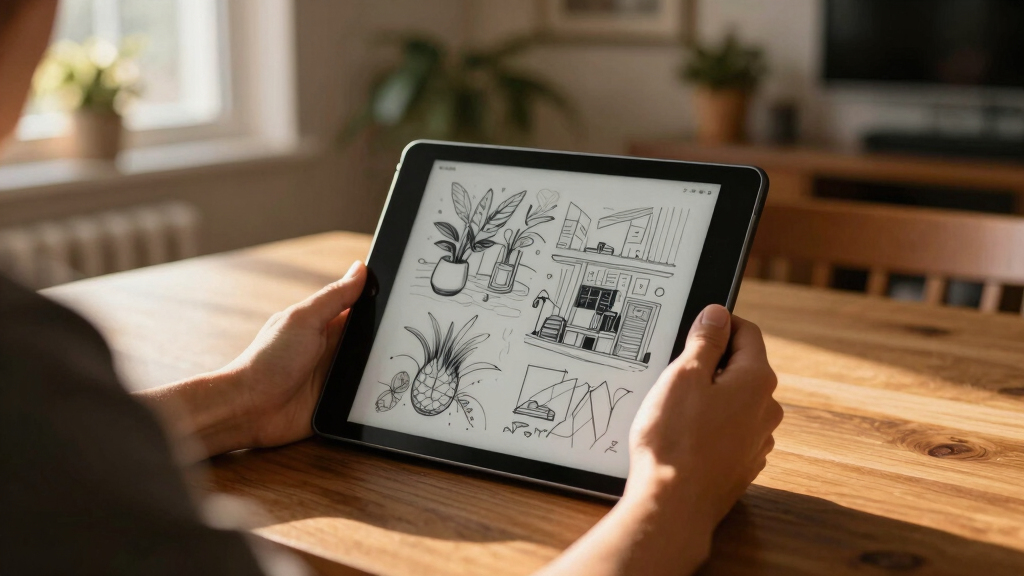
I evaluated these e ink tablets based on several core criteria relevant to buyers: display clarity, writing and reading performance, build quality, battery life, and overall value. Devices were ranked by how well they balance these factors for different use cases—whether for note-taking, reading, or creative work. Durability and portability also played key roles, especially for those seeking a device to carry around frequently. I prioritized products that offer a meaningful mix of features at various price points, ensuring there are options for different budgets and user preferences.Factors to Consider When Choosing E Ink Tablet
Choosing the right e ink tablet involves considering several key factors beyond basic specs. Understanding these can help you avoid common pitfalls like overpaying for unnecessary features or selecting a device incompatible with your workflow. Here are the main considerations to keep in mind:Display Quality and Size
A high-resolution display with a PPI of 300 or more ensures crisp text and clear images, vital for reading and detailed note-taking. Size also matters; larger screens, like 10.3 inches and above, provide more writing space but may compromise portability. Conversely, smaller devices are easier to carry but might limit productivity for extensive work. Consider your primary use—reading, sketching, or general note-taking—and choose a size that balances comfort and functionality.
Stylus Support and Responsiveness
A responsive stylus enhances the writing experience, making it feel natural and precise. Look for models with low latency, high pressure sensitivity (16K levels or more), and tilt support if you plan to do detailed sketches or annotations. Some tablets include proprietary styluses, which can add to the cost, but often provide better integration. If you mainly need simple note-taking, a basic stylus may suffice, but creatives should prioritize more advanced pen features.
Battery Life and Portability
Long battery life is essential, especially if you plan to use the tablet for extended periods away from charging sources. Many e ink devices boast weeks of battery life, making them suitable for travel and daily commutes. Weight and thickness also impact portability—lighter and thinner models are easier to carry and handle for long sessions. Think about your typical usage scenarios to select a device that won’t weigh you down.
Additional Features and Ecosystem
Features like integrated AI summarization, voice-to-text, and multi-device syncing can significantly enhance productivity. Compatibility with popular file formats and cloud services also affects how seamlessly you can incorporate the tablet into your workflow. While some models excel at simple note-taking, others add creative tools or color support, which might be overkill for basic reading but essential for artists. Match features to your most frequent tasks to avoid paying for extras you won’t use.
Price and Value
Prices for e ink tablets range broadly, reflecting differences in screen quality, features, and build. A higher price often means more advanced features, better durability, and enhanced stylus support. However, budget options like the Kindle Scribe provide solid performance for casual users at a lower cost. Focus on what features are non-negotiable for your use case, and choose a model that offers the best value for those needs.
Frequently Asked Questions
Can I use an e ink tablet for creative drawing?
Many e ink tablets support stylus input suitable for sketching, but their capabilities are limited compared to traditional tablets with full-color screens and high refresh rates. Devices like the BOOX Note Air 5 or reMarkable Paper Pro offer good stylus responsiveness and pressure sensitivity, making them suitable for monochrome sketching and notes. However, if you require vibrant colors, advanced brushes, or animation, a standard graphics tablet may be more appropriate. For simple sketches and annotations, an e ink tablet can be a practical choice.
Are color e ink tablets worth it for reading and note-taking?
Color e ink tablets, such as the BOOX Color models, add the ability to view images and comics in color, which can enhance entertainment and certain creative tasks. For reading primarily text-based books, black-and-white devices usually suffice and tend to have longer battery life. Color screens may also be more expensive and sometimes slower in refresh rate, impacting note-taking fluidity. If your work involves color illustrations or you prefer visual variety, investing in a color e ink tablet can be worthwhile; otherwise, a monochrome model offers better value.
How durable are e ink tablets for daily use?
E ink tablets are generally quite durable because they have no moving parts and are built with sturdy screens designed for regular handling. Their screens are resistant to scratches and smudges, especially if you choose models with anti-glare and matte finishes. However, they are still susceptible to damage from drops or impacts, so a protective case is recommended. For daily use, especially in environments where durability matters, selecting a robust model and handling it carefully will prolong its lifespan.
Do e ink tablets support note organization and file management?
Most modern e ink tablets include features for organizing notes, such as folders, tags, and search functions. Devices like the reMarkable or BOOX series often integrate cloud syncing and file exports, making it easier to manage large collections of documents. The user interface varies—some offer more intuitive navigation and annotation tools than others. If efficient note management is a priority, look for models with robust software ecosystems and compatibility with your existing workflows.
Is it worth paying for a premium stylus with my e ink tablet?
Investing in a high-quality stylus can significantly improve your writing and drawing experience, especially if you do detailed work or spend many hours with your device. Premium styluses often feature lower latency, higher pressure sensitivity, and better ergonomics, which translate into more natural strokes and less fatigue. While they add to the initial cost, they can make your e ink tablet much more enjoyable and productive to use, especially for professionals or serious hobbyists.
Conclusion
For users seeking an all-around versatile device that balances reading, note-taking, and light creative work, the BOOX Note Air 5 offers the best combination of features and performance. If budget is a key concern, the Kindle Scribe provides solid value for casual readers and note-takers. Creative professionals or dedicated writers will find the reMarkable Paper Pro best suited to their needs, thanks to its focus on handwriting experience. Beginners or those looking for portability might prefer smaller models like the VIWOODS AiPaper Mini. Ultimately, your choice depends on your specific tasks, budget, and preferred features.