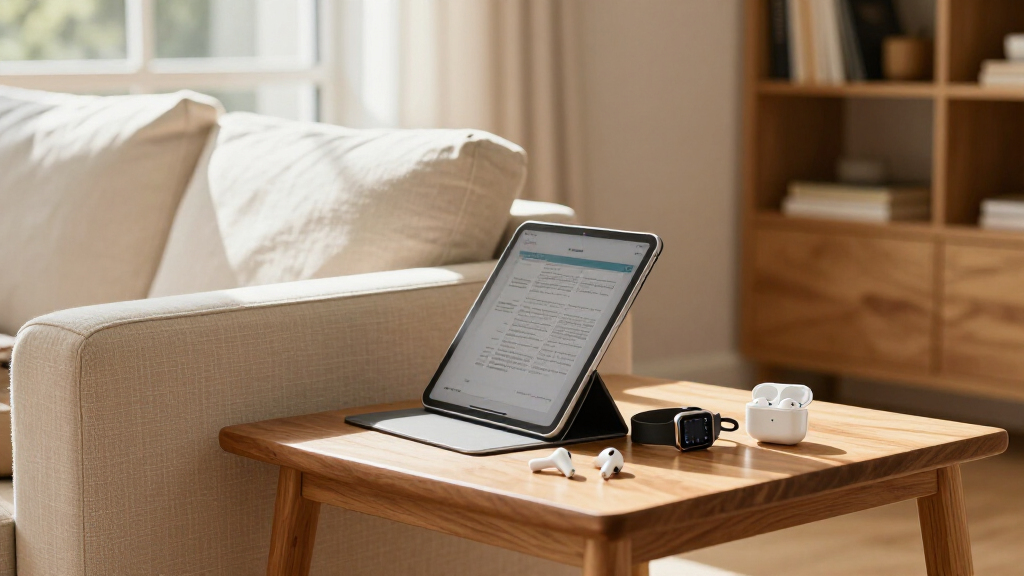
The best Apple Prime Day deals depend on what you want to upgrade: my best overall pick is the MacBook Air 13-inch with M5 for buyers who need a capable everyday computer, while the iPad 11-inch with A16 is a simpler choice for basic tablet tasks and AirPods Pro 3 suit listeners who prioritize noise cancellation. The lineup also includes premium headphones, earbuds at different generations and conditions, an iPad Air, an Apple Pencil, and an Apple Watch. The main tradeoffs are performance versus simplicity, premium features versus everyday value, and new versus renewed condition. A newer model is not automatically the right buy if an older one already covers your needs. Read on for the full breakdown and a guide to choosing among these Apple options.

Get the latest gadgets delivered free — and shop member deals
- Fast, free delivery on millions of items
- Access to Prime Big Deal Days deals on October 6–7
- Prime Video, Amazon Music and more included
Complete the kit



Key Takeaways
- The MacBook Air M5 is the strongest all-purpose pick in this lineup because it pairs a current laptop platform with 16GB memory and a 1TB SSD, but it is unnecessary if you only need a tablet for casual use.
- The standard iPad and iPad Air serve different workloads: the A16 iPad is aimed at everyday browsing and media, while the M4 iPad Air makes more sense for buyers who need extra headroom for demanding apps or creative work.
- AirPods choices hinge on fit, features, and condition. AirPods 4 offer an open-ear alternative, while Pro models focus on in-ear fit and noise control; the renewed options call for closer checks of seller terms and included accessories.
- The AirPods Max 2 occupy a distinct premium role for over-ear listening, so they are a better fit for buyers who prefer a headphone frame than for anyone seeking compact, pocketable earbuds.
- Accessories only make sense when they support a device you already own or plan to buy. Apple Pencil Pro and Apple Watch Series 12 solve specific needs, unlike the MacBook and iPad picks, which can serve as primary devices.
| Apple Pencil Pro |  | Best for iPad Creators | Compatibility: iPad Pro 13-inch and 11-inch (M4 and M5); iPad Air 11-inch and 13-inch (M2, M3, and M4); iPad mini (A17 Pro) | Input: Tilt and pressure sensitivity | Gestures: Squeeze and barrel roll | VIEW LATEST PRICE | See Our Full Breakdown |
| Apple AirPods Max 2 Wireless Over-Ear Headphones, Starlight |  | Best Premium Over-Ear Headphones | Model: AirPods Max 2 | Chip: H2 | Connectivity: USB-C | VIEW LATEST PRICE | See Our Full Breakdown |
| Apple AirPods Pro (1st Generation, Renewed) | 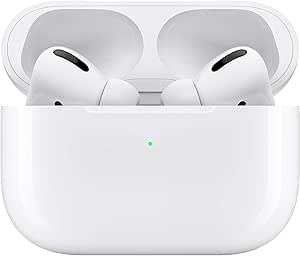 | Best Entry-Level Noise-Cancelling Earbuds | Generation: 1st generation, renewed | Model number: A2190 | Noise control: Active Noise Cancellation and Transparency mode | VIEW LATEST PRICE | See Our Full Breakdown |
| Apple MacBook Air 13-inch with M5 chip, 16GB memory, 1TB SSD, Starlight |  | Best Laptop for Everyday Work and Study | Chip: Apple M5 | Display: 13.6-inch Liquid Retina | Unified memory: 16GB | VIEW LATEST PRICE | See Our Full Breakdown |
| Apple iPad Air 11-inch (M4), 128GB, Wi-Fi 7, Space Gray |  | Best Compact Performance Tablet | Display: 11-inch Liquid Retina with P3 wide color and True Tone | Chip: Apple M4 | Storage: 128GB | VIEW LATEST PRICE | See Our Full Breakdown |
| Apple AirPods Pro (2nd Gen) Wireless Earbuds with MagSafe Charging Case (Lightning) | 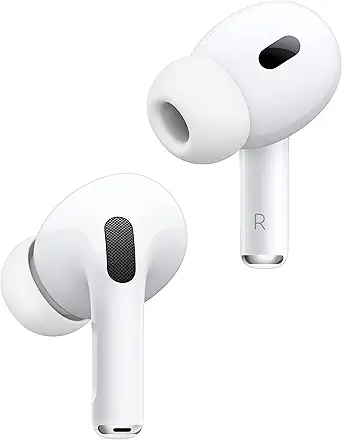 | Best Overall Noise-Cancelling Pick | Chip: Apple H2 | Noise control: Active noise cancellation and Adaptive Transparency | Audio: Personalized Spatial Audio with dynamic head tracking | VIEW LATEST PRICE | See Our Full Breakdown |
| Apple AirPods Pro (2nd Generation) with MagSafe Charging Case (USB-C), Renewed | 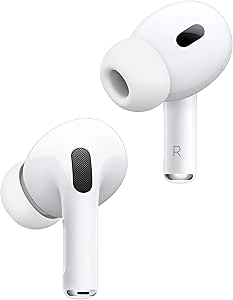 | Best Renewed USB-C Option | Model: AirPods Pro (2nd Gen, 2023) | Connectivity: Wireless, Bluetooth 5.3 | Noise control: Adaptive noise cancellation | VIEW LATEST PRICE | See Our Full Breakdown |
| Apple iPad 11-inch with A16 chip, 128GB, Wi-Fi 6, and Liquid Retina Display (Pink) |  | Best Everyday iPad Pick | Display: 11-inch Liquid Retina with True Tone | Chip: Apple A16 | Storage: 128GB | VIEW LATEST PRICE | See Our Full Breakdown |
| Apple AirPods 4 Wireless Earbuds | 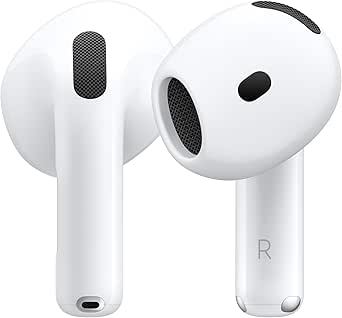 | Best Open-Fit Earbuds | Chip: Apple H2 | Fit and controls: Redesigned open fit with shorter stem and quick-press controls | Audio: Personalized Spatial Audio with dynamic head tracking | VIEW LATEST PRICE | See Our Full Breakdown |
| Apple AirPods Pro 3 Wireless Earbuds with Active Noise Cancellation |  | Best Premium Earbud Features | Noise control: Active noise cancellation and Transparency mode | Audio: Adaptive EQ | Health features: Heart-rate sensing and hearing-health tools | VIEW LATEST PRICE | See Our Full Breakdown |
| Apple Watch Series 12 GPS 42mm Smartwatch |  | Best Apple Watch for Health and Safety Tracking | Model: Apple Watch Series 12 | Case size: 42mm | Connectivity: GPS; connects through iPhone or Wi-Fi | VIEW LATEST PRICE | See Our Full Breakdown |
| Apple AirPods 4 (Renewed) | 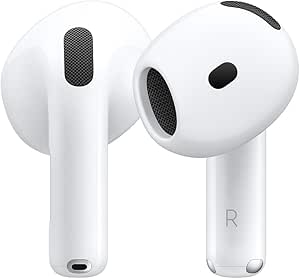 | Best Renewed Pick for Everyday Listening | Model: Apple AirPods 4 | Condition: Renewed | Color: White | VIEW LATEST PRICE | See Our Full Breakdown |
| Apple Prime Day deal | Battery life | Chip |
|---|---|---|
| Apple Pencil Pro | — | — |
| Apple AirPods Max 2 Wireless O | Up to 20 hours | H2 |
| Apple AirPods Pro | 12 hours per charge | — |
| Apple MacBook Air 13-inch with | Up to 18 hours | Apple M5 |
| Apple iPad Air 11-inch | All-day | Apple M4 |
| Apple AirPods Pro | Up to 6 hours per charge with ANC; up to 30 hours with MagSafe case | Apple H2 |
| Apple AirPods Pro | Up to 6 hours | — |
| Apple iPad 11-inch with A16 ch | — | Apple A16 |
| Apple AirPods 4 Wireless Earbu | Up to 5 hours per charge; up to 30 hours with case | Apple H2 |
| Apple AirPods Pro 3 Wireless E | Up to 8 hours with ANC; up to 10 hours in Transparency mode | — |
| Apple Watch Series 12 GPS 42mm | Up to 24 hours of normal use | — |
| Apple AirPods 4 | Up to 5 hours per charge; up to 30 hours with case | — |
More Details on Our Top Picks
Apple Pencil Pro
For drawing, handwriting, and detailed markup, Apple Pencil Pro adds more control than a basic stylus: tilt and pressure sensitivity respond to how you draw, while squeeze and barrel-roll gestures can speed up tool changes. Magnetic pairing and charging also keep it attached to a compatible iPad instead of loose in a bag. Compared with the 11-inch iPad Air (M4) in this roundup, it is an add-on that makes the tablet more useful for creative work, not a replacement for the iPad itself. The main limitation is compatibility: it works only with specified newer iPad models, so buyers should check their exact device before choosing it. It is also sold separately, making it an extra purchase rather than an included part of an iPad setup.
Pros:- Tilt and pressure sensitivity support expressive drawing and controlled handwriting.
- Squeeze and barrel-roll gestures offer quick access to tools.
- Haptic feedback and low latency make input feel responsive.
- Attaches, pairs, and charges magnetically with compatible iPads.
Cons:- Works only with select iPad Pro, iPad Air, and iPad mini models.
- Sold separately, adding to the cost of an iPad setup.
Best for: Illustrators, students, and note-takers with a compatible recent iPad who will use pressure-sensitive drawing or precise handwriting.
Not ideal for: Owners of iPads outside the listed compatibility range, or casual users who only need occasional tapping and scrolling.
- Compatibility:iPad Pro 13-inch and 11-inch (M4 and M5); iPad Air 11-inch and 13-inch (M2, M3, and M4); iPad mini (A17 Pro)
- Input:Tilt and pressure sensitivity
- Gestures:Squeeze and barrel roll
- Feedback:Haptic feedback
- Charging and pairing:Magnetic
- Weight:0.68 ounces
- Model:MX2D3AM/A
- Battery:1 lithium-ion battery included
Our verdict“Choose Apple Pencil Pro if you own a compatible iPad and will make regular use of its drawing and gesture controls.”
Apple AirPods Max 2 Wireless Over-Ear Headphones, Starlight
AirPods Max 2 are the premium over-ear pick here, pairing active noise cancellation with Adaptive Audio, Transparency mode, and personalized Spatial Audio. That combination suits listeners who move between focused listening and staying aware of nearby conversation without changing headphones. Compared with the first-generation AirPods Pro in this lineup, the Max 2 use an over-ear design and offer lossless audio over USB-C, but their listed weight of 13.6 ounces makes them a less compact carry. Battery life is up to 20 hours with noise cancellation and Spatial Audio enabled, which supports long listening sessions but still means charging between days of heavy use. Some features depend on compatible Apple devices, apps, regions, or languages; Live Translation is listed as beta and requires a compatible Apple Intelligence-enabled iPhone.
Pros:- Active Noise Cancellation, Adaptive Audio, and Transparency mode suit changing surroundings.
- Personalized Spatial Audio includes dynamic head tracking.
- Up to 20 hours of listening with ANC and Spatial Audio enabled.
- Supports lossless audio over USB-C.
Cons:- At 13.6 ounces, they are less portable than the AirPods Pro earbuds in this roundup.
- Some features require compatible devices, apps, regions, or languages.
- Live Translation requires a compatible Apple Intelligence-enabled iPhone and is listed as beta.
Best for: Apple listeners who prefer over-ear comfort and noise control for commuting, work, or extended listening, and who will use USB-C lossless audio.
Not ideal for: Travelers prioritizing compact, lightweight headphones, or buyers who want every feature to work without compatible Apple devices.
- Model:AirPods Max 2
- Chip:H2
- Connectivity:USB-C
- Battery life:Up to 20 hours
- Noise control:Active Noise Cancellation, Adaptive Audio, and Transparency mode
- Audio:Personalized Spatial Audio with dynamic head tracking; lossless audio over USB-C
- Weight:13.6 ounces
- Color:Starlight
- Model number:MHWL4AM/A
Our verdict“Pick AirPods Max 2 if premium over-ear listening and USB-C lossless audio matter more to you than a lighter, pocketable design.”
Apple AirPods Pro (1st Generation, Renewed)
Renewed first-generation AirPods Pro offer a lower-complexity route to Apple earbuds with Active Noise Cancellation and Transparency mode. Three silicone tip sizes help buyers adjust the fit, while Bluetooth 5.0 supports wireless pairing with compatible phones. Against the newer AirPods Max 2 in this roundup, these are much easier to carry and include replaceable-size ear tips, but they lack the Max model’s over-ear design and listed USB-C lossless audio support. The renewed status is a meaningful tradeoff: the product comes with a 90-day limited warranty, rather than the reassurance some buyers may want from a new set. The supplied details also list 12 hours of battery life per charge, so check that figure against your listening habits before choosing them for long stretches away from charging.
Pros:- Active Noise Cancellation and Transparency mode cover focused listening and awareness.
- Three silicone tip sizes allow a more tailored fit.
- Bluetooth 5.0 supports wireless connectivity with phones.
- Water-resistant design suits everyday use.
Cons:- Renewed product includes a 90-day limited warranty.
- Listed battery life is 12 hours per charge.
- No wired listening option or traditional headphone jack.
Best for: iPhone owners seeking compact Apple earbuds with noise cancellation and a customizable silicone-tip fit, who are comfortable buying renewed.
Not ideal for: Buyers who want a new product, a longer stated battery run, or the over-ear listening experience of AirPods Max 2.
- Generation:1st generation, renewed
- Model number:A2190
- Noise control:Active Noise Cancellation and Transparency mode
- Battery life:12 hours per charge
- Connectivity:Bluetooth 5.0 wireless
- Ear tip sizes:Small, medium, and large
- Water resistance:Water resistant
- Weight:1.6 ounces
- Warranty:90-day limited warranty
Our verdict“Choose these renewed AirPods Pro if you want portable noise-cancelling earbuds and accept the shorter warranty and older generation.”
Apple MacBook Air 13-inch with M5 chip, 16GB memory, 1TB SSD, Starlight
This 13-inch MacBook Air pairs an M5 chip with 16GB of unified memory and a 1TB SSD, giving multitaskers and students room to work across demanding apps and keep substantial files on the laptop. Its 2.71-pound build and up to 18 hours of battery life favor people who carry a computer through a full day. Compared with the 11-inch iPad Air (M4), this MacBook includes a built-in keyboard and trackpad, two Thunderbolt 4 ports, and a headphone jack, making it the more direct choice for conventional laptop work. The iPad remains the more flexible touch-first option. Here, the tradeoffs are limited port variety—there is no listed USB-A—and a 13.6-inch display that may feel cramped for buyers who routinely work across several windows.
Pros:- M5 chip and 16GB unified memory support multitasking and creative workflows.
- 1TB SSD provides substantial built-in storage.
- Lightweight 2.71-pound design with up to 18 hours of battery life.
- Includes Thunderbolt 4, MagSafe, a headphone jack, and support for up to two external displays.
Cons:- Listed ports do not include USB-A.
- The 13.6-inch display may feel small for users who keep several work areas visible.
- The supplied product details do not state a warranty duration.
Best for: Students and mobile professionals who need a lightweight macOS laptop with generous listed storage for documents, projects, and everyday multitasking.
Not ideal for: People who need USB-A without an adapter, a larger screen for extensive multitasking, or a touch-first tablet format.
- Chip:Apple M5
- Display:13.6-inch Liquid Retina
- Unified memory:16GB
- Storage:1TB SSD
- Battery life:Up to 18 hours
- Camera:12MP Center Stage
- Wireless:Wi-Fi 7 and Bluetooth 6
- Ports:Two Thunderbolt 4 ports, MagSafe charging port, and headphone jack
- Weight:2.71 pounds
Our verdict“Choose this MacBook Air if you need a portable, full-featured macOS laptop with 1TB of storage rather than an iPad-first setup.”
Apple iPad Air 11-inch (M4), 128GB, Wi-Fi 7, Space Gray
The 11-inch iPad Air with M4 is the tablet pick for buyers who want strong processing capability in a compact, touch-first device. Its Liquid Retina screen adds P3 wide color and True Tone, while the 12MP Center Stage front camera is useful for video calls that keep you framed. Compared with the M5 MacBook Air in this lineup, the iPad is easier to hold and carry as a tablet, but it does not include a keyboard or trackpad; those accessories are sold separately. The listed 128GB storage is another distinction: it can suit everyday apps and documents, though users with large media libraries or creative files may want more room. Wi-Fi 7 and Touch ID round out a capable everyday setup, but buyers should account for the extra cost and space required by accessories.
Pros:- M4 chip supports demanding tasks and multitasking.
- Liquid Retina display features P3 wide color and True Tone.
- 12MP Center Stage front camera and 12MP rear camera support calls and 4K video.
- Wi-Fi 7 and Touch ID provide modern connectivity and convenient unlocking.
Cons:- Apple Pencil and Magic Keyboard are sold separately.
- The listed 128GB capacity may be limiting for large local files.
- Does not include the built-in keyboard and trackpad of the MacBook Air.
Best for: Students, travelers, and tablet-first users who want a compact iPad for browsing, video calls, and everyday creative tasks.
Not ideal for: Laptop-first buyers who need a built-in keyboard, or users who store large video, photo, or project libraries locally.
- Display:11-inch Liquid Retina with P3 wide color and True Tone
- Chip:Apple M4
- Storage:128GB
- Wireless:Wi-Fi 7 with Apple N1
- Front camera:12MP Center Stage
- Rear camera:12MP Wide with 4K video support
- Biometrics:Touch ID
- Battery life:All-day
- Color:Space Gray
Our verdict“Choose the 11-inch iPad Air if portability and touch interaction matter more than laptop-style input or a larger storage allowance.”
Apple AirPods Pro (2nd Gen) Wireless Earbuds with MagSafe Charging Case (Lightning)
I’d choose these AirPods Pro when noise cancellation and a snug, customizable fit matter more than getting Apple’s newest extras. The H2 chip supports richer sound, while active noise cancellation and Adaptive Transparency help limit distractions or soften sudden loud sounds. Four silicone tip sizes make a more secure seal possible than with the open-fit AirPods 4, but fit matters: tips that don’t seal well can reduce both comfort and audio performance. The MagSafe case adds up to 30 hours of total listening time, though this version uses Lightning rather than USB-C. Compared with the renewed USB-C AirPods Pro 2, this listing is the non-renewed option; compared with AirPods Pro 3, it lacks the newer health features and longer stated ANC listening time.
Pros:- H2 chip supports clear highs and deeper bass.
- Active noise cancellation is rated up to twice as effective as on the first-generation AirPods Pro.
- Four silicone tip sizes allow buyers to find a more secure seal.
- Up to 6 hours of listening with ANC and up to 30 hours with the case.
Cons:- The charging case uses Lightning, not USB-C.
- Poorly fitted ear tips can reduce audio performance.
- Lacks the heart-rate sensing and hearing-health features listed for AirPods Pro 3.
Best for: iPhone users who want strong noise cancellation, silicone-tip fit choices, and a non-renewed AirPods Pro 2 model.
Not ideal for: Buyers standardizing on USB-C or seeking the newer health and translation features described for AirPods Pro 3.
- Chip:Apple H2
- Noise control:Active noise cancellation and Adaptive Transparency
- Audio:Personalized Spatial Audio with dynamic head tracking
- Ear tips:Four silicone tip sizes
- Battery life:Up to 6 hours per charge with ANC; up to 30 hours with MagSafe case
- Case connector:Lightning
- Model number:MQD83AM/A
- Dimensions:0.85 x 2.39 x 1.78 inches
Our verdict“Pick these if you want noise-cancelling AirPods Pro with adjustable silicone tips and don’t mind charging through Lightning.”
Apple AirPods Pro (2nd Generation) with MagSafe Charging Case (USB-C), Renewed
This renewed pair suits buyers who want the AirPods Pro 2 feature set with a USB-C case and are comfortable buying a pre-owned product. Bluetooth 5.3, adaptive noise cancellation, touch controls, and a stated battery life of up to six hours cover the essentials. Unlike the Lightning-case AirPods Pro 2 elsewhere in this roundup, this version uses USB-C; its renewed status, however, means it is not Apple-certified and may arrive in generic packaging. Amazon’s Renewed Guarantee offers a replacement or refund route, but that is a different proposition from buying a new unit. Compared with the standard AirPods 4, this model adds noise control and an in-ear fit, but buyers who prefer an open fit or want an explicitly listed water-resistance rating should look elsewhere.
Pros:- USB-C MagSafe charging case.
- Adaptive noise cancellation and touch and voice controls.
- Bluetooth 5.3 wireless connectivity.
- Amazon Renewed Guarantee includes replacement or refund eligibility.
Cons:- Pre-owned and not Apple-certified.
- Generic or original manufacturer packaging may be supplied.
- No water resistance is listed.
Best for: Budget-conscious iPhone users who want AirPods Pro 2 noise cancellation and a USB-C case, and accept a renewed device.
Not ideal for: Buyers who require a new, Apple-certified pair, water resistance, or original manufacturer packaging.
- Model:AirPods Pro (2nd Gen, 2023)
- Connectivity:Wireless, Bluetooth 5.3
- Noise control:Adaptive noise cancellation
- Driver:11 mm dynamic driver
- Battery life:Up to 6 hours
- Charging case:MagSafe case with USB-C
- Water resistance:Not water resistant
- Warranty:1 year
- Condition:Renewed; professionally inspected, tested, and cleaned
Our verdict“Choose this renewed model for AirPods Pro 2 noise control and USB-C charging if pre-owned condition is an acceptable tradeoff.”
Apple iPad 11-inch with A16 chip, 128GB, Wi-Fi 6, and Liquid Retina Display (Pink)
I’d put this iPad ahead of the earbuds for buyers looking to add a versatile Apple device: its A16 chip and 11-inch Liquid Retina display suit browsing, streaming, video calls, and general productivity. Wi-Fi 6, Touch ID, and USB-C make it a practical everyday tablet, while the 12MP Center Stage front camera can keep a caller framed during supported video calls. Compared with the iPad Air 11-inch (M4) elsewhere in this roundup, this is the more basic choice: it has an A16 chip and Wi-Fi 6 rather than the Air’s newer M4 and Wi-Fi 7. That makes it a better fit for everyday tasks than buyers seeking more headroom for demanding work. Apple Pencil and Magic Keyboard Folio are sold separately, so a tablet setup built around handwriting or typing requires extra accessories.
Pros:- A16 chip supports responsive everyday use.
- 11-inch Liquid Retina display includes True Tone.
- 12MP Center Stage front camera and 12MP rear camera with 4K video support.
- USB-C, Wi-Fi 6, and Touch ID provide useful everyday connectivity and authentication.
Cons:- Apple Pencil and Magic Keyboard Folio are sold separately.
- A16 chip and Wi-Fi 6 are less advanced than the iPad Air 11-inch (M4) specifications in this roundup.
- The listed configuration has 128GB of storage.
Best for: Students, families, and casual users who want an 11-inch iPad for web use, streaming, video calls, and everyday apps.
Not ideal for: Buyers who need an included keyboard or Pencil, or who want the higher-end performance and Wi-Fi specification of the iPad Air 11-inch (M4).
- Display:11-inch Liquid Retina with True Tone
- Chip:Apple A16
- Storage:128GB
- Connectivity:Wi-Fi 6 and USB-C
- Front camera:12MP Center Stage
- Rear camera:12MP Wide with True Tone flash; supports 4K video
- Authentication:Touch ID
- Dimensions and weight:9.79 x 7.07 x 0.28 inches; 1.05 pounds
- Color:Pink
Our verdict“Choose this iPad for everyday tablet use and video calls if you don’t need an included keyboard or the iPad Air’s higher-end specifications.”
Apple AirPods 4 Wireless Earbuds
The AirPods 4 are the pick for listeners who want an open fit instead of silicone ear tips. Their redesigned shape, shorter stem, and quick-press controls make them a distinct alternative to the in-ear AirPods Pro 2, which create a tighter seal and offer active noise cancellation. Here, Apple lists H2-enhanced sound, Personalized Spatial Audio with dynamic head tracking, up to five hours of listening per charge, and up to 30 hours with the USB-C case. IP54 dust, sweat, and water resistance adds reassurance for everyday wear, though the case does not support Qi wireless charging. Compared with AirPods Pro 3, this model is simpler: it does not list active noise cancellation, heart-rate sensing, or live translation. That tradeoff suits buyers who put fit preference ahead of those added functions.
Pros:- Redesigned contour and shorter stem are intended for all-day comfort.
- H2-enhanced sound and Personalized Spatial Audio with dynamic head tracking.
- Up to 5 hours of listening per charge and 30 hours with the case.
- USB-C case and IP54 dust, sweat, and water resistance.
Cons:- No active noise cancellation is listed, unlike the AirPods Pro models in this roundup.
- The case does not support Qi wireless charging.
- Up to 5 hours per charge is less than the stated ANC listening time for AirPods Pro 3.
Best for: Listeners who dislike silicone ear tips and want lightweight-feeling, open-fit earbuds for calls, commuting, and everyday listening.
Not ideal for: People who need strong noise cancellation, a sealed in-ear fit, or Qi wireless charging for the case.
- Chip:Apple H2
- Fit and controls:Redesigned open fit with shorter stem and quick-press controls
- Audio:Personalized Spatial Audio with dynamic head tracking
- Battery life:Up to 5 hours per charge; up to 30 hours with case
- Charging case:USB-C
- Water and dust resistance:IP54
- Model number:MXP63LL/A
- Dimensions:3.25 x 3.25 x 1.5 inches
Our verdict“Choose AirPods 4 if you want Apple earbuds without silicone tips and can do without active noise cancellation or Qi charging.”
Apple AirPods Pro 3 Wireless Earbuds with Active Noise Cancellation
AirPods Pro 3 make the most sense for buyers who want more than listening from their earbuds: the listed heart-rate sensing, workout tracking, and live translation set them apart from both AirPods 4 and AirPods Pro 2. Apple also lists active noise cancellation rated up to twice as effective as the previous generation, adaptive EQ, and up to eight hours of listening with ANC. That stated ANC runtime exceeds the six hours listed for the AirPods Pro 2 models in this roundup. The tradeoff is that the description does not provide an IP rating for sweat or water resistance, which may matter to workout users. Some capabilities, including live translation, are described as powered by Apple Intelligence, so buyers should check device and feature compatibility before choosing this over the simpler AirPods 4.
Pros:- Active noise cancellation is described as up to twice as effective as the previous generation.
- Built-in heart-rate sensing and calorie tracking for up to 50 workout types.
- Live translation and hearing-health tools add functions beyond audio playback.
- Up to 8 hours with ANC or 10 hours in Transparency mode.
Cons:- No explicit IP rating for water or sweat resistance is listed.
- Live translation is described as powered by Apple Intelligence, so compatibility may matter.
- Adds health and translation functions that may be unnecessary for buyers seeking basic earbuds like AirPods 4.
Best for: iPhone users who want noise-cancelling earbuds with built-in workout sensing, hearing-health tools, and live translation features.
Not ideal for: Buyers who want a clearly listed water-resistance rating, or who only need straightforward earbuds for music and calls.
- Noise control:Active noise cancellation and Transparency mode
- Audio:Adaptive EQ
- Health features:Heart-rate sensing and hearing-health tools
- Workout tracking:Heart-rate and calorie tracking for up to 50 workout types
- Translation:Live translation powered by Apple Intelligence
- Battery life:Up to 8 hours with ANC; up to 10 hours in Transparency mode
- Model number:MFHP4LL/A
- Dimensions:1.1 x 0.8 x 1.2 inches
- Weight:0.32 ounces (9.07 g)
Our verdict“Choose AirPods Pro 3 if their health and translation features matter to you, and confirm device compatibility and your resistance-rating requirements first.”
Apple Watch Series 12 GPS 42mm Smartwatch
The Apple Watch Series 12 GPS 42mm is the strongest choice here for buyers who want an Apple device focused on everyday health, workouts, and safety rather than audio. Its heart-rate, HRV, sleep, blood oxygen, menstrual-cycle, and readiness features give it broader wellness coverage than the AirPods 4, which are built for listening and calls. Fall and severe car crash detection add a practical safety layer, while workout support suits activities from running to strength training. The tradeoff is its iPhone or Wi-Fi connectivity requirement; it is not a standalone connected watch for every situation. Battery life is rated for up to 24 hours, and a 15-minute charge can provide up to 12 hours of normal use, but frequent tracking still makes charging part of the routine.
Pros:- Tracks heart rate, HRV, sleep, blood oxygen, menstrual cycles, and readiness
- Supports workouts including running, hiking, and strength training
- Fall and severe car crash detection can notify emergency services and contacts
- Fast charging can provide up to 12 hours of normal use after 15 minutes
Cons:- Connectivity depends on an iPhone or Wi-Fi
- Up to 24 hours of normal-use battery life calls for frequent charging
- Some Siri and Audio Intelligence features may arrive later or have usage limits
Best for: iPhone owners who want detailed health and sleep tracking, workout metrics, and emergency alerts in a 42mm smartwatch
Not ideal for: People without an iPhone or reliable Wi-Fi, or buyers who want multi-day battery life without regular charging
- Model:Apple Watch Series 12
- Case size:42mm
- Connectivity:GPS; connects through iPhone or Wi-Fi
- Health features:Heart rate, HRV, sleep score, blood oxygen, menstrual cycle tracking, and readiness insights
- Safety features:Fall and severe car crash detection; emergency service and contact notifications
- Battery life:Up to 24 hours of normal use
- Fast charging:15 minutes for up to 12 hours of normal use
- Display durability:Aluminum models have Ceramic Shield 2; titanium and ceramic models have sapphire crystal displays
Our verdict“Choose the Series 12 if health, fitness, and safety features matter more than standalone connectivity or longer battery life.”
Apple AirPods 4 (Renewed)
The renewed AirPods 4 suit listeners who want lightweight Apple earbuds with current-generation conveniences, while accepting the uncertainty that can come with a renewed item. The H2 chip supports improved sound and Voice Isolation for calls, and personalized Spatial Audio with dynamic head tracking adds an immersive option that standard listening earbuds may not offer. Their redesigned shape, shorter stem, and quick-press controls favor easy daily wear. Compared with the AirPods Pro 2nd Generation with USB-C, these lack active noise cancellation, so they are a weaker match for noisy commutes or flights. Playback lasts up to five hours per charge, with up to 30 hours using the case. The renewed listing includes a 90-day Amazon Renewed warranty, and original accessories may be missing.
Pros:- Redesigned fit with a shorter stem and quick-press controls
- Personalized Spatial Audio with dynamic head tracking
- H2 chip supports improved sound and Voice Isolation for calls
- Up to 30 hours of total listening time with the charging case
Cons:- No active noise cancellation
- About five hours of listening per charge before returning to the case
- Renewed condition may mean original accessories are missing
Best for: Apple users seeking comfortable everyday earbuds for calls and casual listening who are comfortable buying a renewed product
Not ideal for: Commuters and frequent flyers who need active noise cancellation, or buyers who require original accessories and a longer warranty
- Model:Apple AirPods 4
- Condition:Renewed
- Color:White
- Bluetooth:Version 5.3
- Battery life:Up to 5 hours per charge; up to 30 hours with case
- Charging case:Wireless charging case
- Water resistance:Water resistant
- Warranty:90-day Amazon Renewed warranty
Our verdict“Pick these renewed AirPods 4 for comfortable everyday listening and calls if you can do without noise cancellation and accept a renewed unit.”
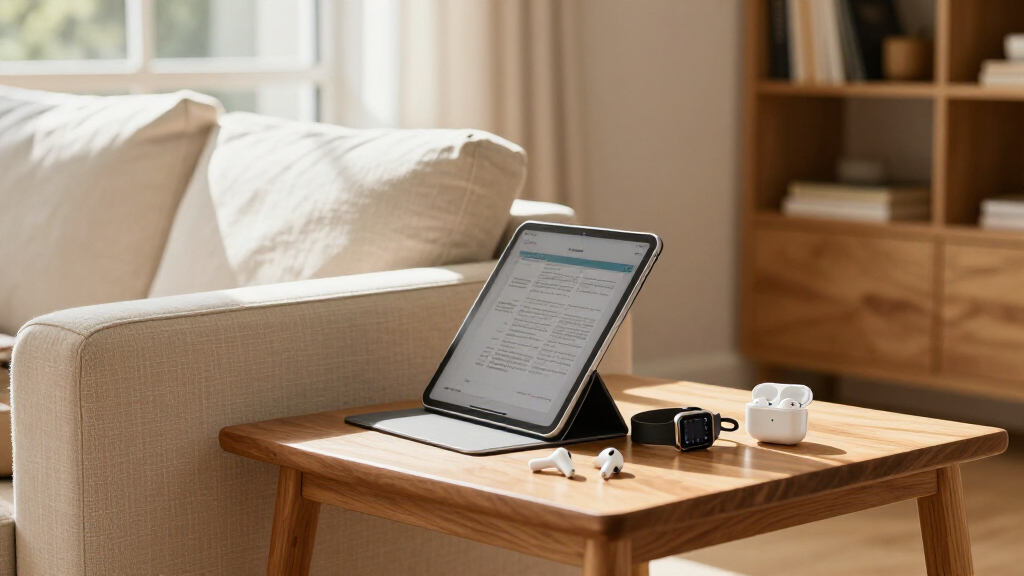
How We Picked
I compared these 12 Apple products by the job they do, the features that meaningfully separate them, and how broadly each can serve a buyer. For computers and tablets, I weighed chip generation, memory or storage configuration, connectivity, and the gap between basic and demanding workloads. For audio, I focused on listening style, noise-control features, form factor, generation, and whether a listing is renewed. I also considered how well each product fits into an existing Apple setup, since compatibility and charging details can shape day-to-day usefulness.
The ranking reflects usefulness to the widest range of buyers first, followed by value in function, specialization, and premium appeal—not a claim that one product is best for every person. That puts the MacBook Air M5 at the front as the most capable primary-device option, with the standard iPad and AirPods choices offering more focused routes for everyday needs. Specialized add-ons and premium headphones rank lower for general use because they depend on a narrower use case. I also treat renewed products as distinct choices: their appeal depends on condition, seller policies, and included components, not just model name.
| Apple Prime Day deal | Chip |
|---|---|
| Apple Pencil Pro | — |
| Apple AirPods Max 2 Wireless O | H2 |
| Apple AirPods Pro | — |
| Apple MacBook Air 13-inch with | Apple M5 |
| Apple iPad Air 11-inch | Apple M4 |
| Apple AirPods Pro | Apple H2 |
| Apple AirPods Pro | — |
| Apple iPad 11-inch with A16 ch | Apple A16 |
| Apple AirPods 4 Wireless Earbu | Apple H2 |
| Apple AirPods Pro 3 Wireless E | — |
| Apple Watch Series 12 GPS 42mm | — |
| Apple AirPods 4 | — |
Factors to Consider When Choosing Best Apple Prime Day Deals
Before choosing from this lineup, decide what problem the purchase should solve. Apple products can overlap in everyday tasks, but a tablet, laptop, pair of earbuds, and accessory do not replace one another equally. These broader checks can help prevent paying for capability you will not use—or choosing a lower-cost device that leaves a real gap in your setup.
Start With the Device You Need, Not the Deal
Write down the task that prompted your search before comparing models. If you need a full computer for work, file management, or desktop-style apps, a laptop is a more direct fit than an iPad, even if a tablet looks more appealing for entertainment. A tablet can handle reading, streaming, notes, and some creative tasks, but keyboard and app needs may change its usefulness. Buyers who already have a capable computer may get more from earbuds or a tablet than from adding another primary device. A common mistake is choosing a product because it is the newest item in a category rather than because it fills a genuine gap. Let the use case set the shortlist first.
Match Performance Headroom to Your Workload
More processing power is most useful when your tasks can take advantage of it. Editing media, working across demanding apps, and keeping a device for several years may justify choosing a higher-performance model. Web browsing, video, reading, and routine school tasks rarely need the same headroom. Memory and storage deserve separate attention: memory affects how comfortably a device handles active tasks, while storage limits how many files and apps you can keep locally. Cloud storage can help with capacity, but it does not suit every workflow or replace local space for large projects. Avoid paying for specifications that do not solve a current need or a realistic near-term one.
Choose Earbuds by Fit and Listening Environment
Earbud design affects comfort, awareness of your surroundings, and how well a listening session works for you. Open-style earbuds leave you more connected to nearby sounds, while in-ear Pro models are built around a more sealed fit and added noise-control features. Noise cancellation can help on commutes or in shared spaces, but it is not a substitute for a fit you can wear comfortably. If you dislike in-ear tips, a feature-rich Pro model may be a poor match despite its capabilities. Consider where you listen most often and whether you need to hear announcements or conversations. A short list based on fit and environment is more useful than comparing feature names alone.
Check Generation, Connector, and Compatibility
Apple product names can conceal practical differences between generations and versions. Before buying, verify the exact model, charging connector, and included case or accessories; these details can affect how it fits with your existing cables and charging routine. A feature advertised on one generation may not appear on a similarly named older product. Compatibility also matters for accessories: confirm that the tablet and stylus combination supports the features you intend to use. Do not assume that a newer label alone means every part of your setup will work the same way. Product-page specifications should resolve these questions before you choose.
Treat Renewed Products as a Separate Risk-Reward Choice
Renewed products can offer access to a previous-generation feature set, but condition and support policies deserve as much attention as the model itself. Read the seller’s description for cosmetic grading, battery-related terms where applicable, included accessories, and the return window. Check whether the exact listing includes the charging case or cable you expect rather than relying on a product photo. A renewed item is a weaker fit if you need predictable long-term support or do not want to inspect it closely after delivery. Compare it with a newer standard model based on the features you would actually use. Choose renewed only when the listing terms make the tradeoff clear.
Pay More for a Clear Upgrade, Not a Higher Tier
A premium model earns its place when a specific advantage matters in your routine, such as an over-ear design, stronger performance headroom, or features that support a creative workflow. If your main priorities are everyday calls, basic browsing, or casual media, a simpler product may leave you just as satisfied. Think about the full setup too: a stylus is an add-on, and headphones do not replace a computer or tablet. Buyers often overvalue a spec they rarely use while overlooking comfort, storage, portability, or charging convenience. Compare the practical difference between your shortlist options, not just their positions within Apple’s lineup. If you cannot name the benefit you will notice, the higher tier may not be the right choice.
Frequently Asked Questions
Should I choose the M5 MacBook Air or an iPad for school?
Choose the MacBook Air if your coursework relies on laptop software, extensive typing, file handling, or several apps open at once. The iPad is a better fit when reading, handwriting, media, and portability matter more than a traditional computer workflow. An iPad can take on school tasks, but adding a keyboard or stylus may change the total setup you need. Check your course requirements before choosing, especially if instructors specify desktop applications. If you already own a laptop, an iPad may work well as a companion rather than a replacement.
Are renewed AirPods a sensible choice over a newer standard model?
They can be, if the older Pro features matter more to you than having a newer standard model and the listing gives clear condition and return terms. Compare the exact generation, connector, charging case, and accessories rather than relying on the shared AirPods name. Renewed condition can vary, so check how the seller describes inspection and support. A newer standard pair may be simpler if you want a straightforward purchase and do not need Pro-style fit or noise control. If uncertain, prioritize clear listing terms and the design you will wear comfortably.
Which AirPods design should I choose if I dislike silicone tips?
Start with the AirPods 4 options, which use an open-ear style rather than the in-ear fit of the Pro models. That design may feel more comfortable to people who dislike tips, though it also changes how much outside sound reaches you. Choose a Pro model only if you are comfortable with its in-ear fit and want the associated noise-control features. The AirPods Max 2 are a separate alternative for buyers who prefer an over-ear headphone frame. Comfort is personal, so check return terms if you have not worn that style before.
Do I need the iPad Air M4 if I already own an A16 iPad?
Not automatically. The A16 iPad is suited to common tablet tasks, so replacing it may bring little practical benefit if it already handles your apps and workload. The iPad Air M4 is easier to justify when you need more performance headroom or plan to use demanding creative and productivity apps. Also check whether your current tablet’s storage, display size, or accessory compatibility is the issue; a faster chip will not solve every limitation. Upgrade when a specific bottleneck is slowing you down, not just because a newer model exists.
What should I verify before buying an Apple Pencil Pro or Apple Watch Series 12?
For Apple Pencil Pro, first confirm that the iPad model you own or plan to buy supports it and that its creative or note-taking features match your routine. A stylus is a specialized accessory, not a general upgrade for every tablet owner. For Apple Watch Series 12, check iPhone compatibility, case size, and whether you will use its health, fitness, or notification features regularly. Think through charging habits too, since a wearable adds another device to maintain. If those checks reveal no clear use, put the budget toward a primary device or an accessory you will use more often.
Conclusion
For a primary computer upgrade, I recommend the MacBook Air 13-inch with M5 as the best overall pick; its 16GB memory and 1TB SSD give it room for broader workloads than the tablet options. The A16 iPad is my best value-style choice for straightforward tablet use, while the iPad Air M4 is the stronger fit when you need more performance headroom. For a premium audio experience, consider AirPods Max 2 if you specifically want over-ear headphones; for earbuds, compare the Pro generations with AirPods 4 based on fit and noise-control needs. Beginners choosing their first tablet can start with the standard iPad, while Apple Pencil Pro and Apple Watch Series 12 make the most sense for buyers with a clear note-taking, drawing, fitness, or wearable need. Renewed AirPods may suit shoppers comfortable checking listing terms closely; otherwise, focus on the exact generation and design you will use every day.
Halloween Picks
halloween
As an affiliate, we earn on qualifying purchases.