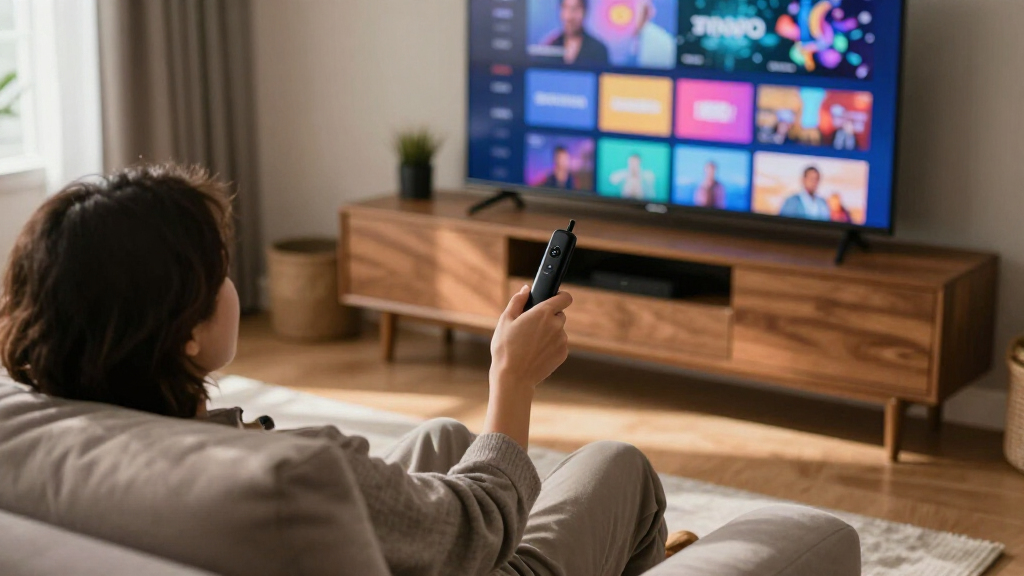

If you’re searching for the best Fire TV streaming sticks, the Fire TV Stick 4K Max (2nd Gen) stands out as the top overall pick thanks to Wi-Fi 6, the fastest processor in Amazon’s lineup, and full support for Dolby Vision and HDR10+ — it’s built to stay quick for years. Close behind, the Fire TV Stick 4K Plus delivers nearly identical picture quality and strong app performance for less, making it the smarter pick if you don’t need maximum processing headroom. At the other end, the Fire TV Stick HD covers the basics for 1080p TVs without overspending. The main tradeoff you’ll face in this category is performance versus price: faster models load apps quicker and handle future software updates better, while budget models and refurbished units save money at the cost of speed and Wi-Fi features. Read on for the full breakdown, including which bundles are actually worth it.

Get the latest gadgets delivered free — and shop member deals
- Fast, free delivery on millions of items
- Access to Prime Big Deal Days deals on October 6–7
- Prime Video, Amazon Music and more included
Complete the kit



Key Takeaways
- The Fire TV Stick 4K Max (2nd Gen) earned the top spot because its Wi-Fi 6 support and faster processor future-proof it against sluggish software updates — the single biggest complaint with older Fire TV sticks.
- The 4K Plus hits the value sweet spot: it matches the Max on picture formats (Dolby Vision, HDR10+) while giving up only processor speed, which most casual streamers won’t notice day to day.
- The 4K Select models are the middle child of this lineup — capable streamers, but unless found at a clear discount, the 4K Plus is usually the smarter buy for the small price gap.
- Bundled protection plans only make sense for households with kids or shared TVs; for a stick that sits untouched behind a television, the standalone device is the better-value play.
- The refurbished 4K stick is the sleeper pick — same hardware as new at a lower cost — but the HD models remain the right choice only if your TV is 1080p and will stay that way.
| Amazon Fire TV Stick 4K Select Bundle with 2-Year Protection Plan |  | Best for Added Coverage | Resolution: Up to 2160p at 60 fps | HDR formats: HDR10, HDR10+, HLG | Processor: Quad-core 1.7 GHz | VIEW LATEST PRICE | See Our Full Breakdown |
| Amazon Fire TV Stick 4K Select with Alexa Voice Remote |  | Best Value 4K Pick | Resolution: Up to 2160p at 60 fps | HDR formats: HDR10, HDR10+, HLG | Processor: Quad-core 1.7 GHz | VIEW LATEST PRICE | See Our Full Breakdown |
| Amazon Fire TV Stick 4K Plus with 2-Year Protection Plan |  | Best for Dolby Vision and Atmos | Resolution: 4K Ultra HD | HDR formats: Dolby Vision, HDR10+ | Audio: Dolby Atmos | VIEW LATEST PRICE | See Our Full Breakdown |
| Amazon Fire TV Stick 4K Max with Wi-Fi 6 and Alexa Voice Remote |  | Best for Wi-Fi 6 Home Theaters | Resolution: Up to 2160p at 60 fps | HDR formats: Dolby Vision, HDR10, HDR10+, HLG | Processor: Quad-core 1.8 GHz MT8696 | VIEW LATEST PRICE | See Our Full Breakdown |
| Amazon Fire TV Stick 4K Max with USB Power Cable |  | Best for App and Game Storage | Resolution: 4K Ultra HD | HDR formats: Dolby Vision, HDR10+ | Audio: Dolby Atmos | VIEW LATEST PRICE | See Our Full Breakdown |
| Amazon Fire TV Stick 4K (Like-New, Refurbished) |  | Best Budget Entry Into 4K | Condition: Refurbished, tested and certified to look and work like new | Video: 4K Ultra HD, Dolby Vision, HDR10+ | Audio: Dolby Atmos | VIEW LATEST PRICE | See Our Full Breakdown |
| Amazon Fire TV Stick 4K Max (2nd Gen) Streaming Device |  | Best Overall Performer | Model: 2nd Gen | Processor: Quad-core 2.0 GHz | GPU: 850 MHz | VIEW LATEST PRICE | See Our Full Breakdown |
| Amazon Fire TV Stick 4K Select Bundle with USB Power Cable |  | Best for Clean TV Setups | Resolution: 4K Ultra HD | HDR: HDR10+ | Voice assistant: Alexa+ | VIEW LATEST PRICE | See Our Full Breakdown |
| Amazon Fire TV Stick 4K Plus |  | Best Value for Full HDR | Processor: Quad-core 1.7 GHz | Storage: 8 GB | Wi-Fi: Wi-Fi 6 dual-band (2.4 GHz and 5 GHz) | VIEW LATEST PRICE | See Our Full Breakdown |
| Amazon Fire TV Stick 4K with Alexa+ and Wi-Fi 6 |  | Best for Everyday Streaming | Resolution: 4K | HDR: HDR10+ | Wi-Fi: Wi-Fi 6 | VIEW LATEST PRICE | See Our Full Breakdown |
| Amazon Fire TV Stick HD (2nd Gen) with 2-Year Protection Plan |  | Best Warranted Pick for Casual Streamers | Model: Fire TV Stick HD (2nd Gen) | Output Resolution: 1080p and 720p up to 60 fps | Processor: Quad-core 1.7 GHz | VIEW LATEST PRICE | See Our Full Breakdown |
| Amazon Fire TV Stick HD with Alexa Voice Remote |  | Best Budget Starter Stick | Resolution: Full HD (1080p) | Connectivity: Wi-Fi 6, Bluetooth | Power: TV-powered via included USB-C cable | VIEW LATEST PRICE | See Our Full Breakdown |
| Fire TV streaming stick | Wi-Fi | Resolution | Storage | Remote |
|---|---|---|---|---|
| Amazon Fire TV Stick 4K Select | Dual-band, dual-antenna MIMO; 802.11a/b/g/n/ac | Up to 2160p at 60 fps | 8 GB | — |
| Amazon Fire TV Stick 4K Select | Dual-band MIMO; 802.11a/b/g/n/ac | Up to 2160p at 60 fps | 8 GB | Alexa Voice Remote included |
| Amazon Fire TV Stick 4K Plus w | Wi-Fi 6 | 4K Ultra HD | — | — |
| Amazon Fire TV Stick 4K Max wi | 802.11a/b/g/n/ac/ax (Wi-Fi 6) | Up to 2160p at 60 fps | 8 GB | — |
| Amazon Fire TV Stick 4K Max wi | Wi-Fi 6E | 4K Ultra HD | 16 GB | — |
| Amazon Fire TV Stick 4K | Wi-Fi 6 | — | — | Alexa Voice Remote with TV power and volume controls |
| Amazon Fire TV Stick 4K Max | Wi-Fi 6E tri-band (2.4, 5, and 6 GHz) | — | 16 GB | Alexa Voice Remote Enhanced with TV power and volume control |
| Amazon Fire TV Stick 4K Select | — | 4K Ultra HD | — | — |
| Amazon Fire TV Stick 4K Plus | Wi-Fi 6 dual-band (2.4 GHz and 5 GHz) | — | 8 GB | Alexa Voice Remote included |
| Amazon Fire TV Stick 4K with A | Wi-Fi 6 | 4K | — | Voice remote with TV power and volume controls |
| Amazon Fire TV Stick HD | Dual-band Wi-Fi 6 (2.4 GHz and 5 GHz) | — | 8 GB | Alexa Voice Remote included |
| Amazon Fire TV Stick HD with A | — | Full HD (1080p) | — | Alexa Voice Remote with power and volume buttons |
More Details on Our Top Picks
Amazon Fire TV Stick 4K Select Bundle with 2-Year Protection Plan
The Fire TV Stick 4K Select Bundle pairs 4K streaming and HDR10+ with a two-year protection plan, making it the coverage-focused choice in this group. Its dual-antenna MIMO Wi-Fi can help maintain a steadier connection, while Alexa+ voice features add search and compatible smart home controls. Compared with the standalone Fire TV Stick 4K Select, the streaming hardware and 8 GB storage are the same; the bundle’s distinction is its added plan. That makes it a better fit for buyers who want coverage packaged with the stick, but not for anyone expecting more apps or stronger performance. A compatible 4K TV is needed to use its full resolution, and most streaming services still require separate subscriptions.
Pros:- 4K output with HDR10+ support
- Dual-band MIMO Wi-Fi for a more stable connection
- Alexa+ voice features for content search and compatible smart home controls
- Includes a two-year protection plan
Cons:- 8 GB of storage can limit how many apps and games fit
- Protection plan eligibility depends on purchasing the device within the stated 30-day window
- 4K requires a compatible TV, and most services need separate subscriptions
Best for: 4K TV owners who want a Fire TV stick bundled with two years of device protection.
Not ideal for: People who want more app storage or do not need an added protection plan; the device has 8 GB of storage and otherwise matches the standalone 4K Select.
- Resolution:Up to 2160p at 60 fps
- HDR formats:HDR10, HDR10+, HLG
- Processor:Quad-core 1.7 GHz
- Storage:8 GB
- Wi-Fi:Dual-band, dual-antenna MIMO; 802.11a/b/g/n/ac
- Bluetooth:Bluetooth 5.0 and Bluetooth Low Energy
- Audio:Dolby-encoded audio support
- Protection:Two-year plan included; 90-day limited warranty
Our verdict“Choose this bundle if you want 4K HDR10+ streaming with a two-year protection plan included.”
Amazon Fire TV Stick 4K Select with Alexa Voice Remote
The Fire TV Stick 4K Select is the straightforward pick for viewers who want 4K and HDR10+ without stepping up to a model whose headline extras are Dolby Vision or Wi-Fi 6. It supports major streaming apps, and the included Alexa Voice Remote can search for content and control compatible devices. Its 8 GB of storage and 1.7 GHz quad-core processor match the bundled 4K Select, but this version skips the bundled protection plan. Compared with the Fire TV Stick 4K Max with Wi-Fi 6, it offers fewer premium hardware features; that tradeoff suits buyers whose priority is everyday streaming rather than gaming or a high-end home theater setup. Xbox cloud gaming is available, though it requires Game Pass and a compatible controller.
Pros:- 4K output with HDR10+ and HLG support
- Alexa Voice Remote supports voice search and compatible device controls
- Dual-band MIMO Wi-Fi and Bluetooth 5.0
- Supports a broad range of video formats, including AV1
Cons:- 8 GB of storage limits room for apps and games
- No Dolby Vision or Wi-Fi 6 listed in the specifications
- Xbox cloud gaming needs Game Pass and a compatible controller
Best for: Viewers with a 4K HDR10+ TV who want a compact stick and voice remote for everyday streaming.
Not ideal for: Home theater buyers seeking Dolby Vision or Wi-Fi 6, or users who want substantial storage for apps and games.
- Resolution:Up to 2160p at 60 fps
- HDR formats:HDR10, HDR10+, HLG
- Processor:Quad-core 1.7 GHz
- Storage:8 GB
- Wi-Fi:Dual-band MIMO; 802.11a/b/g/n/ac
- Bluetooth:Bluetooth 5.0 and Bluetooth Low Energy
- Remote:Alexa Voice Remote included
- Warranty:90-day limited warranty
Our verdict“Pick the 4K Select for everyday 4K HDR10+ streaming if you do not need the premium features of the 4K Max.”
Amazon Fire TV Stick 4K Plus with 2-Year Protection Plan
The Fire TV Stick 4K Plus earns its place for buyers building a compatible home theater around Dolby Vision and Dolby Atmos. Those formats can add richer picture and sound than the HDR10+ support listed for the 4K Select models, while Wi-Fi 6 is suited to homes with a compatible router and busy networks. The two-year plan adds breakdown coverage, 24/7 support, and two-day replacements. Compared with the Fire TV Stick 4K Max with Wi-Fi 6, this bundle also emphasizes protection, though the supplied data does not specify its processor, storage, or remote details, making direct hardware comparisons limited. The plan is delivered by email, and subscription fees may still apply to content services.
Pros:- Supports 4K Ultra HD and Dolby Vision
- Dolby Atmos support for compatible audio equipment and content
- Wi-Fi 6 is suited to compatible, heavily used home networks
- Protection plan includes 24/7 support and two-day replacements
Cons:- Protection plan details arrive by email rather than as a physical item
- The provided specifications do not state processor, storage, or included remote details
- Streaming service subscriptions may be required
Best for: Home theater viewers with Dolby Vision and Atmos equipment who also want a two-year protection plan.
Not ideal for: Buyers seeking detailed hardware specifications or those whose TV and audio setup cannot use Dolby Vision and Atmos.
- Resolution:4K Ultra HD
- HDR formats:Dolby Vision, HDR10+
- Audio:Dolby Atmos
- Wi-Fi:Wi-Fi 6
- Voice assistant:Alexa+
- Streaming library:More than 1.8 million movies and TV episodes
- Protection:Two years; covers breakdowns during normal use and mechanical or electrical failures
- Plan support:24/7 support and two-day replacements; no deductibles or shipping fees
Our verdict“Choose the 4K Plus bundle if your home theater supports Dolby Vision and Atmos and you value included device coverage.”
Amazon Fire TV Stick 4K Max with Wi-Fi 6 and Alexa Voice Remote
The Fire TV Stick 4K Max combines a 1.8 GHz quad-core processor, a 750 MHz GPU, and Wi-Fi 6 with support for Dolby Vision and Dolby Atmos. That makes it the more clearly specified choice for a home with compatible 4K gear and a newer router, especially when gaming and responsive navigation matter alongside video playback. Its Alexa Voice Remote can also control power and volume on compatible TVs and audio devices. Compared with the Fire TV Stick 4K Select, it adds Wi-Fi 6 and Dolby Vision, but storage remains 8 GB, so a large app or game collection may be a squeeze. Its higher-end formats also depend on compatible equipment and content.
Pros:- Dolby Vision, HDR10+, and Dolby Atmos support
- Wi-Fi 6 support for compatible routers
- 1.8 GHz quad-core processor and 750 MHz GPU
- Alexa remote controls compatible TV and audio device power and volume
Cons:- 8 GB storage can constrain app and game installations
- Wi-Fi 6, 4K, and advanced audio and video formats require compatible equipment
- Some apps and content require separate subscriptions
Best for: Viewers with a Wi-Fi 6 router, Dolby Vision TV, and compatible audio gear who want a more capable stick for streaming and gaming.
Not ideal for: People with older Wi-Fi equipment or a basic 4K setup who will not use its extra formats and performance features.
- Resolution:Up to 2160p at 60 fps
- HDR formats:Dolby Vision, HDR10, HDR10+, HLG
- Processor:Quad-core 1.8 GHz MT8696
- GPU:IMG GE9215, 750 MHz
- Storage:8 GB
- Wi-Fi:802.11a/b/g/n/ac/ax (Wi-Fi 6)
- Audio:Dolby Atmos, 7.1 surround sound, HDMI pass-through up to 5.1
- Warranty:1-year limited warranty
Our verdict“Choose this 4K Max if you have compatible Wi-Fi 6 and home theater gear and want its stronger listed processor and GPU.”
Amazon Fire TV Stick 4K Max with USB Power Cable
This Fire TV Stick 4K Max stands apart from the other listed sticks with 16 GB of storage, double the 8 GB specified for the Fire TV Stick 4K Select and the Wi-Fi 6 4K Max. That extra room is useful for people who install more apps or games, and Wi-Fi 6E plus Xbox cloud gaming support broaden its appeal for connected entertainment. Dolby Vision, HDR10+, and Dolby Atmos cover a capable home theater setup. The included USB power cable can power the stick from a TV USB port, which may simplify placement if that port supplies compatible power. Xbox cloud gaming still needs Game Pass, and the product data does not specify processor, dimensions, or remote details.
Pros:- 16 GB of storage for apps and games
- Supports 4K, Dolby Vision, HDR10+, and Dolby Atmos
- Wi-Fi 6E support
- USB power cable can draw power from a compatible TV USB port
Cons:- Xbox cloud gaming requires an Xbox Game Pass subscription
- TV USB power depends on having a compatible port
- The supplied data does not specify processor or included remote details
Best for: App-heavy households and casual cloud gamers who want 16 GB of storage and have a compatible 4K setup.
Not ideal for: Buyers who do not need extra storage, lack a compatible TV USB power port, or expect cloud gaming without Game Pass.
- Resolution:4K Ultra HD
- HDR formats:Dolby Vision, HDR10+
- Audio:Dolby Atmos
- Storage:16 GB
- Wi-Fi:Wi-Fi 6E
- Gaming:Xbox cloud gaming via Xbox Game Pass
- Power:USB power cable; powered from a compatible TV USB port
Our verdict“Pick this 4K Max version if extra app and game storage matters more to you than a fully specified hardware profile.”
Amazon Fire TV Stick 4K (Like-New, Refurbished)
Refurbished gear divides opinion, but this option ships with the same limited warranty as a new device, which takes most of the risk out of the equation. You get the core 4K experience — Dolby Vision, HDR10+, Dolby Atmos, and Wi-Fi 6 — for less upfront cost than buying new. Compared with the Fire TV Stick 4K Plus, the feature set is nearly identical on paper; the difference is mostly psychological, plus the chance of generic packaging. The tradeoffs are real: it may arrive in a plain Amazon-branded box, which matters if this is a gift, and stock of certified refurbs can be inconsistent. Compared with the Fire TV Stick HD line, the jump to 4K here is the whole point — this is the cheapest route into a genuine HDR-capable stick for a secondary TV.
Pros:- Full 4K Ultra HD with Dolby Vision, HDR10+, and Dolby Atmos at a lower entry cost
- Wi-Fi 6 keeps streams stable on busy home networks
- Same limited warranty coverage as a new device
- Alexa remote handles TV power, volume, and smart home control
Cons:- May arrive in generic Amazon-branded packaging rather than retail box
- Most streaming services and cloud gaming require separate subscriptions
- Refurbished inventory availability is unpredictable
Best for: Deal hunters setting up a guest room, bedroom, or secondary 4K TV who want full HDR streaming without paying new-unit pricing
Not ideal for: Gift buyers and anyone who values sealed retail packaging — the generic box and refurb label make it a poor present
- Condition:Refurbished, tested and certified to look and work like new
- Video:4K Ultra HD, Dolby Vision, HDR10+
- Audio:Dolby Atmos
- Wi-Fi:Wi-Fi 6
- Voice assistant:Alexa
- Remote:Alexa Voice Remote with TV power and volume controls
- Cloud gaming:Xbox Game Pass supported; subscription may be required
- Content library:More than 1.8 million movies and TV episodes
Our verdict“A smart buy for a second TV where nobody cares about the box, as long as the warranty terms satisfy you.”
Amazon Fire TV Stick 4K Max (2nd Gen) Streaming Device
This is the stick I’d point most people toward when speed matters. The quad-core 2.0 GHz processor and Wi-Fi 6E tri-band connectivity put it a clear tier above the Fire TV Stick 4K Plus, whose slower 1.7 GHz chip and dual-band Wi-Fi 6 show their limits when you’re juggling apps, downloads, and a household full of connected devices. Doubling storage to 16 GB also means fewer painful decisions about which apps to delete — a real benefit for anyone who installs a lot of streaming services or dabbles in cloud gaming. The catch: Wi-Fi 6E only pays off if your router supports the 6 GHz band, and 4K playback assumes a compatible Ultra HD TV. If neither applies to you, the cheaper Fire TV Stick 4K with Alexa+ delivers a very similar everyday experience for less.
Pros:- Fastest processor in the lineup at 2.0 GHz quad-core for snappy navigation
- 16 GB of storage doubles the space for apps and games
- Wi-Fi 6E tri-band support reduces congestion on busy networks
- HDMI 2.1 output with ARC input support and enhanced Alexa voice remote
Cons:- Wi-Fi 6E benefits require a compatible router, otherwise it falls back to standard bands
- 4K playback requires an Ultra HD TV
- Overkill for casual streamers who could save money on a standard 4K stick
Best for: Power users and large households who want the fastest interface, most storage, and best network headroom for gaming and heavy app use
Not ideal for: Buyers with older dual-band routers and basic 1080p TVs — the premium hardware would go largely unused
- Model:2nd Gen
- Processor:Quad-core 2.0 GHz
- GPU:850 MHz
- Storage:16 GB
- Wi-Fi:Wi-Fi 6E tri-band (2.4, 5, and 6 GHz)
- Video support:Up to 4K Ultra HD; Dolby Vision, HDR10, HDR10+, HLG
- Audio support:Dolby Atmos, 7.1 surround, HDMI passthrough up to 5.1
- Ports:HDMI 2.1 output with ARC input support; micro USB
- Remote:Alexa Voice Remote Enhanced with TV power and volume control
Our verdict“The one to buy when you want the Fire TV experience to feel instant today and stay smooth for years.”
Amazon Fire TV Stick 4K Select Bundle with USB Power Cable
Most Fire TV sticks assume you have a free wall outlet behind the TV — this bundle quietly solves that problem. The included USB power cable draws power directly from your TV’s USB port and stores excess energy for peak demands, eliminating one cable and one power brick from an already messy media console. Feature-wise it sits below the Fire TV Stick 4K Plus: HDR10+ is here but Dolby Vision and Dolby Atmos are not, and there’s no cloud gaming angle. What you do get is the newer Alexa+ voice assistant for content search, Amazon Photos, and smart home control. The honest tradeoff is that USB port power output varies between TVs, so performance depends on your set. Compared with the Fire TV Stick 4K Max with USB Power Cable, this is the simpler, more affordable choice when wall-mounting hides your outlets.
Pros:- USB power cable eliminates the need for a nearby wall outlet
- Cable stores excess energy to handle peak power draws
- 4K Ultra HD with HDR10+ picture quality
- Alexa+ voice search covers content, photos, and smart home devices
Cons:- USB power reliability depends on your TV’s port output
- No Dolby Vision or Dolby Atmos support
- Requires a 4K HDR display to see its best picture
Best for: Wall-mounted TV owners and minimalist setups where no AC outlet is reachable behind the display
Not ideal for: Home theater enthusiasts who want Dolby Vision and Atmos — this stick tops out at HDR10+ and standard audio
- Resolution:4K Ultra HD
- HDR:HDR10+
- Voice assistant:Alexa+
- Power:TV USB port with energy-storing USB power cable
- Included accessory:USB power cable
- Apps:Thousands including Prime Video, Netflix, YouTube, Disney+
Our verdict“The right pick when your mounting situation makes outlet access the deciding factor, not raw specs.”
Amazon Fire TV Stick 4K Plus
This stick occupies the sweet spot in the lineup: it delivers the complete premium picture stack — Dolby Vision, HDR10+, and Dolby Atmos — without demanding the premium hardware of the Fire TV Stick 4K Max (2nd Gen). Its codec support is genuinely broad, including AV1 decoding, which future-proofs it as streaming services adopt more efficient compression. Where the Max pulls ahead is raw speed and storage: the Plus runs a 1.7 GHz processor with 8 GB of space, which is fine for everyday streaming but tighter if you install dozens of apps. Compared with the Fire TV Stick 4K Select Bundle, the Plus is the stronger media device thanks to Dolby Vision and Atmos support plus Xbox cloud gaming. The compromise comes down to patience — heavy users will occasionally feel the slower chip when navigating dense menus.
Pros:- Full Dolby Vision, HDR10+, and Dolby Atmos support at a mid-tier price
- Broad codec support including AV1 for efficient future streams
- Wi-Fi 6 handles households with many connected devices
- Xbox cloud gaming available with a Game Pass subscription
Cons:- Slower 1.7 GHz processor than the 4K Max, noticeable in dense menus
- 8 GB storage fills quickly with many installed apps
- Wi-Fi 6 features require a compatible router
Best for: Movie watchers who want Dolby Vision and Atmos on a quality living room TV without paying for flagship-level speed
Not ideal for: App hoarders and cloud gamers — the 8 GB storage and 1.7 GHz processor will feel constrained over time
- Processor:Quad-core 1.7 GHz
- Storage:8 GB
- Wi-Fi:Wi-Fi 6 dual-band (2.4 GHz and 5 GHz)
- Video formats:Dolby Vision, HDR10, HDR10+, HLG, H.265, H.264, VP9, AV1
- Output resolution:Up to 2160p at 60 fps
- Audio support:Dolby Atmos, 7.1 surround, HDMI pass-through up to 5.1
- Ports:HDMI 2.1 output with ARC input support; micro USB
- Remote:Alexa Voice Remote included
Our verdict“The best balance of picture quality and price for a main TV, as long as you stream rather than hoard apps.”
Amazon Fire TV Stick 4K with Alexa+ and Wi-Fi 6
Stripped of bundle extras and flagship specs, this is the straightforward version of the 4K stick — and that simplicity is its strength. It covers the fundamentals: 4K resolution, HDR10+, Wi-Fi 6, and Alexa+ on a remote that handles TV power and volume. Two conveniences stand out against the Fire TV Stick 4K Select Bundle: direct power from the TV’s HDMI connection means no wall adapter at all, and Bluetooth headphone support enables private late-night listening that the HD line’s basic models don’t emphasize. It lacks Dolby Vision and Atmos, so cinephiles should step up to the Fire TV Stick 4K Plus. But for someone replacing a smart TV’s sluggish built-in apps or upgrading from a 1080p stick, the HDR10+ picture will look excellent, and the setup takes minutes. This pick makes the most sense for buyers who stream casually and want reliability over spec-sheet victories.
Pros:- Simple setup with direct power from the TV — no wall adapter needed
- Bluetooth headphone support for private listening
- Voice remote controls TV power and volume out of the box
- 4K streaming with HDR10+ and Wi-Fi 6
Cons:- No Dolby Vision or Dolby Atmos support
- 4K resolution requires a compatible 4K TV
- Subscription fees apply for most streaming services
Best for: Casual streamers replacing a slow smart TV interface who want easy 4K and private headphone listening
Not ideal for: Videophiles and audio enthusiasts — no Dolby Vision or Dolby Atmos limits its ceiling against the Plus and Max
- Resolution:4K
- HDR:HDR10+
- Wi-Fi:Wi-Fi 6
- Voice assistant:Alexa+
- Connectivity:HDMI, Bluetooth
- Power:Direct power from the TV; wall adapter not necessary
- Remote:Voice remote with TV power and volume controls
Our verdict“The no-fuss choice for everyday viewers who want reliable 4K streaming and nothing they won’t use.”
Amazon Fire TV Stick HD (2nd Gen) with 2-Year Protection Plan
This option stands out as the low-cost entry point in the lineup that trades resolution for long-term peace of mind. The 2-year protection plan covers up to three claims with replacement devices, which makes sense for households where streaming sticks get moved between TVs, yanked out of ports, or handled roughly by kids. Compared with the Fire TV Stick HD with Alexa Voice Remote, this bundle costs a bit more upfront but adds that coverage the bare stick lacks.
The tradeoff is clear: unlike the Fire TV Stick 4K Max or even the standard 4K Select, output stops at 1080p. Buyers with a 4K television will leave resolution on the table. Wi-Fi 6 and Bluetooth 5.3 keep it responsive on modern routers, and the quad-core 1.7 GHz processor handles everyday app navigation fine. This pick makes the most sense for 1080p TV owners who want a warranty cushion, not home theater enthusiasts.
Pros:- 2-year protection plan with up to three replacement claims included
- Wi-Fi 6 and Bluetooth 5.3 for stable modern connectivity
- Compact stick plugs directly into an HDMI port
- Alexa Voice Remote included in the box
Cons:- Output capped at 1080p, so 4K TVs are underutilized
- Protection plan limited to three claims over two years
- Streaming apps require their own separate subscriptions
Best for: Owners of 1080p or 720p TVs in busy households who want breakdown and damage coverage built into the purchase
Not ideal for: Anyone with a 4K television — every 4K model in this lineup delivers noticeably sharper picture for a modest step up
- Model:Fire TV Stick HD (2nd Gen)
- Output Resolution:1080p and 720p up to 60 fps
- Processor:Quad-core 1.7 GHz
- Storage:8 GB
- Wi-Fi:Dual-band Wi-Fi 6 (2.4 GHz and 5 GHz)
- Bluetooth:Bluetooth 5.3 and Bluetooth Low Energy
- Ports:HDMI output; USB-C for power
- Remote:Alexa Voice Remote included
- Protection Plan:2 years; up to 3 claims
Our verdict“Buy this if you stream on an older 1080p set and value the included two-year coverage; skip it if your TV supports 4K.”
Amazon Fire TV Stick HD with Alexa Voice Remote
This is the simplest, most affordable way into the Fire TV ecosystem, and that focus is its whole identity. It skips the extras — no 4K, no bundled warranty — and delivers reliable Full HD streaming with Wi-Fi 6 in a stick light enough to toss in a bag for travel. Compared with the Fire TV Stick HD (2nd Gen) with 2-Year Protection Plan, this version drops the coverage but keeps the same core hardware experience, which suits buyers who just want a stick for a bedroom TV or a spare set.
The Alexa Voice Remote punches above this price bracket, with power and volume buttons that control compatible TVs and soundbars, plus Bluetooth private listening for late-night viewing. Where it falls short of models like the Fire TV Stick 4K Max is resolution and processing muscle — heavy app switching feels less snappy, and a 4K panel will only ever receive 1080p. This model is better suited to second TVs, dorm rooms, and guest setups than a main home theater.
Pros:- Most affordable entry into the Fire TV ecosystem
- Alexa Voice Remote controls TVs, soundbars, and smart home devices
- Bluetooth headphone support for private listening
- Compact, portable design powered through the TV’s USB port
Cons:- No 4K output, limiting appeal on modern TVs
- Less processing headroom than 4K models for demanding apps
- Requires a compatible TV with an HDMI port
Best for: Buyers adding streaming to a secondary 1080p TV, dorm room, or travel setup who want the lowest-friction option
Not ideal for: Home theater owners with 4K displays or anyone who wants one stick to handle heavy multitasking
- Resolution:Full HD (1080p)
- Connectivity:Wi-Fi 6, Bluetooth
- Power:TV-powered via included USB-C cable
- Connection:HDMI
- Remote:Alexa Voice Remote with power and volume buttons
- Features:Live TV, app streaming, smart home control, Bluetooth private listening
Our verdict“The right choice for a spare room or travel TV where Full HD is enough and simplicity matters more than specs.”
How We Picked
I ranked these twelve Fire TV streaming sticks by the factors that actually shape the ownership experience: processing speed (how quickly apps launch and menus respond, and how well the stick holds up after a year of software updates), Wi-Fi generation (Wi-Fi 6 models handle crowded home networks and 4K streams more reliably), picture format support (4K, Dolby Vision, HDR10+ versus plain 1080p HD), and bundle value (whether a protection plan or USB power cable genuinely adds usefulness). Because several entries are variations of the same core device, I also weighed how each configuration compares to its siblings to separate real value from filler.
The ranking logic is straightforward: performance-first picks lead the list, value picks follow, and HD-class devices anchor the bottom for 1080p households. A stick that pairs top-tier hardware with a thoughtful accessory — like a USB power cable that frees up a wall outlet — edged out identical hardware sold bare, while bundles built around extended warranties were ranked more conservatively since most buyers never use them.
| Fire TV streaming stick | Processor | Remote |
|---|---|---|
| Amazon Fire TV Stick 4K Select | Quad-core 1.7 GHz | — |
| Amazon Fire TV Stick 4K Select | Quad-core 1.7 GHz | Alexa Voice Remote included |
| Amazon Fire TV Stick 4K Plus w | — | — |
| Amazon Fire TV Stick 4K Max wi | Quad-core 1.8 GHz MT8696 | — |
| Amazon Fire TV Stick 4K Max wi | — | — |
| Amazon Fire TV Stick 4K | — | Alexa Voice Remote with TV power and volume controls |
| Amazon Fire TV Stick 4K Max | Quad-core 2.0 GHz | Alexa Voice Remote Enhanced with TV power and volume control |
| Amazon Fire TV Stick 4K Select | — | — |
| Amazon Fire TV Stick 4K Plus | Quad-core 1.7 GHz | Alexa Voice Remote included |
| Amazon Fire TV Stick 4K with A | — | Voice remote with TV power and volume controls |
| Amazon Fire TV Stick HD | Quad-core 1.7 GHz | Alexa Voice Remote included |
| Amazon Fire TV Stick HD with A | — | Alexa Voice Remote with power and volume buttons |
Factors to Consider When Choosing Best Fire TV Streaming Sticks
Choosing between Fire TV sticks comes down to matching the stick’s capabilities to your TV, your network, and how long you plan to keep the device. These are the factors that separate a satisfying purchase from a regrettable one.Match the Stick to Your TV Before Anything Else
The most common mistake in this category is overbuying: putting a Fire TV Stick 4K Max on a 1080p television wastes its headline features, since Dolby Vision, HDR10+, and 4K resolution simply won’t display. The HD sticks exist precisely for this scenario, and they stream 1080p content just as reliably as their pricier siblings. On the flip side, if you own a 4K TV — even a modest one — skipping the 4K models means you’re paying for a panel capability you never use. A middle path exists too: a 4K-capable stick on a 1080p TV today still makes sense if a TV upgrade is on the horizon, since the stick moves with you. Start your decision at the television, not the spec sheet.
Wi-Fi 6 Matters More Than You Think
Wi-Fi 6 isn’t marketing fluff — it’s the difference between a stream that holds steady at 4K and one that pauses to buffer when the household gets busy. If your router also supports Wi-Fi 6, sticks like the 4K Max and the 4K with Alexa+ and Wi-Fi 6 maintain bandwidth far better in apartments or homes full of connected devices. Older Wi-Fi 5 sticks still work fine on quiet networks, but they’re the first to struggle in dense urban buildings or smart-home-heavy households. Buyers frequently overlook this spec because it doesn’t show up on screen, yet it drives everyday reliability more than almost any other feature. If your streaming sessions coincide with remote work video calls and gaming, treat Wi-Fi 6 as a requirement rather than a bonus.
Processor Speed Is a Longevity Play
Every Fire TV stick feels fast on day one; the real test is month eighteen, when accumulated software updates and a growing app library slow older chips to a crawl. Faster processors in the 4K Max line don’t just launch Netflix quicker today — they buy you years before the interface feels sluggish. This is why I ranked the Max above the otherwise-similar 4K Plus for buyers who keep devices long-term. The tradeoff is real, though: casual streamers who watch two or three apps and nothing else may never push a mid-tier chip hard enough to notice the difference. Ask yourself whether you channel-surf across many apps or settle into a routine; the answer tells you how much processor you actually need to pay for.
Which Bundles Are Worth the Extra Cost
This lineup is full of bundles, and they are not created equal. The USB power cable bundles are quietly the most practical, because many TVs’ USB ports deliver inconsistent power, causing random reboots and sluggish boot-ups — a dedicated cable into a wall adapter eliminates that frustration entirely. The 2-year protection plan bundles tell a different story: a streaming stick has no moving parts, sits untouched behind the TV, and rarely fails outside the standard warranty window. Protection plans mostly pay off in households with young children who might yank cords, or in rentals where the device travels between homes. If a bundle’s added cost exceeds roughly the price of buying the accessory separately, skip it.
When Refurbished Makes Sense
The Like-New Fire TV Stick 4K is the wildcard in this comparison, and for the right buyer it’s a genuinely smart move. Certified refurbished units carry the same external hardware as new stock, and because streaming sticks have no batteries or wear-prone components, the functional risk is low. The caveats: packaging may be plain, the remote could show light wear, and return policies can differ from new-unit purchases — check that before committing. Refurbished also makes the most sense one generation back from the flagship, since you get modern features without paying the newest-model premium. If you’re buying several sticks for a whole-house setup, refurbishing one or two rooms’ devices is an easy way to stretch the budget.
Remote and Voice Features: Small Details, Daily Impact
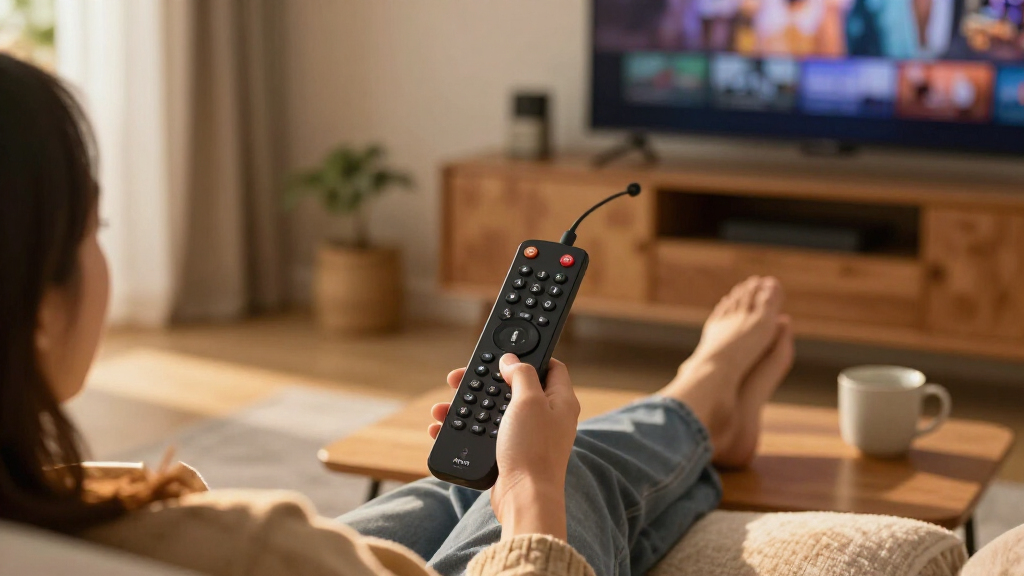
The remote is the part of a Fire TV stick you touch every single day, so its features deserve more attention than buyers usually give them. Alexa voice search dramatically cuts the friction of typing titles with a directional pad, and it’s especially valuable for older family members or anyone who finds on-screen keyboards tedious. Newer remotes also include TV power and volume buttons, which lets you retire a second controller — a bigger quality-of-life gain than any spec on the box. Before choosing, confirm which remote ships with your specific configuration, since bundles sometimes swap them. If you’ve ever juggled two remotes just to watch a show, this is where your money is best spent.
Frequently Asked Questions
Is the Fire TV Stick 4K Max worth it over the regular 4K stick?
It depends on two things: your network and your patience. The 4K Max pairs a faster processor with Wi-Fi 6, which means quicker app launches today and steadier 4K streams on busy home networks. Over a two-to-three-year ownership window, that speed advantage compounds as software updates add features and older chips slow down. If you stream casually on a quiet network with a handful of apps, the standard 4K stick delivers the same picture quality for less and is the more sensible buy. Heavy streamers, gamers using cloud gaming apps, or smart-home-heavy households should treat the Max premium as an investment in longevity.
Do I need a 4K Fire TV stick if my TV is 1080p?
Strictly speaking, no — the HD stick outputs 1080p video that looks identical on a 1080p panel, and saving money there is perfectly rational. That said, there are two honest reasons to buy 4K anyway. First, if you plan to upgrade your television within the stick’s lifespan, a 4K-capable device moves to the new TV without replacement. Second, some 4K models carry faster processors and Wi-Fi 6 that improve responsiveness even at 1080p, so you’re buying performance, not just resolution. If neither applies, put the savings toward the bundle with a USB power cable instead — that solves a more common real-world annoyance.
Are the 2-year protection plan bundles worth buying?
For most buyers, no — and I ranked those bundles lower as a result. A streaming stick is a sealed, fanless, stationary device with no battery to degrade, so out-of-warranty failures are rare. The scenarios where a plan earns its cost are specific: households with young children who pull on cords, TVs mounted in high-traffic areas where the stick gets bumped, or frequent movers who pack and unpack the device. If you do want coverage, buying it bundled is usually more convenient than adding it separately, so the bundle isn’t a bad vehicle — just question whether you need the passenger. Compare the bundle’s premium against simply replacing a failed stick outright, and the math often answers itself.
Why does my Fire TV stick keep rebooting, and does the USB power cable bundle fix it?
Frequent reboots and slow boot-ups are usually a power problem, not a defective stick. Many TVs’ USB ports don’t deliver the consistent amperage these devices want, especially on older sets, and the stick reacts by randomly restarting or dropping into a low-power glitch. The USB power cable bundles in this lineup address exactly this — the cable lets you power the stick from a dedicated wall outlet rather than the TV. It’s also a fix worth making for any stick you already own: a standard USB-to-power adapter often solves the problem for pennies. If reboots persist even on wall power, then the stick itself is the suspect and an exchange makes sense.
Is a refurbished Fire TV Stick 4K safe to buy?
Certified refurbished Fire TV sticks are one of the lower-risk refurbished purchases in consumer electronics, and this roundup’s Like-New 4K unit is a legitimate value pick. These devices have no batteries, spinning storage, or fragile displays — the components that typically fail in refurbished gear — so you’re essentially getting the same internals as new. What you should verify before buying: the seller’s return window, that the remote and power adapter are included, and that it’s certified rather than sold as-is. The main tradeoff is cosmetics, with possible minor wear on the remote or plain packaging. For a second room, a guest TV, or a budget-conscious first stick, refurbished is a route worth taking.
Conclusion
After comparing all twelve configurations, the right choice maps cleanly to who you are as a buyer. For the best overall pick, the Fire TV Stick 4K Max (2nd Gen) justifies its position with Wi-Fi 6 and the fastest processor in the lineup — the configuration bundled with the USB power cable is the smartest version of it. The best value belongs to the Fire TV Stick 4K Plus, which matches the Max on picture quality while trimming only the specs most streamers won’t miss. Buyers who want premium longevity should still land on the Max and accept the higher cost as insurance against future sluggishness. For beginners or 1080p TV owners, the Fire TV Stick HD with Alexa Voice Remote keeps things simple and affordable without sacrificing the core Fire TV experience. Finally, for specific needs: grab the refurbished 4K stick for guest rooms and second TVs, the protection plan bundles for kid-heavy households, and a Wi-Fi 6 model if your network is crowded. Whatever you choose, match the stick to your television and router rather than the spec sheet, and you’ll end up with a device that stays quick for years.
Fall Picks
fall essentials
As an affiliate, we earn on qualifying purchases.