
The best triple-laser projector overall in this roundup is the JMGO N3 Ultimate, a compelling pick for buyers who want 4K resolution and high stated brightness. The Valerion VisionMaster Pro2 stands out as a premium home-theater option, while the Hisense M2 Pro suits buyers who want a more portable smart projector. The main tradeoffs are brightness versus room control, standard versus ultra-short-throw placement, and premium image features versus simpler setup. I compare all 12 models by their fit for real rooms and viewing habits, not just their headline specifications. Read on for the full breakdown and help matching a projector to your space.

Get the latest gadgets delivered free with Prime
- Fast, free delivery on millions of items
- Prime Video, Amazon Music and more included
- Member-only deals all year
Complete the kit



Key Takeaways
- The JMGO N3 Ultimate leads on stated brightness: its 5800 ISO-lumen rating makes it the standout candidate here for rooms where ambient light is harder to control, though room lighting and screen choice still affect the result.
- Ultra-short-throw models solve a different problem: the AWOL VISION LTV-3000 Pro and JMGO O2S Ultra are designed to sit close to the screen, which can simplify placement but calls for a compatible surface and careful setup.
- Portability and theater-first features pull in different directions: the Hisense M2 Pro emphasizes portable smart use, while the Valerion VisionMaster Pro2 and AWOL model target dedicated viewing setups.
- Gaming specifications are not interchangeable with general movie performance: the Hisense C3 Pro explicitly lists 240Hz gaming and FreeSync Premium, giving gaming-focused shoppers a more specific starting point than models without comparable listed features.
- The lineup spans more than one kind of buyer: it includes models with built-in Google TV or apps, compact and portable designs, UST placement, and conventional home-projector formats, so installation needs should shape the shortlist.
| JMGO N3 Ultimate 4K Triple Laser Projector, 5800 ISO Lumens |  | Best Overall | Resolution: 3840 x 2160 | Brightness: 5800 ISO lumens | Light source: MALC 5.0 triple laser | VIEW LATEST PRICE | See Our Full Breakdown |
| Valerion VisionMaster Pro2 4K Triple Laser Projector |  | Best for Automatic Setup | Native resolution: 3840 × 2160 | Display type: DLP RGB triple laser | Brightness: 3000 ISO lumens | VIEW LATEST PRICE | See Our Full Breakdown |
| JMGO N1S Ultimate Triple Laser 4K Projector |  | Best Portable Gimbal Pick | Native resolution: 3840 × 2160 | Brightness: 3300 ISO lumens | Light source: Triple RGB laser | VIEW LATEST PRICE | See Our Full Breakdown |
| Ultra Short Throw Triple Laser 1080p Projector with Built-In Apps |  | Best Ultra-Short-Throw Value | Native resolution: 1920 × 1080 Full HD | Light source: RGB triple laser | Brightness: 1000 ANSI lumens | VIEW LATEST PRICE | See Our Full Breakdown |
| XGIMI HORIZON 20 Pro 4K RGB Triple Laser Home Projector |  | Best for Gaming and Movies | Native resolution: 3840 × 2160 | Brightness: 4100 ISO lumens | Light source: RGB triple laser | VIEW LATEST PRICE | See Our Full Breakdown |
| AWOL VISION LTV-3000 Pro 4K 3D Ultra Short Throw Triple Laser Projector |  | Best for Dialogue-Focused UST Home Theaters | Native resolution: 3840 × 2160 | Brightness: 2,000 lm; maximum white brightness listed as 3,000 ANSI lumens | Throw ratio: 0.25:1 | VIEW LATEST PRICE | See Our Full Breakdown |
| JMGO N1S Ultra 4K Triple Laser Projector with Google TV | 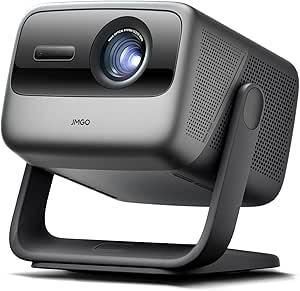 | Best for Easy Setup and Streaming | Native resolution: 3840 × 2160 | Brightness: 2,800 lumens | Contrast ratio: 1600:1 | VIEW LATEST PRICE | See Our Full Breakdown |
| Nebula X1S 4K RGB Triple-Laser Projector with Google TV |  | Best for Bright Rooms and Flexible Placement | Native resolution: 3840 × 2160 | Peak brightness: 6,000 ANSI lumens in Peak Output Mode | Color gamut: 106% Rec. 2020 in Vivid Mode | VIEW LATEST PRICE | See Our Full Breakdown |
| JMGO O2S Ultra 4K Ultra Short Throw Triple Laser Projector 3600 ISO Lumen |  | Best for the Tightest UST Placement | Native resolution: 3840 × 2160 | Brightness: 3,600 lumens; maximum white brightness listed as 3,600 ANSI lumens | Throw ratio: 0.16:1 (advertised) | VIEW LATEST PRICE | See Our Full Breakdown |
| Hisense M2 Pro 4K UHD Triple Laser Portable Smart Projector |  | Best for Portable 4K with Optical Zoom | Resolution: 3840 × 2160 (4K UHD) | Brightness: 1,300 ANSI lumens | Image size: 65–200 inches | VIEW LATEST PRICE | See Our Full Breakdown |
| Hisense C3 Pro Triple Laser Projector |  | Best for Gaming and Flexible Setup | Native resolution: 3840 x 2160 | Brightness: 3000 ANSI lumens | Contrast ratio: 5000:1 | VIEW LATEST PRICE | See Our Full Breakdown |
| Dangbei MP1 Max 4K Triple Laser Projector |  | Best for Easy Placement and Built-In Streaming | Native resolution: 3840 x 2160 | Brightness: 3100 ISO lumens | Color gamut: 110% BT.2020 | VIEW LATEST PRICE | See Our Full Breakdown |
| triple-laser projector | Brightness | Native resolution | Contrast ratio | Image size |
|---|---|---|---|---|
| JMGO N3 Ultimate 4K Triple Las | 5800 ISO lumens | — | — | — |
| Valerion VisionMaster Pro2 4K | 3000 ISO lumens | 3840 × 2160 | 15000:1 with EBL | — |
| JMGO N1S Ultimate Triple Laser | 3300 ISO lumens | 3840 × 2160 | 1600:1 | 60–300 inches |
| Ultra Short Throw Triple Laser | 1000 ANSI lumens | 1920 × 1080 Full HD | — | — |
| XGIMI HORIZON 20 Pro 4K RGB Tr | 4100 ISO lumens | 3840 × 2160 | 20000:1 | 40–300 inches |
| AWOL VISION LTV-3000 Pro 4K 3D | 2,000 lm; maximum white brightness listed as 3,000 ANSI lumens | 3840 × 2160 | 2500:1 | 80–150 inches |
| JMGO N1S Ultra 4K Triple Laser | 2,800 lumens | 3840 × 2160 | 1600:1 | 60–300 inches |
| Nebula X1S 4K RGB Triple-Laser | — | 3840 × 2160 | 5,000:1 native; 56,000:1 dynamic | — |
| JMGO O2S Ultra 4K Ultra Short | 3,600 lumens; maximum white brightness listed as 3,600 ANSI lumens | 3840 × 2160 | 4000:1 | 80–150 inches |
| Hisense M2 Pro 4K UHD Triple L | 1,300 ANSI lumens | — | 5000:1 | 65–200 inches |
| Hisense C3 Pro Triple Laser Pr | 3000 ANSI lumens | 3840 x 2160 | 5000:1 | 65–300 inches |
| Dangbei MP1 Max 4K Triple Lase | 3100 ISO lumens | 3840 x 2160 | — | 40–300 inches |
More Details on Our Top Picks
JMGO N3 Ultimate 4K Triple Laser Projector, 5800 ISO Lumens
The JMGO N3 Ultimate earns the lead spot by pairing the highest listed brightness in this group with unusually flexible physical positioning. Its 5,800 ISO lumens, motorized gimbal, lens shift, and optical zoom give it more room to adapt to a bright living space or an awkward installation than the Valerion VisionMaster Pro2, which offers useful automatic setup but less listed brightness. The 4K image, Dolby Vision, and 110% BT.2020 gamut make it a strong fit for both movies and games, while VRR, up to 240Hz, and 1ms input lag set it apart from the more cinema-focused JMGO N1S Ultimate. Google TV and built-in speakers reduce the need for extra gear. The tradeoffs are its 40-inch minimum image size, 300-watt listed power requirement, and large 300-inch maximum that still depends on room conditions.
Pros:- 5,800 ISO lumens provide the highest listed brightness among these five picks.
- Physical lens shift, optical zoom, and a motorized gimbal give substantial placement flexibility.
- 4K, Dolby Vision, and 110% BT.2020 color support a feature-rich home-cinema image.
- VRR, up to 240Hz, and 1ms input lag suit responsive gaming.
Cons:- The 40-inch minimum image size can be limiting for very small viewing setups.
- Listed power consumption is 300 watts, so it is not the low-power choice.
- Its broad placement range and 300-inch maximum do not remove the need to match throw distance and room layout.
Best for: Buyers who want one bright 4K triple-laser projector for mixed daytime viewing, movies, and low-latency gaming, especially in rooms where flexible placement matters.
Not ideal for: People building a very small-screen setup or seeking a low-power, compact projector; its minimum image size is 40 inches and its listed power requirement is 300 watts.
- Resolution:3840 x 2160
- Brightness:5800 ISO lumens
- Light source:MALC 5.0 triple laser
- Lens shift:Horizontal ±53%; vertical ±130%
- Optical zoom:0.88–1.7:1
- Maximum image size:300 inches
- Gaming:Up to 240Hz; 1ms input lag
- Smart platform:Google TV
Our verdict“Choose the JMGO N3 Ultimate if you want the most versatile bright-room and gaming package here, and can accommodate its power draw and minimum image size.”
Valerion VisionMaster Pro2 4K Triple Laser Projector
The Valerion VisionMaster Pro2 is the easiest pick here for buyers who want a flexible installation without spending time correcting the image manually. Auto focus, auto keystone, obstacle avoidance, and screen alignment can help when the projector is moved between rooms or placed off-center. Its 0.9–1.5 throw ratio also gives it a different kind of placement flexibility from the JMGO N1S Ultimate, whose gimbal changes projection angle but whose stated throw distance is narrower. At 3,000 ISO lumens, it is less bright on paper than the JMGO N3 Ultimate and XGIMI HORIZON 20 Pro, so I would rank it lower for rooms with substantial ambient light. It still offers 4K, Dolby Vision, Google TV, broad casting support, and 4ms gaming input lag. The 3.49-foot minimum throw distance can rule it out for especially tight spaces.
Pros:- Automatic focus, keystone, obstacle avoidance, and screen alignment simplify setup.
- A 0.9–1.5 throw ratio supports more placement options than a fixed-throw design.
- Google TV plus AirPlay 2, Miracast, and Chromecast gives flexible streaming and casting.
- 4K resolution, Dolby Vision, and a 110% Rec.2020 gamut support a wide-format movie setup.
Cons:- Its 3,000 ISO lumens are below the listed brightness of the JMGO N3 Ultimate and XGIMI HORIZON 20 Pro.
- The 3.49-foot minimum throw distance may not work in very small rooms.
- Its 300-inch maximum image size depends on having enough throw distance and a suitable room.
Best for: Buyers who frequently reposition a projector or want automatic image correction, integrated streaming, and a broad range of casting options.
Not ideal for: Viewers who need maximum brightness for a room with strong ambient light, or who need to place the projector closer than its 3.49-foot stated minimum throw distance.
- Native resolution:3840 × 2160
- Display type:DLP RGB triple laser
- Brightness:3000 ISO lumens
- Contrast ratio:15000:1 with EBL
- Throw ratio:0.9–1.5
- Maximum image size:300 inches
- Gaming:4ms input lag; 240Hz refresh rate
- Smart platform and casting:Google TV; AirPlay 2, Miracast, Chromecast
Our verdict“Pick the VisionMaster Pro2 if automatic setup and casting versatility matter more to you than the highest brightness in this lineup.”
JMGO N1S Ultimate Triple Laser 4K Projector
The JMGO N1S Ultimate suits buyers who value a movable, angle-adjustable 4K projector more than the strongest gaming specification or easiest fit for a small screen. Its triple RGB laser, 3,300 ISO lumens, 10-bit color, and 110% BT.2020 gamut give it a strong color-focused profile, while the rotating gimbal makes projecting onto different surfaces less dependent on a conventional fixed mount. Compared with the JMGO N3 Ultimate, it gives up substantial brightness, physical lens-shift flexibility, and the listed 1ms gaming response; compared with the Valerion VisionMaster Pro2, it offers a gimbal but not the same suite of automatic obstacle and screen alignment features. Google TV with licensed Netflix and a 20W audio system help it work as a standalone entertainment unit. Its 60-inch minimum image size and 25.1-foot maximum throw distance limit where it fits.
Pros:- Triple RGB laser, 10-bit color, and 110% BT.2020 gamut emphasize wide color reproduction.
- A 360° horizontal and 135° vertical gimbal supports varied projection angles.
- Google TV includes licensed Netflix, Google Cast, and voice control.
- Automatic focus and keystone correction reduce manual setup work.
Cons:- The 60-inch minimum image size is less flexible than the 40-inch minimum on the JMGO N3 Ultimate and XGIMI HORIZON 20 Pro.
- The 25.1-foot maximum throw distance can constrain larger-room placement.
- Its 1,600:1 contrast ratio and lack of specified high-refresh gaming figures make it less compelling for contrast-focused cinema or competitive gaming.
Best for: People who want a 4K triple-RGB-laser projector with a rotating gimbal for flexible placement around a home, patio, or shared viewing space.
Not ideal for: Buyers who need an image smaller than 60 inches, a very long throw, or the lowest listed gaming latency in this group.
- Native resolution:3840 × 2160
- Brightness:3300 ISO lumens
- Light source:Triple RGB laser
- Contrast ratio:1600:1
- Color gamut and depth:110% BT.2020 / Rec. 2020; 10-bit
- Image size:60–300 inches
- Throw distance:5.2–25.1 feet
- Audio:20W; Dolby Digital Plus and DTS-HD
Our verdict“Choose the N1S Ultimate if its rotating gimbal and color-focused 4K image matter more than smaller-screen flexibility or advanced gaming figures.”
Ultra Short Throw Triple Laser 1080p Projector with Built-In Apps
This tabletop model fills a niche the other four do not: ultra-short-throw triple-laser projection for a room where a projector cannot sit several feet from the wall. It can create a 100-inch image from 8.7 inches away, avoiding the long throw distances needed by the JMGO N1S Ultimate or the XGIMI HORIZON 20 Pro. That convenience comes with a clear resolution compromise: its native image is Full HD, not 4K like the rest of this group, and its 1,000 ANSI lumens are far below the listed output of the brighter models. Built-in apps, 40W speakers, and included microphones make it a more self-contained choice for casual streaming and karaoke than the JMGO N3 Ultimate. But the wall or screen needs to be flat and smooth, and the HDMI input latency under 28ms is not aimed at players seeking the quickest response.
Pros:- 0.18:1 throw ratio produces a 100-inch image from just 8.7 inches away.
- RGB triple laser and 110% BT.2020 gamut offer wide color for a Full HD projector.
- Dual 20W speakers and included microphones support a self-contained karaoke setup.
- Auto focus and 6-way keystone correction help with tabletop positioning.
Cons:- Native resolution is 1920 × 1080, unlike the 4K models in this roundup.
- At 1,000 ANSI lumens, it is less suited to rooms with substantial ambient light than the brighter JMGO and XGIMI options.
- It needs a flat, smooth wall or screen, and compatible active-shutter 3D glasses are not included.
Best for: Apartment dwellers and casual viewers who need a large image close to the wall and value built-in streaming, speakers, and karaoke features.
Not ideal for: Buyers prioritizing native 4K detail, bright-room viewing, or very low gaming latency; this model is Full HD and lists HDMI latency under 28ms.
- Native resolution:1920 × 1080 Full HD
- Light source:RGB triple laser
- Brightness:1000 ANSI lumens
- Throw ratio:0.18:1
- Image size and distance:100 inches from 8.7 inches
- Color gamut:110% BT.2020
- Built-in speakers:Dual 20W; 40W total
- Smart platform:Android
Our verdict“Choose this model if close-to-wall placement is your main need and Full HD resolution is an acceptable trade for its short-throw convenience.”
XGIMI HORIZON 20 Pro 4K RGB Triple Laser Home Projector
The XGIMI HORIZON 20 Pro is the clearest choice here for someone splitting time between 4K movies and responsive gaming. Its 4,100 ISO lumens place it below the JMGO N3 Ultimate on listed brightness, but above the Valerion VisionMaster Pro2 and JMGO N1S Ultimate. More importantly for play, it combines 1ms response with 240Hz, VRR, and ALLM, while Dolby Vision, HDR10+, and IMAX Enhanced cover a broad set of movie formats. Optical zoom and lens shift offer useful physical adjustment, though the N3 Ultimate lists a wider lens-shift range and a motorized gimbal. Google TV and Harman Kardon speakers reduce setup clutter. The manufacturer warns that some viewers may notice laser speckle or a faint rainbow effect; it recommends an ALR screen and viewing distance over nine feet, which makes this a less universal fit than its feature list suggests.
Pros:- 4K RGB triple laser projection with 4100 ISO lumens.
- 1ms response, 240Hz, VRR, and ALLM make gaming a central strength.
- Dolby Vision, HDR10+, and IMAX Enhanced support a broad range of video formats.
- Optical zoom, lens shift, Google TV, and Harman Kardon speakers add practical flexibility.
Cons:- Some viewers may notice laser speckle or a faint rainbow effect.
- The manufacturer recommends an ALR screen and a viewing distance over nine feet.
- It lists less brightness and less extensive physical positioning hardware than the JMGO N3 Ultimate.
Best for: Gamers who also want a high-brightness 4K movie projector, with VRR and high refresh support for responsive play.
Not ideal for: Viewers sensitive to laser speckle or rainbow effects, or those unable to sit more than nine feet away or use a suitable ALR screen.
- Native resolution:3840 × 2160
- Brightness:4100 ISO lumens
- Light source:RGB triple laser
- Contrast ratio:20000:1
- Image size:40–300 inches
- Gaming:1ms response; 240Hz; VRR; ALLM
- HDR and picture formats:IMAX Enhanced, Dolby Vision, HDR10+
- Audio:Harman Kardon speakers
Our verdict“Choose the HORIZON 20 Pro if gaming features and premium HDR support are your priorities, provided its viewing-distance and visual-artifact caveats suit your room.”
AWOL VISION LTV-3000 Pro 4K 3D Ultra Short Throw Triple Laser Projector
The AWOL VISION LTV-3000 Pro is a strong fit for buyers who want a large, fixed-position screen and clearer dialogue without immediately adding a separate center speaker. Its 0.25:1 throw ratio can produce an 80- to 150-inch image from close to the wall, unlike the longer-throw JMGO N1S Ultra, which needs at least 5.2 feet between projector and screen. Dolby Vision, HDR10+, and 3D widen its movie options, while PJ Link and Control4 compatibility suit a planned home-automation setup. The tradeoff is placement: the fixed ratio offers less framing flexibility than the Nebula X1S’s optical zoom, and the AWOL’s 2,000-lumen listing makes a dark room or an ALR screen a better match than a bright living space. Its 3D feature also requires compatible playback gear and glasses.
Pros:- 0.25:1 throw ratio supports a large image from a close position.
- Built-in center-channel speaker is designed to anchor dialogue to the screen.
- Supports Dolby Vision, HDR10+, and 3D playback.
- PJ Link IP control and Control4 compatibility support integrated home theaters.
Cons:- Best suited to darker rooms; brighter spaces may call for an ALR screen.
- Fixed throw ratio limits placement and image-size adjustment.
- 3D requires compatible content, a capable player, and active shutter glasses.
Best for: Home-theater buyers who need a near-wall projector, prioritize dialogue from the screen, and plan to use home automation.
Not ideal for: Bright-room viewers or anyone who needs flexible image sizing without repositioning the projector; its fixed throw ratio can complicate cabinet placement.
- Native resolution:3840 × 2160
- Brightness:2,000 lm; maximum white brightness listed as 3,000 ANSI lumens
- Throw ratio:0.25:1
- Image size:80–150 inches
- Contrast ratio:2500:1
- Light source life:25,000 hours
- Supported formats and features:Dolby Vision, HDR10+, Dolby Atmos, 3D
- Home automation:PJ Link IP control; Control4 compatible
Our verdict“Choose the AWOL if you want a close-set, automation-friendly home theater with screen-centered dialogue and can control room light.”
JMGO N1S Ultra 4K Triple Laser Projector with Google TV
For a buyer who wants a freestanding projector that handles much of its own setup, the JMGO N1S Ultra stands apart with autofocus, auto keystone correction, screen alignment, and Google TV with Chromecast. Its 2,800-lumen output and 4K resolution make it a more flexible all-round room option than the low-light-focused Hisense M2 Pro, while its built-in 20W speakers can cover casual viewing without a separate sound system. The tradeoff is scale and placement: its 60- to 300-inch range sounds broad, but the minimum throw distance is 5.2 feet, so it is not a near-wall solution like the AWOL LTV-3000 Pro. The automatic adjustments help when the projector is moved, though USB 2.0 is a modest connection for buyers who rely on local media storage.
Pros:- Google TV, Chromecast, and Google Assistant are integrated.
- Autofocus, auto keystone, and screen alignment reduce manual setup.
- Triple RGB laser, 4K resolution, and 2,800-lumen brightness support flexible home viewing.
- Built-in 20W speakers include Dolby Digital Plus.
Cons:- Requires at least 5.2 feet of throw distance, unlike the AWOL LTV-3000 Pro UST design.
- USB connectivity is limited to USB 2.0.
- Its 1,600:1 contrast ratio is lower than the Hisense M2 Pro’s listed 5000:1.
Best for: Viewers who want a portable 4K projector with integrated streaming, automatic picture setup, and onboard audio.
Not ideal for: Buyers with very little distance between projector and screen, or those who need faster USB connectivity for local media devices.
- Native resolution:3840 × 2160
- Brightness:2,800 lumens
- Contrast ratio:1600:1
- Image size:60–300 inches
- Throw distance:5.2–25.1 feet
- Light source life:30,000 hours
- Smart platform:Google TV with Chromecast and Google Assistant
- Audio:20W built-in dual speakers with Dolby Digital Plus
- Connectivity:Bluetooth, HDMI 2.1 (eARC), USB 2.0, Wi-Fi, 3.5mm audio
Our verdict“Pick the JMGO N1S Ultra if convenient streaming and automatic setup matter more than ultra-short placement or high native contrast.”
Nebula X1S 4K RGB Triple-Laser Projector with Google TV
The Nebula X1S is the lineup’s brightness-and-placement specialist: its listed peak output reaches 6,000 ANSI lumens, and a 1.67× optical zoom lets buyers change image size without shifting the projector. That gives it an advantage over the fixed-ratio AWOL LTV-3000 Pro when a room layout makes precise placement difficult. Its 5,000:1 native contrast, Dolby Vision support, Google TV, and 40W Dolby Audio package make it a more self-contained entertainment hub than the Hisense M2 Pro. The headline brightness needs context: 6,000 ANSI lumens is specified for Peak Output Mode, while Vivid Mode is the stated setting for color accuracy. It is also a conventional projection setup rather than a UST model, with a minimum throw distance of 1.69 meters.
Pros:- Peak output is specified at 6,000 ANSI lumens.
- 1.67× optical zoom adjusts image size without moving the projector.
- AI spatial adaptation helps fit the image to a room.
- Google TV and built-in 40W Dolby Audio reduce reliance on separate streaming and speaker gear.
Cons:- The 6,000 ANSI-lumen figure applies to Peak Output Mode, not the stated color-accuracy mode.
- Requires at least 1.69 meters of throw distance, unlike the AWOL LTV-3000 Pro.
- Firmware update is recommended after setup.
Best for: Buyers setting up a flexible living-room or media-room projector who value high peak brightness, optical zoom, and onboard streaming and sound.
Not ideal for: Anyone who needs an ultra-short-throw unit close to the wall, or who expects peak brightness and the specified color mode to apply at the same time.
- Native resolution:3840 × 2160
- Peak brightness:6,000 ANSI lumens in Peak Output Mode
- Color gamut:106% Rec. 2020 in Vivid Mode
- Contrast ratio:5,000:1 native; 56,000:1 dynamic
- Optical zoom:1.67×
- Throw distance:1.69–4.78 m
- Audio:Built-in 40W speakers with Dolby Audio
- Streaming platform:Google TV
- Mounting options:Floor, ceiling, tabletop, or tripod
Our verdict“Choose the Nebula X1S if you need high peak brightness and zoom-based placement flexibility and have room for a standard-throw projector.”
JMGO O2S Ultra 4K Ultra Short Throw Triple Laser Projector 3600 ISO Lumen
The JMGO O2S Ultra is the pick for buyers who want an exceptionally close-set laser projector: its advertised 0.16:1 throw ratio is shorter than the AWOL LTV-3000 Pro’s 0.25:1, making it the more compelling fit when a cabinet or room leaves little space before the wall. It pairs that compact placement with 4K resolution, Dolby Vision, a listed 3,600-lumen output, and a 4,000:1 contrast ratio. Google TV with native Netflix support and 20W Dynaudio sound also make it ready for everyday streaming. Compared with the AWOL, however, the supplied listing is less detailed about control and installation features, and its minimum image size is 80 inches rather than the JMGO N1S Ultra’s 60 inches. Treat the vivid-room claim cautiously: screen and ambient-light conditions still affect the result.
Pros:- Advertised 0.16:1 throw ratio supports exceptionally close placement.
- 4K resolution, Dolby Vision, and listed 3,600-lumen brightness.
- Google TV includes native Netflix integration.
- 20W Dynaudio audio supports Dolby Atmos and DTS:X.
Cons:- Minimum listed image size is 80 inches, which may be too large for smaller rooms.
- The supplied product data does not specify a complete connectivity list or home-automation support.
- Claims of bright-room viewing depend on screen choice and ambient light.
Best for: Apartment and living-room theater buyers whose main constraint is placing a 4K projector very close to the screen.
Not ideal for: Viewers who need a small projected image, detailed home-automation compatibility information, or verified placement guidance beyond the listed throw specifications.
- Native resolution:3840 × 2160
- Brightness:3,600 lumens; maximum white brightness listed as 3,600 ANSI lumens
- Throw ratio:0.16:1 (advertised)
- Image size:80–150 inches
- Contrast ratio:4000:1
- Maximum throw distance:4 m
- Audio:20W Dynaudio; Dolby Atmos and DTS:X support
- Smart platform:Google TV with native Netflix integration
- 3D support:Blu-ray 3D
Our verdict“Choose the O2S Ultra when minimal projector-to-wall distance is your main requirement and an 80-inch minimum image suits your room.”
Hisense M2 Pro 4K UHD Triple Laser Portable Smart Projector
The Hisense M2 Pro suits buyers who want 4K triple-laser projection in a portable, adaptable package rather than a fixed UST installation. Its 1.0–1.3:1 optical zoom gives some freedom to size the picture without moving the unit, and automatic screen adjustments, VIDAA, Dolby Vision, and active 3D add practical viewing options. Against the JMGO N1S Ultra, the Hisense lists a higher 5000:1 contrast ratio and USB 3.0, but its 1,300 ANSI lumens are much lower than the JMGO’s 2,800-lumen specification. That makes the M2 Pro a better match for controlled lighting than for daytime viewing. It also does not offer the near-wall convenience of the AWOL LTV-3000 Pro; the listed throw distance starts at 4.7 feet, and 3D needs separate DLP-Link glasses.
Pros:- 4K UHD triple-laser projection with Dolby Vision support.
- 1.0–1.3:1 optical zoom offers image sizing flexibility.
- Automatic screen adjustments and multiple mounting options help with portable setups.
- USB 3.0, Wi-Fi, and Bluetooth 5 support a useful range of connections.
Cons:- 1,300 ANSI lumens are best suited to low-light viewing and trail the JMGO N1S Ultra’s listed brightness.
- Requires at least 4.7 feet of throw distance, unlike the AWOL LTV-3000 Pro UST model.
- Active 3D requires separate DLP-Link shutter glasses.
Best for: Portable-projector buyers who watch in dim rooms and want optical zoom, automatic setup aids, 4K resolution, and active 3D.
Not ideal for: Daytime viewers in bright rooms or anyone needing an ultra-short-throw projector that can sit close to the wall.
- Resolution:3840 × 2160 (4K UHD)
- Brightness:1,300 ANSI lumens
- Image size:65–200 inches
- Optical zoom ratio:1.0–1.3:1
- Contrast ratio:5000:1
- Throw distance:4.7–18.8 feet
- Light source life:25,000 hours
- Operating system:VIDAA
- Connectivity:Wi-Fi, Bluetooth 5, HDMI, USB 3.0
Our verdict“Pick the Hisense M2 Pro if portability, optical zoom, and 3D matter more than bright-room performance or ultra-short placement.”
Hisense C3 Pro Triple Laser Projector
The Hisense C3 Pro is the clearest fit here for buyers who want a triple-laser projector that can pull double duty as a gaming display. Its 1ms input lag, FreeSync Premium, and 1080p refresh support up to 240Hz target responsive play, while native 4K, Dolby Vision, and IMAX Enhanced suit movie nights. Compared with the Dangbei MP1 Max, the C3 Pro gives more explicit high-refresh gaming credentials and adds 1.6x optical zoom and lens shift, giving you more flexibility to place the image without relying solely on digital correction. Auto Magic AI adjustments and VIDAA streaming also reduce setup and device juggling. The tradeoffs are a 65-inch minimum image size, which limits very small-room use, and a maximum 9.96-meter throw that still requires careful placement. Buyers focused on built-in Google TV and an adjustable stand may prefer the Dangbei.
Pros:- 1ms input lag, FreeSync Premium, and VRR support up to 240Hz at 1080p suit responsive gaming.
- Native 4K resolution with Dolby Vision and IMAX Enhanced supports detailed cinematic viewing.
- 1.6x optical zoom and lens shift offer more placement flexibility than models relying mainly on digital correction.
- VIDAA OS, Wi-Fi 7, HDMI 2.1, and eARC provide integrated streaming and modern connections.
Cons:- The 65-inch minimum image size makes it less adaptable to compact rooms than projectors with smaller minimum image options.
- High refresh support is specified for 1080p, not native 4K gaming.
- A 300-inch maximum image and long throw capability still demand substantial space and careful placement.
Best for: Console and PC gamers who also want native 4K movie playback, flexible lens placement, and built-in streaming for a shared media room.
Not ideal for: Small-room viewers who need an image below 65 inches, or buyers who prioritize Google TV and a tilting built-in stand over high-refresh gaming.
- Native resolution:3840 x 2160
- Brightness:3000 ANSI lumens
- Contrast ratio:5000:1
- Color gamut:118% BT.2020
- Image size:65–300 inches
- Optical zoom:1.6x
- Gaming support:1ms input lag; VRR from 48Hz to 240Hz at 1080p
- Connectivity:HDMI 2.1, eARC, Wi-Fi 7, Bluetooth 5.4, Ethernet, USB
- Light source life:25,000 hours
Our verdict“Choose the C3 Pro if gaming responsiveness and optical placement flexibility matter as much as triple-laser 4K movie performance.”
Dangbei MP1 Max 4K Triple Laser Projector
The Dangbei MP1 Max makes the most sense for buyers who want a triple-laser 4K setup that is straightforward to position and use. Its built-in adjustable stand rotates horizontally and tilts vertically, while auto focus, keystone correction, screen fit, and obstacle avoidance cut down on manual setup. Google TV with Netflix and voice control adds a familiar streaming hub, and the dual 12W speakers with Dolby Audio and DTS:X can handle casual viewing without a separate sound system. Compared with the Hisense C3 Pro, Dangbei emphasizes flexible physical positioning and automated setup rather than specified 240Hz gaming and optical zoom. Its 3100 ISO-lumen rating and 110% BT.2020 gamut make it a capable bright-room and color-focused option, but the stated 2-to-4.5-meter throw range constrains room layouts. Buyers needing a longer throw or specific high-refresh gaming features should look at alternatives such as the Hisense.
Pros:- Built-in stand with 360° horizontal rotation and 135° vertical tilt supports varied tabletop placement.
- Auto focus, keystone correction, screen fit, and obstacle avoidance simplify setup.
- Google TV includes Netflix and voice control for direct access to streaming.
- Dual 12W speakers with Dolby Audio and DTS:X provide integrated sound for everyday viewing.
Cons:- The 4.5-meter maximum throw limits installation options in larger or deeper rooms.
- The product data does not specify high-refresh gaming performance comparable to the Hisense C3 Pro.
- The listed 100V voltage may restrict compatibility in regions with different mains standards.
Best for: Viewers who move a projector between rooms or need a tilting tabletop setup with automated image adjustment and Google TV.
Not ideal for: Owners of deep rooms requiring a throw beyond 4.5 meters, or competitive gamers seeking explicitly stated high-refresh and low-latency support.
- Native resolution:3840 x 2160
- Brightness:3100 ISO lumens
- Color gamut:110% BT.2020
- Light engine:Triple laser + LED
- Image size:40–300 inches
- Throw distance:2–4.5 meters
- Stand adjustment:360° horizontal rotation; 135° vertical tilt
- Audio:Dual 12W speakers; Dolby Audio and DTS:X
- Connectivity:HDMI 2.1 with eARC, USB, Bluetooth 5.2, Wi-Fi 6
Our verdict“Pick the MP1 Max if easy repositioning, automated setup, and Google TV matter more than long-throw flexibility or specified high-refresh gaming.”
How We Picked
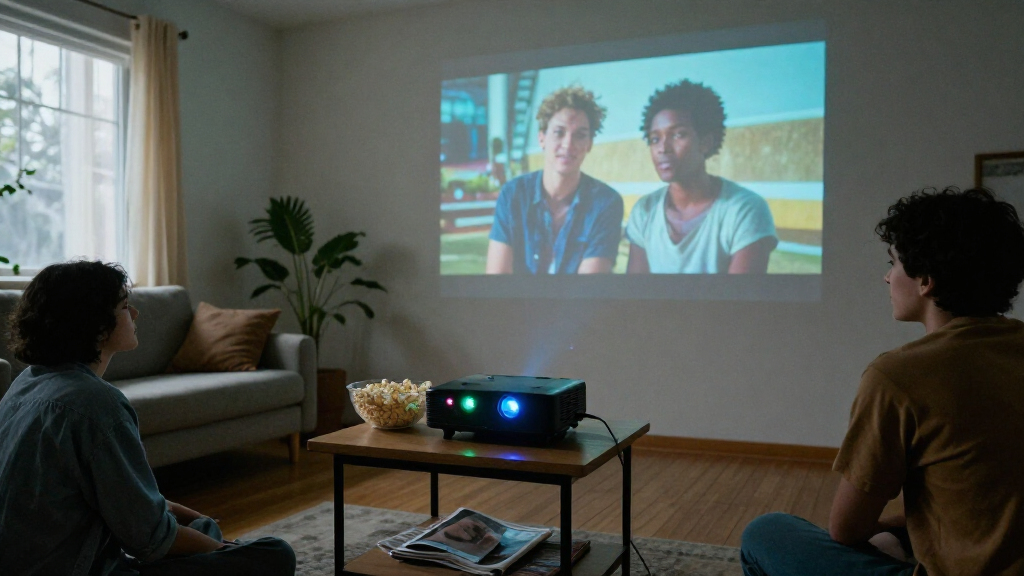
I ranked these projectors around the decisions buyers face when comparing triple-laser light engines: how a model is meant to fit a room, whether its published specifications match the intended use, and how much setup flexibility it offers. I considered stated brightness and resolution alongside throw style, smart features, gaming claims, portability, and screen-size range where those details were provided. A large headline lumen figure can help in a brighter space, but it does not by itself establish image quality in every room or on every screen.
The ranking gives preference to models with a clear use case and useful information for matching them to a setup. That puts the JMGO N3 Ultimate first for its unusually high stated brightness and 4K positioning; other models rise or fall based on strengths such as UST placement, portable use, or explicit gaming features. Where the supplied product information does not specify a feature, I do not assume it is present. Buyers should verify current model specifications, included accessories, and installation requirements before purchase.
Factors to Consider When Choosing Best Triple-laser Projectors
Triple-laser projectors share a light-source approach, but that alone does not tell you which one will work in your room. I would start with the installation, viewing conditions, and devices you plan to connect, then compare image and smart features within that shortlist.
Match Throw Distance to Your Room
Standard-throw and ultra-short-throw projectors solve different placement problems, so check the required distance before comparing image specifications. A UST model can sit near the wall or screen, which helps in rooms where a ceiling mount or long cable run is inconvenient. It also needs a suitable screen or a very flat, even wall; small surface irregularities can be more apparent when the image is projected from close range. Measure the projector position, screen width, furniture depth, and any walkway the setup might block. Do not assume that all UST units can use the same cabinet or screen size. Choose the placement format first, then compare models that can actually fit.
Read Brightness Claims in Context
Brightness matters most when you cannot fully darken the room, but projector brightness figures are not a guarantee of the same viewing experience across different setups. Screen material, image size, ambient light, and picture settings all affect perceived brightness. A larger image spreads light over more area, so a model that looks suitable at a moderate screen size may feel less convincing when enlarged. Treat a high stated lumen figure, such as the JMGO N3 Ultimate’s 5800 ISO lumens, as a useful comparison point rather than a promise that daylight will disappear. For movie viewing, controlling light can improve contrast more than chasing the biggest number. If you expect daytime use, plan the screen and room treatment along with the projector.
Choose Resolution and Screen Size Together
Native or advertised 4K resolution is only one part of the image; seating distance and screen size determine how much extra detail you can see. On a smaller image viewed from farther away, buyers may gain more from improved room placement or a better screen than from a higher resolution tier. A very large image can be immersive, but it also makes focus, surface quality, and brightness more demanding. Check whether the product’s stated screen-size range suits your room rather than treating the maximum as a recommended everyday size. If you watch a mix of streaming and lower-resolution sources, source quality can limit the benefit of a 4K projector. Set the desired screen size first, then compare resolution and brightness for that target.
Separate Smart Features From Connection Needs
Built-in Google TV or other apps may reduce the need for a separate streaming device, but smart features do not replace checking ports, audio connections, and compatibility with your services. Confirm that the apps you rely on are available on the exact model and region you plan to buy. Also check how you will connect a game console, receiver, or streaming box, especially if the projector will be mounted or placed in a cabinet. A built-in platform can simplify casual viewing, while an external streamer may offer a more consistent interface across devices. Do not pay for smart features you will not use if your system already routes everything through a receiver. Make the connection plan part of your setup, not an afterthought.
Prioritize Gaming Features Only If They Fit Your Play
Gaming claims such as the Hisense C3 Pro’s listed 240Hz and FreeSync Premium can help identify a model aimed at fast play, but a single specification does not describe the full gaming experience. Check supported resolution and refresh-rate combinations, input lag information, connection requirements, and whether the features apply to the games and devices you use. High refresh rates are most useful to players whose console or PC can output compatible frame rates. For story-driven games, a larger image and convenient setup may matter more than the highest refresh claim. Compare the projector’s gaming mode and ports with your console before treating a headline feature as decisive. Movie-focused buyers can usually prioritize room fit and image presentation instead.
Budget for the Whole Projection Setup
The projector is only one part of the final image: the screen, mount or cabinet, cables, and audio system can all affect cost and convenience. UST buyers should pay particular attention to screen compatibility and placement, while portable models may reduce the need for a fixed installation. A dedicated screen can help with consistency, but it is not automatically the right choice for every room or viewing schedule. Check what accessories are included and whether your existing equipment will work before deciding that one model offers better value. Also think about access for cleaning, ventilation, and future connections; a projector that is hard to reach can make routine ownership less convenient. Spend on the parts that solve your room’s actual limitations rather than adding features without a clear use.
Frequently Asked Questions
Is a triple-laser projector automatically better than every other projector?
No. A triple-laser light source is one factor in the projector’s design, not a guarantee that it will suit every room or outperform every alternative. Placement, brightness in your viewing conditions, image size, screen choice, and processing all shape the result. A conventional projector may fit a room better than a UST model, while a portable unit may be more useful than a theater-focused design for flexible viewing. Compare the complete setup and published specifications rather than choosing by the light-source label alone.
Can I use a UST triple-laser projector on a regular wall?
You may be able to, but the wall needs to be flat and evenly finished for the image to look consistent. A UST projector’s steep projection angle can make surface imperfections more visible than they are with some standard-throw setups. Ambient light and wall color can also affect contrast and color appearance. Before buying, check the model’s placement guidance and screen recommendations, and measure the surface where the image will land. A compatible screen may be worthwhile if a wall cannot provide a sufficiently smooth, controlled surface.
Does a high lumen rating mean I can watch with the lights on?
Not necessarily. A higher stated brightness can help when some ambient light is present, but it cannot fully compensate for bright windows or strong room lighting in every setup. The image’s size, screen material, and light falling directly on the screen all affect what you see. The JMGO N3 Ultimate has the highest stated brightness in this lineup, but buyers should still plan around their room rather than treating its rating as a substitute for light control. If daytime viewing is a priority, compare screen options and room conditions before choosing a projector.
Should I choose a portable model or a fixed home-theater projector?
Choose portable use if you expect to move the projector between rooms or want a setup that does not depend on a permanent mount. The Hisense M2 Pro is the lineup’s clearer portable-oriented option, while models aimed at home theater may make more sense when the projector will stay in one position. A fixed installation can make screen alignment and cable management easier, but it limits flexibility. Think about how often you will move the unit, where it will sit during viewing, and whether you need a screen in more than one location. Portability is valuable only if you will use it.
Which features should I verify before buying for gaming?
Check the supported refresh rates at the resolution you intend to use, the projector’s input lag information, and the ports required by your console or PC. A headline refresh-rate figure does not tell you whether every resolution and input supports that rate. The Hisense C3 Pro lists 240Hz gaming and FreeSync Premium, making it a promising candidate to investigate, but verify the exact supported modes in the current specifications. Also consider whether your games can output the frame rates you want. If you mainly play slower-paced titles, room fit and image size may matter more than maximum refresh rate.
Conclusion
For most buyers seeking a versatile 4K triple-laser starting point, I would begin with the JMGO N3 Ultimate as best overall, especially when its high stated brightness suits the room. For a more theater-focused premium shortlist, compare the Valerion VisionMaster Pro2 and AWOL VISION LTV-3000 Pro, with the AWOL making more sense when UST placement is the priority. I would treat the JMGO N1S Ultimate as a value-minded option to compare against the higher-positioned JMGO models, while checking the current feature set and included accessories before deciding. For beginners who want a more straightforward smart setup, look closely at the JMGO N1S Ultra with Google TV or the Ultra Short Throw 1080p model with built-in apps, choosing between 4K positioning and close-wall placement. For portability, start with the Hisense M2 Pro; for gaming-specific claims, investigate the Hisense C3 Pro. The right choice depends less on a single headline spec than on which model fits your room, screen, and viewing habits.
Black Friday Picks

Kindle Paperwhite Signature Edition (2024), 32 GB, Metallic Black
As an affiliate, we earn on qualifying purchases.