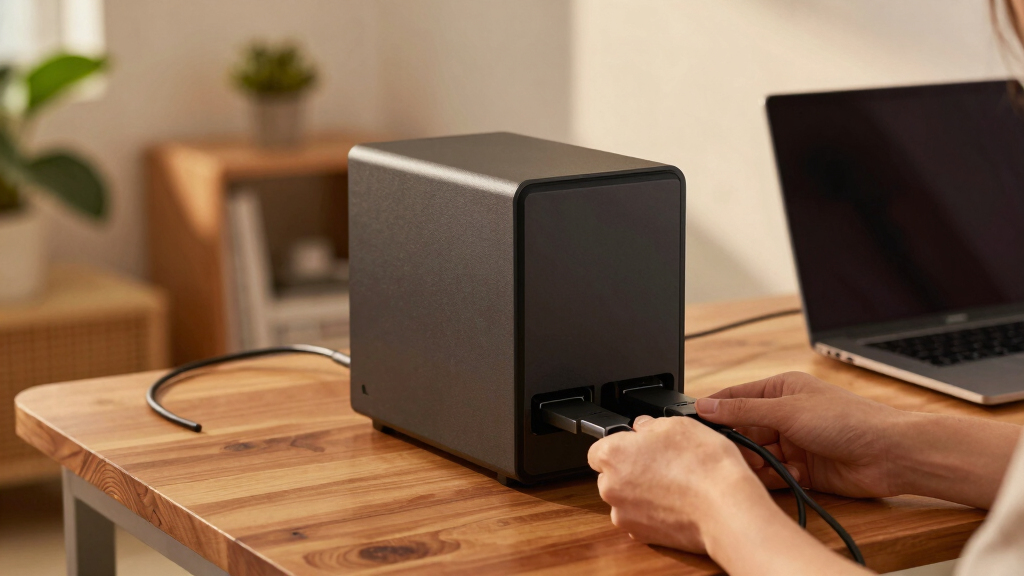

Choosing a home server NAS in 2026 requires balancing performance, ease of use, expandability, and budget. The Synology DiskStation DS223j stands out as the best overall pick for its user-friendly interface and reliable performance. For those seeking affordability, the BUFFALO LinkStation 210 offers a solid home cloud experience with included drives, while the UGREEN NAS DXP4800 Plus caters to enthusiasts needing high performance and expandability. Buyers face tradeoffs between raw power, ease of setup, and cost—understanding these differences helps make the right choice. Continue reading for a detailed breakdown of these options and more to find the perfect home server NAS for your needs.
Key Takeaways
- High-performance models like the UGREEN NAS DXP4800 Plus and LincStation N2 are best suited for power users and content creators.
- Diskless options offer flexibility but require compatible drives and more setup effort, making them ideal for experienced users.
- Entry-level NAS like the QNAP TS-133 and BUFFALO LinkStation provide simple, budget-friendly solutions for basic home storage.
- Expandability varies widely; multi-bay NAS give more room for future storage needs, while single-bay options are more compact and easier to manage.
- Network speed options like 2.5GbE and 10GbE significantly impact data transfer times, especially with large media files or backups.


More Details on Our Top Picks
Synology 2-Bay DiskStation DS225+ (Diskless)
The Synology DS225+ stands out for its robust performance, supporting up to 282/217 MB/s sequential read/write speeds, which surpass many competitors like the UGREEN DH4300 Plus in raw throughput. Its comprehensive DSM software offers seamless file management, data protection, and surveillance solutions, making it ideal for users who want a reliable, multi-purpose home server. Compared to the DS124, it provides double the bays, enabling greater storage flexibility without significantly increasing complexity. The built-in features support multi-platform access and smart surveillance, making this a versatile centerpiece for home data needs. The main tradeoff is its higher price and slightly larger physical footprint, which might be a concern for very tight spaces. Overall, this model makes the most sense for those seeking a durable, feature-rich NAS that’s easy to manage and expand over time.
Pros:- Supports high sequential read/write speeds for fast data transfers
- Includes a 3-year limited hardware warranty for peace of mind
- Offers comprehensive DSM ecosystem with backup, security, and surveillance tools
- Supports drives up to 40 TB for substantial storage capacity
Cons:- Higher cost compared to 1- or 2-bay alternatives like the DS124
- Slightly larger and more complex to set up for absolute beginners
Best for: Home users who want a dependable, multi-function NAS with room for expansion and integrated surveillance.
Not ideal for: Budget-conscious beginners or those needing a simple, single-drive solution for basic file sharing.
- Supported Drive Bays:2
- Sequential Read Speed:282 MB/s
- Sequential Write Speed:217 MB/s
- Max Storage Capacity:40 TB
- Warranty:3 years
- Supported OS Compatibility:Multi-platform
Bottom line: This NAS is ideal for users wanting a reliable, versatile home server with room to grow and comprehensive software support.
UGREEN NAS DH4300 Plus 4-Bay Desktop NASync, Support Capacity 128TB (Diskless)
The UGREEN DH4300 Plus offers an impressive combination of capacity—supporting up to 128TB—and user-friendly features, making it perfect for families or small offices transitioning from cloud or external drives. Its intuitive app and quick setup process outperform more complex systems like the Synology DS225+ for those prioritizing ease of use. Compared to the Buffalo LinkStation, it provides a more modern interface and supports real-time AI-powered photo management, adding a smart layer to personal storage. While it excels in capacity and simplicity, it doesn’t support virtual machines or advanced enterprise features, which might limit power users. Its sturdy plastic enclosure and lack of built-in surveillance make it more suitable for straightforward storage needs. Overall, this NAS makes the most sense for users seeking large, accessible storage with minimal fuss.
Pros:- Supports up to 128TB capacity for extensive data storage
- Beginner-friendly setup and remote access features
- Includes AI photo album with recognition and duplicate removal
- Supports multiple OS and devices with seamless file sharing
Cons:- No support for virtual machines or enterprise-grade services
- Wired Ethernet only; no Wi-Fi support
Best for: Home users and small offices needing large, accessible storage with simple setup and management.
Not ideal for: Power users or IT professionals requiring virtual machine support or advanced network features.
- Maximum Storage Capacity:128TB
- RAM:8GB LPDDR4X
- Network Speed:2.5GbE
- Video Output:4K HDMI
- Form Factor:4-bay
- Support for Virtualization:No
Bottom line: This NAS is ideal for those looking for large, easy-to-manage storage with smart features for family or personal use.
BUFFALO LinkStation SoHo 220 2-Bay Personal Cloud Office NAS 12TB (2x6TB) with Hard Drives Included
The Buffalo LinkStation SoHo 220 provides a straightforward, cost-effective solution with two pre-installed 6TB drives, making it ideal for small offices or home users who want an all-in-one storage device. Its simple setup and native support for Windows and macOS make it accessible for non-technical users. Compared to the Synology DS124, it is more budget-oriented, with less advanced software but adequate for basic file sharing and backups. The 12TB capacity, combined with RAID 1 for redundancy, offers reliable data protection in a compact package. However, it lacks advanced features like surveillance or virtualization support, and its performance is more modest, which could be a bottleneck for intensive tasks. Overall, this NAS suits users seeking a plug-and-play, affordable storage device with included drives.
Pros:- Includes two 6TB drives for immediate use
- RAID 1 configured for data redundancy
- Plug-and-play setup with support for Windows and macOS
- Secure data transfer with SSL encryption
Cons:- Limited to basic file sharing and backups
- No support for virtual machines or advanced surveillance
Best for: Small office or home users needing a ready-to-use NAS with drives included and simple management.
Not ideal for: Power users or those needing advanced features like surveillance or virtual machines.
- Supported Drive Bays:2
- Pre-installed Drives:2 x 6TB
- Maximum Capacity:12TB
- Connectivity:Gigabit Ethernet
- Supported OS:Windows, macOS
- Support for RAID:RAID 1
Bottom line: This NAS is perfect for small setups requiring easy deployment and included drives without complex features.
Synology 1-Bay DiskStation DS124 (Diskless)
The Synology DS124 offers a compact, space-efficient solution for those needing a single-bay NAS with the ability to handle personal files, backups, and surveillance. Its simple design makes it ideal for small spaces and users new to NAS systems. The DSM software provides reliable data management, sharing, and backup options, similar to the DS225+ but on a smaller scale. While it lacks the redundancy of multi-bay models, it supports a variety of backup destinations and can integrate with surveillance cameras for home security. The main tradeoff is its limited capacity—suitable for light to moderate use—and the absence of RAID configurations. This makes it best suited for individual users or small households with straightforward storage needs.
Pros:- Highly compact and space-efficient design
- Includes comprehensive DSM software for data management
- Supports surveillance with built-in camera support
- Two-year warranty included
Cons:- No RAID support; limited to single drive
- Lower maximum storage capacity without expansion
Best for: Single-user or small household users needing a basic, space-saving NAS for backups and surveillance.
Not ideal for: Enthusiasts or users with expanding storage needs or requiring RAID redundancy.
- Supported Drive Bays:1
- Warranty:2 years
- Supported OS:Multi-platform
- Video Surveillance Support:Yes
- Size:Very compact
- Max Storage:Depends on drive
Bottom line: This NAS is best for individuals or small households with minimal storage needs and space constraints.
Yxk Zero1 Pro 4-Bay Desktop NAS, Intel N100 Quad-Core CPU, Enthusiasts NAS Storage for Different OS, 8GB RAM, Remote Access, 2 * 2.5GbE, 4K HDMI, Network Attached Storage (Diskless)
The Yxk Zero1 Pro offers a compelling combination of power, expandability, and versatility, with a quad-core Intel N100 CPU, 8GB RAM, and dual 2.5GbE ports supporting fast network transfers. Its hardware is geared toward enthusiasts and power users who want more control over their storage environment, including support for multiple OS and remote access. Its PCIe slots and HDMI output provide options for expansion and media playback, setting it apart from more basic models like the Buffalo LinkStation. The main tradeoff is that it requires users to purchase drives separately, and its advanced features might be overkill for casual users. The compact, quiet design and real-time health monitoring make this an ideal platform for those who want a customizable, high-performance NAS that can handle demanding tasks and future upgrades.
Pros:- Powerful quad-core Intel N100 processor for demanding tasks
- Supports multiple OS and remote access from any device
- Dual 2.5GbE ports for high-speed networking
- Expandable with PCIe slots and HDMI output for media
Cons:- Requires separate purchase of drives; no included storage
- Complex setup may be intimidating for novices
Best for: Tech-savvy users and enthusiasts seeking a high-performance, customizable NAS with multimedia capabilities.
Not ideal for: Beginners or users looking for a simple, all-in-one storage solution with minimal setup.
- Processor:Intel N100 Quad-Core
- RAM:8GB DDR4
- Network Speed:2.5GbE x 2
- Video Output:4K HDMI
- Bay Support:4
- Supports Virtualization:No
Bottom line: This NAS is tailored for enthusiasts who need a high-performance, flexible, and upgradeable storage platform.
Beelink ME Mini PC, Desktop NAS Intel N95 12G LPDDR5, 1TB M.2 PCIe 3.0×1 SSD, 6 x M.2 SSD Slots, Dual 2.5G LAN/File Server/NAS Storage/Network Attached Storage/Private Cloud/Network Storage
This mini PC stands out for its extensive storage potential with 6 M.2 NVMe slots supporting up to 24TB total, making it ideal for those who want maximum flexibility and capacity for personal media or data backups. Compared with the QNAP TS-264-8G-US, which offers a more streamlined setup, the Beelink provides more drive slots but requires more manual installation and setup. Its Intel N95 processor, combined with 12G RAM, ensures smooth multitasking for media streaming and basic server tasks, though it’s not designed for heavy-duty enterprise workloads. The dual 2.5G LAN supports fast network transfers, and the system’s quiet, efficient cooling makes it suitable for continuous operation. However, the DIY nature means users need to install their own drives and configure settings, which could be daunting for beginners. It’s perfect for tech-savvy users wanting a high-capacity, customizable NAS with room to expand, but not ideal for those seeking plug-and-play simplicity.
Pros:- Supports up to 24TB total storage with 6 M.2 NVMe slots
- Powerful Intel N95 CPU with 12G RAM for multitasking
- Dual 2.5G LAN for fast network performance
- Quiet, efficient cooling system
Cons:- Requires manual installation and system configuration
- No included drives; user must purchase and install drives separately
- Lacks pre-installed software or user-friendly interface
Best for: Advanced home users or small tech enthusiasts who want a highly customizable, expandable storage system.
Not ideal for: Beginners or users looking for an out-of-the-box, maintenance-free NAS solution.
- Processor:Intel N95
- RAM:12G LPDDR5
- Storage Slots:6 x M.2 NVMe
- Network:Dual 2.5G LAN
- SSD Included:1TB
- Cooling:Vertical airflow, silent fan
Bottom line: This model is best suited for users confident in DIY setup who need large, flexible storage capacity.
QNAP TS-264-8G-US 2 Bay High-Performance Desktop NAS with Intel Celeron Quad-core Processor, M.2 PCIe Slots and Dual 2.5GbE (2.5G/1G/100M) Network Connectivity (Diskless)
The QNAP TS-264-8G-US offers a solid balance of performance and user-friendliness, featuring dual M.2 PCIe slots for cache or storage expansion, and dual 2.5GbE ports to facilitate fast data transfers. Unlike the Beelink, which emphasizes maximum capacity and DIY flexibility, this NAS aims at straightforward setup and reliable operation for small households or home offices. Its Intel Celeron quad-core processor and 8GB DDR4 RAM deliver enough power for media streaming, backups, and light server tasks without the complexity of manual drive installation. The system’s QTS software interface makes managing permissions and backups accessible even to less technical users. However, with only two drive bays, it’s less expandable than the Beelink or UGREEN DXP4800 Plus, and it lacks the high-capacity options of larger NAS solutions. It’s best for users seeking an easy-to-manage, high-performance NAS with room for caching and moderate storage needs, but not for those with extensive data requirements.
Pros:- Dual M.2 PCIe slots for cache or SSD storage pools
- Dual 2.5GbE ports for faster network transfer
- User-friendly QTS interface with easy management
- Compact 2-bay design suitable for desktops
Cons:- Limited to 2 drive bays, restricting maximum storage
- Less expandable than systems with more bays
- No included drives; user must add their own HDDs or SSDs
Best for: Small households or remote workers needing reliable, easy-to-use storage with moderate expansion options.
Not ideal for: Power users requiring large capacity or extensive drive customization.
- Processor:Intel Celeron quad-core
- RAM:8GB DDR4
- Drive Bays:2
- Network:Dual 2.5GbE
- Cache Slots:2 x M.2 PCIe
- Diskless:Yes
Bottom line: This NAS makes the most sense for users wanting reliable performance with minimal setup effort and moderate storage capacity.
UGREEN NAS DXP2800 2-Bay Desktop All-Round Ideal for Content Creators and Enthusiasts, Intel N100 Quad-core CPU, 8GB DDR5 RAM, 2.5GbE, 2X M.2 NVMe Slots, 4K HDMI, Network Attached Storage (Diskless)
The UGREEN DXP2800 combines high-end features with user-friendly design, offering 8GB DDR5 RAM, dual M.2 NVMe slots, and a 2.5GbE port for rapid data transfer. Compared to the TS-264, which emphasizes simplicity, the DXP2800 targets content creators and users who need more advanced multimedia capabilities, including 4K HDMI output for direct connection to displays. Its Intel N100 quad-core CPU ensures smooth multitasking for streaming, editing, and backups, though it’s still a diskless system requiring user-installed drives. The device’s compatibility with third-party drives and robust hardware makes it suitable for users seeking a versatile, high-performance NAS with room for media and data-intensive workflows. The main tradeoff is the lack of pre-installed drives and a more technical setup process, making it less plug-and-play for absolute beginners. It’s ideal for tech-savvy content creators wanting a powerful, expandable NAS, but less so for casual users.
Pros:- Powerful Intel N100 quad-core CPU with 8GB DDR5 RAM
- Dual M.2 NVMe slots for cache or SSD storage
- 4K HDMI output for direct multimedia use
- Supports high-speed 2.5GbE network
Cons:- Diskless, requiring user to install drives
- More complex setup than beginner-friendly NAS systems
- No included drives, additional purchase needed
Best for: Content creators, multimedia enthusiasts, and power users who want a versatile, high-performance home NAS.
Not ideal for: Beginners or those seeking a simple, pre-configured plug-and-play NAS solution.
- Processor:Intel N100 quad-core
- RAM:8GB DDR5
- Drive Bays:2
- Network:2.5GbE
- Video Output:4K HDMI
- Diskless:Yes
Bottom line: This model is perfect for content creators and tech-savvy users who need a high-performance, multimedia-capable NAS with expansion options.
UGREEN NAS DXP4800 Plus 4-Bay Desktop NAS, Intel Pentium Gold 8505 5-Core CPU, 8GB DDR5 RAM, Built-in 128G SSD, 1 * 10GbE, 1 * 2.5GbE, 2 * M.2 NVMe Slots, 4K HDMI, Network Attached Storage (Diskless)
The UGREEN DXP4800 Plus offers high-end features in a 4-bay form factor, with a 10GbE port for ultra-fast transfers, and a robust Intel Pentium Gold 8505 processor paired with 8GB DDR5 RAM. It surpasses the TS-133 in capacity and performance, making it suitable for small offices or demanding home environments that require fast backups, virtual machine support, or intensive multimedia processing. The built-in 128GB SSD acts as a quick cache or system drive, and the two M.2 NVMe slots allow additional SSD expansion. Its 4K HDMI output and broad compatibility support multimedia, remote work, and data security needs. However, as a diskless system, users must purchase drives separately, and the setup process is more technical than entry-level NAS options. It’s ideal for power users needing enterprise-like performance in a home or small business setting, but unsuitable for users seeking a simple, ready-to-use device.
Pros:- 10GbE port for blazing-fast data transfer
- Powerful Pentium Gold 8505 CPU with 8GB DDR5 RAM
- Built-in 128G SSD for quick boot and cache
- Supports virtual machines and multimedia output
Cons:- No pre-installed drives; user must install own HDDs/SSDs
- More complex setup process
- Higher price point for advanced features
Best for: Small offices or advanced home users who need high-speed, multi-use storage with multimedia capabilities.
Not ideal for: Less technical users or those with minimal storage needs seeking plug-and-play convenience.
- Processor:Intel Pentium Gold 8505
- RAM:8GB DDR5
- Drive Bays:4
- Network:10GbE
- SSD:128GB built-in
- Video Output:4K HDMI
Bottom line: This NAS is best for users who need high-speed data handling, multimedia support, and expandability in a small business or demanding home environment.
QNAP TS-133-US 1 Bay Affordable Desktop NAS with ARM Cortex-A55 Quad-core Processor and 2 GB DDR4 RAM (Diskless)
The QNAP TS-133-US offers a compact, budget-friendly solution with an ARM Cortex-A55 quad-core processor and 2GB DDR4 RAM, making it suitable for basic file storage and media streaming. Unlike higher-end models like the TS-264 or UGREEN DXP4800, its single bay limits maximum storage capacity, but its simplicity and affordability make it appealing for home users with light backup or media needs. Its small footprint allows it to blend seamlessly into home or office spaces, and its quiet operation ensures minimal disturbance. The system supports essential backup functions and multimedia streaming, but it lacks advanced features like M.2 slots or high-speed ports found in more capable systems. This NAS is perfect for users who want a straightforward, low-cost device for light storage, but it doesn’t suit those with larger data or performance demands.
Pros:- Compact and budget-friendly design
- Quad-core ARM Cortex-A55 processor for basic multitasking
- Includes 2GB DDR4 RAM
- Lightweight and quiet operation
Cons:- Limited to 1 drive bay, restricting maximum capacity
- Basic features without M.2 slots or high-speed ports
- Diskless, requiring user to install drives
Best for: Home users needing simple, affordable storage for basic backups and media streaming.
Not ideal for: Power users or those with high storage or performance requirements.
- Processor:ARM Cortex-A55 quad-core
- RAM:2GB DDR4
- Drive Bays:1
- Network:Gigabit Ethernet
- Diskless:Yes
- Use Case:Basic file storage and streaming
Bottom line: Ideal for first-time NAS buyers or casual users prioritizing affordability and simplicity over expandability.
BUFFALO LinkStation 210 2TB 1-Bay NAS Network Attached Storage with HDD Hard Drives Included NAS Storage that Works as Home Cloud or Network Storage Device for Home
The BUFFALO LinkStation 210 stands out for providing essential network storage at an attractive price point, especially when compared to more feature-rich options like the Synology DS223j. It offers RAID for data redundancy and is easy to set up via a simple connection to your router, making it suitable for users who want a straightforward home cloud without extra complexity. However, it sacrifices advanced features like multimedia transcoding or virtualization support, which are available in higher-end models. Its 2TB capacity with HDD included makes it ideal for small households with limited media needs, but not for power users requiring larger or faster storage options. This pick makes the most sense for budget-conscious families seeking reliable central storage without fuss.
Pros:- Affordable price with included HDD
- Simple setup with router connection
- Supports RAID for data redundancy
- US-based 24/7 support and 2-year warranty
Cons:- Limited capacity and speed compared to modern NAS options
- No multimedia transcoding or virtualization features
- Only 1 drive bay limits expandability
Best for: Small families or individuals who need basic centralized storage and backup without paying for extras.
Not ideal for: Power users or creative professionals requiring high-speed access, large capacities, or multimedia features.
- Capacity:2TB
- Drive Bays:1
- Included Drives:HDD
- RAID Support:Yes
- Supported OS:Windows, macOS
- Size:5.9 x 8.2 x 1.5 inches
- Weight:800 grams
- Enclosure Material:Japan-made metal
Bottom line: A solid choice for entry-level users who want basic, reliable network storage for home use.
LincStation N2 6-Bay NAS Storage – Intel N100 4-Core Processor, 10GbE, 16GB LPDDR5 RAM, 128G eMMC, 2×2.5 SATA HDD + 4xM.2 NVMe Slots, 2-Year Warranty, 4K HDMI | Network Attached Storage (Diskless)
The LincStation N2 makes a compelling case for enthusiasts and small offices demanding robust performance, combining a fast Intel Alder Lake-N processor with 16GB of LPDDR5 RAM—far surpassing the capabilities of the BUFFALO LinkStation 210. Its 10GbE port supports lightning-fast file transfers, ideal for multimedia editing or virtualization tasks, especially when paired with the 4 NVMe slots for maximum SSD performance. Its flexibility with drive configurations, including diskless setup using Unraid OS, gives users control over capacity and speed. Yet, this power comes with increased complexity and a higher price, making it less suited for casual users or those new to NAS. It excels for tech-savvy users who want a versatile, high-speed home server that can handle demanding workloads.
Pros:- Fast 10GbE connectivity for rapid transfers
- Powerful Intel N100 quad-core CPU
- Large 16GB LPDDR5 RAM for multitasking
- Flexible drive options with SATA + NVMe slots
Cons:- Higher complexity and setup effort
- Premium price point
- Requires technical knowledge for optimal use
Best for: Tech enthusiasts, content creators, or small teams needing high-speed data handling, virtualization, and media serving.
Not ideal for: Home users seeking simple, plug-and-play storage without the need for advanced configurations or high costs.
- Processor:Intel N100 4-core
- Memory:16GB LPDDR5
- Connectivity:10GbE
- Drive Bays:6
- Included Storage:Diskless
- Size:6.5 x 3.94 x 8.9 inches
- Weight:0.87 kg
- Enclosure Material:Plastic, tempered glass
Bottom line: Ideal for experienced users who want a high-performance, versatile NAS capable of virtualization and media workflows.
Synology 2-Bay DiskStation DS223j (Diskless)
The Synology DS223j is a standout for users prioritizing data privacy and easy access, thanks to its well-regarded DiskStation Manager (DSM) OS, which simplifies setup and management. Compared with the BUFFALO LinkStation 210, it offers a more polished software experience, including robust backup options, multi-platform access, and optional surveillance tools. Its two bays support RAID for redundancy, but its modest hardware limits high-speed tasks like 4K transcoding or enterprise virtualization—making it ideal for home users and small offices focused on secure file sharing and backup. Its energy efficiency and quiet operation are added benefits, though the limited bays mean less room for future expansion. This model suits those who want a dependable, private cloud with minimal fuss.
Pros:- User-friendly DSM interface
- Secure multi-platform access
- Supports RAID for data redundancy
- Two-year warranty and high customer satisfaction
Cons:- Limited storage capacity with only 2 bays
- No 4K transcoding or virtualization support
- Less expandable compared to larger NAS systems
Best for: Home users or small teams seeking secure, private cloud storage and reliable data backup.
Not ideal for: Power users or media professionals needing large capacities or high-speed multimedia processing.
- Capacity:Diskless
- Drive Bays:2
- Supported OS:Windows, macOS, Linux
- Size:6.5 x 3.94 x 8.9 inches
- Weight:0.87 kg
- Enclosure Material:Plastic, Tempered Glass
- Warranty:2 years
- Special Features:Private cloud, multi-platform access
Bottom line: A dependable, privacy-focused NAS ideal for basic home cloud needs and simple backups.
How We Picked
The products in this roundup were selected based on a combination of performance, ease of use, expandability, build quality, and value. We prioritized models that cater to different user needs—from beginners to enthusiasts—while considering factors like CPU power, RAM, network connectivity, and storage flexibility. Our ranking reflects how well each NAS balances these features with price and user experience, aiming to offer options for various budgets and technical skills. Products with better expandability, faster network options, and reliable software support scored higher, ensuring that every pick provides meaningful benefits relative to its price and target audience.Factors to Consider When Choosing Home Server Nas
Choosing the right home server NAS involves understanding your current and future storage needs, technical comfort level, and budget. Beyond just features, it’s important to consider broader factors like expandability, network capabilities, and software ecosystem. Making common mistakes—such as buying a NAS that’s underpowered or overly complex—can lead to frustration and wasted money. A thoughtful approach helps ensure your investment supports your media, backup, and remote access needs smoothly and reliably.Performance and Processor Power
The processor and RAM determine how well your NAS handles multiple tasks, including media streaming, backups, and remote access. More powerful CPUs like Intel N100 or Pentium Gold provide smoother multitasking and better support for demanding applications. However, higher performance often comes with increased cost and power consumption. For basic file sharing and backups, a lower-tier CPU may suffice, but for media servers or virtualization, investing in a more capable processor makes a noticeable difference.
Number of Drive Bays and Expandability
The number of drive bays influences your potential storage capacity and future scalability. Two-bay NAS are compact and easier to manage but limit expandability unless you replace drives. Multi-bay models like four- or six-bay units allow for more storage and RAID configurations, enhancing redundancy and performance. When choosing, consider your current storage needs and potential growth—buying a NAS with more bays than you need can be a smart move for future-proofing, but it might also mean higher upfront costs and complexity.
Network Connectivity and Speed
Fast network interfaces like 2.5GbE or 10GbE drastically reduce transfer times, especially with large media files or frequent backups. Many budget models still use 1GbE, which can become a bottleneck in busy environments. If your home network supports faster Ethernet, choosing a NAS with these capabilities makes sense. Also, consider the number of Ethernet ports—dual ports enable link aggregation or network segmentation, improving overall throughput and reliability.
Ease of Use and Software Ecosystem
The usability of the NAS interface and the quality of its software ecosystem determine how smoothly you can set up and manage your device. Synology’s DiskStation Manager is widely praised for its intuitive design and extensive app support, making it ideal for beginners and intermediate users. Conversely, some brands offer more technical interfaces that appeal to experienced users but can be daunting for newcomers. A well-supported app ecosystem ensures your NAS remains versatile for media, backups, and remote access.
Cost and Value
Balancing features with budget is essential. Diskless models tend to be cheaper initially but require purchasing compatible drives separately, which can add up. Pre-configured units with drives included offer convenience but often come at a premium. Consider long-term value—models with better expandability, faster networking, and stronger software support can save money and headaches over time. Avoiding overspending on features you don’t need and opting for scalable options can make your NAS a worthwhile investment.
Frequently Asked Questions
Do I need a diskless NAS or one with drives included?
Choosing between a diskless NAS and one with drives included depends on your comfort level and future plans. Diskless models are usually more affordable upfront, but you’ll need to buy compatible drives separately, which offers flexibility in choosing capacity and brand. Pre-loaded models with drives included are convenient and ready to use immediately, ideal for users who want a straightforward setup. Consider whether you prefer customizing your storage or want a plug-and-play solution, and factor in the total cost of drives when making your decision.
Is a 2-bay NAS enough for my home media needs?
A 2-bay NAS can be sufficient for basic media storage and streaming if your needs are modest, such as a few family members accessing a limited media library. It allows for RAID configurations like mirror (RAID 1), providing redundancy. However, if your media library is large or you plan to grow it, or if you want to run multiple media streams simultaneously, a model with more bays or higher performance may be better. Keep in mind that with a 2-bay unit, expanding storage later often means replacing drives or adding external storage, which can complicate management.
How important is network speed for my home NAS?
Network speed significantly impacts how quickly you can transfer large files, stream high-definition media, or perform backups. While 1GbE is standard, it can become a bottleneck with large media libraries or multiple concurrent users. Upgrading to 2.5GbE or 10GbE is worthwhile if your home network supports it and you need faster data transfer. This is especially relevant for content creators or households with multiple users accessing the NAS simultaneously, as it reduces wait times and improves overall experience.
What should I prioritize: expandability or ease of use?
The decision depends on your future plans. If you expect to need more storage over time or want flexibility in upgrading drives, prioritizing expandability—such as choosing a multi-bay model—makes sense. However, if you’re new to NAS and prefer something straightforward to set up and manage, a simple, user-friendly model like those from Synology or QNAP may be better. Balancing these factors involves considering your current needs and how much complexity you’re comfortable managing down the line.
Are higher-priced NAS devices worth the investment?
Higher-priced NAS units often offer better processors, more RAM, faster network interfaces, and greater expandability, which can improve performance and future-proofing. If you plan to use intensive applications like media editing, virtualization, or multiple simultaneous streams, investing more can be justified. For basic file storage and backups, a budget model may suffice. Always evaluate whether the additional features align with your actual needs to avoid paying for capabilities you won’t use.
Conclusion
For most home users, the Synology DiskStation DS223j emerges as the best overall choice, thanks to its balance of ease of use, performance, and expandability. The BUFFALO LinkStation 210 makes sense for budget-conscious households seeking simple storage, while the UGREEN NAS DXP4800 Plus suits tech enthusiasts requiring high performance and future scalability. Beginners should lean toward models with intuitive interfaces like Synology or QNAP, whereas power users with demanding needs may find value in more advanced, expandable options like the LincStation N2. Your ideal pick depends on your current needs and how much you plan to grow your storage environment.