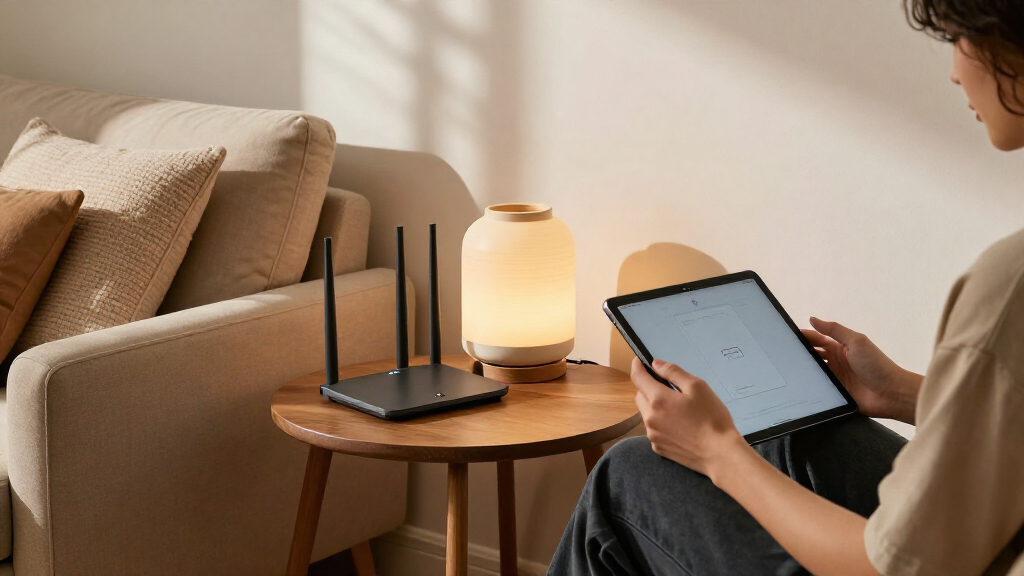

The best Wi-Fi router for most homes is the TP-Link Archer BE550, a tri-band Wi-Fi 7 option that balances newer wireless features with flexibility for busy networks. For wider coverage across multiple rooms, the TP-Link Deco XE75 three-pack offers a mesh approach, while the GL.iNet Slate AX is the standout for travel and VPN use. The main choice is whether you need one fast central router or multiple access points to cover a larger home, and whether Wi-Fi 7 is worth prioritizing over a capable Wi-Fi 6 or 6E model. Extra bands, mesh nodes, and advanced settings can help, but may add cost or setup complexity without improving every household’s connection. Read on for the full breakdown of all 14 options and how their tradeoffs compare.

Get the latest gadgets delivered free with Prime
- Fast, free delivery on millions of items
- Prime Video, Amazon Music and more included
- Member-only deals all year
Complete the kit



Key Takeaways
- The Archer BE550 stands out as the best overall fit in this group for buyers seeking a tri-band Wi-Fi 7 router without moving to a mesh system or a more specialized premium model.
- Coverage is a separate problem from router speed. The Deco XE75 and Orbi 370 three-packs are designed to distribute Wi-Fi around a home, while a single router is a simpler choice for a more compact layout.
- Wi-Fi 7 appears across a wide range of roles. The Archer BE230 and eero 7 suit buyers prioritizing a straightforward newer-generation option; the RS700S and amazon.com/dp/B085VM9ZDD?tag=wiredguidecom-20&ascsubtag=dc-1188006″ target=”_blank” rel=”nofollow sponsored noopener”>amazon.com/dp/B0DW1TXQC5?tag=wiredguidecom-20&ascsubtag=dc-1188006″ target=”_blank” rel=”nofollow sponsored noopener”>NETGEAR tri-band model target buyers seeking more advanced hardware.
- Wi-Fi 6 and 6E still have distinct reasons to buy. The Archer AX3000 and R6700AX suit less demanding networks, while the Archer AXE75 and Deco XE75 add 6 GHz support for compatible devices.
- The Slate AX is the only travel-focused pick. Its pocketable format and VPN features answer a different need from the home routers, so it should not be chosen as a substitute for whole-home mesh coverage.
| NETGEAR Nighthawk R6700AX WiFi 6 Router, 1.8 Gbps |  | Best Straightforward Wi-Fi 6 Router | Wi-Fi generation: Wi-Fi 6 (802.11ax) | Bands: Dual-band, 2.4 GHz and 5 GHz | Maximum speed: Up to 1.8 Gbps | VIEW LATEST PRICE | See Our Full Breakdown |
| TP-Link Archer AX3000 Dual-Band Wi-Fi 6 Gigabit Router |  | Best for Feature-Rich Wi-Fi 6 | Wi-Fi generation: Wi-Fi 6 | Bands: Dual-band, 2.4 GHz and 5 GHz | Combined data rate: Up to 2,976 Mbps | VIEW LATEST PRICE | See Our Full Breakdown |
| Amazon eero 6 Wi-Fi 6 Mesh Router, 1-Pack |  | Best for Simple App-Guided Setup | Wi-Fi standard: Wi-Fi 6 (802.11ax), dual-band 2:2 | Coverage: Up to 1,500 sq. ft. | Maximum supported internet speed: Up to 900 Mbps | VIEW LATEST PRICE | See Our Full Breakdown |
| Amazon eero 7 Dual-Band Wi-Fi 7 Mesh Router, 1-Pack |  | Best Compact Wi-Fi 7 Gateway | Wi-Fi standard: Wi-Fi 7 (IEEE 802.11a/b/g/n/ac/ax/be) | Bands: Dual-band, 2.4 GHz and 5 GHz | Coverage: Up to 2,000 sq. ft. | VIEW LATEST PRICE | See Our Full Breakdown |
| GL.iNet Slate AX Pocket-Sized Wi-Fi 6 Travel Router with VPN |  | Best Travel Router with VPN | Model: GL-AXT1800 | Wi-Fi generation: Wi-Fi 6 (802.11ax) | Bands: Dual-band, 2.4 GHz and 5 GHz | VIEW LATEST PRICE | See Our Full Breakdown |
| NETGEAR Nighthawk RS90 WiFi 7 Dual-Band Router |  | Best Straightforward Wi-Fi 7 Upgrade | Wi-Fi generation: Wi-Fi 7 | Frequency bands: Dual-band: 2.4 GHz and 5 GHz | Maximum data rate: 3.6 Gbps | VIEW LATEST PRICE | See Our Full Breakdown |
| NETGEAR Nighthawk RS700S Tri-Band WiFi 7 Router |  | Best Premium Standalone Router | Wi-Fi generation: Wi-Fi 7 | Frequency bands: Tri-band: 2.4 GHz, 5 GHz, and 6 GHz | Maximum data rate: 19 Gbps | VIEW LATEST PRICE | See Our Full Breakdown |
| TP-Link Archer AXE75 AXE5400 Tri-Band WiFi 6E Router |  | Best Wi-Fi 6E Feature Set | Wi-Fi generation: Wi-Fi 6E | Frequency bands: Tri-band: 6 GHz, 5 GHz, and 2.4 GHz | Maximum data rate: 5,400 Mbps | VIEW LATEST PRICE | See Our Full Breakdown |
| TP-Link Deco XE75 AXE5400 Tri-Band Wi-Fi 6E Mesh System, 3-Pack |  | Best for Large-Home Coverage | System type: Tri-band mesh Wi-Fi 6E | Package: 3-pack | Maximum combined data rate: 5,400 Mbps | VIEW LATEST PRICE | See Our Full Breakdown |
| TP-Link Archer BE400 BE6500 Dual-Band Wi-Fi 7 Router |  | Best Value Wi-Fi 7 for Busy Homes | Wi-Fi standard: Wi-Fi 7 | Frequency bands: Dual-band: 2.4 GHz and 5 GHz | Maximum combined bandwidth: 6.5 Gbps | VIEW LATEST PRICE | See Our Full Breakdown |
| NETGEAR Nighthawk Tri-Band WiFi 7 Router, 9.3 Gbps, Up to 2,500 sq. ft. |  | Best for Multi-Gig Home Networks | WiFi standard: WiFi 7 | Bands: Tri-band: 2.4 GHz, 5 GHz, and 6 GHz | Maximum speed: Up to 9.3 Gbps | VIEW LATEST PRICE | See Our Full Breakdown |
| NETGEAR Orbi 370 Series WiFi 7 Mesh System, 3-Pack |  | Best for Large-Home Coverage | WiFi generation: WiFi 7 (802.11be) | Bands: Dual-band | Maximum speed: Up to 5 Gbps | VIEW LATEST PRICE | See Our Full Breakdown |
| TP-Link Archer BE230 Dual-Band Wi-Fi 7 Router |  | Best Value WiFi 7 Upgrade | WiFi standard: WiFi 7 (802.11be) | Bands: Dual-band: 2.4 GHz and 5 GHz; no 6 GHz | Maximum data rate: Up to 3.6 Gbps combined | VIEW LATEST PRICE | See Our Full Breakdown |
| TP-Link Archer BE550 Tri-Band Wi-Fi 7 Router |  | Best for Multi-Gig Wired Connections | WiFi generation: WiFi 7 | Bands: Tri-band: 2.4 GHz, 5 GHz, and 6 GHz | Maximum data rate: Up to 9.3 Gbps | VIEW LATEST PRICE | See Our Full Breakdown |
| Wi-Fi router | Bands | Device capacity |
|---|---|---|
| NETGEAR Nighthawk R6700AX WiFi | Dual-band, 2.4 GHz and 5 GHz | — |
| TP-Link Archer AX3000 Dual-Ban | Dual-band, 2.4 GHz and 5 GHz | — |
| Amazon eero 6 Wi-Fi 6 Mesh Rou | — | — |
| Amazon eero 7 Dual-Band Wi-Fi | Dual-band, 2.4 GHz and 5 GHz | 120+ devices |
| GL.iNet Slate AX Pocket-Sized | Dual-band, 2.4 GHz and 5 GHz | — |
| NETGEAR Nighthawk RS90 WiFi 7 | — | Up to 50 devices |
| NETGEAR Nighthawk RS700S Tri-B | — | Up to 200 devices |
| TP-Link Archer AXE75 AXE5400 T | — | — |
| TP-Link Deco XE75 AXE5400 Tri- | — | Up to 200 devices |
| TP-Link Archer BE400 BE6500 Du | — | Up to 90 devices |
| NETGEAR Nighthawk Tri-Band WiF | Tri-band: 2.4 GHz, 5 GHz, and 6 GHz | Up to 100 devices |
| NETGEAR Orbi 370 Series WiFi 7 | Dual-band | Up to 70 devices |
| TP-Link Archer BE230 Dual-Band | Dual-band: 2.4 GHz and 5 GHz; no 6 GHz | — |
| TP-Link Archer BE550 Tri-Band | Tri-band: 2.4 GHz, 5 GHz, and 6 GHz | — |
More Details on Our Top Picks
NETGEAR Nighthawk R6700AX WiFi 6 Router, 1.8 Gbps
The Nighthawk R6700AX suits households that want a conventional Wi-Fi 6 router without moving to a mesh system or a newer Wi-Fi generation. Its stated coverage of up to 1,500 sq. ft. and capacity for 20 devices fit a modest home with everyday browsing, streaming, and a few wired connections. Four Gigabit LAN ports give it an advantage over the two-port Amazon eero 6 when a desktop, console, or other equipment needs a cable. The tradeoff is limited headroom: the R6700AX is a less capable fit for device-heavy homes than the eero 6, and its coverage can shrink around walls and interference. It also needs a separate modem or gateway, and NETGEAR Armor moves to a subscription after its trial.
Pros:- Wi-Fi 6 with speeds up to 1.8 Gbps
- Four Gigabit LAN ports for wired devices
- WPA3, guest networking, and automatic firmware updates
- Setup through the Nighthawk app or a web browser
Cons:- Requires a separate modem or gateway
- Coverage may be reduced by walls, floors, and interference
- NETGEAR Armor requires a subscription after the 30-day trial
Best for: People with a separate modem, a small-to-medium home, and several devices they want to connect by Ethernet.
Not ideal for: Large homes, households with more than 20 active devices, or buyers who need an all-in-one modem-router.
- Wi-Fi generation:Wi-Fi 6 (802.11ax)
- Bands:Dual-band, 2.4 GHz and 5 GHz
- Maximum speed:Up to 1.8 Gbps
- Coverage:Up to 1,500 sq. ft.
- Connected devices:Up to 20
- Ethernet ports:Four 1 Gigabit LAN ports and one 1 Gigabit WAN port
- Security:WPA2, WPA3, automatic firmware updates, and guest network
- Setup:NETGEAR Nighthawk app or web browser
Our verdict“Choose the R6700AX for a modest home that needs a simple Wi-Fi 6 router and more wired ports than the eero 6 provides.”
TP-Link Archer AX3000 Dual-Band Wi-Fi 6 Gigabit Router
The TP-Link Archer AX3000 brings a broader set of network tools to a standard dual-band Wi-Fi 6 setup. Its combined advertised rate of 2,976 Mbps, along with OFDMA and MU-MIMO, is aimed at sharing wireless capacity among multiple devices; four external antennas and Beamforming are designed to help direct coverage around the home. VPN client and server support also makes it more configurable than the simpler NETGEAR Nighthawk R6700AX. That extra flexibility is the reason to choose it, not a promise that it will solve dead zones or replace a mesh system. Like the R6700AX, it requires a modem for most internet providers. Some HomeShield controls also sit behind a premium service, so buyers seeking every security feature without an added subscription should compare plans before choosing.
Pros:- Wi-Fi 6 combined data rate up to 2,976 Mbps
- OFDMA and MU-MIMO support multiple connected devices
- Four external antennas and Beamforming
- VPN client and server support, plus basic HomeShield controls
Cons:- A modem is required for most internet providers
- Some HomeShield features require premium service
- Dual-band design offers less band flexibility than tri-band routers
Best for: Households that want Wi-Fi 6, VPN options, parental controls, and more network-management features in one router.
Not ideal for: Buyers who want mesh coverage, an included modem, or access to every HomeShield feature without a premium service.
- Wi-Fi generation:Wi-Fi 6
- Bands:Dual-band, 2.4 GHz and 5 GHz
- Combined data rate:Up to 2,976 Mbps
- Band speeds:Up to 2,402 Mbps on 5 GHz and 574 Mbps on 2.4 GHz
- Antennas:Four fixed external antennas
- Ports:Five ports; LAN bandwidth up to 1,000 Mbps
- Wireless features:OFDMA, MU-MIMO, and Beamforming
- Security and controls:WPA2-Enterprise, WPA2-PSK, WPA3, and HomeShield
- VPN:VPN client and server support
Our verdict“Pick the Archer AX3000 over the simpler Nighthawk R6700AX if VPN support and a richer set of network controls matter more than a basic setup.”
Amazon eero 6 Wi-Fi 6 Mesh Router, 1-Pack
The Amazon eero 6 is a good fit for buyers who value an approachable setup and smart-home support over a long list of router controls. Its app-guided installation and built-in Zigbee hub can simplify connecting compatible devices, while support for 75+ connected devices exceeds the stated capacity of the NETGEAR Nighthawk R6700AX. A single unit covers up to 1,500 sq. ft. and supports internet plans up to 900 Mbps, so it is best matched to a moderate connection and a compact home; it is not a shortcut to whole-home mesh coverage unless you add compatible eero units. The two Ethernet ports also provide less room for wired equipment than the NETGEAR’s four LAN ports. Setup requires a supported iOS or Android device, and the eero 6 still needs a separate modem and internet service.
Pros:- App-guided setup and network management
- Built-in Zigbee smart-home hub
- Supports 75+ connected devices
- Automatic software updates
Cons:- Only two auto-sensing Gigabit Ethernet ports
- Supports internet plans up to 900 Mbps
- Full setup requires a supported iOS or Android device and a separate modem
Best for: People setting up a smart home who want app-led installation, a built-in Zigbee hub, and capacity for many connected devices.
Not ideal for: Buyers who need several wired LAN connections, internet speeds above the router’s 900 Mbps support, or browser-based setup.
- Wi-Fi standard:Wi-Fi 6 (802.11ax), dual-band 2:2
- Coverage:Up to 1,500 sq. ft.
- Maximum supported internet speed:Up to 900 Mbps
- Connected devices:75+
- Ethernet ports:Two auto-sensing Gigabit ports (WAN and/or LAN)
- Smart-home connectivity:Zigbee, Thread, Bluetooth Low Energy 5.0, and Alexa compatibility
- Processor:1.2 GHz quad-core
- Memory and storage:512 MB RAM and 4 GB flash
Our verdict“Choose the eero 6 over the Nighthawk R6700AX when easy app setup and smart-home integration matter more than extra Ethernet ports.”
Amazon eero 7 Dual-Band Wi-Fi 7 Mesh Router, 1-Pack
The Amazon eero 7 is the strongest fit here for someone ready for Wi-Fi 7 who also wants a compact, app-managed gateway. Compared with the Wi-Fi 6 eero 6, it lists greater coverage, a higher supported internet-plan speed, and two 2.5 GbE ports—useful when the broadband connection or wired equipment can make use of faster-than-Gigabit Ethernet. It can stand alone or extend an existing eero network, and support for 120+ devices suits a busy connected home. Its wireless speed is listed at up to 1.8 Gbps, though, so buyers should not mistake the 2.5 Gbps plan support for that same Wi-Fi speed. The dual-band design also offers less band flexibility than tri-band options, and setup needs a supported mobile device.
Pros:- Wi-Fi 7 support and internet-plan support up to 2.5 Gbps
- Two 2.5 GbE ports
- Coverage up to 2,000 sq. ft. and support for 120+ devices
- Works as a standalone gateway or as an eero network extender
Cons:- Dual-band design rather than tri-band
- Listed wireless speed is up to 1.8 Gbps, below its maximum supported plan speed
- Setup requires a supported iOS or Android device
Best for: Eero users and compact-home households upgrading to Wi-Fi 7 with multi-gigabit broadband or wired equipment.
Not ideal for: Buyers who need tri-band Wi-Fi, prefer browser-based setup, or expect wireless speeds to match the 2.5 Gbps plan-support figure.
- Wi-Fi standard:Wi-Fi 7 (IEEE 802.11a/b/g/n/ac/ax/be)
- Bands:Dual-band, 2.4 GHz and 5 GHz
- Coverage:Up to 2,000 sq. ft.
- Maximum internet-plan speed:Up to 2.5 Gbps
- Wireless speed:Up to 1.8 Gbps
- Device capacity:120+ devices
- Ethernet ports:Two auto-sensing 2.5 GbE ports
- Smart-home support:Thread, Zigbee, Bluetooth Low Energy 5.0, Alexa, and Matter
- Warranty:3-year limited warranty
Our verdict“Choose the eero 7 over the eero 6 if you want Wi-Fi 7, faster Ethernet, and higher plan support in a compact gateway.”
GL.iNet Slate AX Pocket-Sized Wi-Fi 6 Travel Router with VPN
The GL.iNet Slate AX serves a different purpose from the home-focused routers in this roundup: it is a portable way to create a private network from hotel or public Wi-Fi. Its repeater mode can connect to those networks, while OpenVPN and WireGuard add options for routing traffic through a VPN; the listed VPN speeds help set expectations rather than promising the router’s full combined Wi-Fi rate while encrypted. OpenWrt 21.02 and a configurable physical switch offer more control than the app-first Amazon eero 6, but that flexibility asks more of the owner. The switch must be assigned in the admin panel before it works, and public-network time limits may mean reconnecting the router. This is a useful travel tool, not my pick for replacing a conventional home router.
Pros:- Supports OpenVPN and WireGuard
- Can repeat public and hotel Wi-Fi, including captive-portal networks
- Supports file sharing from an external USB drive
- Runs OpenWrt and allows configuration of its physical toggle switch
Cons:- The physical toggle switch needs configuration in the admin panel before use
- Public Wi-Fi time limits may require reconnecting the router
- VPN speeds are lower than the listed combined Wi-Fi speed
Best for: Frequent travelers who want to repeat hotel or public Wi-Fi, use a VPN, and connect their devices through one portable network.
Not ideal for: Households looking for a simple permanent home router or travelers who do not want to configure network settings and reconnect around public Wi-Fi time limits.
- Model:GL-AXT1800
- Wi-Fi generation:Wi-Fi 6 (802.11ax)
- Bands:Dual-band, 2.4 GHz and 5 GHz
- Combined Wi-Fi speed:Up to 1,800 Mbps
- Band speeds:Up to 600 Mbps on 2.4 GHz and 1,200 Mbps on 5 GHz
- Maximum connected devices:120
- VPN:OpenVPN up to 500 Mbps; WireGuard up to 550 Mbps
- Operating system and security:OpenWrt 21.02 and WPA3
- File sharing:SAMBA and WebDAV
Our verdict“Choose the Slate AX over the home-oriented eero 6 if portable public-Wi-Fi sharing and VPN support are your main priorities.”
NETGEAR Nighthawk RS90 WiFi 7 Dual-Band Router
The Nighthawk RS90 is a practical step into Wi-Fi 7 for households that want a standalone router without the scale or hardware expense of the RS700S. Its rated 3.6 Gbps throughput, coverage up to 2,000 square feet, and capacity for up to 50 devices suit a typical home, while the 2.5 Gig WAN port leaves room for a faster internet connection. Four 1 Gig LAN ports also make wired connections simple. Compared with the TP-Link Archer BE400, the RS90 supports fewer devices and has a smaller coverage rating, but it keeps the setup focused with app management and built-in security features. The tradeoffs are its dual-band design, a required separate modem or gateway, and the potential subscription cost for NETGEAR Armor after its trial. Its coverage and speed can also fall with walls or interference.
Pros:- Wi-Fi 7 with rated speeds up to 3.6 Gbps
- Coverage rated for up to 2,000 square feet and 50 devices
- 2.5 Gig WAN port plus four 1 Gig Ethernet LAN ports
- App management, automatic firmware updates, and built-in security features
Cons:- Requires a separate modem or gateway with an Ethernet connection
- Dual-band design has less band capacity than tri-band alternatives
- NETGEAR Armor requires a subscription after the 30-day trial
Best for: Households moving to Wi-Fi 7 that need a simple standalone router for up to 50 devices and do not need whole-home mesh coverage.
Not ideal for: Large homes, device-heavy households, or users who want a built-in modem or a tri-band connection.
- Wi-Fi generation:Wi-Fi 7
- Frequency bands:Dual-band: 2.4 GHz and 5 GHz
- Maximum data rate:3.6 Gbps
- Device capacity:Up to 50 devices
- WAN port:1 x 2.5 Gig Ethernet
- LAN ports:4 x 1 Gig Ethernet
- Processor:Quad-core 2.0 GHz
Our verdict“Choose the RS90 for an accessible Wi-Fi 7 upgrade in a mid-sized home, but look to the Archer BE400 for higher capacity or the RS700S for much broader coverage.”
NETGEAR Nighthawk RS700S Tri-Band WiFi 7 Router
The Nighthawk RS700S is the lineup’s high-capacity standalone choice: its tri-band Wi-Fi 7 design is rated for up to 19 Gbps, 3,500 square feet, and 200 devices. That headroom suits busy homes with many active connections, and its 10 Gig WAN and LAN ports can support fast wired networking in a way the RS90’s 2.5 Gig WAN and 1 Gig LAN ports cannot. It also adds four 1 Gig LAN ports and USB 3.0. Compared with the three-node TP-Link Deco XE75, this is a single router rather than a distributed mesh, so placement matters more when a home has dead zones. It also needs a separate modem or gateway. NETGEAR Armor moves to a subscription after its 30-day trial, and real coverage depends on walls and interference.
Pros:- Tri-band Wi-Fi 7 with rated speeds up to 19 Gbps
- Coverage rated up to 3,500 square feet and support for up to 200 devices
- 10 Gig WAN and LAN ports plus four 1 Gig LAN ports
- USB 3.0, WPA3, router protection, and automatic firmware updates
Cons:- Requires a separate modem or gateway with an RJ45 Ethernet port
- A single-router layout may not reach every room as reliably as a multi-node mesh
- NETGEAR Armor requires a subscription after the 30-day trial
Best for: Large, device-dense households with a fast internet plan, multi-gig wired equipment, and a preference for one powerful router rather than mesh nodes.
Not ideal for: Buyers in smaller homes, users without multi-gig wired needs, or anyone who needs several strategically placed nodes to cover a spread-out floor plan.
- Wi-Fi generation:Wi-Fi 7
- Frequency bands:Tri-band: 2.4 GHz, 5 GHz, and 6 GHz
- Maximum data rate:19 Gbps
- Device capacity:Up to 200 devices
- WAN port:1 x 10 Gigabit Ethernet
- LAN ports:1 x 10 Gigabit Ethernet and 4 x 1 Gigabit Ethernet
- USB port:USB 3.0
- Processor:Quad-core 2.6 GHz
Our verdict“Pick the RS700S when you need high Wi-Fi and wired capacity from one router, but choose the Deco XE75 if distributing coverage across multiple nodes matters more.”
TP-Link Archer AXE75 AXE5400 Tri-Band WiFi 6E Router
The Archer AXE75 makes sense for buyers who want three wireless bands and useful network controls without stepping up to Wi-Fi 7. Its 6 GHz band can give compatible devices a less crowded connection, while VPN server and client support add flexibility for remote access or routing selected traffic through a VPN. EasyMesh also provides a path to extend coverage with compatible gear. Compared with the TP-Link Archer BE400, the AXE75 is the Wi-Fi 6E option, not the newer Wi-Fi 7 choice; its appeal is tri-band flexibility and VPN features rather than the BE400’s higher rated bandwidth and multi-gig wired ports. The AXE75 has five ports with 1,000 Mbps LAN bandwidth, so it is not a fit for multi-gig wired setups. A modem is required for most providers, and 6 GHz benefits only compatible devices.
Pros:- Tri-band Wi-Fi 6E includes a dedicated 6 GHz band
- VPN server and client support for OpenVPN, PPTP, and L2TP
- EasyMesh compatibility for adding compatible coverage extensions
- WPA3 security and TP-Link HomeShield features
Cons:- A modem is required for most internet service providers
- LAN bandwidth is limited to 1,000 Mbps
- The 6 GHz band is useful only with compatible devices
Best for: Households with Wi-Fi 6E devices that want a tri-band router, VPN server or client features, and a way to extend coverage through EasyMesh.
Not ideal for: Buyers seeking Wi-Fi 7, multi-gig LAN speeds, or a 6 GHz benefit for devices that do not support Wi-Fi 6E.
- Wi-Fi generation:Wi-Fi 6E
- Frequency bands:Tri-band: 6 GHz, 5 GHz, and 2.4 GHz
- Maximum data rate:5,400 Mbps
- Band speeds:6 GHz: 2,402 Mbps; 5 GHz: 2,402 Mbps; 2.4 GHz: 574 Mbps
- Processor:1.0 GHz dual-core
- Memory:512 MB
- Antennas:8
- Ports:5; LAN bandwidth up to 1,000 Mbps
- Mesh and VPN support:EasyMesh; VPN server and client
Our verdict“Choose the AXE75 for tri-band Wi-Fi 6E and VPN controls, but favor the Archer BE400 if Wi-Fi 7 and faster wired ports matter more.”
TP-Link Deco XE75 AXE5400 Tri-Band Wi-Fi 6E Mesh System, 3-Pack
The Deco XE75 three-pack is the clearest fit here for a home where one router struggles to reach every room. Its three nodes are rated to cover up to 7,200 square feet, and the 6 GHz band can serve as wireless backhaul between nodes or connect compatible Wi-Fi 6E devices. That makes the system a better match for spreading coverage than the single-unit Archer AXE75, even though both are tri-band Wi-Fi 6E products with a combined rated speed of 5,400 Mbps. Setup and management run through the Deco app, with HomeShield features and Alexa compatibility included. The tradeoff is a multi-node system with 1 Gigabit ports, not a faster multi-gig wired router. A modem is required for most providers, and devices without Wi-Fi 6E cannot use the 6 GHz band directly.
Pros:- Three-node mesh system rated for coverage up to 7,200 square feet
- Tri-band Wi-Fi 6E with 6 GHz available for backhaul or compatible devices
- Supports up to 200 devices
- Deco app management, HomeShield features, and Alexa compatibility
Cons:- A modem is required for most internet service providers
- Ethernet ports are limited to 10/100/1000 Mbps
- Devices need Wi-Fi 6E support to connect directly on the 6 GHz band
Best for: People in large or multi-level homes who need several mesh nodes to extend Wi-Fi across rooms and support many connected devices.
Not ideal for: Small-home buyers who need only one router, or wired-network users who need ports faster than 1 Gigabit.
- System type:Tri-band mesh Wi-Fi 6E
- Package:3-pack
- Maximum combined data rate:5,400 Mbps
- Device capacity:Up to 200 devices
- Band speeds:6 GHz: 2,402 Mbps; 5 GHz: 2,402 Mbps; 2.4 GHz: 574 Mbps
- Ports:9 total; 10/100/1000 Mbps
- Security protocols:WPA-Personal, WPA2-Personal, and WPA3-Personal
- Management:TP-Link Deco app
Our verdict“Choose the Deco XE75 when spreading Wi-Fi across a large home matters more than multi-gig Ethernet or the simpler footprint of a single router.”
TP-Link Archer BE400 BE6500 Dual-Band Wi-Fi 7 Router
The Archer BE400 gives households a higher-capacity Wi-Fi 7 option than the RS90 without moving to a premium tri-band router. It is rated for 6.5 Gbps, coverage up to 2,400 square feet, and as many as 90 devices, compared with the RS90’s 3.6 Gbps, 2,000-square-foot rating, and 50-device limit. Two 2.5 Gbps ports—one WAN/LAN and one LAN—also give it more multi-gig wired flexibility than the RS90’s single 2.5 Gig WAN port. Six streams, Multi-Link Operation, EasyMesh support, VPN connections, and HomeShield round out the feature set. Its main constraint is dual-band operation, so it lacks the extra 6 GHz band found on the tri-band Wi-Fi 6E Archer AXE75. It also needs a separate modem and does not work with Deco mesh systems.
Pros:- Wi-Fi 7 with up to 6.5 Gbps combined bandwidth
- Coverage rated up to 2,400 square feet and support for up to 90 devices
- One 2.5 Gbps WAN/LAN port and one 2.5 Gbps LAN port
- Six streams, EasyMesh support, VPN connections, and HomeShield security
Cons:- Requires a separate modem
- Dual-band design has no 6 GHz band
- Not compatible with TP-Link Deco mesh systems
Best for: Busy households upgrading to Wi-Fi 7 that want a higher device limit, multi-gig wired connections, and the option to expand with EasyMesh.
Not ideal for: Buyers who need a tri-band 6 GHz network, a built-in modem, or compatibility with TP-Link Deco mesh systems.
- Wi-Fi standard:Wi-Fi 7
- Frequency bands:Dual-band: 2.4 GHz and 5 GHz
- Maximum combined bandwidth:6.5 Gbps
- Device capacity:Up to 90 devices
- Streams and antennas:6 streams; 6 antennas
- WAN/LAN ports:1 x 2.5 Gbps WAN/LAN; 1 x 2.5 Gbps LAN; 3 x 1 Gbps LAN
- Mesh compatibility:EasyMesh; not compatible with Deco mesh systems
- Security:HomeShield and WPA3
Our verdict“Choose the Archer BE400 over the RS90 for a higher device limit and more multi-gig ports, but pick the AXE75 if you specifically need a 6 GHz band.”
NETGEAR Nighthawk Tri-Band WiFi 7 Router, 9.3 Gbps, Up to 2,500 sq. ft.
The Nighthawk Tri-Band WiFi 7 is a strong fit for homes that want a fast standalone router and have compatible devices to use its 6 GHz band. Its 2.5 Gig WAN and two 2.5 Gig LAN ports also make it more useful for multi-gig wired connections than the TP-Link Archer BE230, which has fewer multi-gig ports. The tradeoff is scale: coverage is listed for up to 2,500 sq. ft., so it is less suited to a sprawling or hard-to-cover home than the Orbi 370 three-pack. Setup and device controls run through the Nighthawk app, while Armor protection moves to a paid subscription after its 30-day trial. I’d choose it for a single-home network that needs speed and wired flexibility, not for whole-home mesh coverage.
Pros:- Tri-band WiFi 7 includes a 6 GHz band for compatible devices.
- Two 2.5 Gig LAN ports support fast wired connections.
- Nighthawk app provides guided setup, device controls, speed tests, and guest networks.
- Automatic firmware updates and router protection are included.
Cons:- Requires a separate modem or gateway.
- NETGEAR Armor requires a subscription after the 30-day trial.
- Coverage can fall with walls, floors, and interference.
Best for: Households with WiFi 7 devices, multi-gig internet or wired equipment, and a home within the stated coverage area.
Not ideal for: People who need coverage across a large or multi-floor home, or buyers who want a mesh system included.
- WiFi standard:WiFi 7
- Bands:Tri-band: 2.4 GHz, 5 GHz, and 6 GHz
- Maximum speed:Up to 9.3 Gbps
- Coverage:Up to 2,500 sq. ft.
- Device capacity:Up to 100 devices
- WAN port:One 2.5 Gig Ethernet port
- LAN ports:Two 2.5 Gig and two 1 Gig Ethernet ports
- Setup and management:Nighthawk app for iOS and Android
- Security:Advanced Router Protection, automatic firmware updates, and 30-day NETGEAR Armor trial
Our verdict“Choose this Nighthawk for a compact multi-gig network with 6 GHz WiFi 7, but pick the Orbi 370 if broad mesh coverage matters more.”
NETGEAR Orbi 370 Series WiFi 7 Mesh System, 3-Pack
The Orbi 370 three-pack prioritizes coverage over peak speed: its router and two satellites are rated for up to 6,000 sq. ft., giving it a clear role that a single-router pick like the TP-Link Archer BE550 cannot match without adding mesh equipment. WiFi 7 support and compatibility with WiFi 6 and WiFi 5 devices make it a practical upgrade for mixed-device households, while the app-guided setup lowers the effort of placing a system around the home. Its dual-band design and 5 Gbps maximum rate are less ambitious than the tri-band Nighthawk router’s 9.3 Gbps, and the stated capacity is lower at 70 devices. I’d favor Orbi when reducing dead zones matters more than having a dedicated 6 GHz band. Armor protection requires a subscription after its trial.
Pros:- Router plus two satellites are rated for coverage up to 6,000 sq. ft.
- Supports up to 70 devices and speeds up to 5 Gbps.
- Works with WiFi 7, WiFi 6, and WiFi 5 devices.
- App-guided setup and the option to add an Orbi 370 satellite support expansion.
Cons:- Dual-band design lacks a dedicated 6 GHz band.
- NETGEAR Armor requires a separate subscription after the 30-day trial.
- Actual coverage depends on home layout, materials, and satellite placement.
Best for: Families in large or multi-floor homes who need several access points and use a mix of WiFi generations.
Not ideal for: Buyers seeking a standalone router with a dedicated 6 GHz band or the highest listed speed in this group.
- WiFi generation:WiFi 7 (802.11be)
- Bands:Dual-band
- Maximum speed:Up to 5 Gbps
- Coverage:Up to 6,000 sq. ft.
- Device capacity:Up to 70 devices
- Package contents:One router and two satellites
- Ethernet:10 ports; 2.5 Gbps port bandwidth
- Internet compatibility:Cable or fiber plans up to 2.5 Gbps
- Security:WPA3, WPA2-PSK, and 30-day NETGEAR Armor trial
Our verdict“Pick the Orbi 370 when broad, distributed coverage is your priority; choose the Nighthawk Tri-Band for a faster single-router setup with 6 GHz.”
TP-Link Archer BE230 Dual-Band Wi-Fi 7 Router
The Archer BE230 brings WiFi 7 features and useful multi-gig wiring to a more restrained dual-band design. Its 3.6 Gbps combined speed and coverage rating of up to 2,000 sq. ft. suit everyday homes that want a newer router without stepping up to the tri-band TP-Link Archer BE550. That comparison also marks the main compromise: the BE230 has no 6 GHz band, so it cannot offer that band’s extra capacity to compatible devices. It does provide two 2.5 Gbps ports, three 1 Gbps LAN ports, and EasyMesh compatibility, which give buyers room to connect wired gear and expand coverage later. I’d shortlist it as a practical WiFi 7 upgrade, but not for large homes or buyers specifically seeking tri-band WiFi.
Pros:- WiFi 7 features include Multi-Link Operation, Multi-RU, and 4K-QAM.
- Two 2.5 Gbps ports and three 1 Gbps LAN ports support varied wired setups.
- EasyMesh compatibility offers a path to expand coverage.
- Tether app supports setup and network controls.
Cons:- Dual-band design does not include 6 GHz.
- Requires a separate modem.
- Listed coverage is lower than the Orbi 370 mesh system’s.
Best for: Households moving to WiFi 7 that want multi-gig wired ports, app-based control, and the option to add EasyMesh coverage.
Not ideal for: People with 6 GHz-capable devices who want tri-band WiFi, or residents in homes larger than its stated coverage area.
- WiFi standard:WiFi 7 (802.11be)
- Bands:Dual-band: 2.4 GHz and 5 GHz; no 6 GHz
- Maximum data rate:Up to 3.6 Gbps combined
- 5 GHz speed:Up to 2,882 Mbps
- 2.4 GHz speed:Up to 688 Mbps
- Coverage and capacity:Up to 2,000 sq. ft. and 60 devices
- Ports:One 2.5 Gbps WAN/LAN, one 2.5 Gbps LAN, and three 1 Gbps LAN
- Mesh compatibility:EasyMesh
- Setup and control:TP-Link Tether app; Alexa and Google Assistant voice control
Our verdict“Choose the Archer BE230 for a straightforward WiFi 7 router with multi-gig ports, but step up to the Archer BE550 if 6 GHz is a priority.”
TP-Link Archer BE550 Tri-Band Wi-Fi 7 Router
The Archer BE550 pairs tri-band WiFi 7 with an unusually useful wired layout: all five Ethernet ports support 2.5 Gbps, including four LAN ports for local devices. That makes it a stronger fit than the Archer BE230 for homes with several fast wired connections, and its 6 GHz band gives compatible wireless devices another route alongside 2.4 and 5 GHz. Compared with the NETGEAR Nighthawk Tri-Band, it lists a similar maximum data rate and more 2.5 Gbps LAN ports, but the supplied information does not give a coverage area or device-capacity figure. EasyMesh can extend the network, though it remains a single router until you add compatible equipment. A modem is required for most providers, and real throughput depends on the internet plan, modem, environment, and connected devices.
Pros:- Tri-band WiFi 7 includes 2.4 GHz, 5 GHz, and 6 GHz.
- Five 2.5 Gbps Ethernet ports allow multiple fast wired connections.
- EasyMesh compatibility supports network expansion.
- Includes VPN support and HomeShield security features.
Cons:- A modem is required for most internet providers.
- Actual performance depends on the modem, ISP, network conditions, and connected devices.
- The supplied product details do not state a coverage area or device capacity.
Best for: Households with multi-gig internet and several wired devices that also want tri-band WiFi 7 and room to expand through EasyMesh.
Not ideal for: Buyers who need a mesh system included, require a stated coverage or device-capacity rating, or want a router with a modem built in.
- WiFi generation:WiFi 7
- Bands:Tri-band: 2.4 GHz, 5 GHz, and 6 GHz
- Maximum data rate:Up to 9.3 Gbps
- Band speeds:5,760 Mbps (6 GHz), 2,880 Mbps (5 GHz), and 574 Mbps (2.4 GHz)
- Ethernet ports:One 2.5 Gbps WAN and four 2.5 Gbps LAN
- Antennas:Six internal antennas
- Mesh compatibility:EasyMesh
- Security:WPA2, WPA3, and HomeShield
- Setup and management:TP-Link Tether app
Our verdict“Pick the Archer BE550 if you need several 2.5 Gbps wired ports alongside tri-band WiFi 7, but choose the Orbi 370 for a multi-node system out of the box.”

How We Picked
I ranked these 14 options by how clearly each one serves a real Wi-Fi need, rather than by wireless generation alone. I weighed the router or mesh design, band configuration, stated speed and coverage information, useful extras such as VPN support, and the likely effort involved in setup and ongoing management. I also looked at whether a product’s features are likely to matter to the buyer it targets: a compact travel router, for example, should be judged by portability and network control rather than home coverage.
The ranking favors useful balance and a clear audience over the longest feature list. That puts a versatile tri-band Wi-Fi 7 router near the top for general home use, while mesh kits rank higher for spread-out spaces and advanced tri-band models make more sense for buyers with specific performance needs. Older-generation routers remain relevant when their simpler feature set matches the household, but they rank below newer alternatives when a similarly practical option offers more flexibility. Because household layout, internet plan, client devices, and interference all affect real results, listed speed and coverage figures are not treated as guarantees.
| Wi-Fi router | Bands |
|---|---|
| NETGEAR Nighthawk R6700AX WiFi | Dual-band, 2.4 GHz and 5 GHz |
| TP-Link Archer AX3000 Dual-Ban | Dual-band, 2.4 GHz and 5 GHz |
| Amazon eero 6 Wi-Fi 6 Mesh Rou | — |
| Amazon eero 7 Dual-Band Wi-Fi | Dual-band, 2.4 GHz and 5 GHz |
| GL.iNet Slate AX Pocket-Sized | Dual-band, 2.4 GHz and 5 GHz |
| NETGEAR Nighthawk RS90 WiFi 7 | — |
| NETGEAR Nighthawk RS700S Tri-B | — |
| TP-Link Archer AXE75 AXE5400 T | — |
| TP-Link Deco XE75 AXE5400 Tri- | — |
| TP-Link Archer BE400 BE6500 Du | — |
| NETGEAR Nighthawk Tri-Band WiF | Tri-band: 2.4 GHz, 5 GHz, and 6 GHz |
| NETGEAR Orbi 370 Series WiFi 7 | Dual-band |
| TP-Link Archer BE230 Dual-Band | Dual-band: 2.4 GHz and 5 GHz; no 6 GHz |
| TP-Link Archer BE550 Tri-Band | Tri-band: 2.4 GHz, 5 GHz, and 6 GHz |
Factors to Consider When Choosing Best Wi-Fi Routers
Before choosing among these routers, I would start with the problem you need to solve: weak coverage, limited capacity, a need for newer wireless support, or a portable network for travel. A router can only improve the Wi-Fi side of a connection; it cannot raise the speed supplied by your internet plan. These factors help separate meaningful upgrades from features that may go unused.
Match the Wi-Fi generation to your devices
Wi-Fi 7 is most useful when your household has, or expects to add, compatible devices and wants more headroom for demanding wireless use. It does not make older phones and laptops behave like Wi-Fi 7 clients, and the router alone cannot remove limits imposed by your internet plan. Wi-Fi 6 remains a sensible match for many everyday networks, while Wi-Fi 6E adds access to the 6 GHz band for compatible devices. Before paying for a newer generation, check which devices connect most often and whether they support it. A router upgrade can still help with capacity and network management, but the benefit depends on your clients and home environment. Choose for the devices you actually use, not only for the newest label on the box.
Decide whether you need mesh or a single router
A powerful central router can be a practical choice in a compact home with a suitable placement point, but signal must still travel through walls, floors, and other obstacles. Mesh systems use multiple units to distribute coverage, making them a better fit when dead zones are spread across different rooms or levels. Mesh is not automatically faster: placement, backhaul links, and interference can affect how well nodes communicate. A common mistake is buying a more powerful single router when the actual issue is distance or a challenging layout. If possible, position mesh nodes where they still receive a strong signal from another node rather than at the edge of a dead zone. For a small space, the extra hardware and management of mesh may bring little benefit.
Treat bands and channels as capacity tools, not guarantees
More bands can give compatible devices additional ways to connect and can help distribute traffic in a busy home. The 6 GHz band used by Wi-Fi 6E and Wi-Fi 7 models can offer a less congested path, but its shorter reach through obstacles may limit where it helps. Dual-band models can be perfectly adequate when there are fewer simultaneous demands or few devices that support newer bands. A tri-band label does not promise a faster connection for every device; the router and client need compatible radios, and the network layout still matters. Think about how many devices are active at once, not just how many are connected. This avoids paying for capacity that your household may not use.
Check wired ports and your internet plan
The router’s wireless headline speed is only one part of a home network, so check the wired ports and the speed of your internet service too. A faster router cannot deliver internet speeds above the plan supplied by your provider, though it may still help local transfers or communication among devices. Look at the devices that benefit from a cable, such as a desktop, game console, or network storage, and make sure the router offers a suitable connection for them. Buyers planning a future service upgrade should compare port capabilities before choosing a model. Do not assume a Wi-Fi 7 badge means every wired link is equally capable. A quick inventory of your current modem, switches, and wired devices can prevent a costly mismatch.
Budget for setup, management, and long-term ownership
Router ownership includes more than installation: you may need to update firmware, manage guest access, review parental controls, and troubleshoot devices. A simple app-led system can suit someone who wants a guided setup, while users who value VPN controls or more network customization may prefer a router built around those tools. Mesh kits also mean keeping multiple units powered and placed correctly. Before choosing, check how the manufacturer handles configuration, updates, and any services or features you expect to use; included features can vary by model and software. A feature-rich interface is useful only if you are comfortable managing it. Paying more makes sense when the extra capabilities solve a recurring problem, not just because the model sits higher in a product range.
Separate home coverage from travel networking
A travel router and a home router solve different jobs, even when both use Wi-Fi. A compact travel model can help create a personal network in temporary spaces and may offer VPN-focused controls, but it is not a substitute for a mesh kit covering a large home. Likewise, a home router’s size and antenna setup may be awkward to pack and may not offer the same travel-oriented configuration. Consider where the router will live most of the time and whether you need to connect to unfamiliar networks securely. Buyers who travel often should check the specific VPN and tethering features they need rather than assuming every router handles them the same way. Pick the device around its primary setting, then add a second solution only if you genuinely need both roles.
Frequently Asked Questions
Should I replace my router if my internet plan is faster than my Wi-Fi?
First, compare the connection speed near the router with the speed in the rooms where you notice problems. If speeds are strong nearby but drop sharply farther away, placement, walls, or the need for mesh coverage may matter more than buying a faster router. If performance is weak even close to the router, check the modem, cables, device limits, and router age before choosing an upgrade. A new Wi-Fi generation helps most when your devices support it and the router is the bottleneck. Upgrading the router will not raise the speed your provider delivers.
Is Wi-Fi 7 worth choosing if most of my devices are Wi-Fi 6?
It can make sense if you expect to keep the router for several years, plan to add Wi-Fi 7 devices, or need the capacity and features of a newer model. Your current Wi-Fi 6 devices will still connect, but they will not gain Wi-Fi 7 capabilities simply because the router supports them. For a household with modest demands and no planned device changes, a capable Wi-Fi 6 or 6E router may be a more fitting purchase. Compare the rest of the hardware and the router’s intended role, rather than treating the generation label as a performance promise. The best choice depends on your device mix and upgrade timeline.
Will a mesh system fix dead zones in a two-story house?
A mesh kit is often a good starting point when a single router cannot reach multiple floors, but placement has a large effect on the result. Nodes need a usable connection to one another, so putting a unit inside the dead zone can leave it with a weak link. Place nodes between the main router and the area with poor signal, then adjust based on coverage. Dense walls, interference, and the building’s layout can still limit performance. If you can run Ethernet between nodes, a wired connection may improve the mesh link, depending on the system.
Do I need a tri-band router for a busy household?
Not automatically. A tri-band model can offer more capacity or an additional band for compatible devices, which may help when several people stream, game, and work at once. The advantage depends on client support, the router’s design, and how congested your environment is. A well-placed dual-band router may be enough for a smaller household or a network with lighter simultaneous use. Count the demanding activities and check device compatibility before treating extra bands as a requirement. If coverage is the main problem, mesh placement may matter more than adding another band.
Can I use the GL.iNet Slate AX as my main home router?
You can use a travel router in a home setup if its connection options and coverage fit your needs, but its pocketable design points to a different job from a full-size home router or multi-unit mesh kit. The Slate AX is most compelling when portability and VPN-oriented control are central to the purchase. For a larger household, multiple rooms, or broad whole-home coverage, a dedicated home router or mesh system is a more suitable starting point. Check the device count, wired connections, and coverage requirements before relying on a travel model full-time. Its specialized strengths do not automatically translate into better home coverage.
Conclusion
For most buyers seeking one flexible home router, I recommend the TP-Link Archer BE550 as the best overall because its tri-band Wi-Fi 7 design offers a useful balance without requiring a mesh setup. For a value-minded Wi-Fi 6 choice, the TP-Link Archer AX3000 is a straightforward option for households that do not need Wi-Fi 7. Beginners who want a mesh-style setup can start with the Amazon eero 6, while the TP-Link Deco XE75 is a stronger fit when a three-unit system and 6 GHz support suit the home. For a premium, performance-focused pick, look at the NETGEAR Nighthawk RS700S; buyers who want coverage across a larger space should compare the Orbi 370 and Deco XE75 mesh systems instead. The GL.iNet Slate AX is the specific-needs choice for travel and VPN use. Match the product to your layout, devices, and main network problem, rather than choosing by generation or advertised speed alone.
Columbus Day / Indigenous Peoples' Day Picks
long weekend sales
As an affiliate, we earn on qualifying purchases.