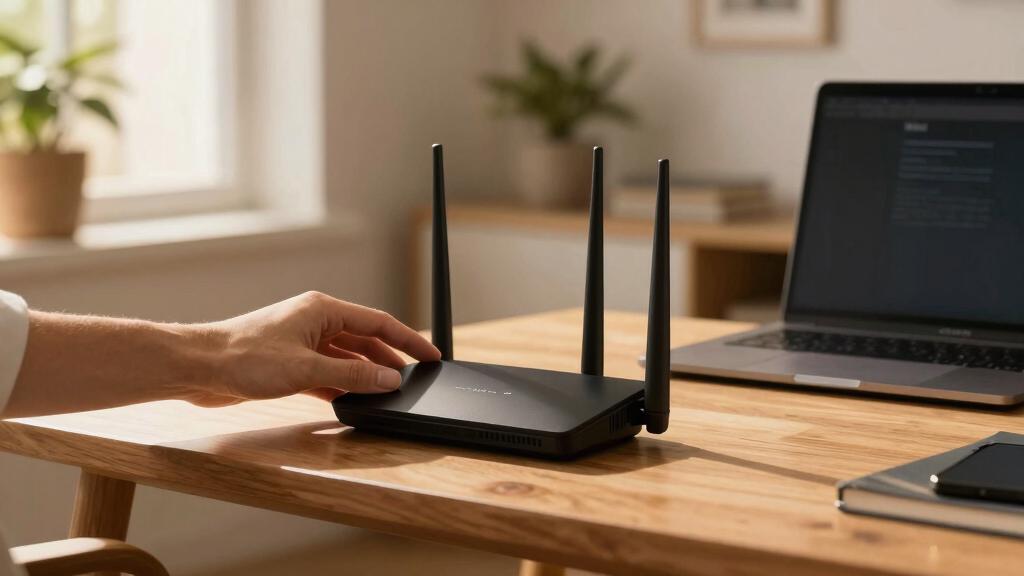

Searching for a WiFi 7 router means you’re after the latest in wireless technology, promising faster speeds, lower latency, and improved device capacity. The ASUS ROG Rapture GT-BE98 PRO stands out as the best overall choice with its quad-band support and gaming features. For a more budget-friendly option, the TP-Link BE6500 offers solid performance for smaller homes. On the premium side, the NETGEAR Nighthawk BE17000 delivers extensive coverage and top-tier speeds. Keep in mind that these routers differ significantly in their speed, range, and feature sets, which impacts their suitability depending on your needs. Continue reading for a detailed breakdown of what to consider before buying your ideal WiFi 7 router.
Key Takeaways
- The highest speeds come from routers with multiple 10G ports and wide channel support, but they often carry a higher price tag.
- Mesh systems like the TP-Link Deco 7 Pro offer extensive coverage, ideal for larger homes, at a competitive cost.
- Gaming routers such as the ASUS ROG series focus on low latency and advanced security, sacrificing some ease of use.
- Most premium models include advanced security features like VPN, HomeShield, and AI-based network management, which are worth considering for security-conscious users.
- Price and feature sets vary widely; balancing your budget against desired coverage, speed, and security features is key.


More Details on Our Top Picks
GL.iNet GL-BE9300 (Flint 3) Tri-Band WiFi 7 Router, High-Speed 6GHz Gaming WiFi Router for Wireless Internet, Long Range, 5 x 2.5G VPN Routers for Fiber Optic Modem, Computer Routers, Home & Business
This router stands out for its extensive coverage and robust VPN options, making it ideal for large homes or small businesses. Compared with the ASUS GT-BE98 Pro, it offers better long-range stability thanks to its MLO technology and higher device capacity, but it sacrifices some raw speed and advanced gaming features. The Flint 3 supports speeds up to 9 Gbps with WiFi 7, yet real-world performance in dense environments can be limited by network congestion and VPN overhead. Its integration with AdGuard Home and parental controls adds value for families concerned with online safety, though setup can be less intuitive for beginners. The router’s ability to handle over a hundred devices makes it suitable for DIY enthusiasts and small offices, but its bulk size and limited wired port options could be drawbacks for compact setups. Overall, this pick makes the most sense for users prioritizing coverage and control over top-end gaming or ultra-fast file transfers.
Pros:- Excellent long-range coverage with MLO technology
- Supports over 100 devices simultaneously
- Includes integrated AdGuard and parental controls
Cons:- Speed capped at around 9 Gbps in real-world scenarios
- Bulkier design with fewer wired ports
Best for: Homeowners or small business owners needing wide coverage and VPN flexibility without the highest speed demands.
Not ideal for: Gamers or professionals requiring ultra-low latency and maximum throughput for intensive tasks.
- WiFi Standard:WiFi 7
- Speed:up to 9 Gbps
- Ports:5 x 2.5G, 1 x USB
- Coverage:up to 2000 sq ft
- VPN Support:OpenVPN & Wireguard
- Device Capacity:over 100 devices
Bottom line: Ideal for users seeking broad WiFi coverage and strong device capacity rather than raw speed or gaming features.
ASUS ROG Rapture GT-BE98 PRO First Quad-Band WiFi 7 Gaming Router supports 320MHz, Dual 10G Port, Triple-level Game Acceleration, Mobile Game Mode, Subscription-Free Security, AiMesh, and VPN features
This model excels in delivering top-tier speeds and gaming-specific features, making it ideal for serious gamers and tech enthusiasts. Compared to the TP-Link BE11000, it offers more advanced multi-band capabilities and extensive gaming optimizations, but it has historically suffered from initial firmware bugs and complex setup procedures. With speeds up to 30 Gbps and triple-level game acceleration, it provides a competitive edge for latency-sensitive online play, yet real-world benefits depend heavily on client hardware support. The router’s quad-band support and external antennas enhance coverage and stability, though its size and complexity may be overwhelming for casual users. Firmware updates have significantly improved stability since launch, but early bugs can still cause occasional issues. This pick makes the most sense for high-end gamers who want custom control and maximum performance, despite the higher price and setup effort.
Pros:- Supports speeds up to 30 Gbps with WiFi 7
- Triple-level game acceleration for low ping
- Supports quad-band Wi-Fi with external antennas
Cons:- Initial firmware bugs and complex setup process
- High cost and size may be inconvenient
Best for: Hardcore gamers and tech-savvy users needing maximum speed, customization, and low latency for competitive gaming.
Not ideal for: Average users or small households with basic internet needs and less focus on gaming or advanced features.
- WiFi Standard:WiFi 7
- Speed:up to 30 Gbps
- Ports:2 x 10G, 4 x 2.5G, 1 x USB
- Coverage:large home
- Antenna:8 external high-performance antennas
- Gaming Features:Triple-level acceleration
Bottom line: Best suited for dedicated gamers and enthusiasts willing to manage setup complexities for ultimate performance.
TP-Link Tri-Band BE11000 Wi-Fi 7 Gaming Router Archer GE650 | 6-Stream 11 Gbps supports 320MHz | 2×5G + 3×2.5G Ports USB 3.0 | Game Acceleration, Dedicated Gaming Port & Panel, RGB Lighting|HomeShield
This router offers a solid mix of high-speed gaming and smart home features, making it suitable for users who want performance without extreme complexity. Compared with ASUS GT-BE98 Pro, it provides slightly lower speeds but a more straightforward setup and integrated RGB for aesthetic appeal. With speeds up to 11 Gbps and dedicated gaming features like a separate port and game panel, it handles most online gaming needs well, though it may struggle with very high-end or future-proofed setups. Its 6-stream support and RGB lighting make it attractive for gaming enthusiasts, but the device’s coverage and device capacity are less impressive than premium models. Its security features with HomeShield are comprehensive, although some advanced customizations are limited. This makes it a good pick for gamers and families who want reliable performance with style and ease of use.
Pros:- Supports speeds up to 11 Gbps with WiFi 7
- Dedicated gaming port and game panel
- RGB lighting for aesthetic customization
Cons:- Limited coverage compared to high-end models
- Lower device capacity than more expensive routers
Best for: Gaming enthusiasts and home users seeking a reliable, stylish router with balanced features.
Not ideal for: Power users needing maximum throughput, extensive wired ports, or enterprise-level security.
- WiFi Standard:WiFi 7
- Speed:up to 11 Gbps
- Ports:3 x 2.5G, 2 x 5G, 1 x USB 3.0
- Coverage:up to 2600 sq ft
- Streams:6
- Gaming Features:Game acceleration & dedicated port
Bottom line: A well-rounded choice for gamers who prioritize style and reliable performance over maximum speed or coverage.
TP-Link Tri-Band BE9700 WiFi 7 Router (Archer BE600) – 10G Port, 2.5G Port, 3× 2.5G LAN, 320MHz Channel, Covers up to 2,600 sq. ft., 120 Devices, VPN, HomeShield Security
This router balances high speed and device capacity, making it ideal for busy households with many connected devices. Compared with the Archer BE800, it offers slightly lower peak speeds but emphasizes stability and device support, with speeds up to 11 Gbps on WiFi 7. Its 10G and 2.5G ports support fast wired connections, suitable for high-bandwidth activities like 4K streaming and gaming. The device’s security features with HomeShield and VPN support add convenience and safety, although advanced customization options are more limited. Its coverage of up to 2,600 sq ft makes it a strong choice for medium to large homes, but its design is less feature-rich than premium models like the BE800. Overall, it’s a dependable, straightforward router for everyday high-speed needs.
Pros:- Supports speeds up to 11 Gbps with WiFi 7
- Includes 10G and 2.5G ports for fast wired connections
- Reliable coverage up to 2600 sq ft
Cons:- Limited advanced customization compared to premium models
- Design may be less feature-rich for tech enthusiasts
Best for: Large households or small offices needing dependable high-speed wired and wireless coverage.
Not ideal for: Enthusiasts seeking ultra-high speeds or advanced gaming-specific features.
- WiFi Standard:WiFi 7
- Speed:up to 11 Gbps
- Ports:1 x 10G, 1 x 2.5G, 3 x 2.5G LAN, 1 x USB
- Coverage:up to 2600 sq ft
- Device Capacity:120 devices
- Features:HomeShield & VPN support
Bottom line: A solid choice for households seeking dependable high-speed WiFi and wired connections without complex setup.
TP-Link Archer BE800 WiFi 7 Router (B0C4VZWTM7) | 12-Stream 19 Gbps | 2×10G + 4×2.5G Ports | LED Screen, 8 High-Performance Antennas | VPN, Easy Mesh, HomeShield, Private IoT, Free Expert Help
This flagship router delivers exceptional speed and extensive port options, making it ideal for demanding home or small business environments. Compared with the ASUS GT-BE98 Pro, it offers higher throughput, 12 streams, and a more professional feature set, including a bright LED screen for real-time stats. Its 19 Gbps maximum speed and dual 10G ports support ultra-fast fiber and gigabit internet, suitable for 4K/8K streaming, large file transfers, and multiple high-bandwidth devices. The 8 high-performance antennas and advanced security options with HomeShield and VPN provide robust coverage and protection. However, its size and complexity may be overkill for casual users, and its premium features come with a higher price point. It’s perfect for power users who want enterprise-level performance with simple management.
Pros:- Supports speeds up to 19 Gbps with WiFi 7
- Includes two 10G ports and four 2.5G ports
- Features an LED display for real-time monitoring
Cons:- High cost and large physical size
- Overkill for simple home use
Best for: Power users and small businesses requiring maximum throughput, extensive port support, and enterprise-grade security.
Not ideal for: Average households or users with basic internet needs who don’t require ultra-high speeds or multiple wired connections.
- WiFi Standard:WiFi 7
- Speed:up to 19 Gbps
- Ports:2 x 10G, 4 x 2.5G, 1 x USB
- Streams:12
- Coverage:large home/office
- Features:LED display, VPN, HomeShield
Bottom line: Best suited for demanding environments that need maximum speed, security, and port flexibility with straightforward management.
TP-Link Archer BE24000 Quad-Band WiFi 7 Router (Archer BE900) with Dual 10 Gbps Multi-Gig Ethernet Ports and LED Touch Screen
This model stands out for its lightning-fast quad-band WiFi 7 performance and extensive wired connectivity options, including dual 10 Gbps ports, making it ideal for large households with demanding bandwidth needs. Compared to the ASUS GS-BE12000, it offers more antennas and a touchscreen interface, though it’s bulkier and more expensive. Its 12 high-performance antennas and Beamforming deliver stronger, more reliable signals, especially in large or obstacle-rich environments. The easy-to-use LED touchscreen simplifies setup and management, but its size and complexity might overwhelm beginners. Performance tradeoffs include higher cost and larger footprint, which may not suit small apartments or users prioritizing simplicity. This pick makes the most sense for tech-savvy users seeking top-tier coverage and speed in expansive homes or smart home setups.
Pros:- Exceptional WiFi 7 speeds with quad-band performance
- Dual 10 Gbps multi-gig Ethernet ports for ultra-fast wired connections
- Intuitive LED touch screen for easy setup and management
- 12 high-performance antennas for broad, reliable coverage
Cons:- Significantly larger and more expensive than typical routers
- Complex interface may be overwhelming for beginners
- Requires a separate modem for internet access
Best for: Large households or tech enthusiasts needing maximum speed and coverage with advanced wired and wireless options.
Not ideal for: Small apartment dwellers or users seeking a simple, discreet router with minimal setup.
- Wireless Bands:Quad-band WiFi 7
- Ethernet Ports:2× 10 Gbps, 4× 2.5 Gbps, 1× 1 Gbps
- Antennas:12 high-performance antennas
- Coverage:Large homes (coverage varies by obstacles)
- Touchscreen:LED touch screen
- Security:TP-LINK HOMESHIELD
Bottom line: This router is best for tech-savvy users who need maximum speed, coverage, and wired flexibility in a large home.
TP-Link Archer BE12000 | Tri-Band Wi-Fi 7 Router | Includes Latest 6GHz Wi-Fi Band | 10G Connectivity
This pick excels with its blazing-fast 12 Gbps tri-band WiFi 7 performance and 20G wired capacity, making it ideal for gamers and streamers who demand ultra-low latency and high throughput. Compared to the ASUS GS-BE12000, it offers a slightly higher maximum wireless speed and 10G wired ports, but it has a smaller coverage area of approximately 3,000 sq. ft. Its powerful 2.0GHz quad-core CPU and AiMesh compatibility ensure seamless gaming and streaming, even in challenging environments. However, its coverage is limited compared to larger mesh systems like the Deco 7 Pro, and its interface is less focused on ease of use for casual users. Tradeoffs include higher cost and smaller coverage area, which are offset by superior gaming optimization. This router makes the most sense for dedicated gamers or high-performance home users who prioritize speed and low latency over wide coverage.
Pros:- Exceptional 12 Gbps WiFi 7 tri-band speeds
- 20G wired capacity with multiple 2.5G ports
- AiMesh support for expandable coverage
- Powerful quad-core CPU for low latency
Cons:- Limited coverage area around 3,000 sq. ft.
- Premium price point
- Less beginner-friendly interface
Best for: Gamers and streamers needing ultra-fast speeds and low latency in a medium-sized home or gaming setup.
Not ideal for: Users with larger homes requiring extensive coverage or those seeking a simple setup for casual browsing.
- Wireless Speed:Up to 12 Gbps
- Wired Ports:1× 10G, 4× 2.5G, 1× 1G
- Coverage:Approx. 3,000 sq. ft.
- Processor:2.0GHz quad-core
- WiFi Bands:Tri-band WiFi 7
- Mesh Compatibility:AiMesh
Bottom line: This router is ideal for high-performance gaming and streaming in medium-sized homes where speed is critical.
TP-Link Dual-Band BE3600 Wi-Fi 7 Router Archer BE230
This model makes a compelling case for users seeking solid dual-band WiFi 7 performance at an attractive price, with speeds up to 3.6 Gbps and a straightforward setup using the TP-Link Tether app. Compared to the more advanced tri-band ASUS GS-BE12000, it offers less total speed and coverage, but it remains suitable for smaller homes or apartments. Its 2×2.5G ports support multi-Gig internet, and the four antennas ensure decent coverage for up to 2,000 sq. ft. However, it lacks the latest 6GHz band, limiting maximum speeds in very high-speed environments, and its security features are less comprehensive than higher-end models. Tradeoffs include reduced coverage and fewer advanced features, making it a good choice for budget-conscious users who still want fast WiFi 7.
Pros:- Supports WiFi 7 with speeds up to 3.6 Gbps
- Dual-band operation with 2× 2.5G ports
- Easy setup via TP-Link Tether app
- Affordable price point
Cons:- Limited coverage (~2,000 sq. ft.)
- No 6 GHz band for maximum speeds
- Less advanced security features
Best for: Small to medium homes or apartments needing reliable Wi-Fi 7 speeds without high complexity or cost.
Not ideal for: Large homes or users requiring extensive coverage and advanced security features.
- Wireless Speed:Up to 3.6 Gbps
- Ethernet Ports:2× 2.5G, 3× 1G
- Coverage:Approx. 2,000 sq. ft.
- WiFi Bands:Dual-band WiFi 7
- Security:HomeShield
- Setup:TP-Link Tether app
Bottom line: This router suits small to medium homes looking for reliable high-speed WiFi 7 at a lower price point.
ASUS ROG Strix GS-BE12000 WiFi 7 Tri-Band Router, 12000 Mbps, 20G Wired Capacity
This high-end router is tailored for gamers and power users, boasting speeds up to 12 Gbps across tri-bands and 20G wired capacity. Compared with the TP-Link BE12000, it offers similar ultra-fast WiFi but emphasizes gaming features like ROG-exclusive Game Acceleration and multiple SSIDs for dedicated gaming networks. Its 3,000 sq. ft. coverage and eight internal antennas ensure strong signals in large or complex environments. The high-performance 2.0GHz quad-core CPU and robust security features, including Triple-Level Security, make it suitable for demanding gaming, streaming, and multiple smart devices. However, its premium price and complex setup might deter casual users, and its wired capacity exceeds the needs of most typical homes. Tradeoffs involve cost and over-spec for average users, but it excels in low-latency, high-bandwidth scenarios.
Pros:- Speeds up to 12 Gbps tri-band WiFi 7
- 20G wired capacity with multiple LAN ports
- Game Acceleration and dedicated gaming SSIDs
- Robust Triple-Level Security
Cons:- High price point
- Large physical size and complex setup
- Overkill for basic browsing or small homes
Best for: Hardcore gamers and tech enthusiasts seeking maximum speed and dedicated gaming features.
Not ideal for: Average home users or those with limited budgets who don’t prioritize gaming or ultra-high speeds.
- Wireless Speed:Up to 12 Gbps
- Wired Capacity:20G
- Coverage:Approx. 3,000 sq. ft.
- Antennas:8 internal
- Security:Triple-Level Security
- Gaming Features:ROG Game Acceleration
Bottom line: This router is best for serious gamers and power users who need peak performance and dedicated gaming features in large spaces.
ASUS GS-BE12000 WiFi 7 Tri-Band Router, 12000 Mbps, 20G Wired Capacity
This high-end router is tailored for gamers and power users, boasting speeds up to 12 Gbps across tri-bands and 20G wired capacity. Compared with the TP-Link BE12000, it offers similar ultra-fast WiFi but emphasizes gaming features like ROG-exclusive Game Acceleration and multiple SSIDs for dedicated gaming networks. Its 3,000 sq. ft. coverage and eight internal antennas ensure strong signals in large or complex environments. The high-performance 2.0GHz quad-core CPU and robust security features, including Triple-Level Security, make it suitable for demanding gaming, streaming, and multiple smart devices. However, its premium price and complex setup might deter casual users, and its wired capacity exceeds the needs of most typical homes. Tradeoffs involve cost and over-spec for average users, but it excels in low-latency, high-bandwidth scenarios.
Pros:- Speeds up to 12 Gbps tri-band WiFi 7
- 20G wired capacity with multiple LAN ports
- Game Acceleration and dedicated gaming SSIDs
- Robust Triple-Level Security
Cons:- High price point
- Large physical size and complex setup
- Overkill for basic browsing or small homes
Best for: Hardcore gamers and tech enthusiasts seeking maximum speed and dedicated gaming features.
Not ideal for: Average home users or those with limited budgets who don’t prioritize gaming or ultra-high speeds.
- Wireless Speed:Up to 12 Gbps
- Wired Capacity:20G
- Coverage:Approx. 3,000 sq. ft.
- Antennas:8 internal
- Security:Triple-Level Security
- Gaming Features:ROG Game Acceleration
Bottom line: This router is best for serious gamers and power users who need peak performance and dedicated gaming features in large spaces.
TP-Link BE6500 Dual-Band WiFi 7 Router (BE400) – Dual 2.5Gbps Ports, USB 3.0, Covers up to 2,400 sq. ft., 90 Devices, Quad-Core CPU, HomeShield, Private IoT, Free Expert Support
This router stands out for its comprehensive Wi-Fi 7 feature set, including Multi-Link Operation (MLO), 6 streams, and 4K-QAM, enabling speeds up to 5764 Mbps, which surpasses many competitors like the ASUS RT-BE58U. Its coverage of up to 2,400 sq. ft. and support for 90 devices makes it ideal for large households or small offices. Compared to the ASUS RT-BE58U, it offers more advanced security with HomeShield, multi-gig wired ports, and better device management, though it involves a tradeoff of slightly bulkier size. Setup is straightforward using the Tether app, and security features protect IoT devices and family members. The main drawback is the higher price point and limited coverage area, which might not suit smaller apartments or budget-conscious buyers.
Pros:- Supports speeds up to 5764 Mbps with 6 streams and 4K-QAM
- Strong coverage up to 2,400 sq. ft. and supports 90 devices
- Includes dual 2.5 Gbps ports and USB 3.0 for flexible wired connections
- Advanced security with TP-Link HomeShield protection
Cons:- Relatively high price for the coverage area
- Size and design may be less sleek for minimalist setups
- Limited to supporting up to 90 devices, less than some gaming routers
Best for: Tech-savvy homeowners needing fast, reliable Wi-Fi 7 coverage for multiple devices across a large home or small office.
Not ideal for: Small apartments or users with minimal devices who don’t require extensive coverage or advanced security.
- Wi-Fi Generation:Wi-Fi 7
- Max Speed:up to 5764 Mbps
- Coverage Area:up to 2400 sq. ft.
- Device Support:up to 90 devices
- Ports:1x 2.5 Gbps WAN, 1x 2.5 Gbps LAN, 3x 1 Gbps LAN
- Security:HomeShield, WPA3
Bottom line: This router is best suited for users seeking top-tier Wi-Fi 7 speeds, large coverage, and robust security for busy households or small offices.
NETGEAR Nighthawk WiFi 7 Router (BE17000) – Router Only, 17 Gbps Wireless Speed, 10 Gig Internet Port, Tri-Band for Gaming, Covers 3,300 sq. ft., 150 Devices, VPN – Free Expert Help
Compared to the TP-Link BE6500, the NETGEAR BE17000 offers exceptional speeds up to 17 Gbps, making it ideal for intense gaming, 4K/8K streaming, and future-proofing with its tri-band design and 10 Gbps port. Its coverage of 3,300 sq. ft. and support for 150 devices makes it better suited for large households or gaming setups like those that would benefit from the ASUS GT-BE98 PRO, but its higher cost and lack of a built-in modem may be less attractive to budget buyers. The setup via the Nighthawk app is quick, and its VPN support offers additional security. The main tradeoff involves its premium price and potential overkill for average users who don’t need such speed or device support, as well as no included modem, which could add to total cost.
Pros:- Speeds up to 17 Gbps with tri-band Wi-Fi 7
- Includes 10 Gbps wired port and support for 150 devices
- Covers up to 3,300 sq. ft. with strong signal stability
- Supports VPN and advanced security features
Cons:- Premium price that may be prohibitive for some
- Router only—no included modem, increasing setup complexity
- Larger physical footprint compared to smaller routers
Best for: Gamers, streamers, and tech enthusiasts who want maximum speeds and device capacity for large homes or gaming setups.
Not ideal for: Average users or small households with modest internet needs who prefer an all-in-one device or lower-cost options.
- Wi-Fi Generation:Wi-Fi 7
- Max Speed:17 Gbps
- Coverage Area:up to 3300 sq. ft.
- Device Support:up to 150 devices
- Ports:1x 10 Gbps WAN, 4x 1 Gbps LAN
- Security:VPN, WPA3
Bottom line: This router is ideal for power users demanding ultra-fast Wi-Fi 7 speeds, extensive device support, and gaming-optimized features at a premium cost.
ASUS RT-BE58U WiFi 7 BE3600 AiMesh Extendable Router, 4K-QAM, MLO, AI Detection 2.5G Port, Four 1G Ports, Commercial-Grade Network Security, Parental Control, IoT Network, Kid’s Network, VPN Network
This ASUS RT-BE58U provides a solid balance of Wi-Fi 7 speed (around 3600 Mbps) and expandability with AiMesh, making it suitable for large or complex homes like those covered by the TP-Link Deco 7 BE25. Its support for MLO ensures stable multi-link connectivity and less interference, which is advantageous over single-router setups like the TP-Link BE6500. The device supports smart security, parental controls, and a USB port for 4G/5G tethering, but coverage is slightly less than the NETGEAR or TP-Link mesh systems. The setup is straightforward, and its AI detection features add convenience, though the price is higher than basic dual-band routers and it may be overfeatured for users with smaller coverage needs. Its mesh capability makes it more future-proof but less suited for buyers who want a simple, standalone router.
Pros:- Supports speeds around 3600 Mbps with 4K-QAM and MLO
- AiMesh support for seamless mesh expansion
- Includes 2.5 Gbps port and four 1 Gbps ports
- Advanced security with AI Detection and parental controls
Cons:- Higher price due to mesh and security features
- Coverage slightly less than larger mesh systems like Deco 7
- Complex setup for users unfamiliar with mesh networking
Best for: Homeowners interested in building a flexible, extendable mesh Wi-Fi 7 network with robust security and parental controls.
Not ideal for: Users who prefer simple, standalone routers without mesh expansion or those with small coverage needs.
- Wi-Fi Generation:Wi-Fi 7
- Max Speed:around 3600 Mbps
- Coverage Area:up to 3000 sq. ft.
- Device Support:large mesh networks
- Ports:1x 2.5 Gbps WAN, 4x 1 Gbps LAN
- Security:AI Detection, Parental Control, VPN
Bottom line: This router excels for users seeking a scalable, mesh-capable Wi-Fi 7 system with high security and future-proof expandability.
TP-Link Deco 7 BE25 Dual-Band BE5000 WiFi 7 Mesh Wi-Fi System | 4-Stream 5 Gbps, 240 Mhz | Covers up to 6,600 Sq.Ft | 2X 2.5G Ports Wired Backhaul | VPN,MLO, AI-Roaming, HomeShield, 3-Pack
Compared to the ASUS RT-BE58U, the Deco 7 BE25 offers a massive coverage area of up to 6,600 sq. ft., making it perfect for large homes or multi-story buildings, similar to the TP-Link Deco 7 BE63 but at a more affordable price point. Its 4 streams and support for over 150 devices ensure fast, reliable connections for streaming, gaming, and IoT devices. The mesh setup with 3 nodes and support for wired backhaul via 2.5 Gbps ports ensures seamless, stable coverage, even in challenging layouts. While the ASUS mesh system is more expandable with AI detection, the Deco 7’s self-learning AI-Roaming simplifies management and reduces dead zones. Its main disadvantages include dependence on a three-pack setup for optimal coverage, and some users might find the mesh management interface less intuitive than ASUS’s app.
Pros:- Covers up to 6,600 sq. ft. with 3-pack mesh system
- Supports speeds of 5 Gbps with 4 streams and 240 MHz channels
- Includes 2× 2.5 Gbps wired ports for backhaul
- Supports over 150 devices with AI-Roaming and VPN
Cons:- Requires three units for full coverage—higher initial cost
- Mesh management can be complex for beginners
- Potentially less intuitive app compared to ASUS
Best for: Large households or multi-story homes needing extensive Wi-Fi coverage with fast speeds and mesh scalability.
Not ideal for: Small apartments or users seeking a simple, single-router setup without mesh expansion or multiple nodes.
- Wi-Fi Generation:Wi-Fi 7
- Max Speed:5 Gbps
- Coverage Area:up to 6600 sq. ft.
- Device Support:over 150 devices
- Ports:2× 2.5G WAN/LAN, wired backhaul
- Security:VPN, HomeShield, AI-Roaming
Bottom line: This mesh system is best for large homes needing extensive, fast Wi-Fi 7 coverage with scalable, seamless mesh expansion.
How We Picked
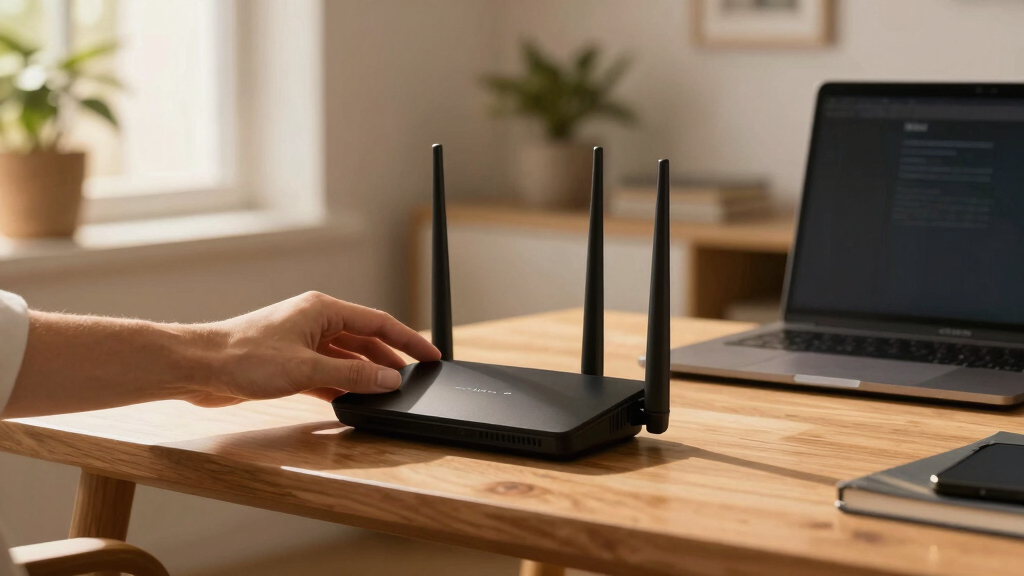
I evaluated these WiFi 7 routers based on performance benchmarks, including maximum throughput, latency, and device capacity. Usability factors such as setup complexity, app controls, and firmware stability were critical, alongside build quality and future-proofing features like multi-gig ports and mesh compatibility. Value was assessed by comparing features against price, ensuring each model offers a clear advantage for its target audience. The ranking prioritizes routers that deliver high speed, broad coverage, and smart features, while also considering affordability for different user segments.Factors to Consider When Choosing Wifi 7 Router
Choosing a WiFi 7 router involves more than just looking at maximum speeds. It’s important to consider your specific home or office environment, device density, and future needs. Here are key factors that can help you make a smarter decision beyond just raw specs.Performance and Speed
Look for routers supporting wide channels and multiple bands, such as 320MHz and quad-band support, to truly harness WiFi 7’s potential. However, top speeds are only meaningful if your internet plan can match them; otherwise, you might be paying for features you won’t use. Consider the number of devices you connect—routers with higher device capacity reduce congestion and improve overall experience. Keep in mind that real-world performance can vary depending on interference and environment.
Coverage and Range
If you have a large home or multiple floors, a mesh system or routers with multiple antennas and high-gain capabilities are essential. Mesh systems like the TP-Link Deco 7 Pro extend coverage seamlessly, but they often come at a higher total cost. For smaller spaces, a single router with strong antennas may suffice. Beware of models that advertise high coverage but lack the hardware to support consistent speeds across the entire area.
Port Selection and Compatibility
Multi-gig ports, such as 10G and 5G, are increasingly common and future-proof your network for faster wired connections. Make sure your devices support these speeds to fully benefit. USB ports and additional Ethernet ports add flexibility for printers, NAS, or media servers. Compatibility with smart home ecosystems like Alexa or Google Assistant can simplify management, especially if you prefer voice controls or automation.
Security and Management Features
Advanced security features like VPN support, AI-based network management, and HomeShield are worth the extra investment if you prioritize privacy. Some routers include parental controls and device prioritization, which are handy for families or busy households. Consider whether the router’s app provides straightforward setup and ongoing management; complex interfaces can diminish the benefits of sophisticated features.
Price and Future-Proofing
While premium models offer cutting-edge features and extensive coverage, they come at a premium price. Balance your current needs with anticipated future requirements—investing in a more capable router now can save money later. Be cautious of models that offer high speeds but lack essential ports or compatibility with your existing hardware. Conversely, avoid overpaying for features you won’t use if your needs are modest.
Frequently Asked Questions
Will my existing devices benefit from WiFi 7 speeds?
Most current devices cannot fully utilize WiFi 7’s speeds, as they are limited by their own hardware. However, upgrading to a WiFi 7 router future-proofs your network, allowing newer devices and smart home gadgets to perform better as they become available. For now, your existing gadgets will work as usual, but the real benefits will materialize as device technology catches up.
Is WiFi 7 necessary for streaming or gaming?
WiFi 7 can significantly reduce latency and improve stability, especially in crowded environments or when multiple high-demand devices are connected. For gaming and 4K streaming, this translates into smoother performance and less buffering. However, if your internet plan or devices are limited, the step up from WiFi 6 may not be noticeable immediately. Consider your specific use case and whether your current setup is already sufficient.
How important are multi-gig ports in a WiFi 7 router?
Multi-gig ports like 10G or 5G are crucial if you regularly transfer large files via wired connections or run a home server. They can also future-proof your setup as network speeds increase. If your primary use is wireless browsing, streaming, and light gaming, these ports are less critical but still add versatility. Choosing a router with multiple multi-gig ports can be a smart move for expanding wired infrastructure later.
Do mesh systems with WiFi 7 support offer better coverage than traditional routers?
Mesh systems designed with WiFi 7 support provide more uniform coverage across large and complex spaces, often outperforming single routers in extensive environments. They are easier to expand and manage, making them ideal for large homes or offices. However, they tend to be more expensive, and setup can be more involved. If coverage is your priority, a mesh system is generally the best choice over traditional routers.
Should I pay extra for security features like VPN and AI management?
Investing in routers with built-in security features can enhance your privacy and protect your network from threats. VPN support is especially valuable if you want to encrypt your internet traffic or access geo-restricted content. AI management simplifies network control and troubleshooting, which is beneficial for users unfamiliar with networking. While these features add cost, they often provide peace of mind and convenience that justify the expense for security-conscious buyers.
Conclusion
For most users seeking a balanced experience, the ASUS ROG Rapture GT-BE98 PRO offers excellent speed, gaming features, and future compatibility, making it the best overall pick. Budget-conscious buyers or those with smaller homes will find the TP-Link BE6500 provides solid coverage at a lower price. Those looking for the ultimate in coverage and speed should consider the NETGEAR Nighthawk BE17000, ideal for large households or small offices. Beginners and less tech-savvy users should prioritize models with intuitive apps and straightforward setup, while security-focused buyers should look for routers with comprehensive security features. Ultimately, your choice depends on your specific needs, space, and budget, but these selections cover the spectrum of what WiFi 7 routers can deliver in 2026.