
The best wireless gaming mouse for most players is the Razer Viper V3 HyperSpeed, which pairs a lightweight 82g shell with a fast, stable connection and a top-tier sensor at a mid-range price. If budget is the priority, the Redragon M612 delivers wireless RGB and remappable buttons for under $30, while the Logitech G502 Lightspeed remains the feature-heavy pick for players who want a full button suite and adjustable weights. The main tradeoff in this category is between price and refinement: budget Redragon and INPHIC models cover the basics, but Logitech and Razer options offer better click feel, more reliable wireless receivers, and stronger software support. Battery approach matters too — some mice use replaceable AAs for weeks of runtime, others recharge via USB but need more frequent topping up. Read on for the full breakdown of all 14 mice and which one fits your setup.

Get the latest gadgets delivered free with Prime
- Fast, free delivery on millions of items
- Prime Video, Amazon Music and more included
- Member-only deals all year
Complete the kit



Key Takeaways
- The Razer Viper V3 HyperSpeed earned the top spot because it’s the only mid-priced option here that competes with flagship mice on weight, sensor quality, and click feel simultaneously — the others each compromise on at least one.
- Logitech‘s G305 appears three times in this lineup (Black, White, Blue) for good reason: its HERO sensor and single-AA battery life make it the safest default pick, though its dated shape and weight are showing their age.
- Redragon dominates the budget tier, but the gap between models is real — the M913’s 16000 DPI sensor and 12 side buttons justify its price for MMO players, while the M656’s 4000 DPI ceiling makes it strictly an entry-level option.
- Battery strategy was the biggest hidden differentiator: the Razer Orochi V2’s 950-hour runtime on a single AA makes it the clear pick for travelers, while rechargeable models like the G502 Lightspeed trade convenience for shorter sessions between charges.
- Weight and shape separated the premium tier more than DPI numbers did — the Viper V3 at 82g and the Orochi V2’s compact shell mattered more in fast games than any spec sheet difference above 8000 DPI.




| wireless gaming mice | Sensor | Buttons | Battery Life | Weight |
|---|---|---|---|---|
| Redragon M810 PRO Wireless RGB | PAW3325 Optical Pixart | 8 (remappable) | Up to 45 hours | 4 oz (113g) |
| INPHIC A9 V2 Explorer Wireless | — | 7 | — | 106g |
| G57 Wireless Gaming Mouse | Optical | 6 (programmable) | — | — |
| Redragon M612 Wireless RGB Opt | — | 12 programmable | — | 3.84 oz (109g) |
| Redragon M913 Wireless RGB MMO | Pixart 3335 Optical | 16 programmable | 45 hours (up to 80 in eco mode) | 132g |
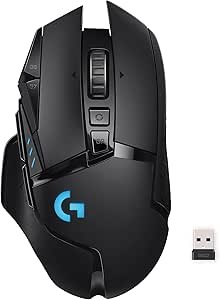
| Logitech G305 Lightspeed Wirel | HERO 12K optical | 6 programmable | Up to 250 hours (AA) | 99 g |
| Razer Viper V3 HyperSpeed Wire | Focus Pro 30K optical | — | Up to 280 hours | 82 g |
| Logitech G703 Lightspeed Wirel | HERO 25K | 6 programmable | Up to 35 hours | 95 g |
| Redragon M656 Wireless Optical | Optical, 4000 DPI max | 7 (remappable) | — | 82 g (2.88 oz) |
| Logitech G502 Lightspeed Wirel | HERO 25K | 11 programmable | Up to 60 hours | — |
| Logitech G305 Lightspeed Wirel | HERO 12K optical | — | Up to 250 hours | 99 grams |
| Razer Basilisk V3 X HyperSpeed | Razer 5G Advanced 18K optical | — | Up to 285 hours (HyperSpeed) / 535 hours (Bluetooth) | — |
| Razer Orochi V2 Wireless Gamin | Razer 5G Advanced 18K optical | 8 | Up to 950 hours (Bluetooth), 425 hours average | — |
| Logitech G305 Lightspeed Wirel | HERO 12K optical | — | Up to 250 hours (1 AA) | 3.4 oz (96 grams) |
More Details on Our Top Picks
Redragon M810 PRO Wireless RGB Gaming Mouse 10000 DPI Remapping Keys
The M810 PRO earns its spot by doing the fundamentals well at a price that undercuts the Logitech G305 Lightspeed while adding RGB lighting and two extra macro buttons. Its PAW3325 Pixart sensor and 1000Hz polling rate deliver tracking that feels responsive in fast shooters, and the 45-hour battery means you can go days between charges with the lights dimmed. Compared with the Redragon M612, this model trades button count for a lighter, simpler feel that suits general gaming rather than MMO keybinds. The catch is that full customization demands Redragon’s software, which is clunkier than Logitech’s G HUB, and RGB usage drains the battery faster than the quoted figure.
Pros:- Genuine Pixart PAW3325 sensor with 1000Hz polling for smooth tracking
- 45-hour battery life outlasts most budget rivals
- Eight remappable buttons handle macros and productivity shortcuts
- RGB lighting is customizable without inflating the price
Cons:- Software required for remapping and is less refined than competitors’
- Battery life drops sharply with lighting enabled
Best for: Budget-conscious PC gamers who want competitive-level specs with RGB flair for under thirty dollars
Not ideal for: Players who value polished software ecosystems — Redragon’s utility feels dated next to Logitech G HUB
- Sensor:PAW3325 Optical Pixart
- Max DPI:10,000
- Polling Rate:1000Hz
- Buttons:8 (remappable)
- Connectivity:2.4GHz Wireless, USB-C
- Battery Life:Up to 45 hours
- Weight:4 oz (113g)
Our verdict“A sensible pick if you want big-brand sensor performance on a small budget, as long as you can tolerate average software.”
INPHIC A9 V2 Explorer Wireless Gaming Mouse, 12800 DPI Silent Mouse
Where most mice in this roundup chase esports credentials, the A9 V2 Explorer carves out a different niche: it is the quiet one. Silent click technology makes it a genuinely practical choice for shared offices, libraries, or late-night sessions, something no other pick here offers. Its tri-mode connectivity — Bluetooth, 2.4G, and wired USB-C — matches the G57 but extends compatibility across macOS, Android, and iOS, so it travels between devices more gracefully. The 12,800 DPI figure looks strong on paper, though casual productivity users will never approach it, and the AA-battery design means eventual replacements rather than the simple recharge cycle of the M810 PRO.
Pros:- Silent clicks are ideal for offices and shared spaces
- Tri-mode connectivity spans nearly every device and OS
- Works across Windows, macOS, Android, and iOS
- Lightweight 106g build suits travel and small hands
Cons:- AA battery power means ongoing replacements instead of simple recharging
- Ergonomics may feel cramped for larger hands
Best for: Students and remote workers who game casually and need one quiet mouse across a laptop, tablet, and phone
Not ideal for: Competitive FPS players — the silent switches and generic optical sensor lack the crispness of a Pixart-equipped mouse
- Max DPI:12,800
- Connectivity:Bluetooth, 2.4GHz Wireless, USB-C Wired
- Buttons:7
- Weight:106g
- Battery:1 AA (included)
- Compatibility:Windows, macOS, Android, iOS
- Wireless Range:33 feet
Our verdict“Buy this for versatility and quiet, not for competitive performance — it is the shared-space mouse of the group.”
G57 Wireless Gaming Mouse, 8000 DPI, Black
The G57 is the easiest mouse in this lineup to live with. Its tri-mode connectivity and plug-and-play behavior mean a first-time buyer can start gaming in minutes without wading through configuration menus, and smart power-saving stretches battery life for forgetful chargers. Compared with the Redragon M612, it strips the button count down to six — far less intimidating for someone still learning what DPI even means. The 8,000 DPI ceiling is plenty for casual titles and covers a beginner’s headroom, though it trails the M913’s 16,000 DPI if you later get serious about shooters. Six buttons also limits its usefulness for MMO players who need a full keybind grid on the mouse itself.
Pros:- Tri-mode connectivity with instant switching between devices
- Smart power-saving extends battery between charges
- Broad OS support including macOS and Linux
- Ergonomic shape is comfortable for long casual sessions
Cons:- Only six buttons, limiting complex keybinds
- 8,000 DPI ceiling trails pricier competitors by half
Best for: First-time wireless gaming mouse buyers who want simple setup and broad Mac, Windows, and Linux support
Not ideal for: MMO and MOBA players — six buttons cannot hold a full ability rotation like the M913’s sixteen
- Max DPI:8,000
- Connectivity:Bluetooth, 2.4GHz Wireless, USB Wired
- Buttons:6 (programmable)
- Sensor:Optical
- Compatibility:Windows 10/11, macOS, Linux
- Power:Battery powered, rechargeable
Our verdict“The right starting point if you want wireless gaming without a learning curve, and an easy upgrade path later.”
Redragon M612 Wireless RGB Optical Gaming Mouse 8000 DPI Remapping Keys
If the M913 is the full MMO flagship, the M612 is its budget understudy — and a convincing one. With 12 programmable buttons and dual Bluetooth/2.4GHz connectivity, it handles MMO rotations and productivity macros at a fraction of flagship pricing. The five adjustable DPI stages (defaulting from 500 to 8,000) let you tune sensitivity per game rather than guessing at a single setting, something the simpler G57 doesn’t match. The tradeoffs are real: the 3.84-ounce frame can feel insubstantial compared with the sturdier M810 PRO, and setting up twelve buttons properly demands time in Redragon’s software. Windows 10-only support also locks out Mac users that the G57 happily serves.
Pros:- 12 programmable buttons rival far pricier MMO mice
- Dual connectivity with Bluetooth and 2.4GHz receiver
- Five on-the-fly DPI stages for per-game tuning
- Ergonomic grip comfortable through long raids
Cons:- Feels lightweight and less sturdy than heavier-built rivals
- Windows-only support excludes Mac users
- Full button configuration requires fiddly software setup
Best for: MMO and MOBA players on a budget who need a 12-button thumb grid without flagship pricing
Not ideal for: Mac users and minimalists — it’s Windows-only and the button array is overkill for shooters
- Max DPI:8,000
- DPI Levels:5 (500/1000/2000/3000/8000)
- Buttons:12 programmable
- Connectivity:Bluetooth, 2.4GHz Wireless
- Weight:3.84 oz (109g)
- Battery:1 Lithium Polymer (included)
- Range:10 meters
Our verdict“The cheapest legitimate path to a 12-button MMO layout, provided you game on Windows and don’t mind a light build.”
Redragon M913 Wireless RGB MMO Gaming Mouse 16000 DPI with Remapping Keys
The M913 is the most ambitious mouse in this batch, and its Pixart 3335 sensor is a legitimate step above the generic optical units in the G57 or A9 V2 Explorer. With 16 programmable buttons, a full thumb grid, and dual wireless/wired modes, it competes directly with the Logitech G502 Lightspeed on features while undercutting it on price. Battery life stretches to 80 hours in eco mode, beating the M810 PRO’s 45. But the 132-gram weight is the honest tradeoff — that button grid and battery add mass that makes it a poor fit for flick-shot FPS players who would be happier with the Razer Viper V3 at 82 grams. Setup is also involved; sixteen buttons mean serious time in the software before everything sings.
Pros:- Genuine Pixart 3335 sensor with 16,000 DPI esports-grade tracking
- 16 programmable buttons cover full MMO rotations
- Up to 80 hours of battery in eco mode
- Wireless plus USB-C wired fallback for tournaments
Cons:- 132g weight is heavy for fast-twitch shooters
- Extensive setup required to make 16 buttons useful
- Full feature set gated behind software
Best for: MMO and esports players who want a full 16-button command center with a true Pixart esports sensor
Not ideal for: FPS players and low-sensitivity gamers — at 132g it is roughly 50% heavier than dedicated lightweight mice
- Sensor:Pixart 3335 Optical
- Max DPI:16,000
- Buttons:16 programmable
- Connectivity:2.4GHz Wireless, USB-C Wired
- Battery Life:45 hours (up to 80 in eco mode)
- Weight:132g
- Hand Orientation:Right-handed
Our verdict“The feature-per-dollar champion for MMO players, as long as weight isn’t a dealbreaker for your genre.”
Logitech G305 Lightspeed Wireless Gaming Mouse – Black
The G305 Lightspeed remains the benchmark for affordable wireless gaming because it delivers the two things that actually matter — a 1 ms connection and a genuinely accurate HERO sensor — at a price where most competitors cut corners. Compared with the Redragon M656, the Logitech’s Lightspeed link feels noticeably more stable in fast shooters, even though the Redragon undercuts it on paper with extra buttons. The real tradeoff here is power: a single AA battery is what makes the 250-hour battery life possible, but it also means no charging cable in the box and no wired fallback. Six buttons also limits MMO players. Still, for the money, nothing else in this lineup matches its sensor-to-price ratio.
Pros:- HERO 12K sensor delivers pro-grade tracking accuracy at a budget price
- 1 ms Lightspeed wireless rivals wired mice for responsiveness
- Up to 250 hours of battery life from a single AA battery
- Lightweight 99 g body with built-in nano receiver storage for travel
Cons:- AA battery power means ongoing replacement cost and no recharge option
- Only 6 programmable buttons limits complex macro setups
- No wired mode if the battery dies mid-session
Best for: Competitive-minded gamers on a tight budget who want proven low-latency wireless without paying premium prices
Not ideal for: MMO or MOBA players who need 10+ programmable buttons — the 6-button layout will feel restrictive
- Sensor:HERO 12K optical
- DPI Range:200–12,000
- Wireless Technology:Lightspeed (1 ms)
- Battery Life:Up to 250 hours (AA)
- Weight:99 g
- Buttons:6 programmable
- Receiver Storage:Yes, built-in
Our verdict“The safest affordable wireless mouse you can buy — ideal for FPS players who want Logitech reliability under fifty dollars.”
Razer Viper V3 HyperSpeed Wireless PC Gaming Mouse, 82g, Black
At 82 grams, the Viper V3 HyperSpeed sits in the sweet spot competitive players chase: light enough for fast flicks without the hollow, fragile feel of true ultralight mice. Against the Logitech G305, the Viper’s Focus Pro 30K sensor and slimmer symmetrical shape make it the clear choice for low-sensitivity FPS setups where the G305’s rounder, heavier body can feel sluggish. The Gen-2 mechanical switches rated for 60 million clicks also outlast most budget options in this roundup. The compromise is shape-specificity — this mouse is tuned for claw and fingertip grips, so palm-grip players with larger hands will find it cramped. And despite the premium price, it still runs on AA batteries rather than an internal rechargeable cell, which feels dated at this tier.
Pros:- 82 g lightweight build enables faster flick shots and less fatigue
- Focus Pro 30K sensor offers elite tracking accuracy
- Mechanical Gen-2 switches rated for 60 million clicks
- Up to 280 hours of battery life outlasts most rivals
Cons:- Shape is poorly suited to palm grips and larger hands
- AA battery power instead of built-in rechargeable battery
- Premium price is hard to justify for non-competitive use
Best for: Esports-focused FPS players using claw or fingertip grips who prioritize low weight and precise tracking
Not ideal for: Palm-grip players or casual gamers — the aggressive shape and premium price are wasted outside competitive play
- Weight:82 g
- Sensor:Focus Pro 30K optical
- Battery Life:Up to 280 hours
- Wireless Technology:HyperSpeed Wireless
- Switches:Mechanical Gen-2, 60M clicks
- DPI Stages:5 customizable
- Color:Black
Our verdict“A tournament-grade lightweight mouse for serious FPS players — everyone else should save money with the G305.”
Logitech G703 Lightspeed Wireless Gaming Mouse – Black
Where the Viper V3 is built for claw-grip speed, the G703 is built for comfort: its right-handed, palm-friendly shell makes it the better pick for long sessions and larger hands. The HERO 25K sensor matches the flagship G502 Lightspeed for tracking precision, so you’re not sacrificing accuracy — just customization. The standout feature is POWERPLAY wireless charging compatibility, which keeps the mouse perpetually charged on a compatible mousepad, something no Redragon in this roundup can touch. The catch: that charging pad costs extra, and without it you’re limited to 35 hours per charge — far behind the G305’s 250 hours on a disposable battery. Six buttons also feels thin for the price.
Pros:- Ergonomic right-handed shape suits palm grips and long sessions
- HERO 25K sensor matches Logitech’s flagship tracking performance
- POWERPLAY compatibility enables continuous wireless charging
- Customizable RGB and programmable buttons out of the box
Cons:- Only 35 hours of battery life without the sold-separately POWERPLAY pad
- No rechargeable battery or charging cable included
- Effective cost climbs steeply once accessories are added
Best for: Palm-grip and larger-handed gamers who want all-day comfort plus the option of never-plug-in charging
Not ideal for: Value hunters — without buying the separate POWERPLAY pad, the short battery life and 6-button layout are hard to justify
- Sensor:HERO 25K
- Max DPI:25,600
- Tracking Speed:400+ IPS
- Weight:95 g
- Battery Life:Up to 35 hours
- Wireless Charging:Yes, with POWERPLAY (sold separately)
- Buttons:6 programmable
Our verdict“The most comfortable wireless mouse in this lineup — buy it if you’ll invest in POWERPLAY, skip it if you won’t.”
Redragon M656 Wireless Optical Gaming Mouse 4000 DPI Remapping Keys
For the price of a takeaway dinner, the Redragon M656 gets you a workable wireless gaming mouse with 7 programmable buttons and macro support — one more button than the far pricier Logitech G703. That’s the pitch: raw feature count per dollar. The reality is that a 4000 DPI ceiling and 500 Hz polling rate put it a full generation behind options like the G305, which matters most at high sensitivities or in fast competitive play. For a first gaming mouse, casual shooters, or a work-and-play hybrid, those limits rarely show. Just know the battery isn’t in the box, the red LED backlight is sporadic, and you’ll need Redragon’s software to unlock the remapping that justifies buying it.
Pros:- Extremely low entry price with 7 remappable buttons including macros
- Comfortable right-handed ergonomic shape for extended use
- Adjustable DPI levels for flexible sensitivity switching
- 2.4 GHz wireless connection is reliable for everyday gaming
Cons:- 4000 DPI and 500 Hz polling are dated compared to 12K+ sensor rivals
- Software is required to unlock full button remapping
- Battery not included and scroll wheel backlight is intermittent
Best for: First-time gaming mouse buyers or budget students who want wireless and macro buttons for under twenty dollars
Not ideal for: Competitive FPS players — the 4000 DPI cap and 500 Hz polling rate can’t keep pace with modern shooters
- Sensor:Optical, 4000 DPI max
- Polling Rate:500 Hz
- Connectivity:2.4 GHz wireless
- Buttons:7 (remappable)
- Power:1 AA battery (not included)
- Weight:82 g (2.88 oz)
- Backlight:Red LED
Our verdict“The cheapest legitimate way into wireless gaming — perfect for beginners, underpowered for anyone serious about FPS titles.”
Logitech G502 Lightspeed Wireless Gaming Mouse – Black
The G502 Lightspeed is the most configurable mouse in this batch, and that’s its entire reason for being. With 11 programmable buttons, a hyper-fast scroll wheel, and six adjustable weights, it offers control no other entry here matches — the G703 gives you nearly the same sensor with half the buttons, while the Viper V3 strips everything back for speed. The HERO 25K sensor and 1 ms Lightspeed link mean none of that customization costs you performance. The tradeoffs are real, though: at 114 grams with weights added, it’s the heaviest feel in the lineup, the price sits well above everything except the Razer, and POWERPLAY charging is a separate purchase. Plan on spending setup time in G HUB to make the buttons earn their keep.
Pros:- 11 programmable buttons plus a hyper-fast scroll wheel for complex macros
- Six adjustable weights let you fine-tune balance and heft
- HERO 25K sensor and 1 ms wireless match Logitech’s best for precision
- Up to 60 hours battery with optional POWERPLAY continuous charging
Cons:- Heavier than dedicated esports mice even before adding weights
- POWERPLAY charging pad sold separately at a high cost
- Premium price and mandatory G HUB setup time to unlock its value
Best for: MMO, MOBA, and productivity power users who live by macros and want deep customization without sacrificing sensor quality
Not ideal for: Low-weight FPS purists — even stripped of weights it’s heavier than the 82 g Viper V3 and competitors
- Sensor:HERO 25K
- Max DPI:25,600
- Wireless Latency:1 ms Lightspeed
- Report Rate:1000 Hz
- Battery Life:Up to 60 hours
- Buttons:11 programmable
- Weight Adjustment:6 removable weights
- Compatibility:Windows 7+, macOS 10.11+, Chrome OS
Our verdict“The wireless mouse for people who want every button doing something — skip it if you only need point, click, and shoot.”
Logitech G305 Lightspeed Wireless Gaming Mouse – White
Among all the budget-friendly wireless options in this roundup, the G305 Lightspeed stands out as the strongest price-to-performance pick. Logitech’s HERO 12K sensor and 1 ms LIGHTSPEED connection deliver the kind of lag-free responsiveness that Redragon models like the M810 PRO can’t reliably match at this price. Battery life of up to 250 hours also beats most competitors under $50. Compared with the Razer Basilisk V3 X, you give up RGB lighting and three programmable buttons, but you gain a lighter, simpler mouse that gets the fundamentals right. The tradeoff is real though: it runs on a single replaceable battery rather than anything rechargeable, and its six buttons feel limited for MMO players who need the twelve-plus bindings the Redragon M913 offers. For competitive shooters and general gaming, this pick makes the most sense for buyers who want proven performance without paying a premium.
Pros:- HERO 12K sensor with adjustable 200-12,000 DPI for precise tracking
- 1 ms LIGHTSPEED wireless connection rivals wired performance
- Up to 250 hours of battery life per battery
- Lightweight 99g ambidextrous design suits most grip styles
Cons:- Runs on a replaceable battery instead of built-in rechargeable cells
- Only six programmable buttons, limiting complex game macros
Best for: Budget-conscious FPS and MOBA players who want a reliable 1 ms wireless connection without spending $70+
Not ideal for: MMO or macro-heavy gamers who need more than six programmable buttons — the Redragon M913 or Basilisk V3 X fit that use case better
- Sensor:HERO 12K optical
- DPI:200-12,000
- Response Time:1 ms
- Battery Life:Up to 250 hours
- Weight:99 grams
- Programmable Buttons:6
- Connectivity:LIGHTSPEED wireless
- Compatibility:PC, laptop (Windows, macOS)
Our verdict“If you want dependable tournament-grade wireless performance at a budget price, this is the safest purchase in the roundup.”
Razer Basilisk V3 X HyperSpeed Wireless Gaming Mouse, Black
The Basilisk V3 X HyperSpeed earns its spot as the customization champion of this lineup. With nine programmable controls, Gen-2 mechanical switches, and full Razer Chroma RGB support, it offers a level of personalization that the Logitech G305 simply can’t touch with its six-button layout. Its 18K DPI 5G optical sensor sits comfortably above the G305’s 12K ceiling, which matters for high-sensitivity players running low in-game settings. Battery endurance is another strength — up to 285 hours in HyperSpeed mode and a remarkable 535 hours over Bluetooth, plus dual connectivity that the G305 lacks entirely. The tradeoffs are worth weighing: it costs more than budget Redragon alternatives like the M612, and its gaming-first software and button layout make it feel like overkill for office work. Compared with the lighter Razer Orochi V2, this model is better suited to desk-bound players who value features over portability.
Pros:- Nine programmable controls support complex macros and keybinds
- Dual HyperSpeed and Bluetooth connectivity with up to 535 hours in Bluetooth mode
- 18K DPI 5G optical sensor for precise, high-sensitivity tracking
- Chroma RGB with 16.8 million colors syncs with other Razer gear
Cons:- Pricier than value-focused alternatives like the Logitech G305
- Gaming-centric design and software feel excessive for everyday non-gaming tasks
Best for: Feature-hungry gamers who want maximum programmable buttons, RGB lighting, and dual wireless modes for a dedicated battlestation
Not ideal for: Casual or productivity-focused buyers — the extra buttons, RGB, and gaming software add cost and complexity they’ll never use
- Sensor:Razer 5G Advanced 18K optical
- Max DPI:18,000
- Switches:Razer Mechanical Gen-2
- Programmable Controls:9
- Connectivity:HyperSpeed wireless + Bluetooth
- Battery Life:Up to 285 hours (HyperSpeed) / 535 hours (Bluetooth)
- Lighting:Razer Chroma RGB, 16.8 million colors
Our verdict“This is the pick for enthusiasts who treat button mapping and lighting as core features rather than bonuses.”
Razer Orochi V2 Wireless Gaming Mouse, 950 Hr Battery, Black
Portability is where the Orochi V2 has no real rival in this roundup. Its compact, featherweight frame slips into a laptop bag the way the bulkier Basilisk V3 X never could, and its 950-hour Bluetooth battery life dwarfs the Logitech G305’s 250 hours — meaning months of travel without packing spares. The 18K DPI sensor matches the Basilisk V3 X spec for spec, so you’re not sacrificing tracking precision for size. Dual wireless modes let you pair it with a dongle for competitive play and Bluetooth for work laptops, a flexibility the G305 lacks. The compromises are structural: its small, right-handed shell won’t suit lefties or players with large hands, and its eight buttons fall short of the Basilisk’s nine for macro-heavy games. For students, commuters, and anyone gaming away from a desk, this option stands out as the obvious travel companion.
Pros:- Up to 950 hours of Bluetooth battery life for extended travel use
- Ultra-lightweight, compact design made for portability
- 18K DPI 5G optical sensor matches larger flagship mice
- Dual wireless modes support both dongle and Bluetooth connections
Cons:- Small, right-handed-only shape limits comfort for large hands or lefties
- Runs on a replaceable AA or AAA battery rather than internal recharging
Best for: Traveling gamers and laptop users who need a compact, dual-mode mouse that survives months between battery swaps
Not ideal for: Left-handed players and users with large hands — the compact right-handed ergonomics will feel cramped
- Sensor:Razer 5G Advanced 18K optical
- Max DPI:16,000
- Buttons:8
- Connectivity:Bluetooth + 2.4GHz wireless
- Battery Life:Up to 950 hours (Bluetooth), 425 hours average
- Hand Orientation:Right-handed
- Range:10 meters
- Compatibility:Windows, macOS
Our verdict“Buy this if your gaming happens at cafes, hotels, and campus — skip it if you need a full-size desktop mouse.”
Logitech G305 Lightspeed Wireless Gaming Mouse – Blue
The blue G305 Lightspeed is essentially the same mouse as its white and black siblings, and that consistency is exactly why it works as a starter pick: proven HERO sensor technology, 1 ms wireless response, and Logitech’s intuitive G HUB software make it the gentlest on-ramp into serious PC gaming. At just 3.4 oz, it’s easier for smaller hands and younger players to maneuver than larger ergonomic options like the Logitech G703 or Razer Basilisk V3 X. Its six programmable buttons are enough to learn keybind customization without overwhelming a newcomer the way the twelve-button Redragon M913 might. The tradeoffs mirror the rest of the G305 family: battery swaps instead of USB recharging, no Bluetooth mode, and a button count that experienced MMO players will outgrow. Compared with generic budget mice like the G57, this model offers noticeably better sensor consistency and software support — worth the modest price difference for anyone building their first setup.
Pros:- G HUB software is beginner-friendly for DPI and button customization
- Lightweight 3.4 oz build suits smaller hands and claw grips
- Fast 1 ms LIGHTSPEED connection with built-in receiver storage
- Up to 250 hours of battery life on a single AA battery
Cons:- Requires AA battery replacements rather than convenient USB recharging
- PC-only compatibility limits use with other devices
Best for: First-time wireless gaming mouse buyers and players with small-to-medium hands who want simple, reliable software
Not ideal for: Experienced players needing advanced features — no Bluetooth, no rechargeable battery, and only six buttons
- Sensor:HERO 12K optical
- DPI:200-12,000
- Wireless Technology:LIGHTSPEED
- Battery Life:Up to 250 hours (1 AA)
- Weight:3.4 oz (96 grams)
- Programmable Buttons:6
- Compatibility:PC
Our verdict“The smartest first wireless gaming mouse for newcomers who want big-brand reliability without a steep learning curve.”

How We Picked
I ranked these 14 mice against what actually affects gameplay and daily use: wireless latency and connection stability, sensor accuracy and DPI headroom, battery life and charging convenience, weight and ergonomics, and software quality for button remapping. Sensor marketing numbers mattered less than real-world tracking consistency, which is why a well-tuned 12000 DPI sensor outranks a noisy 16000 DPI one. Battery approach counted heavily — a mouse that dies mid-match is a failed product regardless of its specs.
The ranking logic favors balance over single standout specs. The Razer Viper V3 took the top slot because it wins on no single dimension but loses on none either. Logitech’s G305 variants earned near-top placement on value and reliability, while the G502 Lightspeed and Razer Basilisk V3 X serve feature-hungry players at higher prices. The Redragon and INPHIC models fill out the budget end, ordered by how far their performance reaches before the compromises become obvious.
Factors to Consider When Choosing Wireless Gaming Mice
Before picking a specific model, it helps to understand what actually separates a good wireless gaming mouse from a frustrating one — and where the marketing numbers mislead.Latency Is the Whole Point of Going Wireless
The reason to pay a premium over wired mice is that modern 2.4GHz receivers (like Logitech’s Lightspeed and Razer’s HyperSpeed) achieve latency that most players cannot distinguish from a cable. But not every wireless mouse in this price range uses a well-tuned proprietary receiver — some budget models cut corners on polling stability, which shows up as intermittent stutter rather than a constant lag you’d notice immediately. This is the single most common disappointment with cheap wireless mice, and it’s worth reading reviews specifically for connection-drop complaints rather than speed claims. A cheaper mouse from a brand with mature wireless tech (like the G305) will usually feel better than a flashier mouse from a brand still learning receiver design. If a mouse lists both Bluetooth and 2.4GHz modes, treat Bluetooth as a convenience feature for office use, not a gaming mode — its latency is measurably worse.
DPI Numbers Are Mostly Marketing
Almost every mouse on this list advertises DPI far beyond what anyone uses — competitive players typically play between 400 and 3200 DPI, so a 16000 DPI ceiling versus 10000 matters little in practice. What does matter is sensor consistency: how cleanly the mouse tracks at high swipe speeds and whether it maintains accuracy on your actual mousepad. The real spec worth checking is the sensor family — Logitech’s HERO and Razer’s 5G optical sensors have track records for consistency, while unbranded budget sensors can vary unit to unit. A 4000 DPI ceiling like the Redragon M656’s is genuinely limiting for high-sensitivity players, but everything above 8000 is headroom you’ll likely never touch. Buy the sensor’s reputation, not its biggest number.
Battery Strategy: Replaceable vs. Rechargeable
Wireless mice split into two camps, and the right choice depends on your habits. Replaceable-battery models like the G305 and Orochi V2 run for months (or up to 950 hours in the Orochi’s case) on a single AA, and swapping batteries takes seconds — but you’re buying batteries forever unless you use rechargeable AAs. Built-in rechargeable batteries, like those in the G502 Lightspeed, offer consistent weight distribution and USB-C convenience but typically need charging every few days to weeks, and the battery degrades over years of use. A common mistake is assuming bigger battery numbers mean less hassle — a 950-hour rating is only useful if you actually keep spare AAs around. If you game at a desk with easy outlet access, rechargeable is fine. If you travel or hate cables entirely, replaceable wins.
Weight, Shape, and Grip Style Matter More Than Features
The most expensive mouse on this list is worthless if it fights your hand. Weight is the spec players notice fastest: sub-85g mice like the Viper V3 suit fast, low-sensitivity FPS play, while heavier mice like the G502 offer stability that some players prefer for deliberate aiming. Shape is even more personal — the Orochi V2’s compact, travel-friendly shell works for claw and fingertip grippers but cramps larger palm-grip hands, and the G305’s classic symmetrical shape fits medium hands best. Button count is the feature players most often overbuy: 12 side buttons on the M913 are fantastic for MMOs and pure clutter for shooters. My advice is to identify your grip style and main genre before looking at a single spec sheet, then filter this list by shape first and features second.
Software Support Is the Hidden Cost of Budget Mice
Every mouse here advertises remappable buttons, but the software behind that remapping varies enormously. Logitech G HUB and Razer Synapse are mature, frequently updated, and well-documented — though both push account sign-ins that annoy some users. Redragon’s software works but feels dated, with clunkier macro tools and occasional driver quirks after Windows updates. This matters most for MMO and MOBA players who rely on complex macros; if you just want to swap a button or two, any of these options will do. A related trap: some budget mice store profiles on the device while others require the software to stay running, which affects whether your settings survive a move to another PC. Check this before assuming your configuration travels with the mouse.
When Paying More Actually Gets You Something
The price ladder in this category runs from roughly $20 to $130, and the value curve is steep at the bottom and flat at the top. Moving from a $20 budget mouse to a $35–50 tier (G305, Viper V3) buys the biggest real improvements: reliable wireless, a proven sensor, and better click switches. Moving from $50 to $130 buys comfort, features, and battery convenience rather than raw performance — the G502 Lightspeed won’t make you more accurate than the G305, but it will give you more buttons, better weight customization, and a more premium feel. If you’re on a tight budget, one good mid-tier mouse beats a budget mouse plus accessories. If money is no object, pay for shape and features you’ll use daily, not DPI you’ll never reach.
Frequently Asked Questions
Are wireless gaming mice actually as fast as wired ones now?
For the models using mature 2.4GHz wireless tech — Logitech’s Lightspeed and Razer’s HyperSpeed in this lineup — yes, the latency gap has closed to the point where blind tests rarely distinguish them from wired mice. The catch is that this applies to their dedicated USB receivers, not Bluetooth, which remains noticeably slower and should be treated as a backup mode. Where budget wireless mice still fall short is consistency rather than raw speed: occasional stutter or a dropped connection mid-match is the failure mode to watch for. That’s a big part of why the Logitech and Razer models rank above cheaper alternatives here despite similar spec sheets. If you play competitive shooters at a high level, stick to receiver-based models from brands with proven wireless stacks.
Is the Logitech G305 worth buying in 2026, or is it too old?
The G305 remains one of the best value propositions in this entire roundup despite its age, because its HERO sensor and Lightspeed receiver still perform at flagship level for accuracy and connection stability. Its weaknesses are physical rather than functional: the shape is dated, it weighs around 99g with the battery (heavy by current standards), and it charges via replaceable AAs rather than USB-C. If you play shooters with a palm or claw grip and prioritize reliability per dollar, it’s still an easy recommendation — which is why it appears three times in this list across colorways. Players who want a lighter, more modern feel for fast gameplay should step up to the Razer Viper V3 instead. Think of the G305 as the dependable default and the Viper V3 as the upgrade for competitive play.
Should I buy a rechargeable mouse or one that uses AA batteries?
Replaceable AA batteries win on convenience and runtime — the Razer Orochi V2’s 950-hour rating means months between swaps, and the G305 runs roughly 250 hours per battery. The tradeoff is ongoing battery cost (mitigated with rechargeable AAs) and slightly uneven weight distribution depending on battery position. Built-in rechargeable batteries offer consistent weight and easy USB-C top-ups, but runtimes are shorter, and capacity degrades over a few years, eventually becoming a reason to replace the mouse. Desk-bound players who don’t mind plugging in overnight will be happy with either. Travelers and anyone who despises cables on their desk should lean replaceable-battery models like the Orochi V2 or G305.
Do I really need more than 8000 DPI?
Almost certainly not. The vast majority of players, including professionals, use sensitivity settings between 400 and 3200 DPI, because extremely high DPI reduces precision rather than improving it — tiny hand movements translate into huge cursor jumps. DPI above 8000 exists mainly as marketing headroom and for unusual use cases like multi-monitor productivity at low in-game sensitivity. What matters more is sensor quality at the DPI you actually use, plus tracking consistency during fast swipes. In this lineup, the difference between the Redragon M656’s 4000 DPI ceiling and the M913’s 16000 DPI is real only at the margins; both are sufficient for most gaming. Choose based on sensor reputation, weight, and shape, and treat DPI as a checkbox rather than a deciding factor.
Which mouse in this roundup is best for MMO or MOBA gaming?
The Redragon M913 is the clear MMO pick here, thanks to its 12 side buttons designed for ability-heavy rotations, plus wired/wireless dual modes so you’re never stranded mid-raid. At its price, no other mouse in this lineup matches its button count — the G502 Lightspeed comes closest with its thumb sniper button and scroll wheel controls, but at roughly double the cost. For MOBAs, where you need four to six comfortable side buttons rather than twelve, the G502 or the Razer Basilisk V3 X hit a better balance of weight and utility. One caution with the M913: budget macro software means complex keybindings take more setup effort than Logitech’s or Razer’s tools. If your guild night is sacred, the M913’s button array wins on function per dollar.
Conclusion
After comparing all 14 mice, the right pick comes down to what you play and how much you’ll pay for polish. Best overall goes to the Razer Viper V3 HyperSpeed — its 82g weight, proven sensor, and HyperSpeed connection make it the most complete package for general gaming. Best value is the Logitech G305 (in any of its three colorways), which delivers flagship-grade internals at a budget price and suits palm-grip players who don’t need the latest shell design. Best premium pick is the Logitech G502 Lightspeed for players who want maximum buttons, adjustable weight, and a premium build — just know you’re paying for features, not faster aim.
For specific needs: beginners should start with the Redragon M612 or INPHIC A9 V2, which cover the essentials cheaply while you learn your preferences. Travelers and laptop gamers get the most from the Razer Orochi V2 and its 950-hour battery. MMO players need the Redragon M913’s 12-button array, while right-handed players wanting an ergonomic step up from symmetrical shells should look at the Razer Basilisk V3 X or Logitech G703. Whatever you choose, prioritize shape and connection reliability over headline DPI — those are the factors you’ll feel every single session.
Halloween Picks
halloween
As an affiliate, we earn on qualifying purchases.