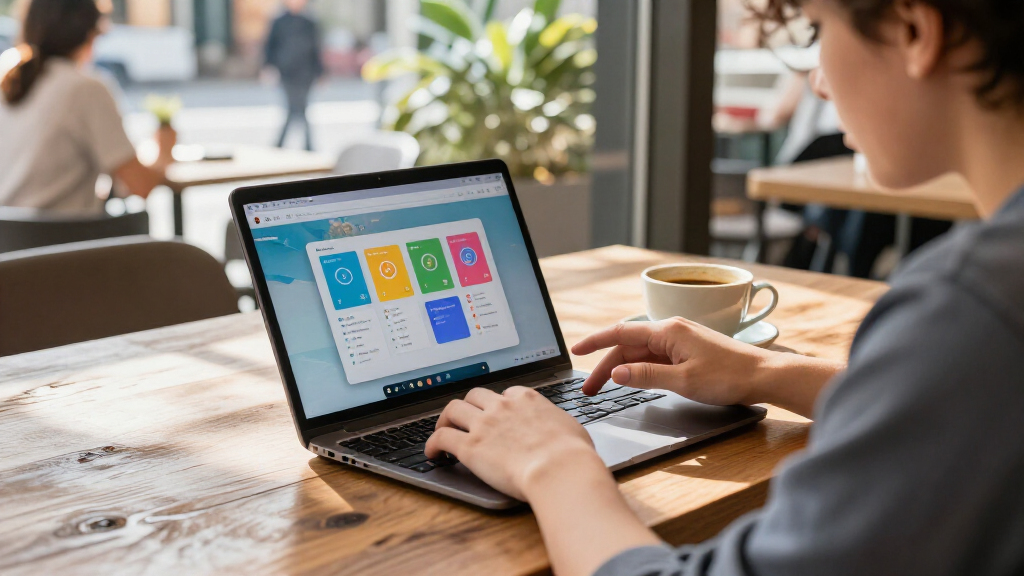

The best Chromebooks for Android apps pair a responsive touchscreen with enough memory for apps and browser tabs to run side by side. My best overall pick is the Lenovo IdeaPad 3i Chromebook, whose 8GB of RAM and 15.6-inch Full HD screen make it a stronger multitasking choice than the many 4GB models here. The HP Chromebook 15.6-inch with Intel N200 stands out as a newer, higher-memory alternative, while the ASUS Chromebook Flip CX1 suits buyers who want a convertible design. The tradeoffs are screen size versus portability, 4GB versus 8GB of memory, and whether a particular app works well on a Chromebook. Read on for the full breakdown, buying advice, and answers to common questions.

Get the latest gadgets delivered free — and shop member deals
- Fast, free delivery on millions of items
- Access to Prime Big Deal Days deals on October 6–7
- Prime Video, Amazon Music and more included
Complete the kit



Key Takeaways
- Memory separates the stronger multitasking picks: the Lenovo IdeaPad 3i and HP 15.6-inch N200 both list 8GB of RAM, while most models in this roundup have 4GB.
- Touch and convertible designs matter for app interaction: the ASUS Flip CX1, Lenovo touchscreen models, and compact 2-in-1 options offer a more tablet-like way to use Android apps than standard clamshells.
- Small-screen models trade comfort for portability: the Dell 3100 and Lenovo 300e are easier to carry, but their 11.6-inch displays give apps less room than the 14- and 15.6-inch choices.
- Display details vary even among similarly sized laptops: the 14-inch Full HD Acer Gateway is listed with a sharper panel than the HD HP Chromebook 14 and Acer Chromebook 315, a difference that can matter for reading and media.
- Renewed models need extra scrutiny: several compact 2-in-1s are refurbished or renewed, so buyers should check the seller’s condition, return terms, and device support status before choosing them for everyday app use.


| Chromebooks for Android app | Processor | Memory | Storage | Display |
|---|---|---|---|---|
| Acer Gateway Chromebook 314 | Intel Celeron N4500 dual-core, up to 2.8GHz | 4GB LPDDR4X | 64GB eMMC | 14-inch Full HD LCD, 1920 × 1080, 60Hz, anti-glare; non-touch |
| Lenovo 14-inch FHD Touchscreen | MediaTek Kompanio 520 octa-core, up to 2.0GHz | 4GB RAM | 64GB eMMC | 14-inch IPS touchscreen, 1920 × 1080, 60Hz |
| Lenovo 300e Chromebook 11.6-in | MediaTek M8173C quad-core, 2.1GHz | 4GB LPDDR3 | 32GB eMMC | 11.6-inch IPS touchscreen, 1366 × 768 |
| Samsung Galaxy Chromebook Go 1 | Intel Celeron N4500 | 4GB LPDDR4X | 64GB SSD | — |
| Lenovo IdeaPad 3i Chromebook | Intel Celeron N4500 | 8GB LPDDR4X | 64GB eMMC | 15.6-inch Full HD, 1920 × 1080 |
| HP Chromebook 14 Laptop | Intel Celeron N4120 | 4 GB RAM | 64 GB eMMC | 14-inch HD, 1366 × 768, anti-glare |
| HP 14 2-in-1 Chromebook 14-inc | Intel N100 quad-core, up to 3.40 GHz | 4 GB DDR5 | 64 GB eMMC | 14-inch Full HD IPS touchscreen, 1920 × 1080 |
| Dell Chromebook 11 3100 11.6-i | Intel Celeron N4020, dual-core, up to 2.8 GHz | 4 GB LPDDR4 | 32 GB flash memory | 11.6-inch IPS touchscreen, 1366 × 768 |
| Acer Chromebook 315 Laptop | Intel Celeron N4020 dual-core, up to 2.80 GHz | 4 GB | 64 GB eMMC | 15.6-inch HD anti-glare |
| Lenovo IdeaPad Slim 3 14-inch | MediaTek Kompanio 520 | 4 GB LPDDR4X | 64 GB eMMC; bundle lists a 128 GB SSD | 14-inch Full HD IPS touchscreen, 1920 × 1080, 60 Hz |
| HP 14" HD Chromebook Laptop fo | Intel Celeron N4120 | 4GB LPDDR4x | 64GB eMMC | 14-inch HD, 1366 x 768, anti-glare |
| Samsung Chromebook Plus V2 2-i | Intel Celeron | 4GB RAM | 64GB eMMC; microSD expansion supported | 12.2-inch LED touchscreen |
| HP Chromebook 15.6-inch Laptop | Intel N200, 4 cores | 8GB DDR5 | 192GB total: 64GB eMMC plus 128GB SD card | 15.6-inch LCD, 1366 x 768, 60Hz, 250 nits, anti-glare |
| ASUS Chromebook Flip CX1 14-In | Intel Celeron N4500 | 8GB DDR4 SDRAM | 128GB eMMC | 14-inch FHD touchscreen, 1920 x 1080, 60Hz |
| Dell Chromebook 11 3100 | Celeron N4020 listed in title; Celeron N4000 in specifications | 4GB RAM | 16GB flash memory | 11.6-inch, 1366 x 768 |
More Details on Our Top Picks
Acer Gateway Chromebook 314, 14-inch Full HD, Intel Celeron N4500, 4GB RAM, 64GB eMMC
The Acer Gateway Chromebook 314 pairs a 14-inch Full HD anti-glare display with a light clamshell design, making it a practical choice for reading, web apps, and Android apps that benefit from a larger screen. Compared with the Lenovo 14-inch FHD Touchscreen Chromebook, the Acer gives up touch input and newer wireless standards, but its matte display can be easier to view under bright indoor lighting. Its 4GB of memory and 64GB of storage suit a modest app collection and everyday tabs, not demanding multitasking or large offline libraries. The stated battery life of up to 10.5 hours supports a day of lighter use, while USB-C with charging and DisplayPort adds useful flexibility. I’d skip it if tapping or drawing directly on the display is part of your Android-app routine.
Pros:- 14-inch Full HD anti-glare display offers more workspace than the compact Lenovo 300e.
- At 3.3 pounds, it remains manageable to carry between classes or rooms.
- USB-C supports charging and DisplayPort video output.
- Battery life is listed at up to 10.5 hours.
Cons:- Non-touch display misses a convenient way to interact with many Android apps.
- 4GB RAM and 64GB eMMC limit heavier multitasking and large offline app collections.
Best for: Students and everyday users who want a portable 14-inch Full HD screen for web-based work and a modest set of Android apps.
Not ideal for: Buyers who want a touchscreen for Android games, drawing, or direct navigation, or who need more than 4GB RAM and 64GB storage for heavier app use.
- Display:14-inch Full HD LCD, 1920 × 1080, 60Hz, anti-glare; non-touch
- Processor:Intel Celeron N4500 dual-core, up to 2.8GHz
- Memory:4GB LPDDR4X
- Storage:64GB eMMC
- Operating system:ChromeOS
- Wireless:Wi-Fi 5 (802.11ac), Bluetooth 5.0
- Battery life:Up to 10.5 hours
- Weight:3.3 pounds
Our verdict“Choose the Acer if a glare-resistant Full HD screen matters more than touchscreen control or extra memory.”
Lenovo 14-inch FHD Touchscreen Chromebook, MediaTek Kompanio 520, 4GB RAM, 64GB eMMC
For Android apps that feel better with taps and swipes, this Lenovo’s 14-inch Full HD IPS touchscreen is its main advantage over the non-touch Acer Gateway Chromebook 314. The octa-core MediaTek Kompanio 520 and integrated ARM graphics provide a straightforward ChromeOS platform for everyday apps, while Wi-Fi 6 and Bluetooth 5.1 give it newer wireless connectivity than the Acer. Its 2.86-pound weight also makes it the lightest 14-inch option in this group. The tradeoff is familiar: 4GB RAM and 64GB eMMC leave little headroom for heavy multitasking or a large offline app library. A microSD reader can help with supported files, but it does not replace faster or roomier internal storage. I’d favor the Lenovo for touch-first use, not for intensive Android gaming.
Pros:- Full HD IPS touchscreen makes tapping and swiping through Android apps natural.
- At 2.86 pounds, it is lighter than the Acer Gateway Chromebook 314 and Samsung Galaxy Chromebook Go.
- Wi-Fi 6 and Bluetooth 5.1 offer newer wireless standards than the Acer.
- MicroSD reader adds a way to access supported extra files.
Cons:- 4GB RAM can constrain app switching and browser multitasking.
- 64GB eMMC leaves limited space for downloaded apps and offline content.
- The touchscreen advantage does not make it a convertible tablet.
Best for: Touch-first users, students, and casual Android-app users who want a lightweight 14-inch Chromebook with a Full HD display.
Not ideal for: People who keep many apps open at once, need substantial internal storage, or expect demanding Android games to run smoothly.
- Display:14-inch IPS touchscreen, 1920 × 1080, 60Hz
- Processor:MediaTek Kompanio 520 octa-core, up to 2.0GHz
- Memory:4GB RAM
- Storage:64GB eMMC
- Operating system:Chrome OS
- Wireless:Wi-Fi 6 (802.11ax), Bluetooth 5.1
- Ports:USB-A 3.2 Gen 1, USB-C 3.2 Gen 1, microSD card reader, 3.5mm audio combo jack
- Weight:2.86 pounds
Our verdict“Pick this Lenovo if touchscreen interaction and low carry weight matter more than memory and storage headroom.”
Lenovo 300e Chromebook 11.6-inch 2-in-1 Touchscreen Laptop (Renewed)
The renewed Lenovo 300e is the lineup’s small-screen convertible: its 11.6-inch touchscreen and 2-in-1 design suit Android apps used in tablet-style mode better than the clamshell Acer Gateway Chromebook 314 or Lenovo IdeaPad 3i. The compact display and 10-point multitouch support make casual tapping and touch-focused school apps feel more at home, while the listed battery life of up to 10 hours supports mobile use. But this is a distinctly modest device: its 1366 × 768 display, 4GB RAM, and 32GB eMMC fall behind the Full HD, 64GB options in this group. The renewed condition also means buyers should be comfortable with a previously used device and possible cosmetic wear. I’d choose it for portability and convertible flexibility, not for a spacious screen or broad app library.
Pros:- 2-in-1 touchscreen design supports tablet-style use of compatible Android apps.
- Compact 11.6-inch format is easier to handle than the 14-inch and 15.6-inch models.
- Listed battery life reaches up to 10 hours.
- HDMI provides a direct option for connecting an external display.
Cons:- 1366 × 768 resolution is noticeably lower than the Full HD displays on the Acer and Lenovo 14-inch models.
- 32GB eMMC is the smallest storage capacity in this batch.
- Renewed condition may include cosmetic wear.
Best for: Students or families seeking a compact, touch-enabled Chromebook for basic school apps, browsing, and occasional tablet-style use.
Not ideal for: Buyers who want a new device, Full HD resolution, ample storage, or enough memory for frequent app-heavy multitasking.
- Display:11.6-inch IPS touchscreen, 1366 × 768
- Processor:MediaTek M8173C quad-core, 2.1GHz
- Memory:4GB LPDDR3
- Storage:32GB eMMC
- Operating system:Chrome OS
- Battery life:Up to 10 hours
- Connectivity:Wi-Fi 802.11ac, Bluetooth 4.2, HDMI, USB
- Condition:Renewed
Our verdict“Choose the renewed 300e for compact convertible touch use, but pass if display clarity or storage capacity is a priority.”
Samsung Galaxy Chromebook Go 14-inch Laptop, Intel Celeron N4500, 4GB RAM, 64GB SSD, ChromeOS, Silver
The Samsung Galaxy Chromebook Go is a sensible pick for buyers who value time away from an outlet: its listed 12-hour battery life is longer than the Acer Gateway Chromebook 314’s 10.5 hours and the Lenovo IdeaPad 3i’s up to 10 hours. Its 14-inch form, 3.2-pound weight, and slim profile keep it suited to school or commuting, while the product description highlights a durable, military-grade chassis. For Android apps, though, its 4GB of memory and Celeron N4500 point to everyday use rather than sustained multitasking or demanding games. The 64GB SSD capacity is still restrictive for offline downloads, and the provided specs do not identify the display’s resolution or touch support. I’d choose this over the Acer for stated battery life and durability, but not for a known screen advantage.
Pros:- Listed 12-hour battery life exceeds the stated figures for the Acer Gateway Chromebook 314 and Lenovo IdeaPad 3i.
- Slim 3.2-pound design is suited to daily carrying.
- Description highlights a durable, military-grade chassis.
- 64GB SSD capacity is specified for local storage.
Cons:- 4GB RAM and the Celeron N4500 are not suited to demanding multitasking or gaming.
- 64GB storage may restrict offline apps and downloads.
- The supplied specifications do not state display resolution or touchscreen support.
Best for: Students and commuters who need a lightweight 14-inch Chromebook with a long stated battery life for everyday apps.
Not ideal for: Android gamers, heavy multitaskers, or buyers who need a touchscreen or confirmed Full HD resolution.
- Display size:14 inches
- Processor:Intel Celeron N4500
- Memory:4GB LPDDR4X
- Storage:64GB SSD
- Operating system:ChromeOS
- Battery life:Up to 12 hours
- Connectivity:Wi-Fi, HDMI, USB-C
- Weight:3.2 pounds
Our verdict“Pick the Samsung for its stated long battery life and durable portable design, provided its unspecified display details meet your needs.”
Lenovo IdeaPad 3i Chromebook, 15.6-inch FHD, Intel Celeron N4500, 8GB RAM, 64GB eMMC
The Lenovo IdeaPad 3i earns its place through the combination of a 15.6-inch Full HD screen and 8GB of RAM—double the memory of the Acer Gateway Chromebook 314, Lenovo 14-inch touchscreen Chromebook, and Samsung Galaxy Chromebook Go. That extra memory gives everyday app switching more room, while the larger display makes split-screen work and media easier to view. It is the clearest choice here for someone who wants a roomy ChromeOS workspace without moving to a more demanding processor class. The cost of that screen is portability: at 5.5 pounds, it is much heavier than the 14-inch alternatives. Its 64GB eMMC also remains tight for offline Android apps, and the listed display is not described as touch-enabled. I’d choose it for desk-friendly multitasking, not for frequent carrying or touch-first use.
Pros:- 8GB RAM provides more multitasking headroom than the 4GB models in this batch.
- 15.6-inch Full HD display offers the largest listed workspace among these five products.
- Wi-Fi 6 and Bluetooth 5.2 are newer wireless standards than those listed for the Acer Gateway Chromebook 314.
- USB-C and HDMI support connections to accessories and external displays.
Cons:- At 5.5 pounds, it is much heavier than the 14-inch Acer, Lenovo, and Samsung options.
- 64GB eMMC limits space for offline apps and files.
- Touchscreen support is not listed, which may disappoint buyers seeking direct Android-app control.
Best for: Users who run several everyday apps or browser tabs and want a large Full HD screen for schoolwork, video, or split-screen tasks.
Not ideal for: Commuters who carry a Chromebook often, or Android-app users who specifically want touchscreen control and more than 64GB of storage.
- Display:15.6-inch Full HD, 1920 × 1080
- Processor:Intel Celeron N4500
- Memory:8GB LPDDR4X
- Storage:64GB eMMC
- Operating system:ChromeOS
- Connectivity:USB 3.2 Gen 1, USB-C 3.2 Gen 1, HDMI, Wi-Fi 6, Bluetooth 5.2
- Battery life:Up to 10 hours
- Weight:5.5 pounds
Our verdict“Choose the IdeaPad 3i if you want more memory and a large Full HD workspace, and can accept its heavy build and limited storage.”
HP Chromebook 14 Laptop – Intel Celeron N4120, 4 GB RAM, 64 GB eMMC, 14-inch HD Display, Chrome OS, Ash Gray (2022)
The HP Chromebook 14 suits buyers who want a straightforward screen for Android apps and a long stretch away from an outlet. Its up to 14-hour battery claim and light, thin build favor school days and casual use, while Chrome OS provides access to the Play Store. The 14-inch anti-glare display gives apps more room than the Dell Chromebook 11 3100’s compact screen, but its HD resolution is less sharp than the Full HD panel on the HP 14 2-in-1. With 4 GB of RAM and 64 GB of eMMC, this is better for a few lightweight apps than heavy multitasking or a large offline library. I’d choose it over the Acer Chromebook 315 when portability matters more than a larger screen and numeric keypad.
Pros:- Advertised battery life of up to 14 hours supports long school or work days
- Thin, lightweight 14-inch form is easier to carry than the Acer Chromebook 315
- Anti-glare display is useful in bright rooms
- Chrome OS includes access to Android apps through the Play Store
Cons:- 1366 × 768 resolution is less sharp than the Full HD HP 14 2-in-1
- 64 GB eMMC leaves limited room for downloaded apps and media
- 4 GB RAM is a constraint for heavier multitasking
Best for: Students and commuters who want a light 14-inch Chromebook for everyday Android apps and long sessions away from a charger.
Not ideal for: Buyers who want crisp Full HD visuals, substantial local app storage, or room to run many demanding apps at once.
- Processor:Intel Celeron N4120
- Memory:4 GB RAM
- Storage:64 GB eMMC
- Display:14-inch HD, 1366 × 768, anti-glare
- Graphics:Intel UHD Graphics 600
- Battery life:Up to 14 hours
- Operating system:Chrome OS
- Wireless:Wi-Fi 5 (802.11ac), Bluetooth
Our verdict“Choose the HP Chromebook 14 if battery life and portability matter more than a Full HD display or generous app storage.”
HP 14 2-in-1 Chromebook 14-inch FHD Intel N100 Processor, 4 GB RAM, 64 GB Storage (Renewed)
Android apps can feel more natural on a tablet, and the HP 14 2-in-1 gives them a 14-inch Full HD touchscreen that folds back for touch-first use. That flexibility is its main advantage over the standard HP Chromebook 14: the latter is lighter and advertises longer battery life, but it lacks a convertible screen and has lower resolution. The Intel N100 processor and Wi-Fi 6 make this a more modern setup for everyday browsing and app use, although 4 GB of RAM still limits how many demanding tasks I’d keep open together. Its 64 GB eMMC is also modest for offline downloads. Since this unit is renewed and battery life is not specified, it suits buyers comfortable with refurbished condition more than those seeking a new device with a stated runtime.
Pros:- 360-degree hinge switches between laptop and tablet-style use
- Full HD IPS touchscreen gives apps a sharper, more touch-friendly display than the HP Chromebook 14
- Intel N100 processor and Wi-Fi 6 support a current everyday-use setup
- Play Store access, Google Assistant, and instant tethering are included
Cons:- Renewed condition may not suit buyers who prefer a new device
- 4 GB RAM can limit heavier multitasking
- 64 GB eMMC provides little space for large app and media libraries
Best for: Touch-first users who want to run Android apps on a Full HD convertible and are comfortable buying a renewed Chromebook.
Not ideal for: Buyers who need a new device, verified battery runtime, or more than 4 GB of memory for multitasking.
- Processor:Intel N100 quad-core, up to 3.40 GHz
- Memory:4 GB DDR5
- Storage:64 GB eMMC
- Display:14-inch Full HD IPS touchscreen, 1920 × 1080
- Form factor:Convertible 2-in-1
- Wireless:Wi-Fi 6 (802.11ax), Bluetooth 5
- Webcam:720p with dual-array microphones
- Operating system:Chrome OS
Our verdict“Pick this HP if touch controls and a Full HD convertible screen matter more than new condition or extra memory.”
Dell Chromebook 11 3100 11.6-inch Touchscreen 2-in-1, Intel Celeron N4020, 4 GB RAM, 32 GB Storage (Renewed)
The Dell Chromebook 11 3100 is the most compact pick here for buyers who want to use Android apps in a tablet-style setup. Its 11.6-inch touchscreen and 2-in-1 hinge are easier to handle in tight spaces than the HP 14 2-in-1, though that HP offers a much sharper, larger Full HD screen. The Dell’s 32 GB of storage is the clearest limitation: app installs and offline media will need careful management, especially beside the 64 GB offered by the HP and the Acer Chromebook 315. Its Celeron N4020 and 4 GB RAM are suited to basic apps rather than demanding games or broad multitasking. The renewed condition and 90-day limited warranty are further tradeoffs, so I’d favor it for portability over long-term flexibility.
Pros:- Compact 11.6-inch touchscreen is easier to use in cramped spaces than 14- or 15.6-inch options
- 2-in-1 design supports touch-first Android app use
- Includes USB Type-C, four USB ports, and Bluetooth 5
- Integrated Intel UHD Graphics 600 handles basic visual tasks
Cons:- 32 GB storage is substantially less than the 64 GB in the HP Chromebook 14 and Acer Chromebook 315
- 4 GB RAM and the dual-core processor limit demanding apps and multitasking
- Renewed condition comes with a 90-day limited warranty
Best for: Students or mobile users who want a small touchscreen Chromebook for a few lightweight Android apps and tablet-style use.
Not ideal for: People with large app libraries, demanding games, or a preference for a new device with a longer warranty.
- Processor:Intel Celeron N4020, dual-core, up to 2.8 GHz
- Memory:4 GB LPDDR4
- Storage:32 GB flash memory
- Display:11.6-inch IPS touchscreen, 1366 × 768
- Form factor:2-in-1 Chromebook
- Graphics:Intel UHD Graphics 600
- Wireless:Wi-Fi 5, Bluetooth 5
- Warranty:90-day limited warranty
Our verdict“Choose the Dell for a small, touch-enabled form factor, but skip it if you need substantial app storage or a roomy display.”
Acer Chromebook 315 Laptop, 15.6-inch HD Display, Intel Celeron N4020, 4 GB RAM, 64 GB eMMC, Chrome OS
The Acer Chromebook 315 gives Android apps and split-screen browsing the largest display in this batch, with a 15.6-inch anti-glare screen and an integrated numeric keypad. That makes it a better desk companion than the compact Dell Chromebook 11 3100, but it is less convenient to carry and its HD resolution is not as sharp as the HP 14 2-in-1’s Full HD panel. The up to 12.5-hour battery claim supports extended everyday use, while 64 GB of eMMC gives it twice the Dell’s listed storage. Still, 4 GB RAM and the Celeron N4020 are better suited to light apps than intensive games or heavy multitasking. I’d pick the Acer when screen size and keyboard layout matter more than portability or touch-based tablet use.
Pros:- 15.6-inch screen gives apps more viewing area than the HP Chromebook 14
- Integrated numeric keypad is useful for number-heavy work
- Anti-glare coating helps reduce distracting reflections
- Advertised battery life reaches up to 12.5 hours
Cons:- HD resolution is less detailed than the Full HD HP 14 2-in-1
- Larger form factor is less convenient to carry than 14-inch and 11.6-inch options
- 4 GB RAM and 64 GB storage constrain heavy app use and offline libraries
Best for: Home users who want a large screen for casual Android apps, browsing, and keyboard-heavy tasks such as data entry.
Not ideal for: Commuters seeking a compact convertible, or buyers who need Full HD detail and stronger multitasking capacity.
- Processor:Intel Celeron N4020 dual-core, up to 2.80 GHz
- Memory:4 GB
- Storage:64 GB eMMC
- Display:15.6-inch HD anti-glare
- Graphics:Intel UHD Graphics
- Battery life:Up to 12.5 hours
- Ports:2 × USB-C 3.1, 2 × USB-A 3.1, headphone jack
- Operating system:Chrome OS
Our verdict“Choose the Acer Chromebook 315 if a roomy display and numeric keypad outweigh Full HD sharpness and portability.”
Lenovo IdeaPad Slim 3 14-inch Chromebook with Touchscreen
The Lenovo IdeaPad Slim 3 pairs a 14-inch Full HD touchscreen with a light 2.9-pound chassis, making it a practical choice for Android apps when touch access and easy portability both matter. Unlike the renewed HP 14 2-in-1, the supplied description does not specify a folding hinge, so I wouldn’t treat it as a tablet replacement; the HP is the clearer pick for convertible use. Lenovo counters with Wi-Fi 6 and up to 13.5 hours of battery life, plus a bundled docking station set that lists a 128 GB SSD. The listing is inconsistent about the bundle’s storage, however, and the Chromebook itself still has just 64 GB eMMC and 4 GB RAM. I’d choose it for a sharp touch display and useful accessories, not for demanding app workloads.
Pros:- Full HD anti-glare touchscreen is sharper than the Acer Chromebook 315’s HD panel
- Light 2.9-pound design is easy to carry
- Wi-Fi 6 and advertised battery life up to 13.5 hours support mobile use
- Bundle includes a docking station set with a listed 128 GB SSD and a 32 GB MicroSD card
Cons:- 4 GB LPDDR4X may limit demanding multitasking
- The listing describes the bundled storage inconsistently
- The supplied product details do not specify a convertible hinge
Best for: Students and light-use travelers who want a portable Full HD touchscreen Chromebook with Wi-Fi 6 and bundled storage accessories.
Not ideal for: Buyers who need a confirmed large internal drive, more than 4 GB RAM, or a verified convertible hinge for tablet-style use.
- Processor:MediaTek Kompanio 520
- Memory:4 GB LPDDR4X
- Storage:64 GB eMMC; bundle lists a 128 GB SSD
- Display:14-inch Full HD IPS touchscreen, 1920 × 1080, 60 Hz
- Wireless:Wi-Fi 6 (802.11ax), Bluetooth 5.1
- Battery life:Up to 13.5 hours
- Weight:2.9 lb
- Operating system:Chrome OS
Our verdict“Pick the Lenovo for a portable Full HD touchscreen and accessory bundle, but verify the storage details before relying on the added SSD.”
HP 14″ HD Chromebook Laptop for Students, Intel Quad-Core N4120, 4GB RAM, 64GB eMMC, WiFi, Webcam, HDMI, USB-A & C, 14-Hour Battery Life, Chrome OS
I’d choose this HP for students who need a straightforward Android-app Chromebook that can last through classes without frequent charging. Its up-to-14-hour battery claim and 3.35-pound weight make it easier to carry than the larger HP Chromebook 15.6-inch, while the HD anti-glare screen suits documents and basic app use. The Celeron N4120 and 4GB of RAM are a modest setup: everyday apps and browser tabs are the right workload, not demanding games or heavy multitasking. The 64GB eMMC also leaves less room for offline files and app data than the ASUS Chromebook Flip CX1’s 128GB. I like the practical mix of USB-A, USB-C, and HDMI, but buyers who spend lots of time watching video may prefer a Full HD display.
Pros:- Advertised battery life of up to 14 hours supports long school days away from an outlet.
- Anti-glare 14-inch display is suited to documents and classroom use.
- USB-A, USB-C, HDMI, and a headphone jack cover common accessories and external displays.
- 3.35-pound weight is manageable for daily student carry.
Cons:- 1366 x 768 resolution is less detailed than the ASUS Chromebook Flip CX1’s Full HD screen.
- 4GB RAM and the Celeron N4120 are limiting for demanding Android apps or many open tabs.
- 64GB eMMC offers little room for large app libraries and offline content.
Best for: Students who carry a Chromebook between classes, use Google and Android apps for routine schoolwork, and value long stated battery life.
Not ideal for: Buyers who want a sharp screen for video, plentiful room for offline apps, or enough memory for heavy multitasking.
- Processor:Intel Celeron N4120
- Memory:4GB LPDDR4x
- Storage:64GB eMMC
- Display:14-inch HD, 1366 x 768, anti-glare
- Graphics:Intel UHD Graphics 600
- Battery life:Up to 14 hours
- Ports:2 USB 3.0 Type-A, 1 USB 3.0 Type-C, HDMI, headphone jack
- Weight:3.35 pounds
- Operating system:Chrome OS
Our verdict“Pick this HP if you want a portable student Chromebook with long stated battery life and can live with a basic HD screen and 64GB of storage.”
Samsung Chromebook Plus V2 2-in-1 Laptop, 4GB RAM, 64GB eMMC, 12.2-inch Display, Light Titan
The Samsung Chromebook Plus V2 is the most app-focused pick here for buyers who want to switch from typing to touch or pen input. Its 12.2-inch touchscreen, tablet mode, and built-in pen make sketching, annotating, and tapping through Android apps more natural than on the clamshell HP 14-inch. The 13MP rear camera with autofocus also gives it a distinctive role for capturing documents or quick reference images. That flexibility comes with a small, 4GB-memory platform and just 64GB of built-in storage, so I’d keep app use modest and add a microSD card for files. Its listed battery life reaches 10 hours, shorter than the HP’s 14-hour claim, and its Intel Celeron processor is not aimed at demanding workloads.
Pros:- Convertible design supports tablet use for touch-first Android apps.
- Built-in pen does not require charging.
- 13MP autofocus rear camera can capture documents and reference material.
- MicroSD expansion offers a way to supplement the limited internal storage.
Cons:- 4GB RAM and the Intel Celeron processor limit demanding apps and multitasking.
- 64GB eMMC can fill quickly with downloaded apps and offline content.
- Up to 10 hours of stated battery life is less than the HP 14-inch Chromebook’s claim.
Best for: Students and note-takers who want a compact touchscreen Chromebook with a built-in pen for annotating, drawing, and using Android apps in tablet mode.
Not ideal for: People who need a larger screen, extensive built-in storage, or better headroom for demanding apps and multitasking.
- Model:XE520QAB-K03US
- Processor:Intel Celeron
- Memory:4GB RAM
- Storage:64GB eMMC; microSD expansion supported
- Display:12.2-inch LED touchscreen
- Rear camera:13MP with autofocus
- Battery life:Up to 10 hours
- Weight:About 3 pounds
- Operating system:Chrome OS
Our verdict“Choose the Samsung if pen input and tablet-style Android app use matter more than speed, screen size, or built-in storage.”
HP Chromebook 15.6-inch Laptop, Intel N200, 8GB DDR5 RAM, 192GB Storage
Among these five, I’d point multitaskers toward this HP: its 8GB DDR5 memory gives Android apps and browser tabs more breathing room than the 4GB Samsung Chromebook Plus V2 or HP 14-inch. The Intel N200 is a four-core processor, and the 15.6-inch display with a numeric keypad makes the machine more comfortable for spreadsheet work and split-screen use. Storage is listed as 192GB, combining 64GB eMMC with a 128GB SD card, rather than all being built into the device; the card has a separate warranty. The main compromise is the 1366 x 768 resolution, which looks less crisp for video and fine detail than the ASUS Flip CX1’s Full HD screen. For Android apps, this is the roomy work surface, not the sharpest display.
Pros:- 8GB DDR5 memory provides more multitasking headroom than the 4GB options in this group.
- Four-core Intel N200 processor suits everyday apps and school or office tasks.
- 15.6-inch anti-glare display and numeric keypad support larger-workspace tasks.
- Webcam privacy shutter and USB-C ports add practical everyday utility.
Cons:- 1366 x 768 resolution is low for a 15.6-inch screen and less detailed than the ASUS Flip CX1’s Full HD panel.
- The advertised 192GB includes a 128GB SD card rather than only internal storage.
- The SD card’s warranty is separate from the Chromebook warranty.
Best for: Students and home users who keep several apps and browser tabs open, work with spreadsheets, and want a large screen plus expanded storage.
Not ideal for: Video-focused buyers who prioritize Full HD detail, or anyone who wants all storage built into the Chromebook rather than partly on an SD card.
- Processor:Intel N200, 4 cores
- Memory:8GB DDR5
- Storage:192GB total: 64GB eMMC plus 128GB SD card
- Display:15.6-inch LCD, 1366 x 768, 60Hz, 250 nits, anti-glare
- Graphics:Integrated Intel UHD Graphics
- Wireless:Wi-Fi 5, Bluetooth 5
- Ports:2 USB-C, 1 USB-A, microSD card reader, audio combo jack
- Weight:3.3 pounds
- Auto Update Expiration:June 2030
Our verdict“Choose this HP for more memory and a spacious work area, provided you can accept HD resolution and storage partly supplied by an SD card.”
ASUS Chromebook Flip CX1 14-Inch Convertible Laptop
The ASUS Chromebook Flip CX1 earns the premium-convertible role through a 14-inch Full HD touchscreen, 360-degree hinge, and 8GB of RAM. Those features make it more adaptable for Android apps than the clamshell HP Chromebook 15.6-inch: use it as a laptop for schoolwork, then fold it into tablet or stand mode for touch-first apps and video. The 128GB eMMC also doubles the built-in capacity of the HP 14-inch and Samsung Chromebook Plus V2. Its Celeron N4500 remains an entry-level processor, though, so the added flexibility does not make it a strong choice for demanding games or intensive multitasking. At 3.59 pounds, it is heavier than the Samsung convertible, and its battery claim is up to 11 hours—less than the HP 14-inch’s stated 14 hours.
Pros:- Full HD touchscreen offers more detail than the HD panels on the HP 14-inch and HP 15.6-inch.
- 360-degree hinge supports laptop, tent, stand, and tablet modes.
- 8GB RAM and 128GB eMMC exceed the memory and built-in storage of the Samsung Chromebook Plus V2.
- Wi-Fi 6, Bluetooth 5.2, USB-C, USB-A, and microSD provide flexible connectivity.
Cons:- Intel Celeron N4500 is still an entry-level processor for demanding apps and games.
- At 3.59 pounds, it is heavier than the Samsung Chromebook Plus V2 convertible.
- Up to 11 hours of stated battery life falls short of the HP 14-inch’s claim.
Best for: Buyers who want a Full HD touchscreen Chromebook for both keyboard work and tablet-style Android apps, with more memory and internal storage than basic 4GB models.
Not ideal for: People seeking a very light tablet-like convertible, long battery life above all else, or performance for demanding Android games.
- Model:CX1400FKA-AS88FT
- Processor:Intel Celeron N4500
- Memory:8GB DDR4 SDRAM
- Storage:128GB eMMC
- Display:14-inch FHD touchscreen, 1920 x 1080, 60Hz
- Design:Convertible 2-in-1 with 360-degree hinge
- Wireless:Wi-Fi 6, Bluetooth 5.2
- Battery life:Up to 11 hours
- Weight:3.59 pounds
Our verdict“Pick the ASUS Flip CX1 if you want a sharper screen and flexible Android-app use without giving up a full laptop keyboard.”
Dell Chromebook 11 3100, 11.6-inch, Celeron N4020, 4 GB RAM, 16 GB Flash, Chrome OS (Renewed)
This renewed Dell is the compact choice for buyers who mainly use a few lightweight Android apps and want an 11.6-inch Chromebook that weighs 2.9 pounds. It takes up less space than the 14-inch HP and the 15.6-inch HP, but the small footprint comes with a 16GB flash drive—far less room than any of those alternatives. That makes app downloads and offline files a real constraint, so I’d treat it as a browser-first device rather than an app library. The listing also conflicts on whether the processor is a Celeron N4020 or N4000, which makes the exact configuration less clear than the Samsung Chromebook Plus V2’s stated Celeron setup. It is renewed and includes a 90-day limited warranty; buyers should weigh that against the listed up-to-14-hour battery life.
Pros:- Compact 11.6-inch display makes it easier to carry and use in tight spaces.
- At 2.9 pounds, it is lighter than the HP 14-inch and ASUS Flip CX1.
- Listed battery life reaches up to 14 hours.
- Wi-Fi 802.11ac and Bluetooth support common wireless connections.
Cons:- 16GB flash storage sharply limits app installs and offline files compared with the other Chromebooks here.
- The listing names both Celeron N4020 and N4000, leaving processor details inconsistent.
- Renewed condition and a 90-day limited warranty may not suit buyers seeking a new device or longer coverage.
Best for: People who need a small, lightweight Chromebook for browsing, web-based school tasks, and only a handful of lightweight Android apps.
Not ideal for: Users who want to install many Android apps, store offline media, or prefer a new device with clear processor details and a longer warranty.
- Condition:Renewed
- Display:11.6-inch, 1366 x 768
- Processor:Celeron N4020 listed in title; Celeron N4000 in specifications
- Memory:4GB RAM
- Storage:16GB flash memory
- Connectivity:Wi-Fi 802.11ac, Bluetooth
- Battery life:Up to 14 hours
- Weight:2.9 pounds
- Warranty:90-day limited warranty
Our verdict“Choose this renewed Dell only if compact size matters more than storage, clear processor specifications, and a longer warranty.”
How We Picked
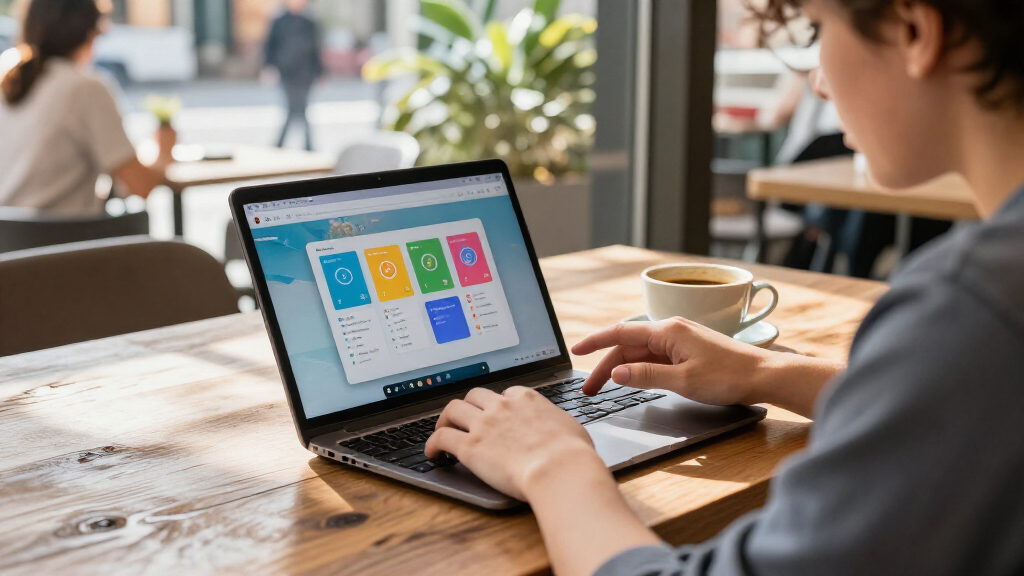
I ranked these Chromebooks around the things that shape Android app use: memory and processor class, touchscreen and convertible flexibility, and display size and resolution. Models with 8GB of RAM rank ahead for heavier multitasking, while touchscreens and 2-in-1 hinges earn weight when they make apps easier to operate directly. I also accounted for the practical tradeoff between a larger work area and a compact body, plus the limited storage configurations listed for many models.
The ranking favors broadly useful combinations rather than a single impressive specification. That puts the Lenovo IdeaPad 3i first for its stated 8GB of RAM and Full HD screen, with the HP N200 model close behind as another higher-memory option. Convertible and touchscreen models follow when their form factor adds clear app-use value, while basic 4GB configurations and renewed devices rank lower because their listed specs or condition call for more compromises. Product names alone do not confirm Android app compatibility or support lifespan, so buyers should verify both for the specific configuration they plan to purchase.
| Chromebooks for Android app | Operating system | Wireless |
|---|---|---|
| Acer Gateway Chromebook 314 | ChromeOS | Wi-Fi 5 (802.11ac), Bluetooth 5.0 |
| Lenovo 14-inch FHD Touchscreen | Chrome OS | Wi-Fi 6 (802.11ax), Bluetooth 5.1 |
| Lenovo 300e Chromebook 11.6-in | Chrome OS | — |
| Samsung Galaxy Chromebook Go 1 | ChromeOS | — |
| Lenovo IdeaPad 3i Chromebook | ChromeOS | — |
| HP Chromebook 14 Laptop | Chrome OS | Wi-Fi 5 (802.11ac), Bluetooth |
| HP 14 2-in-1 Chromebook 14-inc | Chrome OS | Wi-Fi 6 (802.11ax), Bluetooth 5 |
| Dell Chromebook 11 3100 11.6-i | — | Wi-Fi 5, Bluetooth 5 |
| Acer Chromebook 315 Laptop | Chrome OS | — |
| Lenovo IdeaPad Slim 3 14-inch | Chrome OS | Wi-Fi 6 (802.11ax), Bluetooth 5.1 |
| HP 14" HD Chromebook Laptop fo | Chrome OS | — |
| Samsung Chromebook Plus V2 2-i | Chrome OS | — |
| HP Chromebook 15.6-inch Laptop | — | Wi-Fi 5, Bluetooth 5 |
| ASUS Chromebook Flip CX1 14-In | — | Wi-Fi 6, Bluetooth 5.2 |
| Dell Chromebook 11 3100 | — | — |
Factors to Consider When Choosing Best Chromebooks For Android Apps
Choosing a Chromebook for Android apps takes more than matching a screen size or processor name. I would first check how you expect to use apps, then balance memory, touch controls, portability, storage, and the particular model’s support status. These checks help avoid buying a laptop that runs the apps you need awkwardly—or cannot run them at all.
Check App Compatibility Before Comparing Specs
Chromebooks can run many Android apps, but compatibility and usability are not identical across apps. Some apps are designed around a phone screen, while others work better with a keyboard, mouse, or larger display. Search for the specific app and Chromebook model or hardware configuration before buying, especially if the app is needed for work, school, or a recurring task. Check whether the app supports the controls you plan to use; touch support alone does not guarantee every function behaves as expected. Avoid assuming that a newer processor or a 2-in-1 hinge resolves a software compatibility issue. If one app is the main reason for the purchase, verify that app first and treat the hardware shortlist as a second step.
Choose Memory for Your Real Workload
Memory affects how comfortably a Chromebook can keep an Android app open while browser tabs and other tasks are active. The many 4GB configurations in this roundup may suit light use, but they leave less room for simultaneous workloads than the listed 8GB Lenovo IdeaPad 3i and HP N200 model. A common mistake is to compare processor names while overlooking RAM, even though multitasking can be constrained by both. Think about whether you switch often between apps, keep many tabs open, or use larger creative or productivity apps. Paying for more memory makes the most sense when those habits are routine, not just occasional. Also confirm the exact configuration: product listings can group variants with different specifications.
Treat Touch and Convertible Design as Use-Case Features
A touchscreen can make phone-oriented apps feel more natural, while a convertible hinge lets a Chromebook fold into a tablet-style position. Those benefits are most useful for drawing, reading, casual games, or apps built around tapping and swiping. They matter less if most of your time goes to typing, spreadsheets, or browser-based work. Before paying extra for a convertible, check how often you will actually use it away from a desk and whether its weight and hinge fit that routine. Also distinguish a touchscreen clamshell from a true 2-in-1: both accept touch, but only the latter is designed to fold into alternate positions. Buyers who rarely touch the screen may get more value from stronger memory or a better display instead.
Balance Screen Comfort Against Portability
A compact 11.6-inch Chromebook is easier to carry and handle like a tablet, but it gives apps less room for menus, text, and split-screen use. A 14-inch model is a middle ground for everyday mobility, while a 15.6-inch screen gives more space for documents and entertainment at the cost of a larger footprint. Resolution matters too: a Full HD panel can show finer detail than an HD panel of similar size. Do not choose by diagonal measurement alone; consider how much text fits on screen and whether you will often use the laptop away from a desk. If the Chromebook will be your main computer, a larger or sharper display may be worth the extra bulk. For travel or younger users, compact size can be the more practical compromise.
Check Storage, Support, and Renewed-Device Terms
Many models here list 64GB of onboard storage, while the Dell 3100 configurations list 32GB or 16GB. Android apps, downloads, and offline files all use local space, so low storage can become restrictive if you expect to keep much content on the device. Cloud storage can help, but it is less convenient when offline access matters. Before choosing a Chromebook, check its update support period for the exact model; long-term software support affects how long it remains a sensible everyday device. Renewed listings add another check: read the condition description, confirm what accessories are included, and review the return and warranty terms. A low-cost older model is a poor fit if it no longer receives the updates or app support you need.
Frequently Asked Questions
Is 4GB of RAM enough for Android apps on a Chromebook?
It can be enough for light use, such as running one app at a time alongside a small number of browser tabs. If you regularly switch between apps, keep many tabs open, or use demanding software, 4GB leaves less room for smooth multitasking than the 8GB configurations in this roundup. The Lenovo IdeaPad 3i and HP 15.6-inch N200 model are the clearer options here for buyers who want more memory headroom. App demands vary, so check the requirements for the specific software you rely on. If you cannot confirm those requirements, favor more RAM over an otherwise similar 4GB model.
Will every Android app work properly on a Chromebook?
No. Many Android apps can run on Chromebooks, but an app may be unavailable for a device, lack support for its screen layout, or work better with touch than with a keyboard and mouse. A convertible can improve hands-on use, but its hinge does not change whether an app is compatible. Before buying, check the app listing and search for reports tied to the specific Chromebook or processor configuration. For an app that is essential to school or work, confirm its key features rather than relying on a general claim that Chromebooks support Android apps. This check can prevent a mismatch that extra memory or a larger screen will not fix.
Should I choose a touchscreen Chromebook or a regular clamshell?
Choose touch when your preferred apps depend on tapping, swiping, drawing, or reading in a tablet-like position. A convertible such as the ASUS Flip CX1 can add more flexible viewing positions, while a standard touchscreen clamshell offers direct interaction without the same folding design. If you mostly type, browse, and use a mouse, a non-convertible Chromebook may be a better use of your budget. Consider how often you will use touch in practice, not just whether the feature sounds appealing. For phone-first apps, check whether the app layout works comfortably on the Chromebook’s screen before deciding that touch alone is enough.
Is a renewed Chromebook a sensible choice for Android apps?
It can be, particularly if you want a compact touchscreen or 2-in-1 form factor that is less common among the newer configurations listed here. The main concerns are the device’s condition, battery wear, included accessories, return policy, and remaining ChromeOS update support. Those factors are separate from whether an Android app runs on the hardware. Confirm the exact model number and check support information before treating an older renewed device as a long-term daily computer. If support status or battery condition is unclear, a newer model with a clear specification is the safer choice.
Is a larger screen or more RAM the better upgrade for Android apps?
More RAM is usually the more useful upgrade when you keep several apps or browser tabs active, since it helps with multitasking rather than simply making the display larger. A larger screen is the better priority if you read, edit documents, or use apps that feel cramped on compact panels. In this roundup, the 8GB models combine more memory with 15.6-inch displays, while the 14-inch Full HD Acer Gateway offers a sharper screen but lists 4GB of RAM. Match the upgrade to the problem you actually face: slow task switching points toward more memory, while crowded layouts point toward more screen space. If you depend on a specific app, compatibility comes before either upgrade.
Conclusion
For most buyers, I recommend the Lenovo IdeaPad 3i Chromebook as the best overall choice: its stated 8GB of RAM and 15.6-inch Full HD display make a useful combination for app use and multitasking. The HP Chromebook 15.6-inch with Intel N200 is my pick for buyers seeking another higher-memory option, while the Lenovo 14-inch MediaTek touchscreen Chromebook is a value-minded choice for lighter use where direct touch matters more than extra RAM. Beginners who want a familiar laptop-style setup can start with a straightforward 14-inch clamshell; those who prefer tablet-like interaction should look at the ASUS Chromebook Flip CX1 or a touchscreen 2-in-1. For specific needs, choose an 11.6-inch model for portability or a larger screen for reading and split-screen work. Before ordering any model—especially a renewed one—check app compatibility, exact specifications, and remaining software support.
Halloween Picks
halloween
As an affiliate, we earn on qualifying purchases.