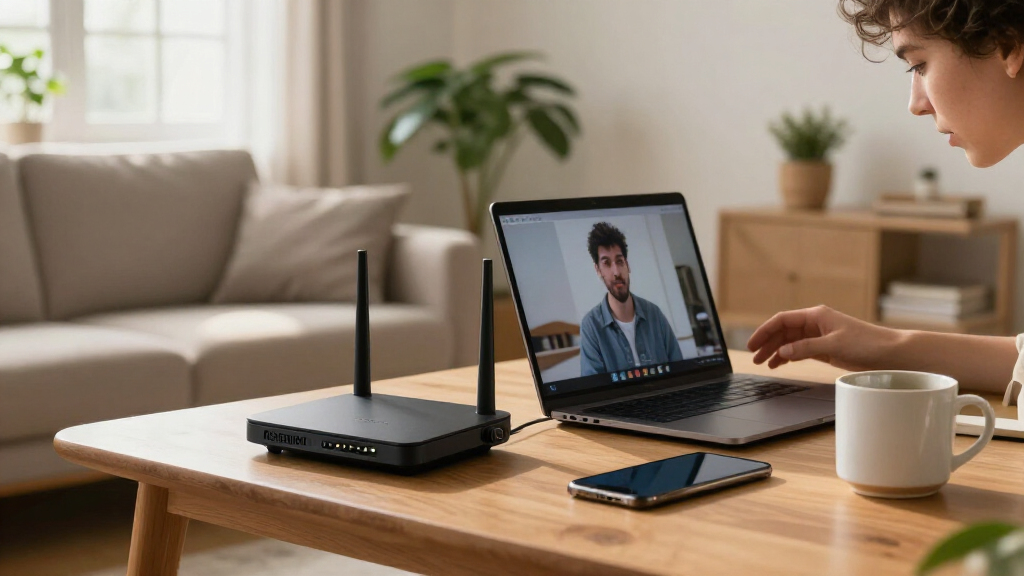

The best Netgear networking products depend on whether you need faster Wi-Fi, broader whole-home coverage, or more wired and PoE connections. My best overall pick is the Nighthawk Tri-Band WiFi 7 Router, which pairs a high-capacity wireless design with coverage suited to many homes. For larger layouts, the Orbi 770 Series WiFi 7 Mesh System is a standout, while the GS108 offers a straightforward way to add wired ports. The main tradeoff is between buying newer, higher-capacity gear and choosing simpler equipment that better matches your current devices and network demands. Read on for the full breakdown and guidance on which option fits your setup.

Get the latest gadgets delivered free with Prime
- Fast, free delivery on millions of items
- Prime Video, Amazon Music and more included
- Member-only deals all year
Complete the kit



Key Takeaways
- The Nighthawk Tri-Band WiFi 7 Router ranks first for buyers who want a single-router setup with newer Wi-Fi capacity; it is less suitable when the home needs multiple access points or no WiFi 7 devices.
- Mesh and router products solve different coverage problems: the Orbi 770 and Orbi 370 3-packs suit broader coverage, while the Nighthawk RS90 and WiFi 6 models are single-router choices.
- Unmanaged switches are the simplest wired expansion: the GS108 and GS308 add Gigabit ports without configuration, while Easy Smart and Smart Managed models offer more control at the cost of setup effort.
- PoE needs affect the switch shortlist: the MS108EUP adds 2.5G connectivity and PoE, while the GS308EP and GS110TP target Gigabit PoE deployments with different port counts and management needs.
- Specialized ports matter more than headline speed for some buyers: the GS108MX adds a 10G/multi-gig port, and the PLP2000 can carry a network connection over household electrical wiring when a long Ethernet run is impractical.
| NETGEAR Nighthawk Tri-Band WiFi 7 Router, 9.3 Gbps, Up to 2,500 sq. ft. |  | Best for High-Speed Standalone WiFi | WiFi standard: WiFi 7 | Bands: Tri-band: 2.4 GHz, 5 GHz, and 6 GHz | Maximum speed: Up to 9.3 Gbps | VIEW LATEST PRICE | See Our Full Breakdown |
| NETGEAR GS108 8-Port Gigabit Ethernet Unmanaged Switch |  | Best for Silent, Simple Expansion | Number of ports: 8 | Port speed: 1 Gbps | Interface: RJ45 | VIEW LATEST PRICE | See Our Full Breakdown |
| NETGEAR GS308 8-Port Gigabit Ethernet Unmanaged Switch | 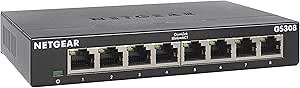 | Best Compact Wired Switch | Number of ports: 8 | Data transfer rate: 1 Gbps | Interface: RJ45 | VIEW LATEST PRICE | See Our Full Breakdown |
| NETGEAR PLP2000 Powerline Ethernet Adapter Kit, 2-Pack, 2000 Mbps |  | Best for Reaching a Room Without Ethernet | Model: PLP2000 | Pack size: 2 adapters | Maximum speed: Up to 2000 Mbps | VIEW LATEST PRICE | See Our Full Breakdown |
| NETGEAR Orbi 370 Series WiFi 7 Mesh System, 3-Pack, Up to 6,000 sq. ft. |  | Best for Large-Home Mesh Coverage | System components: 1 router and 2 satellites | WiFi generation: WiFi 7 (802.11be) | Frequency band: Dual-band | VIEW LATEST PRICE | See Our Full Breakdown |
| NETGEAR Nighthawk WiFi 6 Router R6700AX, Up to 1,500 sq ft, 1.8 Gbps |  | Best for Small Homes | WiFi generation: WiFi 6 (802.11ax) | Wireless speed: Up to 1.8 Gbps | Frequency bands: Dual-band: 2.4 GHz and 5 GHz | VIEW LATEST PRICE | See Our Full Breakdown |
| NETGEAR 5-Port Gigabit Ethernet Easy Smart Managed Network Switch GS105Ev2 |  | Best Compact Managed Switch | Ports: 5 RJ45 Ethernet ports | Port speed: Gigabit Ethernet, up to 1 Gbps | Switch type: Easy Smart managed | VIEW LATEST PRICE | See Our Full Breakdown |
| NETGEAR 8-Port PoE 2.5G Ethernet Easy Smart Managed Network Switch MS108EUP |  | Best for High-Power Multi-Gig Devices | Ports: 8 auto-negotiating RJ45 ports | Port speed: 2.5GbE, with support for 1GbE | PoE port types: 4 PoE+ ports and 4 Ultra60 PoE++ ports | VIEW LATEST PRICE | See Our Full Breakdown |
| NETGEAR Nighthawk RAX36 AX3000 WiFi 6 Dual-Band Router |  | Best WiFi 6 Upgrade for Busier Homes | Model: RAX36 | WiFi generation: WiFi 6 (802.11ax) | Wireless speed: Up to 3 Gbps | VIEW LATEST PRICE | See Our Full Breakdown |
| NETGEAR GS110TP 10-Port Gigabit PoE+ Smart Managed Switch |  | Best for Small-Business PoE and Fiber Uplinks | Total ports: 10 | Ethernet ports: 8 Gigabit PoE+ ports | SFP ports: 2 x 1G SFP | VIEW LATEST PRICE | See Our Full Breakdown |
| NETGEAR GS305E 5-Port Gigabit Ethernet Easy Smart Managed Switch |  | Best Compact Managed Switch | Ports: 5 RJ45 | Port speed: 1 Gbps | Management: Web browser interface | VIEW LATEST PRICE | See Our Full Breakdown |
| NETGEAR Nighthawk RS90 Dual-Band WiFi 7 Router |  | Best WiFi 7 Router for a Typical Home | WiFi generation: WiFi 7 | Bands: Dual-band, 2.4 GHz and 5 GHz | Maximum data rate: 3.6 Gbps | VIEW LATEST PRICE | See Our Full Breakdown |
| NETGEAR GS108MX 8-Port Gigabit Ethernet Unmanaged Switch with 10G/Multi-Gig Port |  | Best Switch for a Multi-Gig Uplink | Ports: 8 x 1 Gbps and 1 x 10 Gbps/Multi-Gig RJ45 | Switch type: Unmanaged | Layer: Layer 1 | VIEW LATEST PRICE | See Our Full Breakdown |
| NETGEAR Orbi 770 Series WiFi 7 Mesh System, 3-Pack |  | Best for Large Homes | WiFi generation: WiFi 7 | Bands: Tri-band | Maximum speed: Up to 11 Gbps | VIEW LATEST PRICE | See Our Full Breakdown |
| NETGEAR GS308EP 8-Port Gigabit Ethernet PoE+ Smart Managed Switch |  | Best for PoE Device Networks | Ports: 8 Gigabit Ethernet | PoE+: Available on all 8 ports | Total PoE power budget: 62W | VIEW LATEST PRICE | See Our Full Breakdown |
More Details on Our Top Picks
NETGEAR Nighthawk Tri-Band WiFi 7 Router, 9.3 Gbps, Up to 2,500 sq. ft.
I’d choose this tri-band WiFi 7 router for a home that needs fast wireless service and has a modem already in place. Its 6 GHz band can serve compatible newer devices, while the 2.5 Gig WAN and LAN ports give multi-gig internet and wired equipment room to operate beyond standard Gigabit speeds. Compared with the Orbi 370 mesh system, this Nighthawk is a single-router solution: it offers a higher advertised top speed, but its stated coverage is much smaller and it does not include satellites for spreading signal across a large home. The app simplifies setup and device management, and automatic firmware updates reduce routine upkeep. The tradeoffs are a separate modem requirement, coverage that can fall off through walls, and an Armor trial that becomes subscription-based.
Pros:- Tri-band WiFi 7 includes a 6 GHz band for compatible devices.
- 2.5 Gig WAN and two 2.5 Gig LAN ports support multi-gig connections.
- App provides guided setup, device controls, speed tests, and guest networking.
- Automatic firmware updates and Advanced Router Protection are included.
Cons:- Requires a separate modem or gateway.
- Coverage is limited to a stated maximum of 2,500 sq. ft. and can vary with walls and interference.
- NETGEAR Armor requires a subscription after the 30-day trial.
Best for: Households with an existing modem, newer WiFi 7 devices, and a need for multi-gig wireless and wired connectivity in a moderate-size home.
Not ideal for: People who need whole-home coverage across multiple floors or distant rooms, or who want a modem included.
- WiFi standard:WiFi 7
- Bands:Tri-band: 2.4 GHz, 5 GHz, and 6 GHz
- Maximum speed:Up to 9.3 Gbps
- Coverage:Up to 2,500 sq. ft.
- Device capacity:Up to 100 devices
- WAN ports:1 x 2.5 Gig
- LAN ports:2 x 2.5 Gig and 2 x 1 Gig Ethernet
- Setup and management:NETGEAR Nighthawk app for iOS and Android
- Security:Advanced Router Protection, automatic firmware updates, and a 30-day NETGEAR Armor trial
Our verdict“Choose this Nighthawk for fast, multi-gig WiFi in a moderate-size home; pick the Orbi 370 instead when broad mesh coverage matters more.”
NETGEAR GS108 8-Port Gigabit Ethernet Unmanaged Switch
When I need more wired connections without adding network-management work, the GS108 is the straightforward pick. Its eight Gigabit Ethernet ports let a small office or media setup connect several computers, consoles, and other wired devices through one switch; plug-and-play operation means there are no settings to learn. Compared with the GS308, the GS108 has the same basic eight-port, unmanaged role, but its listed dimensions and weight make it a larger, heavier unit, so I’d check placement before choosing it. A fanless metal case keeps operation quiet and supports desktop or wall mounting. The simplicity is also the limitation: it has no configuration options for traffic management or network segmentation. Its stated regional compatibility is limited to the U.S. and Canada.
Pros:- Eight RJ45 Gigabit ports expand wired connections in one step.
- Plug-and-play operation needs no network configuration.
- Fanless metal case runs silently.
- Can sit on a desktop or mount on a wall.
Cons:- Unmanaged design offers no configuration or traffic-control options.
- Listed dimensions and 1.7 lb weight make it less compact than the GS308.
- Regional compatibility is limited to the U.S. and Canada.
Best for: Home-office owners or small teams in the U.S. or Canada who need eight quiet, wired Gigabit connections without configuration.
Not ideal for: Buyers who need VLANs, traffic controls, faster-than-Gigabit ports, or a compact switch for a tight space.
- Number of ports:8
- Port speed:1 Gbps
- Interface:RJ45
- Switch type:Unmanaged, Layer 1
- Case material:Metal
- Mounting options:Desktop or wall mount
- Maximum power:2.8 W
- Dimensions:8.54 × 6.5 × 4.29 in
- Regional compatibility:U.S. and Canada
Our verdict“Choose the GS108 when silent, no-configuration Gigabit expansion matters more than compact size or managed features.”
NETGEAR GS308 8-Port Gigabit Ethernet Unmanaged Switch
The GS308 gives a home or small office eight Gigabit Ethernet connections without introducing setup chores. I like its role as a compact, quiet expansion point for devices that benefit from a wired link, such as computers, servers, and other networking hardware. Like the GS108, it is unmanaged and plug-and-play; neither switch can configure traffic or separate devices into managed groups. The GS308’s listed footprint is notably smaller than the GS108’s, which makes it the more practical fit for a crowded desk or wall-mounted installation. It also has a lighter listed weight. Those space savings do not add faster-than-Gigabit throughput, so buyers with multi-gig connections should look at a different class of switch. The warranty is listed as three years, rather than the GS108’s limited lifetime hardware warranty.
Pros:- Eight Gigabit ports add wired connections for computers and network hardware.
- Smaller listed footprint than the GS108 suits tighter placements.
- Fanless metal design operates silently.
- Supports desktop or wall mounting.
Cons:- Unmanaged operation provides no network configuration options.
- Ports are limited to 1 Gbps, so it does not serve multi-gig links.
- Listed hardware warranty is three years, shorter than the GS108’s limited lifetime warranty.
Best for: Home users and small offices that need eight wired Gigabit ports in a smaller, fanless desktop or wall-mounted unit.
Not ideal for: Network users who need managed controls, multi-gig speeds, or the GS108’s listed limited lifetime hardware warranty.
- Number of ports:8
- Data transfer rate:1 Gbps
- Interface:RJ45
- Switch type:Unmanaged
- Case material:Metal
- Mounting options:Desktop or wall mount
- Dimensions:6.22 × 4.02 × 1.02 in
- Weight:13.76 oz
- Warranty:NETGEAR limited 3-year hardware warranty
Our verdict“Pick the GS308 for straightforward eight-port Gigabit expansion when a smaller footprint matters more than management or multi-gig speeds.”
NETGEAR PLP2000 Powerline Ethernet Adapter Kit, 2-Pack, 2000 Mbps
The PLP2000 kit addresses a specific problem: a distant room needs a wired connection, but running Ethernet through the house is impractical. It sends network data over existing electrical wiring, giving devices such as a game console or streaming player an alternative to a weak WiFi link. Unlike the GS308, which adds ports where it is installed, this two-adapter kit can carry connectivity between rooms; its two RJ45 ports also provide wired connections at the adapters. The stated speed is up to 2000 Mbps, but actual results depend on a home’s electrical wiring and conditions, so I wouldn’t treat that figure as guaranteed throughput. Built-in noise-filtered outlets preserve a place to plug in other equipment. The main catch is that it provides no WiFi and is made for U.S. use only.
Pros:- Carries network connectivity over existing electrical wiring between rooms.
- Two adapters provide RJ45 Ethernet connections.
- Plug-and-play setup requires no software installation.
- Noise-filtered power outlets let connected equipment share the outlet.
Cons:- Does not provide WiFi.
- Real-world performance depends on the home’s electrical wiring and conditions.
- Made for use in the U.S. only.
Best for: U.S. households that need a wired connection for a console, TV, or computer in a room far from the router and lack an Ethernet run.
Not ideal for: Buyers seeking a WiFi extender, users outside the U.S., or anyone whose electrical wiring cannot provide a dependable link.
- Model:PLP2000
- Pack size:2 adapters
- Maximum speed:Up to 2000 Mbps
- Technology:HomePlug AV2, MIMO with Beamforming
- Standards:IEEE 1901 and IEEE 802.3
- Ethernet ports:2 RJ-45 ports
- Setup:Plug and play
- WiFi:Not supported
- Region compatibility:U.S. only
Our verdict“Choose the PLP2000 when you need wired connectivity in a distant room and running Ethernet is not practical, but not when you need more WiFi coverage.”
NETGEAR Orbi 370 Series WiFi 7 Mesh System, 3-Pack, Up to 6,000 sq. ft.
For a large home where one router may leave distant rooms with weak signal, I’d favor the Orbi 370 three-pack over the standalone Nighthawk Tri-Band WiFi 7 Router. A router and two satellites are rated to cover up to 6,000 sq. ft., and the system can be expanded with additional Orbi 370 satellites. Its dual-band WiFi 7 reaches up to 5 Gbps, a lower stated maximum than the Nighthawk’s 9.3 Gbps, but the multi-unit layout is the more relevant advantage when coverage across the home is the priority. The Orbi app guides setup and manages guest WiFi and connected devices; WPA3/WPA2 security and automatic updates are included. It supports up to 70 devices, fewer than the Nighthawk’s stated 100, and Armor requires a subscription after its trial. Coverage and speeds vary by layout and internet plan.
Pros:- Router and two satellites are rated to cover up to 6,000 sq. ft.
- WiFi 7 supports speeds up to 5 Gbps and up to 70 devices.
- Orbi app guides setup and manages devices and guest WiFi.
- Coverage can be expanded with additional Orbi 370 satellites.
Cons:- Dual-band design has a lower stated maximum speed than the Nighthawk Tri-Band WiFi 7 Router.
- NETGEAR Armor requires a subscription after the 30-day trial.
- Actual coverage and speeds vary with home layout, devices, and internet plan.
Best for: Households with cable or fiber modem equipment and a large or multi-floor home that needs WiFi coverage from a router and two satellites.
Not ideal for: People in smaller homes who need the highest stated single-router speed, more than 70 connected devices, or WiFi 6 GHz band access.
- System components:1 router and 2 satellites
- WiFi generation:WiFi 7 (802.11be)
- Frequency band:Dual-band
- Maximum data transfer rate:Up to 5 Gbps
- Coverage:Up to 6,000 sq. ft.
- Maximum connected devices:Up to 70
- LAN port bandwidth:2.5 Gbps
- Security protocols:WPA3 and WPA2-PSK
- Compatibility and region:Works with cable or fiber modem equipment; made for use in the U.S. only
Our verdict“Choose the Orbi 370 when broad, expandable coverage across a large home matters more than the Nighthawk router’s higher stated speed.”
NETGEAR Nighthawk WiFi 6 Router R6700AX, Up to 1,500 sq ft, 1.8 Gbps
The R6700AX is a straightforward fit for apartments and smaller homes that need current WiFi 6 basics without paying for capacity they may not use. It covers up to 1,500 sq. ft., supports up to 20 devices, and includes four Gigabit LAN ports for consoles or computers that benefit from a wired connection. The Nighthawk app guides setup and handles everyday network controls, while WPA3 and automatic firmware updates add baseline protection without a required subscription.
Compared with the Nighthawk RAX36, this router has less listed speed, coverage, and device capacity, so it suits lighter needs rather than a busier household. Its main tradeoff is fixed-router coverage: larger or multi-story homes may need mesh, and the advertised speeds depend on the internet plan and conditions. It also requires a separate modem or gateway.
Pros:- WiFi 6 dual-band service with advertised speeds up to 1.8 Gbps
- Coverage specification suits homes up to 1,500 sq. ft.
- Four Gigabit LAN ports for wired devices
- App setup, WPA3, automatic firmware updates, and guest networking
Cons:- Requires a separate modem or compatible gateway
- Coverage and capacity are modest beside the Nighthawk RAX36
- NETGEAR Armor protection requires a subscription after its 30-day trial
Best for: Apartment residents or small-home households with up to 20 connected devices and an existing modem who want app-guided WiFi 6.
Not ideal for: People in large or multi-story homes, or households with more than 20 active devices; a higher-capacity router or mesh system is a better fit.
- WiFi generation:WiFi 6 (802.11ax)
- Wireless speed:Up to 1.8 Gbps
- Frequency bands:Dual-band: 2.4 GHz and 5 GHz
- Coverage:Up to 1,500 sq. ft.
- Device capacity:Up to 20 devices
- Ethernet ports:Four 1 Gigabit LAN ports and one 1 Gigabit WAN port
- Security:WPA3, automatic firmware updates, and guest network
- Modem:Not included; requires a separate modem or gateway with Ethernet
Our verdict“Choose the R6700AX for app-managed WiFi 6 in a small home, but step up to the RAX36 or mesh if your coverage or device demands are higher.”
NETGEAR 5-Port Gigabit Ethernet Easy Smart Managed Network Switch GS105Ev2
The GS105Ev2 gives a small wired network some useful controls without the footprint or port count of larger switches. Its five Gigabit ports suit a desk, home office, or small work area where a router’s available Ethernet connections have run out. Unlike the GS108 unmanaged switch, this Easy Smart model adds VLANs, QoS, and port monitoring, which can help separate traffic or prioritize selected devices without moving to a more involved network setup.
That management comes with a learning curve: buyers who only need extra plug-and-play ports may get more value from an unmanaged switch. Five ports also leave little room to grow, especially since one connection will typically link back to the router. Its fanless design keeps it quiet, and desktop or wall mounting offers placement flexibility, but it is intended for use in the U.S. and Canada.
Pros:- Five auto-negotiating Gigabit Ethernet ports
- VLAN, QoS, and port-monitoring controls
- Fanless operation for quiet work areas
- Compact desktop or wall-mount installation
Cons:- Only five ports, limiting room for additional devices
- Management features add setup work compared with the unmanaged GS108
- Regional compatibility is listed for the U.S. and Canada only
Best for: Home-office users or small teams who need a few wired Gigabit connections plus basic VLAN and traffic-priority controls.
Not ideal for: Buyers who want simple plug-and-play expansion, need more than a handful of ports, or are outside the stated U.S. and Canada region.
- Ports:5 RJ45 Ethernet ports
- Port speed:Gigabit Ethernet, up to 1 Gbps
- Switch type:Easy Smart managed
- Management features:VLAN, QoS, and port monitoring
- Cooling:Fanless
- Mounting:Desktop or wall mount
- Dimensions:3.7 x 3.9 x 1.06 inches
- Regional compatibility:U.S. and Canada
Our verdict“Pick the GS105Ev2 when a compact wired setup needs basic traffic and VLAN controls; choose an unmanaged switch for simpler expansion or a larger model for more connections.”
NETGEAR 8-Port PoE 2.5G Ethernet Easy Smart Managed Network Switch MS108EUP
The MS108EUP is the specialized pick here for networks that need both multi-gig links and substantial power over Ethernet. All eight ports support 2.5GbE; four provide PoE+ and four offer Ultra60 PoE++, with a stated 230W total budget. That combination can simplify installations with high-power access points, PTZ cameras, or other PoE++ equipment while keeping faster-than-Gigabit connections available. Its VLAN, QoS, PoE scheduling, and IGMP snooping controls go well beyond the simpler five-port GS105Ev2.
The extra capability makes this a poor match for basic home wiring: it is larger, more specialized, and its power budget is useful only if connected devices need PoE. Although fanless operation suits quiet rooms, buyers should plan their power draw across the shared budget rather than assume every port can deliver its maximum at once.
Pros:- Eight 2.5GbE ports support multi-gig wired devices
- Four PoE+ and four Ultra60 PoE++ ports
- 230W total PoE budget for powered network equipment
- Fanless design with VLAN, QoS, PoE scheduling, and IGMP snooping
Cons:- The shared PoE budget requires planning when several high-draw devices are connected
- More capability and management complexity than a basic Gigabit switch such as the GS105Ev2
- Specialized PoE++ and 2.5GbE features may go unused in a typical home network
Best for: Small-business network installers or advanced home-network users connecting 2.5GbE access points, cameras, and other PoE-powered equipment.
Not ideal for: People who only need a few standard Gigabit connections or have no PoE devices; the added speed, power, and management features would go unused.
- Ports:8 auto-negotiating RJ45 ports
- Port speed:2.5GbE, with support for 1GbE
- PoE port types:4 PoE+ ports and 4 Ultra60 PoE++ ports
- Total PoE budget:230W
- Management:Easy Smart managed; VLAN, QoS, PoE scheduling, and IGMP snooping
- Cooling:Fanless
- Mounting:Desktop or wall mount
- Dimensions:8.3 x 5.5 x 1.6 inches
Our verdict“Choose the MS108EUP when you need several 2.5GbE devices and high-output PoE in one quiet managed switch, not for basic wired expansion.”
NETGEAR Nighthawk RAX36 AX3000 WiFi 6 Dual-Band Router
The Nighthawk RAX36 is the stronger choice over the R6700AX for a household with more connected devices or a wider area to cover. Its listed ceiling of 3 Gbps, coverage up to 2,000 sq. ft., and capacity for 25 devices offer more headroom for simultaneous streaming, calls, and smart-home traffic. Four Gigabit Ethernet ports also handle wired devices, while a 1.7 GHz quad-core processor and WPA3 round out the stated hardware and security features.
This is still a dual-band standalone router, not a mesh kit: homes with difficult layouts may benefit more from the Orbi 370 Series than from either Nighthawk router. It also requires a separate cable modem, and the supplied product details list compatible internet service speeds up to 1 Gbps, which can limit the benefit of its higher wireless speed ceiling.
Pros:- WiFi 6 wireless speeds listed up to 3 Gbps
- Coverage specification reaches up to 2,000 sq. ft.
- Supports up to 25 devices
- Four Gigabit Ethernet ports and WPA3 security
Cons:- Separate cable modem is required
- Listed compatible internet service speeds are limited to up to 1 Gbps
- Standalone dual-band design may not cover complex homes as well as an Orbi mesh system
Best for: Households with up to 25 connected devices that want more WiFi 6 coverage and capacity than an entry-level standalone router provides.
Not ideal for: Residents with large or multi-story homes that need mesh coverage, or buyers who expect multi-gig internet service to pass through the listed 1 Gbps service limit.
- Model:RAX36
- WiFi generation:WiFi 6 (802.11ax)
- Wireless speed:Up to 3 Gbps
- Frequency bands:Dual-band
- Coverage:Up to 2,000 sq. ft.
- Device capacity:Up to 25 devices
- Ethernet ports:4 Gigabit Ethernet ports
- Processor:1.7 GHz quad-core
- Modem:Not included; requires a separate cable modem
Our verdict“Choose the RAX36 over the R6700AX when your home needs more WiFi 6 capacity, but look to Orbi for multi-room or multi-story coverage challenges.”
NETGEAR GS110TP 10-Port Gigabit PoE+ Smart Managed Switch
The GS110TP suits small offices that need to power several access points, phones, or cameras while keeping a fiber-uplink option available. It combines eight Gigabit PoE+ ports with two 1G SFP ports, so an installation can connect powered devices locally and reserve fiber connections for uplinks. Browser-based management keeps configuration accessible, with optional NETGEAR Insight cloud management for teams that want remote oversight.
Compared with the MS108EUP, this model trades 2.5GbE and a much larger PoE budget for SFP uplinks and a more conventional Gigabit setup. Its 55W shared power budget can constrain the number of demanding devices it supports, so it is better for modest PoE loads than dense camera or access-point deployments. The fanless metal design is a practical fit for quiet offices, but Insight cloud management requires a subscription.
Pros:- Eight Gigabit PoE+ ports for powered devices
- Two 1G SFP ports provide fiber uplink options
- Fanless metal design supports quiet desktop or wall-mounted placement
- Browser-based management with optional Insight cloud control
Cons:- 55W total PoE budget can restrict simultaneous high-power devices
- Gigabit ports lack the 2.5GbE capacity of the MS108EUP
- NETGEAR Insight cloud management is subscription-based
Best for: Small offices that need several Gigabit PoE+ connections, two fiber-capable SFP uplinks, and local switch management.
Not ideal for: Businesses powering many high-draw devices or deploying 2.5GbE access points; the 55W budget and Gigabit ports are more limited than the MS108EUP.
- Total ports:10
- Ethernet ports:8 Gigabit PoE+ ports
- SFP ports:2 x 1G SFP
- Total PoE budget:55W
- Maximum PoE per port:Up to 30W
- Management:Smart managed browser GUI; optional NETGEAR Insight cloud management
- Cooling and construction:Fanless metal
- Mounting:Desktop or wall mount
- Dimensions:9.3 x 4 x 1.1 inches
Our verdict“Pick the GS110TP for a small office that needs PoE+ and SFP uplinks at Gigabit speeds, but choose the MS108EUP for higher PoE loads or multi-gig devices.”
NETGEAR GS305E 5-Port Gigabit Ethernet Easy Smart Managed Switch
The GS305E is a good fit when a few wired devices need more control than an unmanaged switch provides. Its five Gigabit ports and browser-based tools let you separate traffic with VLANs, prioritize selected traffic with QoS, and monitor ports—useful for a small home office or a tidy network corner. Unlike the eight-port GS108MX, it has no multi-gig port and less room to grow, but its compact, fanless metal case is easier to place where space and noise matter. The tradeoff is that management does not add internet access: you still need a router, and this switch supplies no PoE power for cameras or access points. I’d choose it for a small, deliberately managed wired setup, not for a growing device fleet.
Pros:- Five Gigabit Ethernet ports in a compact enclosure
- VLAN, QoS, port monitoring, and IGMP snooping controls
- Fanless metal design supports quiet desktop or wall installation
- Small footprint suits a desk or limited utility space
Cons:- No PoE output for powering cameras, phones, or access points
- Five ports provide less expansion room than the GS108MX
- Requires a separate router for internet connectivity
Best for: Home-office users who need VLAN or traffic-priority controls for a handful of wired devices and already have a router.
Not ideal for: Buyers connecting PoE cameras or access points, or anyone expecting more than five wired ports or multi-gig connections.
- Ports:5 RJ45
- Port speed:1 Gbps
- Management:Web browser interface
- Management features:VLAN, QoS, port monitoring, IGMP snooping
- Cooling:Fanless
- Mounting:Desktop or wall mount
- Dimensions:3.9 x 3.7 x 1.1 in
- Warranty:Limited 3-year hardware warranty
Our verdict“Choose the GS305E for a small wired network that needs basic management features without the size of an eight-port switch.”
NETGEAR Nighthawk RS90 Dual-Band WiFi 7 Router
The Nighthawk RS90 is the straightforward router pick for households ready for WiFi 7 but not looking for a multi-unit mesh kit. It supports up to 3.6 Gbps and lists coverage up to 2,000 square feet, making it a more contained option than the 8,000-square-foot Orbi 770 Series. The single 2.5 Gig WAN port can accommodate a faster incoming connection, while four Gigabit LAN ports cover nearby wired devices. App management and support for WiFi 6 and earlier devices ease setup in a mixed-device home. The limits are equally relevant: this is a dual-band standalone router, not a remedy for difficult dead zones, and it needs a separate modem or gateway. NETGEAR Armor’s trial also becomes a subscription afterward.
Pros:- WiFi 7 support with a stated maximum data rate of 3.6 Gbps
- 2.5 Gig WAN port supports a faster incoming internet connection
- Four Gigabit LAN ports for wired devices
- App-based setup and compatibility with WiFi 6 and earlier devices
Cons:- Requires a separate modem or gateway with an Ethernet port
- Single-router coverage may not reach every room in a larger or obstructed home
- NETGEAR Armor requires a subscription after its 30-day trial
Best for: Households with a compatible modem or gateway that want WiFi 7 in a single-router setup and have moderate coverage needs.
Not ideal for: People with large or multi-floor homes needing mesh coverage, or buyers who need a modem built into the router.
- WiFi generation:WiFi 7
- Bands:Dual-band, 2.4 GHz and 5 GHz
- Maximum data rate:3.6 Gbps
- Stated coverage:Up to 2,000 sq. ft.
- Device capacity:Up to 50 devices
- WAN port:One 2.5 Gigabit Ethernet
- LAN ports:Four 1 Gigabit Ethernet
- Setup and management:NETGEAR Nighthawk app
Our verdict“Pick the RS90 if you want a standalone WiFi 7 upgrade for a typical home and already have a modem or gateway.”
NETGEAR GS108MX 8-Port Gigabit Ethernet Unmanaged Switch with 10G/Multi-Gig Port
The GS108MX is the wired switch in this group for a network that needs one faster link without putting every device on multi-gig hardware. It pairs eight Gigabit ports with a 10G/Multi-Gig port, which can connect to a capable router, NAS, or other high-throughput device while ordinary wired clients use familiar Gigabit connections. That makes it more useful for a mixed-speed network than the five-port managed GS305E, but it gives up that model’s VLAN, QoS, and monitoring controls. Setup is plug-and-play, and the fanless metal case supports desktop or wall placement. The central compromise is clear: only one port is multi-gig, and there are no configuration tools, so buyers needing traffic segmentation or multiple high-speed links should look elsewhere.
Pros:- Eight 1 Gbps ports plus one 10G/Multi-Gig port
- Plug-and-play setup requires no switch configuration
- Fanless metal construction runs silently
- Desktop or wall mounting accommodates different installations
Cons:- Unmanaged design has no VLAN, QoS, or port-monitoring controls
- Only one port supports 10G/Multi-Gig speeds
- The supplied specifications do not list a compact physical footprint
Best for: Home-lab and small-office users who need several Gigabit connections plus one multi-gig link for a NAS or router.
Not ideal for: Network administrators who need VLANs or traffic controls, or teams with several devices that each require multi-gig ports.
- Ports:8 x 1 Gbps and 1 x 10 Gbps/Multi-Gig RJ45
- Switch type:Unmanaged
- Layer:Layer 1
- Cooling:Fanless
- Case material:Metal
- Mounting:Desktop or wall mount
- Weight:0.98 kg
- Warranty:NETGEAR limited lifetime hardware warranty
Our verdict“Choose the GS108MX when one multi-gig uplink matters more than managed controls or multi-gig ports for every device.”
NETGEAR Orbi 770 Series WiFi 7 Mesh System, 3-Pack
For a large home where a single router may leave distant rooms with weak coverage, the Orbi 770 three-pack offers a different solution from the standalone Nighthawk RS90: one router and two satellites form a mesh, with stated coverage up to 8,000 square feet. Its tri-band WiFi 7 design and support for up to 100 devices suit busy households with many connected devices across multiple rooms. The system also works with WiFi 6 and WiFi 5 clients, so older devices do not have to be replaced. This extra reach comes with more hardware to place and a larger footprint than a single router; actual coverage depends on the building and satellite positions. Armor is only a 30-day trial before a subscription, and the system is specified for U.S. use.
Pros:- Router and two satellites provide mesh coverage across a broad area
- Tri-band WiFi 7 with stated speeds up to 11 Gbps
- Supports up to 100 devices and works with WiFi 6 and WiFi 5 clients
- Orbi app provides guided setup and management
Cons:- Coverage depends on home layout, construction materials, and satellite placement
- NETGEAR Armor requires a subscription after the 30-day trial
- Specified for use in the U.S. only
Best for: Families in large homes who need mesh coverage across multiple rooms and have many WiFi devices.
Not ideal for: People in small homes who do not need multiple mesh units, buyers outside the U.S., or anyone seeking ongoing Armor coverage without a subscription.
- WiFi generation:WiFi 7
- Bands:Tri-band
- Maximum speed:Up to 11 Gbps
- Stated coverage:Up to 8,000 sq. ft.
- Supported devices:Up to 100
- Package contents:One router and two satellites
- Port bandwidth:2,500 Mbps LAN
- Setup and control:Orbi app
- Internet compatibility:Cable or fiber plans up to 2.5 Gbps
Our verdict“Choose the Orbi 770 three-pack over a standalone router when a large home needs mesh coverage and can accommodate a router plus two satellites.”
NETGEAR GS308EP 8-Port Gigabit Ethernet PoE+ Smart Managed Switch
The GS308EP stands apart from the other switches here because all eight Gigabit ports can deliver PoE+, simplifying installations with IP cameras, VoIP phones, or wireless access points. Its 62W total power budget gives a buyer a clear limit to plan around; devices share that capacity, so a full set of power-hungry equipment may exceed it. VLAN configuration, traffic prioritization, and port monitoring add management options missing from the plug-and-play GS108MX, though this model does not offer that switch’s 10G/Multi-Gig port. Fanless operation suits quiet offices and shared spaces, and it can sit on a desk or mount on a wall. I’d favor it for a modest powered-device setup, not for a larger deployment that needs a higher PoE budget.
Pros:- PoE+ available on all eight Gigabit Ethernet ports
- 62W total power budget supports compatible powered devices
- VLAN, traffic-priority, and port-monitoring management features
- Fanless metal design supports quiet desktop or wall-mounted use
Cons:- The 62W total PoE budget may limit the number or power draw of connected devices
- No 10G/Multi-Gig port, unlike the GS108MX
- Requires careful planning of shared PoE power across devices
Best for: Small offices and home-security setups powering several Gigabit IP cameras, VoIP phones, or access points from one switch.
Not ideal for: Installations with a large number of high-draw PoE devices, or buyers who need 10G/Multi-Gig switching.
- Ports:8 Gigabit Ethernet
- PoE+:Available on all 8 ports
- Total PoE power budget:62W
- Data transfer rate:16 Gbps
- Management features:VLAN, QoS, port monitoring
- Cooling:Fanless
- Mounting:Desktop or wall mount
- Warranty:3-year limited hardware warranty
Our verdict“Choose the GS308EP for a small managed network where powering cameras, phones, or access points matters more than multi-gig connectivity.”
How We Picked
I compared these products by the network problem each one solves, then ranked them on the usefulness of their features for that job. For Wi-Fi, I weighed generation, band configuration, stated coverage, and whether a standalone router or mesh system better fits the likely layout. For switches and adapters, I focused on port count, Gigabit or multi-gig capability, PoE support, management features, and how much setup the buyer must take on.
The ranking favors options with a clear role and useful capacity for a broad set of buyers, not simply the newest or most feature-packed hardware. That puts a versatile WiFi 7 router first, while mesh systems, basic switches, managed switches, and powerline equipment rank according to their narrower strengths. I also factored in tradeoffs: advanced hardware can go unused on a basic connection, managed features require configuration, and powerline performance depends on the home’s electrical wiring. Since this lineup spans different product types, the rankings are best read as a shortlist by need rather than a direct performance contest between unlike devices.
Factors to Consider When Choosing Best Netgear Networking Products
Before choosing, start with the network limitation you want to fix. A faster router will not add wired ports, a switch will not improve weak Wi-Fi coverage, and mesh nodes cannot correct every problem caused by a poor internet connection or building materials. These factors can help you avoid buying more capability than your home or office can use.
Match the device to the problem
Write down what is failing before comparing specifications: dead zones point toward access-point placement or mesh coverage, while too few Ethernet connections call for a switch. If video calls or streaming drop only in one room, a wired backhaul or better node placement may help more than a higher-rated router. Powerline adapters can be useful where running Ethernet is difficult, but their results depend on the home’s wiring and circuit layout. A router upgrade is less likely to help if your internet plan, modem, or client devices are the limiting factor. Avoid trying to solve every network issue with one purchase when separate devices have distinct jobs.
Choose Wi-Fi generation around your devices and upgrade horizon
WiFi 7 models offer newer wireless capabilities, but their value depends on the devices connecting to them and how long you plan to keep the network. A household with mostly WiFi 6 clients may not see a matching improvement from a WiFi 7 router, even if the router has more capacity on paper. WiFi 6 options can remain a sensible fit when coverage and everyday connectivity matter more than adopting the newest standard. Check that your modem, internet service, and client devices can make use of the performance you are buying. Paying for future capacity makes more sense when you expect to add compatible devices or need more headroom across many simultaneous connections.
Plan coverage by layout, not just the advertised area
Coverage figures are useful for comparing products, but walls, floors, interference, and router placement change what a signal can reach in practice. A mesh system is often a better match for separated rooms or multiple floors than a single router, but nodes still need sensible placement and a dependable link to one another. Put a node too far from the main unit and it may repeat a weak connection rather than fix it. A compact or open-plan home may not benefit from a multi-unit system at all. Think about where the connection fails and where each device can sit before deciding how many access points you need.
Decide whether switch management is worth the setup
An unmanaged switch is the easiest way to expand wired connections when all you need is more ports. Easy Smart and Smart Managed switches add configuration options that can help organize or control a more involved network, but those features bring setup and maintenance work. If you do not plan to use managed functions, paying attention to them can add complexity without improving your day-to-day connection. For a small office or a home lab, management may be useful as the network grows. Choose based on tasks you can name, rather than assuming that more controls automatically make a network better.
Check PoE needs and power budgets before buying
Power over Ethernet can reduce the need for separate power adapters for compatible access points, cameras, and phones, but not every connected device uses it. Confirm which ports provide PoE and whether the switch’s total power budget can support the devices you plan to attach at the same time. A switch with more PoE capability can be a poor fit if the connected equipment needs less power or uses a different standard. Also account for where the switch will sit and how its power supply, cables, and connected devices will be arranged. For a network with no PoE endpoints, a simpler non-PoE switch avoids paying for capacity you will not use.
Treat multi-gig ports as an end-to-end upgrade
A 2.5G or 10G port only speeds up links whose other end can also support that rate. Check the modem, router, network interface, cabling, and any intermediate switch before treating one multi-gig connection as a whole-network upgrade. A multi-gig port can still be useful for a fast internet connection or local transfers to a compatible server, but it will not raise the speed of devices linked at Gigabit. This is where a specialized option such as the GS108MX may make more sense than replacing every switch. Buy for a specific fast link, and account for the equipment needed to complete it.
Frequently Asked Questions
Should I choose a WiFi 7 router or a WiFi 7 mesh system?
Choose a single WiFi 7 router if the main issue is capacity near one central location and your home has a layout that allows good signal reach. A mesh system makes more sense when you need coverage across distant rooms, multiple floors, or a larger footprint that one router cannot serve reliably. Mesh adds nodes and placement choices, so it is not automatically better for a compact home. Also check whether you can connect mesh units by Ethernet, which can improve how they communicate. If your client devices do not support WiFi 7, weigh future upgrade plans against the value of broader coverage today.
Can I add a Netgear switch without replacing my router?
Yes. A standalone switch can add wired connections to an existing router, provided the router has an available Ethernet LAN port and the switch is connected to it. The switch does not replace the router’s job of connecting your network to the internet or assigning network addresses. For a basic expansion, an unmanaged GS108 or GS308 keeps setup simple; managed models suit buyers who need configuration options. Check that you are connecting the switch to a LAN port, not the router’s internet-facing WAN port. Your wired devices will still share the connection and network capacity available through the router.
Will a PoE switch power any camera or access point?
No. The device must support PoE and be compatible with the switch’s PoE standard and available power. Check both the power requirement of each endpoint and the switch’s total budget, especially if several devices will draw power at once. A port count alone does not tell you how much power the switch can supply across all ports. If your devices use their own power adapters or need a different PoE specification, the switch may not power them as expected. Confirm compatibility before replacing individual adapters with a PoE setup.
Is a powerline adapter a dependable substitute for Ethernet cable?
It can provide a practical network path when running Ethernet is difficult, but results vary with electrical wiring, circuit layout, and interference. The PLP2000’s advertised rate should not be treated as a guaranteed speed for every home. For stable high-bandwidth use, a direct Ethernet run is usually more predictable when installation is possible. If you try powerline, plug adapters directly into wall outlets and test them in the rooms you plan to use. It is a situational workaround rather than a universal replacement for wired cabling.
Does a 10G or 2.5G switch port make my whole network faster?
No. It improves only the connection between compatible devices along that link, and the rest of the network remains limited by its slowest relevant connection. A multi-gig switch port can benefit a computer, server, router, or internet service that also supports the faster rate. If your devices connect at Gigabit, they will continue to use Gigabit links. Check the port speeds on every device in the path, along with cabling requirements, before buying for a particular transfer speed. The GS108MX is most useful when you have a clear multi-gig endpoint rather than as a general speed upgrade.
Conclusion
For most buyers seeking one wireless upgrade, my best overall choice is the Nighthawk Tri-Band WiFi 7 Router; it balances newer Wi-Fi capacity with a single-router setup. For best premium whole-home coverage, choose the Orbi 770 Series WiFi 7 Mesh System, while the Orbi 370 is another mesh route for buyers focused on broad coverage. My best value wired expansion pick is the GS108, and the R6700AX is the more approachable best for beginners among the WiFi 6 routers. For specific needs, choose the MS108EUP for 2.5G PoE, the GS108MX for a 10G/multi-gig link, or the PLP2000 when wiring between rooms is impractical. Match the purchase to the problem you need to solve, and skip features your connected devices cannot use.
Halloween Picks
halloween
As an affiliate, we earn on qualifying purchases.