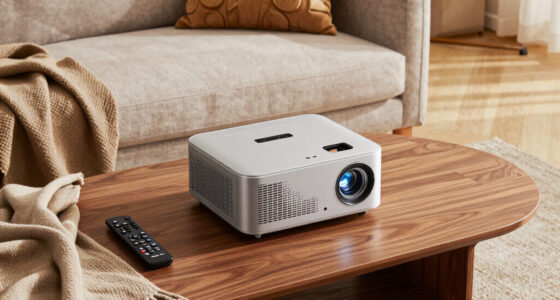
The best streaming devices balance a responsive interface, the apps you watch, and the picture and sound formats your TV can use. My best overall pick is the Roku Ultra 4K Streaming Device, which stands out for its broad format support and useful connectivity; the Amazon Fire TV Stick 4K Max is a stronger fit for Alexa and Fire TV households, while the Google TV Streamer 4K offers more room for apps and Google TV features. The main tradeoffs are stick-versus-box convenience, platform preference, and whether premium features matter on your particular TV. A low-cost HD stick can be plenty for a spare screen, but it cannot deliver 4K. Read on for the full breakdown and advice on matching a device to your setup.

Get the latest gadgets delivered free with Prime
- Fast, free delivery on millions of items
- Prime Video, Amazon Music and more included
- Member-only deals all year
Complete the kit



Key Takeaways
- The amazon.com/dp/B0F7Z4QZTT?tag=wiredguidecom-20&ascsubtag=dc-1178167″ target=”_blank” rel=”nofollow sponsored noopener”>amazon.com/dp/B0BP9SNVH9?tag=wiredguidecom-20&ascsubtag=dc-1178167″ target=”_blank” rel=”nofollow sponsored noopener”>amazon.com/dp/B09BZZ3MM7?tag=wiredguidecom-20&ascsubtag=dc-1178167″ target=”_blank” rel=”nofollow sponsored noopener”>amazon.com/dp/B08G9TJWW9?tag=wiredguidecom-20&ascsubtag=dc-1178167″ target=”_blank” rel=”nofollow sponsored noopener”>Roku Ultra is my best overall pick because it pairs 4K Dolby Vision and Dolby Atmos support with more connectivity than the compact sticks.
- Fire TV and Google TV serve different ecosystems: Fire TV fits Alexa-centered homes, while Google TV Streamer offers 32 GB of storage and Google-oriented features.
- Streaming sticks are the easiest fit for tight spaces, but box-style devices such as the Ultra, Cube, and Google TV Streamer bring different connectivity and performance priorities.
- Not every 4K stick offers the same experience: Wi-Fi, interface responsiveness, remote features, and platform preference can matter as much as resolution.
- There are two Roku Streaming Stick 4K listings, one renewed. Buyers should compare condition and seller terms rather than assume the renewed option is identical in every respect.
| onn Android TV 2K FHD Streaming Stick with Remote |  | Best Basic 1080p Pick | Maximum resolution: 1080p | Connectivity: HDMI, Wi-Fi | Casting: Chromecast built in | VIEW LATEST PRICE | See Our Full Breakdown |
| Amazon Fire TV Stick HD with Alexa Voice Remote |  | Best for Alexa Households | Resolution: Full HD | Connectivity: Wi-Fi 6, Bluetooth | Power: USB-C direct power from TV | VIEW LATEST PRICE | See Our Full Breakdown |
| onn Android TV 4K UHD Streaming Device with Voice Remote and HDMI Cable |  | Best Value 4K Android TV Pick | Resolution: 4K UHD (3840 × 2160 pixels) | Operating system: Android TV | RAM: 2 GB | VIEW LATEST PRICE | See Our Full Breakdown |
| Google TV Streamer 4K, 32 GB, Hazel |  | Best Premium Google TV Experience | Resolution: 4K (3840 × 2160) | HDR: Dolby Vision | Storage: 32 GB | VIEW LATEST PRICE | See Our Full Breakdown |
| onn 4K Pro Streaming Device with Google TV |  | Best for a Feature-Rich Remote | Resolution: 4K Ultra HD | Video: Dolby Vision | Audio: Dolby Atmos | VIEW LATEST PRICE | See Our Full Breakdown |
| Roku Ultra 4K Streaming Device with Dolby Vision, Dolby Atmos, Bluetooth, and Voice Remote |  | Best for Flexible Home Theater Setups | Resolution: 4K (3840 × 2160 pixels) | Audio and video: Dolby Atmos, Dolby Vision | Connectivity: Wi-Fi, Ethernet, Bluetooth, USB, HDMI | VIEW LATEST PRICE | See Our Full Breakdown |
| Amazon Fire TV Cube (3rd Gen) 4K Streaming Media Player |  | Best for Hands-Free Smart Home Control | Generation: 3rd Gen | Processor: Octa-core: 4 × 2.2 GHz and 4 × 2.0 GHz | Storage: 16 GB internal | VIEW LATEST PRICE | See Our Full Breakdown |
| Roku Streaming Stick 4K with Voice Remote (Renewed) | 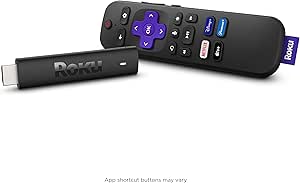 | Best Renewed Compact Pick | Model: 3820R | Connectivity: Wi-Fi | Connector: HDMI | VIEW LATEST PRICE | See Our Full Breakdown |
| Roku Ultra LT 4K Streaming Device with Dolby Vision, Dual-Band Wi-Fi, Voice Remote, HDMI Cable, and USB Extension Cord |  | Best for a Simple 4K Roku Setup | Resolution: 4K UHD (3840 × 2160) | HDR: Dolby Vision | Wireless: 802.11ac dual-band Wi-Fi | VIEW LATEST PRICE | See Our Full Breakdown |
| Roku Streaming Stick 4K with Voice Remote |  | Best Compact Roku Stick | Model: 3820R2 | Connector: HDMI | Resolution: 4K UHD, up to 2160p at 60 fps | VIEW LATEST PRICE | See Our Full Breakdown |
| Roku Ultra 4K Streaming Player with Voice Remote Pro |  | Best for a Premium Roku Setup | Resolution: 4K (3840 × 2160) | Video formats: HDR10, HDR10+, Dolby Vision | Audio: Dolby Atmos | VIEW LATEST PRICE | See Our Full Breakdown |
| Amazon Fire TV Stick 4K Max (2nd Gen) Streaming Device |  | Best for Wi-Fi 6E and Extra Storage | Model: 2nd Gen | Processor: Quad-core 2.0 GHz | Storage: 16 GB | VIEW LATEST PRICE | See Our Full Breakdown |
| Amazon Fire TV Stick 4K Plus |  | Best Balanced Fire TV Stick | Processor: Quad-core 1.7 GHz | GPU: 650 MHz | Storage: 8 GB | VIEW LATEST PRICE | See Our Full Breakdown |
| TiVo Stream 4K Streaming Media Player |  | Best for Unified Streaming and Live TV | Operating system: Android TV | Resolution: 4K | HDR: Dolby Vision | VIEW LATEST PRICE | See Our Full Breakdown |
| Amazon Fire TV Stick 4K Select with Alexa Voice Remote |  | Best for Straightforward 4K Fire TV | Maximum resolution: 2160p at up to 60 fps | Video formats: HDR10, HDR10+, HLG, H.265, H.264, VP9, AV1 | Processor: Quad-core 1.7 GHz | VIEW LATEST PRICE | See Our Full Breakdown |
| streaming device | Connectivity | Resolution | Weight | Dimensions |
|---|---|---|---|---|
| onn Android TV 2K FHD Streamin | HDMI, Wi-Fi | — | 8.8 ounces | — |
| Amazon Fire TV Stick HD with A | Wi-Fi 6, Bluetooth | Full HD | — | — |
| onn Android TV 4K UHD Streamin | HDMI, Wi-Fi | 4K UHD (3840 × 2160 pixels) | — | — |
| Google TV Streamer 4K | Ethernet, Wi-Fi | 4K (3840 × 2160) | — | 6.4 × 3 × 1 in |
| onn 4K Pro Streaming Device wi | Wi-Fi 6, Ethernet port | 4K Ultra HD | 1.49 pounds | 10 × 4 × 4 inches |
| Roku Ultra 4K Streaming Device | Wi-Fi, Ethernet, Bluetooth, USB, HDMI | 4K (3840 × 2160 pixels) | 7.9 ounces | 5 × 4.9 × 1 inches |
| Amazon Fire TV Cube | — | — | 513 g (1.13 lbs) | — |
| Roku Streaming Stick 4K with V | Wi-Fi | — | 25.54 g | — |
| Roku Ultra LT 4K Streaming Dev | HDMI | 4K UHD (3840 × 2160) | 5.9 oz | — |
| Roku Streaming Stick 4K with V | Wi-Fi | 4K UHD, up to 2160p at 60 fps | 25.54 g | — |
| Roku Ultra 4K Streaming Player | Wi-Fi 6, Ethernet, Bluetooth, HDMI, USB | 4K (3840 × 2160) | — | 5 × 4.9 × 1 in |
| Amazon Fire TV Stick 4K Max | — | — | — | 99 × 30 × 14 mm housing; 108 × 30 × 14 mm including connector |
| Amazon Fire TV Stick 4K Plus | — | — | — | 99 × 30 × 14 mm housing; 108 × 30 × 14 mm including connector |
| TiVo Stream 4K Streaming Media | Wi-Fi | 4K | — | 3.03 × 2.09 × 0.63 in |
| Amazon Fire TV Stick 4K Select | — | — | 1.5 oz (42 g) | 3.9 × 1.2 × 0.6 in |
More Details on Our Top Picks
onn Android TV 2K FHD Streaming Stick with Remote
I’d choose this onn Android TV stick for a secondary TV or a straightforward Full HD setup where 4K features would go unused. It streams up to 1080p, and access to the Google Play Store gives it a different app ecosystem from the Amazon Fire TV Stick HD. Chromecast built in and Miracast also offer flexible ways to send compatible content from a phone or other device. The voice remote makes app searches less fiddly than browsing with basic buttons alone. Its limit is clear: there’s no resolution headroom for a 4K television, unlike the onn Android TV 4K UHD Streaming Device. I’d also weigh the listed three-month warranty before choosing it as a primary living-room streamer.
Pros:- Streams video up to 1080p
- Voice control is included with the remote
- Chromecast built in and Miracast support compatible casting and mirroring
- Google Play Store provides access to Android TV apps
Cons:- Does not stream above 1080p
- Listed warranty is limited to three months
Best for: Buyers who want Google Play apps and phone casting on a secondary 1080p TV.
Not ideal for: Owners of 4K televisions, or buyers who want a longer listed warranty and 4K playback.
- Maximum resolution:1080p
- Connectivity:HDMI, Wi-Fi
- Casting:Chromecast built in
- Screen mirroring:Miracast
- Audio:Dolby Audio, Dolby Digital
- Included accessories:Remote control, HDMI cable, power adapter, user manual
- Weight:8.8 ounces
- Warranty:3 months
Our verdict“Pick this for affordable-feeling simplicity on a Full HD secondary TV, but choose the onn 4K UHD model for a 4K screen.”
Amazon Fire TV Stick HD with Alexa Voice Remote
The Fire TV Stick HD is a practical fit for viewers who already use Alexa and want a compact streamer for a Full HD television. Its remote handles voice search as well as TV power and volume, so everyday control stays in one place. Wi-Fi 6 support is a useful connection feature for compatible networks, while Bluetooth headphone support lets you listen privately without routing sound through the TV speakers. Unlike the onn Android TV 2K FHD Streaming Stick, this stick can draw power directly from the TV through the included USB-C cable, which may simplify setup. The tradeoff is a 1080p ceiling, so it gives up 4K playback available from the onn 4K UHD and Google TV options. Some content also requires separate subscriptions.
Pros:- Alexa Voice Remote includes TV power and volume buttons
- Wi-Fi 6 support for compatible networks
- Bluetooth support enables private listening with compatible headphones
- USB-C direct power from the TV can reduce setup clutter
Cons:- Playback is limited to Full HD rather than 4K
- Some streaming content requires subscriptions
- Requires a TV with an HDMI port
Best for: Alexa users who want a portable Full HD streamer with TV controls and Bluetooth private listening.
Not ideal for: 4K TV owners, or buyers seeking Google Play Store access and Chromecast built in.
- Resolution:Full HD
- Connectivity:Wi-Fi 6, Bluetooth
- Power:USB-C direct power from TV
- Connection:HDMI
- Included remote:Alexa Voice Remote with TV power and volume buttons
Our verdict“Choose this stick for Alexa-friendly Full HD viewing and private listening, not for a 4K setup.”
onn Android TV 4K UHD Streaming Device with Voice Remote and HDMI Cable
This onn Android TV 4K UHD device brings 4K playback and Google Play apps together in a relatively direct package. Its Google Assistant voice remote and built-in Chromecast make it a natural step up from the brand’s 1080p stick if you want sharper playback and casting without changing ecosystems. The included HDMI cable also means you have the connection cable in the box, unlike the Google TV Streamer 4K, which requires an HDMI 2.1 cable sold separately. It has 2 GB of RAM and 8 GB of storage, so it offers less memory than Google’s 4 GB RAM and 32 GB storage device. This model is designed for use in the United States, a meaningful restriction for buyers outside that region.
Pros:- Supports 4K UHD playback
- Google Assistant voice remote supports voice control
- Chromecast built in supports casting from compatible devices
- HDMI cable is included
Cons:- Designed for use in the United States and not compatible with regions outside the U.S.
- Has 2 GB of RAM and 8 GB of storage, below the Google TV Streamer 4K’s listed memory
Best for: U.S. buyers moving to 4K who want Google Assistant, Chromecast, and Google Play apps in one device.
Not ideal for: Buyers outside the United States, or those who want the greater listed RAM and storage of the Google TV Streamer 4K.
- Resolution:4K UHD (3840 × 2160 pixels)
- Operating system:Android TV
- RAM:2 GB
- Storage:8 GB
- Connectivity:HDMI, Wi-Fi
- Video codecs:H.264, H.265/HEVC
- Included components:Voice remote, HDMI cable
- Regional compatibility:United States
Our verdict“Choose this for a U.S. 4K TV if you want Google TV-style app access and casting without the Google Streamer’s larger memory specification.”
Google TV Streamer 4K, 32 GB, Hazel
I’d point buyers seeking a more capable Google TV hub toward the Google TV Streamer 4K. Its home screen brings services together with personalized recommendations and voice search, while 4K HDR with Dolby Vision suits a compatible TV and content library. The listed 32 GB storage and 4 GB RAM exceed the onn Android TV 4K device’s 8 GB storage and 2 GB RAM, making this the more substantial option on paper. Ethernet provides a wired alternative to Wi-Fi for buyers who prefer a direct network connection. It also adds smart home controls, extending its role beyond launching shows. The main setup catch is that an HDMI 2.1 cable is sold separately; unlike the onn 4K model, an HDMI cable is not listed among included components.
Pros:- Supports 4K HDR with Dolby Vision
- 32 GB storage and 4 GB RAM
- Combines recommendations and services on the Google TV home screen
- Includes Ethernet connectivity and smart home controls
Cons:- HDMI 2.1 cable is required and sold separately
- Its 4K and HDR capabilities offer little benefit on a Full HD TV
Best for: Google TV households wanting Dolby Vision, more listed memory, Ethernet, and smart home controls in a 4K streamer.
Not ideal for: Buyers who need an HDMI cable in the box, or viewers who only require basic 1080p streaming.
- Resolution:4K (3840 × 2160)
- HDR:Dolby Vision
- Storage:32 GB
- RAM:4 GB
- Connectivity:Ethernet, Wi-Fi
- Included services:Google TV, Hulu, Netflix, Prime Video, YouTube
- Dimensions:6.4 × 3 × 1 in
- Warranty:1 year manufacturer warranty
Our verdict“Choose this for a feature-rich Google TV setup with Dolby Vision and Ethernet, provided you have or buy the required HDMI cable.”
onn 4K Pro Streaming Device with Google TV
The onn 4K Pro makes sense for viewers who want a capable Google TV device and place real value on remote convenience. It supports 4K Ultra HD, Dolby Vision, and Dolby Atmos, covering high-resolution video and compatible immersive audio formats. Its remote adds a backlight and Find My Remote, two practical extras absent from the supplied description of the Google TV Streamer 4K remote. The onn also lists Wi-Fi 6, Ethernet, 3 GB of RAM, and 32 GB of storage, giving it a solid mix of wireless and wired connectivity with room for apps. Google’s Streamer lists more RAM at 4 GB and includes smart home controls, so it may suit buyers prioritizing those details. The onn’s listed 10 × 4 × 4-inch dimensions and 1.49-pound weight make it much less discreet than stick-style streamers.
Pros:- Supports 4K Ultra HD with Dolby Vision
- Dolby Atmos audio support
- Includes 32 GB storage and 3 GB RAM
- Remote has a backlight and Find My Remote feature
Cons:- Listed dimensions are 10 × 4 × 4 inches and weight is 1.49 pounds, making it less compact than streaming sticks
- Has 3 GB RAM, compared with the Google TV Streamer 4K’s listed 4 GB
Best for: Google TV viewers who want Dolby Vision and Atmos support, wired networking, and a remote with backlight and locating features.
Not ideal for: Buyers short on space or seeking a lightweight HDMI stick; its listed size and weight are substantial compared with stick-style options.
- Resolution:4K Ultra HD
- Video:Dolby Vision
- Audio:Dolby Atmos
- Storage:32 GB
- RAM:3 GB
- Connectivity:Wi-Fi 6, Ethernet port
- Dimensions:10 × 4 × 4 inches
- Weight:1.49 pounds
Our verdict“Pick the onn 4K Pro if its backlit, findable remote and Dolby Atmos support matter more to you than a compact form factor.”
Roku Ultra 4K Streaming Device with Dolby Vision, Dolby Atmos, Bluetooth, and Voice Remote
I’d choose the Roku Ultra when a streaming box’s wired options matter as much as its picture quality. It combines 4K with Dolby Vision and Dolby Atmos with Ethernet, Wi-Fi, and Bluetooth, so it can suit a home theater where wireless reception is unreliable or headphones are useful. Compared with the Roku Streaming Stick 4K, this box takes up more space but adds Ethernet and a lost-remote finder. Its voice remote also supports private listening, and the included HDMI cable means one less accessory to source.
The tradeoff is that its stronger connection and remote features may be unnecessary for a simple bedroom TV. I’d also check the TV and audio setup before choosing it: the listed specs don’t make this a substitute for compatible Dolby Vision and Atmos equipment.
Pros:- Supports 4K video with Dolby Vision and Dolby Atmos
- Offers both Wi-Fi and Ethernet connectivity
- Remote includes private listening and a lost-remote finder
- Premium High Speed HDMI cable is included
Cons:- Larger than HDMI-stick options such as the Roku Streaming Stick 4K
- Some buyers may not need its extra connection and remote features
- Dolby Vision and Atmos benefits depend on compatible TV and audio equipment
Best for: Home theater owners who want Ethernet, Dolby formats, and private listening from one Roku device
Not ideal for: Travelers or buyers who want the smallest setup; the Roku Streaming Stick 4K is a more compact fit
- Resolution:4K (3840 × 2160 pixels)
- Audio and video:Dolby Atmos, Dolby Vision
- Connectivity:Wi-Fi, Ethernet, Bluetooth, USB, HDMI
- Storage capacity:256 GB
- Supported video codecs:H.264/AVC, H.265/HEVC
- Included accessories:Voice remote, headphones, Premium High Speed HDMI cable
- Weight:7.9 ounces
- Dimensions:5 × 4.9 × 1 inches
Our verdict“Choose the Roku Ultra if you want a feature-rich Roku box with Ethernet and private listening, rather than a compact stick.”
Amazon Fire TV Cube (3rd Gen) 4K Streaming Media Player
The Fire TV Cube is the lineup’s strongest fit for someone who wants streaming and voice-operated device control in the same hub. Its hands-free Alexa can handle compatible smart home commands, while the HDMI input and output give it a role in setups with another connected entertainment device. Compared with the Roku Ultra, the Cube puts more emphasis on Alexa and HDMI switching than on Roku’s remote features, and its Wi-Fi 6E support may help on a compatible network.
That extra capability comes with setup conditions: Wi-Fi 6E needs a compatible router and network settings, and smart-home control works only with supported devices. At 1.13 pounds, it is also less discreet than a stick. I’d skip it if I only need a straightforward way to add streaming apps to one TV.
Pros:- Hands-free Alexa voice control
- HDMI input and output support connected-device switching
- Supports 4K video, Dolby Vision, HDR formats, and Dolby Atmos
- Wi-Fi 6E support for compatible networks
Cons:- Wi-Fi 6E benefits require a compatible router and network configuration
- Larger and heavier than streaming sticks
- Smart home control depends on compatible devices
Best for: Alexa households that want hands-free streaming control and a hub for compatible smart home devices
Not ideal for: Buyers who want a low-profile, simple streamer or cannot use its Alexa and HDMI switching features
- Generation:3rd Gen
- Processor:Octa-core: 4 × 2.2 GHz and 4 × 2.0 GHz
- Storage:16 GB internal
- Wi-Fi:Wi-Fi 6E tri-band
- Video:4K Ultra HD up to 60 fps; Dolby Vision, HDR10, HDR10+, HLG
- Audio:Dolby Atmos, 7.1 surround sound, HDMI audio pass-through up to 5.1
- Ports:HDMI 2.1 input and output, IR extender, USB-A 2.0, 10/100 Mbps Ethernet, power
- Voice control:Hands-free Alexa; Alexa Voice Remote included
- Weight:513 g (1.13 lbs)
Our verdict“Pick the Fire TV Cube if hands-free Alexa and HDMI device switching matter more to you than a small, simple streamer.”
Roku Streaming Stick 4K with Voice Remote (Renewed)
This renewed Roku Streaming Stick 4K makes sense for buyers who want a low-profile HDMI connection and the key picture formats without a separate box. It supports 4K, Dolby Vision, and HDR10+, while its voice remote handles compatible TV power and volume. Compared with the new Roku Streaming Stick 4K in this roundup, the core appeal is similar, but this listing is explicitly renewed and carries a 90-day limited warranty. That makes condition and warranty coverage part of the buying decision, not a minor detail.
Its compact design avoids placing a box beside the TV, though streaming still relies on Wi-Fi; unlike the Roku Ultra, it offers no Ethernet option. I’d choose it for a secondary TV or a buyer comfortable with a renewed device, but skip it if you want a longer warranty or a wired connection.
Pros:- Supports 4K, Dolby Vision, and HDR10+
- Compact HDMI-stick format
- Voice remote controls streaming and compatible TV power and volume
- Provides access to free, live, and subscription streaming services
Cons:- Renewed condition comes with a 90-day limited warranty
- Depends on Wi-Fi and lacks the Roku Ultra’s Ethernet connection
- A strong wireless connection is needed for reliable streaming
Best for: Buyers adding 4K Roku streaming to a secondary TV who accept a renewed unit and short limited warranty
Not ideal for: People who need Ethernet, a longer warranty, or the certainty of a non-renewed device
- Model:3820R
- Connectivity:Wi-Fi
- Connector:HDMI
- Video output resolution:4K
- Supported formats:Dolby Vision, HDR10+
- Storage capacity:4 GB
- Warranty:90-day limited warranty
- Weight:25.54 g
Our verdict“Choose this renewed stick for compact 4K Roku streaming if its shorter warranty and Wi-Fi-only connection suit your setup.”
Roku Ultra LT 4K Streaming Device with Dolby Vision, Dual-Band Wi-Fi, Voice Remote, HDMI Cable, and USB Extension Cord
The Roku Ultra LT is a straightforward box for viewers who want Roku’s 4K interface and Dolby Vision support without the wider feature set of the Roku Ultra. It includes a voice remote, HDMI cable, and USB extension cord, so the basic connection pieces are in the package. Its dual-band Wi-Fi gives it more flexibility than the Wi-Fi-only Roku sticks when choosing a wireless band, though it still lacks the Ultra’s listed Ethernet and Bluetooth connections.
This model is best when simplicity matters more than extra home theater options. Compared with the Roku Streaming Stick 4K, it takes up more room near the TV, but the box-style layout may suit buyers who prefer a separate player. It remains dependent on a strong Wi-Fi signal for high-quality playback, so a weak-network room is a reason to look at Ethernet-equipped alternatives.
Pros:- Supports 4K UHD with Dolby Vision
- Dual-band Wi-Fi offers wireless band flexibility
- Voice remote and HDMI cable are included
- USB extension cord can help with placement
Cons:- Requires strong Wi-Fi for the highest picture quality
- Does not list Ethernet or Bluetooth connectivity
- Bulkier than the Roku Streaming Stick 4K
Best for: Roku users who want a simple 4K box, voice remote, and included HDMI accessories for a solid Wi-Fi room
Not ideal for: Viewers with unreliable Wi-Fi or buyers who need Ethernet, Bluetooth, or a compact HDMI stick
- Resolution:4K UHD (3840 × 2160)
- HDR:Dolby Vision
- Wireless:802.11ac dual-band Wi-Fi
- Operating system:Roku OS
- RAM and storage:2 GB RAM; 2 GB storage
- Connectivity:HDMI
- Included accessories:Roku Voice Remote, HDMI cable, USB extension cord
- Weight:5.9 oz
Our verdict“Choose the Ultra LT if you want a simple Roku 4K box and have dependable Wi-Fi, but look elsewhere for Ethernet or Bluetooth.”
Roku Streaming Stick 4K with Voice Remote
For a TV where space around the HDMI ports is tight, I’d favor the Roku Streaming Stick 4K over the Roku boxes in this group. Its small stick format keeps the setup unobtrusive, while 4K UHD, Dolby Vision, and HDR10+ cover the key picture formats offered by the renewed Roku stick as well. Unlike that renewed alternative, this listing is not identified as renewed, making it the clearer choice for buyers who want the same compact style without that condition caveat.
The tradeoff is a Wi-Fi-only connection: unlike the Roku Ultra, it has no Ethernet option for a room with weak wireless coverage. Its remote adds voice control and compatible TV controls, but buyers should check that their TV has an accessible HDMI port and that the desired services support their content. I’d choose it for a tidy everyday setup, not a network problem-solving upgrade.
Pros:- Supports 4K UHD, Dolby Vision, HDR10, and HDR10+
- Compact design leaves neighboring HDMI ports accessible
- Long-range Wi-Fi receiver
- Voice control and free live TV access
Cons:- Requires a compatible TV with an HDMI port
- Wi-Fi-only connectivity can be limiting in weak-signal rooms
- Service and content availability can vary
Best for: Viewers who want a compact Roku device for a 4K TV, especially when keeping nearby HDMI ports accessible matters
Not ideal for: Households with weak Wi-Fi or buyers who need Ethernet and the extra connections of a Roku box
- Model:3820R2
- Connector:HDMI
- Resolution:4K UHD, up to 2160p at 60 fps
- HDR formats:Dolby Vision, HDR10, HDR10+
- Connectivity:Wi-Fi
- Controls:Remote control, voice control
- Supported services:Hulu, Netflix, Pandora, Prime Video, Vudu
- Weight:25.54 g
Our verdict“Choose the Roku Streaming Stick 4K for a discreet, capable Roku setup when Wi-Fi is reliable and Ethernet is not needed.”
Roku Ultra 4K Streaming Player with Voice Remote Pro
I’d choose the Roku Ultra for a viewer who wants a full-featured player and a remote that solves everyday annoyances. Its Dolby Vision, HDR10+, and Dolby Atmos support covers the formats listed for the Fire TV Stick 4K Max, while Ethernet and Wi-Fi 6 give you a choice of wired or wireless connection. The rechargeable Voice Remote Pro adds backlit buttons, hands-free voice control, a finder, and Bluetooth headphone listening—useful extras that distinguish it from the Fire TV sticks’ Alexa remotes.
The tradeoff is its player-style form factor: buyers who want a small device tucked behind the TV may prefer the Fire TV Stick 4K Plus. And without a compatible 4K TV, its strongest picture features go unused. I’d rank it as the Roku pick for people who value connection flexibility and remote convenience over stick-sized simplicity.
Pros:- Supports 4K with Dolby Vision and HDR10+
- Ethernet and Wi-Fi 6 offer wired and wireless connection choices
- Rechargeable remote has backlit buttons, hands-free voice control, and a finder
- Bluetooth headphone mode enables private listening
Cons:- Requires a compatible 4K TV to use its full video capabilities
- Some features depend on an internet connection
- Larger player-style design is less discreet than an HDMI stick
Best for: Roku users with a 4K TV who want Ethernet as an option, private headphone listening, and a rechargeable remote with hands-free controls.
Not ideal for: Buyers who want a compact HDMI stick, or who have a non-4K TV and won’t benefit from its high-resolution formats.
- Resolution:4K (3840 × 2160)
- Video formats:HDR10, HDR10+, Dolby Vision
- Audio:Dolby Atmos
- Connectivity:Wi-Fi 6, Ethernet, Bluetooth, HDMI, USB
- Remote:Rechargeable by USB-C; backlit buttons, hands-free voice control, lost remote finder
- Private listening:Bluetooth headphone mode
- Dimensions:5 × 4.9 × 1 in
- Supported services:Apple TV+, Disney+, Hulu, Netflix, Prime Video
Our verdict“Choose the Roku Ultra if you want Roku with flexible networking and a feature-rich rechargeable remote, rather than the smaller form of a Fire TV stick.”
Amazon Fire TV Stick 4K Max (2nd Gen) Streaming Device
The Fire TV Stick 4K Max (2nd Gen) is the strongest fit here for households that want a stick with room for more apps and newer wireless support. Its 16GB storage is twice the capacity of the Fire TV Stick 4K Plus and Fire TV Stick 4K Select, which can matter if you install games alongside streaming apps. Wi-Fi 6E adds access to the 6 GHz band when paired with a compatible router, while Dolby Vision, HDR10+, and Dolby Atmos cover the major listed formats.
That headroom comes with a compatibility caveat: Wi-Fi 6E only helps if your router supports it, and the 4K formats need a suitable TV and content. The Roku Ultra offers Ethernet and a rechargeable, hands-free remote instead; the Max instead keeps the stick form and Alexa integration. I’d favor it over the 4K Plus when storage and 6 GHz Wi-Fi have practical value, not just appeal on a spec sheet.
Pros:- 16GB storage provides more room than the 8GB Fire TV sticks in this group
- Tri-band Wi-Fi 6E includes the 6 GHz band with a compatible router
- Supports Dolby Vision, HDR10+, and Dolby Atmos
- Alexa remote can control compatible TVs and audio devices
Cons:- Wi-Fi 6E benefits require a compatible router
- Some services and cloud gaming features need separate subscriptions or compatible equipment
- 4K output requires a compatible TV and available HDMI input
Best for: Fire TV households with a compatible Wi-Fi 6E router, a 4K TV, and enough installed apps or games to benefit from 16GB storage.
Not ideal for: Viewers with older routers, modest app needs, or a preference for Roku’s Ethernet connection and rechargeable remote.
- Model:2nd Gen
- Processor:Quad-core 2.0 GHz
- Storage:16 GB
- Wi-Fi:Tri-band Wi-Fi 6E; 2.4, 5, and 6 GHz
- Bluetooth:Bluetooth 5.2 + BLE
- Video output:Up to 2160p at 60 fps
- Video formats:Dolby Vision, HDR10, HDR10+, HLG, H.265, H.264, VP9, AV1
- Audio:Dolby Atmos, 7.1 surround, stereo, HDMI audio passthrough
- Dimensions:99 × 30 × 14 mm housing; 108 × 30 × 14 mm including connector
Our verdict“Pick the 4K Max over the 4K Plus if you’ll use its extra storage or Wi-Fi 6E, and choose another device if those advantages won’t apply to your setup.”
Amazon Fire TV Stick 4K Plus
The Fire TV Stick 4K Plus makes sense for buyers who want the central 4K features without paying for capabilities they may not use. It supports Dolby Vision, HDR10+, Dolby Atmos, and Wi-Fi 6, matching the headline picture and sound formats of the 4K Max. Its Alexa Voice Remote can search by voice and control compatible devices, and the stick can also serve viewers interested in cloud gaming through supported services and a separate controller.
The distinction from the Fire TV Stick 4K Max is practical: the Plus has 8GB storage, a slower listed processor, and dual-band Wi-Fi 6 rather than tri-band Wi-Fi 6E. That makes it a sensible middle ground if you don’t need the Max’s extra capacity or 6 GHz band. The Roku Ultra is a better match for someone who wants Ethernet or a rechargeable remote, while this stick keeps the setup compact and Alexa-centered.
Pros:- Supports 4K, Dolby Vision, HDR10+, and Dolby Atmos
- Wi-Fi 6 can suit a busy home network with a compatible router
- Alexa remote supports voice search and compatible device controls
- Cloud gaming is supported with required subscriptions and a controller
Cons:- 8GB storage is half the capacity of the 4K Max
- Wi-Fi 6 requires a compatible router
- Some streaming services and gaming features require separate subscriptions
Best for: Fire TV viewers with a 4K TV and Wi-Fi 6 router who want major HDR formats and Alexa controls without needing 16GB storage or Wi-Fi 6E.
Not ideal for: People who need more app and game storage, Wi-Fi 6E, Ethernet, or a rechargeable remote.
- Processor:Quad-core 1.7 GHz
- GPU:650 MHz
- Storage:8 GB
- Wi-Fi:Dual-band Wi-Fi 6; 2.4 GHz and 5 GHz
- Bluetooth:Bluetooth 5.2 + BLE
- Output resolution:2160p, 1080p, and 720p up to 60 fps
- Video formats:Dolby Vision, HDR10, HDR10+, HLG, H.265, H.264, VP9, AV1
- Audio:Dolby Atmos, 7.1 surround, stereo, HDMI audio pass-through up to 5.1
- Dimensions:99 × 30 × 14 mm housing; 108 × 30 × 14 mm including connector
Our verdict“Choose the 4K Plus for a capable Alexa streaming stick when you don’t need the 4K Max’s extra storage or Wi-Fi 6E.”
TiVo Stream 4K Streaming Media Player
The TiVo Stream 4K earns its place for viewers who want streaming apps and live TV brought together in one interface, rather than simply another app grid. Its Google Assistant voice search adds a familiar way to find content, and support for 4K, Dolby Vision, and Dolby Atmos gives it a strong format set for a compact Android TV device. Compared with the Fire TV Stick 4K Plus, its appeal is the combined viewing interface, not newer wireless specifications or extra storage.
That focus has limits. It relies on Wi-Fi, has only 8GB of storage, and the listed information does not specify Wi-Fi generation or Ethernet. The Roku Ultra is a stronger choice for wired networking and remote features, while the TiVo’s built-in live-TV and streaming presentation may suit viewers who value finding programming in one place. I’d skip it if app capacity or connection options matter more than that unified approach.
Pros:- Combines streaming apps and live TV in one interface
- Supports 4K, Dolby Vision, and Dolby Atmos
- Google Assistant voice control is integrated
- Compact HDMI stick includes a remote and Micro USB charger
Cons:- 8GB storage limits room for installed apps
- Wi-Fi is the only listed network connection
- Listed warranty is 90 days
Best for: Viewers who use both streaming apps and live TV and want Google Assistant search in an Android TV stick.
Not ideal for: People who install many apps, need Ethernet or specified newer Wi-Fi, or want the Roku Ultra’s remote and connection extras.
- Operating system:Android TV
- Resolution:4K
- HDR:Dolby Vision
- Audio:Dolby Atmos
- Connectivity:Wi-Fi
- RAM:2 GB
- Storage:8 GB
- Form factor:TV stick
- Dimensions:3.03 × 2.09 × 0.63 in
Our verdict“Choose the TiVo Stream 4K if its combined live-TV and streaming interface is your priority, not expanded storage or wired networking.”
Amazon Fire TV Stick 4K Select with Alexa Voice Remote
The Fire TV Stick 4K Select is a straightforward pick for someone who wants a compact Fire TV device with 4K output, HDR10+, and Alexa voice search. It also offers app access and free ad-supported content, giving viewers ways to browse beyond services they pay for. Compared with the Fire TV Stick 4K Plus, it shares 8GB storage and HDR10+ support but lists older dual-band Wi-Fi standards rather than Wi-Fi 6. That makes the Plus a better fit for homes seeking newer wireless support or Dolby Vision.
The Select still covers 2160p at up to 60 fps, but its listed video formats do not include Dolby Vision, and it has no Wi-Fi 6 specification. The 4K Max goes further with Wi-Fi 6E and 16GB storage, while the Select keeps the feature set simpler. I’d pick it for basic 4K Fire TV viewing, but not for buyers building around Dolby Vision, faster wireless standards, or cloud gaming without extra equipment and subscriptions.
Pros:- Supports 4K output and HDR10+
- Alexa remote provides voice search and compatible device control
- Access to streaming apps and free ad-supported content
- Compact stick includes an Alexa Voice Remote
Cons:- Does not list Dolby Vision support, unlike the 4K Plus and 4K Max
- Wi-Fi specification is dual-band 802.11a/b/g/n/ac, not Wi-Fi 6
- Cloud gaming requires a separate subscription and compatible controller
Best for: Viewers who want a compact Fire TV stick for 4K HDR10+ streaming, Alexa search, and a mix of subscription and free ad-supported content.
Not ideal for: Buyers who specifically need Dolby Vision, Wi-Fi 6 or 6E, more than 8GB storage, or cloud gaming without buying a controller and subscription.
- Maximum resolution:2160p at up to 60 fps
- Video formats:HDR10, HDR10+, HLG, H.265, H.264, VP9, AV1
- Processor:Quad-core 1.7 GHz
- Internal storage:8 GB
- Wi-Fi:Dual-band, dual-antenna MIMO; 802.11a/b/g/n/ac
- Bluetooth:Bluetooth 5.0 and Bluetooth Low Energy
- Voice support:Alexa Voice Remote included; Fire TV app supported
- Dimensions:3.9 × 1.2 × 0.6 in
- Weight:1.5 oz (42 g)
Our verdict“Pick the 4K Select for simple 4K HDR10+ Fire TV streaming, but choose the 4K Plus if Dolby Vision or Wi-Fi 6 matters to you.”
How We Picked
I compared these devices on the factors that change everyday streaming: platform and app access, 4K and HDR format support, connection options, remote usability, and form factor. I also looked at how well each device fits a particular household, from a basic HD screen to a more capable home theater, rather than treating the longest feature list as an automatic win.
The ranking favors devices that offer a strong balance for a wide range of viewers, then places more specialized picks according to their best use. That puts the Roku Ultra ahead as a versatile 4K choice, while the Fire TV Cube and Google TV Streamer make more sense for buyers who value their distinct ecosystems or added capabilities. Simpler HD sticks rank lower for an all-purpose roundup, but can still be the sensible choice for a secondary TV or a viewer who does not need 4K.
Factors to Consider When Choosing Best Streaming Devices
Before choosing a device, I’d match it to the TV, network, and viewing habits you already have. A spec that sounds impressive may add little if your screen cannot use it or your household does not rely on that platform. These broader checks can prevent paying for features that stay unused—or buying a device that creates avoidable friction.
Match Resolution and HDR to Your TV
Start with the screen, not the streaming device: a 4K player cannot make an HD television display native 4K detail. Check the TV’s supported HDR formats too, since Dolby Vision support matters only when the display and content also support it. If you are buying for a bedroom or older set, an HD stick may cover the actual need without adding unused formats. For a main 4K television, look beyond the word “4K” and check which HDR standards are supported. A common mistake is to pay for advanced video features while using a TV or content library that cannot take advantage of them.
Choose the Interface Your Household Will Use
The home screen shapes how quickly family members find shows, so platform familiarity can matter more than small hardware differences. Think about whether your household already uses Alexa, Google services, or Roku, and whether voice search should include content across multiple apps. Check the apps you rely on before buying, especially for niche subscriptions or services used by different family members. A platform that suits one person’s phone or smart-home setup may feel less convenient to everyone else. When several people share a TV, prioritize a clear interface and a remote they can use without troubleshooting.
Consider Wi-Fi, Ethernet, and Your Router Location
Streaming quality depends on the connection between the device and your network, not just the device’s advertised video formats. A TV tucked in a cabinet or far from the router may have weaker reception than a screen in an open room. Check whether your preferred model supports the connection options your setup needs, and look at your router placement before blaming buffering on the player. A wired connection can be useful for a fixed home-theater setup, while a stick avoids extra boxes and cables. Buying a more powerful device will not fix a crowded or unreliable home network by itself.
Decide Whether a Stick or a Box Fits the Room
A streaming stick plugs into the TV and keeps the setup tidy, which is useful for wall-mounted screens, travel, and crowded HDMI areas. Box-style players take up more space, but may be a better match when you want extra connectivity or a more capable living-room hub. Check the TV’s HDMI placement and whether nearby ports are blocked before choosing a bulky form factor. Also account for power: some setups have limited accessible outlets, and a stick does not always mean a cable-free installation. Pick for the actual room layout rather than assuming the smallest device is always easiest.
Pay for Performance Only When You’ll Notice It
Higher-end models make the most sense when you frequently switch apps, stream demanding 4K content, or want added home-theater features. For occasional viewing on a secondary TV, a straightforward HD or 4K stick may be a better fit than a premium box. Storage can also matter if you install many apps, but most viewers should first check whether their current device feels slow because of age, weak Wi-Fi, or a crowded home screen. Voice remotes and hands-free controls are conveniences, not substitutes for a platform you like. Compare the feature you expect to use every week against the extra hardware and setup it requires.
Check Condition and Compatibility Before Ordering
Renewed devices can suit buyers who accept a previously owned product, but condition, included accessories, and return coverage deserve a close read. This roundup includes both a renewed Roku Streaming Stick 4K and a standard listing, so do not assume the two offers have the same terms. Verify that the remote, power accessories, and any needed HDMI cable are included or available for your setup. Also check whether the device is intended for your region and whether the apps you want are supported there. These checks are especially useful when replacing an older player or purchasing a model for someone else.
Frequently Asked Questions
Should I get a 4K streaming device if my TV is only HD?
For an HD television, a 4K device will not make the screen show native 4K detail. It can still be useful if you plan to upgrade the TV soon or want a particular platform’s features, but the picture benefit will be limited on the current screen. For a secondary or older TV, an HD option such as the onn Android TV 2K stick or Fire TV Stick HD may be the more direct match. Check the TV’s supported formats before paying extra for 4K or HDR. I’d reserve a premium 4K player for a screen and viewing setup that can use its capabilities.
Is Roku, Fire TV, or Google TV the best choice for a household?
There is no single best platform for every household; the right choice depends on the services and smart-home tools you already use. Roku is a straightforward option for viewers who want a dedicated streaming interface, while Fire TV fits naturally into Alexa-centered homes. Google TV can suit viewers who use Google services and want its content discovery features. Before choosing, confirm that every must-have app is available and think about whether household members will find the interface easy to use. A familiar platform can be a better everyday fit than a device with extra hardware features.
When does a premium streaming box make more sense than a stick?
A box makes more sense when the device will serve as the main living-room player and you value its added connectivity or higher-end capabilities. It can also be a better physical fit when a stick would block neighboring HDMI ports or sit awkwardly behind a wall-mounted TV. For a bedroom, travel setup, or occasional viewing, a stick is often simpler and easier to place. Check whether the features of a premium box address a real need in your setup rather than assuming a larger device automatically produces a better picture. Your TV, network, and platform preference still shape the result.
Do I need Dolby Vision or Dolby Atmos to choose a streaming device?
Only prioritize those formats if your screen, sound system, and streaming content can use them. Dolby Vision needs a compatible TV, while Dolby Atmos playback depends on supported audio equipment and the service or title. Without compatible gear, a device’s support for these formats may not change what you see or hear. If you may upgrade your home theater later, format support can offer more flexibility, but it should not outweigh app access and ease of use today. Check your equipment manuals before choosing based on a logo on the product listing.
Should I buy the renewed Roku Streaming Stick 4K or the standard listing?
The renewed listing may work for someone comfortable buying a previously owned device, while the standard listing may be preferable if you want to avoid uncertainty about prior use. Compare the current listing details for condition, included remote and accessories, warranty, and return terms before deciding. The renewed product name alone does not tell you what condition to expect or whether every accessory is included. If the device is for a gift or a household that needs predictable setup, the standard listing may be the simpler route. Either way, confirm app and TV compatibility before ordering.
Conclusion
For most 4K households, I’d choose the Roku Ultra as the best overall because it balances picture-format support and practical connectivity. The onn Android TV 4K UHD device is my best value-style fit for buyers who want a basic 4K player, while the Fire TV Cube is the best premium pick for households invested in Alexa and looking for a more capable Fire TV device. New streamers who want a familiar, simple setup can start with the Roku Streaming Stick 4K; for a spare HD television, the onn 2K stick or Fire TV Stick HD is a better match than paying for 4K features. Choose the Google TV Streamer if its platform and storage suit your needs, or the Fire TV Stick 4K Max if you want a compact Fire TV option. The best fit comes down to your screen, your preferred interface, and the features you will actually use.
Columbus Day / Indigenous Peoples' Day Picks
long weekend sales
As an affiliate, we earn on qualifying purchases.