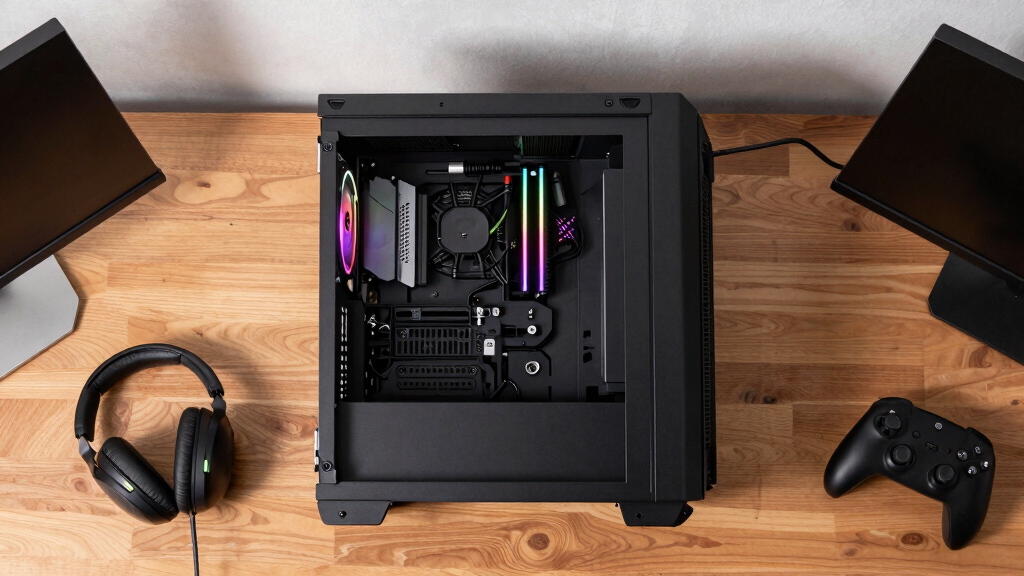

If you’re looking for a prebuilt gaming PC in 2026, you’re likely balancing performance, price, and future-proofing. The MSI Codex Z2 stands out for its impressive specs at a competitive price, making it a great overall pick. For those seeking absolute high-end power, the Alienware Aurora with its RTX 5080 GPU offers premium performance, albeit at a higher cost. Meanwhile, budget-conscious gamers might prefer the Gaming Desktop with RTX 3050 for solid performance without breaking the bank. These options reveal common tradeoffs: higher specs come with increased prices, and lower-cost models often sacrifice some future-proofing or raw power. Continue reading for a detailed breakdown of each model and which one fits your gaming setup best.
Key Takeaways
- High-end GPUs like RTX 5080 deliver the best gaming performance but significantly increase costs.
- Most top picks feature 32GB DDR5 RAM, emphasizing the importance of future-proofing and multitasking capacity.
- Budget options like the RTX 3050 can handle current games well but may struggle with demanding titles or future releases.
- Build quality and cooling solutions vary widely; premium models often include liquid cooling for better thermal management.
- Value depends heavily on balancing CPU, GPU, and RAM—more expensive options tend to offer a more balanced high-performance setup.


More Details on Our Top Picks
msi Codex Z2 Gaming Desktop: AMD R7-8700F, GeForce RTX 5070, 32GB DDR5, 2TB m.2 NVMe SSD, USB Type-C, VR-Ready, Windows 11 Home : A8NVP-436US
This MSI Codex Z2 stands out for its powerful AMD Ryzen 7 8700F with 8 cores and a boost up to 5.0 GHz, making it ideal for demanding AAA titles and multitasking, especially when compared to the less versatile RTX 3050-based options. Its next-gen GeForce RTX 5070, based on NVIDIA’s Blackwell architecture, offers significant improvements in ray tracing and rasterization, providing a more immersive gaming experience. The 32GB DDR5 RAM and 2TB NVMe SSD ensure fast load times and smooth performance, but this comes at a higher price point, and it lacks extensive upgradeability. The cooling system and RGB customizations enhance aesthetics and thermal management, but the large size might be less suitable for compact setups. Compared to other desktops like the Lenovo Legion Tower 5i, it offers superior raw power and future-proofing, though at a premium. This pick makes the most sense for gamers seeking a high-end, future-proof machine without compromises on speed or aesthetics.
Pros:- Excellent multi-core performance with the AMD Ryzen 7 8700F
- Next-gen NVIDIA GeForce RTX 5070 for superior ray tracing
- Ample 32GB DDR5 RAM and 2TB NVMe SSD for speed and storage
- Customizable RGB lighting and efficient cooling system
Cons:- High price compared to entry-level gaming desktops
- Large size may not fit in smaller setups
- Limited upgrade options due to integrated design
Best for: Advanced gamers and streamers who want top-tier performance with customizable lighting and future-proof specs.
Not ideal for: Budget-conscious users or those with limited space who prefer a smaller, more affordable system.
- Processor:AMD Ryzen 7 8700F, 8 cores, up to 5.0 GHz
- Graphics Card:NVIDIA GeForce RTX 5070, 12GB GDDR6
- Memory:32GB DDR5 RAM
- Storage:2TB m.2 NVMe SSD
- Connectivity:USB Type-C, HDMI, Ethernet
- Cooling:ARGB air cooler with four fans
Bottom line: This PC is ideal for gamers who prioritize top performance and aesthetics without budget constraints.
Alienware Aurora Gaming Desktop ACT1250 – Intel Core Ultra 9 285 Processor, Liquid Cooled, NVIDIA GeForce RTX 5080, 32GB DDR5 RAM, 1TB SSD, 1000W Platinum Rated PSU, Windows 11 Home – Clear Panel
The Alienware Aurora ACT1250 excels in its sleek, modern design with customizable AlienFX lighting and a clear panel, making it a showpiece compared to bulkier competitors like the Lenovo Legion Tower 5i. Its Intel Core Ultra 9 285 processor, with 24 cores and a boost up to 5.6 GHz, provides exceptional multitasking and gaming performance, especially with the NVIDIA GeForce RTX 5080 graphics, based on NVIDIA’s Blackwell architecture, delivering unmatched ray tracing and AI-enhanced visuals. The 32GB DDR5 RAM and 1TB SSD ensure rapid load times, and the 1000W platinum PSU offers ample power headroom. The liquid cooling system maintains low temperatures even during extended gaming sessions, but the premium price and limited upgradeability could deter some users. When compared to the MSI Codex Z2, it offers a more refined aesthetic and superior cooling, making it ideal for enthusiasts wanting a premium, overclock-ready rig. This desktop suits those who want top-tier performance wrapped in a stylish package with room for overclocking.
Pros:- Exceptional multi-core performance with Intel Ultra 9 processor
- Powerful NVIDIA GeForce RTX 5080 for stunning visuals
- Premium cooling with liquid system and 1000W PSU
- Stylish design with customizable RGB and transparent panel
Cons:- Very high cost for the premium features
- Limited upgrade options due to integrated design
- Large size may not fit in all setups
Best for: High-end gamers and content creators seeking a premium, overclockable system with aesthetic flair.
Not ideal for: Budget gamers or users who prefer a more compact, less expensive system with easier upgrade paths.
- Processor:Intel Core Ultra 9 285, 24 cores, up to 5.6 GHz
- Graphics Card:NVIDIA GeForce RTX 5080, 16GB GDDR7
- Memory:32GB DDR5 RAM
- Storage:1TB SSD
- Power Supply:1000W Platinum rated
- Cooling:Liquid cooling system
Bottom line: This PC is perfect for enthusiasts wanting a luxurious, high-performance gaming machine with overclocking potential.
Lenovo Legion Tower 5i Desktop Computer Gaming 30L, NVIDIA RTX 5070(12GB GDDR7), Intel Ultra 7 265F(36MB Cache), 32GB DDR5-5600 MT/S, 2TB SSD, Windows 11 Pro,Keyboard & Mouse, Accessories
The Lenovo Legion Tower 5i offers a solid balance of performance and expandability, making it suitable for gamers who want a reliable system that can handle current titles like those on the MSI Codex Z2 but with room for upgrades. Its Intel Ultra 7 265F processor, with 20 cores and a boost up to 5.3 GHz, delivers smooth multitasking and gaming, especially when paired with the NVIDIA RTX 5070 12GB GDDR7, which provides excellent ray tracing and AI features. The 32GB DDR5 RAM and 2TB SSD support fast load times and future-proof storage, while the Legion Coldfront cooling keeps temperatures low. Compared with the Alienware ACT1250, it offers a more traditional design with easier upgrade paths, although it lacks some of the premium aesthetics. This system fits buyers who want reliable performance with some room for future upgrades without the premium price of high-end overclockables.
Pros:- Strong multi-core performance with Intel Ultra 7 processor
- Good ray tracing and AI features with RTX 5070
- Excellent cooling with Legion Coldfront system
- Expandable storage up to 4TB
Cons:- Bulkier design that may not fit in tight spaces
- Less premium aesthetic compared to Alienware
- No overclocking support for CPU or GPU
Best for: Mid-tier gamers and streamers who want a dependable system with upgrade potential and good cooling.
Not ideal for: Enthusiasts seeking absolute cutting-edge performance or aesthetic customization.
- Processor:Intel Ultra 7 265F, 20 cores, up to 5.3 GHz
- Graphics Card:NVIDIA RTX 5070, 12GB GDDR7
- Memory:32GB DDR5-5600 MT/S
- Storage:2TB SSD
- Cooling:Legion Coldfront with ARGB fans
- Connectivity:Wi-Fi 6E, Bluetooth 5.3
Bottom line: This system offers balanced performance and upgradeability, making it ideal for gamers seeking reliability and future-proofing.
KOTIN Prebuilt Gaming PC Desktop Computer, Ryzen 7 9700X, GeForce RTX 5070 12GB, 32GB DDR5 6000MHz, 1TB PCIe 4.0 SSD, 11.3″Display, 360mm Liquid Cooler, WiFi 7, Windows 11 Home, ARGB Gaming Tower G60B
The KOTIN G60B excels for users who need a compact yet powerful gaming setup, especially with its 11.3″ smart display integrated into the tower, unlike bulkier systems like the Lenovo Legion Tower 5i. Its Ryzen 7 9700X, with up to 5.5 GHz, handles AAA titles and multitasking, while the GeForce RTX 5070 12GB GDDR7 offers high-quality ray tracing and DLSS 4 features. The 32GB DDR5 RAM and 1TB PCIe 4.0 SSD deliver fast performance, and the 360mm liquid cooler ensures thermal stability during extended play. The system’s small footprint makes it ideal for limited spaces, but the upgrade options are somewhat limited due to the compact design, and the included display is more of an aesthetic feature than a primary monitor. Compared to the MSI Codex Z2, it sacrifices some expandability for size, making it better suited for users who want a sleek, space-efficient gaming machine.
Pros:- Compact, space-saving design with integrated display
- Powerful Ryzen 7 9700X CPU and RTX 5070 GPU
- 360mm liquid cooling for thermal management
- Fast DDR5 6000MHz RAM and PCIe 4.0 SSD
Cons:- Limited upgrade options due to small form factor
- Display is more aesthetic than functional as a primary monitor
- Higher price for a compact system with premium features
Best for: Gamers with limited space who want high-performance specs in a small, integrated package.
Not ideal for: Power users seeking maximum upgrade flexibility or those preferring larger, traditional towers.
- Processor:Ryzen 7 9700X, up to 5.5 GHz
- Graphics Card:RTX 5070, 12GB GDDR7
- Memory:32GB DDR5 6000MHz
- Storage:1TB PCIe 4.0 SSD
- Cooling:360mm liquid cooler
- Display:11.3″ built-in smart display
Bottom line: This PC is perfect for gamers who need high performance in a small, integrated setup without sacrificing speed.
Gaming Desktop PC – GeForce RTX 3050 8GB, Ryzen 5 5500, 16GB DDR4 RAM, 512GB NVMe SSD, Prebuilt Computer Tower PC for Gaming, Streaming, Editing, Home & Office
This model stands out for delivering reliable performance at a lower price point compared to higher-end options like the KOTIN Ryzen 5 9600X. The Ryzen 5 5500 is a capable 6-core processor suited for casual gaming and multitasking, but it falls behind the Ryzen 5 9600X in raw speed, which impacts high-end gaming and intensive tasks. The RTX 3050 GPU handles most modern titles smoothly but struggles with demanding ray tracing at higher settings. Its 16GB DDR4 RAM supports multitasking well, though upgrading to faster memory could improve responsiveness. The 512GB NVMe SSD provides fast load times but may fill quickly for larger game libraries, making expansion necessary sooner. Compared to pricier builds, this PC offers solid performance for its cost, but it involves tradeoffs in future scalability and gaming performance at ultra settings.
Pros:- Affordable price point with good overall performance
- Fast NVMe SSD for quick load times
- Easy plug-and-play setup with no technical skills required
Cons:- Limited GPU for demanding ray-traced games
- Potential need for future RAM and storage upgrades
Best for: Budget-conscious gamers and students who want a capable all-rounder without breaking the bank.
Not ideal for: High-end gamers or content creators needing top-tier performance and future expandability.
- CPU:Ryzen 5 5500 6-Core up to 4.4GHz
- GPU:GeForce RTX 3050 8GB
- RAM:16GB DDR4 3200MHz
- Storage:512GB NVMe SSD
- Motherboard:PCIe Gen 3 support
- Operating System:Windows
Bottom line: This PC makes the most sense for entry-level gamers and casual users prioritizing value over maximum performance.
KOTIN Prebuilt Gaming PC Desktop Computer, Ryzen 5 9600X, GeForce RTX 5060 8GB, 16GB DDR5 6000MHz, 1TB PCIe 4.0 SSD, WiFi 7, Windows 11 Home, ARGB Gaming Desktop Tower for Gaming Home Office
This pick makes the most sense for gamers who want a substantial step up from entry-level systems like the WIWB Ryzen 5 5500, thanks to its faster Ryzen 5 9600X CPU and RTX 5060 GPU with DLSS 4 support. The Ryzen 5 9600X offers noticeably higher clock speeds and better gaming frame rates, especially at 1440p, making it ideal for players seeking smoother gameplay. The RTX 5060 with 8GB VRAM handles ray tracing more effectively than the RTX 3050, delivering more immersive visuals in supported titles. Its DDR5 6000MHz memory boosts multitasking and future-proofing, while the 1TB PCIe 4.0 SSD supports quick load times and ample storage for modern games. The ARGB cooling and digital display add a stylish gaming aesthetic, though the system’s higher price means it’s less suited for casual gamers or those on a tight budget. Compared to the WIWB 5500, this build offers a significant leap in gaming performance and future readiness, at an increased cost.
Pros:- Strong CPU and GPU combination for high-quality gaming
- Fast DDR5 RAM for multitasking and future upgrades
- Stylish ARGB cooling and digital display
Cons:- Higher cost compared to entry-level options
- Limited to 1TB SSD which may fill quickly for large game libraries
Best for: Hardcore gamers and streamers who want high performance and aesthetic flair without premium prices of top-tier systems.
Not ideal for: Budget buyers or casual users who don’t need the latest graphics or high frame rates.
- CPU:Ryzen 5 9600X up to 5.4GHz
- GPU:GeForce RTX 5060 8GB
- RAM:16GB DDR5 6000MHz
- Storage:1TB PCIe 4.0 SSD
- Motherboard:Supports DDR5, USB 3.2, WiFi 7
- Power Supply:650W 80 Plus Gold
Bottom line: This system balances powerful gaming capabilities with a stylish design, ideal for serious gamers willing to invest more.
Prebuilt Gaming PC Desktop | Ryzen 5 6Cores 3.6G Up to 4.1G | RX 560 4G Graphics Card | 16G DDR4 RAM | 512G SSD | Wi-Fi 6 | Tower Computer White
This option is tailored for casual gamers and students who want a straightforward, budget-friendly gaming experience, making it an alternative to the WIWB 5500 or similar low-cost builds. The Ryzen 5 3500X is a decent 6-core processor for everyday tasks and light gaming, but it doesn’t match the newer Ryzen 5 5500 or 9600X in raw speed. The Radeon RX 560 4GB GPU is suitable for esports titles like League of Legends or CS:GO at medium settings, but it struggles with newer AAA titles or higher resolutions. Its 16GB DDR4 RAM supports multitasking, though the graphics card limits gaming quality. The 512GB SSD ensures fast boot and load times, but the system’s upgrade path is somewhat constrained by its motherboard and GPU choice, which are more suitable for entry-level use. Compared to more advanced options, this build is ideal for light gaming and general use, but it sacrifices performance and future upgradeability.
Pros:- Very affordable with decent multitasking ability
- Fast SSD for quick load times
- Simple plug-and-play setup
Cons:- Limited gaming performance with RX 560 GPU
- Less upgrade potential due to older motherboard and GPU
Best for: Students or casual gamers seeking an affordable system for light gaming and daily tasks.
Not ideal for: Enthusiasts wanting to play demanding AAA titles at high settings or future-proof their setup.
- CPU:Ryzen 5 3500X 6-Core up to 4.1GHz
- GPU:Radeon RX 560 4GB
- RAM:16GB DDR4 3200MHz
- Storage:512GB SSD
- Motherboard:Supports basic upgrade options
- Operating System:Windows
Bottom line: This PC offers a straightforward, budget-friendly option for light gaming and everyday use, with clear limitations in performance.
How We Picked
To create this lineup, I focused on models that balance performance, build quality, and value for gamers in 2026. Priority was given to recent hardware with up-to-date CPUs and GPUs, ensuring the PCs can handle current and upcoming titles. I evaluated each system’s cooling solutions, expandability, and overall build quality, since these factors influence longevity and user experience. Cost-to-performance ratio also played a key role, with an emphasis on offering options across different budgets. The ranking reflects a combination of raw power, future-proofing, and practical usability, helping buyers find the right fit for their specific needs.Factors to Consider When Choosing Prebuilt Gaming Pc
When choosing a prebuilt gaming PC, several factors influence how well it will serve your gaming and computing needs. Beyond initial specs, consider future upgrade potential, cooling solutions, and overall build quality. Understanding these elements helps avoid common pitfalls like overspending on unnecessary features or buying a machine that underperforms in your favorite games. The right choice hinges on balancing your budget with the performance you need today and in the near future.Performance and Hardware Balance
Ensuring your gaming PC has a balanced setup of CPU, GPU, and RAM prevents bottlenecks. High-end gaming demands a powerful GPU, but pairing it with a weak CPU can limit performance. Aim for recent generation components, like AMD Ryzen 7000 or Intel Ultra 13 series CPUs, combined with a capable GPU such as RTX 5070 or higher. RAM should be at least 16GB, but 32GB is preferable for multitasking and future-proofing. Avoid overspending on a GPU that exceeds your gaming needs if your budget is tight, as that can lead to diminishing returns.
Cooling and Thermal Management
Effective cooling extends component lifespan and maintains performance under load. Premium models often include liquid cooling, which is quieter and more efficient, especially for overclocked setups. Lower-cost machines may rely on standard air cooling, which can be noisier and less effective during prolonged gaming sessions. If you plan to push your system or upgrade in the future, consider models with better cooling solutions now, even if they cost a bit more. Proper airflow also depends on case design, so look for models with good ventilation options.
Build Quality and Expandability
A sturdy case and quality components reduce the risk of failures and make future upgrades easier. Some prebuilt PCs offer modular designs or tool-less access for RAM and storage, simplifying upgrades. Others may have cramped interiors or proprietary parts, complicating future improvements. Think about your long-term plans—if you plan to upgrade your GPU or add more storage, choose a model with spacious interior and accessible components. Investing in a well-built chassis with good airflow can also prevent overheating and improve overall reliability.
Value and Long-Term Investment
It’s tempting to go for the cheapest option, but undervaluing the importance of current hardware quality can cost more in the long run. Premium models with high-quality components typically last longer and perform better with future game releases. Conversely, budget models might save money upfront but could require upgrades sooner. Consider your gaming habits—if you’re a competitive gamer or streamer, investing in a higher-tier system makes sense. Always weigh the initial cost against potential upgrade costs or the need for replacement within a few years.
Operating System and Included Accessories
Most prebuilt gaming PCs come with Windows 11, but double-check to confirm the version and any pre-installed software you don’t need. Some models include peripherals like keyboards and mice, which can add value, especially if you’re starting from scratch. If you already own accessories, you might prioritize a system without bundled peripherals, saving some money. Also, consider warranty coverage and customer support, as these protect your investment from potential issues down the line.
Frequently Asked Questions
Can I upgrade the GPU in a prebuilt gaming PC later?
In most cases, yes. Many prebuilt gaming PCs are designed with upgradeability in mind, especially the interior space and power supply capacity. However, some models might have proprietary components or limited space, making upgrades more difficult. Always check if the case supports larger GPUs and whether the power supply can handle new hardware. Upgrading the GPU can significantly boost gaming performance, but ensure compatibility with your motherboard and case before purchasing or attempting an upgrade.
Is it better to buy a prebuilt PC or build my own?
Buying a prebuilt PC saves time and guarantees compatibility, especially for those less experienced with assembling hardware. It also often comes with warranties and support, which can be valuable in case of issues. Building your own can be more cost-effective and allows for customized specs, but it requires more effort, knowledge, and time. For most gamers who want a reliable, ready-to-play system without hassle, a high-quality prebuilt offers excellent value and peace of mind.
How long will a prebuilt gaming PC last before it needs an upgrade?
The lifespan of a prebuilt gaming PC depends on hardware quality and your gaming demands. Generally, a well-chosen system with current high-end components can perform well for 3-5 years before noticeable performance drops in new titles. Regular software updates and maintenance can extend its usability, but eventually, the hardware might struggle with upcoming game requirements. Planning for future upgrades, like adding more RAM or replacing the GPU, can prolong its useful life.
Should I prioritize a better GPU or CPU in my prebuilt?
For gaming, the GPU typically has a more significant impact on performance than the CPU, especially for graphically demanding titles. However, a weak CPU can bottleneck a high-end GPU, limiting its effectiveness. Balance is key—aim for a recent, capable CPU like an Intel Ultra 13 or AMD Ryzen 7000 series paired with a suitable GPU. For gaming at higher resolutions or settings, prioritize a more powerful GPU, but don’t neglect the CPU to avoid performance bottlenecks.
What should I consider if I plan to stream or do content creation on my gaming PC?
If streaming or content creation is part of your plan, look for a system with at least 32GB of RAM and a powerful multi-core CPU like AMD Ryzen 9 or Intel Ultra 13. A robust GPU such as RTX 5080 will help with encoding and rendering tasks. Adequate cooling and a reliable power supply are also important to maintain stability during extended sessions. Choosing a system with good expandability ensures you can add or upgrade components as your needs evolve.
Conclusion
For most gamers seeking the best overall experience, the MSI Codex Z2 offers a balanced mix of power and value. If you want to invest in premium hardware and future-proof your setup, the Alienware Aurora with its RTX 5080 is the ideal choice. Beginners or budget-conscious buyers should consider the RTX 3050 system for solid performance at a lower price. For those focused on upgradeability, models with spacious interiors and high-quality cooling are worth the extra investment. Ultimately, your choice should reflect your gaming needs, budget, and long-term plans.