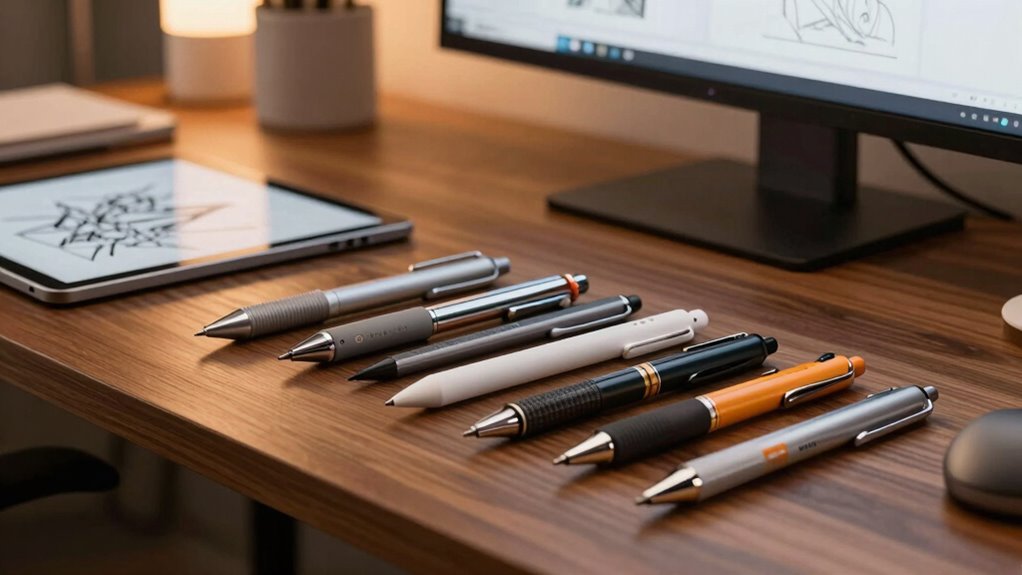

When searching for a premium Apple Pencil alternative, the goal is to find a stylus that offers high precision, fast charging, and smooth usability without the Apple branding. The Metapen Pencil Air8 Pro X stands out as the overall best due to its ultra-quiet operation and rapid charging. For those needing a more budget-friendly yet high-performing option, the KEEPR Stylus Pen offers pixel-perfect accuracy and tilt sensitivity. The main challenge in this category is balancing the premium features with compatibility and price. Continue reading for a detailed comparison to find the right fit for your iPad workflow.

Get the latest gadgets delivered free with Prime
- Fast, free delivery on millions of items
- Prime Video, Amazon Music and more included
- Member-only deals all year
Complete the kit



Key Takeaways
- The top picks excel in fast charging and palm rejection, ensuring a seamless drawing experience.
- Compatibility varies slightly; most styluses work with a broad range of iPad models, but verification is key.
- Higher-priced options tend to offer better build quality and additional features like tilt sensitivity.
- Many styluses share core features but differ in ergonomics and software integration, affecting user comfort.
- Tradeoffs often involve balancing price against precision, latency, and extra functionalities like shortcuts or Find My support.
| Metapen Pencil Air8 Pro X for iPad (2018-2026), Ultra-Quiet, Fast Charging, Palm Rejection Stylus Pen |  | Best Overall for Natural Writing Feel | Compatibility: iPad 2018-2026, Pro 12.9/11/13-inch, Air 3/4/5/M2/M3/M4, Mini 5/6th | Battery Life: Up to 26 hours | Charging Time: 45 minutes | VIEW ON AMAZON | See Our Full Breakdown |
| KEEPRO Stylus Pen for iPad (2018-2026), USB-C Fast Charging, Tilt Sensitivity, Pixel-Perfect Precision |  | Best Value for Precision and Features | Compatibility: iPads 2018-2026 | Charging: USB-C, fully charged in 30 minutes | Battery Life: Up to 10 hours | VIEW ON AMAZON | See Our Full Breakdown |
| HATOKU Magnetic Stylus Pen for iPad (2018-2026) – Fast Charging, High Precision, Palm Rejection |  | Best for Convenience and All-Day Use | Compatibility: iPad 6-11, Air 3-5, Pro, Mini 5-7 | Charge Time: 15 minutes | Battery Life: 10 hours | VIEW ON AMAZON | See Our Full Breakdown |
| Apple Pencil (USB-C) |  | Best for Seamless Integration and Artistic Precision | Compatibility: iPad Pro 13-inch (M4, M5), iPad Pro 12.9-inch (3rd-6th gen), iPad Pro 11-inch (M4, M5, 1st-4th gen), iPad Air (M2, M3, M4), iPad (A16, 10th gen), iPad mini (A17 Pro, 6th gen) | Dimensions: 6.1 x 0.3 x 0.3 inches | Weight: 0.88 ounces | VIEW ON AMAZON | See Our Full Breakdown |
| Logitech Crayon Digital Pencil for iPads (2018 and Later) – Intense Sorbet |  | Best for Durability and Instant Use | Compatibility: iPads (2018 and later) | Technology: Apple Pencil compatible | Design: Anti-roll | VIEW ON AMAZON | See Our Full Breakdown |
| Stylus Pen for iPad (2018–2026), Magnetic Charging, Tilt Sensitivity & Palm Rejection, Compatible with iPad Pro, Air, Mini |  | Best Overall for Versatility and Compatibility | Compatibility: iPad 2018–2026 models including iPad Pro, Air, Mini | Charging: Magnetic & USB-C direct charge | Battery Life: Up to 12 hours | VIEW ON AMAZON | See Our Full Breakdown |
| Hastraith Stylus Pen for iPad 2018-2026, Fast Charge Apple iPad Pencil |  | Best for Rapid Charging and Extended Use | Compatibility: iPad 2018-2026 | Charging Time: 13 minutes | Battery Life: Over 10 hours | VIEW ON AMAZON | See Our Full Breakdown |
| Stylus Pen for iPad with Fast Charge and Tilt Sensitivity |  | Best for Precise Creative Work | Compatibility: iPad Pro 11/12.9, iPad Air 3-5, Mini 6-9, M4/M5 | Charge Time: 13 minutes | Battery Life: Up to 8 hours | VIEW ON AMAZON | See Our Full Breakdown |
| JAMJAKE Stylus Pen for iPad 6th-11th Gen, 2X Fast Charge, Palm Rejection – White |  | Best for Compatibility and Precision on Latest iPads | Compatible Models: iPad 6th-11th Gen, iPad Pro, iPad Air M2/M3/M4 | Charging Time: 5-15 minutes | Battery Life: 15 hours | VIEW ON AMAZON | See Our Full Breakdown |
| Metapen Pencil Air8 for iPad – Fast Charge, Palm Rejection Stylus Pen for iPad 2018-2026 |  | Best for Precision and Long Battery Life | Pixel Precision: 0.1mm | Battery Life: Up to 20 hours | Charge Time: 45 minutes | VIEW ON AMAZON | See Our Full Breakdown |
| Metapen Pencil A8 for iPad (2018-2026), Fast Charging, Palm Rejection, Pixel Precision, Stylus Pen |  | Best for Precise Digital Art and Professional Note-Taking | Compatibility: iPad 2018-2026 | Pixel Precision: 0.1 mm | Charging Time: 30 minutes | VIEW ON AMAZON | See Our Full Breakdown |
| Apple Pencil Pro – Latest Model for iPad Compatibility Check Required |  | Best for Creative Professionals Needing Tilt and Pressure Sensitivity | Compatibility: iPad Pro 13-inch (M4/M5), iPad Air 11-inch (M2/M3/M4), iPad mini (A17 Pro) | Features: Gestures, haptics, tilt & pressure sensitivity | Latency: Low | VIEW ON AMAZON | See Our Full Breakdown |
| ESR Geo Digital iPad Pencil for iPad (2018-2026), Find My, Easy Shortcuts |  | Best for Find My and Fast Charging on Compatible iPads | Compatibility: iPads 2018-2026 | Find My: Supported | Charging: Type C, 20 min | VIEW ON AMAZON | See Our Full Breakdown |
| DIGIROOT iPad Pencil for 2018-2026, Palm Rejection Stylus Pen for iPad |  | Best for Fast Charging and Long-Lasting Battery for Everyday Use | Charging Time: 13 minutes | Battery Life: up to 9 hours | Compatibility: iPad 2018-2026 | VIEW ON AMAZON | See Our Full Breakdown |
| apple pencil alternative premium | Compatibility | Battery Life | Tilt Sensitivity |
|---|---|---|---|
| Metapen Pencil Air8 Pro X for | iPad 2018-2026, Pro 12.9/11/13-inch, Air 3/4/5/M2/M3/M4, Mini 5/6th | Up to 26 hours | — |
| KEEPRO Stylus Pen for iPad | iPads 2018-2026 | Up to 10 hours | Yes |
| HATOKU Magnetic Stylus Pen for | iPad 6-11, Air 3-5, Pro, Mini 5-7 | 10 hours | Yes |
| Apple Pencil | iPad Pro 13-inch (M4, M5), iPad Pro 12.9-inch (3rd-6th gen), iPad Pro 11-inch (M4, M5, 1st-4th gen), iPad Air (M2, M3, M4), iPad (A16, 10th gen), iPad mini (A17 Pro, 6th gen) | — | — |
| Logitech Crayon Digital Pencil | iPads (2018 and later) | Full school day | — |
| Stylus Pen for iPad | iPad 2018–2026 models including iPad Pro, Air, Mini | Up to 12 hours | Yes |
| Hastraith Stylus Pen for iPad | iPad 2018-2026 | Over 10 hours | Yes |
| Stylus Pen for iPad with Fast | iPad Pro 11/12.9, iPad Air 3-5, Mini 6-9, M4/M5 | Up to 8 hours | Yes |
| JAMJAKE Stylus Pen for iPad 6t | — | 15 hours | — |
| Metapen Pencil Air8 for iPad | iPad models from 2018-2026 | Up to 20 hours | — |
| Metapen Pencil A8 for iPad | iPad 2018-2026 | Up to 10 hours | — |
| Apple Pencil Pro | iPad Pro 13-inch (M4/M5), iPad Air 11-inch (M2/M3/M4), iPad mini (A17 Pro) | — | — |
| ESR Geo Digital iPad Pencil fo | iPads 2018-2026 | — | Yes |
| DIGIROOT iPad Pencil for 2018- | iPad 2018-2026 | up to 9 hours | Yes |
More Details on Our Top Picks
Metapen Pencil Air8 Pro X for iPad (2018-2026), Ultra-Quiet, Fast Charging, Palm Rejection Stylus Pen
The Metapen Pencil Air8 Pro X stands out for delivering a natural, paper-like writing experience thanks to its innovative Air-Flex tip, making it ideal for users prioritizing a quiet, lightweight stylus. Unlike the Apple Pencil, it lacks tilt and pressure sensitivity, which may limit detailed artistic work but suits note-takers and casual sketchers well. Its long battery life and fast charging reduce downtime, and palm rejection enhances comfort during extended sessions. However, the absence of magnetic storage and the need for a USB-C cable for charging are minor inconveniences. Compared to the Logitech Crayon, which emphasizes durability and instant pairing, the Air8 excels in providing a softer, more paper-like feel—ideal for those who prefer a natural handwriting experience without complex features.
Pros:- Lightweight and comfortable, reducing hand fatigue
- Quiet, paper-like writing experience with Air-Flex tip
- Long battery life with fast charging
- Auto shut-off with LED power display
Cons:- No tilt or pressure sensitivity limits detailed drawing
- Requires USB-C for charging, lacks magnetic storage
Best for: Artists and writers who want a quiet, lightweight stylus with a paper-like feel and long battery life.
Not ideal for: Creative professionals needing tilt and pressure sensitivity for detailed illustrations or those who prefer magnetic storage for convenience.
- Compatibility:iPad 2018-2026, Pro 12.9/11/13-inch, Air 3/4/5/M2/M3/M4, Mini 5/6th
- Battery Life:Up to 26 hours
- Charging Time:45 minutes
- Charging Port:USB-C
- Weight:11 g
- Features:Air-Flex tip, LED power display, palm rejection, no Bluetooth required
Our verdict“This stylus is best suited for users seeking a natural writing experience without the need for advanced artistic features.”
KEEPRO Stylus Pen for iPad (2018-2026), USB-C Fast Charging, Tilt Sensitivity, Pixel-Perfect Precision
The KEEPRO Stylus Pen offers impressive precision and tilt sensitivity, making it a top choice for users seeking detailed sketching or note-taking on compatible iPads. Unlike the HATOKU, which also features quick charging, KEEPRO’s inclusion of shortcut Bluetooth functions adds versatility. Its pixel-perfect accuracy and 30-minute USB-C charge time outperform many competitors in rapid readiness, though the absence of pressure sensitivity limits its artistic potential. This stylus is ideal for students and casual artists who want precise control without the high price of an Apple Pencil. However, users needing pressure sensitivity or complex drawing features should look elsewhere, such as the Apple Pencil itself.
Pros:- Fast USB-C charging with up to 10 hours of use
- Pixel-perfect precision with tilt sensitivity
- Includes three replaceable tips for durability
- Supports Bluetooth shortcut functions
Cons:- No pressure sensitivity for shading or artistic effects
- Requires Bluetooth connection for shortcuts, which can add complexity
Best for: Students and casual artists who value fast charging, precision, and shortcut functions without the premium price.
Not ideal for: Professional digital artists requiring pressure sensitivity and advanced artistic controls.
- Compatibility:iPads 2018-2026
- Charging:USB-C, fully charged in 30 minutes
- Battery Life:Up to 10 hours
- Tilt Sensitivity:Yes
- Pressure Sensitivity:No
- Replaceable Tips:Yes, includes 3 tips
Our verdict“Ideal for budget-conscious users who want precise control and quick charging, but not for pressure-sensitive artwork.”
HATOKU Magnetic Stylus Pen for iPad (2018-2026) – Fast Charging, High Precision, Palm Rejection
The HATOKU Magnetic Stylus Pen excels in offering a natural writing experience with quick 15-minute charging and magnetic storage, making it suitable for busy users. Its compatibility across a wide range of iPads and the magnetic attachment for easy storage set it apart from the other styluses in this roundup. The high precision, palm rejection, and tilt sensitivity support a variety of tasks, from note-taking to detailed drawing. However, the need for certified chargers and its small tip may be concerns for some users. Compared with the Apple Pencil, HATOKU provides a more affordable, broadly compatible alternative that emphasizes convenience and portability—perfect for students and professionals on the go.
Pros:- Fast 15-minute charging for all-day productivity
- Magnetic design for easy storage
- High precision with palm rejection and tilt sensitivity
- Compatible with many iPad models without Bluetooth pairing
Cons:- Requires certified 5V/2A adapters for safe charging
- Small tip may be less comfortable for extended drawing sessions
Best for: Busy note-takers and professionals who want quick charging and easy storage without complex pairing.
Not ideal for: Artists requiring pressure sensitivity or larger tips for shading and detailed artwork.
- Compatibility:iPad 6-11, Air 3-5, Pro, Mini 5-7
- Charge Time:15 minutes
- Battery Life:10 hours
- High Precision:Yes
- Tilt Sensitivity:Yes
- Magnetic Attachment:Yes
Our verdict“This stylus offers a convenient, fast-charging, and broadly compatible option for users prioritizing portability and ease of use.”
Apple Pencil (USB-C)
The Apple Pencil (USB-C) delivers unmatched precision, tilt sensitivity, and low latency, making it the premier choice for professional artists and designers. Its magnetic attachment and USB-C charging streamline the experience, unlike the other styluses that require separate charging or lack magnetic storage. Despite its high price, it offers compatibility with the latest iPad Pro, iPad Air, and mini models, positioning it as the go-to for those who want the most seamless, feature-rich experience. Compared with the HATOKU or KEEPRO, which are more affordable and broadly compatible, it excels in artistic control but is limited to newer, compatible devices. For creative professionals, this stylus justifies its cost through superior performance.
Pros:- High precision with tilt and low latency
- Magnetic attachment and USB-C charging for ease
- Compatible with a wide range of new iPads
- Transforms iPad into a powerful creative tool
Cons:- Limited to newer, compatible iPad models
- Premium price may be prohibitive for casual users
Best for: Professional artists and designers seeking maximum precision, tilt, and low latency on compatible iPads.
Not ideal for: Casual users or those with older iPads, as compatibility is limited to recent models and the price is high.
- Compatibility:iPad Pro 13-inch (M4, M5), iPad Pro 12.9-inch (3rd-6th gen), iPad Pro 11-inch (M4, M5, 1st-4th gen), iPad Air (M2, M3, M4), iPad (A16, 10th gen), iPad mini (A17 Pro, 6th gen)
- Dimensions:6.1 x 0.3 x 0.3 inches
- Weight:0.88 ounces
- Batteries:Lithium Ion battery (included)
- First Available:November 1, 2023
Our verdict“This stylus is best suited for users who need professional-level control on compatible iPads and are willing to invest in top-tier performance.”
Logitech Crayon Digital Pencil for iPads (2018 and Later) – Intense Sorbet
The Logitech Crayon offers a user-friendly, durable alternative to the Apple Pencil, with instant pairing and automatic line weight adjustment when tilted. While it lacks pressure sensitivity, its anti-roll design and full-day battery make it a practical choice for students and mobile professionals. Unlike the KEEPRO or HATOKU, which emphasize quick charging and broad compatibility, the Crayon’s strength lies in its simplicity and ruggedness. It’s less suited for detailed artistic shading but excels in educational settings or fast note-taking. Its requirement of iOS 12.2 or above and absence of pressure sensitivity are tradeoffs for its ease of use and affordability. Overall, it makes a compelling case for those prioritizing durability and instant readiness over advanced artistic features.
Pros:- Instant connection without complex pairing
- Automatic line weight adjustment when tilted
- Durable, anti-roll design
- Long battery life for a full school day
Cons:- Limited artistic features, no pressure sensitivity
- Requires iOS 12.2 or above, restricting older devices
Best for: Students and casual users who want a reliable, easy-to-use stylus without complex features.
Not ideal for: Professional artists seeking pressure sensitivity or nuanced shading capabilities.
- Compatibility:iPads (2018 and later)
- Technology:Apple Pencil compatible
- Design:Anti-roll
- Smart Tip:Dynamic, adjusts line weight automatically
- Battery Life:Full school day
Our verdict“This stylus is ideal for users seeking a durable, straightforward option for everyday note-taking and drawing on compatible iPads.”
Stylus Pen for iPad (2018–2026), Magnetic Charging, Tilt Sensitivity & Palm Rejection, Compatible with iPad Pro, Air, Mini
This stylus stands out for its broad compatibility across iPad models from 2018 to 2026, matching the flexibility of the Hastraith Stylus Pen but adding magnetic charging and tilt sensitivity for enhanced precision. Unlike the JAMJAKE Stylus, it offers longer battery life with up to 12 hours of use, though it requires careful model compatibility checks. Its magnetic attachment simplifies storage, and palm rejection ensures a natural writing experience. The main tradeoff is that it’s not compatible with older iPads before 2018, so buyers with legacy devices should look elsewhere. This option makes the most sense for users seeking a highly adaptable stylus that works across the latest iPads without sacrificing performance.
Pros:- Compatible with a wide range of recent iPads
- Fast magnetic and USB-C charging with long battery life
- Tilt sensitivity and palm rejection for natural drawing and writing
- Includes replaceable tips for durability
Cons:- Limited to iPads from 2018 onward, excluding older models
- Magnetic charging only available on certain models
Best for: Users with multiple recent iPad models needing a versatile, long-lasting stylus.
Not ideal for: Owners of older iPads released before 2018 or those seeking a stylus with pressure sensitivity.
- Compatibility:iPad 2018–2026 models including iPad Pro, Air, Mini
- Charging:Magnetic & USB-C direct charge
- Battery Life:Up to 12 hours
- Tilt Sensitivity:Yes
- Replaceable Tips:3 x 1.0mm
- Features:Palm rejection, magnetic attachment
Our verdict“This stylus is ideal for users with newer iPads who prioritize compatibility and natural feel, but it requires model verification before purchase.”
Hastraith Stylus Pen for iPad 2018-2026, Fast Charge Apple iPad Pencil
The Hastraith Stylus Pen excels with its rapid 13-minute charge, providing over 10 hours of continuous use, making it a strong choice for busy professionals and students. In comparison with the Metapen Pencil Air8, which boasts higher pixel precision, Hastraith offers a more convenient charging experience with quick top-ups. Its tilt sensitivity and palm rejection support natural drawing, and the battery indicator adds practical value. The main limitation is that it’s not compatible with iPads before 2018, limiting older device users. For those who need a stylus that can be ready in minutes and last through long work sessions, this pick makes perfect sense.
Pros:- Fast charging in just 13 minutes
- Over 10 hours of use per charge
- Tilt sensitivity and palm rejection for natural interaction
- Battery level indicator for monitoring
Cons:- Requires manual activation via cap button
- Limited to iPads from 2018–2026, excluding older models
Best for: Power users who value fast charging and long daily usage on recent iPads.
Not ideal for: People with older iPads or those who need pressure sensitivity for detailed artwork.
- Compatibility:iPad 2018-2026
- Charging Time:13 minutes
- Battery Life:Over 10 hours
- Tilt Sensitivity:Yes
- Palm Rejection:Yes
- Battery Indicator:Yes
Our verdict“This stylus is best suited for users who need quick, reliable power in a long-lasting stylus for recent iPads.”
Stylus Pen for iPad with Fast Charge and Tilt Sensitivity
This stylus offers accurate, smooth writing and drawing, making it ideal for digital artists and detailed note-takers. Compared to the JAMJAKE Stylus, it provides a similar quick 13-minute charge but with a more refined metallic build and magnetic attachment on compatible iPads. However, it lacks pressure sensitivity, which could be a drawback for professional illustrators. Its broad device compatibility from iPad Pro 11/12.9 and Mini to newer Air models makes it versatile for creative tasks. Still, the absence of wireless charging or pressure sensitivity means it’s better suited for casual or intermediate users rather than high-end professional work.
Pros:- Fast 13-minute charge with up to 8 hours of use
- Magnetic attachment for easy storage
- Accurate, smooth lines for drawing and writing
- Compatible with multiple iPad models
Cons:- No pressure sensitivity for variable line thickness
- Limited to iPads, not compatible with Android or other tablets
Best for: Creative users prioritizing fast charging and smooth, accurate lines for sketching or note-taking.
Not ideal for: Graphic designers or professional illustrators needing pressure sensitivity for nuanced artwork.
- Compatibility:iPad Pro 11/12.9, iPad Air 3-5, Mini 6-9, M4/M5
- Charge Time:13 minutes
- Battery Life:Up to 8 hours
- Tilt Sensitivity:Yes
- Wireless Charging:No
- Color:Blue
Our verdict“This stylus is well-suited for creatives seeking quick charging and reliable precision, but it lacks advanced pressure features for professional artwork.”
JAMJAKE Stylus Pen for iPad 6th-11th Gen, 2X Fast Charge, Palm Rejection – White
The JAMJAKE Stylus offers impressive compatibility across a wide range of iPads from 6th to 11th generation, including recent Pro and Air models, thanks to its fast charging in just 5-15 minutes and 15-hour battery life. Compared with the Stylus Pen for iPad (2018–2026), it provides slightly shorter charge times and a 1.5mm tip for more precise interaction. Its palm rejection technology enables a natural writing experience, but it doesn’t support pressure sensitivity, limiting detailed artistic control. This stylus is a solid choice for casual note-taking and general drawing, especially for users who want quick readiness and broad device support.
Pros:- High compatibility with recent iPads
- Fast charging in 5-15 minutes
- Palm rejection for natural writing
- Precise 1.5mm tip for detailed work
Cons:- No pressure sensitivity
- Requires Bluetooth enabled on iPad
Best for: Students and casual artists seeking quick-charging stylus with broad compatibility.
Not ideal for: Professional artists requiring pressure sensitivity and detailed brush control.
- Compatible Models:iPad 6th-11th Gen, iPad Pro, iPad Air M2/M3/M4
- Charging Time:5-15 minutes
- Battery Life:15 hours
- Tip Size:1.5mm
- Features:Palm rejection, fast charging
Our verdict“This stylus is ideal for everyday users who prioritize quick charging and broad device support but don’t need pressure sensitivity for advanced art.”
Metapen Pencil Air8 for iPad – Fast Charge, Palm Rejection Stylus Pen for iPad 2018-2026
The Metapen Pencil Air8 emphasizes pixel-level precision with its 0.1mm accuracy, making it ideal for detailed writing and drawing on compatible iPads. Compared to the Hastraith Stylus Pen, it offers a longer battery life of up to 20 hours, but at the expense of slightly longer charging times (45 minutes). Its lightweight design minimizes hand fatigue, and palm rejection supports natural interaction. However, it doesn’t support pressure or tilt sensitivity, which limits its use for nuanced artistic work. This stylus makes sense for users focused on precision, such as note-takers or illustrators who prioritize accuracy over pressure control.
Pros:- High 0.1mm pixel precision
- Long battery life of up to 20 hours
- Lightweight and reduces fatigue
- Palm rejection enhances natural writing
Cons:- No pressure or tilt sensitivity for expressive art
- Longer charge time compared to some rivals
Best for: Professional note-takers and illustrators needing pixel-perfect accuracy for detailed work.
Not ideal for: Artists who require pressure sensitivity or tilt control for expressive artwork.
- Pixel Precision:0.1mm
- Battery Life:Up to 20 hours
- Charge Time:45 minutes
- Weight:10g
- Compatibility:iPad models from 2018-2026
- Features:Palm rejection, LED battery indicator, automatic shutdown
Our verdict“This stylus suits users demanding high precision and endurance for detailed digital work on recent iPads, but it lacks expressive pressure features.”
Metapen Pencil A8 for iPad (2018-2026), Fast Charging, Palm Rejection, Pixel Precision, Stylus Pen
The Metapen Pencil A8 excels in delivering pixel-level accuracy, making it ideal for artists and professionals who require meticulous detail. Unlike the Apple Pencil Pro, it lacks pressure sensitivity and advanced gestures, but it compensates with rapid charging and a long battery life. Its magnetic attachment ensures it stays connected, yet the absence of wireless charging means it relies solely on quick cable-based recharging. For users prioritizing precision over advanced creative features, this stylus offers a natural writing experience with minimal lag. However, it’s incompatible with older iPads before 2018, so compatibility is limited. Best for users who need high accuracy and quick connectivity at a lower cost, but it’s less suitable for those wanting pressure-sensitive drawing or gesture controls.
Pros:- High pixel precision for detailed work
- Fast charging with up to 10 hours of use
- Magnetic attachment prevents loss
- Palm rejection for natural writing
Cons:- No support for pressure sensitivity or gestures
- Requires compatible iPads from 2018 onwards, excluding older models
Best for: Professional artists and detailed note-takers on compatible iPads seeking pixel-perfect precision and fast charging
Not ideal for: Casual users or digital artists who rely on pressure sensitivity and advanced gestures, since these are unsupported
- Compatibility:iPad 2018-2026
- Pixel Precision:0.1 mm
- Charging Time:30 minutes
- Battery Life:Up to 10 hours
- Tip Durability:20 km
- Connectivity:Magnetic attachment, quick tap switch
Our verdict“This stylus suits those who prioritize pinpoint accuracy and quick connectivity over advanced creative features.”
Apple Pencil Pro – Latest Model for iPad Compatibility Check Required
The Apple Pencil Pro stands out for its tilt, pressure sensitivity, and low latency, making it the top choice for serious digital artists. Unlike the Metapen Pencil A8, it offers a more responsive and nuanced drawing experience, thanks to its advanced sensing features. Magnetic attachment simplifies pairing and charging, but this model demands specific iPad compatibility, which might require buyers to verify their device. Its support for gestures and haptic feedback enhances productivity, yet it often comes at a higher price point, especially when considering additional purchases for compatible devices. This stylus is best suited for those who want professional-grade tools integrated seamlessly into their iPad workflow, but it’s less accessible for casual users or those with incompatible models.
Pros:- Tilt and pressure sensitivity for nuanced drawing
- Magnetic attachment for easy pairing and charging
- Low latency for real-time responsiveness
- Supports gestures and haptic feedback
Cons:- Requires compatibility verification with specific iPads
- Additional purchase needed for the stylus itself
Best for: Professional and serious digital artists with compatible iPads seeking advanced tilt, pressure, and haptic features
Not ideal for: Casual users or those with older iPads not listed in compatibility, as it requires specific models and extra investment
- Compatibility:iPad Pro 13-inch (M4/M5), iPad Air 11-inch (M2/M3/M4), iPad mini (A17 Pro)
- Features:Gestures, haptics, tilt & pressure sensitivity
- Latency:Low
- Magnetic:Yes
- Wireless Charging:Yes
- Color:Not specified
Our verdict“This stylus is ideal for creators demanding professional features and seamless integration with compatible iPads.”
ESR Geo Digital iPad Pencil for iPad (2018-2026), Find My, Easy Shortcuts
The ESR Geo Digital iPad Pencil offers a practical balance of features, including Find My support and fast Type C charging, making it a reliable choice for everyday users. Compared with the Digiroot, its inclusion of Find My adds a layer of security and ease of location tracking. Its tilt sensitivity is suitable for shading, but it does not support pressure sensitivity, limiting its nuance for detailed artwork. Its compatibility across a broad range of iPads makes it accessible, but it relies on Bluetooth for shortcut functions, which can introduce slight lag. This stylus works well for students and casual professionals who want quick charging and tracking features without the high cost of premium models.
Pros:- Supports Find My for easy location tracking
- Fast Type C charging in 20 minutes
- Tilt sensitivity for shading
- Compatible with latest iPads
Cons:- No pressure sensitivity or gesture controls
- Requires Bluetooth connection for shortcuts
Best for: Students and professionals who value quick charging and Find My support on compatible iPads
Not ideal for: Artists needing pressure sensitivity or advanced gesture controls, as these are absent
- Compatibility:iPads 2018-2026
- Find My:Supported
- Charging:Type C, 20 min
- Tilt Sensitivity:Yes
- Wireless Charging:No
- Warranty:1 year
Our verdict“This stylus suits users who prioritize fast charging and device tracking over nuanced drawing features.”
DIGIROOT iPad Pencil for 2018-2026, Palm Rejection Stylus Pen for iPad
The DIGIROOT iPad Pencil stands out for its rapid 13-minute charge and solid 9-hour battery life, making it highly practical for daily tasks. Its palm rejection and magnetic attachment share similarities with the Metapen Pencil A8, but it offers a more responsive tip at 1.5mm, better suited for detailed drawing and note-taking. Unlike the Apple Pencil Pro, it does not support pressure sensitivity or advanced gestures, limiting its use for professional artists. Its compatibility across iPads from 2018 to 2026 makes it accessible, but the absence of wireless charging is a drawback for those seeking wireless convenience. This stylus is aimed at users who need quick power-up and reliable performance for casual or semi-professional work, but it’s less ideal for detailed digital art requiring pressure sensitivity.
Pros:- Very fast 13-minute charging
- Up to 9 hours of continuous use
- Palm rejection for natural writing
- Magnetic attachment for portability
Cons:- No support for pressure sensitivity
- Limited to specific iPad models, no wireless charging
Best for: Students and casual professionals needing fast charging and reliable basic features for daily use
Not ideal for: Artists or designers who depend on pressure sensitivity and advanced gesture controls for detailed work
- Charging Time:13 minutes
- Battery Life:up to 9 hours
- Compatibility:iPad 2018-2026
- Palm Rejection:Yes
- Tilt Sensitivity:Yes
- Wireless Charging:No
Our verdict“This stylus provides quick charging and dependable performance ideal for everyday tasks but isn’t suited for pressure-sensitive art.”

How We Picked
I evaluated each stylus based on core performance factors such as pressure sensitivity, tilt support, and latency. Build quality and battery life were also critical, since a premium stylus should feel durable and last through extended use. Compatibility with recent iPad models was essential, along with charging speed and ease of use—features that impact day-to-day productivity. To ensure a fair comparison, I prioritized devices that truly emulate the Apple Pencil experience, focusing on those with advanced features typically found in premium options. The ranking reflects a mix of these performance metrics, user convenience, and overall value for a high-end stylus experience.Factors to Consider When Choosing Apple Pencil Alternative Premium
Choosing a premium Apple Pencil alternative requires balancing several key factors. While features like tilt sensitivity and fast charging are vital, other aspects such as ergonomics and software compatibility can significantly influence your experience. Understanding these broader considerations helps prevent common mistakes, like buying a stylus that doesn’t fully support your iPad model or lacks essential features for your workflow.Compatibility and Model Support
Ensuring the stylus works seamlessly with your specific iPad model prevents frustration and guarantees full feature access. Many styluses list compatibility across multiple generations, but some are optimized for newer devices only. Double-check the product specifications to avoid ending up with a stylus that feels incompatible or limited in functionality.
Performance and Precision
Look for styluses offering high pressure sensitivity and tilt support, which are critical for detailed artwork or note-taking. A stylus with low latency provides a more paper-like feel, reducing lag between your hand movement and the on-screen response. These features make a noticeable difference in professional creative workflows.
Battery Life and Charging
Fast charging and long battery life are essential for uninterrupted use, especially during extended sessions. Some styluses use magnetic or USB-C charging, which can be more convenient than traditional methods. Consider how often you’ll need to recharge and whether the stylus provides quick charge options for busy days.
Ergonomics and Build Quality
A premium stylus should feel comfortable in hand for prolonged use. Pay attention to weight, grip texture, and overall design. A well-built stylus minimizes fatigue and enhances control, making it easier to produce precise strokes or detailed sketches.
Additional Features and Software Integration
Extra functionalities like shortcut buttons, palm rejection, or Find My support can streamline your workflow. However, these features often come at a higher price and may require specific software support. Weigh these extras against your actual needs and how they might improve daily use.
Frequently Asked Questions
Will a premium stylus work with all iPad models?
Most premium styluses are designed for specific ranges of iPad models, especially recent ones. Compatibility depends on whether the stylus supports features like magnetic charging or specific input protocols. Always verify the stylus’s compatibility list with your iPad model before purchasing to avoid surprises or limited functionality.
Is tilt sensitivity necessary for professional drawing?
While not strictly essential, tilt sensitivity significantly enhances the realism and control in digital art and detailed sketching. It allows shading and nuanced strokes, closely mimicking traditional tools. If your work involves complex illustrations or design, a stylus with tilt support makes a notable difference.
How important is fast charging for a stylus?
Fast charging becomes increasingly valuable if you frequently work on the go or forget to recharge regularly. A stylus that charges quickly can minimize downtime, especially during intense creative or note-taking sessions. Consider your usage patterns when evaluating this feature.
Are all styluses with palm rejection equally effective?
Not all palm rejection implementations deliver the same quality; some may lag or produce accidental inputs. Premium styluses tend to have better palm rejection algorithms, offering a smoother experience. Check reviews or try in-store if possible to ensure the feature works well with your preferred apps.
Should I pay more for extra features like shortcuts or Find My?
Additional features like shortcut buttons or Find My support can boost productivity but often come with higher costs. If you frequently use shortcuts or worry about losing your stylus, investing in these extras makes sense. Otherwise, a simpler, less expensive stylus might suffice for basic needs.
Conclusion
For those seeking the best overall experience, the Metapen Pencil Air8 Pro X offers a balanced mix of performance and build quality. If you want the best value without sacrificing core features, the KEEPR Stylus Pen delivers excellent precision and fast charging at a lower price point. For professionals or serious artists, investing in a premium model like the Apple Pencil (USB-C) or Apple Pencil Pro provides advanced tilt support and software integration. Beginners or casual users should prioritize ease of use and compatibility, choosing simpler styluses that still meet their needs. Ultimately, selecting the right stylus depends on your specific workflow, budget, and device compatibility—use this guide to make an informed decision.