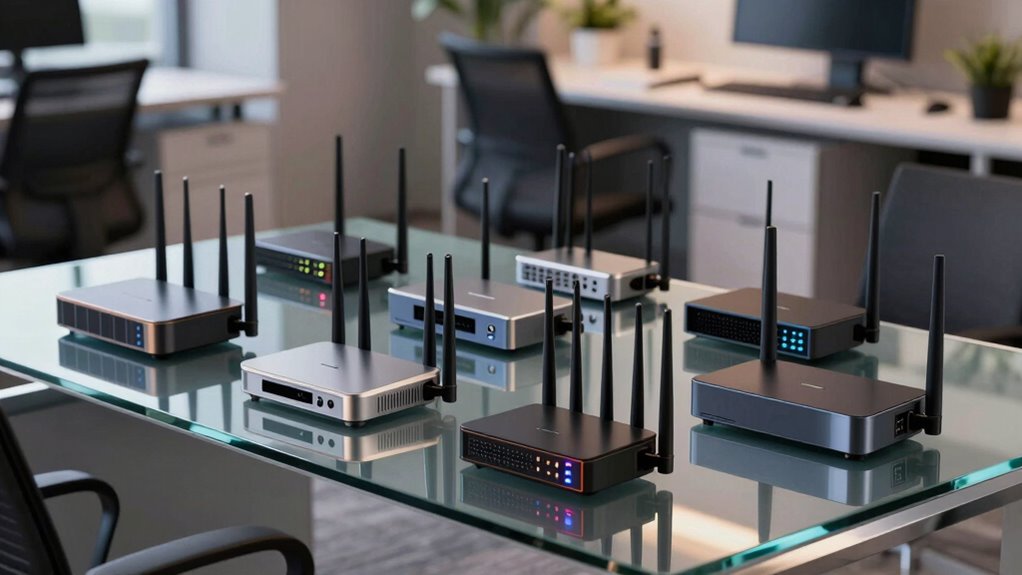

When selecting a business grade wifi router, you need a device that balances high performance, robust security, and scalability to support multiple users and devices. The TP-Link Tri-Band BE9700 WiFi 7 Router stands out as the overall best due to its advanced WiFi 7 technology and multi-band support, ideal for demanding networks. The ASUS ExpertWiFi EBR63 AX3000 offers excellent remote management and security features, making it perfect for managed enterprise environments. The main tradeoffs in this category often involve choosing between raw speed, security features, ease of management, and budget constraints. Continue reading for a detailed breakdown of these options to find the best fit for your business needs.

Get the latest gadgets delivered free — and shop member deals
- Fast, free delivery on millions of items
- Access to Prime Big Deal Days deals on October 6–7
- Prime Video, Amazon Music and more included
Complete the kit



Key Takeaways
- WiFi 7 routers provide significant speed and capacity improvements for high-density networks.
- Security features like VPN, VLAN, and intrusion prevention are critical for protecting sensitive business data.
- Scalability is a key factor—mesh systems and multi-WAN options support larger, growing networks.
- Ease of management and remote configuration are vital for IT teams managing multiple locations.
- Higher-priced models often include advanced security and management tools, but simpler setups can suffice for small businesses.
| TP-Link Tri-Band BE9700 WiFi 7 Router (Archer BE600) |  | Best Overall for Large Homes and Future-Ready Performance | WiFi Standard: WiFi 7 | Max Speed: up to 5,765 Mbps | Coverage Area: up to 2,600 sq. ft. | VIEW ON AMAZON | See Our Full Breakdown |
| ASUS ExpertWiFi EBR63 AX3000 WiFi 6 Business Router – Custom Guest Portal & SDN, Easy Setup & Remote Management, Scalable with ExpertWiFi AIMesh, Free Commercial-Grade Security, VPN, VLAN |  | Best for Small to Midsize Businesses Requiring Flexibility and Security | WiFi Standard: WiFi 6 (AX3000) | Max Speed: up to 3000 Mbps | Number of SSIDs: up to 5 | VIEW ON AMAZON | See Our Full Breakdown |
| GL.iNet GL-BE9300 Flint 3 Tri-Band Wi-Fi 7 Router 5 x 2.5G VPN Router |  | Best for High-Density Environments and Advanced VPN Needs | WiFi Standard: WiFi 7 | VPN Speed: up to 680 Mbps | Number of Gbps Ports: 5x 2.5 Gbps | VIEW ON AMAZON | See Our Full Breakdown |
| Omada Fusion 2.5G Multi-WAN Wired VPN Router |  | Best for Enterprise-Grade Reliability and Remote Management | WAN Ports: 5x 2.5 Gbps | CPU: Quad-Core | Management: Omada Cloud | VIEW ON AMAZON | See Our Full Breakdown |
| ASUS ExpertWiFi EBG15 Gigabit VPN Wired Router, up to 3 WAN ethernet Ports + 1 USB WAN, IPS Intrusion Prevention, Layer 7 Firewall, Commercial-Grade Network Security, Remote Management with App |  | Best for Small to Midsize Business Security and Scalability | WAN Ports: 3x Gigabit Ethernet + 1 USB WAN | Security: IPS, Layer 7 Firewall | Management: Remote via ASUS app | VIEW ON AMAZON | See Our Full Breakdown |
| TP-Link AX1800 WiFi 6 Router (Archer AX21 V5) |  | Best Overall for Business-Grade Wi-Fi with Flexibility | Wi-Fi Standard: Wi-Fi 6 (802.11ax) | Bands: Dual-Band (2.4 GHz & 5 GHz) | Max Speed: 1.8 Gbps (1200 Mbps on 5 GHz, 574 Mbps on 2.4 GHz) | VIEW ON AMAZON | See Our Full Breakdown |
| TP-Link BE6500 Dual-Band WiFi 7 Router (BE400) |  | Best for Future-Proof High-Speed Business Networks | Wi-Fi Standard: Wi-Fi 7 (802.11be) | Bands: Dual-Band | Max Speed: 6.5 Gbps | VIEW ON AMAZON | See Our Full Breakdown |
| ASUS RT-BE58U WiFi 7 Router – Dual-WAN, 3.6 Gbps, Mesh + VPN Compatible |  | Best for Versatile Business Connectivity & Security | Wi-Fi Standard: Wi-Fi 7 (802.11be) | Bands: Dual-Band | Max Speed: 3.6 Gbps | VIEW ON AMAZON | See Our Full Breakdown |
| NETGEAR Orbi Pro WiFi 6 Tri-band Mesh System (SXK80) | Router with 1 Satellite Extender |  | Best for Large-Scale Business Coverage & Device Management | Wi-Fi Standard: Wi-Fi 6 (802.11ax) | Coverage: Up to 6,000 sq. ft. | Device Support: 80+ | VIEW ON AMAZON | See Our Full Breakdown |
| business grade wifi router | Security | Coverage | Max Speed |
|---|---|---|---|
| TP-Link Tri-Band BE9700 WiFi 7 | TP-Link Cybersecurity + WPA3 | — | up to 5,765 Mbps |
| ASUS ExpertWiFi EBR63 AX3000 W | AiProtection Pro | up to 2,000 sq. ft. | up to 3000 Mbps |
| GL.iNet GL-BE9300 Flint 3 Tri- | AdGuard Home, VPN | up to 2,000 sq. ft. | — |
| Omada Fusion 2.5G Multi-WAN Wi | Enterprise VPN, advanced firewall | Wired network | — |
| ASUS ExpertWiFi EBG15 Gigabit | IPS, Layer 7 Firewall | Wired | — |
| TP-Link AX1800 WiFi 6 Router | — | — | 1.8 Gbps (1200 Mbps on 5 GHz, 574 Mbps on 2.4 GHz) |
| TP-Link BE6500 Dual-Band WiFi | — | Up to 2,400 sq. ft. | 6.5 Gbps |
| ASUS RT-BE58U WiFi 7 Router | AiProtection Pro | — | 3.6 Gbps |
| NETGEAR Orbi Pro WiFi 6 Tri-ba | WPA3, VLAN | Up to 6,000 sq. ft. | — |
More Details on Our Top Picks
TP-Link Tri-Band BE9700 WiFi 7 Router (Archer BE600)
This router stands out for its cutting-edge WiFi 7 technology, offering multi-link operation and channels up to 320 MHz to maximize speed on the newest devices like the iPhone 16 Pro and PS5 Pro. Compared with the ASUS ExpertWiFi EBG15, it delivers significantly higher wireless speeds up to 5,765 Mbps across three bands, making it ideal for heavy streaming and gaming. Its coverage of up to 2,600 sq. ft. and support for 120 devices make it suitable for large households or small offices that demand robust, high-capacity WiFi. However, this high performance comes with a tradeoff: its advanced features and multi-gig ports increase complexity and cost, which might be unnecessary for smaller or less tech-savvy setups. The device’s multi-gig ports and Beamforming technology ensure strong, reliable coverage, while security is addressed through TP-Link’s Cybersecurity pledge. Setup is straightforward via the Tether app, but maximizing the hardware’s potential requires a multi-gig modem and a compatible environment. Overall, this router makes the most sense for users seeking top-tier speed, coverage, and future-proofing, willing to invest in a high-end business-grade solution.
Pros:- Blazing fast WiFi 7 speeds up to 5,765 Mbps across tri-bands
- Extensive coverage up to 2,600 sq. ft. ideal for large spaces
- Supports up to 120 devices simultaneously for high-density environments
- Multi-Gig ports for fast wired connectivity
Cons:- High cost due to advanced features and multi-gig ports
- Complex setup for non-technical users
- Overkill for small or basic home networks
Best for: Tech-savvy users with large homes or small business environments needing maximum speed and coverage.
Not ideal for: Small apartments or budget-conscious buyers who need simple, affordable WiFi solutions.
- WiFi Standard:WiFi 7
- Max Speed:up to 5,765 Mbps
- Coverage Area:up to 2,600 sq. ft.
- Number of Devices:up to 120
- Ports:1x 10 Gbps WAN, 1x 2.5 Gbps WAN/LAN, 3x 2.5 Gbps LAN
- Antenna:6 external antennas with Beamforming
- Security:TP-Link Cybersecurity + WPA3
- Setup:Tether app and web interface
Our verdict“This router is best suited for high-demand environments where maximum speed, coverage, and future readiness justify the investment.”
ASUS ExpertWiFi EBR63 AX3000 WiFi 6 Business Router – Custom Guest Portal & SDN, Easy Setup & Remote Management, Scalable with ExpertWiFi AIMesh, Free Commercial-Grade Security, VPN, VLAN
This router makes a strong case for small to midsize business environments with its ability to create up to five separate SSIDs, offering tailored security and traffic prioritization. Compared to the TP-Link BE9700, it emphasizes security and management features with free ASUS AiProtection Pro, VLAN support, and remote management via the ASUS app, making it ideal for organizations prioritizing security and ease of management. Its support for SDN and scalable AIMesh integration enables future expansion, while the backup WAN port ensures reliable connectivity. Despite its many security and management features, it lacks the raw speed and multi-gig ports of the TP-Link model, making it less suitable for ultra-high-speed requirements. Setup is simple through the ASUS app, and the device’s enterprise-grade security features make it ideal for small business networks that need secure, segmented, and manageable WiFi. This pick makes the most sense for SMBs aiming for reliable, secure, and scalable WiFi with simplified management.
Pros:- Supports up to five SSIDs for network segmentation
- Includes free enterprise-grade security via AiProtection Pro
- Easy management with ASUS ExpertWiFi app
- Backup WAN port enhances reliability
Cons:- Limited to AX3000 speeds, less future-proof than WiFi 7
- No multi-gig ports for ultra-fast wired connections
- Less coverage than tri-band WiFi 7 options
Best for: Small to midsize businesses needing secure, manageable, and scalable WiFi with guest access options.
Not ideal for: Home users or large enterprises requiring ultra-high speeds and extensive coverage without advanced security needs.
- WiFi Standard:WiFi 6 (AX3000)
- Max Speed:up to 3000 Mbps
- Number of SSIDs:up to 5
- Security:AiProtection Pro
- Ports:1x 10 Gbps WAN, 1x 2.5 Gbps WAN/LAN
- Management:Remote via ASUS app
- Coverage:up to 2,000 sq. ft.
- Expandable:AIMesh compatible
Our verdict“Ideal for small to midsize businesses seeking a secure, flexible, and manageable WiFi solution with room for future growth.”
GL.iNet GL-BE9300 Flint 3 Tri-Band Wi-Fi 7 Router 5 x 2.5G VPN Router
This router highlights its high VPN throughput with speeds up to 680 Mbps for Wireguard and OpenVPN, suitable for remote teams or privacy-focused users. Compared with the ASUS EBG15, it emphasizes VPN performance and extensive device capacity, making it ideal for high-density workspaces or tech-savvy users wanting control over their online environment. Its support for AdGuard Home and broad device connectivity caters to privacy-conscious users seeking ad blocking and network management. While its WiFi 7 standard promises future-proofing, actual speeds and coverage are more tailored to dense environments with many devices rather than large open spaces. Setup is straightforward with a web-based admin panel, but the focus on VPN and security features makes it less suitable for those needing the highest WiFi speeds or coverage over large areas. Its speed and VPN capabilities are well-suited for remote work, but less so for ultra-fast streaming or gaming at home.
Pros:- Supports VPN speeds up to 680 Mbps
- High device capacity for dense environments
- Supports AdGuard Home for ad blocking and privacy
- Tri-band WiFi 7 for future readiness
Cons:- VPN speeds are limited compared to wired gigabit Ethernet
- Coverage may be less extensive than tri-band WiFi 7 routers
- Complex setup for non-technical users
Best for: Remote workers or small offices needing strong VPN performance and high device capacity.
Not ideal for: Home users requiring the fastest possible WiFi speeds for 4K streaming or gaming in large spaces.
- WiFi Standard:WiFi 7
- VPN Speed:up to 680 Mbps
- Number of Gbps Ports:5x 2.5 Gbps
- Coverage:up to 2,000 sq. ft.
- Device Capacity:Over 100 devices
- Security:AdGuard Home, VPN
- Setup:Web admin panel
- Speed:WiFi 7 with tri-band support
Our verdict“Best for privacy-focused, high-density environments with a need for reliable VPN and device capacity over raw WiFi speed.”
Omada Fusion 2.5G Multi-WAN Wired VPN Router
This router excels in enterprise environments with its support for multi-WAN load balancing, auto-failover, and a 2.51″ touchscreen for instant on-site diagnostics. Compared with the ASUS EBG15, it emphasizes wired reliability and advanced network control through Omada Cloud management, making it perfect for larger offices or data centers. Its built-in controller comes ready to deploy, and the high-performance quad-core CPU ensures latency-sensitive tasks are handled smoothly. The five 2.5G ports and support for multiple WAN connections support demanding network loads, but it’s primarily wired-focused, limiting wireless flexibility. Its extensive remote management capabilities and on-device troubleshooting make it ideal for IT teams managing complex networks. However, it’s overkill for small businesses or home offices with simpler networking needs. This device makes sense for organizations prioritizing wired stability, multi-WAN redundancy, and enterprise-level control.
Pros:- Supports multi-WAN load balancing and failover
- High-performance quad-core CPU for minimal latency
- Touchscreen for quick diagnostics
- Built-in Omada controller for remote management
Cons:- Primarily wired, less focus on wireless coverage
- Higher complexity and cost for small setups
- Requires technical knowledge for optimal deployment
Best for: Large offices or data centers requiring reliable wired connections, load balancing, and remote management.
Not ideal for: Small businesses or home users with basic WiFi needs and no requirement for multi-WAN or wired redundancy.
- WAN Ports:5x 2.5 Gbps
- CPU:Quad-Core
- Management:Omada Cloud
- Display:2.51″ touchscreen
- Security:Enterprise VPN, advanced firewall
- Coverage:Wired network
- Speed:Multi-Gig wired connectivity
- Setup:Bluetooth and cloud management
Our verdict“Ideal for enterprise environments needing wired stability, redundancy, and centralized remote management.”
ASUS ExpertWiFi EBG15 Gigabit VPN Wired Router, up to 3 WAN ethernet Ports + 1 USB WAN, IPS Intrusion Prevention, Layer 7 Firewall, Commercial-Grade Network Security, Remote Management with App
This device offers a solid wired backbone with up to three gigabit WAN ports, supporting load balancing and backup connections, making it suitable for small to midsize businesses. Compared to the Omada Fusion 2.5G, it emphasizes security features like IPS, Layer 7 Firewall, and intrusion prevention, ideal for organizations with high security requirements. Its remote management via the ASUS app simplifies administration, and VLAN support adds security layers for different network segments. While it offers reliable wired performance, it doesn’t include WiFi or wireless features, focusing solely on wired security and stability. Its VPN and firewall capabilities are designed for safeguarding sensitive data, but the lack of WiFi limits its use as a comprehensive router. This model is best for organizations that need a secure, scalable wired infrastructure with remote management, rather than a wireless solution.
Pros:- Multiple gigabit WAN ports with load balancing
- Advanced security with IPS, Layer 7 Firewall
- Remote management via app
- Supports VLAN for network segmentation
Cons:- No built-in WiFi; purely wired
- Limited to wired security features
- Less suitable for wireless environments
Best for: Small to midsize businesses needing secure, scalable wired networks with remote management.
Not ideal for: Home users or enterprises requiring integrated WiFi coverage and wireless flexibility.
- WAN Ports:3x Gigabit Ethernet + 1 USB WAN
- Security:IPS, Layer 7 Firewall
- Management:Remote via ASUS app
- Intrusion Prevention:Yes
- Coverage:Wired
- Speed:Gigabit Ethernet
- Setup:Easy via app
- Additional Features:VLAN, load balancing
Our verdict“Perfect for small to midsize organizations seeking a secure, scalable wired network with remote control capabilities.”
TP-Link AX1800 WiFi 6 Router (Archer AX21 V5)
The TP-Link Archer AX21 offers a solid balance of speed, coverage, and security features, making it ideal for small to medium businesses that need reliable Wi-Fi 6 connectivity. Compared to the NETGEAR Orbi Pro SXK80, it doesn’t match the same coverage for larger spaces but excels in affordability and straightforward setup. Its OFDMA technology boosts simultaneous connections, preventing slowdowns during peak use, while Beamforming extends coverage—an advantage over less advanced dual-band routers. The built-in VPN server support adds a layer of security, but it requires a separate modem and lacks the Wi-Fi 6E (6 GHz) band, limiting future-proofing. This model is best suited for small offices or retail environments where consistent Wi-Fi performance and easy management are priorities.
Pros:- Fast Wi-Fi 6 speeds with OFDMA for multiple device connections
- Strong coverage with 4 high-gain antennas and Beamforming
- Built-in VPN server support for enhanced security
- Simple setup with 24/7 support and a 2-year warranty
Cons:- Requires a separate modem, adding to total setup cost
- Limited to Wi-Fi 6 — no support for Wi-Fi 6E or 6 GHz band
- Performance can degrade with obstacles or distant devices
Best for: Small to medium-sized businesses needing reliable Wi-Fi 6 with built-in security features and easy setup.
Not ideal for: Large enterprises or those seeking Wi-Fi 6E support for future-proofing, as it lacks the 6 GHz band.
- Wi-Fi Standard:Wi-Fi 6 (802.11ax)
- Bands:Dual-Band (2.4 GHz & 5 GHz)
- Max Speed:1.8 Gbps (1200 Mbps on 5 GHz, 574 Mbps on 2.4 GHz)
- Antennas:4 high-gain external antennas
- Beamforming:Yes
- VPN Server:OpenVPN and PPTP
- Gigabit Ports:Yes
- Parental Controls:Yes
- ISP Compatibility:All major providers
Our verdict“This router makes the most sense for small businesses prioritizing speed, security, and ease of setup without needing the latest Wi-Fi 7 features.”
TP-Link BE6500 Dual-Band WiFi 7 Router (BE400)
The TP-Link BE6500 is designed for those ready to adopt Wi-Fi 7, offering multi-gig speeds up to 6.5 Gbps and support for the latest devices like the iPhone 16 Pro. Unlike the ASUS RT-BE58U, which focuses on versatile WAN options and mesh capabilities, the BE400 emphasizes maximum throughput and coverage with 6 streams and 4K-QAM technology. Its Multi-Link Operation (MLO) and multi-gig ports make it suitable for heavy data tasks, such as 4K/8K streaming and VR gaming, across large spaces. However, it’s less suitable for small offices or environments where budget and simplicity matter, due to its advanced tech and potential complexity. This pick suits larger businesses or tech-forward enterprises aiming for the best Wi-Fi 7 experience today.
Pros:- Supports Wi-Fi 7 with speeds up to 6.5 Gbps
- Multi-Link Operation for stable, high-capacity connections
- Supports up to 90 devices with extensive coverage
- Multi-gig ports for ultra-fast wired connections
Cons:- Higher price point and complexity compared to Wi-Fi 6 routers
- Requires compatible Wi-Fi 7 devices to realize full benefits
- Limited adoption currently, so compatibility might be evolving
Best for: Large businesses or tech-savvy enterprises seeking cutting-edge Wi-Fi 7 performance and future-proof networking.
Not ideal for: Small offices or budget-conscious buyers, as its advanced features come at a higher cost and complexity.
- Wi-Fi Standard:Wi-Fi 7 (802.11be)
- Bands:Dual-Band
- Max Speed:6.5 Gbps
- Streams:6
- Coverage:Up to 2,400 sq. ft.
- Ports:1x 2.5 Gbps WAN, 1x 2.5 Gbps LAN, 3x 1 Gbps LAN
Our verdict“This router is best suited for enterprises eager to leverage Wi-Fi 7’s speed and capacity in a future-proof setup.”
ASUS RT-BE58U WiFi 7 Router – Dual-WAN, 3.6 Gbps, Mesh + VPN Compatible
The ASUS RT-BE58U offers a robust platform for businesses needing flexible WAN options, high speeds, and mesh capabilities. It supports Wi-Fi 7 with speeds up to 3.6 Gbps, which makes it a good choice for offices with multiple high-demand users, though it doesn’t reach the maximum speeds of the TP-Link BE400. Its dual-WAN support and USB port for 4G/5G tethering provide reliable failover options, unlike the NETGEAR Orbi SXK80, which is more static in its mesh-only approach. The built-in AiProtection Pro offers enterprise-grade security, making it suitable for businesses with sensitive data but less ideal for those seeking ultra-high-speed or large-scale coverage. Its versatility makes it a good fit for mid-sized offices with complex connectivity needs.
Pros:- Supports Wi-Fi 7 with 3.6 Gbps speeds
- Dual-WAN for reliable internet failover
- USB port for 4G/5G tethering
- Built-in enterprise-grade security with AiProtection Pro
Cons:- Does not deliver the maximum speeds of Wi-Fi 7 (up to 3.6 Gbps vs. 6.5 Gbps)
- Limited coverage compared to larger mesh systems
- Potential complexity for non-technical users
Best for: Mid-sized businesses requiring flexible WAN options, VPN compatibility, and strong security features.
Not ideal for: Large enterprises needing extensive coverage or maximum Wi-Fi 7 speeds, as it’s geared toward smaller-scale setups.
- Wi-Fi Standard:Wi-Fi 7 (802.11be)
- Bands:Dual-Band
- Max Speed:3.6 Gbps
- WAN Support:Dual-WAN
- Ports:1x 2.5 Gbps WAN, 1x 2.5 Gbps LAN, 1x USB
- Security:AiProtection Pro
Our verdict“This router makes sense for businesses needing flexible WAN management and security, not necessarily maximum throughput or coverage.”
NETGEAR Orbi Pro WiFi 6 Tri-band Mesh System (SXK80) | Router with 1 Satellite Extender
The NETGEAR Orbi Pro SXK80 stands out for its expansive coverage—up to 6,000 sq. ft. and supporting over 80 devices—making it a prime choice for larger offices or retail spaces. Unlike the TP-Link AX1800, which targets smaller environments, it offers a dedicated mesh system with a tri-band setup that ensures stable, uninterrupted Wi-Fi across extensive areas. Its business-grade security, VLAN support, and remote management via NETGEAR Insight make it suitable for IT teams managing complex networks. However, it’s bulkier and more expensive, making it less ideal for small or simple setups. For organizations requiring high capacity and centralized control, this system is a strong fit.
Pros:- Up to 6,000 sq. ft. coverage with mesh expansion
- Supports 60+ devices with tri-band technology
- Business-grade security with WPA3 and VLAN support
- Remote management via NETGEAR Insight
Cons:- Higher cost and more complex setup compared to single-router solutions
- Bulkier hardware, less aesthetic for small spaces
- Additional satellites sold separately for full coverage
Best for: Large businesses or multi-floor environments needing extensive coverage and device segmentation.
Not ideal for: Small offices or homes, as its size and cost may be excessive relative to needs.
- Wi-Fi Standard:Wi-Fi 6 (802.11ax)
- Coverage:Up to 6,000 sq. ft.
- Device Support:80+
- Security:WPA3, VLAN
- Management:NETGEAR Insight
Our verdict“This system is best for large-scale environments where coverage, device management, and security are priorities over simplicity or budget.”
How We Picked
I evaluated these routers based on performance benchmarks, security features, scalability options, ease of setup, and remote management capabilities. Devices were ranked higher if they supported the latest WiFi standards like WiFi 6 and WiFi 7, as these deliver future-proof speed and capacity. Security features such as VPN support, intrusion prevention, and VLAN capabilities were essential for business use. Ease of deployment and management tools, including remote access and app integration, also played a significant role. Cost was considered relative to features, ensuring the picks offer good value for different business sizes and needs.| business grade wifi router | Security | Coverage |
|---|---|---|
| TP-Link Tri-Band BE9700 WiFi 7 | TP-Link Cybersecurity + WPA3 | — |
| ASUS ExpertWiFi EBR63 AX3000 W | AiProtection Pro | up to 2,000 sq. ft. |
| GL.iNet GL-BE9300 Flint 3 Tri- | AdGuard Home, VPN | up to 2,000 sq. ft. |
| Omada Fusion 2.5G Multi-WAN Wi | Enterprise VPN, advanced firewall | Wired network |
| ASUS ExpertWiFi EBG15 Gigabit | IPS, Layer 7 Firewall | Wired |
| TP-Link AX1800 WiFi 6 Router | — | — |
| TP-Link BE6500 Dual-Band WiFi | — | Up to 2,400 sq. ft. |
| ASUS RT-BE58U WiFi 7 Router | AiProtection Pro | — |
| NETGEAR Orbi Pro WiFi 6 Tri-ba | WPA3, VLAN | Up to 6,000 sq. ft. |
Factors to Consider When Choosing Business Grade Wifi Router
Choosing the right business grade wifi router involves more than just looking at speed. Consider your network size, security needs, and future growth plans. A router with advanced security features and scalability options can prevent costly upgrades later. Additionally, ease of management and remote configuration can save time and resources, especially for multiple locations. Understanding these factors helps you select a device that balances performance with your business’s operational needs.Performance and Speed
In a business environment, high throughput and low latency are essential to support multiple users streaming, video conferencing, and cloud applications. Prioritize routers supporting WiFi 6 or WiFi 7 standards for better speed and future compatibility. However, remember that raw speed isn’t the only metric—coverage and stability matter equally, especially in larger or multi-floor setups. Be wary of routers that advertise high speeds but lack sufficient coverage or management features for business environments.
Security Features
Business routers should include enterprise-grade security such as VPN support, VLAN segmentation, intrusion prevention, and guest network controls. These features protect sensitive data and restrict access, which is vital for compliance and data security. Cheaper consumer models often lack these capabilities, making them less suitable for business use. Investing in a router with robust security features can save significant costs related to potential breaches or data leaks.
Scalability and Coverage
For growing businesses, scalability is critical. Mesh systems or multi-WAN support enable expanding coverage without sacrificing performance. Larger networks benefit from routers that can handle multiple devices simultaneously without bottlenecks. Consider future needs—if you plan to add more access points or extend coverage, choose devices that support easy expansion and management through unified interfaces.
Management and Usability
Ease of setup and remote management are key for IT teams overseeing multiple locations or remote configurations. Look for routers offering cloud-based management, intuitive apps, and detailed analytics. These features allow quick troubleshooting and updates, reducing downtime. Overly complex interfaces or limited management options can lead to longer deployment times and increased support costs.
Price and Value
While premium models include extensive security and management features, they come at a higher cost. Small businesses or those with less complex needs might find mid-range routers sufficient, offering a good balance of features and affordability. Beware of models that cut corners on security or scalability just to lower the price—these can lead to higher costs down the line. It’s about matching the device’s capabilities with your actual requirements.
Frequently Asked Questions
Is WiFi 7 necessary for my business now?
WiFi 7 is still emerging but promises substantially higher speeds and capacity, especially in dense environments. If your business relies on high-bandwidth applications or expects rapid growth, investing in WiFi 7 now can future-proof your network. However, for many small or medium-sized businesses, WiFi 6 remains sufficient for current needs, with WiFi 7 offering benefits mainly in larger or more demanding setups.
What security features should I prioritize in a business router?
Look for routers offering VPN support, VLAN segmentation, intrusion detection, and remote management. These features help protect sensitive data, isolate network segments, and simplify oversight. Devices lacking these capabilities may put your network at risk or require additional hardware or software to secure your environment, increasing complexity and costs.
Can I use a consumer-grade router for my business?
While some small businesses may get by with consumer routers, they often lack enterprise security, multi-user support, and management features. Business-grade routers are built for higher performance, better security, and easier scalability. Investing in a dedicated business device can prevent network bottlenecks and security vulnerabilities that could arise from using consumer hardware.
How important is mesh support for a business network?
Mesh support is highly valuable for extending coverage seamlessly across larger or multi-floor spaces, maintaining consistent performance. It simplifies network expansion without needing complex wiring or multiple routers. For businesses with extensive premises or multiple access points, mesh systems improve reliability and user experience, making them a wise investment.
What is the best way to manage multiple routers across locations?
Cloud-based management platforms or centralized dashboards are ideal for controlling multiple routers remotely. They allow you to perform firmware updates, troubleshoot issues, and adjust settings without physical access. Choosing a router with these capabilities reduces ongoing maintenance costs and helps maintain security and performance across all sites.
Conclusion
For most small to medium-sized businesses, the TP-Link Tri-Band BE9700 WiFi 7 Router offers a compelling mix of speed, security, and future-proofing, making it the best overall choice. Larger enterprises or those needing extensive coverage should consider the NETGEAR Orbi Pro Mesh System for its scalability and coverage. Budget-conscious buyers can opt for the TP-Link AX1800 WiFi 6 Router which still provides solid performance at a lower price. Beginners or less technical teams will benefit from routers with straightforward management interfaces, like the ASUS ExpertWiFi EBR63. Ultimately, select based on your network size, security needs, and growth plans to ensure reliable, secure connectivity for your business.
Fall Picks
fall essentials
As an affiliate, we earn on qualifying purchases.