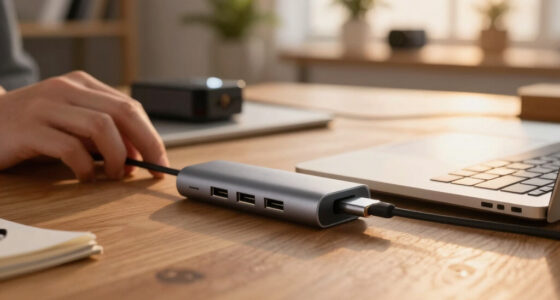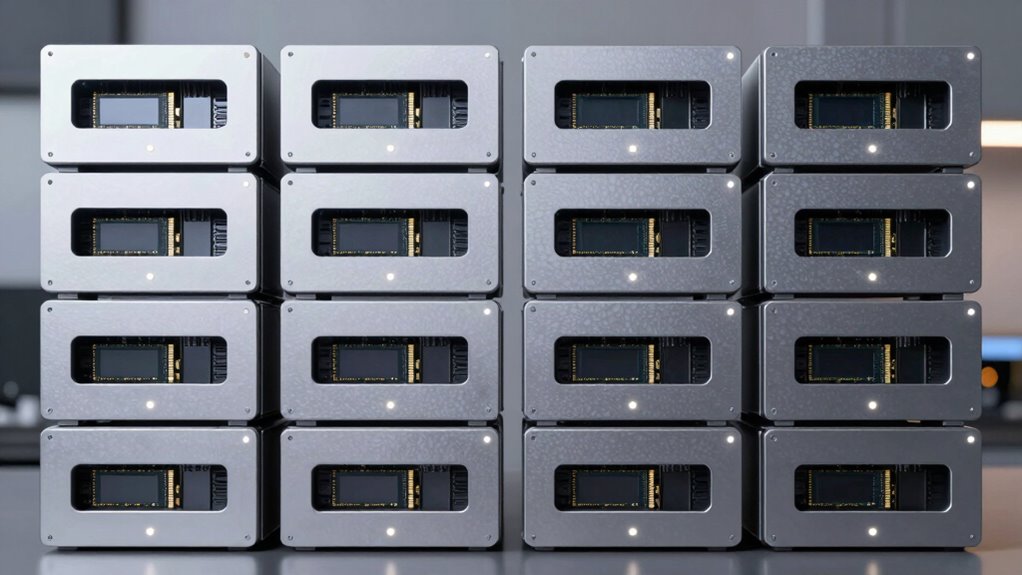

Finding the right dual bay NVMe enclosure can be challenging, as options vary widely in performance, features, and price. The best overall pick is the UGREEN 80Gbps M.2 NVMe SSD Enclosure, thanks to its blazing-fast transfer speeds and robust build. For those prioritizing RAID capabilities, the MAIWO NVMe RAID Enclosure offers flexible configurations, while beginners will appreciate the simplicity of the UGREEN Tool-Free USB C Enclosure. The main tradeoffs in this category often involve balancing speed, ease of installation, and supported capacities. Continue reading for a detailed breakdown of each option and what makes them stand out.

Get the latest gadgets delivered free — and shop member deals
- Fast, free delivery on millions of items
- Access to Prime Big Deal Days deals on October 6–7
- Prime Video, Amazon Music and more included
Complete the kit



Key Takeaways
- Top picks combine high transfer speeds with reliable build quality, but often require a higher budget.
- RAID support is a key differentiator for users needing data redundancy or performance tuning.
- Tool-free installation is increasingly common, but the most affordable enclosures may sacrifice some build durability.
- Cooling features like fans or aluminum cases help maintain performance during prolonged use, especially with high-capacity drives.
- Capacity support varies; most enclosures handle up to 2x4TB drives, but some can support larger configurations or specific RAID modes.
| Rosewill M.2 NVMe Cloner & Eraser – Dual Bay M.2 Duplicator and Docking Station |  | Best for Offline Cloning and Secure Erasure | Cloning: Offline SSD cloning | Erasure Modes: 4 | Data Transfer Speed: up to 20Gbps | VIEW ON AMAZON | See Our Full Breakdown |
| MAIWO Dual Bay M.2 NVMe SSD Enclosure, USB 3.1 Gen2 10Gbps, Supports Up to 16TB, Tool-Free Installation |  | Best for Versatile Dual Drive Storage with Easy Setup | Interface: USB 3.1 Gen2 Type-C | Transfer Speed: up to 10Gbps | Supported Drive Sizes: 2230/2242/2260/2280 | VIEW ON AMAZON | See Our Full Breakdown |
| UGREEN 40Gbps Dual-Bay M.2 NVMe SSD Cloner with Software RAID |  | Best for High-Speed Cloning with RAID Flexibility | Hardware Interface: USB Type C | Memory Storage Capacity: 16 TB | Supported Devices: Desktop, Laptop | VIEW ON AMAZON | See Our Full Breakdown |
| UGREEN SSD Enclosure Tool-Free USB C External 10Gbps M.2 NVMe to USB |  | Best for Portable, Budget-Friendly Storage | Hardware Interface: USB 3.2 Gen 2 | Memory Storage Capacity: 8 TB | Compatible Devices: Computer, Laptop, Smartphone, Tablet | VIEW ON AMAZON | See Our Full Breakdown |
| UGREEN 80Gbps M.2 NVMe SSD Enclosure |  | Best for Ultra-High-Speed Data Transfer and Heavy Workloads | Hardware Interface: USB Type C | Hardware Platform: Universal Compatible Devices | Supported Devices: Laptop, Desktop, Tablet | VIEW ON AMAZON | See Our Full Breakdown |
| Dual M.2 NVMe SSD Enclosure, ICY BOX 20Gbps USB C to M.2 Adapter with Dual Bay, Tool-Free Aluminum Design |  | Best Overall for Versatile, Fast Dual NVMe Storage | Hardware Interface: USB 3.2 Gen 2×2 | Supported Devices: Desktop, Gaming Console, Laptop, PC, Smartphone, Tablet | Supported Devices Quantity: 2 | VIEW ON AMAZON | See Our Full Breakdown |
| ACASIS 40Gbps M.2 NVMe SSD Enclosure with Cooling Fan and Dual Monitor Support |  | Best for High-End Productivity and Multi-Display Setup | Data Transfer Speed: 40Gbps | Supported Monitors: Dual 8K@60Hz or dual 4K@60Hz | Internal Storage Support: Up to 8TB | VIEW ON AMAZON | See Our Full Breakdown |
| ORICO Dual M.2 NVMe SSD Enclosure, USB-C to M.2 Adapter for PCIe M-Key SSDs, Tool-Free Aluminum Design, Supports Up to 2x4TB |  | Best for Budget-Conscious High-Speed Dual NVMe Storage | Number of Slots: 2 | Supported SSD Sizes: 2230, 2242, 2260, 2280 | Maximum Storage Capacity: Up to 2x4TB | VIEW ON AMAZON | See Our Full Breakdown |
| ORICO Dual M.2 NVMe & SATA SSD Enclosure, USB-C to M.2 Adapter for M Key PCIe & B+M Key 2230/2242/2260/2280 SSDs, Aluminum Case, Tool-Free Installation, Supports Up to 2x4TB |  | Best for Versatile M.2 SSD Compatibility with NVMe and SATA | Supported SSD Types: M.2 NVMe (M Key), M.2 SATA (B+M Key) | Supported Sizes: 2230, 2242, 2260, 2280 | Maximum Storage: Up to 2x4TB | VIEW ON AMAZON | See Our Full Breakdown |
| Dual Bay RAID SSD Enclosure, 20Gbps M.2 NVMe SSD Enclosure |  | Best for RAID Flexibility and Reliable Data Security | RAID Modes: RAID 0, RAID 1, JBOD, Clone | Transfer Rate: 20Gbps | Supported Capacity: 8TB per slot | VIEW ON AMAZON | See Our Full Breakdown |
| MAIWO NVMe RAID Enclosure Dual Bay M.2 PCIe NVMe SSD Reader with RAID 0/1/PM/JBOD, USB 3.2 Gen2x2, 20Gbps, 16TB Capacity |  | Best Overall Dual Bay NVMe Enclosure | Compatibility: PCIe NVMe M-Key M.2 SSD (2230/2242/2260/2280) | Maximum Capacity: 16TB (2 x 8TB SSDs) | Transfer Speed: Up to 20Gbps (2000MB/s) | VIEW ON AMAZON | See Our Full Breakdown |
| Dual Bay RAID SSD Enclosure with Clone Mode, RAID 0/1 & JBOD, 20Gbps Transfer, Supports PCIe NVMe M.2 Drives |  | Best for Ease and High-Speed Cloning | Hardware Interface: PCI Express 3.0 | Hardware Platform: PC | Memory Storage Capacity: 16TB | VIEW ON AMAZON | See Our Full Breakdown |
More Details on Our Top Picks
Rosewill M.2 NVMe Cloner & Eraser – Dual Bay M.2 Duplicator and Docking Station
This device excels in offline cloning and secure erasure, standing out among dual-bay enclosures like the UGREEN 40Gbps Cloner for its dedicated cloning features. Its support for high-speed data transfer up to 20Gbps via USB 3.2 Gen 2×2 makes it ideal for quick duplication tasks. Unlike the UGREEN enclosure, it lacks support for multiple drives in a single session, focusing instead on specialized cloning functions. Its tool-free, portable design adds convenience, but it’s limited to M.2 NVMe SSDs with M Key, excluding SATA or other form factors. The absence of included cables and the need for a USB 3.2 Gen 2×2 port may restrict compatibility for some users. This pick is perfect for professionals who need reliable offline cloning and secure data wipes, not for those seeking multi-drive RAID setups or high-capacity storage.
Pros:- Supports high-speed data transfer up to 20Gbps via USB 3.2 Gen 2×2
- Enables offline cloning without a host computer
- Tool-free setup for quick, portable use
- Functions as both a duplicator and docking station
Cons:- Limited to M.2 NVMe SSDs with M Key, excluding SATA or other form factors
- Requires USB 3.2 Gen 2×2 port for maximum performance
- No included cables or accessories
Best for: IT professionals and tech enthusiasts needing efficient offline cloning and secure erasure of M.2 NVMe drives
Not ideal for: Users looking for a multi-drive RAID enclosure or high-capacity data storage, as this device focuses solely on cloning and erasure
- Cloning:Offline SSD cloning
- Erasure Modes:4
- Data Transfer Speed:up to 20Gbps
- Interface:USB 3.2 Gen 2×2
- Compatibility:M.2 NVMe SSDs with M Key
- Design:Tool-free, portable
Our verdict“This device is ideal for professionals who prioritize fast, offline cloning and secure erasure of M.2 NVMe SSDs, rather than multi-drive storage or RAID configurations.”
MAIWO Dual Bay M.2 NVMe SSD Enclosure, USB 3.1 Gen2 10Gbps, Supports Up to 16TB, Tool-Free Installation
Compared with the UGREEN SSD Enclosure, the MAIWO dual-bay model offers independent operation of each drive, making it suitable for users who need simultaneous access to two SSDs. Its support for drives up to 8TB per slot and transfer speeds up to 10Gbps makes it a practical choice for large-capacity storage, though it doesn’t match the raw speed of the UGREEN 40Gbps device. Its plug-and-play, tool-free design simplifies installation, but it cannot access both SSDs through a single USB-C port, requiring two cables for full dual-drive access. It’s best suited for users who prioritize flexible, independent drive management over extreme data transfer rates. It’s less ideal for those needing the fastest possible speeds or RAID support, but perfect for everyday data storage and backups.
Pros:- Supports large capacity drives up to 8TB per slot
- Easy, tool-free, plug-and-play installation
- Supports various M.2 sizes including 2230/2242/2260/2280
- Good heat dissipation with aluminum shell
Cons:- Requires two cables to access both SSDs simultaneously
- Limited to 10Gbps transfer speeds, slower than some competitors
- No cloning or RAID support
Best for: Content creators and professionals who need to manage two drives separately with straightforward installation
Not ideal for: Power users requiring ultra-fast transfer speeds or RAID configurations, as it maxes out at 10Gbps and lacks RAID features
- Interface:USB 3.1 Gen2 Type-C
- Transfer Speed:up to 10Gbps
- Supported Drive Sizes:2230/2242/2260/2280
- Maximum Capacity:16TB total (8TB per slot)
- Material:Aluminum alloy
- Dimensions:118x50x13mm
Our verdict“This enclosure suits users needing independent dual drive access with simple setup, but not those needing maximum speed or RAID functionality.”
UGREEN 40Gbps Dual-Bay M.2 NVMe SSD Cloner with Software RAID
Compared to the MAIWO enclosure, the UGREEN model offers significantly faster data transfer speeds at 40Gbps, making it ideal for rapid backups or large data migrations. Its support for software RAID modes enhances flexibility for users needing RAID 0, 1, or JBOD configurations, unlike the simpler dual drive support of the MAIWO. However, the device requires manual operation for cloning, and no software is included, which may add complexity for some users. While it supports drives up to 8TB each, its limitation to two drives means it’s not intended for expanding storage beyond that. This model is best suited for tech-savvy users who need quick cloning, RAID options, and large capacity support, but it’s less ideal for those seeking plug-and-play simplicity or ultra-fast transfer speeds beyond 40Gbps.
Pros:- Supports fast data transfer up to 40Gbps
- Enables software RAID modes for flexible data management
- Supports drives up to 8TB each, total capacity up to 16TB
- Efficient cooling with LED indicators
Cons:- Limited to dual drives, no expansion for additional drives
- No included cloning software, manual operation required
- Requires understanding of RAID configurations for optimal use
Best for: Advanced users and IT professionals needing fast cloning, RAID options, and large capacity drives
Not ideal for: Casual users or those who prefer simple, software-free plug-and-play solutions, as it involves manual operation and no included software
- Hardware Interface:USB Type C
- Memory Storage Capacity:16 TB
- Supported Devices:Desktop, Laptop
- Data Transfer Rate:40Gbps
- Cooling:40mm direct-flow cooling fan
- Supported Drives:Up to 8TB each, 2 drives
Our verdict“This device is best for users who need rapid cloning, RAID flexibility, and high-capacity support, rather than simplicity or ultra-speed.”
UGREEN SSD Enclosure Tool-Free USB C External 10Gbps M.2 NVMe to USB
Compared with the higher-speed UGREEN 40Gbps model, this enclosure offers a simplified, more affordable option with transfer speeds up to 10Gbps, suitable for everyday file transfers and backups. Its tool-free design makes it accessible for users who want quick setup without fuss. It supports a variety of M.2 NVMe SSD sizes up to 8TB, providing broad compatibility, though it’s limited to one drive at a time—unlike dual-bay options like the MAIWO or the high-speed RAID model. The aluminum shell ensures durability and portability, but achieving maximum speed requires using a USB C 3.2 Gen2 cable, which might be overlooked. This enclosure makes sense for casual users or those wanting a reliable, portable NVMe solution without the complexity of RAID or cloning features.
Pros:- Supports transfer speeds up to 10Gbps with USB 3.2 Gen2
- Tool-free, quick installation
- Compatible with a wide range of SSD sizes and systems
- Durable aluminum construction for portability
Cons:- Limited to one SSD at a time, no dual drive support
- Requires USB C 3.2 Gen2 cable for maximum speed
- No cloning or RAID features
Best for: Travelers and everyday users needing portable, reliable NVMe storage without high-speed or multi-drive features
Not ideal for: Power users or professionals needing multi-drive support, RAID, or cloning functionalities, as this model is basic and single-drive only
- Hardware Interface:USB 3.2 Gen 2
- Memory Storage Capacity:8 TB
- Compatible Devices:Computer, Laptop, Smartphone, Tablet
- Data Transfer Rate:10Gbps
- Color:Grey
- Enclosure Material:Aluminum
Our verdict“This enclosure suits users seeking a simple, portable NVMe solution for everyday file transfers, not demanding multi-drive or RAID capabilities.”
UGREEN 80Gbps M.2 NVMe SSD Enclosure
Compared to all the other options, the UGREEN 80Gbps enclosure stands out for its remarkable transfer speeds up to 7000 MB/s, thanks to Thunderbolt 3/4 and USB-C support. Its advanced heat dissipation with biomimetic fins and broad OS compatibility make it ideal for demanding professionals handling large files or frequent data transfers. Unlike the other enclosures, it supports drives up to 8TB in a compact, portable design, suitable for intensive workflows. The tradeoff is that it’s not compatible with SATA or mSATA SSDs, and some thicker SSDs may require thermal pads for proper fit. This pick is best for users who need the fastest possible speeds and thermal management, but it’s overkill for casual storage needs.
Pros:- Supports transfer speeds up to 7000 MB/s with Thunderbolt 3/4 and USB-C
- Excellent heat dissipation with biomimetic fins
- Supports multiple M.2 sizes and OS compatibility
- Compact, travel-friendly design
Cons:- Not compatible with SATA or mSATA SSDs
- Some thicker SSDs may require thermal pads
- Premium price point
Best for: Creative professionals and data scientists requiring ultra-fast data transfer and robust thermal performance
Not ideal for: Casual users or those with limited budgets, as this model is premium-priced and targets high-performance use cases
- Hardware Interface:USB Type C
- Hardware Platform:Universal Compatible Devices
- Supported Devices:Laptop, Desktop, Tablet
- Data Transfer Rate:80Gbps
- Enclosure Material:Aluminum
- Supports Up To:8TB
Our verdict“This enclosure is ideal for power users who need the fastest, most thermally efficient storage solution in a portable form factor, beyond typical consumer needs.”
Dual M.2 NVMe SSD Enclosure, ICY BOX 20Gbps USB C to M.2 Adapter with Dual Bay, Tool-Free Aluminum Design
This enclosure stands out for its straightforward, tool-free design and reliable dual NVMe support, making it ideal for users who want quick access to high-speed storage without fuss. Compared with the UGREEN 80Gbps model, it offers slightly lower maximum transfer speeds but maintains excellent compatibility and ease of use. Its support for multiple SSD sizes broadens its appeal, though it’s limited to NVMe drives—excluding SATA M.2s. The 20Gbps transfer rate balances speed with broad device support, fitting well for backups, data management, or running dual OS environments. However, reaching peak performance depends on the host device supporting USB 3.2 Gen 2×2, which could be a limitation for some users. Overall, this model makes the most sense for those seeking a reliable, versatile dual NVMe enclosure with minimal setup.
Pros:- Supports two NVMe SSDs for increased capacity and flexibility
- High-speed transfer up to 20Gbps for quick data movement
- Tool-free design simplifies installation and upgrades
- Compatible with multiple SSD sizes and OS platforms
Cons:- Requires USB 3.2 Gen 2×2 support to achieve peak speeds
- Limited to NVMe M.2 SSDs, excluding SATA M.2 drives
Best for: Power users needing fast, reliable dual NVMe storage for backups, data analysis, or dual OS setups.
Not ideal for: Casual users or those with SATA M.2 drives, since it only supports NVMe SSDs and requires compatible host ports for maximum speed.
- Hardware Interface:USB 3.2 Gen 2×2
- Supported Devices:Desktop, Gaming Console, Laptop, PC, Smartphone, Tablet
- Supported Devices Quantity:2
- Data Transfer Rate:20 gigabits per second
- Color:Black
- Item Weight:0.24 kg
Our verdict“This enclosure is best suited for users who want a reliable, high-speed dual NVMe solution with minimal hassle.”
ACASIS 40Gbps M.2 NVMe SSD Enclosure with Cooling Fan and Dual Monitor Support
The ACASIS TBU405 Pro Max excels in environments where high data throughput and multiple monitor support are critical. Its support for dual 8K or 4K displays coupled with blazing 40Gbps transfer speeds surpass the capabilities of the ICY BOX, especially for creative professionals or data scientists. The built-in fans and aluminum body enhance heat dissipation during intensive tasks, a key advantage over simpler enclosures like the ORICO Dual M.2 NVMe. However, its dependency on host devices supporting Thunderbolt 4 or USB4 limits its compatibility with older systems. The internal support for up to 8TB SSDs makes it suitable for large-scale data projects, but it’s overkill for casual use. This model targets advanced users who need both fast storage and high-resolution display support in a single setup.
Pros:- Supports dual 8K or 4K monitors for enhanced productivity
- Blazing 40Gbps transfer speeds for demanding workflows
- Effective cooling with built-in fans and aluminum construction
- Supports SSDs up to 8TB for extensive storage needs
Cons:- Requires host device supporting Thunderbolt 4/USB4 for full speed
- Less compatible with older or standard USB-C ports
Best for: Creative professionals and tech enthusiasts requiring fast data transfer and dual 8K/4K monitor support.
Not ideal for: Basic users or those with older computers lacking Thunderbolt 4 or USB4 support, due to compatibility constraints.
- Data Transfer Speed:40Gbps
- Supported Monitors:Dual 8K@60Hz or dual 4K@60Hz
- Internal Storage Support:Up to 8TB
- SSD Compatibility:2230/2242/2260/2280
- Read/Write Speed:1000-1800 MB/s (single), 1800-2800 MB/s (RAID 0)
- Power Delivery:100W
Our verdict“This enclosure is ideal for high-end users who need both rapid data transfer and multiple high-resolution displays in one device.”
ORICO Dual M.2 NVMe SSD Enclosure, USB-C to M.2 Adapter for PCIe M-Key SSDs, Tool-Free Aluminum Design, Supports Up to 2x4TB
The ORICO dual M.2 NVMe enclosure combines affordability with solid performance, supporting two PCIe M-Key SSDs with speeds up to 1000MB/s. Its tool-free, aluminum design ensures quick setup and effective heat dissipation, making it suitable for users who want reliable performance without breaking the bank. Compared to the more feature-rich ACASIS model, it lacks support for monitor outputs and ultra-high transfer speeds but offers a straightforward, portable way to expand storage. Its support for up to 8TB per drive makes it suitable for most personal data needs, though it’s limited to PCIe M.2 SSDs, so SATA models are incompatible. Overall, this enclosure offers a strong balance of price and performance for enthusiasts on a budget.
Pros:- Dual slots for expanding storage capacity
- Tool-free installation simplifies upgrades
- Aluminum body improves heat dissipation
- Supports drives up to 8TB each
Cons:- Limited to PCIe M-Key NVMe SSDs, no SATA support
- Maximum transfer speed of 1000MB/s, lower than Thunderbolt options
Best for: Budget-conscious users needing dual NVMe SSDs with decent speed for everyday tasks.
Not ideal for: Professional or creative workflows demanding higher transfer speeds or monitor support, as this model focuses on affordability.
- Number of Slots:2
- Supported SSD Sizes:2230, 2242, 2260, 2280
- Maximum Storage Capacity:Up to 2x4TB
- Transfer Speed:Up to 1000MB/s
- Material:Aluminum
- Connection:USB 3.2 Gen2 Type-C
Our verdict“This enclosure fits users seeking a cost-effective, reliable dual NVMe solution for regular data transfer needs.”
ORICO Dual M.2 NVMe & SATA SSD Enclosure, USB-C to M.2 Adapter for M Key PCIe & B+M Key 2230/2242/2260/2280 SSDs, Aluminum Case, Tool-Free Installation, Supports Up to 2x4TB
This enclosure offers broad compatibility by supporting both NVMe and SATA M.2 SSDs, making it ideal for users who want flexibility in drive choices. Its tool-free, aluminum construction enhances heat dissipation and simplifies swapping drives, similar to the ORICO NVMe-only model but with added versatility. The support for SATA M.2 drives is a key difference, appealing to those who still rely on SATA SSDs or want to repurpose older drives. However, its maximum transfer speed of around 10Gbps is lower than Thunderbolt or USB 3.2 Gen 2×2 options, which might be a concern for high-performance workflows. The need to partition and format drives before use adds a slight setup overhead. This makes it a good choice for multi-protocol users seeking a flexible, portable dual enclosure.
Pros:- Supports both NVMe and SATA M.2 SSDs
- Tool-free, quick installation
- Effective heat dissipation with aluminum case
- Supports drives up to 4TB per slot
Cons:- Limited to maximum speeds around 10Gbps
- Requires drives to be formatted before use
Best for: Users needing to combine NVMe and SATA drives for versatile storage solutions, especially in mixed environments.
Not ideal for: Professional users requiring ultra-fast transfer speeds or specific RAID configurations, as performance is limited compared to higher-end enclosures.
- Supported SSD Types:M.2 NVMe (M Key), M.2 SATA (B+M Key)
- Supported Sizes:2230, 2242, 2260, 2280
- Maximum Storage:Up to 2x4TB
- Interface:USB 3.2 Gen2 Type-C
- Material:Aluminum
- Heat Dissipation:Heat sinks and silicone heat pads
Our verdict“This enclosure suits users who need flexible support for both NVMe and SATA M.2 SSDs without sacrificing portability.”
Dual Bay RAID SSD Enclosure, 20Gbps M.2 NVMe SSD Enclosure
The Dual Bay RAID SSD Enclosure offers a compelling choice for users prioritizing data security and performance options. Supporting RAID 0, RAID 1, JBOD, and cloning modes, it caters to a variety of data management needs—something the simpler ICY BOX cannot match. The 20Gbps transfer speed is adequate for most applications but slightly slower than the 40Gbps options, tradeoffs that are acceptable for many professional workflows. Its durable aluminum build and tool-free design facilitate quick SSD swaps, but the need for matching protocols (NVMe or SATA) can complicate setup. This enclosure makes sense for those who want flexible RAID configurations in a portable, high-speed package, though it’s less suited for users needing the ultimate speed or monitor support.
Pros:- Supports multiple RAID modes for performance and security
- Supports high-speed transfer up to 20Gbps
- Durable aluminum construction with tool-free setup
- Supports drives up to 8TB each
Cons:- Does not support M.2 SATA B+M Key SSDs
- Potential data loss risk if RAID modes are switched without backups
Best for: Professionals needing flexible RAID options and reliable high-speed external storage for backups or data redundancy.
Not ideal for: Users desiring maximum transfer speeds or multi-monitor setups, as it does not support display output or Thunderbolt 4.
- RAID Modes:RAID 0, RAID 1, JBOD, Clone
- Transfer Rate:20Gbps
- Supported Capacity:8TB per slot
- Supported SSDs:PCIe NVMe M.2
- Material:Aluminum and ABS plastic
- Installation:Tool-free
Our verdict“This enclosure is tailored for users who need flexible RAID configurations combined with high-speed data transfer and portability.”
MAIWO NVMe RAID Enclosure Dual Bay M.2 PCIe NVMe SSD Reader with RAID 0/1/PM/JBOD, USB 3.2 Gen2x2, 20Gbps, 16TB Capacity
This model stands out for its flexible RAID options and broad compatibility, making it ideal for users who need to switch between data redundancy and performance modes. Unlike the UGREEN 40Gbps Cloner, it supports multiple RAID configurations, including RAID 0, 1, PM, and JBOD, giving more control over data management. Its high transfer speed of up to 20Gbps ensures quick backups and large file transfers. The aluminum alloy case provides efficient heat dissipation, which is vital during prolonged use. However, it does not support M.2 SATA drives, limiting its versatility compared with some other enclosures like the UGREEN 80Gbps model that offers even faster speeds. Setup can be complex due to RAID configuration, and it requires an external power supply for optimal operation.
Pros:- Supports multiple RAID modes for flexible data management
- High-speed data transfer up to 20Gbps
- Excellent heat dissipation with aluminum alloy case
- Compatible with various device types and OS
Cons:- Does not support M.2 SATA B+M key SSDs
- RAID setup may require careful configuration and backup
- Requires external power supply for full performance
Best for: Tech professionals or advanced users who need flexible RAID configurations and high capacity for frequent large data transfers.
Not ideal for: Casual users or beginners who prefer plug-and-play solutions without RAID setup or external power requirements.
- Compatibility:PCIe NVMe M-Key M.2 SSD (2230/2242/2260/2280)
- Maximum Capacity:16TB (2 x 8TB SSDs)
- Transfer Speed:Up to 20Gbps (2000MB/s)
- RAID Modes:RAID 0, RAID 1, PM, JBOD
- Interface:USB 3.2 Gen2x2 Type-C
- Power Supply:Independent 5V 3A power adapter
Our verdict“This enclosure is best suited for users who need versatile RAID options and high-capacity NVMe storage in a durable design.”
Dual Bay RAID SSD Enclosure with Clone Mode, RAID 0/1 & JBOD, 20Gbps Transfer, Supports PCIe NVMe M.2 Drives
This enclosure makes the list for its combination of high-speed data transfer and straightforward operation, especially with its tool-free design and cloning feature. Compared with the MAIWO enclosure, it lacks support for multiple RAID modes like RAID 5 or PM but compensates with its dedicated clone mode, appealing to users prioritizing quick duplication. Its durable aluminum construction ensures effective heat management during intensive tasks. It supports only M.2 2280 NVMe SSDs, which limits versatility compared to the MAIWO’s broader size compatibility. The reliance on USB-C without an included external power source might be inconvenient for some setups, especially when using multiple drives at maximum capacity. Still, its ease of use makes it a strong choice for professionals handling frequent cloning tasks.
Pros:- Supports multiple RAID modes including RAID 0, 1, JBOD, and Clone
- High-speed transfer rate of 20Gbps suitable for large file transfers
- Tool-free installation for quick drive swapping
- Durable aluminum casing for heat dissipation
Cons:- Limited to M.2 2280 NVMe SSDs, reducing flexibility
- No external power supply included, which may hinder performance at maximum capacity
- Lacks support for other SSD sizes or SATA drives
Best for: Professionals or enthusiasts who need rapid cloning and straightforward RAID options without complicated setup.
Not ideal for: Users requiring support for multiple SSD sizes or extensive RAID configurations beyond RAID 0, 1, or JBOD.
- Hardware Interface:PCI Express 3.0
- Hardware Platform:PC
- Memory Storage Capacity:16TB
- Compatible Devices:M.2 2280 NVMe SSD
- Supported Devices Quantity:2
- Data Transfer Rate:20 Gbps
- Connectivity Technology:USB 3.2
- Enclosure Material:Metal
- Item Weight:0.46 kg
Our verdict“This enclosure is ideal for users who prioritize fast cloning and simple RAID management with minimal setup fuss.”

How We Picked
These products were selected based on a combination of performance metrics, build quality, compatibility, and overall value. We prioritized enclosures that support the latest NVMe standards, offer reliable data transfer speeds, and feature user-friendly installation. The evaluation also considered cooling solutions, capacity support, and software features such as RAID. Our ranking reflects what offers the best balance of speed, durability, and versatility for different user needs, from casual users to professionals needing robust data management options.Factors to Consider When Choosing Dual Bay Nvme Enclosure
Choosing the right dual bay NVMe enclosure involves understanding several key factors that influence performance, usability, and longevity. Not all enclosures are created equal, and paying attention to specific features can prevent costly mistakes. Here are the main considerations to guide your decision-making process, ensuring you find an enclosure that matches your technical requirements and budget.Performance and Speed
Speed is often the primary reason for choosing an NVMe enclosure. Look for models that support PCIe Gen3 or Gen4 interfaces, which can deliver significantly faster data transfer rates. Also, consider whether the enclosure supports UASP or other protocol optimizations for reduced latency. Keep in mind, however, that actual performance depends on your drives and host system capabilities, so matching the enclosure’s max speed to your needs ensures you don’t overspend on unnecessary bandwidth.
RAID and Data Management
Many dual bay enclosures now support RAID configurations, offering options like RAID 0, 1, JBOD, or custom modes. If data redundancy or performance tuning is important, choose a model with flexible RAID support. Be aware, though, that RAID configurations may require additional software or firmware, which can complicate setup. For casual users, simple clone or JBOD modes may suffice, but professionals should prioritize enclosures with robust RAID features.
Build Quality and Cooling
Since NVMe drives generate heat during sustained use, a well-constructed enclosure with effective cooling is essential—especially for high-capacity or PCIe Gen4 drives. Aluminum cases and built-in fans help prevent thermal throttling, maintaining consistent speeds. Cheaper plastic enclosures may save money upfront but risk overheating, leading to performance drops or drive failure over time. Evaluate the enclosure’s cooling features relative to your workload and environment.
Ease of Installation and Compatibility
Tool-free installation is a desirable feature that simplifies setup, particularly for users who swap drives frequently. Also, verify compatibility with your NVMe drives’ form factors (e.g., M.2 2280, 2260) and your operating system. Some enclosures support only PCIe NVMe SSDs, while others also accommodate SATA drives, which broadens flexibility. Ensuring compatibility reduces frustration and potential hardware issues.
Capacity Support and Futureproofing
Most dual bay enclosures support drives up to 4TB or 8TB per bay, but check the maximum supported capacity if you plan to use larger drives. Some models also support multiple drives for RAID configurations, which can extend your storage capacity or enhance data safety. Consider your future needs—if you anticipate upgrading drives or expanding storage, choose an enclosure with higher capacity support and RAID versatility.
Frequently Asked Questions
Can I use a dual bay NVMe enclosure for continuous high-speed workloads?
Yes, but it depends on the enclosure’s cooling and build quality. Enclosures with active cooling, such as fans or premium aluminum shells, are better suited for sustained high-speed tasks, preventing thermal throttling. Additionally, selecting an enclosure that supports PCIe Gen4 and high transfer speeds ensures you can maximize your drives’ performance during continuous use. Be mindful of the overall system compatibility to avoid bottlenecks.
Is RAID support necessary for a dual bay NVMe enclosure?
Not necessarily. RAID support is beneficial if you need data redundancy or improved performance, such as RAID 0 for speed or RAID 1 for safety. However, if your primary goal is simple external storage or cloning, a basic enclosure without RAID capabilities may be more straightforward. Consider your specific data management needs before prioritizing RAID features, as they can add complexity and cost.
What’s the difference between PCIe Gen3 and Gen4 enclosures?
PCIe Gen4 enclosures offer double the theoretical bandwidth of Gen3, enabling faster data transfer rates—up to 7-8 GB/s compared to around 3-4 GB/s for Gen3. However, to benefit from Gen4 speeds, both your drive and host system must support PCIe Gen4. For most users, Gen3 enclosures are sufficient, but professionals working with large files or high-speed workflows will find Gen4 enclosures worth the extra investment.
Are tool-free enclosures as durable as screw-secured ones?
Tool-free enclosures are designed for convenience and quick swaps, but their durability varies. High-quality tool-free designs with sturdy latches or sliding mechanisms can provide comparable durability to screw-secured models. Cheaper options, however, may feel flimsy or wear out over time, risking drive safety. It’s important to balance ease of use with build quality, especially if you plan frequent drive changes.
How does cooling impact drive longevity in a dual bay NVMe enclosure?
Effective cooling reduces the risk of overheating, which can degrade NAND and controller components over time. NVMe drives operating at high temperatures tend to throttle, reducing performance and potentially shortening lifespan. Enclosures with active cooling or high-quality aluminum shells help maintain optimal temperatures during intensive tasks, supporting drive durability and consistent speeds over years of use.
Conclusion
For general users seeking reliable, high-speed external storage, the UGREEN 80Gbps M.2 NVMe SSD Enclosure stands out as the best overall choice. Those prioritizing data security should consider the MAIWO NVMe RAID Enclosure, offering flexible RAID options for redundancy. Beginners or casual users will find the UGREEN Tool-Free USB C Enclosure straightforward and easy to use, making it ideal for quick setups. For professionals demanding maximum performance and cooling, enclosures with advanced features like active fans or PCIe Gen4 support are worth the investment. Tailor your choice based on your specific needs, balancing speed, ease of use, and future-proofing.Fall Picks
fall essentials
As an affiliate, we earn on qualifying purchases.