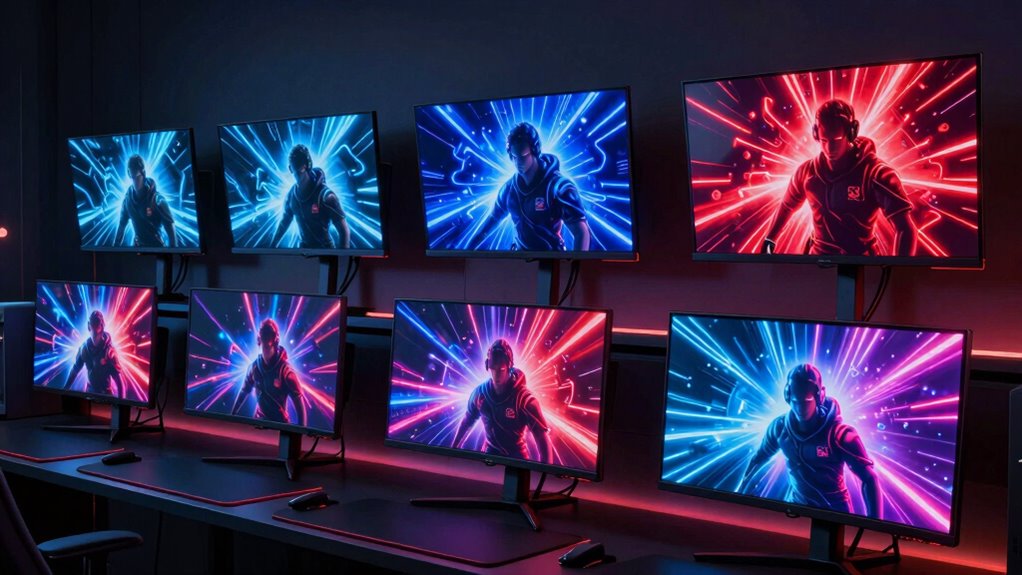

For competitive gamers, a 360Hz monitor offers the ultra-smooth visuals needed to gain an edge in fast-paced matches. The ASUS TUF Gaming VG259QMRL5A stands out as the best overall choice, delivering a solid balance of performance and affordability. The Alienware AW2725DF OLED provides stunning visuals with OLED technology for gamers prioritizing image quality, while the KTC 25M2 Pro offers a budget-friendly 400Hz option for those focused on speed. The main tradeoffs in this category involve balancing refresh rate, response time, image quality, and price. Keep reading to see how these options compare and which one fits your gaming style best.

Get the latest gadgets delivered free with Prime
- Fast, free delivery on millions of items
- Prime Video, Amazon Music and more included
- Member-only deals all year
Complete the kit



Key Takeaways
- Higher refresh rates generally improve smoothness, but can come at the expense of resolution or color accuracy.
- OLED monitors like the Alienware AW2725DF deliver better contrast and vibrant colors, ideal for immersive gaming.
- Budget-friendly options such as the KTC 25M2 Pro emphasize speed with 400Hz but might lack advanced features like HDR or high resolution.
- Size and resolution preferences vary; 24.5-inch to 27-inch screens are the most common for esports, with 1440p offering a sweet spot between clarity and performance.
- G-SYNC and FreeSync compatibility are key for eliminating tearing, especially in high refresh rate gaming, but not all monitors support both.
| ASUS TUF Gaming VG259QMRL5A 25-Inch 1080p 310Hz G-SYNC Gaming Monitor |  | Best Overall for High Refresh & Color Accuracy | Size: 24.5 inches | Resolution: 1920×1080 (Full HD) | Refresh Rate: 310Hz | VIEW ON AMAZON | See Our Full Breakdown |
| Alienware AW2725DF OLED Gaming Monitor – 26.7-inch QD-OLED, 2560×1440, 360Hz, 0.03ms, HDR400, FreeSync Premium Pro |  | Best Premium for Deep Blacks & Vibrant Colors | Size: 26.7 inches | Resolution: 2560×1440 (QHD) | Refresh Rate: 360Hz | VIEW ON AMAZON | See Our Full Breakdown |
| Acer Predator 27-inch QHD IPS Gaming Monitor XB273U F5 |  | Best for Vivid Colors & Versatile Gaming | Size: 27 inches | Resolution: 2560 x 1440 (QHD) | Refresh Rate: 360Hz | VIEW ON AMAZON | See Our Full Breakdown |
| KTC 25M2 Pro 400Hz Gaming Monitor, 24.5 Inch, 1080P, Fast IPS, 1ms GTG, Adaptive Sync, VESA |  | Best for Extreme Speed & Distraction-Free Focus | Size: 24.5 inches | Resolution: 1080P | Refresh Rate: 400Hz | VIEW ON AMAZON | See Our Full Breakdown |
| ASUS ROG XG27AQNGV 27-Inch 1440p 360Hz G-SYNC Pulsar Gaming Monitor |  | Best for Balance of Resolution & Speed | Size: 27 inches | Resolution: 2560 x 1440P | Refresh Rate: 360Hz | VIEW ON AMAZON | See Our Full Breakdown |
| Alienware 25 Gaming Monitor AW2523HF 24.5-inch IPS LED Full HD 360Hz with FreeSync |  | Best Overall for Competitive Clarity | Display Size: 24.5 inches | Resolution: 1920 x 1080 (Full HD) | Refresh Rate: 360Hz | VIEW ON AMAZON | See Our Full Breakdown |
| 27-inch 360Hz QHD Fast IPS Gaming Monitor with HDR400, FreeSync, G-Sync Compatibility |  | Best for Versatile High-Performance Gaming and Creative Work | Display Size: 27 inches | Resolution: 2560 x 1440 (QHD) | Refresh Rate: 360Hz | VIEW ON AMAZON | See Our Full Breakdown |
| ASUS TUF Gaming VG27AQM5A 27-Inch 1440p 300Hz G-SYNC Gaming Monitor |  | Best for Well-Rounded Gaming and Content Creation | Display Size: 27 inches | Resolution: 2560 x 1440 (QHD) | Refresh Rate: 300Hz | VIEW ON AMAZON | See Our Full Breakdown |
| esports monitor 360hz | Resolution | Refresh Rate | Response Time | Size |
|---|---|---|---|---|
| ASUS TUF Gaming VG259QMRL5A 25 | 1920×1080 (Full HD) | 310Hz | 0.3ms (GTG) | 24.5 inches |
| Alienware AW2725DF OLED Gaming | 2560×1440 (QHD) | 360Hz | 0.03ms | 26.7 inches |
| Acer Predator 27-inch QHD IPS | 2560 x 1440 (QHD) | 360Hz | 0.05ms | 27 inches |
| KTC 25M2 Pro 400Hz Gaming Moni | 1080P | 400Hz | 1ms GTG | 24.5 inches |
| ASUS ROG XG27AQNGV 27-Inch 144 | 2560 x 1440P | 360Hz | 1ms | 27 inches |
| Alienware 25 Gaming Monitor AW | 1920 x 1080 (Full HD) | 360Hz | 0.5ms | — |
| 27-inch 360Hz QHD Fast IPS Gam | 2560 x 1440 (QHD) | 360Hz | 0.5ms | — |
| ASUS TUF Gaming VG27AQM5A 27-I | 2560 x 1440 (QHD) | 300Hz | 0.3ms (GTG) | — |
More Details on Our Top Picks
ASUS TUF Gaming VG259QMRL5A 25-Inch 1080p 310Hz G-SYNC Gaming Monitor
This monitor stands out for its impressive 310Hz refresh rate, making it ideal for fast-paced esports where every millisecond counts. Compared to the KTC 25M2 Pro, it offers a slightly lower maximum refresh rate but benefits from vibrant color accuracy with 99% sRGB coverage and HDR400 support, which enhances immersion without demanding the high-end GPU of OLED options. The ergonomic stand and adaptive sync compatibility ensure smooth gameplay and comfortable viewing, but the smaller 24.5-inch size may not satisfy gamers seeking larger displays for immersive experiences. Its lack of built-in speakers is a minor compromise for gamers prioritizing performance over extras.
Pros:- 310Hz refresh rate enables ultra-smooth gameplay
- Fast 0.3ms response time minimizes ghosting
- Vibrant colors with 99% sRGB and HDR400 support
- Ergonomic stand with height adjustment
Cons:- Limited to 24.5 inches, smaller than some competitors’
- Requires compatible GPU for G-Sync/FreeSync to work fully
- No built-in speakers
Best for: competitive gamers who need a reliable, high-refresh-rate display with vibrant visuals and ergonomic comfort.
Not ideal for: casual gamers or those wanting a larger monitor for more immersive single-player experiences, as its size and feature set are tailored more toward esports precision.
- Size:24.5 inches
- Resolution:1920×1080 (Full HD)
- Refresh Rate:310Hz
- Response Time:0.3ms (GTG)
- Color Coverage:99% sRGB
- HDR:DisplayHDR400
Our verdict“This pick makes the most sense for professional or serious esports players prioritizing speed and color accuracy in a compact form.”
The Alienware AW2725DF delivers a stunning visual experience with its 26.7-inch QD-OLED panel, providing deep blacks and vibrant colors that surpass traditional LCDs. Compared with the ASUS TUF VG259QMRL5A, it offers higher resolution and better contrast, making it ideal for gamers who want immersive visuals alongside extreme speed. The 360Hz refresh rate and 0.03ms response time ensure rapid responsiveness, but its premium price tag and potential high power consumption might make it less accessible for casual players. Its wide adjustability and HDR400 support cater to those seeking both performance and visual fidelity.
Pros:- Exceptional contrast and deep blacks with QD-OLED tech
- Fast 360Hz refresh rate and 0.03ms response time
- Wide adjustability and HDR400 support
- Vivid, accurate colors
Cons:- Premium price point limits accessibility
- Potentially higher power consumption due to OLED
- OLED lifespan considerations
Best for: high-end gamers who prioritize visual immersion and color accuracy alongside esports-grade responsiveness.
Not ideal for: budget-conscious gamers or those who prefer larger screens or OLED’s potential longevity concerns.
- Size:26.7 inches
- Resolution:2560×1440 (QHD)
- Refresh Rate:360Hz
- Response Time:0.03ms
- HDR:VESA DisplayHDR True Black 400
- Color Coverage:DCI-P3 99.3%
Our verdict“This is best suited for gamers seeking stunning visuals combined with high-speed performance at a premium price.”
Acer Predator 27-inch QHD IPS Gaming Monitor XB273U F5
The Acer Predator XB273U F5 combines a 27-inch size with a 360Hz refresh rate, making it ideal for players who want vibrant visuals without sacrificing responsiveness. Its IPS panel offers 90% DCI-P3 coverage, which delivers more accurate and lively colors than typical TN or VA panels, especially compared to the KTC 25M2 Pro, which is limited to 1080p. The monitor’s full ergonomic adjustments and HDR support deepen immersion, but the high price and the need for a powerful GPU to fully utilize 360Hz may deter casual gamers. Its built-in speakers are modest, making it better suited for users with dedicated audio setups.
Pros:- Exceptional 360Hz refresh rate ensures ultra-smooth motion
- IPS panel with 90% DCI-P3 coverage for vibrant colors
- Full ergonomic adjustments and HDR support
- Multiple connectivity options including HDMI 2.1 and DisplayPort
Cons:- Premium price might be prohibitive for some
- High GPU demand for maximum performance
- Limited built-in speakers
Best for: competitive gamers who value vivid colors and flexible ergonomics in a 27-inch display.
Not ideal for: those on a tight budget or seeking a larger, more feature-rich monitor for general use.
- Size:27 inches
- Resolution:2560 x 1440 (QHD)
- Refresh Rate:360Hz
- Response Time:0.05ms
- Color Gamut:DCI-P3 90%
- Stand Adjustments:Tilt, swivel, pivot, height
Our verdict“This monitor offers vibrant visuals and high responsiveness, perfect for competitive gamers with capable hardware.”
KTC 25M2 Pro 400Hz Gaming Monitor, 24.5 Inch, 1080P, Fast IPS, 1ms GTG, Adaptive Sync, VESA
The KTC 25M2 Pro pushes the envelope with a 400Hz refresh rate and 1ms GTG response time, making it the top choice for players prioritizing raw speed. Compared with the ASUS TUF VG259QMRL5A, it offers a higher refresh rate but at a 1080p resolution, which may not satisfy those wanting sharper visuals. Its Fast IPS technology ensures vivid colors, and the included shielding hood minimizes distractions, giving it an edge in tournament settings or fast reflex gameplay. The price is higher for such advanced features, and it requires a powerful GPU to make the most of its capabilities.
Pros:- Extremely high 400Hz refresh rate for ultra-smooth gameplay
- 1ms GTG response time minimizes ghosting
- Fast IPS panel with vibrant visuals
- Includes shielding hood for distraction-free gaming
Cons:- Limited to 1080P resolution
- Premium cost for cutting-edge tech
- Requires high-end GPU for optimal performance
Best for: pro esports competitors or serious enthusiasts seeking maximum refresh rate and minimal latency.
Not ideal for: gamers who prefer higher resolution or casual players who don’t need ultra-fast speeds.
- Size:24.5 inches
- Resolution:1080P
- Refresh Rate:400Hz
- Response Time:1ms GTG
- Color Coverage:126% sRGB
- VESA Mount:Yes (100x100mm)
Our verdict“This monitor is ideal for those who need the fastest response times and can handle 1080p visuals in competitive settings.”
ASUS ROG XG27AQNGV 27-Inch 1440p 360Hz G-SYNC Pulsar Gaming Monitor
This 27-inch ASUS ROG model provides a balanced mix of high resolution and ultra-fast refresh rates, making it suitable for gamers who want detailed visuals without sacrificing motion clarity. Compared to the Alienware AW2725DF, it offers a slightly lower resolution but includes G-SYNC Pulsar technology for enhanced motion smoothness. The 360Hz refresh rate and 1ms response time ensure competitive responsiveness, while features like ambient lighting add to the immersive experience. Its higher price reflects its premium features, but users may find the complex settings daunting without customization experience.
Pros:- High 360Hz refresh rate with 1ms response time
- G-SYNC Pulsar technology enhances motion clarity
- 1440p resolution offers detailed visuals
- Ambient lighting creates immersive environment
Cons:- Premium price may be a barrier
- Complex settings could be overwhelming for novices
- Higher power consumption compared to simpler models
Best for: gamers who want a versatile monitor capable of both competitive esports and immersive gameplay with good visual detail.
Not ideal for: users seeking the absolute best contrast or deep blacks, as IPS panels prioritize color accuracy over contrast.
- Size:27 inches
- Resolution:2560 x 1440P
- Refresh Rate:360Hz
- Response Time:1ms
- HDR:Yes, HDR
- Warranty:3 years
Our verdict“This monitor strikes a solid balance for gamers wanting high responsiveness paired with good resolution and features.”
Alienware 25 Gaming Monitor AW2523HF 24.5-inch IPS LED Full HD 360Hz with FreeSync
The Alienware AW2523HF stands out for its high 360Hz refresh rate combined with a fast 0.5ms response time, making it ideal for fast-paced esports where every millisecond counts. Its IPS panel offers superior color accuracy and wider viewing angles compared with TN-based options like the ASUS VG27AQM5A, ensuring vibrant visuals from any position. However, the Full HD resolution may feel limiting compared to higher-res screens, especially for gamers who prefer sharper detail or multitasking. The monitor’s adjustable stand enhances ergonomics, but its weight and premium price can be drawbacks for budget-conscious setups. Compared to QHD options like the 27-inch models, this monitor sacrifices resolution for slightly lower latency, which can be a tradeoff for those prioritizing speed over clarity. This pick makes the most sense for dedicated competitive gamers who value speed, responsiveness, and color accuracy in a compact form.
Pros:- High 360Hz refresh rate ensures ultra-smooth gameplay
- 0.5ms response time significantly reduces motion blur
- Vivid color coverage with 99% sRGB and HDR support
- Fully adjustable ergonomic stand
Cons:- Limited to Full HD resolution, not 4K or QHD
- Relatively heavy at 12.7 pounds, which may impact portability
- Premium price can be a barrier for budget-conscious buyers
Best for: Serious esports players seeking the fastest response times and vivid visuals in a compact size.
Not ideal for: Casual gamers or those wanting higher resolution or larger screens for multitasking and immersive gameplay.
- Display Size:24.5 inches
- Resolution:1920 x 1080 (Full HD)
- Refresh Rate:360Hz
- Response Time:0.5ms
- Panel Type:IPS
- Brightness:400 nits
Our verdict“This monitor is best suited for competitive gamers who prioritize speed and color fidelity over resolution in a smaller display.”
27-inch 360Hz QHD Fast IPS Gaming Monitor with HDR400, FreeSync, G-Sync Compatibility
The 27-inch 360Hz QHD monitor offers an excellent blend of speed and resolution, making it a versatile choice for gamers who also do creative work. Its 2560×1440 resolution provides sharper images than Full HD, which is a step up from the Alienware AW2523HF, especially for multitasking or detailed visuals. The 0.5ms response time and 360Hz refresh rate ensure smooth motion, while the wide 120% sRGB and HDR400 support deliver vibrant, lifelike colors. The extensive ergonomic adjustments make it easy to customize for long gaming or work sessions. However, its higher price and the need for a powerful GPU to fully exploit 360Hz might deter casual users. Unlike the ASUS VG27AQM5A’s 300Hz, this model offers a slight edge in speed with better color coverage, but at a potentially higher cost. It is ideal for gamers who want a high-performance display that doubles as a capable creative monitor.
Pros:- High 360Hz refresh rate for ultra-smooth gameplay
- Vivid colors with 120% sRGB and HDR400 support
- Excellent ergonomic flexibility for comfortable use
- Sharper 1440p resolution improves clarity over Full HD
Cons:- Higher price point may be a barrier for some users
- Requires a high-end GPU to reach full 360Hz performance
- Heavy and bulky for simple desk setups
Best for: Gamers who desire high refresh rates with enhanced resolution and color for both gaming and content creation.
Not ideal for: Budget-conscious players or those with weaker GPUs who won’t fully benefit from the 360Hz refresh rate at QHD resolution.
- Display Size:27 inches
- Resolution:2560 x 1440 (QHD)
- Refresh Rate:360Hz
- Response Time:0.5ms
- Color Gamut:120% sRGB
- HDR:HDR400
Our verdict“This monitor suits gamers seeking a high-res, fast, and colorful display that doubles as a versatile tool for creative projects.”
ASUS TUF Gaming VG27AQM5A 27-Inch 1440p 300Hz G-SYNC Gaming Monitor
The ASUS TUF VG27AQM5A offers a slightly lower 300Hz refresh rate, but compensates with a 0.3ms response time and robust motion blur reduction, making it a strong contender for fast-paced gaming. Its 1440p resolution surpasses Full HD in clarity, and the wide DCI-P3 coverage ensures vibrant, accurate colors ideal for content creators. While it doesn’t match the 360Hz of the Alienware or 27-inch QHD monitors, the 300Hz still provides exceptionally smooth gameplay, especially with ELMB Sync technology. Its lack of extensive ergonomic options and higher power consumption might be drawbacks. Compared to the higher-priced models, this monitor balances speed, resolution, and color without the premium cost, although it’s less future-proof for those seeking the absolute fastest refresh rates. This pick makes sense for gamers who want a high-performance, versatile display without the highest price tag or maximum refresh rate.
Pros:- Fast 0.3ms response time with ELMB Sync reduces motion blur
- Vibrant DCI-P3 color coverage for accurate visuals
- Excellent all-around performance for gaming and content creation
- Good size and resolution for versatile use
Cons:- Limited to 300Hz, slightly below 360Hz competitors
- Lacks extensive ergonomic adjustments
- Higher power consumption than some lower-refresh-rate monitors
Best for: Gamers who prioritize quick response times, accurate colors, and a balanced feature set for both gaming and multimedia tasks.
Not ideal for: Players seeking the absolute highest refresh rate or professional-level color accuracy at the expense of budget or size flexibility.
- Display Size:27 inches
- Resolution:2560 x 1440 (QHD)
- Refresh Rate:300Hz
- Response Time:0.3ms (GTG)
- Color Gamut:95% DCI-P3
- Additional:Built-in speakers, Shadow Boost
Our verdict“This monitor offers a well-rounded experience for gamers seeking speed, clarity, and vibrant colors without the premium price of the top-tier 360Hz models.”

How We Picked
These monitors were evaluated based on their refresh rate performance, response times, build quality, and value for money. Priority was given to models that deliver true 360Hz refresh rates with low input lag and minimal motion blur, which are critical for competitive gaming. We also considered screen size, resolution, adaptive sync support, and overall durability. To ensure relevance, only monitors with proven high-speed performance and positive user feedback were selected. Rankings reflect a balance of raw performance, feature set, and price, helping gamers find options suited for different needs and budgets.| esports monitor 360hz | HDR |
|---|---|
| ASUS TUF Gaming VG259QMRL5A 25 | DisplayHDR400 |
| Alienware AW2725DF OLED Gaming | VESA DisplayHDR True Black 400 |
| Acer Predator 27-inch QHD IPS | — |
| KTC 25M2 Pro 400Hz Gaming Moni | — |
| ASUS ROG XG27AQNGV 27-Inch 144 | Yes, HDR |
| Alienware 25 Gaming Monitor AW | — |
| 27-inch 360Hz QHD Fast IPS Gam | HDR400 |
| ASUS TUF Gaming VG27AQM5A 27-I | — |
Factors to Consider When Choosing Esports Monitor 360hz
Choosing a 360Hz esports monitor involves more than just looking at refresh rates. To get the most out of your investment, consider factors like response time, panel technology, size, and adaptive sync support. Each of these impacts your gameplay experience, so understanding their tradeoffs helps you pick the right monitor for your specific needs. Avoid common pitfalls like prioritizing resolution over refresh rate or ignoring build quality, which can affect durability during intense gaming sessions.Refresh Rate and Response Time
While 360Hz is the standard for ultra-smooth gameplay, response time plays a critical role in reducing motion blur and input lag. Look for models with 1ms GTG or lower to ensure fast reactions, especially in competitive titles. Keep in mind that some monitors might advertise higher Hz but have slower response times, which diminishes the benefits of such high refresh rates. Striking a balance between refresh rate and response time maximizes your advantage in fast-paced games.
Panel Technology and Image Quality
IPS panels generally offer better color accuracy and viewing angles, making them suitable for gamers who also value visuals outside of competitive play. OLED panels, like those in some premium options, provide superior contrast and vibrant colors but can be more expensive and have issues like burn-in over time. TN panels are typically the fastest but sacrifice color fidelity and viewing angles. Your choice depends on whether speed or image quality is a priority for your gaming setup.
Size and Resolution
Most 360Hz monitors hover around 24.5 to 27 inches, with 1440p resolution being a common sweet spot—offering clarity without taxing your GPU too much. Larger screens or higher resolutions, like 1440p or 4K, can enhance immersion but may introduce input lag or reduce frame rates if your hardware isn’t powerful enough. Consider your desk space and GPU capabilities before opting for a bigger or higher-resolution monitor to avoid bottlenecking performance.
Adaptive Sync Support
G-SYNC and FreeSync support are essential for eliminating screen tearing and providing smoother gameplay. Not all high-refresh-rate monitors support both standards, so compatibility with your GPU matters. Monitors supporting adaptive sync tend to cost a bit more but significantly improve visual fluidity, especially in games with variable frame rates. Skipping this feature might result in tearing or stuttering, which diminishes the advantages of a 360Hz refresh rate.
Build Quality and Ergonomics
Durability and comfort are often overlooked but vital for long gaming sessions. Look for monitors with adjustable stands, sturdy build materials, and flicker-free screens with low blue light filters. Cheap construction might lead to instability or screen wobble, distracting during intense matches. Investing in a well-built monitor ensures consistent performance and reduces the need for replacements or repairs over time.
Frequently Asked Questions
Is a 360Hz monitor worth it for casual gaming?
For casual gamers, a 360Hz monitor might provide diminishing returns compared to lower refresh rates like 144Hz or 240Hz. The main benefit of 360Hz is its ultra-smooth motion and reduced input lag, which are most noticeable in fast-paced, competitive titles. If you primarily play single-player or slower-paced games, you might not see significant improvements and could prioritize other features like higher resolution or better image quality instead.
Can my GPU handle a 360Hz monitor at high settings?
Running a 360Hz monitor at high frame rates requires a powerful GPU, especially in demanding games. If your hardware struggles to push consistent 300+ FPS, you won’t fully experience the benefits of 360Hz. It’s wise to match your monitor choice with your GPU’s capabilities, or consider lowering game settings for better frame rates if necessary to avoid stuttering or tearing.
Do I need G-SYNC or FreeSync support on a 360Hz monitor?
While not strictly necessary, adaptive sync support enhances gameplay fluidity by reducing tearing and stuttering, especially if your GPU supports G-SYNC or FreeSync. Choosing a monitor with compatible adaptive sync technology can make a noticeable difference in competitive gaming, where every millisecond counts. If your GPU doesn’t support either, you may experience more visual artifacts during high-speed gameplay.
Is OLED technology better than IPS or TN for esports monitors?
OLED panels offer superior contrast and color vibrancy, which can make gaming more immersive. However, they tend to be more expensive and may suffer from burn-in issues over time, which could be problematic for long-term use. IPS panels are a good middle ground, providing decent speed with excellent color accuracy, while TN panels remain the fastest but less visually appealing. Your choice depends on whether visual quality or speed is your priority.
How important is size for a 360Hz esports monitor?
Size affects your field of view and comfort during extended gaming sessions. Most competitive players prefer 24.5 to 27 inches because it balances immersion with quick reaction times. Larger screens might be more immersive but can introduce more head movement and require more powerful hardware to maintain high frame rates. Ultimately, your desk space and viewing distance should guide your size choice to optimize both performance and comfort.
Conclusion
If you want the best overall performance for competitive gaming, the ASUS TUF Gaming VG259QMRL5A offers a reliable combination of speed, build quality, and affordability. For those prioritizing visual quality and cutting-edge display tech, the Alienware AW2725DF OLED is an excellent premium pick. Budget-conscious gamers focused solely on speed will find the KTC 25M2 Pro compelling, despite fewer extras. Beginners or casual players should consider lower-priced options that still deliver high refresh rates without the complexity of additional features. For specialized needs, such as size or resolution preferences, different models will serve better, but overall, these picks cover the core demands of high-speed esports gaming in 2026.
Columbus Day / Indigenous Peoples' Day Picks
long weekend sales
As an affiliate, we earn on qualifying purchases.