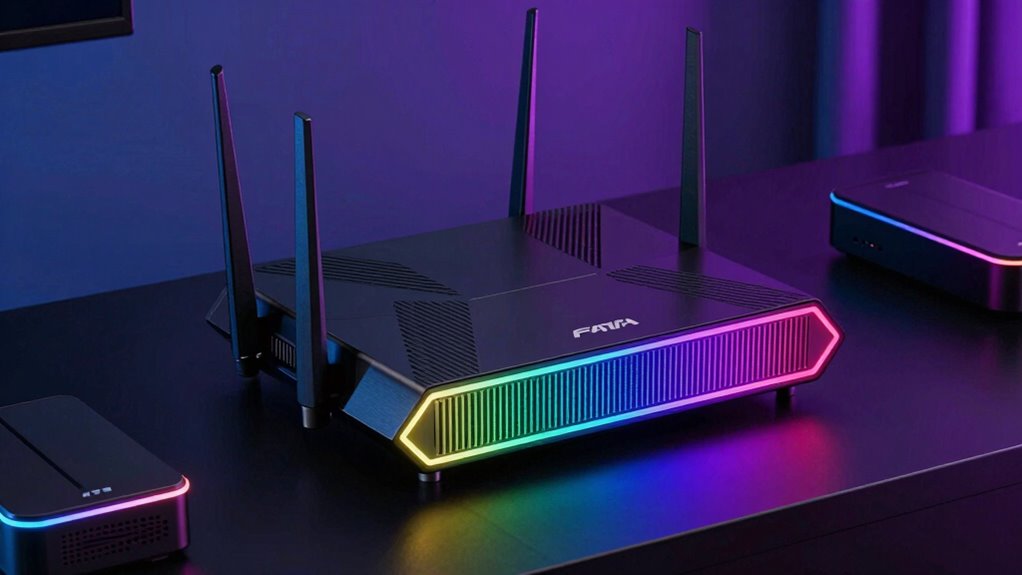

Gaming with WiFi 7 offers the fastest speeds, lower latency, and improved stability needed for the most demanding titles. The TP-Link Archer GE800 stands out as the best overall with its tri-band setup and advanced features. For gamers seeking premium performance, the ASUS ROG Rapture GT-BE98 Pro delivers incredible 30Gbps speeds and extensive mesh capabilities. Meanwhile, the NETGEAR Nighthawk BE9300 offers broad coverage and support for many devices, making it a strong choice for larger setups. The main tradeoffs in this category often involve balancing speed, coverage, and price—higher speeds tend to come with increased costs and complexity. Continue reading for a detailed breakdown of these options and which best fits your gaming needs.

Get the latest gadgets delivered free with Prime
- Fast, free delivery on millions of items
- Prime Video, Amazon Music and more included
- Member-only deals all year
Complete the kit



Key Takeaways
- Tri-band WiFi 7 routers generally offer superior speed and network stability compared to dual-band counterparts.
- Coverage and device support vary widely; larger homes benefit from mesh-capable models like the ASUS ROG or NETGEAR BE9300.
- Premium models tend to include features like multi-gig ports, advanced security, and extensive customization, but at a higher price.
- Despite the focus on gaming, many routers excel at handling multiple devices simultaneously, which is vital in busy households.
- Price points reflect different priorities: high-end models emphasize maximum speed and coverage, while more affordable options deliver solid performance for less.
| TP-Link Tri-Band Wi-Fi 7 Gaming Router (Archer GE800) |  | Best Overall for High-End Gaming and Whole-Home Coverage | Wi-Fi Speed: 19 Gbps | Bands: Tri-Band | Ports: 2x 10 Gbps, 4x 2.5 Gbps | VIEW ON AMAZON | See Our Full Breakdown |
| ASUS TUF Gaming BE6500 WiFi 7 Router – Dual-Band, Up to 6.5 Gbps Wireless, Game Accelerator, Multi-Link Operation, (x4) 2.5GbE Ports, Mesh + VPN Compatible, Subscription-Free Network Security |  | Best for Gaming with Robust Security and Ease of Use | Wireless Standard: WiFi 7 (802.11be) | Max Speed: 6.5 Gbps | Bands: Dual-Band | VIEW ON AMAZON | See Our Full Breakdown |
| ASUS ROG Strix GS-BE12000 WiFi 7 Gaming Router – Tri-Band, 12Gbps, Mesh |  | Best for Extensive Coverage and High-Speed Gaming | WiFi Standard: WiFi 7 | Max Throughput: 12000 Mbps | Tri-Band: Yes | VIEW ON AMAZON | See Our Full Breakdown |
| NETGEAR Nighthawk WiFi 7 Router (BE9300) – Tri-Band, 9.3Gbps, 2.5 Gigabit Ports, Covers 2,500 sq. ft., Supports 100 Devices |  | Best for Large-Scale Homes and Multiple Devices | Wireless Speed: 9.3 Gbps | Bands: Tri-Band | Coverage: 2,500 sq. ft. | VIEW ON AMAZON | See Our Full Breakdown |
| TP-Link Tri-Band AXE5400 Wi-Fi 6E Gaming Router Archer GXE75 |  | Best for Wi-Fi 6E Gaming with Ease of Use | Wi-Fi Standard: Wi-Fi 6E | Max Speed: 5.4 Gbps | Tri-Band: Yes | VIEW ON AMAZON | See Our Full Breakdown |
| TP-Link Tri-Band WiFi 7 Router (Archer BE600) |  | Best Overall for Large Homes and Future-Proofing | WiFi Technology: WiFi 7 | Bands: Tri-Band | Total Bandwidth: 9.7 Gbps | VIEW ON AMAZON | See Our Full Breakdown |
| TP-Link Tri-Band WiFi 7 Router (Archer BE550) |  | Best for Easy Setup and Expanding Coverage | WiFi Technology: WiFi 7 | Speed: up to 9.2 Gbps | Bands: Tri-band (6 GHz, 5 GHz, 2.4 GHz) | VIEW ON AMAZON | See Our Full Breakdown |
| NETGEAR Nighthawk Dual-Band WiFi 7 Router (RS90) |  | Best for Smaller Homes with Moderate Device Load | Speed: up to 3.6 Gbps | Coverage: up to 2,000 sq. ft. | Device Capacity: 50 devices | VIEW ON AMAZON | See Our Full Breakdown |
| TP-Link Tri-Band BE11000 Wi-Fi 7 Gaming Router (Archer GE650) | | Best for Serious Gamers and Customization | Wi-Fi Standard: Wi-Fi 7 (802.11ax) | Tri-Band: Yes | Max Speed (6 GHz): 5764 Mbps | VIEW ON AMAZON | See Our Full Breakdown |
| TP-Link BE6500 Dual-Band WiFi 7 Router (BE400) |  | Best for Budget-Conscious Buyers and Smaller Homes | Wi-Fi Technology: Wi-Fi 7 | Bands: Dual-Band | Maximum Speed: up to 5764 Mbps | VIEW ON AMAZON | See Our Full Breakdown |
| ASUS ROG Rapture GT-BE98 Pro WiFi 7 Gaming Router – Quad-Band, 30Gbps, Mesh |  | Best Overall for High-End Gaming and Customization | WiFi Standard: WiFi 7 (802.11be) | Maximum Speed: 30 Gbps | Bands: Quad-Band | VIEW ON AMAZON | See Our Full Breakdown |
| TP-Link Dual-Band WiFi 7 Gaming Router Archer GE400 |  | Best for Easy Setup and Good Coverage in Mid-Range Gaming | Maximum Speed: 5765 Mbps | Coverage: Up to 2,600 sq. ft. | Ports: 1x 2.5 Gbps WAN/LAN, 1x 2.5 Gbps LAN, 3x 1 Gbps LAN | VIEW ON AMAZON | See Our Full Breakdown |
| gaming router wifi 7 | Ports | Security | Bands |
|---|---|---|---|
| TP-Link Tri-Band Wi-Fi 7 Gamin | 2x 10 Gbps, 4x 2.5 Gbps | — | Tri-Band |
| ASUS TUF Gaming BE6500 WiFi 7 | 4 x 2.5GbE | Subscription-Free Network Security | Dual-Band |
| ASUS ROG Strix GS-BE12000 WiFi | — | — | — |
| NETGEAR Nighthawk WiFi 7 Route | — | WPA3, NETGEAR Armor (trial) | Tri-Band |
| TP-Link Tri-Band AXE5400 Wi-Fi | 1x 2.5G WAN, 4x 1G LAN | TP-Link HomeShield | — |
| TP-Link Tri-Band WiFi 7 Router | 1x 10 Gbps WAN/LAN, 1x 2.5 Gbps WAN/LAN, 3x 2.5 Gbps LAN, USB 3.0 | TP-Link HomeShield | Tri-Band |
| TP-Link Tri-Band WiFi 7 Router | 1x 2.5G WAN, 4x 2.5G LAN | HomeShield with WPA3 | Tri-band (6 GHz, 5 GHz, 2.4 GHz) |
| NETGEAR Nighthawk Dual-Band Wi | 1x 2.5 Gig WAN, 4x 1 Gbps Ethernet LAN | NETGEAR Armor (trial) | — |
| TP-Link Tri-Band BE11000 Wi-Fi | 1× 5 Gbps WAN, 1× 5 Gbps LAN, 3× 2.5 Gbps LAN | HomeShield antivirus | — |
| TP-Link BE6500 Dual-Band WiFi | 1x 2.5 Gbps WAN/LAN, 1x 2.5 Gbps LAN, 3x 1 Gbps LAN | WPA3, HomeShield | Dual-Band |
| ASUS ROG Rapture GT-BE98 Pro W | — | — | Quad-Band |
| TP-Link Dual-Band WiFi 7 Gamin | 1x 2.5 Gbps WAN/LAN, 1x 2.5 Gbps LAN, 3x 1 Gbps LAN | TP-Link HomeShield | — |
More Details on Our Top Picks
TP-Link Tri-Band Wi-Fi 7 Gaming Router (Archer GE800)
The TP-Link Archer GE800 stands out for delivering an extraordinary 19 Gbps across three bands, making it ideal for demanding gaming setups and extensive smart home networks. Compared to the ASUS ROG GS-BE12000, it offers comparable tri-band performance but with more emphasis on multi-link operation and customizable RGB lighting, appealing to gamers who want both power and aesthetics. Its multiple 10 Gbps ports support high-speed wired connections, a clear advantage over the NETGEAR BE9300’s slightly lower speed, but the premium price may be off-putting for budget-conscious buyers. The complex feature set might overwhelm users unfamiliar with advanced networking, yet for those seeking cutting-edge speed and coverage, this router excels.
Pros:- High-speed tri-band Wi-Fi 7 with 19 Gbps capacity
- Multiple 10 Gbps ports for high-performance wired gaming
- Easy setup via app and web interface
- Supports seamless Mesh WiFi for large homes
Cons:- Premium price may be prohibitive for some
- Feature-rich interface can be overwhelming for non-technical users
Best for: High-end gamers and tech enthusiasts needing maximum speed and reliable whole-home coverage
Not ideal for: Casual users or those new to networking who prefer simple setup and basic performance
- Wi-Fi Speed:19 Gbps
- Bands:Tri-Band
- Ports:2x 10 Gbps, 4x 2.5 Gbps
- Processor:Quad-core
- RAM:2GB
- RGB Lighting:Yes
Our verdict“This router is perfect for serious gamers and tech-savvy users who demand top-tier performance and coverage.”
ASUS TUF Gaming BE6500 WiFi 7 Router – Dual-Band, Up to 6.5 Gbps Wireless, Game Accelerator, Multi-Link Operation, (x4) 2.5GbE Ports, Mesh + VPN Compatible, Subscription-Free Network Security
The ASUS TUF Gaming BE6500 is tailored for gamers who want reliable WiFi 7 performance up to 6.5 Gbps combined with security and durability. Unlike the high-end Archer GE800, it simplifies setup and management, making it more approachable for users unfamiliar with complex configurations. Its dual-band setup is less demanding than the ASUS ROG GS-BE12000 but still offers solid speeds for most gaming needs, with multiple 2.5GbE ports for wired connections. The integrated game prioritization and open NAT ensure smooth gameplay, yet its speed ceiling is lower than tri-band counterparts, which could limit future-proofing for ultra-high-speed gaming. It balances performance and ease of use effectively but might fall short for those needing maximum throughput.
Pros:- High-performance WiFi 7 up to 6.5 Gbps
- Multiple 2.5GbE ports for wired gaming
- Built-in security features with no subscription needed
- Durable, well-built design
Cons:- Setup can be complex for non-technical users
- Limited to dual-band which may restrict future speed scalability
Best for: Casual gamers seeking secure, stable WiFi 7 with straightforward setup
Not ideal for: Power users or enthusiasts requiring ultra-fast speeds or extensive wired networks
- Wireless Standard:WiFi 7 (802.11be)
- Max Speed:6.5 Gbps
- Bands:Dual-Band
- Ports:4 x 2.5GbE
- Security:Subscription-Free Network Security
- Build Quality:Durable with indivisible antennas
Our verdict“This router is an excellent choice for gamers who prioritize security and reliability over maximum raw speed.”
ASUS ROG Strix GS-BE12000 WiFi 7 Gaming Router – Tri-Band, 12Gbps, Mesh
The ASUS ROG Strix GS-BE12000 targets gamers needing broad coverage up to 3000 sq. ft. with tri-band speeds reaching 12 Gbps. Its extensive wired capacity and multiple LAN ports surpass the ASUS BE6500’s offerings, making it ideal for large households or gaming setups with multiple wired devices. The advanced security features and smart subnet setup for IoT and VPNs add layers of protection, though the complex setup process may challenge less experienced users. Compared to the Archer GE800, it offers a more comprehensive wired network but at a higher price point and with more configuration effort. For those prioritizing coverage and wired connectivity, this model provides a compelling package.
Pros:- High-speed tri-band WiFi 7 up to 12 Gbps
- Large coverage of 3000 sq. ft.
- Multiple LAN ports for wired devices
- Supports smart subnet and IoT integrations
Cons:- Complex setup process
- Premium price may be too high for some users
Best for: Large homes and gamers who need extensive wired and wireless coverage
Not ideal for: Users seeking a simple, plug-and-play experience or with smaller homes
- WiFi Standard:WiFi 7
- Max Throughput:12000 Mbps
- Tri-Band:Yes
- Range:3000 sq. ft.
- Wired Network Speed:20G
- Antennas:8 internal
Our verdict“Best suited for users requiring large coverage and wired network flexibility in a gaming context.”
NETGEAR Nighthawk WiFi 7 Router (BE9300) – Tri-Band, 9.3Gbps, 2.5 Gigabit Ports, Covers 2,500 sq. ft., Supports 100 Devices
The NETGEAR Nighthawk BE9300 offers a balanced combination of speed and coverage, with tri-band WiFi 7 reaching 9.3 Gbps and supporting up to 100 devices. For users considering the ASUS BE6500, it provides broader device support, making it suitable for smart homes with many gadgets. Its coverage of 2,500 sq. ft. is ample for sizable homes, but performance may vary depending on interference and layout. The setup process is user-friendly, and security features like WPA3 encryption enhance safety, although a subscription for NETGEAR Armor is required after the 30-day trial. Its slightly lower maximum speed compared to the Archer GE800 makes it less ideal for ultra-high-speed gaming but well-rounded for most households.
Pros:- Fast WiFi 7 speeds up to 9.3 Gbps
- Supports up to 100 devices
- Wide coverage of 2,500 sq. ft.
- Easy setup through app or web
Cons:- Performance can be affected by home interference
- Security subscription adds ongoing cost
Best for: Large households with many connected devices and diverse internet needs
Not ideal for: Users seeking the absolute fastest speeds for competitive gaming or ultra-high-performance setups
- Wireless Speed:9.3 Gbps
- Bands:Tri-Band
- Coverage:2,500 sq. ft.
- Devices Supported:up to 100
- WAN Port:2.5 Gigabit
- Security:WPA3, NETGEAR Armor (trial)
Our verdict“Ideal for large homes with many devices needing stable, fast WiFi coverage.”
TP-Link Tri-Band AXE5400 Wi-Fi 6E Gaming Router Archer GXE75
The TP-Link Archer GXE75 leverages Wi-Fi 6E technology to deliver up to 5.4 Gbps, prioritizing gaming performance with dedicated acceleration and a simple setup process. Compared to the WiFi 7 options like the Archer GE800, it focuses on the 6 GHz band to reduce interference and improve stability, especially in congested environments. Its user-friendly Tether app makes configuration straightforward, which is a plus for less technical users. However, the limited maximum speed and reliance on Wi-Fi 6E-compatible devices mean it doesn’t match the raw throughput of WiFi 7 models, making it less future-proof for the most demanding applications. It strikes a balance for gamers seeking stable, high-speed WiFi without the complexity of WiFi 7 features.
Pros:- High-speed Wi-Fi 6E up to 5.4 Gbps
- Dedicated gaming acceleration features
- Easy setup via Tether app
- Supports extensive security with TP-Link HomeShield
Cons:- Limited to Wi-Fi 6E devices for full benefit
- Lower maximum speed than WiFi 7 routers
Best for: Gamers with Wi-Fi 6E devices seeking reliable, dedicated gaming performance
Not ideal for: Users with Wi-Fi 7 devices or those seeking maximum future-proofing and speed
- Wi-Fi Standard:Wi-Fi 6E
- Max Speed:5.4 Gbps
- Tri-Band:Yes
- Ports:1x 2.5G WAN, 4x 1G LAN
- Security:TP-Link HomeShield
Our verdict“Suitable for gamers wanting a straightforward Wi-Fi 6E solution with solid performance and security.”
TP-Link Tri-Band WiFi 7 Router (Archer BE600)
The TP-Link Archer BE600 stands out as the most comprehensive WiFi 7 router in this lineup, combining ultra-fast speeds, expansive coverage, and robust security features. Its tri-band setup and 9.7 Gbps total bandwidth make it ideal for large households with multiple high-demand devices, surpassing the capabilities of the NETGEAR RS90, which offers lower speeds and coverage for smaller setups. However, its setup process can be daunting for non-technical users, and its premium price reflects its advanced features. Devices need to support WiFi 7 to fully benefit from its speed and latency advantages, which might limit immediate usability.
Pros:- Supports WiFi 7 with high speeds and low latency
- Wide coverage suitable for large homes up to 2,600 sq. ft.
- Multiple multi-gigabit ports for fast wired connections
- Advanced security features including TP-Link HomeShield
Cons:- Setup can be complex for non-technical users
- Premium price point may be prohibitive for some
Best for: Large households or users with extensive smart home devices seeking future-proof network infrastructure
Not ideal for: Casual users with modest internet needs or those on a tight budget who may not need all the advanced features
- WiFi Technology:WiFi 7
- Bands:Tri-Band
- Total Bandwidth:9.7 Gbps
- Coverage:Up to 2,600 sq. ft.
- Ports:1x 10 Gbps WAN/LAN, 1x 2.5 Gbps WAN/LAN, 3x 2.5 Gbps LAN, USB 3.0
- Processor:Quad-core CPU
- Security:TP-Link HomeShield
- Compatibility:Alexa, Google Assistant
Our verdict“This router is best suited for tech-savvy users with large homes who want maximum speed and coverage without compromise.”
TP-Link Tri-Band WiFi 7 Router (Archer BE550)
The TP-Link Archer BE550 makes a compelling case for users who prioritize ease of setup and expandability, thanks to its support for EasyMesh and the Tether app. While it delivers impressive speeds up to 9.2 Gbps, similar to the higher-end BE600, its focus on simplicity makes it a better fit for those who want a reliable WiFi 7 network without extensive technical fuss. Compared with the Archer GE650 gaming router, the BE550 is less tailored to gaming-specific features but offers a more straightforward experience for general high-speed internet. Its performance depends on the modem and ISP compatibility, which could introduce variability.
Pros:- Simple setup via Tether app for Android and iOS
- Supports EasyMesh for expanding coverage easily
- Strong security features with WPA3 and HomeShield
- Excellent speeds suitable for most high-demand activities
Cons:- Performance depends heavily on modem and ISP compatibility
- Premium features may come at a higher cost
Best for: Homeowners seeking a reliable, easy-to-manage WiFi 7 setup that can expand seamlessly as needed
Not ideal for: Hardcore gamers or advanced users who need gaming-specific optimizations or ultra-low latency
- WiFi Technology:WiFi 7
- Speed:up to 9.2 Gbps
- Bands:Tri-band (6 GHz, 5 GHz, 2.4 GHz)
- Max Speed (6 GHz):5760 Mbps
- Max Speed (5 GHz):2880 Mbps
- Max Speed (2.4 GHz):574 Mbps
- Ports:1x 2.5G WAN, 4x 2.5G LAN
- Security:HomeShield with WPA3
Our verdict“This router is ideal for users who want a straightforward, expandable WiFi 7 network without complex configurations.”
NETGEAR Nighthawk Dual-Band WiFi 7 Router (RS90)
The NETGEAR Nighthawk RS90 offers a solid dual-band WiFi 7 option for users who don’t need the full tri-band power but still want fast, reliable speeds up to 3.6 Gbps. Its coverage of up to 2,000 sq. ft. and capacity for 50 devices make it suitable for many medium-sized homes, though it falls behind the BE600 in total bandwidth and advanced features. Compared to the TP-Link BE6500, the RS90 is easier to set up and manage but provides less overall speed and coverage, making it better for users with moderate internet demands rather than heavy streaming or gaming. It requires a separate modem, adding an extra step to setup.
Pros:- Fast WiFi speeds up to 3.6 Gbps
- Covers up to 2,000 sq. ft. effectively
- Supports up to 50 devices with MU-MIMO and OFDMA
- User-friendly setup via Nighthawk app
Cons:- Requires a separate modem or gateway
- Limited to dual-band WiFi 7, less flexibility than tri-band
Best for: Small to medium homes with multiple devices but moderate speed needs
Not ideal for: Large households or heavy gamers needing maximum speed and coverage
- Speed:up to 3.6 Gbps
- Coverage:up to 2,000 sq. ft.
- Device Capacity:50 devices
- WiFi Bands:Dual-band WiFi 7
- Processor:Quad-core 2.0 GHz
- Ports:1x 2.5 Gig WAN, 4x 1 Gbps Ethernet LAN
- Compatibility:Works with most providers
- Security:NETGEAR Armor (trial)
Our verdict“This router balances speed and simplicity for users in medium-sized homes with moderate connectivity needs.”
TP-Link Tri-Band BE11000 Wi-Fi 7 Gaming Router (Archer GE650)
The TP-Link Archer GE650 is tailored for gamers who demand maximum speed and low latency, with a dedicated 6 GHz band reaching 5764 Mbps. Its Multi-Link Operation technology offers stable, multi-path connections, which can be a real game-changer for competitive online play. While it shares the same tri-band architecture as the BE600, the GE650’s emphasis on gaming features, customizable RGB lighting, and dedicated game acceleration set it apart from general-use routers like the BE550 or BE650. This focus means it’s less suited for casual browsing or smart home tasks, and its higher price reflects the gaming specialization.
Pros:- High-speed tri-band Wi-Fi 7 with a dedicated gaming band
- Advanced Multi-Link Operation for stable connections
- Multiple multi-gigabit ports for wired gaming gear
- Customizable RGB lighting and sleek design
Cons:- Complex features may overwhelm casual users
- Premium price point may be restrictive for some
Best for: Hardcore gamers and streamers seeking ultra-low latency and gaming-specific enhancements
Not ideal for: Users who mainly browse or stream casually, or those on a limited budget
- Wi-Fi Standard:Wi-Fi 7 (802.11ax)
- Tri-Band:Yes
- Max Speed (6 GHz):5764 Mbps
- Max Speed (5 GHz):4320 Mbps
- Max Speed (2.4 GHz):574 Mbps
- Ports:1× 5 Gbps WAN, 1× 5 Gbps LAN, 3× 2.5 Gbps LAN
- Security:HomeShield antivirus
- RGB Lighting:Yes
Our verdict“This router is designed for competitive gamers who want the best possible wireless connection with gaming-specific features.”
TP-Link BE6500 Dual-Band WiFi 7 Router (BE400)
The TP-Link BE6500 offers a compelling WiFi 7 experience at a more accessible price point, focusing on delivering high-speed, reliable connections in smaller to medium-sized homes. Its dual-band setup provides speeds up to 5764 Mbps on the 5 GHz band, making it suitable for streaming, gaming, and smart devices. Compared with the tri-band BE600, it’s a more streamlined option for users who don’t need the extra bandwidth for multiple bands but still want the latest WiFi 7 technology. Its coverage of approximately 2,400 sq. ft. and support for many devices make it a good all-rounder, but it lacks the advanced features and extensive coverage of higher-end models.
Pros:- Supports the latest Wi-Fi 7 technology for fast, reliable connections
- Wide coverage suitable for most homes up to 2,400 sq. ft.
- Easy setup and management via Tether app
- Security features including WPA3 and HomeShield
Cons:- Limited to dual-band WiFi 7, with less flexibility
- Requires a separate modem for internet connectivity
- Less feature-rich compared with higher-end tri-band models
Best for: Budget-conscious users in smaller to medium homes who want WiFi 7 without extra bells and whistles
Not ideal for: Large households or users requiring extensive coverage or gaming-specific features
- Wi-Fi Technology:Wi-Fi 7
- Bands:Dual-Band
- Maximum Speed:up to 5764 Mbps
- Coverage:up to 2,400 sq. ft.
- Number of Devices Supported:up to 90
- Ports:1x 2.5 Gbps WAN/LAN, 1x 2.5 Gbps LAN, 3x 1 Gbps LAN
- Security:WPA3, HomeShield
Our verdict“This router offers excellent value for users seeking high-speed WiFi 7 in smaller spaces on a budget.”
ASUS ROG Rapture GT-BE98 Pro WiFi 7 Gaming Router – Quad-Band, 30Gbps, Mesh
The ASUS ROG Rapture GT-BE98 Pro stands out as the top choice for gamers who demand maximum speed, coverage, and advanced features. Its support for up to 30 Gbps with quad-band WiFi 7 makes it ideal for heavy gaming and simultaneous device use, surpassing models like the TP-Link Archer GE400 in raw throughput. While its complex setup may intimidate newcomers, its robust hardware, including dual 10G ports and multi-link operation, offers unmatched flexibility. The advanced mesh capabilities and game acceleration features make it perfect for large households or dedicated gaming setups. However, the premium price and complexity could be a barrier for less tech-savvy users. Overall, this router is best suited for serious gamers and tech enthusiasts willing to invest in top-tier performance.
Pros:- Supports ultra-fast WiFi 7 speeds up to 30 Gbps
- Excellent coverage with external dual-feeding antennas
- Multiple high-speed wired ports including dual 10G ports
- Optimized for gaming with dedicated traffic acceleration
Cons:- Complex setup may be challenging for beginners
- Premium price point might be high for some users
Best for: Gamers and tech enthusiasts seeking maximum speed and customization in a high-end setup
Not ideal for: Casual users or those new to networking who prefer simple, plug-and-play solutions
- WiFi Standard:WiFi 7 (802.11be)
- Maximum Speed:30 Gbps
- Bands:Quad-Band
- Channels:320MHz in 6 GHz band
- Antenna:External dual-feeding antennas
- Wired Ports:Dual 10G ports, quad 2.5G ports
Our verdict“This router is best for experienced gamers and users seeking top-tier performance and advanced networking features.”
TP-Link Dual-Band WiFi 7 Gaming Router Archer GE400
The TP-Link Archer GE400 offers a compelling balance of speed, coverage, and simplicity for gamers who don’t need the ultra-high throughput of the ASUS ROG Rapture GT-BE98 Pro. Its dual-band setup provides up to 5765 Mbps on 5 GHz, which is ample for most gaming and streaming needs, especially when paired with its dedicated QoS and gaming port. The built-in Beamforming technology and six external antennas help extend coverage up to 2,600 sq. ft., making it suitable for medium-sized homes. Unlike the more complex ASUS model, the GE400’s setup is straightforward via app or web interface, making it accessible for less tech-savvy users. However, it lacks the 6 GHz band and advanced multi-gig ports, limiting future-proofing and peak performance for the most demanding setups. This makes it a solid choice for gamers seeking reliable, fast WiFi without fuss.
Pros:- High-speed dual-band WiFi up to 5765 Mbps
- Easy setup via mobile app or web interface
- Coverage up to 2,600 sq. ft. with Beamforming
- Dedicated gaming port and QoS for optimized performance
Cons:- Does not support 6 GHz band, limiting future speeds
- Not compatible with mesh systems like Deco
- Requires a separate modem for internet connection
Best for: Mid-range gamers and families wanting easy, reliable WiFi 7 coverage without complex setup
Not ideal for: Power users or hardcore gamers who need the absolute maximum speeds and multi-gig ports
- Maximum Speed:5765 Mbps
- Coverage:Up to 2,600 sq. ft.
- Ports:1x 2.5 Gbps WAN/LAN, 1x 2.5 Gbps LAN, 3x 1 Gbps LAN
- Antennas:6 external with Beamforming
- Security:TP-Link HomeShield
Our verdict“This router makes the most sense for gamers and families who want fast, reliable WiFi with minimal setup effort.”

How We Picked
To evaluate these WiFi 7 gaming routers, I focused on key performance factors that matter most to gamers: raw speed, latency, and network stability. Usability features such as setup complexity, management options, and security were also considered, ensuring that each model provides a good balance of power and user-friendliness. Build quality and future-proofing—like multi-gig ports and mesh compatibility—were important for assessing long-term value. Lastly, I compared pricing relative to features, aiming to highlight options that deliver the best performance for their cost, which shaped the ranking order.| gaming router wifi 7 | Bands |
|---|---|
| TP-Link Tri-Band Wi-Fi 7 Gamin | Tri-Band |
| ASUS TUF Gaming BE6500 WiFi 7 | Dual-Band |
| ASUS ROG Strix GS-BE12000 WiFi | — |
| NETGEAR Nighthawk WiFi 7 Route | Tri-Band |
| TP-Link Tri-Band AXE5400 Wi-Fi | — |
| TP-Link Tri-Band WiFi 7 Router | Tri-Band |
| TP-Link Tri-Band WiFi 7 Router | Tri-band (6 GHz, 5 GHz, 2.4 GHz) |
| NETGEAR Nighthawk Dual-Band Wi | — |
| TP-Link Tri-Band BE11000 Wi-Fi | — |
| TP-Link BE6500 Dual-Band WiFi | Dual-Band |
| ASUS ROG Rapture GT-BE98 Pro W | Quad-Band |
| TP-Link Dual-Band WiFi 7 Gamin | — |
Factors to Consider When Choosing Gaming Router Wifi 7
Choosing the right WiFi 7 gaming router requires balancing several factors beyond raw speed. Understanding coverage needs, device support, and security features can help you avoid common pitfalls. This section outlines key considerations to help you make an informed decision tailored to your gaming environment and future-proof your setup.Speed and Performance
While WiFi 7 promises higher theoretical speeds, real-world performance depends on your internet plan and network traffic. Prioritize routers with multi-gig ports and robust processing power if you want to maximize your connection during intense gaming sessions. Remember, higher speeds are most beneficial when your ISP provides fast enough service; otherwise, you might pay for features you cannot fully utilize.
Coverage and Mesh Compatibility
Large homes or multi-story setups benefit from routers with extensive coverage or mesh support. Mesh systems allow multiple units to work seamlessly, reducing dead zones and maintaining low latency across a broad area. Failing to match your router’s coverage with your space can lead to frustrating lag spikes and disconnections during gaming.
Device Support and Scalability
Gaming setups often involve numerous devices, from PCs and consoles to smart home gadgets. Consider routers that support many simultaneous connections without sacrificing speed or stability. Mesh-capable models or those with multiple Ethernet ports help future-proof your network as your device count grows or your needs evolve.
Security and Management Features
Strong security features, like VPN support and subscription-free security, are worth prioritizing to protect your gaming data and prevent unauthorized access. User-friendly management apps and QoS settings allow you to optimize your network traffic, reducing lag and ensuring your gaming packets get priority. Skipping advanced security can leave your network vulnerable, especially with high-speed connections.
Price and Future-Proofing
While high-end routers come with a bigger price tag, they also offer features that extend their usefulness over time. Consider your current and future internet needs—investing a bit more might be worthwhile if it means better performance and longevity. Conversely, if you’re on a budget, a mid-range model with solid WiFi 7 support can still deliver excellent gaming experience without overspending.
Frequently Asked Questions
Will upgrading to a WiFi 7 router significantly improve my gaming experience?
Upgrading to a WiFi 7 router can improve your gaming experience by reducing latency, increasing speeds, and providing more stable connections, especially in congested network environments. However, the actual benefit depends on your internet plan and devices supporting WiFi 7. If your current setup is bottlenecked by slower hardware or poor coverage, a WiFi 7 upgrade could make a noticeable difference, but it’s not a magic fix for all network issues.
Is a tri-band WiFi 7 router worth the extra cost over dual-band models?
Tri-band routers typically offer better performance in high-demand environments by distributing traffic across three separate bands, reducing congestion and lag. This is particularly valuable for gaming, streaming, and multiple device use simultaneously. However, they tend to cost more, so if your network load is lighter or your budget is tight, a dual-band WiFi 7 router may still meet your needs without the premium price.
How important are multi-gig ports on a gaming router?
Multi-gig ports allow you to connect devices directly via Ethernet at speeds greater than 1Gbps, which can be crucial for gaming PCs and consoles that benefit from wired connections. They also help future-proof your network as internet speeds increase. If you rely heavily on wired connections or plan to upgrade your internet service soon, routers with multi-gig ports are a smart choice.
Should I prioritize security features in my gaming router?
Absolutely. High-speed gaming can attract security risks, and a router with built-in security features like VPN support and automatic updates helps protect your network. Subscription-free security options provide peace of mind without ongoing costs. Neglecting security can expose your network to vulnerabilities, which could affect your gaming data and overall network stability.
Is mesh support necessary for gaming routers?
Mesh support is beneficial if you have a large or multi-story home where coverage is an issue. Mesh systems help eliminate dead zones and maintain consistent low latency across your space. For smaller setups, a high-quality single router with strong coverage might suffice. Consider your home’s size and your gaming setup before investing in mesh capabilities.
Conclusion
For most gamers seeking the best overall experience, the TP-Link Archer GE800 offers a balanced combination of speed, coverage, and advanced features. If budget is a concern, the TP-Link BE550 provides solid WiFi 7 performance at a more affordable price. Tech enthusiasts who want maximum performance should consider the ASUS ROG Rapture GT-BE98 Pro with its extensive mesh capabilities and blazing speeds. Beginners or casual gamers will find the TP-Link Archer GE400 easy to set up and reliable for everyday use. For large households or those with complex setups, models with mesh support like the ASUS ROG or NETGEAR BE9300 are best choices, ensuring seamless connectivity across multiple devices and rooms.
Halloween Picks
halloween
As an affiliate, we earn on qualifying purchases.