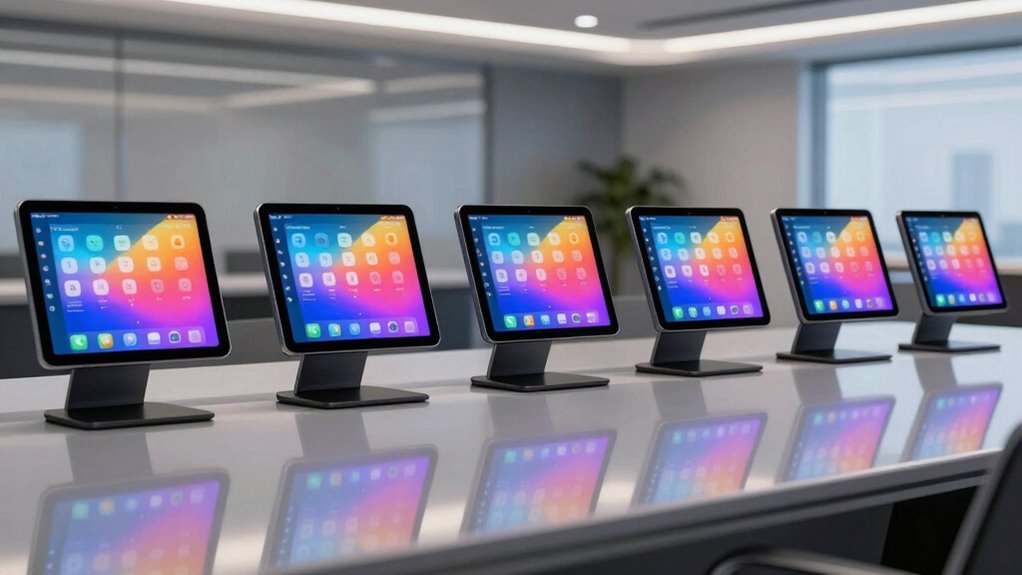

If you’re looking for the 7 best room booking display tablets for 2026, I recommend options that combine durability, seamless integration, and user-friendly features. Devices like PoE Texas 10-inch and 8-inch schedulers, a 15.6″ monitor with camera and WiFi, the rugged AOPEN kiosk, and Joan’s wireless E Ink displays stand out. Each offers different benefits suited to various environments. If you continue exploring, you’ll uncover details on features that help select the perfect fit for your space.
Key Takeaways
- Consider display size, resolution, and visual indicators for clear, real-time room status updates.
- Ensure compatibility with major calendar platforms like Google Workspace and Microsoft 365.
- Prioritize connectivity options such as PoE, Wi-Fi, or Bluetooth for flexible installation.
- Look for durable, tamper-proof designs suitable for high-traffic or demanding environments.
- Choose devices with easy mounting options and low maintenance features for seamless integration.
| PoE Texas 10-Inch Touchscreen Conference Room Scheduler |  | Best Overall | Display Size: 10.1 inches | Connectivity Type: PoE (Ethernet) | Calendar Integration: Major platforms (Microsoft 365, Google Workspace, Android) | VIEW LATEST PRICE | See Our Full Breakdown |
| 15.6″ Touchscreen Monitor with Camera and WiFi |  | Versatile Commercial Display | Display Size: 15.6 inches | Connectivity Type: WiFi, 4G, USB, HDMI | Calendar Integration: Major platforms (Google Workspace, Exchange, Office 365, iCalendar) | VIEW LATEST PRICE | See Our Full Breakdown |
| PoE Texas 8″ Conference Room Scheduler with LED | 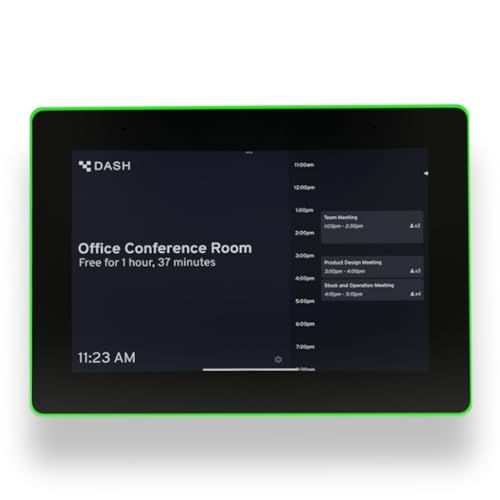 | Compact & Clear Visuals | Display Size: 8 inches | Connectivity Type: PoE, Wired, WiFi | Calendar Integration: Major platforms (Zoom Rooms, Microsoft Teams, Outlook, Google Workspace, Robin, YAROOMS, Skedda) | VIEW LATEST PRICE | See Our Full Breakdown |
| AOPEN 10″ Android All-in-One Kiosk (AT1022TB) |  | Industrial-Grade Durability | Display Size: 10.1 inches | Connectivity Type: PoE, USB, VESA mount | Calendar Integration: Major platforms (various via DASH app) | VIEW LATEST PRICE | See Our Full Breakdown |
| Joan 6 Black Wireless E Ink Meeting Scheduler |  | Eco-Friendly & Wireless | Display Size: 6 inches | Connectivity Type: PoE, WiFi, App sync | Calendar Integration: Google Workspace, Exchange, Office 365, iCalendar | VIEW LATEST PRICE | See Our Full Breakdown |
| PoE Texas 10″ Touchscreen Meeting Room Scheduler |  | Enterprise-Ready Solution | Display Size: 10 inches | Connectivity Type: PoE, WiFi, Ethernet | Calendar Integration: Major platforms (Google Workspace, Outlook, Office 365, iCalendar) | VIEW LATEST PRICE | See Our Full Breakdown |
| Joan 6 RE Black Wireless E Ink Touch Organizer | 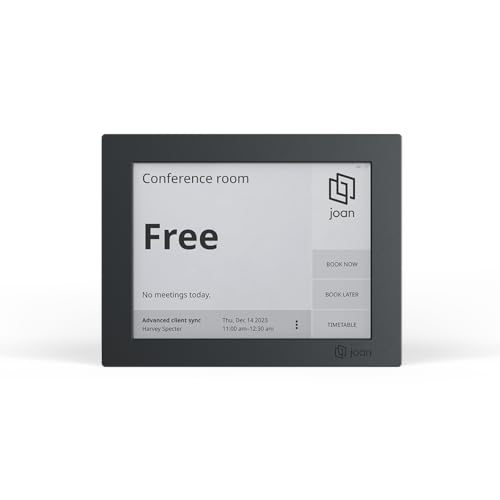 | Sustainable Office Organizer | Display Size: 6 inches | Connectivity Type: WiFi, Bluetooth, App | Calendar Integration: Workspace, Exchange, Office 365, iCalendar | VIEW LATEST PRICE | See Our Full Breakdown |
More Details on Our Top Picks
PoE Texas 10-Inch Touchscreen Conference Room Scheduler
The PoE Texas 10-Inch Touchscreen Conference Room Scheduler is ideal for organizations seeking a reliable, easy-to-install display that offers real-time room status updates. I love how it mounts outside rooms and connects via PoE, eliminating the need for extra wiring or outlets. Running on Android 13, it syncs seamlessly with Microsoft 365, Google Workspace, and other calendar platforms without extra software. The 360° LED ring provides instant visual cues—green for available, yellow for upcoming, red for occupied—so you can see status from across the hallway. It’s a straightforward, cost-effective solution that simplifies room management and enhances office communication.
- Display Size:10.1 inches
- Connectivity Type:PoE (Ethernet)
- Calendar Integration:Major platforms (Microsoft 365, Google Workspace, Android)
- Visual Indicators:360° LED ring (color change)
- Power Source:PoE (Ethernet)
- Mounting Options:Wall mount
- Additional Feature:Android 13 OS compatibility
- Additional Feature:360° LED status ring
- Additional Feature:Free default branded display
15.6″ Touchscreen Monitor with Camera and WiFi
If you need a versatile room booking display that’s easy to install and manage, the 15.6-inch touchscreen monitor with a built-in camera and WiFi is an excellent choice. It features 10-point touch for smooth interaction, along with WiFi, Bluetooth, and 4G connectivity to keep everything synced effortlessly. The Android 11 OS and 32GB storage support various apps and data, making it adaptable to different needs. Plus, the LED ring clearly indicates status, and its support for wall or bracket mounting offers flexible installation options. With multiple ports and POE support, setup is straightforward, whether in conference rooms, offices, or commercial spaces.
- Display Size:15.6 inches
- Connectivity Type:WiFi, 4G, USB, HDMI
- Calendar Integration:Major platforms (Google Workspace, Exchange, Office 365, iCalendar)
- Visual Indicators:LED ring (status lights)
- Power Source:PoE, optional wired or WiFi
- Mounting Options:Wall or bracket mount
- Additional Feature:Built-in camera included
- Additional Feature:Supports 4G connectivity
- Additional Feature:Trunking wiring design
PoE Texas 8″ Conference Room Scheduler with LED
For those seeking a reliable, easy-to-install room booking display, the PoE Texas 8″ Conference Room Scheduler with LED stands out. It features a touchscreen that shows real-time schedules and availability at a glance, with color-changing LED indicators for quick status recognition. The device seamlessly syncs with popular calendar platforms like Outlook, Google Workspace, Microsoft Teams, and more via the pre-installed DASH app—no extra software needed. Powered over Ethernet, it simplifies installation by using existing network cables, or you can opt for the included power adapter with Wi-Fi options. It’s a cost-effective, straightforward solution with a one-year warranty and U.S.-based support.
- Display Size:8 inches
- Connectivity Type:PoE, Wired, WiFi
- Calendar Integration:Major platforms (Zoom Rooms, Microsoft Teams, Outlook, Google Workspace, Robin, YAROOMS, Skedda)
- Visual Indicators:Color-changing LED indicators
- Power Source:PoE, optional wired or WiFi
- Mounting Options:Surface or mullion mount
- Additional Feature:Pre-installed DASH app
- Additional Feature:No subscription fees
- Additional Feature:Seamless calendar sync
AOPEN 10″ Android All-in-One Kiosk (AT1022TB)
Designed for demanding environments, the AOPEN 10″ Android All-in-One Kiosk (AT1022TB) stands out as a top choice for businesses seeking a durable, secure room booking display. Its rugged IP65 front panel and tamper-proof design guarantee resilience in high-touch, harsh settings like retail or industrial spaces. Equipped with a 10.1-inch capacitive touch LCD, it offers clear visuals and smooth interactions. Powered by Android 8.1 and a Rockchip RK3288 processor, it provides reliable performance, while features like PoE support simplify installation. Its VESA mount compatibility and built-in security make it versatile for various commercial applications, ensuring consistent operation in demanding environments.
- Display Size:10.1 inches
- Connectivity Type:PoE, USB, VESA mount
- Calendar Integration:Major platforms (various via DASH app)
- Visual Indicators:No specific LED indicator
- Power Source:PoE or optional power adapter
- Mounting Options:VESA mount
- Additional Feature:Durable IP65 front panel
- Additional Feature:Tamper-proof design
- Additional Feature:VESA mount compatible
Joan 6 Black Wireless E Ink Meeting Scheduler
The Joan 6 Black Wireless E Ink Meeting Scheduler stands out as an ideal choice for offices seeking a sleek, cable-free solution to manage room bookings efficiently. Its compact 6-inch E Ink touchscreen connects wirelessly to popular calendar platforms like Google Workspace, Exchange, and Office 365, providing real-time updates. I appreciate its easy setup via Wi-Fi and the magnetic mount, which allows quick repositioning on any surface. With a battery life of up to three months, it minimizes maintenance. Plus, its eco-friendly design and simple reservation process make it a smart, sustainable addition to modern workplaces, streamlining room management effortlessly.
- Display Size:6 inches
- Connectivity Type:PoE, WiFi, App sync
- Calendar Integration:Google Workspace, Exchange, Office 365, iCalendar
- Visual Indicators:Color-changing LED ring
- Power Source:PoE or optional wired/WiFi
- Mounting Options:Surface or glass/wood mount (magnetic)
- Additional Feature:Wireless, battery-powered
- Additional Feature:Eco-friendly materials
- Additional Feature:Magnetic surface mounting
PoE Texas 10″ Touchscreen Meeting Room Scheduler
If you’re seeking a reliable and easy-to-install room booking display, the PoE Texas 10″ Touchscreen Meeting Room Scheduler is an excellent choice, especially for organizations that want seamless integration with existing network infrastructure. It displays real-time room availability with a sleek touchscreen and a color-changing LED ring—green for available, yellow for upcoming, and red for occupied—visible from across hallways. Connecting via Power over Ethernet (PoE), it eliminates the need for extra power outlets. The pre-installed DASH app syncs effortlessly with major calendar platforms, with no extra software fees. Its flexible mounting options and straightforward setup make it an ideal, professional solution for efficient room management.
- Display Size:10 inches
- Connectivity Type:PoE, WiFi, Ethernet
- Calendar Integration:Major platforms (Google Workspace, Outlook, Office 365, iCalendar)
- Visual Indicators:LED ring (status lights)
- Power Source:PoE or wired/WiFi
- Mounting Options:Surface or wall mount
- Additional Feature:Color-changing LED ring
- Additional Feature:Enterprise management via MDM
- Additional Feature:Supports surface/mullion mount
Joan 6 RE Black Wireless E Ink Touch Organizer
For those seeking a sleek, wirelessly operated room booking solution, the Joan 6 RE Black Wireless E Ink Touch Organizer stands out. This 6-inch touchscreen device simplifies scheduling with real-time calendar syncs from Workspace, Exchange, Office 365, and iCalendar, plus mobile app reservations. Its battery life lasts up to three months, and it mounts easily on any surface, including glass or wood, with magnetic mounts. Setup is quick, connecting seamlessly to existing calendars via Wi-Fi and the Joan portal. With automatic status updates and notifications, it keeps everyone informed. Its eco-friendly design and flexible subscription options make it a practical, modern choice for efficient office organization.
- Display Size:6 inches
- Connectivity Type:WiFi, Bluetooth, App
- Calendar Integration:Workspace, Exchange, Office 365, iCalendar
- Visual Indicators:No specific LED indicator
- Power Source:WiFi, Bluetooth (battery-powered)
- Mounting Options:Surface (magnetic mount)
- Additional Feature:Up to 3 months battery
- Additional Feature:Real-time calendar sync
- Additional Feature:Minimal installation setup
Factors to Consider When Choosing a Room Booking Display Tablet
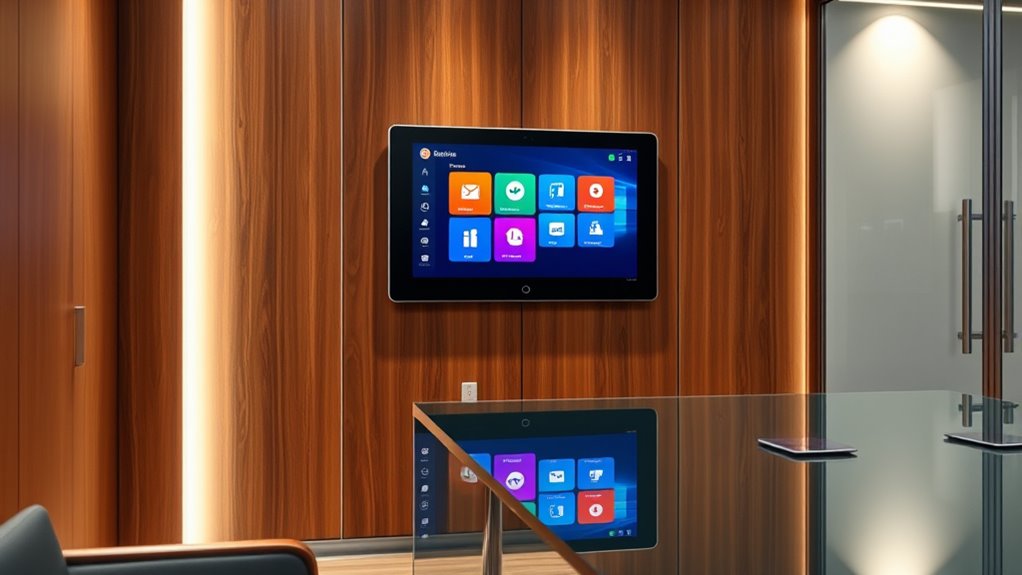
When choosing a room booking display tablet, I focus on factors like screen size and clarity to guarantee visibility from a distance. I also consider compatibility with existing calendars and the device’s connectivity and power requirements for smooth operation. Finally, I look at installation options and visual indicators to make sure the device is easy to set up and understand at a glance.
Display Size and Clarity
Choosing the right display size and clarity is crucial for guaranteeing that room booking information is easily seen and understood. Larger screens, like 10 inches or more, improve visibility from a distance, helping users quickly check room status without crowding around. High-resolution screens enhance the clarity of text and graphics, making schedules and indicators easy to read at a glance. Anti-glare or matte finishes are essential in bright environments, reducing reflections and improving readability. When selecting a size, consider the viewing distance and user flow within the space to ensure ideal usability. Clear, legible fonts and good contrast are equally important for effective communication of availability and bookings. Balancing size and clarity ensures your display is both functional and user-friendly.
Calendar Compatibility Options
Selecting a room booking display tablet that seamlessly integrates with your existing scheduling systems is vital for smooth operation. I recommend checking if the device supports popular platforms like Google Workspace, Microsoft 365, Outlook, and iCalendar to guarantee smooth syncing. It’s also important to see if it comes with pre-installed apps or requires additional software to connect with your calendars. Real-time synchronization is essential so that room availability updates instantly, preventing double bookings. Additionally, verify whether the tablet supports both cloud-based and on-premises solutions, aligning with your organization’s infrastructure. Finally, consider if the device allows manual updates or overrides, which can be helpful for last-minute scheduling changes. These factors help guarantee reliable, accurate, and flexible calendar integration.
Connectivity and Power Needs
Making sure your room booking display tablet has the right connectivity and power options is essential for a smooth setup and reliable operation. I recommend choosing a device that supports Power over Ethernet (PoE), as it simplifies installation by combining power and data through a single cable. Check that the tablet offers compatible connectivity options like Ethernet, USB, HDMI, Wi-Fi, or Bluetooth to suit your network and setup needs. Easy mounting options, such as wall or surface mounting, can help you fit the device seamlessly into your space. Additionally, consider whether the tablet has built-in wireless capabilities for flexible placement without wired connections. Finally, verify the power supply options—PoE, AC adapters, or batteries—to ensure they align with your available infrastructure and operational preferences.
Visual Status Indicators
Visual status indicators are vital for quickly communicating room availability at a glance. I look for devices with clear, color-changing LEDs that instantly show whether a room is free, occupied, or reserved. Using distinct colors like green, yellow, and red helps users interpret the status from a distance without confusion. Brightness and visibility are also essential; indicators should be easily seen under various lighting conditions. Consistent visual cues across all devices prevent misunderstandings and improve user experience. Additionally, incorporating icons or animations can make status recognition even more intuitive. By paying attention to these visual elements, I guarantee that everyone can easily understand room status, reducing delays and enhancing overall efficiency. It’s all about clear, immediate communication in busy environments.
Installation and Mounting
When choosing a room booking display tablet, it’s crucial to take into account how it will be mounted to guarantee secure and accessible placement. First, verify the tablet supports your preferred mounting method, whether wall, surface, or mullion mount. Compatibility with accessories like VESA brackets or magnetic mounts is essential for a secure, stable setup. Consider the tablet’s size and weight to determine if additional hardware or reinforcement is needed. Also, evaluate your existing infrastructure—check for nearby power outlets and Ethernet connections to ensure seamless installation. Finally, think about maintenance; select a mount that allows quick removal or adjustment for updates or repairs. Proper installation not only secures the device but also ensures easy access for future maintenance.
Frequently Asked Questions
How Durable Are These Tablets in High-Traffic Environments?
These tablets are designed to withstand high-traffic environments, and I’ve found them quite durable. They often feature reinforced screens, water and dust resistance, and sturdy mounting options that prevent damage from frequent use. While no device is completely indestructible, I’ve seen these hold up well under constant interaction, making them reliable for busy areas. Proper installation and regular maintenance also help guarantee longevity in demanding settings.
Do These Tablets Support Integration With Existing Calendar Systems?
Absolutely, these tablets support integration with popular calendar systems like Google Calendar, Microsoft Outlook, and Office 365. I know it’s frustrating when new tech doesn’t play nice with what you already use, but these devices are designed to seamlessly sync, making booking and managing rooms effortless. You won’t have to juggle multiple apps or double-check schedules—everything updates automatically, saving you time and hassle.
What Security Features Are Included to Protect Booking Data?
I can tell you that these tablets come with robust security features like data encryption, secure login protocols, and regular firmware updates to protect your booking data. They also support user authentication methods, such as biometric or password protection, ensuring only authorized personnel can access sensitive information. Plus, many models include remote management capabilities, so you can monitor and update security settings easily to keep your data safe.
Are Replacement Parts or Repairs Readily Available for These Devices?
Yes, replacement parts and repairs are generally easy to find for these devices. Most manufacturers offer extensive support, including authorized service centers and online parts catalogs. I’ve found that quick access to repairs minimizes downtime, which is vital for maintaining smooth room booking operations. Whether it’s a screen, battery, or internal component, I recommend choosing brands with strong support networks to guarantee your device stays functional and reliable.
Can These Tablets Operate Effectively Without Continuous Wifi Connectivity?
Think of these tablets like a lighthouse—they need a steady signal to guide everyone. Most models can operate without continuous Wi-Fi, but their functionality depends on how they’re set up. Some can display scheduled bookings locally, while others require internet access for real-time updates. If Wi-Fi drops, basic info might still appear, but features like live updates or remote management could be limited. So, it’s best to choose a device suited to your connectivity stability.
Conclusion
Choosing the right room booking display tablet can transform how your team manages space. For example, a mid-sized company that switched to the PoE Texas 10-Inch Touchscreen saw a 20% increase in booking efficiency. By considering factors like screen size, connectivity, and user interface, you can find the perfect fit. Don’t underestimate the impact a well-chosen device can have—streamlining meetings and freeing up valuable time for what truly matters.