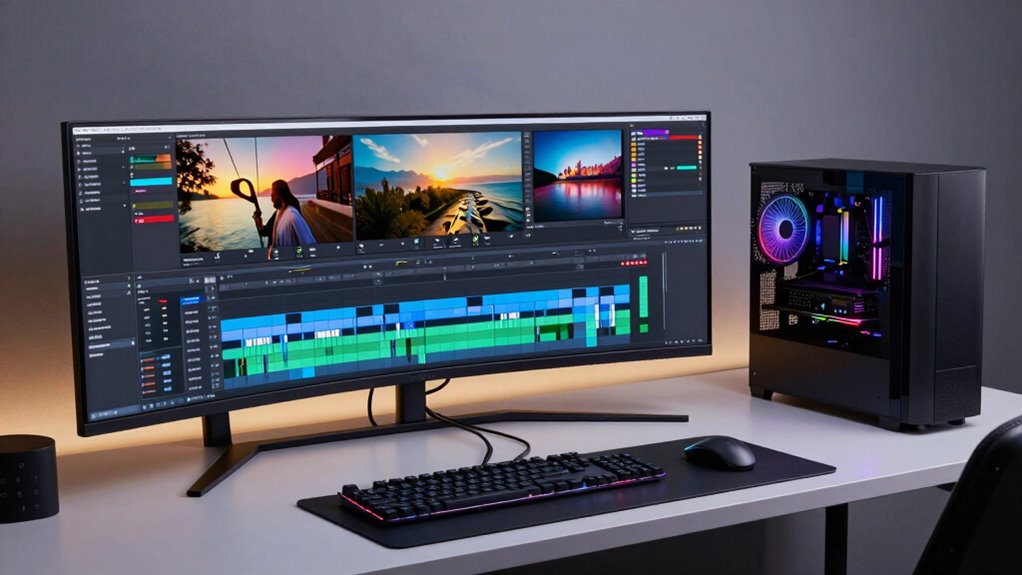

Finding the right video editing workstation PC depends on balancing raw power, reliability, and budget. The HP OMEN MAX 45L RTX 5090 stands out as the top overall pick thanks to its high-end RTX 5090 GPU and fast Ryzen 9 processor, ideal for demanding 4K and 8K editing. For those prioritizing value, the Dell Pro Tower Plus offers impressive specs at a more accessible price, though it lacks the highest-end GPU. Meanwhile, the Lenovo ThinkStation P3 is perfect for professionals needing workstation-grade performance with NVIDIA RTX 4000 graphics. The main challenge is choosing between raw power, future-proofing, and budget constraints—each option has tradeoffs. Continue reading for detailed insights on each system to help you make the best choice.
Open a free Amazon Business account
Business pricing, bulk buying and tax-exempt orders.
Create a free accountAs an affiliate, we earn on qualifying purchases.
Complete the kit



Key Takeaways
- High-end GPUs like RTX 5090 significantly improve rendering and real-time editing, but come at a higher cost.
- More RAM (64GB+) enhances multitasking and complex projects, justifying premium prices for serious editors.
- Workstation-grade CPUs (like Intel Ultra series) provide better stability and performance for large files compared to consumer CPUs.
- Many models with professional GPUs include features optimized for editing and 3D work, making them more future-proof.
- Budget options often compromise on GPU power or RAM, which can bottleneck demanding editing workflows.
| HP OMEN MAX 45L RTX 5090 Ryzen 9 9900X3D Gaming Desktop, 64GB DDR5, 4TB SSD |  | Best Overall for Power-Hungry Video Editors | Processor: AMD Ryzen 9 9900X3D (12 Cores, 24 Threads, up to 5.5GHz) | Graphics Card: NVIDIA GeForce RTX 5090 32GB GDDR7 | RAM: 64GB DDR5 | VIEW ON AMAZON | See Our Full Breakdown |
| Lenovo ThinkStation P2 Tower Desktop Computer with 24-core Intel Ultra 9 285, 64GB DDR5, 2TB SSD, Windows 11, Wi-Fi 7 |  | Best for Heavy Multitasking and Professional Workflows | Processor: Intel Ultra 9 285, 24 cores, 2.5 GHz (up to 5.6 GHz turbo) | Graphics: Integrated or none specified | RAM: 64GB DDR5 | VIEW ON AMAZON | See Our Full Breakdown |
| Dell Precision 3630 Tower Desktop Computer with Intel i7-8700, 32GB RAM, 1TB SSD, Windows 11 Pro (Renewed) |  | Best for Budget-Conscious Professionals | Processor: Intel i7-8700 | Graphics Card: None specified | RAM: 32GB DDR4 | VIEW ON AMAZON | See Our Full Breakdown |
| Dell Pro Tower Plus Desktop Computer with Intel Core Ultra 7 265, 16GB DDR5, 1TB SSD |  | Best for Professional Content Creators Needing Multiple 4K Displays | Processor: Intel Core Ultra 7 265, 20-core, up to 5.3GHz | Graphics: Integrated Intel Graphics | RAM: 16GB DDR5 | VIEW ON AMAZON | See Our Full Breakdown |
| Dell Precision Tower 5820 Workstation W-2123 4-Core 3.6GHz, 64GB RAM, 1TB NVMe SSD, NVIDIA Quadro P2000, Windows 11 Pro (Renewed) |  | Best for Power-Intensive Professional Workloads | Processor: Intel Xeon, 4 cores, 3.6 GHz | Graphics Card: NVIDIA Quadro P2000 5GB | RAM: 64GB | VIEW ON AMAZON | See Our Full Breakdown |
| Dell Workstation Desktop Computer – i7-9700, 32GB RAM, 1TB SSD + 4TB HDD, Nvidia Quadro P620, Windows 11 Pro (Renewed) |  | Best for Budget-Conscious Creatives | Processor: Intel i7-9700 | Graphics Card: Nvidia Quadro P620 2GB | RAM: 32GB DDR4 | VIEW ON AMAZON | See Our Full Breakdown |
| Dell Pro Tower Desktop PC with Intel Core i7-14700, 64GB DDR5, 1TB SSD, Windows 11 Pro |  | Best for Power Users with Dual 4K Displays | Processor: Intel Core i7-14700 20-core | Memory: 64GB DDR5 | Storage: 1TB PCIe SSD | VIEW ON AMAZON | See Our Full Breakdown |
| Dell Tower Plus EBT2250 Desktop PC with Intel Core Ultra 9 285K, 128GB DDR5 RAM, 1TB SSD, NVIDIA GeForce RTX 5060, Windows 11 Home |  | Best for High-Performance Creative and Gaming | Processor: Intel Core Ultra 9 285K 24-core | Memory: 128GB DDR5 | Storage: 1TB NVMe SSD | VIEW ON AMAZON | See Our Full Breakdown |
| HP Workstation PC Desktop Computer with NVIDIA Quadro K1200 and Intel Core i5 |  | Best for Entry-Level Creative Professionals | Processor: Intel Hexa-Core i5 | RAM: 32GB DDR4 | Primary Storage: 1TB SSD | VIEW ON AMAZON | See Our Full Breakdown |
| Dell Tower Plus EBT2250 Workstation Desktop (Next-gen XPS) |  | Best for Future-Proof Professional Editing | Processor: Intel Ultra 7-265 20-core | Graphics: GeForce RTX 5060 8GB | Memory: 32GB DDR5 | VIEW ON AMAZON | See Our Full Breakdown |
| CPU Solutions VidCore Core Ultra 9 Video Editing PC, 4K/8K, 3D Modeling, 24-Core, 64GB RAM, 2TB NVMe SSD, Quadro RTX 2000 ADA |  | Best for Heavy-Duty Professional Content Creation | Processor: Intel Core Ultra 9 24-core, up to 5.7 GHz | RAM: 64GB | Storage: 2TB NVMe SSD | VIEW ON AMAZON | See Our Full Breakdown |
| HP ProDesk 600G4 Tower Desktop Computer with Intel i7-8700, 32GB RAM, 1TB SSD, Wi-Fi 5G, Bluetooth, Windows 11 |  | Best for Mid-Range Content Creation and Professional Use | Processor: Intel i7-8700 | RAM: 32GB DDR4 | Storage: 1TB SSD | VIEW ON AMAZON | See Our Full Breakdown |
| HP OMEN 16L TG03 Desktop PC with 2TB SSD and 64GB RAM |  | Best for Gaming and Content Creation on a High-Performance Platform | Processor: Intel Core i9-14900 | Processor Speed: Turbo boost to 6.00 GHz | RAM: 64GB DDR5 | VIEW ON AMAZON | See Our Full Breakdown |
| Lenovo ThinkStation P3 Tower Gen 2 Workstation with Intel Core Ultra 9 285 vPro, NVIDIA RTX 4000 Ada Graphics, 2TB NVMe SSD, 64GB DDR5 RAM, WiFi 7, Windows 11 Pro |  | Best for Enterprise-Level Creative and AI Workloads | Processor: Intel Core Ultra 9 285 vPro | Graphics: NVIDIA RTX 4000 Ada, 20GB GDDR6 | Storage: 2TB NVMe Gen 5 SSD | VIEW ON AMAZON | See Our Full Breakdown |
| video editing workstation pc | Processor | Storage | RAM | Operating System |
|---|---|---|---|---|
| HP OMEN MAX 45L RTX 5090 Ryzen | AMD Ryzen 9 9900X3D (12 Cores, 24 Threads, up to 5.5GHz) | 4TB PCIe NVMe M.2 SSD | 64GB DDR5 | — |
| Lenovo ThinkStation P2 Tower D | Intel Ultra 9 285, 24 cores, 2.5 GHz (up to 5.6 GHz turbo) | 2TB SSD | 64GB DDR5 | Windows 11 |
| Dell Precision 3630 Tower Desk | Intel i7-8700 | 1TB SSD | 32GB DDR4 | Windows 11 Pro |
| Dell Pro Tower Plus Desktop Co | Intel Core Ultra 7 265, 20-core, up to 5.3GHz | 1TB PCIe NVMe SSD | 16GB DDR5 | — |
| Dell Precision Tower 5820 Work | Intel Xeon, 4 cores, 3.6 GHz | 1TB NVMe SSD | 64GB | Windows 11 Pro |
| Dell Workstation Desktop Compu | Intel i7-9700 | — | 32GB DDR4 | Windows 11 Pro |
| Dell Pro Tower Desktop PC with | Intel Core i7-14700 20-core | 1TB PCIe SSD | — | Windows 11 Pro |
| Dell Tower Plus EBT2250 Deskto | Intel Core Ultra 9 285K 24-core | 1TB NVMe SSD | — | Windows 11 Home |
| HP Workstation PC Desktop Comp | Intel Hexa-Core i5 | — | 32GB DDR4 | Windows 11 Pro |
| Dell Tower Plus EBT2250 Workst | Intel Ultra 7-265 20-core | 1TB PCIe NVMe SSD | — | Windows 11 Pro |
| CPU Solutions VidCore Core Ult | Intel Core Ultra 9 24-core, up to 5.7 GHz | 2TB NVMe SSD | 64GB | — |
| HP ProDesk 600G4 Tower Desktop | Intel i7-8700 | 1TB SSD | 32GB DDR4 | Windows 11 |
| HP OMEN 16L TG03 Desktop PC wi | Intel Core i9-14900 | 2TB PCIe NVMe SSD | 64GB DDR5 | Windows 11 |
| Lenovo ThinkStation P3 Tower G | Intel Core Ultra 9 285 vPro | 2TB NVMe Gen 5 SSD | — | — |
More Details on Our Top Picks
HP OMEN MAX 45L RTX 5090 Ryzen 9 9900X3D Gaming Desktop, 64GB DDR5, 4TB SSD
This desktop stands out for its combination of a high-end AMD Ryzen 9 9900X3D processor and NVIDIA GeForce RTX 5090 graphics, making it an excellent choice for demanding video editing and 3D rendering. Its 64GB DDR5 RAM ensures smooth multitasking, while the 4TB SSD provides rapid access to large files. Compared with the Dell Precision 3630, it offers superior gaming and rendering capabilities thanks to dedicated high-end GPU, but this comes with a larger footprint and a higher price tag. The advanced Cryo Chamber cooling helps maintain thermal performance under load, which is crucial during long editing sessions. However, its size and complexity may challenge those with limited space or less technical experience for upgrades. This system is ideal for creative professionals who need raw power and are comfortable with a sizable desktop setup.
Pros:- Exceptional processing power with Ryzen 9 9900X3D
- High-capacity 64GB DDR5 RAM for multitasking
- Fast 4TB SSD for quick load and transfer times
- Advanced cooling system maintains performance during intensive tasks
Cons:- Large 45L case may not fit in compact workspaces
- High-end components result in a premium price
- Requires technical knowledge for upgrades
Best for: Video editors and 3D artists requiring maximum processing power and large storage capacity
Not ideal for: Casual editors or those with limited space who prefer a smaller or more budget-friendly system
- Processor:AMD Ryzen 9 9900X3D (12 Cores, 24 Threads, up to 5.5GHz)
- Graphics Card:NVIDIA GeForce RTX 5090 32GB GDDR7
- RAM:64GB DDR5
- Storage:4TB PCIe NVMe M.2 SSD
- Cooling:Cryo Chamber cooling system
- Connectivity:Wi-Fi 7, Bluetooth, USB Type-A and Type-C, HDMI, DisplayPort, RJ-45
Our verdict“This pick is perfect for professionals who need maximum performance and have the space and experience to handle a high-end gaming-grade system.”
Lenovo ThinkStation P2 Tower Desktop Computer with 24-core Intel Ultra 9 285, 64GB DDR5, 2TB SSD, Windows 11, Wi-Fi 7
The Lenovo ThinkStation P2 Tower excels at handling complex workflows, thanks to its 24-core Intel Ultra 9 285 processor and 64GB DDR5 RAM. Its 2TB SSD provides ample fast storage, beating the Dell Precision 3630 in multitasking capacity, especially for professional-grade applications. Unlike some systems lacking dedicated graphics, this model’s focus on processing power makes it better suited for tasks like video editing, rendering, and data analysis, though it may underperform in GPU-intensive tasks compared to the HP OMEN MAX. Its multiple display outputs and Wi-Fi 7 support aid productivity, but the absence of a dedicated GPU limits its suitability for high-end visual effects or gaming. This system is ideal for professionals who prioritize processing power and connectivity over gaming or graphics-intensive workflows.
Pros:- Powerful 24-core Intel Ultra 9 285 processor
- Large 64GB DDR5 RAM for demanding multitasking
- Fast 2TB SSD for rapid data access
- Supports Wi-Fi 7 and multiple display options
Cons:- Lacks dedicated graphics card, limiting high-end visual work
- Higher price due to premium specs
- Wired keyboard and mouse may reduce mobility
Best for: Professionals needing robust multitasking and high-speed data processing for creative or technical workflows
Not ideal for: Gamers or those requiring high-end GPU performance for intensive visual effects
- Processor:Intel Ultra 9 285, 24 cores, 2.5 GHz (up to 5.6 GHz turbo)
- Graphics:Integrated or none specified
- RAM:64GB DDR5
- Storage:2TB SSD
- Connectivity:Wi-Fi 7, Bluetooth 5.4, multiple display outputs
- Operating System:Windows 11
Our verdict“This system is best suited for professional users who need raw processing power and extensive connectivity for multitasking and data-heavy workflows.”
Dell Precision 3630 Tower Desktop Computer with Intel i7-8700, 32GB RAM, 1TB SSD, Windows 11 Pro (Renewed)
The Dell Precision 3630 Tower offers a solid foundation for editing and content creation with its Intel i7-8700 processor and 32GB RAM. Its 1TB SSD ensures quick startup and data access, outperforming lower-spec systems for everyday creative tasks. Compared to the Lenovo ThinkStation, it provides a more streamlined form factor and a proven Windows environment, although it lacks a dedicated GPU, which limits performance in GPU-heavy editing. As a renewed system, it strikes a balance between cost and functionality, but its older CPU and limited upgrade options might hold back future-proofing. This is a practical choice for those starting professional editing or working within a budget, but not ideal for high-end 3D rendering or gaming.
Pros:- Reliable Intel i7-8700 processor
- Large 32GB RAM supports multitasking
- Fast 1TB SSD for quick data access
- Renewed system offers value with warranty
Cons:- No dedicated graphics card limits GPU-intensive tasks
- Bulkier tower design may not suit all spaces
- Older CPU may impact future performance
Best for: Budget-conscious professionals needing reliable performance for general video editing and content creation
Not ideal for: Heavy 3D rendering or GPU-dependent workflows requiring dedicated graphics
- Processor:Intel i7-8700
- Graphics Card:None specified
- RAM:32GB DDR4
- Storage:1TB SSD
- Operating System:Windows 11 Pro
- Ports:USB 3.0 x5, USB 2.0 x4, DisplayPort x2
Our verdict“This system is well-suited for entry-level or mid-range video editing with a focus on affordability and reliability.”
Dell Pro Tower Plus Desktop Computer with Intel Core Ultra 7 265, 16GB DDR5, 1TB SSD
The Dell Pro Tower Plus is tailored for professionals who rely on multiple high-resolution screens, supporting up to 3x 4K displays via DisplayPort. Its Intel Core Ultra 7 265 processor, with 20 cores and AI acceleration, provides ample power for demanding tasks like data analysis, editing, and multitasking. Compared to systems like the HP OMEN MAX, it sacrifices gaming performance for a more business-friendly design and enhanced display support. Its 16GB DDR5 RAM is adequate for most editing workflows, but may limit future expandability. The absence of Wi-Fi and reliance on Ethernet could be inconvenient for some users. This system is best for creative professionals who prioritize display real estate and AI-enhanced processing over GPU-intensive tasks.
Pros:- Supports triple 4K display output
- Powerful AI-accelerated processor with 20 cores
- Fast DDR5 RAM and SSD for smooth performance
- Multiple USB and display connectivity options
Cons:- No built-in Wi-Fi, needs Ethernet or adapter
- Limited upgrade options due to compact form factor
- No dedicated graphics card for GPU-heavy tasks
Best for: Content creators and professionals needing extensive multi-display setups and AI-accelerated workflows
Not ideal for: High-end gamers or users requiring dedicated GPU power for 3D rendering
- Processor:Intel Core Ultra 7 265, 20-core, up to 5.3GHz
- Graphics:Integrated Intel Graphics
- RAM:16GB DDR5
- Storage:1TB PCIe NVMe SSD
- Display Support:Supports 3x 4K via DisplayPort
- Connectivity:Ethernet, USB-C, multiple USB ports
Our verdict“This workstation excels for professionals who need multi-display productivity and AI processing in a compact, business-oriented package.”
Dell Precision Tower 5820 Workstation W-2123 4-Core 3.6GHz, 64GB RAM, 1TB NVMe SSD, NVIDIA Quadro P2000, Windows 11 Pro (Renewed)
The Dell Precision 5820 combines a Xeon processor with 64GB RAM and a NVIDIA Quadro P2000 for demanding editing, rendering, and CAD tasks. Its 1TB NVMe SSD ensures rapid data access, while its renewed status offers value for professional workflows. Compared with the HP OMEN MAX, it provides more workstation-focused features but is bulkier and less suited for gaming. The system’s larger size makes it less flexible for tight spaces, yet it delivers stability and high performance required for enterprise or serious creative projects. The Xeon CPU offers robust multitasking capabilities, but the 4-core count is lower than some competitors, which could limit future scalability. It’s best for professionals who prioritize stability and certified workstation features over gaming or high-GPU workloads.
Pros:- Workstation-grade Xeon processor
- Large 64GB RAM for heavy multitasking
- Fast 1TB NVMe SSD for quick data access
- NVIDIA Quadro P2000 for professional visual tasks
Cons:- Bulkier size and less portability
- Lower CPU core count limits future scalability
- Designed primarily for professional workloads, not gaming
Best for: Creative professionals and engineers requiring workstation-grade reliability and performance
Not ideal for: Casual users or gamers who need high GPU power or compact design
- Processor:Intel Xeon, 4 cores, 3.6 GHz
- Graphics Card:NVIDIA Quadro P2000 5GB
- RAM:64GB
- Storage:1TB NVMe SSD
- Operating System:Windows 11 Pro
- Dimensions:24 x 24 x 12 inches
Our verdict“This system is ideal for professionals who need dependable, high-performance workstation features for demanding content creation or engineering tasks.”
Dell Workstation Desktop Computer – i7-9700, 32GB RAM, 1TB SSD + 4TB HDD, Nvidia Quadro P620, Windows 11 Pro (Renewed)
This Dell Workstation balances performance and affordability, making it a solid choice for those starting in professional video editing. Its Intel i7-9700 processor and 32GB RAM handle demanding editing tasks adequately, especially when compared with the HP Quadro K1200-based options. The inclusion of a dedicated Nvidia Quadro P620 ensures reliable graphics acceleration, though it falls short for high-end 3D rendering. The dual storage setup with a 1TB SSD and 4TB HDD provides ample space and fast access for editing files. As a renewed product, warranty limitations are a concern, and its bulkier design demands space. Compared to more powerful options like the Dell Pro Tower, this model offers less future-proofing but at a lower price point. This pick makes the most sense for budget-conscious professionals needing reliable performance without high-end rendering capabilities.
Pros:- Affordable price point for a workstation
- Large storage capacity with SSD and HDD
- Certified for professional editing software
Cons:- Renewed product may have limited warranty
- Bulkier desktop design needs ample space
- Graphics card less suitable for demanding 3D rendering
Best for: Entry-level video editors or small studios needing a reliable workstation on a budget
Not ideal for: High-end 3D artists or those requiring intensive GPU rendering, due to its modest graphics card
- Processor:Intel i7-9700
- Graphics Card:Nvidia Quadro P620 2GB
- RAM:32GB DDR4
- Primary Storage:1TB SSD
- Secondary Storage:4TB HDD
- Operating System:Windows 11 Pro
Our verdict“This Dell offers reliable, budget-friendly performance suitable for entry-level professional editing, but isn’t ideal for high-demand 3D workflows.”
Dell Pro Tower Desktop PC with Intel Core i7-14700, 64GB DDR5, 1TB SSD, Windows 11 Pro
This Dell Pro Tower stands out for its Intel Core i7-14700 processor and 64GB DDR5 RAM, making it ideal for multitasking and demanding editing workflows, especially when compared to the more modest i7-9700 setups. Its support for dual 4K displays enhances productivity, crucial for professional video editors handling multiple timelines or tools simultaneously. The tower’s expandability and efficient cooling cater to long editing sessions and future upgrades, although the absence of built-in Wi-Fi requires an Ethernet or wireless adapter, adding to setup complexity. The higher price point reflects its high performance but may be less attractive for those with simpler workflows. This model makes the most sense for experienced editors who need robust multitasking and multi-monitor support without stepping into workstation-grade graphics.
Pros:- Powerful 20-core processor with high boost clock
- 64GB DDR5 RAM supports heavy multitasking
- Supports dual 4K monitors for expanded workspace
Cons:- No built-in Wi-Fi, needs Ethernet or adapter
- Potentially high price for non-gaming use
- No included peripherals
Best for: Professional video editors who need high multitasking capacity and multiple 4K display support
Not ideal for: Casual users or those with limited space, due to its size and higher cost
- Processor:Intel Core i7-14700 20-core
- Memory:64GB DDR5
- Storage:1TB PCIe SSD
- Graphics:Intel UHD Graphics 770
- Display Support:Dual 4K
- Operating System:Windows 11 Pro
Our verdict“This workstation is perfect for professional editors needing extensive multitasking and high-resolution display support, though at a premium price.”
Dell Tower Plus EBT2250 Desktop PC with Intel Core Ultra 9 285K, 128GB DDR5 RAM, 1TB SSD, NVIDIA GeForce RTX 5060, Windows 11 Home
This Dell Tower Plus EBT2250 packs a punch with its Intel Core Ultra 9 285K processor and 128GB DDR5 RAM, making it a top choice for intensive video editing and 3D rendering, especially when compared to lower-spec models. The NVIDIA GeForce RTX 5060 offers robust graphics performance for both editing acceleration and gaming, appealing to creators who also game or need GPU-accelerated rendering. Its fast 1TB NVMe SSD ensures quick data access, while the expandable ports and connectivity support a variety of peripherals. However, its heavy weight and potentially high cost might make it less suitable for those with limited space or strict budgets. This model caters best to power users who demand both professional editing power and gaming capability.
Pros:- High-performance 24-core processor with turbo up to 5.7GHz
- 128GB DDR5 RAM for demanding multitasking
- Powerful RTX 5060 GPU suitable for both editing and gaming
Cons:- Heavy and bulky at 19 lbs
- Limited info on upgrade options
- Price not specified, potentially high
Best for: High-end creative professionals who also want gaming or GPU-intensive rendering
Not ideal for: Budget-conscious editors or those with limited space, due to its weight and price
- Processor:Intel Core Ultra 9 285K 24-core
- Memory:128GB DDR5
- Storage:1TB NVMe SSD
- Graphics Card:NVIDIA GeForce RTX 5060 8GB
- Operating System:Windows 11 Home
- Connectivity:Wi-Fi 7, Thunderbolt 4
Our verdict“This desktop is tailored for creators needing top-tier processing and graphics, blending professional editing with gaming prowess.”
HP Workstation PC Desktop Computer with NVIDIA Quadro K1200 and Intel Core i5
This HP Workstation balances basic professional needs with affordability, making it suitable for less intensive editing tasks. Its Intel Hexa-Core i5 processor and 32GB RAM handle several editing applications simultaneously, especially when compared with consumer-grade desktops. The NVIDIA Quadro K1200 4GB graphics support moderate GPU acceleration, enough for light 3D work and rendering, but it lags behind higher-end cards for complex projects. The combination of a 1TB SSD and a 4TB HDD provides sufficient storage, though the bulkier design and renewed status might raise concerns for space and warranty. This makes sense for entry-level professionals or small offices focusing on basic editing workflows without needing premium GPU power.
Pros:- Decent hardware for basic and intermediate editing
- Large storage with fast SSD and HDD
- Pre-installed with Windows 11 Pro
Cons:- Bulky design requiring space
- Renewed product may have limited warranty
- GPU not suitable for demanding 3D projects
Best for: Beginner to intermediate video editors or small creative teams
Not ideal for: High-end professionals or those doing complex 3D rendering, due to limited GPU power
- Processor:Intel Hexa-Core i5
- RAM:32GB DDR4
- Primary Storage:1TB SSD
- Additional Storage:4TB HDD
- Graphics Card:NVIDIA Quadro K1200 4GB
- Operating System:Windows 11 Pro
Our verdict“This HP offers a capable entry point for smaller editing projects but isn’t equipped for heavy 3D rendering or high-end workflows.”
Dell Tower Plus EBT2250 Workstation Desktop (Next-gen XPS)
This Dell Tower Plus EBT2250 is built for demanding workflows, featuring a 15th Gen Intel Ultra 7-265 processor and RTX 5060 graphics, making it suitable for complex editing and rendering tasks. Its 32GB DDR5 RAM supports seamless multitasking, outperforming older-generation systems like the Dell Precision 5820 with less advanced processors. The inclusion of a 1TB PCIe NVMe SSD ensures rapid data access, and the extensive port selection, including Thunderbolt 4, supports multiple peripherals. Its high-performance hardware and modern connectivity options cater to those who want a future-ready workstation. The absence of a specified price and potential premium cost might be limiting factors for some buyers. It’s a solid choice for professionals looking for a balance of power and expandability in a sleek form factor.
Pros:- Powerful 20-core processor with high turbo clock
- Fast 1TB PCIe NVMe SSD
- Multiple connectivity options including Thunderbolt 4
Cons:- No price info available
- Potentially high cost for top-tier hardware
- Heavy and requires ample space
Best for: Advanced video editors and professionals needing future-proof hardware and extensive connectivity
Not ideal for: Budget-conscious users or those with space limitations, due to its high-end specs and cost
- Processor:Intel Ultra 7-265 20-core
- Graphics:GeForce RTX 5060 8GB
- Memory:32GB DDR5
- Storage:1TB PCIe NVMe SSD
- Connectivity:Thunderbolt 4, Wi-Fi 6E
- Operating System:Windows 11 Pro
Our verdict“This high-end Dell configuration offers the power and expandability necessary for demanding editing tasks and future upgrades, though at a premium cost.”
CPU Solutions VidCore Core Ultra 9 Video Editing PC, 4K/8K, 3D Modeling, 24-Core, 64GB RAM, 2TB NVMe SSD, Quadro RTX 2000 ADA
This workstation stands out for tackling the most demanding editing tasks, especially when working with 4K and 8K footage, thanks to its powerful 24-core Intel Core Ultra 9 processor and professional-grade Quadro RTX 2000 ADA GPU. Compared with the HP OMEN 16L, which excels in gaming and multitasking but lacks workstation-class graphics, this system is tailored to professionals who need reliability and high-end visuals. The extensive RAM and fast NVMe storage support complex workflows, but its large size and professional hardware come at a higher price. Ideal for video editors, 3D artists, and content creators requiring maximum performance, it may be overkill for casual users or those with less demanding needs.
Pros:- Exceptional processing power for demanding workflows
- Quadro RTX 2000 ADA GPU delivers high-quality visuals
- Ample 64GB RAM and 2TB NVMe SSD support complex projects
- Supports multiple 4K monitors for enhanced productivity
Cons:- High cost limits accessibility for hobbyists
- Large tower requires significant workspace
Best for: Professional video editors and 3D modelers working with high-resolution content
Not ideal for: Casual creators or those with limited space, due to its size and cost
- Processor:Intel Core Ultra 9 24-core, up to 5.7 GHz
- RAM:64GB
- Storage:2TB NVMe SSD
- Graphics Card:Quadro RTX 2000 ADA with 16GB VRAM
- Power Supply:650W
- Cooling System:All-in-one liquid cooler
Our verdict“This is best suited for professionals who need top-tier performance and are willing to invest in a workstation-grade system.”
HP ProDesk 600G4 Tower Desktop Computer with Intel i7-8700, 32GB RAM, 1TB SSD, Wi-Fi 5G, Bluetooth, Windows 11
The HP ProDesk 600G4 offers a solid foundation for editing and multimedia tasks, with its Intel i7-8700 processor and 32GB RAM providing ample power for most workflows. Compared with the Lenovo ThinkStation P3, which features newer DDR5 memory and enterprise-grade components, this system is more budget-friendly but less future-proof. Its lack of dedicated GPU limits high-end rendering or 3D work, but it excels at 4K editing, multitasking, and general productivity. The tower design might be less sleek than some all-in-one options, but its expandability makes it appealing for users who want to upgrade later.
Pros:- Powerful Intel i7 processor with 32GB RAM for multitasking
- Fast 1TB SSD ensures quick load and boot times
- Modern connectivity options including Wi-Fi 5G and multiple USB ports
- Expandable for future upgrades
Cons:- Lacks a dedicated graphics card for GPU-accelerated tasks
- Renewed product might have limited warranty
Best for: Content creators and professionals needing reliable performance with upgrade potential
Not ideal for: High-end 3D artists or gamers requiring dedicated graphics for intensive rendering or gameplay
- Processor:Intel i7-8700
- RAM:32GB DDR4
- Storage:1TB SSD
- Operating System:Windows 11
- Wireless:Wi-Fi 5G, Bluetooth
- Ports:USB 3.0 x6, USB 2.0 x4, USB Type-C x1
Our verdict“This desktop is a balanced choice for professional editing and general multimedia work, especially where upgradeability matters.”
HP OMEN 16L TG03 Desktop PC with 2TB SSD and 64GB RAM
The HP OMEN 16L TG03 shines with its Intel Core i9-14900 CPU and GeForce RTX 5060 GPU, making it ideal for gaming as well as intensive content creation work. Compared to the Lenovo ThinkStation P3, which targets professional workflows with enterprise features, this model emphasizes raw speed and gaming capabilities, though it may lack some professional graphics features. Its fast 2TB SSD and 64GB RAM support large files and multitasking, but the absence of included peripherals and the premium price tag might deter casual buyers. Its sleek design suits modern setups, and it balances gaming and editing tasks well.
Pros:- High-speed Intel Core i9 processor with turbo boost
- Large 64GB DDR5 RAM for demanding multitasking
- Fast 2TB SSD provides quick access to files
- Gaming-capable GeForce RTX 5060 GPU
Cons:- No bundled monitor or peripherals
- High price tag may limit budget-conscious buyers
Best for: Content creators who also want gaming performance or need a versatile machine
Not ideal for: Purely professional workflows requiring workstation-class graphics or scalability
- Processor:Intel Core i9-14900
- Processor Speed:Turbo boost to 6.00 GHz
- RAM:64GB DDR5
- Storage:2TB PCIe NVMe SSD
- Graphics Card:GeForce RTX 5060 8GB GDDR7
- Operating System:Windows 11
Our verdict“This system balances gaming and content creation, making it suitable for power users who want versatility without professional-grade workstation features.”
Lenovo ThinkStation P3 Tower Gen 2 Workstation with Intel Core Ultra 9 285 vPro, NVIDIA RTX 4000 Ada Graphics, 2TB NVMe SSD, 64GB DDR5 RAM, WiFi 7, Windows 11 Pro
The Lenovo ThinkStation P3 Tower Gen 2 is engineered for demanding professional environments, with its Intel Core Ultra 9 285 vPro processor and NVIDIA RTX 4000 Ada graphics delivering enterprise-grade reliability and speed. Compared with the CPU Solutions VidCore Ultra 9, which emphasizes raw power for high-end editing, the P3 adds features like secure storage, enterprise connectivity, and advanced cooling, suited for large-scale projects or AI workloads. Its premium build and scalable design come at a higher cost, making it less suitable for hobbyists. The inclusion of WiFi 7 and high-end security features makes it a strong choice for professional studios or agencies.
Pros:- High-performance Intel Core Ultra 9 285 vPro processor
- Enterprise-grade NVIDIA RTX 4000 Ada GPU
- Fast 2TB NVMe Gen 5 SSD and DDR5 RAM
- Secure, scalable, and designed for reliability
Cons:- Premium price limits accessibility
- Complex setup for users unfamiliar with enterprise hardware
Best for: Large professional studios, AI developers, and high-end content creators needing scalability
Not ideal for: Budget-conscious hobbyists or casual users due to its enterprise focus and cost
- Processor:Intel Core Ultra 9 285 vPro
- Graphics:NVIDIA RTX 4000 Ada, 20GB GDDR6
- Storage:2TB NVMe Gen 5 SSD
- Memory:64GB DDR5 6400MHz
- WiFi:WiFi 7
- Additional Features:Dual 2.5Gbps Ethernet, chassis intrusion detection
Our verdict“This workstation excels for enterprise-level professionals who require high reliability, security, and scalability for demanding content and AI tasks.”
How We Picked
These PCs were selected based on performance benchmarks relevant to video editing, including CPU and GPU power, RAM capacity, storage speed, and expandability. Reliability, build quality, and user reviews also played key roles, especially for long-term use and maintenance. We prioritized systems that balance high performance with value, focusing on configurations that can handle 4K and 8K editing smoothly while considering future upgrade potential. The ranking reflects a combination of raw power, versatility, and cost-effectiveness, ensuring options for different editing needs and budgets.| video editing workstation pc | Operating System |
|---|---|
| HP OMEN MAX 45L RTX 5090 Ryzen | — |
| Lenovo ThinkStation P2 Tower D | Windows 11 |
| Dell Precision 3630 Tower Desk | Windows 11 Pro |
| Dell Pro Tower Plus Desktop Co | — |
| Dell Precision Tower 5820 Work | Windows 11 Pro |
| Dell Workstation Desktop Compu | Windows 11 Pro |
| Dell Pro Tower Desktop PC with | Windows 11 Pro |
| Dell Tower Plus EBT2250 Deskto | Windows 11 Home |
| HP Workstation PC Desktop Comp | Windows 11 Pro |
| Dell Tower Plus EBT2250 Workst | Windows 11 Pro |
| CPU Solutions VidCore Core Ult | — |
| HP ProDesk 600G4 Tower Desktop | Windows 11 |
| HP OMEN 16L TG03 Desktop PC wi | Windows 11 |
| Lenovo ThinkStation P3 Tower G | — |
Factors to Consider When Choosing Video Editing Workstation Pc
Choosing a video editing workstation PC involves understanding several critical factors beyond raw specs. These choices impact your editing experience, project scale, and future-proofing. Making the right tradeoffs can save you money and frustration, so consider each factor carefully before purchasing.GPU Power for Rendering and Real-Time Playback
A powerful GPU is essential for rendering high-resolution videos efficiently and maintaining smooth playback during editing. Professional-grade GPUs like NVIDIA RTX 4000 or RTX 5090 offer hardware acceleration for editing software, which reduces processing time and improves stability. However, these come at a premium, so if your projects are mostly 1080p or moderate 4K, a mid-tier GPU may suffice and save costs. Be cautious about over-investing in GPU power if your workflow doesn’t demand it, as this can lead to unnecessary expenses without tangible benefits.
Processor Choice for Multitasking and Export Speeds
The CPU handles most of the editing tasks, from applying effects to exporting final videos. High-core-count processors like AMD Ryzen 9 or Intel Ultra series dramatically reduce rendering times and handle multitasking better. Cheaper options with fewer cores can slow down your workflow, especially with complex projects. However, investing in top-tier CPUs may lead to diminishing returns if your software isn’t optimized for multi-core performance. Balance your CPU choice with your software’s capabilities and your typical project complexity.
Memory and Storage for Large Files
Video editing demands substantial RAM—typically 32GB minimum for 4K editing, with 64GB or more preferable for 8K or multi-layer projects. Fast SSD storage, especially NVMe drives, significantly speeds up file access and reduces load times. Combining ample RAM with speedy storage minimizes bottlenecks, but these upgrades increase overall cost. Be aware that more RAM and SSDs can also complicate future upgrades, so choose systems that allow easy expansion if your needs grow.
Expandability and Future-Proofing
A good workstation PC should allow upgrades—additional RAM slots, extra storage bays, and PCIe slots for future GPU or SSD upgrades. This flexibility extends the lifespan of your investment and adapts to evolving software requirements. Cheaper or compact systems often limit expandability, which could force an earlier replacement. Think about how your project demands might evolve and opt for a system with room to grow, especially if you plan to stay in the editing field long-term.
Build Quality and Reliability
Since editing workstations run intensive tasks for hours, durability and cooling are key. Well-built cases with good airflow prevent overheating, which can throttle performance or cause hardware failures. Reliable brands with solid customer support reduce downtime and repair costs. While premium models tend to have better build quality, some budget options still offer decent reliability if properly configured. Prioritize systems with good reviews on longevity and thermal management to avoid costly repairs or replacements down the line.
Frequently Asked Questions
Is a higher-end GPU worth it for casual video editing?
If your editing involves 4K footage, multiple layers, or effects like color grading and 3D rendering, a high-end GPU can significantly cut down rendering times and improve real-time playback. For casual or hobbyist editing at 1080p, mid-tier GPUs are often sufficient and more budget-friendly. Over-investing in GPU power beyond your actual needs can lead to unnecessary expenses without noticeable gains. Evaluate your typical project complexity to match the GPU to your workflow.
How much RAM do I need for 4K editing?
For most 4K projects, 32GB of RAM provides a comfortable buffer for multitasking and handling large files smoothly. If you frequently work with multi-layer timelines, high-resolution effects, or plan to upgrade to 8K footage, 64GB or more can prevent slowdowns. Keep in mind that more RAM improves responsiveness but also adds to the cost, so choose a system with upgrade paths if you anticipate future needs.
Should I prioritize a workstation or gaming PC for video editing?
While gaming PCs often have powerful CPUs and GPUs, workstations are designed for professional workloads with better reliability, expandability, and certified drivers for editing software. If your editing involves large files, complex effects, or 3D work, a workstation provides stability and long-term performance advantages. Conversely, gaming PCs can be cost-effective for lighter editing but may lack future upgradeability or consistent performance over time.
Is storage speed more important than capacity for editing?
Fast NVMe SSDs dramatically reduce load times, rendering, and export durations, making them highly valuable for editing workflows. Capacity depends on your project size; larger projects require more storage space. Ideally, combine a smaller, fast SSD for active projects with larger HDDs for archival storage. Prioritizing speed in your primary drive minimizes workflow bottlenecks, but don’t neglect capacity—manage your storage to balance both aspects effectively.
What should I look for in power supply and cooling?
A reliable power supply with enough wattage ensures stable operation, especially with high-power GPUs and CPUs. Look for units rated 80 Plus Gold or better for efficiency. Adequate cooling, including quality fans and airflow design, prevents thermal throttling during long editing sessions. Overheating hardware can reduce lifespan and cause crashes, so choose a system with good thermal management and consider upgrading cooling solutions if necessary.
Conclusion
For serious professionals handling large projects or 8K footage, the Lenovo ThinkStation P3 or HP OMEN MAX 45L provide the power and expandability needed, making them ideal choices. Budget-conscious editors or hobbyists will find the Dell Pro Tower Plus offers excellent value without sacrificing too much performance. Beginners or those just starting with 4K editing should aim for a system with a good balance of CPU, RAM, and GPU, such as the Dell Tower Plus EBT2250. Creative professionals requiring top-tier reliability and future-proofing should consider premium options like the Lenovo ThinkStation P3 Tower Gen 2. Choose based on your workload, budget, and long-term needs to ensure your editing environment supports your growth.
As an affiliate, we earn on qualifying purchases.Fall Picks
fall essentials