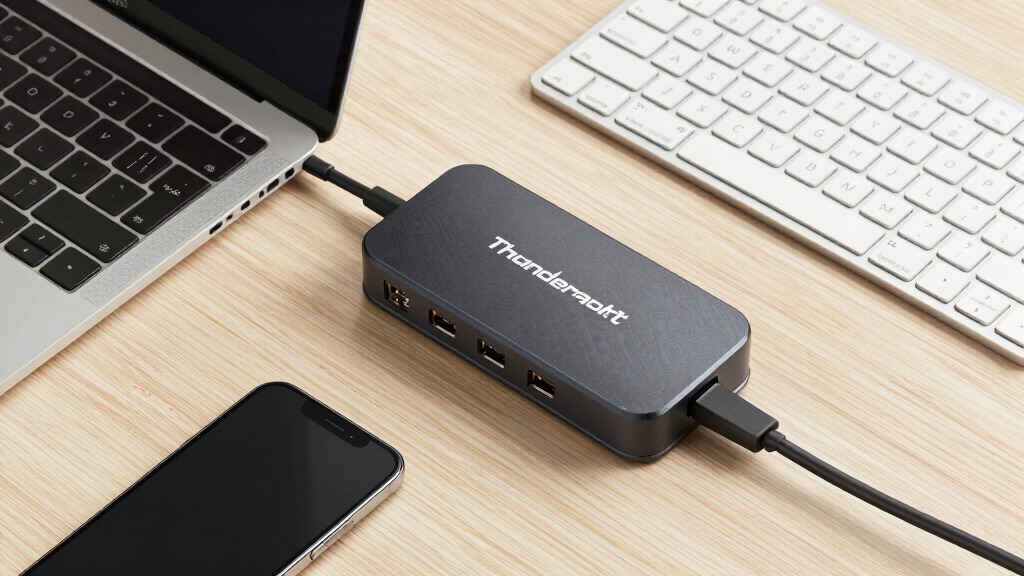

Finding the right thunderbolt docking station can dramatically enhance your workspace by offering seamless connectivity, fast data transfer, and multiple display support. The best models balance power delivery, port variety, and build quality, but tradeoffs often involve price, size, and compatibility. The Plugable USB-C Triple Display Dock stands out for affordability and versatility, while the CalDigit TS4 offers premium build and extensive port options for demanding setups. The Dell WD19TBS strikes a solid middle ground with reliable performance and high power output. Continue reading for a detailed breakdown of these options and more, to find the perfect fit for your needs.
Complete the kit



Key Takeaways
- Top-ranked models excel in balancing port variety and power delivery, making them suitable for professional multitasking.
- Premium options like the CalDigit TS4 provide extensive connectivity but come at a higher price point.
- Compatibility with both Windows and Mac varies, with some docks offering broader support than others.
- Size and design influence portability; compact docks are better for travel, while larger stations suit permanent setups.
- Price often correlates with features—more ports and higher power output generally mean a higher cost.
| Plugable USB-C Triple Display Docking Station with 100W Power Delivery |  | Best Overall for Versatile Multi-Display Expansion | Hardware Interface: USB Type C | Supports: USB-C, USB4, Thunderbolt | Number of USB Ports: 6 | VIEW LATEST PRICE | See Our Full Breakdown |
| Dell WD19TBS Thunderbolt Dock with 130W Power Delivery |  | Best for High-Resolution Multi-Display Setups | Power Delivery: 130W | Compatibility: Dell, HP, Lenovo Thunderbolt notebooks | Display Support: Up to three displays (1x 5K, 2x 4K) | VIEW LATEST PRICE | See Our Full Breakdown |
| Dell Pro Thunderbolt 4 Smart Dock SD25TB4 – USB-C Station 130W, 4K Display Support, Dual Thunderbolt 4, HDMI 2.1, Ethernet, Wi-Fi, Eco-Friendly Design |  | Best for Professionals Needing Extensive Connectivity and Eco-Conscious Design | Power Output: 130W | Display Support: Up to 4 4K monitors | Video Ports: 2x DisplayPort 1.4, 1x HDMI 2.1, 2x Thunderbolt 4 | VIEW LATEST PRICE | See Our Full Breakdown |
| Anker 13-in-1 USB-C Docking Station with Triple Display |  | Best for Versatile Office Setups and Extensive Port Selection | Hardware Interface: HDMI, MicroSD, USB | Compatible Devices: Full functional USB C/Thunderbolt 3/4/5, laptops, MacBook | Total USB Ports: 4 | VIEW LATEST PRICE | See Our Full Breakdown |
| Dell WD22TB4 Thunderbolt 4 Dock with 130W Power |  | Best for Modular Expandability and Fast Data Transfer | Ports: 2x Thunderbolt 4, USB-C, USB-A, DisplayPort, HDMI, Ethernet | Power Adapter: 180W | Voltage: 120/230 V AC | VIEW LATEST PRICE | See Our Full Breakdown |
| Dell WD19TB Thunderbolt Dock – 180W Power Adapter, Dual Monitor Support, HDMI, DisplayPort, Thunderbolt Cable, Renewed |  | Best Overall for Dell Ecosystems | Power Adapter: 180W | Connectivity Ports: 2x DisplayPort 1.4, 1x HDMI 2.0B, 1x USB-C multifunction DisplayPort, 2x USB-A 3.1 (Gen 1), 1x Gigabit Ethernet RJ45, 1x Thunderbolt 3 | Voltage: 120/230V | VIEW LATEST PRICE | See Our Full Breakdown |
| CalDigit TS4 18 Port Thunderbolt 4 Dock with 98W Charging, Space Gray, 0.8m Certified Cable | 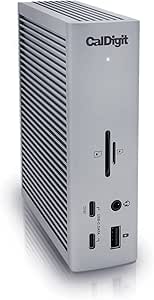 | Best for Power Users with Extensive Connectivity Needs | Ports: 18 | Thunderbolt 4 ports: 3 | USB-C ports: 3 | VIEW LATEST PRICE | See Our Full Breakdown |
| Dell WD19TBS Thunderbolt Dock Bundle – 4K Display, 1 Year Warranty, Dual Monitor with 180W Adapter, HDMI, DisplayPort, Thunderbolt Cable |  | Best for High-Resolution Multi-Monitor Setups | Compatibility: Universal, supports HP and Lenovo notebooks | Display Support: Up to three displays, including 5K and dual 4K | Power Output: 180W | VIEW LATEST PRICE | See Our Full Breakdown |
| Anker Prime TB5 Docking Station, 14-in-1 Thunderbolt 5 Dock for Laptops |  | Best for Future-Proof High-Resolution Demands | Upstream Port: Thunderbolt 5 | Downstream Ports: 2 Thunderbolt 5, 2 USB-C, 3 USB-A | Card Readers: SD and TF | VIEW LATEST PRICE | See Our Full Breakdown |
| Plugable Thunderbolt 4 Dock, 100W Charging, Dual HDMI, 13 Ports for Windows and Mac |  | Best for Versatile Compatibility and Dual 4K Displays | Power Delivery: 100W (96W certified) | Display Support: Dual 4K@60Hz or single 8K | Ports: 13 | VIEW LATEST PRICE | See Our Full Breakdown |
| Dell Pro Laptop Docking Station WD25, USB-C, 100W, DisplayPort, HDMI |  | Best for Versatile Compatibility and High-Resolution Multi-Display Setups | Power Output: 100W | Display Support: Up to 4 high-res displays | Ports: DisplayPort, HDMI, USB-C, USB | VIEW LATEST PRICE | See Our Full Breakdown |
| Belkin 140W Thunderbolt 5 Dock, 14-in-1 Docking Station with 4K@144Hz Support |  | Best for High-Performance Multi-Monitor and Fast Data Transfer Needs | Ports: 14-in-1 | Display Support: Up to 3 at 4K@144Hz or 8K@60Hz | Power Delivery: 140W | VIEW LATEST PRICE | See Our Full Breakdown |
| thunderbolt docking station | Display Support |
|---|---|
| Plugable USB-C Triple Display | — |
| Dell WD19TBS Thunderbolt Dock | Up to three displays (1x 5K, 2x 4K) |
| Dell Pro Thunderbolt 4 Smart D | Up to 4 4K monitors |
| Anker 13-in-1 USB-C Docking St | — |
| Dell WD22TB4 Thunderbolt 4 Doc | — |
| Dell WD19TB Thunderbolt Dock | — |
| CalDigit TS4 18 Port Thunderbo | 8K@30Hz or dual 6K@60Hz |
| Dell WD19TBS Thunderbolt Dock | Up to three displays, including 5K and dual 4K |
| Anker Prime TB5 Docking Statio | — |
| Plugable Thunderbolt 4 Dock | Dual 4K@60Hz or single 8K |
| Dell Pro Laptop Docking Statio | Up to 4 high-res displays |
| Belkin 140W Thunderbolt 5 Dock | Up to 3 at 4K@144Hz or 8K@60Hz |
More Details on Our Top Picks
Plugable USB-C Triple Display Docking Station with 100W Power Delivery
This dock shines for its ability to support up to three HDMI monitors, including 4K resolution, making it ideal for users who need extensive screen real estate. Compared with the Dell WD19TBS, it offers similar USB and Ethernet options but excels in multi-display support without requiring high-end Thunderbolt systems. Its 100W power delivery ensures laptops stay charged during intensive multitasking. However, it lacks HDCP support, limiting some content playback, and isn’t compatible with Linux systems, which could restrict flexibility for open-source users. This option is perfect for professionals needing multiple displays and broad device compatibility, but those on Linux or seeking HDCP content support should look elsewhere.
Pros:- Supports up to three external monitors for increased productivity
- Provides 100W power delivery to keep laptops charged
- Compatible with Windows, macOS, and ChromeOS devices
- Includes multiple USB ports and Gigabit Ethernet for versatile connectivity
Cons:- Not compatible with Linux systems, limiting flexibility
- HDCP not supported, restricting some streaming content
Best for: Creative professionals and hybrid workers needing triple monitor setups with broad OS support
Not ideal for: Linux users or those who prioritize HDCP content playback, as this dock lacks support
- Hardware Interface:USB Type C
- Supports:USB-C, USB4, Thunderbolt
- Number of USB Ports:6
- Total HDMI Ports:3
- Wattage:100 watts
- Input Voltage:20 volts
Our verdict“This dock works best for users needing multi-monitor support and broad device compatibility, especially in hybrid work environments.”
Dell WD19TBS Thunderbolt Dock with 130W Power Delivery
This dock is the go-to for users who need support for 5K and dual 4K displays, making it ideal for high-end creative workflows. Compared with the Plugable dock, it offers more advanced display options and secure mounting with VESA compatibility, but it requires Thunderbolt support on the host device, which can limit compatibility. Its 130W power delivery is strong enough to charge most laptops, and management features simplify workspace organization. The main tradeoff is its reliance on Thunderbolt-specific hardware, which raises the cost and restricts use to compatible systems. This dock is suited for power users in professional environments with high-resolution display needs, but not for budget-conscious or Linux-based setups.
Pros:- Supports multiple high-resolution displays including 5K and dual 4K
- Secure mounting options with VESA compatibility
- Easy firmware updates and management features
- Offers strong 130W charging capacity
Cons:- Requires Thunderbolt support, limiting device compatibility
- High cost compared to more basic docks
Best for: Designers and professionals requiring high-resolution multi-monitor support on Thunderbolt-enabled laptops
Not ideal for: Users with non-Thunderbolt systems or on tight budgets, as it demands specific hardware support
- Power Delivery:130W
- Compatibility:Dell, HP, Lenovo Thunderbolt notebooks
- Display Support:Up to three displays (1x 5K, 2x 4K)
- Cable Length:0.8 meters
Our verdict“This dock makes the most sense for users with high-resolution display needs and Thunderbolt-compatible devices willing to invest in advanced connectivity.”
Dell Pro Thunderbolt 4 Smart Dock SD25TB4 – USB-C Station 130W, 4K Display Support, Dual Thunderbolt 4, HDMI 2.1, Ethernet, Wi-Fi, Eco-Friendly Design
This model stands out for supporting up to four 4K displays and delivering 130W charging, making it an excellent choice for multitasking professionals. The inclusion of Thunderbolt 4, HDMI 2.1, and Ethernet ensures compatibility with a wide range of devices and high-speed data transfer. Compared to the Dell WD19TBS, it offers more display capacity and a more sustainable design, though it’s heavier and more costly. Its eco-friendly materials cater to environmentally conscious buyers, but the limited OS support (Windows 10 or newer) could be a stumbling block for some. This dock is ideal for users seeking high display performance combined with sustainability, but those on older systems or with Linux might find it limiting.
Pros:- Supports up to four 4K displays for extensive multitasking
- Delivers fast 130W charging for compatible devices
- Includes Thunderbolt 4, HDMI 2.1, and Ethernet for versatile connectivity
- Eco-friendly design with recycled materials
Cons:- Relatively heavy at 580 grams, less portable
- Limited to Windows 10 or newer operating systems
Best for: Business users and creatives who prioritize high display count, fast charging, and eco-friendliness
Not ideal for: Linux users or those with older Windows systems, due to OS compatibility restrictions
- Power Output:130W
- Display Support:Up to 4 4K monitors
- Video Ports:2x DisplayPort 1.4, 1x HDMI 2.1, 2x Thunderbolt 4
- Wireless:Wi-Fi
Our verdict“This dock is best for professionals seeking high display capacity and sustainability, especially in high-performance workspaces.”
Anker 13-in-1 USB-C Docking Station with Triple Display
This dock transforms a laptop into a comprehensive workstation with 13 ports, supporting up to three external monitors through HDMI and DisplayPort. Its 135W power adapter ensures fast charging for laptops and phones, making it suitable for busy professionals. The varied ports, including SD card reader, Ethernet, and multiple USB types, cater to diverse workflows. Compared with the Dell WD22TB4, it offers more ports and a higher wattage power supply, but Mac users are limited to mirroring displays, reducing flexibility for extended multi-monitor setups. Its setup may seem complex due to numerous ports, but it offers unmatched connectivity for those needing extensive peripherals. This dock is perfect for power users with complex device needs, but casual users or Mac-centric workflows may find it less suitable.
Pros:- Supports up to three external monitors for expanded multitasking
- Includes a 135W power adapter for fast device charging
- Multiple ports including HDMI, DisplayPort, USB-C, USB-A, Ethernet, and SD card reader
Cons:- Mac users can only mirror, limiting extended desktop options
- Setup may be complex due to multiple ports and features
Best for: IT professionals and content creators who need multiple ports and high power delivery
Not ideal for: Mac users seeking extended multi-monitor display support or those preferring simpler setups
- Hardware Interface:HDMI, MicroSD, USB
- Compatible Devices:Full functional USB C/Thunderbolt 3/4/5, laptops, MacBook
- Total USB Ports:4
- Number of Ports:13
- Wattage:135W
- Minimum Operating System:Windows 10, Windows 11
Our verdict“This dock suits power users with demanding peripheral and display needs, especially in Windows environments, but Mac users should be aware of display limitations.”
Dell WD22TB4 Thunderbolt 4 Dock with 130W Power
This dock appeals to users who want a modular approach with swappable modules, making future upgrades easier. It offers a comprehensive set of ports, including dual Thunderbolt 4, USB-C, USB-A, DisplayPort, HDMI, and Ethernet, capable of supporting multiple 4K displays and fast data transfer at 40 GB/s. Compared with the other Dell options, its modular design provides flexibility, but its setup can be complex, potentially overwhelming less experienced users. Primarily aimed at Windows users, it’s less suitable for those seeking a plug-and-play experience. The 180W power supply exceeds the typical needs, adding overhead for future upgrades. This dock is best for tech-savvy professionals wanting modularity and high performance, but it may be overkill for casual or Linux users.
Pros:- Multiple ports support versatile connectivity
- Supports multiple 4K displays and peripherals
- Fast data transfer at 40 GB/s
- Swappable modules for future upgrades
Cons:- Primarily designed for Windows systems, limiting cross-platform use
- Complex setup may be difficult for less technical users
Best for: IT teams and professionals requiring adaptable, high-performance docking solutions
Not ideal for: Casual users or those on non-Windows platforms, due to setup complexity and OS limitations
- Ports:2x Thunderbolt 4, USB-C, USB-A, DisplayPort, HDMI, Ethernet
- Power Adapter:180W
- Voltage:120/230 V AC
Our verdict“This modular dock fits for tech-oriented users seeking future-proof expandability and high-speed performance, especially in enterprise settings.”
Dell WD19TB Thunderbolt Dock – 180W Power Adapter, Dual Monitor Support, HDMI, DisplayPort, Thunderbolt Cable, Renewed
The Dell WD19TB stands out as the most versatile choice for Dell laptop users needing reliable dual monitor support. Its high-power 180W adapter ensures rapid charging for devices, making it ideal for intensive workflows. Compared with the CalDigit TS4, it offers fewer ports but excels in seamless Dell integration, which can be a major advantage for users within that ecosystem. The main tradeoff is that it works best with Dell systems, limiting compatibility for other brands. While the renewed status may raise concerns about warranty and condition, it remains a solid option for those prioritizing stability and Dell-specific features.
Pros:- Supports dual monitor setups with multiple video outputs
- High-power 180W adapter for fast device charging
- Multiple connectivity options including Ethernet and USB-A
Cons:- Requires compatible Dell systems for full feature utilization
- Renewed product may have limited warranty or condition uncertainties
Best for: Dell laptop users who need a dependable, high-powered docking station with dual monitor support.
Not ideal for: Non-Dell users seeking a more universal or feature-rich dock, as advanced Dell-specific features may be limited.
- Power Adapter:180W
- Connectivity Ports:2x DisplayPort 1.4, 1x HDMI 2.0B, 1x USB-C multifunction DisplayPort, 2x USB-A 3.1 (Gen 1), 1x Gigabit Ethernet RJ45, 1x Thunderbolt 3
- Voltage:120/230V
- Frequency:50/60Hz
Our verdict“This dock is best suited for Dell users who prioritize high power delivery and reliable dual monitor support within an established ecosystem.”
CalDigit TS4 18 Port Thunderbolt 4 Dock with 98W Charging, Space Gray, 0.8m Certified Cable
The CalDigit TS4 is designed for demanding professional workflows, offering an impressive 18 ports including three Thunderbolt 4 ports, multiple USB-A and USB-C options, and dual Ethernet. Its support for dual 6K or 8K displays makes it ideal for creative professionals working with high-resolution content. Compared to the Plugable Thunderbolt 4 Dock, the TS4 provides more ports and higher resolution support but comes with a more complex setup process and a premium price tag. Its extensive connectivity makes it a powerhouse, yet users with simpler needs may find it overly complex or cost-prohibitive.
Pros:- Supports dual 6K or 8K displays for high-end visuals
- Massive port selection with 18 total ports
- High 98W charging capability for power-hungry devices
Cons:- Requires certified Thunderbolt or USB4 cable for optimal performance
- Setup complexity may intimidate less technical users
Best for: Creative professionals and power users who need maximum connectivity and high-resolution display support.
Not ideal for: Casual users or those with limited budget, as the extensive port array and price may be overkill.
- Ports:18
- Thunderbolt 4 ports:3
- USB-C ports:3
- USB-A ports:5
- Ethernet:2.5GbE
- Display support:8K@30Hz or dual 6K@60Hz
- Charging power:98W
- Cable length:0.8m
Our verdict“This dock is best for those who need maximum port variety and high-resolution display support, despite its premium price and setup complexity.”
Dell WD19TBS Thunderbolt Dock Bundle – 4K Display, 1 Year Warranty, Dual Monitor with 180W Adapter, HDMI, DisplayPort, Thunderbolt Cable
The Dell WD19TBS excels at supporting multiple high-resolution monitors, including 5K and dual 4K displays, making it ideal for creative professionals and data analysts. Its universal compatibility with non-Dell laptops broadens its appeal, while features like firmware updates and VESA mounting add flexibility. Compared to the Plugable Thunderbolt 4 Dock, it offers similar high-res support but with a focus on easy firmware management and workspace customization. The main challenge lies in its setup, which may be complex for less tech-savvy users, and the need for Thunderbolt industry support limits its use with some older systems.
Pros:- Supports up to three displays, including 5K and dual 4K
- Universal compatibility with various laptops
- Easy firmware updates and flexible mounting options
Cons:- Requires Thunderbolt industry standard support
- Setup may be complex for non-technical users
Best for: Professionals who work with multiple high-res displays and require flexible mounting options.
Not ideal for: Users seeking a plug-and-play experience or those with older systems lacking Thunderbolt support.
- Compatibility:Universal, supports HP and Lenovo notebooks
- Display Support:Up to three displays, including 5K and dual 4K
- Power Output:180W
- Connectivity:Thunderbolt, HDMI, DisplayPort
- Firmware Update:Supported via Client Command Suite
- Mounting Options:VESA Mount compatible
Our verdict“This dock suits professionals needing multi-monitor flexibility and high-resolution display support, with added workspace customization options.”
Anker Prime TB5 Docking Station, 14-in-1 Thunderbolt 5 Dock for Laptops
The Anker Prime TB5 is tailored for those who need cutting-edge technology, supporting Thunderbolt 5 with 14 ports including dual 8K display support. Its high data transfer speeds and 140W power delivery make it suitable for the most demanding setups, such as high-end video editing or large data transfers. Compared with the CalDigit TS4, it offers newer Thunderbolt 5 technology, but requires a compatible Thunderbolt 5 laptop to unlock all features, which can be a barrier for some users. Its premium price and complex setup may deter casual or budget-conscious buyers, though it delivers unmatched future-proofing.
Pros:- Supports dual 8K displays for exceptional visuals
- Thunderbolt 5 offers ultra-fast data transfer
- Multiple ports including SD/TF card readers and Ethernet
Cons:- Requires compatible Thunderbolt 5 laptops for full features
- High price may not be justifiable for all users
Best for: Tech enthusiasts and professionals with Thunderbolt 5 systems seeking maximum future-proofing.
Not ideal for: Owners of older laptops or budget-conscious users who won’t benefit from Thunderbolt 5 features.
- Upstream Port:Thunderbolt 5
- Downstream Ports:2 Thunderbolt 5, 2 USB-C, 3 USB-A
- Card Readers:SD and TF
- Ethernet:2.5Gbps
- Video Output:Up to 8K@60Hz
- Max Power:140W
Our verdict“This dock is best for early adopters and power users seeking the latest Thunderbolt 5 technology, with a premium investment.”
Plugable Thunderbolt 4 Dock, 100W Charging, Dual HDMI, 13 Ports for Windows and Mac
The Plugable Thunderbolt 4 Dock combines broad compatibility with strong performance, supporting dual 4K 60Hz displays or a single 8K monitor. Its 13 ports include HDMI, Ethernet, SD card readers, and audio, making it a flexible choice for mixed device environments. Compared to the Dell WD19TBS, it offers similar display options but with a more straightforward setup process. Its 100W power delivery suits most devices, though power-hungry high-end laptops may need more. The dock’s performance is reliable, yet some features are limited depending on the system’s capabilities, especially on older Macs or Windows devices without Thunderbolt 4 support.
Pros:- Supports dual 4K@60Hz displays or 8K single display
- High-speed 40Gbps Thunderbolt 4 performance
- 13 ports including SD card reader and Ethernet
Cons:- Display support varies with system capabilities
- Some features limited on older systems
Best for: Mixed-device users who want reliable dual 4K display support and broad system compatibility.
Not ideal for: Users with high-power laptops needing more than 100W charging or those with systems not supporting Thunderbolt 4.
- Power Delivery:100W (96W certified)
- Display Support:Dual 4K@60Hz or single 8K
- Ports:13
- Performance:40Gbps Thunderbolt 4
- Compatibility:Windows 10+ and macOS (varies)
Our verdict“This dock offers dependable dual 4K support for diverse systems, balancing performance with broad compatibility.”
Dell Pro Laptop Docking Station WD25, USB-C, 100W, DisplayPort, HDMI
The Dell Pro Docking Station WD25 stands out for its support of up to four high-resolution displays, making it ideal for users who need expansive workspace real estate. Compared with the Belkin Thunderbolt 5 Dock, which offers more advanced display options and higher data transfer speeds, the WD25 emphasizes compatibility and eco-friendliness, making it suitable for office environments focused on sustainability. However, it offers fewer port options and lacks detailed specifications, which could be limiting for users with complex accessory needs. Its 100W power delivery ensures efficient charging, but the need for a compatible USB-C port and limited port variety could hinder some setups. This dock is a strong choice for professionals prioritizing display versatility and eco-conscious design without requiring the highest data speeds or extensive ports.
Pros:- Supports up to four high-resolution displays for multitasking
- Provides 100W power delivery for fast charging
- Compatible with both Dell and non-Dell PCs
Cons:- Limited port types and numbers may restrict accessory connections
- Requires a compatible USB-C port for optimal operation
- Lacks detailed technical specifications for some users
Best for: Professionals who need to connect multiple high-res displays and prioritize eco-friendly features with broad device compatibility
Not ideal for: Power users requiring maximum data transfer speeds or extensive port configurations for complex peripherals
- Power Output:100W
- Display Support:Up to 4 high-res displays
- Ports:DisplayPort, HDMI, USB-C, USB
- Compatibility:Dell and non-Dell PCs
- Sustainability:Made with at least 65% postconsumer recycled materials
Our verdict“This dock makes the most sense for users seeking a versatile, eco-friendly solution to connect multiple displays with broad compatibility.”
Belkin 140W Thunderbolt 5 Dock, 14-in-1 Docking Station with 4K@144Hz Support
The Belkin Thunderbolt 5 Dock excels in supporting multiple high-resolution monitors, with capacity for three 4K@144Hz displays or an 8K@60Hz setup, making it perfect for demanding creative and professional workflows. Compared with the Dell WD19TBS, which offers slightly less advanced display support and power delivery, the Belkin’s 140W power output and 80Gbps transfer speeds cater to power users needing rapid data throughput. Its 14-in-1 port array includes Ethernet, daisy chaining, and multiple video options, but its large size and higher price tag make it less suitable for casual or space-constrained setups. The requirement for Thunderbolt 5 compatibility could limit its immediate usefulness for some users, but its comprehensive feature set makes it ideal for professional multitasking environments. This dock is best suited for those demanding top-tier display performance and fast data throughput in a large workspace.
Pros:- Supports up to 3 4K@144Hz or 8K@60Hz displays for high-end visual workflows
- Delivers 140W power for rapid laptop charging
- Fast data transfer speeds up to 80Gbps with Thunderbolt 5
Cons:- Large size may take up significant desk space
- Requires Thunderbolt 5 compatible devices for full functionality
- Price may be prohibitive for casual users
Best for: Power users and creative professionals requiring multiple 4K/8K displays and ultra-fast data transfer
Not ideal for: Casual users or those with limited space or budget, since it’s large and potentially costly
- Ports:14-in-1
- Display Support:Up to 3 at 4K@144Hz or 8K@60Hz
- Power Delivery:140W
- Ethernet:2.5Gbps
- Compatibility:MacBook Pro, Chromebook, iPad, iPhone 17
- Safety Features:Over-voltage, overload, over-current, over-temperature, short-circuit protection
Our verdict“This dock is ideal for professionals who need maximum display performance and blazing-fast data transfer capabilities, provided they have compatible hardware.”
How We Picked
Our evaluation focused on performance, build quality, and versatility. We prioritized docks that support multiple 4K displays, high wattage power delivery, and broad compatibility with Windows and Mac systems. Ease of use, port selection, and durability also played key roles. Docks were ranked based on their value for money, feature set, and user feedback, ensuring that each recommendation addresses different user needs—whether for professional workflows, casual use, or demanding setups.Factors to Consider When Choosing Thunderbolt Docking Station
Choosing the right thunderbolt docking station depends on your specific workflow, device compatibility, and budget. Beyond core specs, it’s important to consider how the dock integrates into your existing setup and future needs. Here are key factors to guide your decision:Port Selection and Compatibility
Ensure the dock offers the ports you need, such as multiple HDMI or DisplayPort outputs for extended displays, USB-A and USB-C for peripherals, and Ethernet for wired internet. Compatibility with your laptop’s Thunderbolt version is crucial; some docks support Thunderbolt 4, while others are limited to Thunderbolt 3. Consider whether you need additional features like SD card readers or audio jacks, and verify compatibility with your operating system to avoid connectivity issues.
Power Delivery and Charging
Power delivery (PD) determines how much charge your laptop can receive through the dock. If you work on a high-performance machine, look for docks offering 90W or more to keep your device charged during intensive tasks. Cheaper docks with lower PD ratings may require a separate charger, which can be inconvenient. Be aware that higher wattage often correlates with increased cost, but it is essential for maintaining productivity without additional chargers.
Build Quality and Design
Durability and size matter, especially if you plan to move your dock between locations. Metal enclosures tend to last longer and dissipate heat better than plastic ones. Compact docks are more portable but might sacrifice port variety. Consider your workspace—whether it’s a permanent desk or a mobile setup—and choose a design that balances durability with convenience.
Price and Overall Value
Higher-priced docks generally offer more ports, better build quality, and higher power output. However, assess whether those features are necessary for your use case. For casual users or those with minimal connectivity needs, a less expensive model might suffice. Conversely, power users should consider investing in premium docks that support multiple 4K displays and high wattage charging, which can streamline workflows and future-proof your setup.
Future-Proofing and Compatibility
Thunderbolt technology is evolving, so choosing a dock that supports the latest standards can extend its usefulness. Thunderbolt 4 docks tend to offer broader compatibility and higher bandwidth than Thunderbolt 3. Also, check for firmware updates and manufacturer support, ensuring your dock remains compatible with future devices and operating system updates.
Frequently Asked Questions
Will my existing USB-C or Thunderbolt 3 laptop work with a Thunderbolt 4 dock?
Yes, most Thunderbolt 4 docks are backward compatible with Thunderbolt 3 and USB-C laptops, but performance and features might be limited to the lowest common standard. While Thunderbolt 4 docks support higher data transfer rates and broader compatibility, check the specifications of your laptop to ensure full functionality. Always verify compatibility before purchasing, especially if you rely on specific features like daisy chaining or multiple high-resolution displays.
Can I connect multiple 4K monitors to a Thunderbolt dock?
Many Thunderbolt docks support dual or even triple 4K displays, but this depends on the specific model and its GPU bandwidth. Docks with Thunderbolt 4 typically handle multiple 4K monitors smoothly, making them suitable for demanding multitasking. It’s important to check the maximum supported resolutions and the number of displays each dock can handle to match your workspace needs accurately.
Is it better to buy a dock with higher wattage power delivery or one with fewer ports?
Prioritizing higher wattage power delivery ensures your laptop stays charged during intensive use, which is essential for power users. However, more ports mean greater connectivity options. The best approach is to balance your needs—if you have a high-performance laptop that requires 90W or more, invest in a dock with sufficient power output. If your workflow involves many peripherals but your laptop needs less charging power, a dock with more ports and moderate power delivery may be preferable.
Are Thunderbolt docks suitable for gaming or high-performance tasks?
Thunderbolt docks can support high-resolution displays and fast data transfer, making them suitable for some gaming setups or professional workloads like video editing. However, the performance also depends on your laptop’s GPU and CPU. For gaming, ensure the dock can handle multiple high-res outputs without bottlenecking, and verify compatibility with your specific graphics hardware. For demanding tasks, a dock with high bandwidth and multiple high-res outputs will better support your needs.
How does the size of a Thunderbolt dock impact its usability?
The size influences portability and workspace integration. Compact docks are ideal for travel or limited desk space but may have fewer ports. Larger docks often include more connectivity options and better heat dissipation but are less portable. Consider how often you’ll move your setup and whether a lightweight, smaller model can meet your port and power needs without sacrificing functionality.
Conclusion
For most users seeking a reliable, all-around solution, the Plugable USB-C Triple Display Dock offers excellent value and versatility. Professionals requiring maximum performance and extensive port options will find the CalDigit TS4 to be a worthwhile investment. Those with high-power laptops or multiple high-res displays should consider the Belkin Thunderbolt 5 Dock for future-proofing. Beginners or casual users may prefer a more affordable option like the Dell WD19TBS, which balances features with ease of use. Ultimately, your choice should align with your specific device requirements, budget, and workspace needs to ensure seamless connectivity now and in the future.