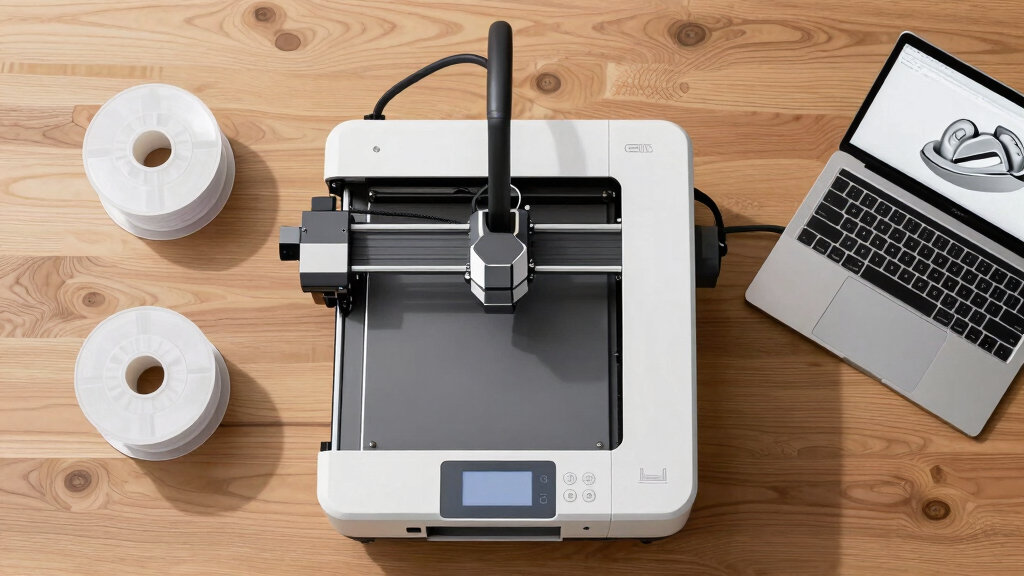

When seeking a 3D printer for professional use, the key factors are reliability, precision, and versatility. The Creality K2 Plus stands out for its large build volume and multi-color capabilities, making it ideal for complex projects. The Original Prusa MK4S offers high speed and robust performance for demanding workflows, while the FlashForge Creator 5 Pro excels in multi-material and multi-color printing with a heated chamber. Every option involves tradeoffs between speed, size, and multi-material support, so understanding these nuances is crucial. Keep reading for a detailed comparison to find the best fit for your professional needs.
Complete the kit


Key Takeaways
- Large build volume remains a priority for manufacturing and prototyping, with models like the QIDI Max4 leading in size.
- Multi-material and multi-color capabilities are increasingly accessible, but often come with higher complexity and cost.
- Speed varies significantly, with some printers like the FlashForge Creator 5 Pro reaching 600mm/s, suitable for rapid prototyping.
- Enclosed and heated chambers are important for high-end materials, but add to the cost and size of the printer.
- The top picks balance performance, ease of use, and durability, revealing that no single feature defines professional-grade printers.
| Creality K2 Plus Combo 3D Printer, Multi-Color Printing, Large Build Volume, Auto-Leveling, Dual AI Cameras, High-Speed |  | Best Overall for Large-Scale Multi-Color Projects | Build Volume: 13.78 x 13.78 x 13.78 inches | Print Speed: 600mm/s | Filament Compatibility: High-temp filaments up to 350°C | VIEW LATEST PRICE | See Our Full Breakdown |
| Bambu Lab P1S Combo 3D Printer with Multi-Color Printing and Auto Bed Leveling |  | Best for Multimaterial Enclosed Printing with High Speed | Product Dimensions: 15.31 x 18.03 x 15.31 inches | Item Weight: 47.5 pounds | Maximum Printing Speed: 500mm/s | VIEW LATEST PRICE | See Our Full Breakdown |
| Snapmaker U1 3D Printer, 4-Toolhead with 5s Toolchanger, Multi-Color Printing |  | Best for Multi-Color and Multi-Material Flexibility | Toolhead System: 4-toolhead with 5-second tool changer | Build Volume: 270 x 270 x 270 mm | Max Speed: 500 mm/s | VIEW LATEST PRICE | See Our Full Breakdown |
| Original Prusa MK4S Fully Assembled High-Speed FDM Desktop 3D Printer |  | Best for Reliable High-Quality Desktop Prototyping | Product Dimensions: 19.6 x 15.7 x 21.6 inches | Item Weight: 15.4 pounds | Print Size: 9.84 x 8.3 x 8.6 inches | VIEW LATEST PRICE | See Our Full Breakdown |
| Bambu Lab P2S Combo, P2S 3D Printer & AMS 2 Pro, Multi-Color 3D Printing |  | Best for High-Speed Multi-Color Production with Workflow Integration | Print Speed: 600 mm/s | Setup Time: 15 minutes | Filament Drying Temperature: 65 °C | VIEW LATEST PRICE | See Our Full Breakdown |
| Sovol SV08 MAX CoreXY 3D Printer |  | Best for Industrial-Scale and Oversized Projects | Print Volume: 500×500×500mm³ | Max Speed: 700mm/s | Acceleration: 40,000 mm/s² | VIEW LATEST PRICE | See Our Full Breakdown |
| Original Prusa CORE One+ Fully Enclosed High-Speed CoreXY 3D Printer |  | Best for Precise, Reliable Prototyping and Production | Print Volume: 9.8 × 8.6 × 10.6 in (250 × 220 × 270 mm) | Material Compatibility: PLA, PETG, ASA, PC, Nylon | Build Frame: All-steel exoskeleton | VIEW LATEST PRICE | See Our Full Breakdown |
| FlashForge Creator 5 Pro 3D Printer, 4-Toolhead, Multi-Material & Color Printing, Heated Chamber, CoreXY, 600mm/s |  | Best for Multi-Material and Multi-Color Industrial Prototyping | Product Dimensions: 16 x 14 x 18 inches | Item Weight: 39 pounds | Active Heated Chamber: 65°C | VIEW LATEST PRICE | See Our Full Breakdown |
| Original Prusa XL Semi-Assembled 3D Printer |  | Best for Large-Scale Multi-Material Projects with DIY Enthusiasts | Toolheads: 5 | Print Volume: Large-format | Material Support: Multi-material | VIEW LATEST PRICE | See Our Full Breakdown |
| Original Prusa XL 2-Toolhead Multi-Material Large-Format CoreXY 3D Printer |  | Best for Reliable, Industrial-Grade Multi-Material Printing | Build Volume: 14.17×14.17×14.17 in | Toolheads: 2 | Material Compatibility: Multi-material | VIEW LATEST PRICE | See Our Full Breakdown |
| FlashForge Creator 5 Pro Industrial 3D Printer, 65°C Active Heated Chamber, HEPA13 Air Filtration, 4-Extruder Independent System, 600mm/s High-Speed Printing, 256mm³ Build Volume |  | Best for Multi-Material, High-Speed Industrial Applications | Product Dimensions: 18.9 x 16.06 x 17.17 inches | Item Weight: 30.9 pounds | Build Volume: 256mm³ | VIEW LATEST PRICE | See Our Full Breakdown |
| QIDI Max4 Combo 3D Printer, 390×390×340mm Build Volume, 65℃ Heated Chamber |  | Best for Large-Scale Prototyping and Complex Molds | Build Volume: 390×390×340mm | Heated Chamber: 65°C | Max Printing Speed: 800mm/s | VIEW LATEST PRICE | See Our Full Breakdown |
More Details on Our Top Picks
Creality K2 Plus Combo 3D Printer, Multi-Color Printing, Large Build Volume, Auto-Leveling, Dual AI Cameras, High-Speed
The Creality K2 Plus Combo stands out for its combination of large build volume and multi-color capabilities, making it ideal for complex, multi-material prototypes. Unlike the Prusa MK4S, which excels in consistent quality and ease of use, the K2 Plus offers faster speeds up to 600mm/s and automation features like dual AI cameras and auto bed leveling, though its setup is more intricate and noise levels tend to be higher. The heavy, bulky frame demands ample space, but it compensates with a robust aerospace-grade aluminum structure and support for high-temp filaments up to 350°C. This pick makes sense for large, multi-color manufacturing or detailed artistic models, where speed and automation are priorities over compactness or simplicity.
Pros:- Supports multi-color printing with automatic filament switching
- Large 350x350x350mm build volume for big projects
- High-speed printing up to 600mm/s with stable precision
- Advanced automation with dual AI cameras and auto bed leveling
Cons:- Heavy and bulky, requiring substantial space
- Complex setup and calibration process
- Customer reports of high noise during operation
Best for: Large-scale professional studios needing multi-color, high-strength parts with automation.
Not ideal for: Small offices or home users with limited space or noise restrictions, due to its size and noise levels.
- Build Volume:13.78 x 13.78 x 13.78 inches
- Print Speed:600mm/s
- Filament Compatibility:High-temp filaments up to 350°C
- Frame Material:Aerospace-grade aluminum alloy
- Number of CFS Units:4
- Sensors:18 smart sensors
Our verdict“This printer best suits large, multi-color professional applications where speed and automation outweigh compactness and noise considerations.”
Bambu Lab P1S Combo 3D Printer with Multi-Color Printing and Auto Bed Leveling
The Bambu Lab P1S Combo offers a versatile enclosed coreXY system, capable of multi-color and multi-material printing, making it suitable for both newcomers and seasoned professionals. Compared to the Original Prusa MK4S, which emphasizes reliability and open-source flexibility, the P1S prioritizes speed—up to 500mm/s—and user convenience with automatic bed leveling and an enclosed design that improves print quality with delicate or flexible filaments. Its support for a broad filament range, including PETG, TPU, and PVA, enhances creative possibilities, although it doesn’t support carbon or glass fiber reinforced filaments. This choice is ideal for those who want quick, high-quality, multi-material prints without extensive manual calibration, but may be limited for users needing specialist filaments.
Pros:- Supports multi-color and multi-material printing
- Enclosed design improves print stability and quality
- Automatic bed leveling reduces manual calibration
- Fast setup and reliable operation
Cons:- Requires connection to Bambu Lab AMS for multi-color printing
- Heavy and sizable, demanding ample workspace
- Limited filament compatibility for specialized materials
Best for: Enthusiasts and professionals needing fast, enclosed multi-material, multi-color printing with minimal setup.
Not ideal for: Users requiring support for fiber-reinforced or highly abrasive filaments, due to compatibility limits.
- Product Dimensions:15.31 x 18.03 x 15.31 inches
- Item Weight:47.5 pounds
- Maximum Printing Speed:500mm/s
- Auto Bed Leveling:Yes
- Enclosed Design:Yes
- Supported Filaments:PLA, PETG, TPU, PVA, PET ABS, ASA; Capable: PA, PC
Our verdict“This printer is well-suited for users seeking rapid, enclosed multi-material printing with ease of use and consistent results.”
Snapmaker U1 3D Printer, 4-Toolhead with 5s Toolchanger, Multi-Color Printing
The Snapmaker U1 shines with its innovative 4-toolhead system and rapid 5-second automatic tool changer, enabling swift multi-material and multi-color production. Unlike the Prusa MK4S, which emphasizes high reliability and surface quality, the U1 focuses on versatility and speed in changing tools, supporting a broad spectrum of materials from PLA to ABS and PCTG. Its smart calibration and remote app control streamline complex multi-material workflows, though the setup can be daunting for beginners unfamiliar with multi-tool systems. The high-speed CoreXY design ensures precise large-volume prints, but the higher price point and complexity might deter casual hobbyists. This model suits users who need rapid multi-material prototyping with minimal waste, accepting a steeper learning curve.
Pros:- Fast 5-second automatic tool changer reduces setup time
- Supports multi-material and multi-color printing
- High-speed CoreXY ensures accurate large prints
- Smart calibration and remote control simplify complex workflows
Cons:- Complex setup and calibration may challenge beginners
- Higher cost compared to single-toolhead printers
- Limited to supported materials, excluding some composites
Best for: Prototyping labs and advanced hobbyists requiring quick multi-material tool changes and multi-color capabilities.
Not ideal for: Beginners seeking a straightforward, single-material printer or those with limited space and technical experience.
- Toolhead System:4-toolhead with 5-second tool changer
- Build Volume:270 x 270 x 270 mm
- Max Speed:500 mm/s
- Supported Materials:PLA, PVA, TPU, PETG, PCTG, ABS, ASA, PA, PC
- Calibration:Automatic toolhead offset calibration
- Connectivity:Remote app control
Our verdict“Ideal for experienced users who value rapid multi-material and multi-color capabilities in a flexible, multi-tool platform.”
Original Prusa MK4S Fully Assembled High-Speed FDM Desktop 3D Printer
The Prusa MK4S offers a dependable platform for professional desktop 3D printing, emphasizing consistency and ease of use. Compared with the more feature-rich Creality K2 Plus, which prioritizes speed and multi-color automation, the MK4S excels in surface finish, reliable performance, and open-source flexibility. Its advanced motion compensation and open architecture support continuous upgrades, making it a favorite for prototyping and small-scale production. While it is slightly limited in build volume and size compared to larger options, its proven reliability and high-speed operation make it suitable for demanding projects that require repeatable, high-quality results. The main tradeoff involves size and potentially higher initial cost, but the peace of mind in consistent quality often justifies it.
Pros:- High-speed printing with excellent surface quality
- Reliable and consistent operation for professional use
- Open-source system with upgrade options
- Includes spool of premium filament and lifetime support
Cons:- Relatively large footprint for small workspaces
- Weight of 15.4 pounds could challenge portability
- Price point may be higher than entry-level models
Best for: Prototyping and professional applications demanding consistent, high-quality outputs in a compact desktop form.
Not ideal for: Large-scale manufacturing or users seeking extensive material compatibility with specialized filaments, due to its size and open design.
- Product Dimensions:19.6 x 15.7 x 21.6 inches
- Item Weight:15.4 pounds
- Print Size:9.84 x 8.3 x 8.6 inches
- Input Shaping:Yes
- Material Included:1 kg spool of Prusament PLA Galaxy Black
- Country of Manufacture:European Union
Our verdict“This printer is best suited for professionals prioritizing reliability and high-quality output in a compact, upgradeable system.”
Bambu Lab P2S Combo, P2S 3D Printer & AMS 2 Pro, Multi-Color 3D Printing
The Bambu Lab P2S Combo offers a high-speed, multi-material capable platform with integrated filament management, making it a versatile choice for busy professional environments. While the Prusa MK4S emphasizes simplicity and open-source flexibility, the P2S focuses on speed—up to 600mm/s—and seamless workflow through the AMS 2 Pro, which handles filament drying and multi-material switching efficiently. Its advanced airflow system and quick setup time make it suitable for rapid prototyping and multi-color batch production, but the P2S does not support multi-color printing without the Combo package, which adds complexity. This model is perfect for those who need fast throughput and reliable multi-material handling but are comfortable with a learning curve and integrated workflow.
Pros:- Fast printing speeds up to 600 mm/s
- Automatic calibration and quick setup
- Integrated filament drying and airflow system
- Supports multi-material and multi-color workflows
Cons:- Multi-color printing requires the Combo version with additional setup
- Complex features may challenge less experienced users
- Price may be high for smaller operations
Best for: Manufacturers and professional users seeking fast multi-color, multi-material production with integrated filament processing.
Not ideal for: Hobbyists or small-scale users who do not need high throughput or integrated filament drying features.
- Print Speed:600 mm/s
- Setup Time:15 minutes
- Filament Drying Temperature:65 °C
- Chamber Temperature:50 °C
- Airflow System:Adaptive Airflow
- Filament Compatibility:Multi-material with AMS 2 Pro
Our verdict“This printer excels in high-speed, multi-material production environments where workflow automation and throughput are priorities.”
Sovol SV08 MAX CoreXY 3D Printer
The Sovol SV08 MAX stands out for its impressive large 3D print volume of 500×500×500mm³, making it ideal for industrial prototypes or oversized models, unlike smaller high-precision printers like the Prusa XL. Its high-speed capabilities of up to 700mm/s enable rapid production, but this speed demands excellent motion control and stability, which Sovol manages well. The automatic bed leveling with eddy current sensors simplifies setup, though the optional nozzles are sold separately, adding to the cost. A built-in HD camera offers remote monitoring, perfect for factories or remote labs. The setup can be complex and may require some technical know-how, especially for beginners. This printer is best suited for professionals needing large, fast, and reliable printing, but less so for hobbyists or those new to 3D printing who prefer plug-and-play solutions.
Pros:- Enormous print volume suitable for large models
- High-speed printing enhances productivity
- Automatic bed leveling with advanced sensors
- Remote monitoring via HD camera
Cons:- Optional nozzles sold separately, increasing total cost
- Heated chamber upgrade is an extra expense
- Complex setup requiring technical expertise
Best for: Industrial designers, large-scale prototype developers, and advanced makers needing oversized parts
Not ideal for: Beginners or hobbyists seeking a simple, ready-to-print device due to its complex setup and higher cost
- Print Volume:500×500×500mm³
- Max Speed:700mm/s
- Acceleration:40,000 mm/s²
- Nozzle Sizes:0.4mm, 0.6mm, 0.8mm (sold separately)
- Hotend Temperature:300°C
- Camera Resolution:1280×720 HD
Our verdict“This model makes the most sense for professionals who need large, fast, and precise industrial-scale printing and are prepared for a setup challenge.”
Original Prusa CORE One+ Fully Enclosed High-Speed CoreXY 3D Printer
The Prusa CORE One+ excels in delivering high-precision, reliable prints within a fully enclosed environment, making it ideal for sensitive materials like ABS or PETG, especially compared to open-frame printers like the Sovol SV08 MAX. Its active heated chamber and automatic calibration simplify consistent results and reduce setup time. While the all-steel frame ensures durability, the fully enclosed design and high speed come with a larger footprint that demands more space. The user-friendly software and support make it accessible, but the complexity might challenge beginners. For those prioritizing accuracy and material versatility in a semi-industrial setting, this pick offers a strong balance, though it may be overkill for casual hobbyists or small-scale projects.
Pros:- Fully enclosed heated chamber for versatile materials
- Automatic calibration ensures consistent quality
- High-speed, precise CoreXY motion system
- All-steel durable frame
Cons:- Relatively high cost for hobbyists
- Larger footprint needs ample workspace
- Complex setup may be challenging for newcomers
Best for: Prototyping professionals and experienced makers requiring high precision and material flexibility
Not ideal for: Beginners or users with limited space, due to its size and setup complexity
- Print Volume:9.8 × 8.6 × 10.6 in (250 × 220 × 270 mm)
- Material Compatibility:PLA, PETG, ASA, PC, Nylon
- Build Frame:All-steel exoskeleton
- Features:Fully enclosed, active heated chamber, automatic calibration
- Included:1 kg spool of Prusament PLA Galaxy Black
Our verdict“This printer is best suited for users needing reliable, high-speed, precise printing in a protected environment and comfortable with a more involved setup.”
FlashForge Creator 5 Pro 3D Printer, 4-Toolhead, Multi-Material & Color Printing, Heated Chamber, CoreXY, 600mm/s
The FlashForge Creator 5 Pro stands out for its multi-material, multi-color capabilities with four independent toolheads, offering a level of versatility beyond the single or dual extruder models like the Prusa XL. Its high-speed of 600mm/s accelerates production workflows, while the heated chamber up to 65°C helps manage warping for complex materials. Safety features such as HEPA and activated carbon filtration add reliability for professional use. However, its size and weight—roughly 39 pounds—mean it requires a dedicated space, and the complex setup can be daunting for newcomers. This printer suits industrial environments or advanced labs that need multi-material, multi-color parts quickly, but it’s overkill for hobbyists or those with limited space.
Pros:- Supports multi-material and multi-color printing with four toolheads
- High-speed production up to 600mm/s
- Heated chamber improves print quality and material compatibility
- Advanced safety with filtration systems
Cons:- Heavy and large footprint demanding ample workspace
- Complex setup challenging for beginners
- Higher price point for industrial features
Best for: Engineers and industrial teams needing multi-material, multi-color prototypes with rapid turnaround
Not ideal for: Hobbyists or small-scale users with limited space or less technical experience
- Product Dimensions:16 x 14 x 18 inches
- Item Weight:39 pounds
- Active Heated Chamber:65°C
- Number of Toolheads:4
- Printing Speed:600mm/s
Our verdict“This printer is ideal for professionals who need fast, multi-material multi-color prototyping in a relatively large, dedicated space, accepting its setup complexity.”
Original Prusa XL Semi-Assembled 3D Printer
The Prusa XL offers a large print volume and five-toolhead capacity, making it suitable for complex, multi-material projects. Its modular design supports minimal waste and flexible material use, comparable to the Sovol SV08 MAX but with a focus on multi-material capabilities. The semi-assembled kit appeals to those comfortable with assembly, providing a cost-saving alternative to fully assembled models like the Prusa CORE One+. The main tradeoff is the self-assembly process, which could be daunting for beginners, and the high price reflects its advanced features. This choice fits well for experienced hobbyists or small businesses ready to invest time in setup for long-term production efficiency.
Pros:- Large print volume for complex projects
- Five-toolhead multi-material capability
- Fast tool-changing for multi-material workflows
- Supports multi-material with minimal waste
Cons:- Requires self-assembly, which can be challenging
- Higher cost due to advanced features
- Limited details on enclosure options
Best for: DIY-savvy professionals and experienced makers interested in large, multi-material, multi-head printing
Not ideal for: Beginners or users seeking a plug-and-play experience due to assembly requirements
- Toolheads:5
- Print Volume:Large-format
- Material Support:Multi-material
- Assembly:Semi-assembled DIY kit
Our verdict“This kit makes sense for skilled DIYers aiming for large, multi-material production with a substantial investment in assembly time.”
Original Prusa XL 2-Toolhead Multi-Material Large-Format CoreXY 3D Printer
The Prusa XL with 2 toolheads offers a large build volume of over 14 inches per side and supports multi-material printing with minimal waste, positioning it as a reliable choice for professional labs. Its CoreXY motion system ensures accurate and fast printing, similar to the Sovol SV08 MAX but with added multi-material flexibility. The segmented heated bed simplifies complex print management, and network connectivity enhances workflow automation. However, its size and weight can limit portability, and the premium price may be a barrier for smaller operations. This model suits users who prioritize consistent, multi-material, large-format work and are comfortable with a more complex setup.
Pros:- Large build volume for complex projects
- Supports multi-material printing with minimal waste
- Reliable, industrial-grade performance
- Easy assembly and transportation
Cons:- Heavy and large, less portable
- Setup may require technical skills
- High cost for extensive features
Best for: Industrial professionals and experienced makers needing large, multi-material, reliable printing
Not ideal for: Hobbyists or those with limited space or technical expertise due to its size and setup complexity
- Build Volume:14.17×14.17×14.17 in
- Toolheads:2
- Material Compatibility:Multi-material
- Motion System:CoreXY
- Connectivity:Prusa Connect network, offline operation
- Included Accessories:Satin print sheet, 1kg spool of Prusament PLA
Our verdict“This printer is best for those requiring dependable large-format multi-material printing and willing to manage its setup complexity and cost.”
FlashForge Creator 5 Pro Industrial 3D Printer, 65°C Active Heated Chamber, HEPA13 Air Filtration, 4-Extruder Independent System, 600mm/s High-Speed Printing, 256mm³ Build Volume
The FlashForge Creator 5 Pro stands out for its ability to handle complex multi-material projects thanks to four independent extruders, a feature that surpasses the single or dual systems of many competitors like the Prusa MK4S. Its active heated chamber up to 65°C supports advanced materials like ABS and Nylon, providing stability that standard desktop printers often lack. The high-speed capability of 600mm/s accelerates production without sacrificing quality, though this might come at the expense of slight precision compared to slower, more controlled printers. The HEPA13 air filtration ensures a cleaner workspace, an essential feature for professional environments. However, its larger footprint and higher price tag can be drawbacks for smaller workshops or budgets. This model is ideal for professionals who need multi-material, high-speed manufacturing in a controlled environment but require ample space and are prepared for a steeper learning curve.
Pros:- Supports complex multi-material and multi-color printing with four independent extruders
- Maintains a stable, high-temperature environment suitable for advanced engineering filaments
- Effective HEPA13 filtration system enhances safety and air quality
- High-speed printing boosts productivity in demanding workflows
Cons:- Large physical size requires significant dedicated space
- Setup and calibration can be complex for users with limited experience
- Higher initial investment compared to simpler desktop 3D printers
Best for: Manufacturers and prototyping labs requiring multi-material, multi-color production with high speed and advanced environmental controls.
Not ideal for: Small-scale hobbyists or offices with limited space, as the machine’s size and complexity may be prohibitive.
- Product Dimensions:18.9 x 16.06 x 17.17 inches
- Item Weight:30.9 pounds
- Build Volume:256mm³
- Maximum Print Speed:600mm/s
- Chamber Temperature:65°C
- Number of Extruders:4
- Filtration:HEPA13
- Material Compatibility:ABS, ASA, PC, Nylon
Our verdict“This printer is best suited for professional environments where multi-material, high-speed, and environmentally controlled printing are priorities despite its size and cost.”
QIDI Max4 Combo 3D Printer, 390×390×340mm Build Volume, 65℃ Heated Chamber
The QIDI Max4 Combo excels in delivering a massive build volume that makes it well-suited for large parts, far surpassing the smaller capacity of the FlashForge Creator 5 Pro. Its 390×390×340mm workspace allows for printing big prototypes or multiple components in a single piece, which is ideal for mold-making or industrial prototypes. The stable and precise printing quality, supported by a 65°C heated chamber, matches the capabilities of high-end machines like the P1S but at a more accessible price point. The support for a wide array of materials, including abrasive filaments, broadens its application scope. However, the system’s complexity and the need for a separate polar cooler add layers of setup, potentially intimidating less experienced users. Its weight and size also demand a dedicated, spacious environment. This pick makes the most sense for users with large-format needs who have some technical expertise or are willing to invest in setup and space.
Pros:- Enormous build volume supports large parts and complex assemblies
- High precision ensures detailed, smooth surfaces on big prints
- Supports a wide range of materials, including abrasive filaments
- Smart AI camera provides automatic failure detection for continuous operation
Cons:- Assembly and setup require technical knowledge, especially mounting accessories like the cooler
- Heavy and large, needing dedicated space and substantial support infrastructure
- Polar Cooler system must be purchased separately, adding to cost and complexity
Best for: Industrial designers, mold makers, or large-scale prototyping facilities needing sizable parts with high precision.
Not ideal for: Small workshops or hobbyists without sufficient space or technical skills, due to its size and setup complexity.
- Build Volume:390×390×340mm
- Heated Chamber:65°C
- Max Printing Speed:800mm/s
- Printer Dimensions:28 x 28 x 30 inches
- Item Weight:120 pounds
- ASIN:B0GF87BKPD
Our verdict“This machine is best suited for professionals needing large-format, high-precision prints and equipped to handle its setup demands and size.”
How We Picked
Our evaluation focused on key performance factors relevant to professional users: printing accuracy, reliability, build volume, material compatibility, and ease of maintenance. We prioritized models that demonstrate consistency in demanding environments and those with advanced features like multi-material support and high-speed capabilities. Cost was considered, but the emphasis was on value delivered through durability and versatility. The printers are ranked based on how well they meet typical professional workflows, with a bias toward models that offer a good balance of speed, quality, and expandability.Factors to Consider When Choosing 3d Printer Professional
Choosing the right 3D printer for professional use involves understanding several critical factors. Beyond basic features, it’s essential to consider how the printer’s capabilities align with your specific projects, workflow, and material needs. Making the wrong choice can lead to costly downtime or subpar results, so careful evaluation is key.Build Volume and Size
The size of the build chamber directly impacts what you can produce in a single run. Larger build volumes enable bigger prototypes or multiple small parts simultaneously, saving time and increasing productivity. However, bigger printers tend to be more expensive, heavier, and less suitable for tight workspaces. Consider your typical project size and available space before prioritizing build volume.
Material Compatibility
Professional printers often need to handle a variety of materials, from standard PLA and ABS to advanced composites or flexible filaments. Multi-material support with independent extruders can expand your options but adds complexity and cost. Be cautious about assumptions—some printers claim multi-material support but have limitations with certain plastics or require frequent maintenance.
Speed and Precision
Speed is vital if turnaround time impacts your workflow, but faster printing can sometimes compromise detail. High-precision models are essential for detailed prototypes or functional parts. Consider whether your projects prioritize speed over resolution or vice versa, and select a printer that offers the right balance. Additionally, look for features like auto-leveling and calibration to reduce setup time.
Enclosure and Environment Control
Enclosed chambers and heated beds are critical for printing advanced materials like ABS or composites, which require stable temperatures. These features also reduce warping and improve print quality. However, enclosures increase the overall size and cost, so evaluate your material needs carefully. For simple prototyping, open-frame models might suffice, saving space and budget.
Ease of Use and Maintenance
Professional models with advanced features can be complex, but ease of maintenance minimizes downtime. Look for printers with user-friendly interfaces, reliable auto-calibration, and accessible parts. Consider the availability of support and replacement parts in your region. Investing in a slightly more expensive but easier-to-maintain machine can pay off in long-term productivity.
Total Cost of Ownership
While initial price is important, total cost includes materials, maintenance, repairs, and upgrades. High-end models may have higher upfront costs but lower long-term expenses through durability and lower failure rates. Conversely, budget models might incur frequent repairs or limited material options, impacting overall value. Weigh the upfront investment against expected longevity and operational costs.
Frequently Asked Questions
Is a heated chamber necessary for professional 3D printing?
Yes, a heated chamber significantly improves print quality when working with high-temperature materials like ABS, nylon, or composites. It helps prevent warping and layer separation, which are common issues with these plastics. For professional applications requiring high precision or complex geometries, an enclosed heated environment ensures more consistent results and reduces post-processing time.
How important is multi-material support for professional use?
Multi-material support is highly valuable for creating complex assemblies or functional parts that require different properties within a single print. It also allows for multi-color printing, which can be critical for prototypes or display models. However, multi-material systems tend to be more complex and expensive, and require careful calibration. Think about your project needs—if multi-material capability is essential, investing in a high-quality system pays off.
Should I prioritize speed over accuracy for a professional printer?
It depends on your primary use case. If rapid prototyping is your main goal, then speed becomes a priority, and some tradeoffs in detail might be acceptable. For detailed, functional parts, accuracy and resolution should take precedence, even if it means longer print times. Many high-end printers now offer adjustable settings that let you balance speed and precision based on the project requirements.
What maintenance routines are typical for professional 3D printers?
Regular maintenance includes cleaning the print bed, lubricating moving parts, checking for worn belts or extruder components, and updating firmware. Enclosed systems might require filter replacements or temperature calibrations. Proper upkeep extends the lifespan of the machine and maintains print quality, so establishing a routine based on the manufacturer’s recommendations is advisable.
How do I choose between an FDM and resin-based printer for professional use?
FDM printers are generally better suited for larger parts, faster production, and a broader range of materials, making them versatile for many professional applications. Resin printers excel in producing highly detailed, small-scale parts with smoother finishes, ideal for jewelry, dental, or intricate prototypes. Your choice depends on your project scale, required detail, and material considerations—often, professionals use both types to cover different needs.
Conclusion
For general professional use, the Creality K2 Plus offers a compelling combination of size, multi-color capability, and speed, making it ideal for versatile workflows. If you prioritize high precision and robust performance, the Original Prusa MK4S stands out as the best overall for demanding projects. For those working with high-temperature materials or multi-material setups, the FlashForge Creator 5 Pro delivers excellent features, albeit with higher complexity and cost. Beginners or small studios might find a more affordable, user-friendly option in models like the QIDI Max4, while large-scale manufacturing facilities should consider high-end, large-format systems like the Prusa XL series. Tailoring your choice to your specific project scope and workflow will ensure you get the best value and performance.