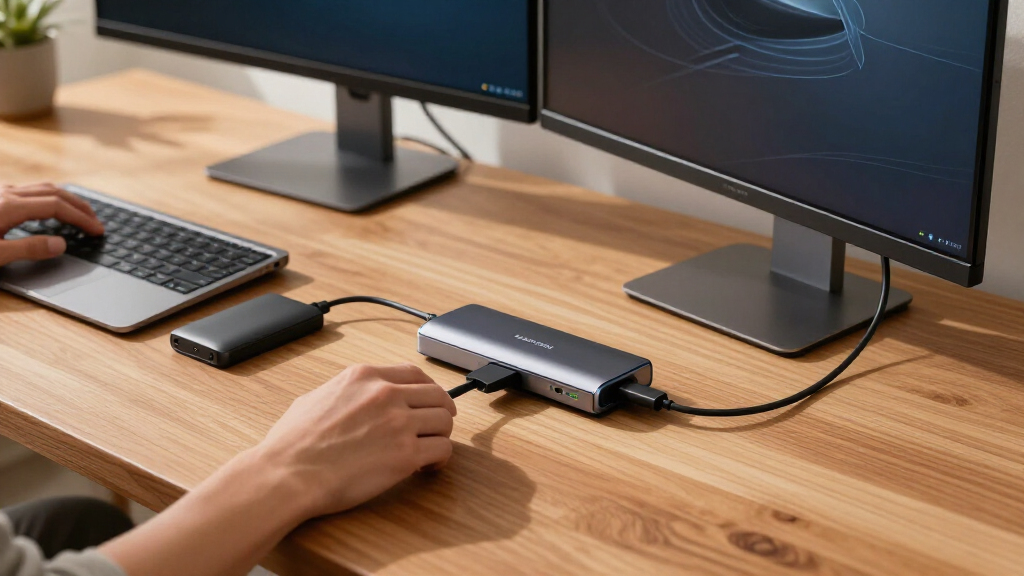

If you’re hunting for the best Thunderbolt 5 docks, the CalDigit TS5 earns my top recommendation thanks to its unmatched 15-port layout, 140W laptop charging, and rock-solid display support for dual 6K monitors. The Razer Thunderbolt 5 Dock Chroma stands out if you want a built-in M.2 SSD slot for external storage, while the UGREEN Maxidok delivers the strongest port-per-dollar value in the lineup. The main tradeoff in this category is simple: full-featured 15-port docks cost more and take up desk space, while compact hubs like the OWC Thunderbolt 5 Hub trade expandability for portability and lower cost. Another dividing line is display support — some docks handle dual 8K screens, others cap out at a single high-resolution output. Continue reading for the full breakdown of all 15 docks and which one fits your workflow.

Get the latest gadgets delivered free — and shop member deals
- Fast, free delivery on millions of items
- Access to Prime Big Deal Days deals on October 6–7
- Prime Video, Amazon Music and more included
Complete the kit



Key Takeaways
- The CalDigit TS5 won best overall because no other dock matches its 15-port count combined with 140W charging, but its size and premium pricing make it overkill for single-monitor users.
- Three of the fifteen docks (Razer Chroma, UGREEN Maxidok with 8TB SSD support, and the OWC Dock) include built-in M.2 NVMe slots — a Thunderbolt 5-era feature that lets the dock double as a DAS enclosure, and a clear differentiator in this roundup.
- The UGREEN Maxidok appears three times in the lineup in different configurations, and it consistently offered the best price-to-port ratio, though firmware quirks and lighter chassis build kept it from the top spot.
- Smart docks from Dell and Lenovo can power high-wattage workstations (up to 300W) that standard docks can’t, but their enterprise management features and vendor lock-in make them poor picks for general consumers.
- Dual 8K display support separated the StarTech and CalDigit docks from the pack, while the Plugable TBT-UDH2 chose dual native HDMI 2.1 ports instead — a better fit for living-room-adjacent setups using TV-standard inputs.
| Razer Thunderbolt 5 Dock Chroma – 11 Ports with M.2 SSD Slot, Black |  | Best for Gamers and Storage Expansion | Ports: 11 | Interface: Thunderbolt 5, up to 120 Gb/s | Storage: M.2 slot, up to 8TB NVMe SSD (not included) | VIEW LATEST PRICE | See Our Full Breakdown |
| UGREEN Maxidok Thunderbolt 5 Docking Station |  | Best Value Full-Featured Dock | Ports: 10 | Thunderbolt: Thunderbolt 5 with 2 downstream ports; backward compatible TB4/3, USB4 | Display Support: Triple 4K 144 Hz or dual/single 8K 60 Hz via DP 2.1 | VIEW LATEST PRICE | See Our Full Breakdown |
| CalDigit TS5 Thunderbolt 5 Dock, 15-Port, Space Gray |  | Best Overall | Ports: 15 | Thunderbolt 5: 1 host, 3 downstream, up to 80 Gb/s | Display Output: DisplayPort 2.1, up to dual 8K 60 Hz on supported hosts | VIEW LATEST PRICE | See Our Full Breakdown |
| UGREEN Maxidok Thunderbolt 5 Docking Station |  | Best for Multi-Monitor Power Users | Total Ports: 13 | Thunderbolt Ports: 4, up to 120 Gbps | Display Support: Triple 4K 144 Hz, dual 6K 60 Hz, or single 8K | VIEW LATEST PRICE | See Our Full Breakdown |
| CalDigit Element 5 Thunderbolt 5 Hub, 9-Port |  | Best Compact Hub | Ports: 9 total: 4 Thunderbolt 5, 3 USB-A, 2 USB-C | Thunderbolt 5 Performance: Up to 80 Gb/s; 120 Gb/s for displays with Bandwidth Boost | USB Data Rate: 10 Gb/s | VIEW LATEST PRICE | See Our Full Breakdown |
| Anker Prime TB5 14-in-1 Thunderbolt 5 Docking Station for Laptops |  | Best All-Rounder | Ports: 14-in-1 (TB5, USB-C, USB-A, SD/TF, 2.5GbE, audio, HDMI 2.1/DP 2.1) | Thunderbolt: 1x TB5 upstream, 2x TB5 downstream | Video Output: Up to 8K@60Hz single; dual 8K@60Hz on compatible TB5 Windows laptops | VIEW LATEST PRICE | See Our Full Breakdown |
| StarTech Thunderbolt 5 and USB4 Dock with Dual 8K Display Support |  | Best for Mixed-Fleet Offices | Compatibility: Thunderbolt 5, Thunderbolt 4, USB4; Windows 11, macOS 15/26 | Display Support: Up to three 4K 144Hz or dual 8K 60Hz displays | Laptop Power Delivery: Up to 140W | VIEW LATEST PRICE | See Our Full Breakdown |
| OWC Thunderbolt 5 Dock with 11-Port Connectivity |  | Best Quiet Performer | Ports: 11 total, including 3 Thunderbolt ports | Compatibility: Thunderbolt 5/4/3, USB4, USB-C | Charging: Up to 140W notebook charging | VIEW LATEST PRICE | See Our Full Breakdown |
| UGREEN Maxidok Thunderbolt 5 Docking Station with 8TB M.2 NVMe SSD Support |  | Best Workstation Dock | Total Ports: 17 including 3x USB-A and 3x USB-C (10Gbps) | Thunderbolt 5 Bandwidth: 120Gbps with 2x TB5 downstream ports | M.2 Slot: NVMe PCIe Gen4x4, 2230-2280, up to 8TB | VIEW LATEST PRICE | See Our Full Breakdown |
| iVANKY FusionDock Max 2 Thunderbolt 5 Dock for Mac |  | Best Mac-Only Pick | Total Ports: 26 total including 10 USB ports | Thunderbolt 5 Downstream: 3 ports | Max Data Transfer: 120 Gbps | VIEW LATEST PRICE | See Our Full Breakdown |
| OWC Thunderbolt 5 Hub, 5-Port Connectivity Solution |  | Best Minimalist Hub | Ports: 5 total, including three USB ports | Data speed: Up to 80 Gb/s bidirectional; 120 Gb/s display bandwidth | Display support: Up to three 8K displays | VIEW LATEST PRICE | See Our Full Breakdown |
| WAVLINK Thunderbolt 5 Docking Station |  | Best Value Full-Featured Dock | Upstream port: 1x Thunderbolt 5, up to 120 Gbps, 140 W power delivery | Downstream ports: 3x Thunderbolt 5, up to 80 Gbps, 15W and 30W | Other ports: 2.5G RJ45, 4x USB-A 3.2, SD 4.0, 3.5mm audio/mic | VIEW LATEST PRICE | See Our Full Breakdown |
| Dell Pro 300W 12-Port Thunderbolt 5 Smart Dock |  | Best for High-Power Workstations | Ports: 12 | Thunderbolt ports: 2x Thunderbolt 5 | Display outputs: 2x DisplayPort 2.1, 1x HDMI 2.1 | VIEW LATEST PRICE | See Our Full Breakdown |
| Plugable TBT-UDH2 Thunderbolt 5 Dock with Dual HDMI 2.1 |  | Best for HDMI Users | Ports: 16-in-1: 6 USB-C, dual HDMI 2.1, 2.5G Ethernet, UHS-II readers | Laptop charging: Up to 140 W | Front USB-C charging: Two ports, up to 30 W each | VIEW LATEST PRICE | See Our Full Breakdown |
| Lenovo ThinkPad Thunderbolt 5 Smart Dock 7500 – Black |  | Best for IT Fleets | Data transfer speed: 120 Gbps | Power delivery: 180 W (PD 3.1) | Max display configuration: Three 8K 60Hz, or two 4K 240Hz plus two 4K 120Hz | VIEW LATEST PRICE | See Our Full Breakdown |
| Thunderbolt 5 dock | Ports | Display Support | Compatibility |
|---|---|---|---|
| Razer Thunderbolt 5 Dock Chrom | 11 | 8K 60 Hz, 4K 240 Hz, triple 4K 144 Hz, 1440p 500 Hz | M-series Macs, Thunderbolt 5/4 Windows laptops and desktops |
| UGREEN Maxidok Thunderbolt 5 D | 10 | Triple 4K 144 Hz or dual/single 8K 60 Hz via DP 2.1 | TB5/4 Windows laptops; listed MacBooks and Mac mini (macOS 15+) |
| CalDigit TS5 Thunderbolt 5 Doc | 15 | — | — |
| UGREEN Maxidok Thunderbolt 5 D | — | Triple 4K 144 Hz, dual 6K 60 Hz, or single 8K | Select MacBooks and Mac minis (macOS 15+), TB5/4 Windows laptops |
| CalDigit Element 5 Thunderbolt | 9 total: 4 Thunderbolt 5, 3 USB-A, 2 USB-C | Two 6K/8K or dual 4K 240 Hz on Macs; three 4K 144 Hz on Windows TB5 | — |
| Anker Prime TB5 14-in-1 Thunde | 14-in-1 (TB5, USB-C, USB-A, SD/TF, 2.5GbE, audio, HDMI 2.1/DP 2.1) | — | — |
| StarTech Thunderbolt 5 and USB | — | Up to three 4K 144Hz or dual 8K 60Hz displays | Thunderbolt 5, Thunderbolt 4, USB4; Windows 11, macOS 15/26 |
| OWC Thunderbolt 5 Dock with 11 | 11 total, including 3 Thunderbolt ports | Up to three 8K displays | Thunderbolt 5/4/3, USB4, USB-C |
| UGREEN Maxidok Thunderbolt 5 D | — | — | — |
| iVANKY FusionDock Max 2 Thunde | — | Up to three displays; varies by Mac chip | MacBook series (2020 and later), macOS 10.15+ |
| OWC Thunderbolt 5 Hub | 5 total, including three USB ports | Up to three 8K displays | Thunderbolt 5/4/3, USB4, USB-C |
| WAVLINK Thunderbolt 5 Docking | — | — | — |
| Dell Pro 300W 12-Port Thunderb | 12 | Up to four displays; 8K 60Hz single or 4K 120Hz quad | — |
| Plugable TBT-UDH2 Thunderbolt | 16-in-1: 6 USB-C, dual HDMI 2.1, 2.5G Ethernet, UHS-II readers | Dual 8K 60Hz or 4K 144Hz (TB5); dual 4K 120Hz (TB4) | Thunderbolt 5/4 and USB4; Windows 11+, macOS 13+ |
| Lenovo ThinkPad Thunderbolt 5 | Thunderbolt 5, HDMI 2.1, DisplayPort 2.1, USB-A, USB-C, combo audio | — | — |
More Details on Our Top Picks
Razer Thunderbolt 5 Dock Chroma – 11 Ports with M.2 SSD Slot, Black
Gaming rigs demand bandwidth and refresh rates, and this Razer dock pushes the full 120 Gb/s of Thunderbolt 5 to deliver what few rivals can: 1440p at 500 Hz, or triple 4K at 144 Hz. Compared with the CalDigit TS5, which caps its Thunderbolt links at 80 Gb/s, this option stands out when you need every last bit of headroom for high-refresh panels or fast external drives. Its party trick is the integrated M.2 slot supporting up to 8TB of NVMe storage, letting you build a game library directly into the dock — something only the SSD-equipped UGREEN Maxidok variants replicate. The tradeoff: you supply your own SSD, and without a Thunderbolt 5 host you lose most of the speed advantage that justifies the premium positioning.
Pros:- Full 120 Gb/s Thunderbolt 5 bandwidth for extreme display and data workloads
- Built-in M.2 slot accepts up to 8TB NVMe SSD for fast expandable storage
- Unique display flexibility: 4K at 240 Hz or 1440p at 500 Hz for competitive gaming
- 11-port layout covers Ethernet, SD card, audio, and multiple Thunderbolt connections
Cons:- M.2 SSD is not included, adding meaningful cost to unlock the storage feature
- Requires a Thunderbolt 5-capable host for the speeds and refresh rates that justify it
Best for: PC gamers and creative professionals who want high-refresh multi-monitor setups and internal-style NVMe storage expansion in one desktop hub
Not ideal for: Owners of Thunderbolt 3/4 laptops — the bandwidth and display advantages largely evaporate, leaving an expensive dock with underused silicon
- Ports:11
- Interface:Thunderbolt 5, up to 120 Gb/s
- Storage:M.2 slot, up to 8TB NVMe SSD (not included)
- Display Support:8K 60 Hz, 4K 240 Hz, triple 4K 144 Hz, 1440p 500 Hz
- Laptop Charging:Up to 140W
- Dimensions:8.08 x 3.35 x 1.18 inches
- Compatibility:M-series Macs, Thunderbolt 5/4 Windows laptops and desktops
Our verdict“If you game at high refresh rates or want terabytes of fast storage bolted into your dock, this is the most feature-forward pick in the lineup.”
UGREEN Maxidok Thunderbolt 5 Docking Station
Not everyone needs the 15-port sprawl of the CalDigit TS5 or the Razer’s M.2 expansion, and this UGREEN Maxidok makes the most sense for buyers who want core Thunderbolt 5 capability without paying for fringe ports. You still get triple 4K at 144 Hz, dual or single 8K at 60 Hz, dual card readers, Gigabit Ethernet, and 100W of laptop charging — a package that covers the everyday desk setup. The fanless aluminum construction keeps it silent on a quiet desk, and at 1.6 kg it stays planted when cables tug at it. Two caveats shape the value story: HDMI monitors need an active DisplayPort-to-HDMI adapter because the video output is DP 2.1 only, and the Ethernet is Gigabit rather than the 2.5GbE found on both CalDigit options.
Pros:- Full Thunderbolt 5 feature set including triple 4K 144 Hz and 8K 60 Hz output
- Fanless aluminum design runs completely silent
- Broad everyday connectivity: 3x USB-A, Ethernet, SD and microSD readers
- 100W laptop charging handles most work laptops comfortably
Cons:- DisplayPort-only video output requires adapters for HDMI monitors
- Gigabit Ethernet trails the 2.5GbE networking on the CalDigit TS5 and Element-line docks
- Mac support requires macOS 15 or later
Best for: Budget-conscious professionals with DisplayPort monitors who want triple-4K Thunderbolt 5 docking and 100W charging at a lower price
Not ideal for: HDMI-only monitor setups — you’ll need to buy adapters, eroding the value advantage over docks with native HDMI
- Ports:10
- Thunderbolt:Thunderbolt 5 with 2 downstream ports; backward compatible TB4/3, USB4
- Display Support:Triple 4K 144 Hz or dual/single 8K 60 Hz via DP 2.1
- Laptop Charging:Up to 100W PD
- Ethernet:Gigabit
- Card Readers:SD and microSD 3.0
- Design:Fanless aluminum alloy, 1.6 kg
- Compatibility:TB5/4 Windows laptops; listed MacBooks and Mac mini (macOS 15+)
Our verdict“A sensible mid-tier choice that delivers the Thunderbolt 5 essentials while skipping the premium extras that inflate rival pricing.”
CalDigit TS5 Thunderbolt 5 Dock, 15-Port, Space Gray
This is the dock I’d point most serious desk builders toward, because no other option here matches its 15-port breadth while keeping everything in a compact aluminum chassis. Where the Razer Thunderbolt 5 Dock Chroma prioritizes raw display bandwidth, the TS5 balances the equation: 2.5GbE networking (double the UGREEN Maxidok’s Gigabit), dual UHS-II card readers for photographers, three Thunderbolt 5 downstream ports, and a 240W power supply that sustains 140W host charging with headroom for attached drives. The aluminum body doubles as a heatsink, so sustained transfers don’t throttle. Tradeoffs exist: Ethernet needs a Thunderbolt or USB4-with-PCIe host, and display configurations hinge entirely on what your computer supports — the dock is capable, but it won’t outperform a weak host.
Pros:- Class-leading 15-port selection covering data, networking, cards, and audio
- 2.5GbE Ethernet doubles the wired speed of value-tier rivals
- 140W host charging backed by a 240W power supply with real headroom
- Compact aluminum chassis dissipates heat during sustained workloads
Cons:- Ethernet requires a Thunderbolt host or USB4 host with PCIe support
- Maximum display configurations depend heavily on host computer capability
Best for: Professionals and creators who want one dock to run an entire workstation — networking, card readers, storage, displays, and charging — for years
Not ideal for: Owners of basic USB-C-only laptops, since Ethernet and full display output depend on a Thunderbolt-class host
- Ports:15
- Thunderbolt 5:1 host, 3 downstream, up to 80 Gb/s
- Display Output:DisplayPort 2.1, up to dual 8K 60 Hz on supported hosts
- Ethernet:2.5GbE
- Card Readers:SD 4.0 and microSD 4.0 UHS-II
- Host Charging:Up to 140W (240W power supply)
- Dimensions:4.5 x 2.75 x 1.12 inches, 8.9 oz
- Included Cable:1m braided Thunderbolt cable
Our verdict“The most complete all-around Thunderbolt 5 dock in this roundup — buy it if your desk needs everything and you’d rather not compromise on ports.”
UGREEN Maxidok Thunderbolt 5 Docking Station
Where the CalDigit Element 5 Hub spreads four Thunderbolt ports but leans on the host for displays, this Maxidok takes the opposite approach: video output is the headline. It drives triple 4K at 144 Hz, dual 6K at 60 Hz, or a single 8K panel, with 140W dynamic charging that edges out the 100W of the other UGREEN Maxidok in this guide. The 180W GaN adapter ships with US/EU/UK plugs, a genuinely useful touch for travelers or anyone relocating a workstation abroad. Networking is 2.5GbE, matching the CalDigit TS5 and beating the value Maxidok. The catch is how video works: with no built-in HDMI or DisplayPort ports, monitors connect through Thunderbolt, so you’ll need USB-C displays or adapters. Thunderbolt 3 owners are out of luck entirely.
Pros:- Four Thunderbolt 5 ports with full 120 Gbps bandwidth
- Flexible display options: triple 4K 144 Hz, dual 6K 60 Hz, or single 8K
- 140W dynamic charging with an 180W GaN adapter including US/EU/UK plugs
- 2.5GbE Ethernet plus UHS-II card readers and 3.5mm audio round out a 13-port layout
Cons:- No native HDMI or DisplayPort video ports — adapters or USB-C monitors required
- Incompatible with Thunderbolt 3 computers and devices
- Mac use requires macOS 15 or later
Best for: Power users running multi-monitor, high-bandwidth setups who want 140W charging and 2.5GbE networking in a travel-friendly package
Not ideal for: Thunderbolt 3 computer owners — this dock simply won’t work with your machine
- Total Ports:13
- Thunderbolt Ports:4, up to 120 Gbps
- Display Support:Triple 4K 144 Hz, dual 6K 60 Hz, or single 8K
- Charging:Up to 140W dynamic (180W GaN adapter with US/EU/UK plugs)
- Ethernet:2.5GbE
- Card Reader:UHS-II SD/TF up to 312 MB/s
- Chassis:Dual-layer aluminum
- Compatibility:Select MacBooks and Mac minis (macOS 15+), TB5/4 Windows laptops
Our verdict“A strong pick for bandwidth-hungry multi-display workstations, provided your monitors speak Thunderbolt or you’re willing to buy adapters.”
CalDigit Element 5 Thunderbolt 5 Hub, 9-Port
Not everyone needs a full docking station, and the Element 5 makes a persuasive case for restraint. It packs four Thunderbolt 5 ports into a chassis just 4.5 inches wide, hitting up to 120 Gb/s with Bandwidth Boost for displays — yet it costs and occupies far less desk than the CalDigit TS5, its 15-port big sibling. This model is better suited to laptop users who want to plug in one cable and fan out storage, displays, and peripherals through Thunderbolt-native connections, since there are no dedicated card readers, Ethernet, or audio jacks here. Offline charging is a thoughtful touch — attached devices keep charging even when the laptop is disconnected. The 90W ceiling is lower than the 140W docks above, and triple displays only work on Windows; macOS tops out at two.
Pros:- Four Thunderbolt 5 ports with up to 120 Gb/s Bandwidth Boost for displays
- Genuinely compact at 4.5 x 2.75 x 1.12 inches and 8.9 ounces
- Offline charging powers attached devices even when the host laptop is unplugged
- Broad host compatibility spanning Thunderbolt 5, USB4 v2, Thunderbolt 4, and Mac Thunderbolt 3
Cons:- 90W power delivery trails the 140W offered by full docks in this guide
- No Ethernet, card readers, or audio ports — it’s a pure Thunderbolt hub
- Triple displays unsupported on macOS and full speed requires TB5 or USB4 v2
Best for: Laptop users with minimal desk space who want maximum Thunderbolt 5 expandability in the smallest possible footprint
Not ideal for: Anyone needing built-in Ethernet, SD card readers, or full 140W charging — the TS5 or the 13-port UGREEN Maxidok covers those needs better
- Ports:9 total: 4 Thunderbolt 5, 3 USB-A, 2 USB-C
- Thunderbolt 5 Performance:Up to 80 Gb/s; 120 Gb/s for displays with Bandwidth Boost
- USB Data Rate:10 Gb/s
- Power Delivery:Up to 90W (180W power supply)
- Display Support:Two 6K/8K or dual 4K 240 Hz on Macs; three 4K 144 Hz on Windows TB5
- Dimensions:4.5 x 2.75 x 1.12 inches, 8.9 oz
- Minimum OS:macOS 15, Windows 11, iOS 26
Our verdict“The right choice if you value port density and desk minimalism over built-in extras — pair it with existing Thunderbolt accessories and skip the redundancy.”
Anker Prime TB5 14-in-1 Thunderbolt 5 Docking Station for Laptops
The Anker Prime TB5 earns its spot as the most balanced pick because it covers the essentials a Thunderbolt 5 buyer actually pays for: 140W host charging, dual 8K display output, and blazing storage speeds — a 150GB file moves in roughly 25 seconds. Compared with the OWC Thunderbolt 5 Dock, Anker trades a little port count for genuinely useful flexibility, including both HDMI 2.1 and DisplayPort 2.1 options so you’re not hunting for adapters like you would with the UGREEN Maxidok’s DP-only video. The catch is real: dual 8K output only works on compatible TB5 Windows laptops, Mac users get less, and the active cooling fan introduces noise that the fanless OWC avoids entirely. This pick makes the most sense for someone who wants one dock that does everything reasonably well without paying for a niche.
Pros:- Broad 14-in-1 port selection covers laptops, peripherals, and memory cards
- Very fast Thunderbolt 5 data transfers handle large video and photo libraries
- Up to 140W laptop charging keeps power-hungry machines topped off
- Both HDMI 2.1 and DisplayPort 2.1 options reduce adapter clutter
Cons:- Full performance requires a compatible Thunderbolt 5 host device
- Active cooling fan produces noticeable noise under sustained load
- Dual 8K output is limited to compatible Thunderbolt 5 Windows laptops
Best for: Power users with a Thunderbolt 5 Windows laptop who want charging, dual 8K displays, and fast storage in one dock
Not ideal for: Silent-workspace users or Mac owners — the fan is audible under load and dual 8K isn’t available on macOS
- Ports:14-in-1 (TB5, USB-C, USB-A, SD/TF, 2.5GbE, audio, HDMI 2.1/DP 2.1)
- Thunderbolt:1x TB5 upstream, 2x TB5 downstream
- Video Output:Up to 8K@60Hz single; dual 8K@60Hz on compatible TB5 Windows laptops
- Power Delivery:Up to 140W via TB5 (PD 3.1); 45W shared front USB-C
- Data Transfer:150GB file in about 25 seconds
- Cooling:Active cooling system
- Warranty:24 months
Our verdict“Buy this if you want the most well-rounded Thunderbolt 5 dock for a Windows machine and can tolerate a little fan noise.”
StarTech Thunderbolt 5 and USB4 Dock with Dual 8K Display Support
What separates the StarTech TB5 dock from the pack is backwards compatibility: it works cleanly with Thunderbolt 5, Thunderbolt 4, and USB4 laptops, which matters if your household or office runs a mix of older and newer machines. Where the iVANKY FusionDock Max 2 locks you out of anything that isn’t a Mac, StarTech keeps the door open on both sides. Its display flexibility is the other headline — three 4K 144Hz monitors for refresh-rate-focused setups or dual 8K 60Hz for pixel density, depending on your priorities. Tradeoffs exist: actual display output varies with the host laptop’s capabilities, and some device-management features require downloading StarTech’s software rather than working out of the box. Compared with the Anker Prime TB5, you also get a dedicated 30W USB-C charging port for a phone alongside the 140W laptop feed.
Pros:- Works across Thunderbolt 5, Thunderbolt 4, and USB4 hosts
- Supports three 4K 144Hz or dual 8K 60Hz display configurations
- 140W laptop charging plus a separate 30W USB-C device port
- Driverless setup on Windows 11 and macOS with dual security slots
Cons:- Display capabilities vary by host computer and configuration
- Some management features require downloading StarTech Connectivity Tools
Best for: IT buyers and multi-laptop households who need one dock to serve Thunderbolt 4, USB4, and Thunderbolt 5 machines across Windows and macOS
Not ideal for: Buyers expecting guaranteed triple-display output — real capabilities depend heavily on the host laptop
- Compatibility:Thunderbolt 5, Thunderbolt 4, USB4; Windows 11, macOS 15/26
- Display Support:Up to three 4K 144Hz or dual 8K 60Hz displays
- Laptop Power Delivery:Up to 140W
- Power Adapter:180W with 30W USB-C charging port
- Ethernet:2.5GbE RJ45 with 9k jumbo frames
- Card Readers:SD 4.0 and microSD 4.0 (UHS-II)
- Security:K-Slot and Nano security slots
Our verdict“This is the dock for shared desks and mixed laptop fleets where compatibility matters more than raw port count.”
OWC Thunderbolt 5 Dock with 11-Port Connectivity
If fan noise is a dealbreaker, the OWC Thunderbolt 5 Dock is the standout: its fanless aluminum enclosure runs silent where the Anker Prime TB5 and UGREEN Maxidok both spin up audible cooling under load. That silence costs you the built-in SSD slot the UGREEN offers, but OWC counters with support for up to three 8K displays and backwards compatibility stretching all the way to Thunderbolt 3 and plain USB-C — a wider net than most TB5 docks in this lineup bother to cast. With 140W charging, 2.5GbE networking, and dual UHS-II card readers, nothing feels missing for a typical desk setup. The honest limitation is that full capability still requires a modern TB5 host; older laptops will see reduced display and bandwidth ceilings. This option stands out for buyers who value quiet, dependable engineering over headline specs.
Pros:- Fanless aluminum design runs completely silent
- Supports up to three 8K displays from one connection
- Broad compatibility with Thunderbolt 5/4/3, USB4, and USB-C
- 140W charging plus 2.5GbE and UHS-II card readers
Cons:- Requires a compatible modern computer for full capabilities
- No built-in M.2 storage slot despite the port count
Best for: Home office professionals and audio-sensitive users who need a silent, full-featured dock with multi-display support
Not ideal for: Buyers who want integrated storage — there’s no M.2 slot like the UGREEN Maxidok or Razer TB5 docks provide
- Ports:11 total, including 3 Thunderbolt ports
- Compatibility:Thunderbolt 5/4/3, USB4, USB-C
- Charging:Up to 140W notebook charging
- Display Support:Up to three 8K displays
- Network:2.5x faster than standard Ethernet
- Card Readers:SD 4.0 UHS-II and microSD
- Cooling:Fanless aluminum enclosure
- Warranty:2-year limited warranty
Our verdict“Choose this dock when silent operation and wide compatibility outrank having every possible port.”
UGREEN Maxidok Thunderbolt 5 Docking Station with 8TB M.2 NVMe SSD Support
The UGREEN Maxidok is the most ambitious dock in this batch, and it targets a specific buyer: someone building a serious workstation around a single desk accessory. Its built-in M.2 NVMe Gen4x4 slot supporting up to 8TB means you get internal-speed storage without an external enclosure — something only the Razer Thunderbolt 5 Dock Chroma matches here. With 17 ports, 240W total system power, and 120Gbps Thunderbolt 5 bandwidth, it out-specs the Anker Prime TB5 on nearly every axis. But the compromises are genuine: heatsink-equipped and wider-than-24mm SSDs like the Samsung 9100 PRO won’t fit, the DisplayPort output lacks DP++ support so HDMI monitors need an active adapter, and the AI cooling fan runs audibly under load — a clear step back from the OWC dock’s fanless silence. This model is better suited to tinkerers who read spec sheets carefully than plug-and-play users.
Pros:- 17-in-one port selection covers nearly every workstation need
- Built-in M.2 Gen4x4 slot supports SSDs up to 8TB
- 240W total system power charges laptops and peripherals simultaneously
- 120Gbps Thunderbolt 5 bandwidth for triple-display 8K on Windows
Cons:- Incompatible with some heatsink-equipped or wider-than-24mm SSDs
- DP port lacks DP++ support, so HDMI monitors need an active adapter
- Cooling fan produces audible noise under heavy load
Best for: Content creators and workstation users who want up to 8TB of built-in NVMe storage plus maximum port count in one dock
Not ideal for: Hassle-averse buyers — SSD fit restrictions, DP++ incompatibility, and audible fan noise demand research before buying
- Total Ports:17 including 3x USB-A and 3x USB-C (10Gbps)
- Thunderbolt 5 Bandwidth:120Gbps with 2x TB5 downstream ports
- M.2 Slot:NVMe PCIe Gen4x4, 2230-2280, up to 8TB
- Video:DP 1.4 + 2x TB5 downstream; up to 3 displays at 8K@60Hz (Windows)
- Ethernet:2.5GbE
- Total Power:240W system power
- Cooling:AI smart cooling with 60mm fan (under 30 dB)
- Chassis:Aluminum unibody with security lock
Our verdict“Pick the Maxidok if you want a storage-equipped workstation hub and are willing to verify SSD compatibility first.”
iVANKY FusionDock Max 2 Thunderbolt 5 Dock for Mac
The iVANKY FusionDock Max 2 goes all-in on macOS in a way no other dock here does — and pays for it with a hard wall against Windows and ChromeOS machines. Its 10 USB ports and three Thunderbolt 5 downstream connections give it the densest expansion in this batch, and the fanless passive cooling built around copper, graphene, and aluminum keeps it silent, matching the OWC dock’s quiet operation while offering more ports. The key caveat for Mac buyers: display support scales with your chip, so only Max-series Apple silicon drives three extended displays, while other configurations manage one or two — a firmer limit than the Windows-side flexibility of the Anker Prime TB5 or StarTech docks. It’s also tethered to a single Mac and can’t rotate between machines. This pick makes the most sense for a committed MacBook Pro Max owner building out a permanent desk.
Pros:- Fanless passive cooling with graphene and copper construction runs silent
- 10 USB ports plus three Thunderbolt 5 downstream ports
- Up to 120 Gbps data transfer rates
- Up to three extended displays on compatible Max-chip Macs
Cons:- Not compatible with Windows or Chrome laptops
- Display support varies by Mac chip — some configs get only one or two displays
- Cannot switch between multiple Macs
Best for: MacBook Pro Max owners who want maximum port expansion and silent operation on a permanent single-machine desk
Not ideal for: Households or offices with Windows laptops, Chromebooks, or multiple Macs — compatibility is Mac-only and single-device
- Total Ports:26 total including 10 USB ports
- Thunderbolt 5 Downstream:3 ports
- Max Data Transfer:120 Gbps
- Display Support:Up to three displays; varies by Mac chip
- Ethernet:2.5 Gbps
- Card Reader:SD/TF 4.0, up to 312 MB/s
- Compatibility:MacBook series (2020 and later), macOS 10.15+
- Cooling:Fanless passive cooling
- Warranty:24 months
Our verdict“This is the dock for a dedicated MacBook Pro Max workstation — everyone else should look at more flexible options.”
OWC Thunderbolt 5 Hub, 5-Port Connectivity Solution
Not everyone needs a 16-port monster like the Plugable TBT-UDH2, and that’s exactly where this OWC hub finds its niche. It trades port count for a fanless aluminum build that stays silent on a desk, while still pushing up to 140 W of charging and support for three 8K displays — headroom most hubs this size can’t touch. The 120 Gb/s display bandwidth means monitor-heavy setups won’t choke on data. The honest tradeoff is the absence of an Ethernet jack, which the WAVLINK docking station includes at a similar complexity level, so wired-network users should look elsewhere. Compared with OWC’s own 11-port dock, this model suits buyers who want speed and charging without the clutter of rarely used ports.
Pros:- Fanless aluminum enclosure keeps the desk completely silent
- Up to 140 W of laptop charging from a compact body
- Supports up to three 8K displays with 120 Gb/s display bandwidth
- Broad compatibility back to Thunderbolt 3 and USB-C devices
Cons:- No Ethernet port, which is standard on similarly priced docks
- Only five ports total — limited expandability for peripheral-heavy users
Best for: Minimalist desk setups that prioritize fast charging and multi-display bandwidth over port variety
Not ideal for: Anyone needing wired Ethernet or card readers — you’ll have to add dongles that defeat the clean-hub purpose
- Ports:5 total, including three USB ports
- Data speed:Up to 80 Gb/s bidirectional; 120 Gb/s display bandwidth
- Display support:Up to three 8K displays
- Power delivery:Up to 140 W
- Compatibility:Thunderbolt 5/4/3, USB4, USB-C
- Dimensions:3 × 6 × 1 inches
- Included:Thunderbolt 5 cable and 140 W power supply
- Warranty:2-year limited warranty
Our verdict“This is the pick for buyers who want Thunderbolt 5 speed and serious charging in the smallest, quietest footprint possible.”
WAVLINK Thunderbolt 5 Docking Station
WAVLINK’s 12-in-1 dock is the budget-conscious all-rounder in this lineup. It packs four Thunderbolt 5 ports, 2.5G Ethernet, four USB-A ports, and an SD 4.0 reader — a spread that competes with pricier options like the Dell Pro 300W Smart Dock while undercutting it as a value play. Single-display output reaches 8K at 144Hz, which is genuinely fast for the category. The catch is platform-dependence: triple displays only work on Windows 11 or later with Thunderbolt 5, and Mac users should temper expectations. Compared with the OWC hub, this model wins on connectivity breadth but lacks the premium aluminum enclosure. You’ll also need to supply your own video cables, an added cost to factor in.
Pros:- Four Thunderbolt 5 ports with up to 80 Gb/s downstream data
- 2.5G Ethernet, SD 4.0 reader, and four USB-A ports cover legacy needs
- Up to 8K at 144Hz on a single display
- Two-year warranty included
Cons:- Triple-display mode requires a Windows 11 or later Thunderbolt 5 PC
- USB-C to HDMI/DisplayPort cables and security lock not included
Best for: Windows 11 power users who want maximum port variety and high-refresh displays without flagship pricing
Not ideal for: MacOS users wanting triple external displays — the required Windows 11 Thunderbolt 5 host rules that out
- Upstream port:1x Thunderbolt 5, up to 120 Gbps, 140 W power delivery
- Downstream ports:3x Thunderbolt 5, up to 80 Gbps, 15W and 30W
- Other ports:2.5G RJ45, 4x USB-A 3.2, SD 4.0, 3.5mm audio/mic
- Single display:Up to 8K at 144Hz
- Dual display:Up to 8K at 60Hz
- Triple display:Up to 4K at 144Hz; Windows 11+ required
- SD reader speed:Up to 312 MB/s
- Warranty:2 years
Our verdict“The smart choice for Windows users who want near-flagship connectivity without paying flagship money.”
Dell Pro 300W 12-Port Thunderbolt 5 Smart Dock
This Dell dock stands apart for one reason: raw power delivery. Up to 300 W for Dell systems and 240 W for everything else means even workstation-class laptops stay charged under full load — something the 140 W Plugable and 180 W Lenovo docks can’t guarantee. Port selection is equally serious, with DisplayPort 2.1, HDMI 2.1, and dual Thunderbolt 5 ports supporting up to four displays at 4K 120Hz. OS support stretches from Windows and macOS to ChromeOS, Red Hat, and Ubuntu, making it a natural fit for mixed-environment offices. The tradeoff is bulk and complexity: casual users with a single monitor will be paying for capacity they never touch, and the design prioritizes function over desk aesthetics.
Pros:- Up to 300 W power delivery for Dell systems, 240 W for others
- 12 ports including DisplayPort 2.1, HDMI 2.1, and dual Thunderbolt 5
- Supports up to four displays, including 8K 60Hz single-output
- Works across Windows, macOS, ChromeOS, and two Linux distributions
Cons:- Overkill in size and capacity for basic home-office setups
- Full 300 W charging benefit only applies to Dell systems
Best for: Dell workstation owners and enterprise users running multi-monitor, multi-OS setups with power-hungry laptops
Not ideal for: Single-monitor laptop users — the 300 W output and 12 ports are overkill for light workflows
- Ports:12
- Thunderbolt ports:2x Thunderbolt 5
- Display outputs:2x DisplayPort 2.1, 1x HDMI 2.1
- USB ports:5
- Display support:Up to four displays; 8K 60Hz single or 4K 120Hz quad
- Max data transfer:1.25 GB/s
- Power delivery:300W Dell / 240W non-Dell
- OS compatibility:Windows 10/11, macOS, ChromeOS, RHEL, Ubuntu
Our verdict“Buy it if you run a power-hungry workstation with multiple monitors; skip it if your laptop sips power.”
Plugable TBT-UDH2 Thunderbolt 5 Dock with Dual HDMI 2.1
Most Thunderbolt 5 docks make you buy adapters for HDMI monitors — the TBT-UDH2 doesn’t, thanks to native dual HDMI 2.1 outputs. That makes it the path of least resistance for anyone with existing 8K 60Hz or 4K 144Hz HDMI displays, handling up to dual 8K without a single dongle. The 16-port layout includes six USB-C ports, two front-facing with 30 W charging each, plus 2.5G Ethernet and UHS-II card readers — a broader spread than the OWC hub, though it can’t match the Dell dock’s 240 W+ charging ceiling at 140 W. Compatibility caveats are real: Thunderbolt 3, USB-C-only, and Windows ARM hosts are unsupported, and base M1–M3 Macs are limited to one external display. Lifetime support softens the risk.
Pros:- Native dual HDMI 2.1 outputs — no adapters needed for HDMI monitors
- Up to dual 8K 60Hz or 4K 144Hz with Thunderbolt 5 hosts
- Six USB-C ports including two 30 W front charging ports
- Driverless setup and lifetime support
Cons:- No Thunderbolt 3, USB-C-only, or Windows ARM host support
- Base M1/M2/M3 Macs limited to a single external display
Best for: Owners of HDMI 2.1 monitors who want plug-and-play dual 8K without adapters, plus creators needing card readers
Not ideal for: Thunderbolt 3 or USB-C-only laptop owners and gaming laptops with DisplayPort MUX — neither is supported
- Ports:16-in-1: 6 USB-C, dual HDMI 2.1, 2.5G Ethernet, UHS-II readers
- Laptop charging:Up to 140 W
- Front USB-C charging:Two ports, up to 30 W each
- Display support:Dual 8K 60Hz or 4K 144Hz (TB5); dual 4K 120Hz (TB4)
- Compatibility:Thunderbolt 5/4 and USB4; Windows 11+, macOS 13+
- Compliance:TAA-compliant
- Support:Lifetime support
Our verdict“The easiest way to drive two HDMI monitors at full speed from a modern Thunderbolt 5 laptop.”
Lenovo ThinkPad Thunderbolt 5 Smart Dock 7500 – Black
Lenovo’s flagship dock is built for managing hundreds of units, not one desk. Its standout feature is Lenovo Accessories Fleet Manager, an AWS-powered cloud console that lets IT teams configure and update dock fleets remotely — something no other dock in this roundup offers. On the hardware side, 120 Gb/s data speeds, 180 W Power Delivery 3.1, and support for three 8K 60Hz displays put it on par with the CalDigit TS5 for capability, while 90% recycled materials and plastic-free packaging appeal to sustainability mandates. The drawbacks mirror most flagships: premium pricing is hard to justify for a single home office, and every headline spec demands a Thunderbolt 5 host. Compared with the Dell Pro dock, it trades maximum charging wattage for manageability.
Pros:- Cloud-based remote fleet management via Lenovo Accessories Fleet Manager
- 120 Gb/s data transfer and support for three 8K 60Hz displays
- 180 W Power Delivery 3.1 charges laptops without a separate adapter
- Built with 90% recycled materials and plastic-free packaging
Cons:- Premium flagship pricing is excessive for basic single-desk users
- Requires a Thunderbolt 5 host device for full capability
Best for: IT departments deploying and remotely managing dock fleets across ThinkPad-equipped organizations
Not ideal for: Individual home-office buyers — fleet management features and flagship pricing are wasted on a single desk
- Data transfer speed:120 Gbps
- Power delivery:180 W (PD 3.1)
- Max display configuration:Three 8K 60Hz, or two 4K 240Hz plus two 4K 120Hz
- Ethernet:2.5 Gbps RJ45
- Ports:Thunderbolt 5, HDMI 2.1, DisplayPort 2.1, USB-A, USB-C, combo audio
- Management:Lenovo Accessories Fleet Manager (AWS cloud)
- Materials:90% recycled materials, plastic-free packaging
Our verdict“The clear choice for enterprises that need to manage docks at scale, and overkill for everyone else.”
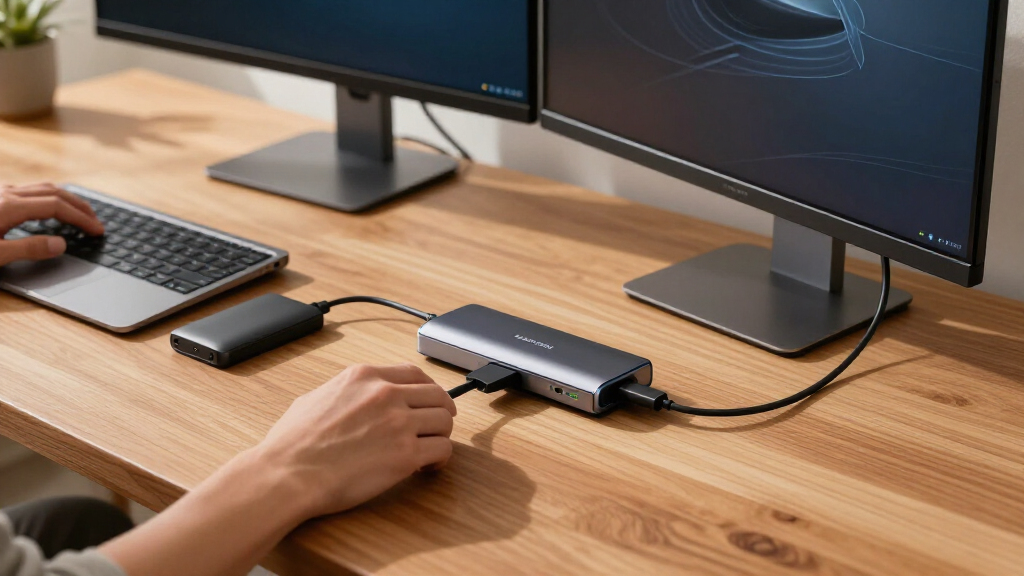
How We Picked
I evaluated each dock across four buyer-relevant dimensions: connectivity breadth (total port count, port types, and whether downstream Thunderbolt 5 ports were included), power delivery (how much charge the dock pushes to a laptop versus how much it reserves for its own peripherals), and display capability (maximum resolution and number of simultaneous external monitors). Build quality and thermals mattered too — docks with metal chassis and better heat dissipation ranked above plastic alternatives that throttle under sustained load.
The ranking logic favors versatility first, specialization second. Docks that serve the widest range of buyers well, like the CalDigit TS5 and UGREEN Maxidok, sit near the top. Purpose-built options — the Razer for gamers with storage needs, the Dell and Lenovo smart docks for enterprise fleets — are ranked by how well they execute their specific mission rather than general appeal. I also weighed unique features like integrated M.2 SSD slots and smart management firmware, since these justify price differences that raw port counts don’t explain.
Factors to Consider When Choosing Best Thunderbolt 5 Docks
Choosing between Thunderbolt 5 docks comes down to matching the dock’s strengths to your actual desk setup, not chasing the longest spec sheet. These are the factors that most often decide whether a buyer ends up happy or returning the box.Match Port Count to Real Usage, Not Ambition
The most common mistake in this category is buying a 15-port dock when your daily routine uses four ports. Extra ports add cost, chassis size, and heat — a dock like the CalDigit TS5 earns its footprint only if you genuinely run multiple drives, displays, and peripherals simultaneously. A realistic inventory is worth doing before you shop: count your permanent connections (monitor, keyboard, Ethernet, external drive) and add two spare ports for occasional devices. Buyers who overestimate end up paying a premium for empty ports, while those who underestimate end up daisy-chaining hubs, which defeats the reliability benefit of a single-cable dock. Compact five-port options like the OWC Thunderbolt 5 Hub exist specifically for this middle ground.
Power Delivery: Check the Number, Then the Fine Print
Thunderbolt 5 docks advertise charging anywhere from roughly 90W to 300W, and the difference determines which laptops they can actually power. A 90–100W output covers most ultrabooks and MacBooks, but high-performance workstation laptops under full load can draw more than 140W, causing slow battery drain while docked — a problem that compounds over long sessions. The Dell Pro 300W and Lenovo ThinkPad Smart Dock sit at the extreme end for exactly this reason. Also check whether the stated wattage is what reaches the laptop or the dock’s total budget shared across USB ports; manufacturers don’t always make this distinction clear. Buying 20–30W more headroom than your laptop’s maximum draw is cheap insurance.
Display Support: Resolution Alone Doesn’t Tell the Story
Thunderbolt 5’s bandwidth technically allows dual 8K or triple 4K outputs, but individual docks implement this differently — some cap at dual 4K, and the port types matter as much as the resolution numbers. The StarTech dock supports dual 8K, which future-proofs it for high-end displays, while the Plugable TBT-UDH2 uses two native HDMI 2.1 ports, sparing you from DisplayPort adapters if your monitors are HDMI-native. Mac buyers face an extra wrinkle: Apple Silicon Macs handle multi-display output differently than Windows machines, so a dock rated for three monitors on Windows may drive only one external screen on a base M-series MacBook. Always cross-check the dock’s macOS compatibility notes, not just its Windows spec sheet.
Integrated Storage: The M.2 Question
Several Thunderbolt 5 docks now include internal M.2 NVMe slots, a feature class that barely existed in the Thunderbolt 4 era. This turns the dock into a hybrid hub-and-storage enclosure, which is attractive if you edit video, maintain scratch disks, or want a clean single-device desk. The tradeoffs are real: you buy the SSD separately, the dock’s price is higher than port-equivalent models without the slot, and heat from the drive adds to the overall thermal load. If your storage already lives in a NAS or cloud, skip the M.2 slot and put that budget toward ports or power. But if you were going to buy an external Thunderbolt SSD anyway, a dock like the Razer Chroma consolidates two devices into one.
Smart Dock Features: Enterprise Power or Unnecessary Complexity
The Dell and Lenovo entries are ‘smart docks’ with network-based management, firmware updating, and fleet administration. For an IT department managing hundreds of desks, these features reduce support tickets and allow remote troubleshooting. For a home user, they add cost, require account setup, and sometimes tie advanced features to specific laptop brands. This is the clearest case in the roundup of paying more for capabilities you may never activate. Before choosing a smart dock, verify that your laptop supports the vendor’s management protocol; otherwise you’re buying an expensive standard dock with extra software you can’t use.
Build Quality and Thermals: Where Cheap Docks Cut Corners
Thunderbolt 5 pushes serious data and power, which generates heat, and sustained heat degrades both dock performance and connected SSD longevity. Metal chassis docks like the CalDigit and OWC models dissipate heat far better than plastic-bodied alternatives, which often throttle bandwidth when multiple drives run concurrently. Weight matters if you plan to leave the dock stationary, but a heavier chassis is actually a feature here — it prevents cable drag from pulling the dock off the desk. Check warranty length as a proxy for manufacturer confidence; docks with multi-year coverage tend to use better internal components. The cheapest option in this category is rarely a bargain when a failure takes your entire desk setup down with it.
Frequently Asked Questions
Is a Thunderbolt 5 dock worth it if my laptop only has Thunderbolt 4?
It can be, but you’ll be paying for headroom you can’t use yet. A Thunderbolt 5 dock connected to a Thunderbolt 4 laptop will negotiate down to Thunderbolt 4 speeds, capping data transfer around 40Gbps instead of 80Gbps and limiting high-bandwidth display configurations. The dock’s ports, charging, and USB-A devices will all still work normally. Where this makes sense is future-proofing: if you plan to upgrade to a Thunderbolt 5 laptop within a couple of years, buying the dock now avoids a second purchase. If your current machine is your machine for the foreseeable future, a discounted Thunderbolt 4 dock delivers nearly identical real-world performance for less money.
Can these docks run dual 8K monitors, or is that marketing?
Dual 8K is genuinely achievable on Thunderbolt 5, but only on specific docks and with specific conditions attached. The StarTech dual 8K dock and CalDigit TS5 support this configuration because Thunderbolt 5’s bandwidth allocation can split across two high-resolution streams. The catch is that 8K usually requiresDisplayPort 1.4 with DSC, capable cables, and monitors that accept the required signal format — and refresh rates drop to 60Hz or below at 8K. Most buyers are better served by dual 6K or triple 4K setups, which Thunderbolt 5 handles with more comfortable headroom. Treat dual 8K as a ceiling specification, not an everyday configuration, unless you specifically own 8K panels.
Do the docks with M.2 SSD slots perform as well as dedicated Thunderbolt SSDs?
Performance is close but not identical, and the difference depends on the dock’s thermal design. A dock like the Razer Chroma or the 8TB-capable UGREEN Maxidok routes the M.2 drive through the same Thunderbolt 5 controller as the other ports, so you can expect NVMe speeds in the same ballpark as a dedicated enclosure — typically well above 3,000MB/s reads. Under sustained heavy loads, however, docks running multiple peripherals simultaneously can share bandwidth and run warmer than a standalone SSD. The real advantage is convenience and cable reduction; the real risk is putting your primary storage inside a device that also powers your whole desk. For scratch disks and media libraries, it’s an excellent arrangement. For irreplaceable data, dedicated storage with independent power remains the safer architecture.
Will these Thunderbolt 5 docks work properly with MacBooks?
All the docks here connect to Apple Silicon Macs without issue, but display behavior differs from Windows in ways that catch buyers off guard. Base M-series chips (non-Pro, non-Max) support only one external display natively, so even a triple-monitor dock will drive a single screen on those machines — the dock isn’t at fault. Pro and Max chipsets handle multiple displays normally, and docks like the iVANKY FusionDock Max 2 are specifically validated for Mac multi-monitor setups. Charging is also worth checking: MacBooks max out at 140W, so the CalDigit TS5’s output is a perfect match while the 300W smart docks are wasted capacity on Apple hardware. Finally, confirm any dock-specific utilities have macOS versions if you want firmware updates and power monitoring.
What’s the actual difference between a Thunderbolt 5 dock and a hub like the OWC 5-Port?
The distinction comes down to scope, not quality. A hub like the OWC Thunderbolt 5 Hub focuses on expanding Thunderbolt ports themselves — splitting one connection into several — and typically omits things like Ethernet, SD card readers, audio jacks, and high-wattage charging. A full dock like the CalDigit TS5 or Anker Prime 14-in-1 is built to be your desk’s single connection point, replacing every cable you’d otherwise plug in individually. Hubs suit users whose laptops already have the ports they need day-to-day and who mainly want to attach more Thunderbolt devices or monitors. Docks suit users who want one cable to connect everything at once. Neither is the better product in isolation — they solve different problems at very different price points.
Conclusion
After comparing all fifteen docks, my recommendations break down cleanly by buyer type. For best overall, the CalDigit TS5 remains the most complete package: 15 ports, 140W charging, dual 6K support, and a build quality that justifies its position at the top. The best value pick is the UGREEN Maxidok, which trades some chassis refinement for an outstanding port-to-price ratio — especially the configuration with 8TB SSD support. For best premium, the Dell Pro 300W Smart Dock earns its price tag for workstation users who need serious power delivery and fleet management, while the Razer Thunderbolt 5 Dock Chroma is my premium pick for gamers and creators who want integrated M.2 storage.
Beginners should start with the OWC Thunderbolt 5 Hub or the CalDigit Element 5 — both keep things simple without skimping on bandwidth, and neither overwhelms with ports you won’t use. For specific needs: the Plugable TBT-UDH2 for HDMI-native dual-monitor setups, the StarTech for dual 8K workstations, the Lenovo ThinkPad Smart Dock for enterprise ThinkPad fleets, and the iVANKY FusionDock Max 2 for MacBook users running multiple external displays. Whatever your setup, match the dock to the ports you actually use today, buy a little power headroom, and skip features — smart management, 8K, massive port counts — that don’t map to your real workflow.
Fall Picks
fall essentials
As an affiliate, we earn on qualifying purchases.