
TL;DR

Get the latest gadgets delivered free with Prime
- Fast, free delivery on millions of items
- Prime Video, Amazon Music and more included
- Member-only deals all year
Infinite Mac has added browser-based access to multiple PowerPC versions of BeOS, with software, CD-ROMs and a way to save work. The project’s developer says the work involved fixes to the DingusPPC emulator, whose improved hardware support may also help run other alternative operating systems.
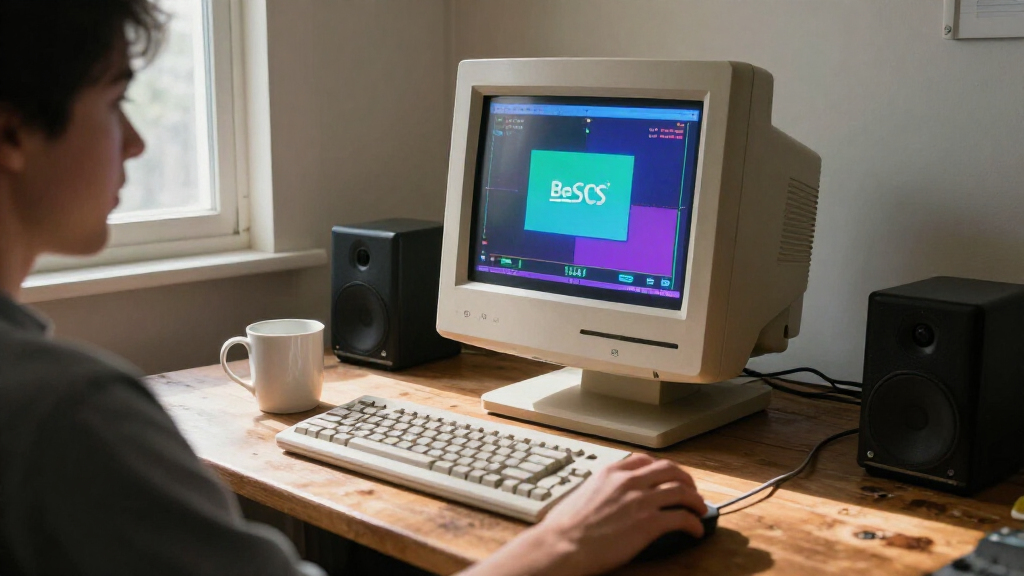
Infinite Mac, a website for running classic Macintosh systems in a browser, has added several PowerPC versions of BeOS, the multimedia-focused operating system that once competed for Apple’s attention. The addition lets users boot BeOS, try pre-installed software, access CD-ROM images and save files without setting up a period computer or emulator locally.
The site’s developer said the BeOS installations are available as browser-based systems alongside Infinite Mac’s Macintosh offerings. Users can start an installation, with large disk images streamed as needed, use software stored on the site’s “Infinite HD,” and insert CD-ROMs from the Internet Archive. A “Saved HD” drive lets users preserve their work between sessions.
Getting the systems running required changes to DingusPPC, the PowerPC emulator already used by Infinite Mac. The developer initially set up a Power Macintosh 7300 configuration, a model officially supported by BeOS, but testing additional releases exposed problems in the emulator’s handling of keyboard input, display changes, video memory and HFS volumes.
The developer said fixes were contributed upstream to DingusPPC over the month before the announcement. One example involved BeOS changing screen depth: the emulator had relied on the order in which Mac OS notified two video components, while BeOS notified them in the opposite order, resulting in a corrupted display. Other updates addressed BeOS boot behavior and its use of older video hardware.
A New Way to Explore BeOS
The release makes a once-specialized operating system easier to experience without acquiring a compatible Power Mac or configuring emulation software. That matters both to people who remember BeOS and to readers interested in the choices Apple faced while seeking a successor to its older operating system. Be was considered by Apple as a possible acquisition, and BeOS offers a practical look at one alternative in that period.
The work also has a technical consequence beyond the new web collection. According to the developer, adding a system that does not behave like Mac OS exposed assumptions in the emulator and led to more accurate emulated hardware. The developer believes DingusPPC can now run PowerPC BeOS versions, and hopes the changes could assist future work on other systems, including MkLinux and Rhapsody. That is a stated expectation, not a report that those systems are already supported.
Products Worth Considering

Jackery Explorer 1000 v2 Portable Power Station

Anker SOLIX S2000 Portable Power Station, 2,010Wh, 1,500W

Apple iPad Air (2025) 13‑inch Wi‑Fi 256 GB – Space Gray (M3 chip)
As an affiliate, we earn on qualifying purchases.
From Power Macs to the Browser
BeOS was developed by Be Inc. as a system built around multimedia, multitasking and multithreading. It was later ported to Power Macintosh computers in the mid-1990s. The developer describes having tried BeOS on a Power Macintosh 8500, and says the new browser release is intended to let users revisit the software without that hardware.
The initial PowerPC release, Developer Release 8.2, included a date-related restriction that prevented it from booting after April 1, 1997. The developer says this was connected to a licensed font renderer that Be could not distribute indefinitely; the subsequent DR8.3 release addressed the issue. Infinite Mac uses custom date support to make DR8.2 bootable when users select that disk.
Infinite Mac already incorporates SheepShaver, a Power Macintosh emulator that originated on BeOS. The developer said making SheepShaver work within the DingusPPC setup also required correcting how the emulator mapped ROM to physical memory. The project’s account credits DingusPPC’s maintainers and describes its starting compatibility as close, while noting that BeOS testing revealed several edge cases.
““I am still struck by its speed.””
— Infinite Mac developer, in the project announcement
Limits of the Compatibility Claim
The announcement does not provide a complete list of every BeOS release available on Infinite Mac, or specify how each version performs across browsers and devices. It also does not establish that all software or hardware features behave exactly as they did on original Power Macs. The developer’s claim that DingusPPC is the only emulator able to run PowerPC BeOS is presented as a personal assessment; no broader emulator comparison is included.
Support for MkLinux and Rhapsody remains prospective. The developer said the compatibility work may help bring them up, but did not announce that either system can currently be run on the site. The announcement also does not give usage figures or other evidence about how many people have tried the new installations.
More Systems May Follow
Users can try the available BeOS disk images through Infinite Mac now, while the project’s developer has indicated interest in testing additional operating systems. The next technical milestone would be making systems such as MkLinux or Rhapsody run in the same environment; no schedule or release commitment was given.
Further updates may also refine the BeOS experience as users and maintainers encounter compatibility issues. The developer says changes made for BeOS have been contributed upstream to DingusPPC, so the emulator’s maintainers and later testing will shape how those fixes develop beyond Infinite Mac.
Key Questions
What has Infinite Mac added?
It has added browser access to multiple PowerPC versions of BeOS, with pre-installed software, streamed disk images, CD-ROM access and a drive for saving work.
Do I need a Power Macintosh to try it?
No. The BeOS systems run through Infinite Mac in a web browser; the announcement describes no requirement for users to own period hardware.
What did the developer change to make BeOS run?
The developer contributed fixes to DingusPPC for issues involving keyboard input, display depth changes, video memory, HFS volumes and ROM mapping.
Can Infinite Mac run MkLinux or Rhapsody now?
Not according to the announcement. The developer said the BeOS work could help with those systems, but presented them as future possibilities, not current additions.
Why is BeOS historically relevant to Apple?
BeOS was a PowerPC operating system that attracted interest in the Mac community. Apple considered acquiring Be while seeking a next-generation operating system, making BeOS one of the alternatives associated with that search.
Source: blog.persistent.info