TL;DR
The CENMATE aluminum enclosure has a clear drop below its usual tracked range. It offers eight SATA drive bays and USB connectivity, but it is direct-attached storage rather than a RAID or NAS system. Check the live price and verify your setup before buying.
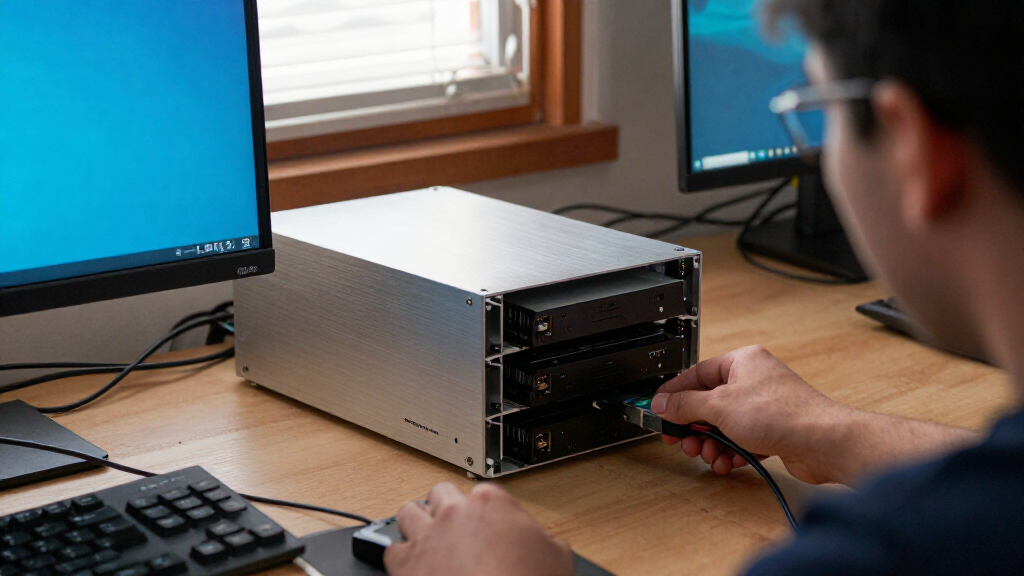
The CENMATE Aluminum 8 Bay Hard Drive Enclosure is seeing a clear drop below its usual tracked range, making this a timely moment for anyone considering a multi-drive desktop storage setup. The enclosure supports 2.5-inch and 3.5-inch SATA hard drives and SSDs, and connects over USB-A or USB-C 3.0. Its eight bays could be useful for consolidating separate drives used for backups, media, or project files.

Get the latest gadgets delivered free with Prime
- Fast, free delivery on millions of items
- Prime Video, Amazon Music and more included
- Member-only deals all year
That capacity does not make it a network storage system. The listing describes the unit as DAS and explicitly says it has no RAID or NAS functionality. Think of it as a multi-bay shelf connected to one computer: it can help organize drives, but it does not by itself create redundancy or make files available to other devices on your network. Check the live price, then confirm the connection, drive compatibility, and workflow match your needs.
The tracked deal signal describes a clear drop below the enclosure’s usual range.
This is direct-attached storage; the product title says it has no RAID or NAS functionality.
Confirm drive format, USB connection, cooling expectations, and backup needs before purchase.
What changed
The deal signal points to a clear drop below the enclosure’s usual tracked range. That makes the listing more interesting for shoppers who have already decided they need a multi-bay DAS, especially if they have several SATA drives waiting to be put to use. The product combines an aluminum enclosure, cooling fan, tool-free drive installation, hot-swap support, and USB-A/C 3.0 connectivity in one desktop unit.
For example, a video editor might keep completed projects on separate drives and connect the enclosure to a workstation when needed. A household with multiple backup disks might prefer one organized unit over a stack of loose external drives. These are potential uses, not guarantees of performance: transfer speed also depends on the host computer, cable, and drives. The deal label identifies this as an all-time-low signal in the supplied tracking, but it does not establish that the offer will last. Check the listing for current terms before making a decision.
Products Worth Considering

Logitech MX Keys S Combo Wireless Keyboard and Mouse, Graphite

Samsung Galaxy Tab A11+ Kids Edition, 128GB, Royal Blue

Samsung Galaxy Tab A11+ Tablet (6GB RAM, 128GB Storage, Gray)
As an affiliate, we earn on qualifying purchases.
Why it matters
Eight bays can reduce the clutter and cable sprawl that comes with keeping many single-drive enclosures on a desk. A small studio, for instance, may rotate through drives for client archives, while a home user could keep separate disks for photos and computer backups. Having those drives in one enclosure can make a collection easier to manage, provided the user is comfortable connecting it directly to a computer.
The distinction between DAS and NAS matters. This model does not provide network access or RAID, according to its product title. If one drive fails, the enclosure itself does not automatically preserve a second copy; and if you want files accessible to several devices over your home network, a NAS is a different kind of product. A price drop may improve the value of the hardware, but it does not change these limits. Consider what job you need storage to do before treating the number of bays as a complete solution.
Check compatibility before buying
Before ordering, check that your drives are SATA models in supported 2.5-inch or 3.5-inch sizes. The product title names those formats, but a drive that uses a different interface will not become compatible just because it physically fits a bay. Also check your computer for an available USB-A or USB-C connection and whether you have the appropriate cable. A laptop with only USB-C ports, for example, may need a compatible cable or adapter depending on what is included.
Think through capacity management, too. Eight slots can make it tempting to move every disk into one box, but that may concentrate your data around a single enclosure and host connection. Keep a separate backup for files that matter. If your workflow depends on shared access, automated redundancy, or a specific operating-system feature, verify those requirements independently; the listing’s no-RAID, no-NAS description is a reason to avoid assuming those functions are present. The right check is not just “will the drive fit?” but “will this work with my computer and the way I protect files?”
Cooling, hot swapping, and everyday use
The enclosure is advertised with a cooling fan and hot-swappable drive support. Those features may suit a desk where drives are used regularly, but check the seller’s details for the precise operating requirements and any cautions about safe removal. Hot swapping does not mean it is wise to pull a drive while files are being copied or while the computer is still writing to it. In a practical scenario, wait for transfers to finish and follow the computer’s eject procedure before removing a disk.
Fans can also produce noise, and a multi-drive enclosure can add warmth to a workspace. If the unit will sit beside a quiet workstation or in a shared room, consider where it can be placed and whether airflow around it will be unobstructed. These everyday factors matter because storage gear often stays connected for long periods. The feature list suggests conveniences, but it does not replace checking reviews and product documentation for details that matter to your setup, such as fan behavior, drive handling, and what accessories are included.
Check the live price
Use the live listing to see whether the current offer still reflects the tracked drop, and review the seller, shipping terms, and return details before buying. Check the CENMATE enclosure price on Amazon. The live price is shown here:
Compare the offer with the value of your actual setup rather than the appeal of eight empty bays. If you already own compatible SATA drives and need a single-computer enclosure, the timing may be useful. If you need network sharing or RAID, compare products designed for those features instead. Also confirm the listing’s current configuration and included accessories; product pages and offers can change, and this alert does not guarantee availability or terms.
Frequently Asked Questions
What kind of product is the CENMATE eight-bay enclosure?
It is described as a direct-attached storage enclosure for 2.5-inch and 3.5-inch SATA HDDs and SSDs. It connects to a computer over USB-A or USB-C 3.0.
Does it provide RAID or NAS features?
The supplied product title says “NO RAID/NAS.” If you need network access or drive redundancy managed by RAID, look for a product that explicitly supports those functions.
Can I use any hard drive in it?
The listing specifies SATA drives in 2.5-inch or 3.5-inch sizes. Check each drive’s interface and format, and consult the current product details for compatibility information.
Does hot-swap support mean I can remove a drive at any time?
No. Finish file transfers and use your computer’s safe-eject process before removing a drive. Hot-swap support does not make removal during active writes safe.
How can I check whether the deal is still available?
Open the Amazon product listing and review its current offer, seller, shipping, and return terms. The tracked drop does not guarantee that the offer remains unchanged.
Conclusion
The CENMATE enclosure’s price drop may make it a timely option for people who want to connect several SATA drives to one computer. Its eight bays, USB connectivity, fan, and tool-free design address practical desktop storage needs, while the DAS designation sets clear limits around network access and RAID. Check the live offer and product details, make sure your drives and computer are compatible, and keep an independent backup for important files. That way, the deal fits a real storage plan rather than simply adding more capacity.