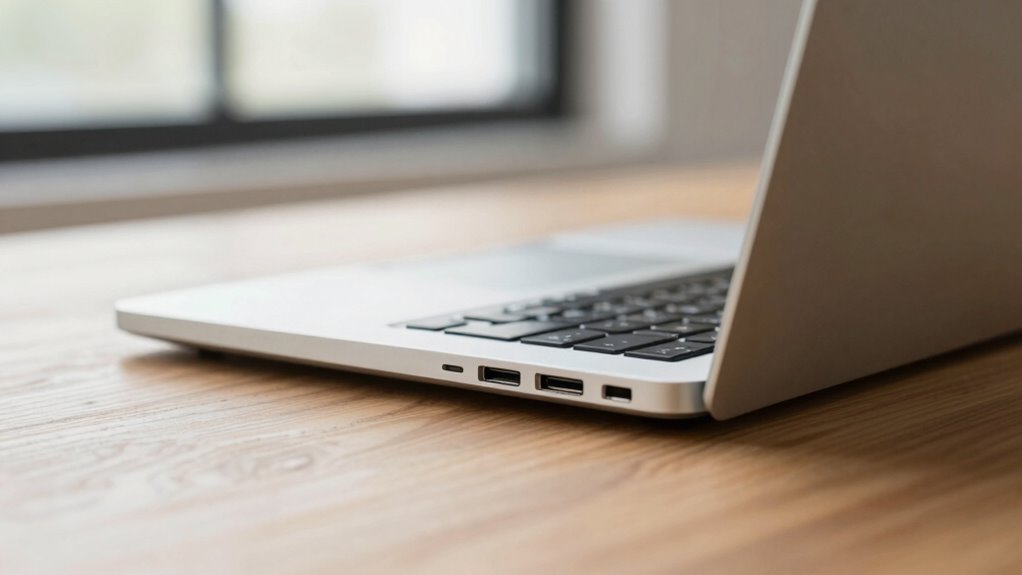

Ports and connectivity still matter on modern laptops because they offer faster, more secure, and more reliable connections than wireless options. You benefit from stable data transfer, minimal latency, and added security, especially for sensitive tasks. Legacy ports also let you connect older devices without extra adapters, saving time and hassle. If you want to discover how these features keep your laptop versatile and dependable, there’s more to uncover below.

Get the latest gadgets delivered free with Prime
- Fast, free delivery on millions of items
- Prime Video, Amazon Music and more included
- Member-only deals all year
Key Takeaways
- Wired ports provide faster, more stable, and secure connections ideal for high-speed data transfer and streaming.
- Legacy ports ensure compatibility with older peripherals, avoiding reliance on adapters or dongles.
- Ports support low-latency, high-fidelity audio and video, crucial for professional and entertainment use.
- Physical connections enhance security, reducing vulnerability to hacking compared to wireless options.
- Ports enable versatile, reliable connectivity for multiple devices and tasks, maintaining overall device efficiency.
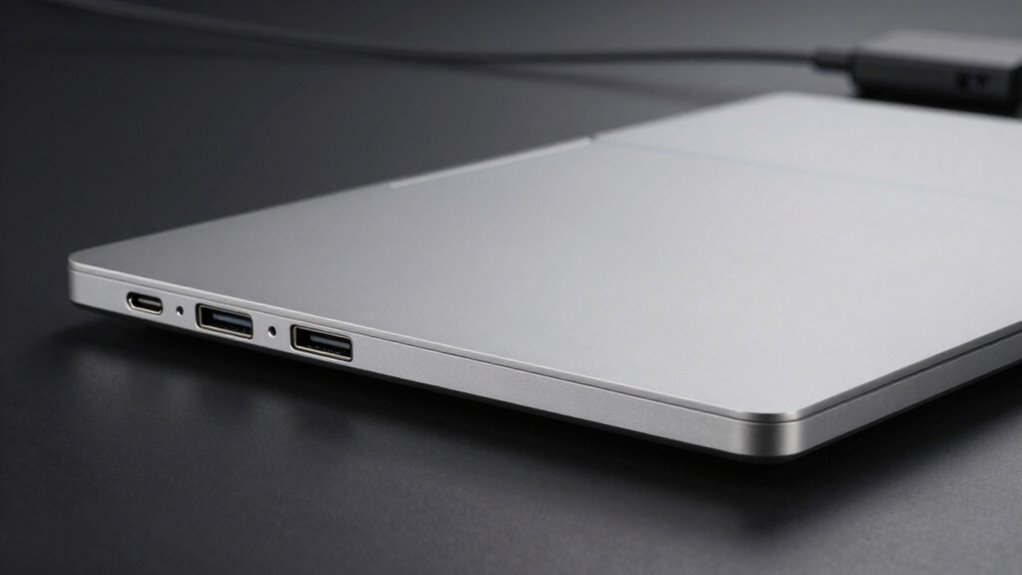
Modern laptops are designed with a variety of ports and connectivity options to meet the diverse needs of users. While wireless alternatives like Bluetooth and Wi-Fi have transformed how we connect devices, ports still play a critical role in daily tasks. You might prefer wireless options for convenience, but there are times when wired connections outperform them in speed, stability, and security. For example, transferring large files or streaming high-resolution videos often necessitates a wired connection to avoid lag or interruptions. Ports like USB-C and Thunderbolt provide fast data transfer, making them indispensable for professionals and creatives who work with large files regularly. Additionally, the physical connection offered by ports can also provide a more reliable and consistent experience compared to wireless alternatives. Regular practice with proper port management can enhance your overall device efficiency and reduce connectivity issues. Moreover, understanding the different types of ports and their functions can help you optimize your device usage for maximized productivity.
Despite the rise of wireless technology, legacy compatibility remains a significant reason why ports continue to matter. Many older peripherals—printers, external drives, monitors, and even some audio equipment—depend on traditional ports like USB-A or HDMI. If you’re working in an environment with a mix of new and legacy devices, having these ports on your laptop becomes priceless. It saves you from constantly hunting for adapters or dongles, which can be inconvenient and sometimes unreliable. Furthermore, certain industries still rely on specialized hardware that connects via legacy ports, making their presence on modern laptops a practical necessity. The availability of these ports also means you can avoid potential compatibility issues that arise from using adapters or wireless solutions. An understanding of port types can also help prevent unnecessary downtime and equipment frustrations.
Legacy ports like USB-A and HDMI remain essential for compatibility with older devices and specialized hardware.
You might think that wireless alternatives have rendered ports obsolete, but that’s far from true. While wireless connections are perfect for quick, casual tasks like connecting your wireless mouse or headphones, they don’t always match the performance and reliability of wired connections. For instance, when streaming high-fidelity audio or engaging in video conferencing, a wired connection ensures minimal latency and maximum quality. Ports also provide options for connecting multiple devices simultaneously without interference or bandwidth issues, which can be a challenge with wireless setups. Keeping a variety of ports available helps accommodate diverse device needs for different tasks and environments.
Additionally, ports are essential for security-sensitive applications. Wired connections are less vulnerable to hacking compared to wireless ones, especially in corporate or secure environments. This security aspect is a key reason why many professionals and organizations still prioritize ports over wireless alternatives. You also benefit from the simplicity of plug-and-play connections; no need to worry about pairing or interference, just plug in and go. As technology continues to evolve, the importance of adaptable and versatile connectivity solutions only grows, reinforcing the necessity of ports in our increasingly digital world. The ability to easily upgrade or replace peripheral devices through ports also contributes to the longevity and adaptability of modern laptops.
In essence, even as wireless technology advances, ports and connectivity options remain indispensable. They bridge the gap between new and old, offering stability, speed, security, and compatibility that wireless alternatives sometimes can’t match. For you, understanding the importance of these ports helps you make smarter choices, ensuring you stay connected efficiently—whether you’re working, gaming, or just enjoying your media.
As an affiliate, we earn on qualifying purchases.
Frequently Asked Questions
Can Adapters Effectively Replace All Types of Ports on Laptops?
Adapters can’t effectively replace all types of ports on laptops because they lack the port versatility needed for various devices. While wireless integration improves, many tasks still require direct connections for speed and reliability. Relying solely on adapters limits your options, especially for high-bandwidth activities. To guarantee seamless connectivity, it’s best to have a mix of ports and use adapters as a supplement, not a complete replacement.
How Do Ports Impact Laptop Security and Data Protection?
Ports are like gateways, and if you’re not careful, they can be your laptop’s Achilles’ heel. They impact security because wired connections often offer better wireless security and data encryption than wireless options alone. Using ports wisely allows you to connect secure peripherals, reducing the risk of data breaches. Ignoring ports could expose your data to hackers, making them critical for safeguarding your information in a digital world.
Are There Future Technologies That Will Eliminate the Need for Physical Ports?
Future technologies like wireless charging and enhanced cloud connectivity could eliminate the need for physical ports, making laptops more streamlined. You might no longer need USB or HDMI ports, as wireless options handle data transfer and power. However, until these solutions become fully reliable and widespread, ports remain essential for fast, secure connections. So, while tech evolves, having physical ports still offers practical benefits for your daily use.
Do Port Types Vary Significantly Between Different Laptop Brands?
Ports on laptops are like fingerprints—each brand adds its own unique touch. You’ll notice significant variations across brands, from port types to placement, driven by brand consistency and port customization. Some favor USB-C, while others keep traditional ports like HDMI or SD card slots. This diversity allows brands to cater to different user needs, making your choice more about personal preference and specific connectivity requirements than uniformity.
How Do Ports Influence Laptop Durability and Repairability?
Ports directly impact your laptop’s durability and repairability. Durable ports withstand frequent plugging and unplugging, reducing damage over time. When ports are easily accessible, repairs become simpler and less costly, saving you time and effort. Conversely, poorly designed or recessed ports can break easily and make repairs more complicated. Choosing a laptop with sturdy, accessible ports guarantees your device lasts longer and stays easier to fix when needed.
As an affiliate, we earn on qualifying purchases.
Conclusion
So, don’t overlook ports and connectivity on your laptop—they keep you versatile and prepared. While sleek designs are tempting, remember, “Don’t put all your eggs in one basket.” Having the right ports means you stay connected to everything you need, whether it’s a monitor, external drive, or charger. In the end, a well-connected laptop isn’t just about convenience; it’s about keeping your productivity seamless and your options open.
As an affiliate, we earn on qualifying purchases.
As an affiliate, we earn on qualifying purchases.
Evergreen bestsellers Picks
bestsellers
As an affiliate, we earn on qualifying purchases.