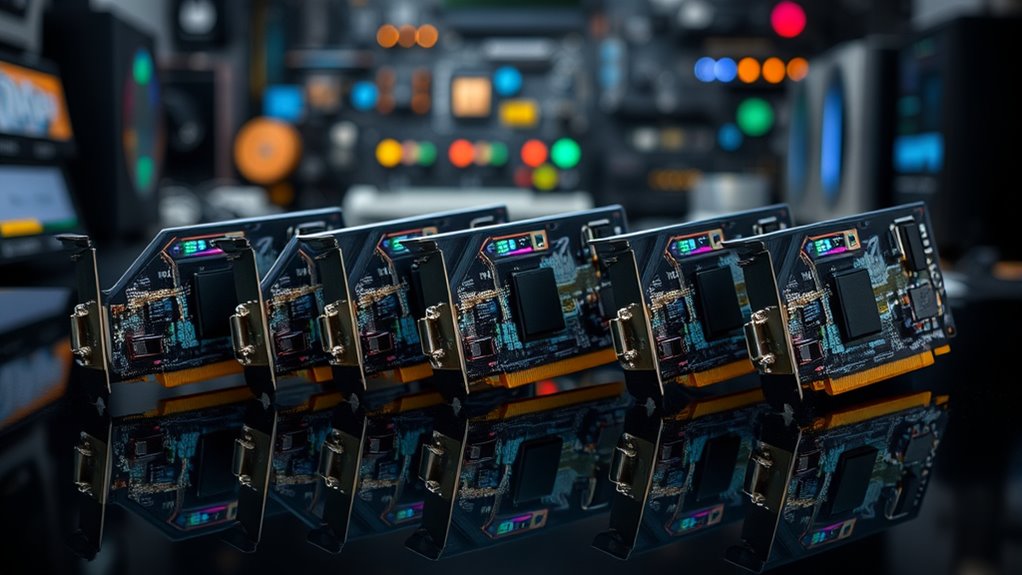

Finding the right WiFi 7 PCIe adapter can significantly boost your desktop’s internet speeds and stability. The best options deliver high throughput, low latency, and broad compatibility, but they vary in features like antenna design, multi-band support, and ease of setup. The top pick, MSI Herald WiFi 7 PCIe Card, stands out for its balanced performance and build quality, while options like the TP-Link BE9300 excel in coverage with tri-band capabilities. However, buyers often face tradeoffs between price, features, and installation complexity. Continue reading for a detailed breakdown of the best WiFi 7 PCIe adapters for 2026, tailored to different needs and budgets.

Get the latest gadgets delivered free with Prime
- Fast, free delivery on millions of items
- Prime Video, Amazon Music and more included
- Member-only deals all year
Complete the kit



Key Takeaways
- The best adapters combine high throughput with reliable stability for demanding tasks like gaming and streaming.
- Tri-band support and high-gain antennas significantly improve coverage and reduce dead zones in larger setups.
- Antenna design and placement are crucial, especially for desktop setups without external antennas.
- Compatibility with Windows 11 and MLO technology can influence future-proofing and ease of use.
- Price varies widely, with premium models offering better build quality and advanced features, but not always necessary for casual users.
| MSI Herald WiFi 7 PCIe Card for Desktop PC |  | Best Overall for High-Speed Gaming and Streaming | WiFi Standard: WiFi 7 | Tri-Band: Yes | Max Speed: 5764 Mbps (6 GHz), 2882 Mbps (5 GHz), 688 Mbps (2.4 GHz) | VIEW ON AMAZON | See Our Full Breakdown |
| TP-Link BE9300 PCIe WiFi 7 Card for Desktop PC, Tri-Band, High-Gain Antenna |  | Best Value for Extended Coverage and Security | Connectivity: PCIe WiFi 7 Card | Bands: Tri-Band (2.4 GHz, 5 GHz, 6 GHz) | Max Speed: 5764 Mbps | VIEW ON AMAZON | See Our Full Breakdown |
| QFly WiFi 7 Network Card with Bluetooth 5.4, PCIe BE200 Chipset |  | Best for Windows 11 and Intel 10th Gen Users with Accessories Included | WiFi Technology: WiFi 7 | Bluetooth Version: 5.4 | Maximum Data Rate: 5.8 Gbps | VIEW ON AMAZON | See Our Full Breakdown |
| TP-Link WiFi 7 BE6500 PCIe WiFi Card for Desktop PC | Tri-Band Network Card |  | Best for High-Speed, Secure, and Stable Desktop Networking | Model: TBE400E | Wi-Fi Technology: Wi-Fi 7 | Bands: Tri-Band (6 GHz, 5 GHz, 2.4 GHz) | VIEW ON AMAZON | See Our Full Breakdown |
| ASUS PCE-BE92BT WiFi 7 PCIe Adapter with 2 External Antennas |  | Best for External Antenna Reception and Intel Platform Compatibility | WiFi Standard: WiFi 7 | Bands: 6 GHz, 2.4 GHz | Bandwidth: 320 MHz | VIEW ON AMAZON | See Our Full Breakdown |
| WiFi 7 Gaming PCIe Card 6.5Gbps Tri-Band MT7925 Bluetooth 5.4 Low Latency |  | Best Overall for High-Performance Gaming and Streaming | Speed: 6.5Gbps | Bands: Tri-Band (2.4GHz, 5GHz, 6GHz) | Bluetooth: 5.4 | VIEW ON AMAZON | See Our Full Breakdown |
| TP-Link WiFi 7 BE9300 PCIe WiFi Card for Desktop PC, Tri-Band Network Adapter |  | Best for Easy Setup and High-Speed Gaming on Windows 11 | Technology: Wi-Fi 7 | Bands: Tri-band (2.4 GHz, 5 GHz, 6 GHz) | Max Speed: 5760 Mbps on 6 GHz | VIEW ON AMAZON | See Our Full Breakdown |
| MSI Herald-BE Wi-Fi 7 MAX PCIe Network Card |  | Best for Cutting-Edge Speed and Channel Bandwidth | Wi-Fi Standard: Wi-Fi 7 (802.11BE) | Bluetooth: 5.4 | Transfer Speeds: 5.8 Gbps | VIEW ON AMAZON | See Our Full Breakdown |
| UGREEN WiFi 7 BE6500 PCIe WiFi Card with Bluetooth 5.4, Tri-Band, MLO Technology, High-Gain Antenna, Windows 11 Only |  | Best for Flexible Signal Range and Windows 11 Users | WiFi Technology: WiFi 7 Tri-Band | Maximum Speed: 2882 Mbps | Bluetooth Version: 5.4 | VIEW ON AMAZON | See Our Full Breakdown |
| EDUP PCIe WiFi 7 Card BE6500 Wi-Fi 7 Wireless Network Card for PC |  | Best for Versatile Compatibility and High-Speed Connectivity | Wi-Fi Standard: Wi-Fi 7 (802.11be) | Tri-Band: 2.4GHz, 5GHz, 6GHz | Max Speed: 6.5Gbps | VIEW ON AMAZON | See Our Full Breakdown |
| wifi 7 pci express adapter | Bluetooth | Antenna | Bands |
|---|---|---|---|
| MSI Herald WiFi 7 PCIe Card fo | 5.4 | External with magnetized base | — |
| TP-Link BE9300 PCIe WiFi 7 Car | 5.4 | High-Gain | Tri-Band (2.4 GHz, 5 GHz, 6 GHz) |
| QFly WiFi 7 Network Card with | — | — | — |
| TP-Link WiFi 7 BE6500 PCIe WiF | 5.4 | — | Tri-Band (6 GHz, 5 GHz, 2.4 GHz) |
| ASUS PCE-BE92BT WiFi 7 PCIe Ad | 5.4 | 2 external antennas | 6 GHz, 2.4 GHz |
| WiFi 7 Gaming PCIe Card 6.5Gbp | 5.4 | — | Tri-Band (2.4GHz, 5GHz, 6GHz) |
| TP-Link WiFi 7 BE9300 PCIe WiF | — | 2 adjustable high-performance antennas | Tri-band (2.4 GHz, 5 GHz, 6 GHz) |
| MSI Herald-BE Wi-Fi 7 MAX PCIe | 5.4 | — | — |
| UGREEN WiFi 7 BE6500 PCIe WiFi | — | High-Gain (flexible) | — |
| EDUP PCIe WiFi 7 Card BE6500 W | 5.4 | — | — |
More Details on Our Top Picks
MSI Herald WiFi 7 PCIe Card for Desktop PC
The MSI Herald WiFi 7 PCIe card stands out for its ultra-fast tri-band speeds reaching up to 5764 Mbps on 6 GHz, making it ideal for gamers and streamers who demand top-tier performance. Its multi-link operation and external antennas boost stability and coverage, surpassing many competitors like the TP-Link BE9300 in raw speed. However, it requires a PCIe slot and offers limited info on older system compatibility, which could be a hurdle for some users. Compared to other options, the MSI provides a more comprehensive feature set, but at the cost of compatibility transparency.
Pros:- Supports extremely high WiFi 7 speeds for demanding applications
- External antennas improve signal reception and coverage
- Multi-link operation enhances connection stability
- Supports tri-band WiFi with 6 GHz, 5 GHz, and 2.4 GHz
Cons:- Requires a PCIe slot in desktop PC
- Limited information on compatibility with older systems
- No included software details or driver info
Best for: High-end gamers and streamers upgrading their desktop with maximum speed and stability.
Not ideal for: Casual users with older PCs or those seeking an affordable, plug-and-play solution without PCIe slot constraints.
- WiFi Standard:WiFi 7
- Tri-Band:Yes
- Max Speed:5764 Mbps (6 GHz), 2882 Mbps (5 GHz), 688 Mbps (2.4 GHz)
- Channel Width:320 MHz
- Bluetooth:5.4
- Antenna:External with magnetized base
Our verdict“This pick is best for users who want the fastest, most stable WiFi 7 connection and have a compatible desktop setup.”
TP-Link BE9300 PCIe WiFi 7 Card for Desktop PC, Tri-Band, High-Gain Antenna
The TP-Link BE9300 offers a compelling mix of high-speed tri-band WiFi (up to 5764 Mbps), high-gain antennas, and advanced WPA3 security, making it a solid choice for users prioritizing coverage and security. Compared to the MSI Herald, it emphasizes extended coverage thanks to its high-gain antennas, suitable for larger or signal-challenged environments. Its design focuses on Windows 11 compatibility, but this limits flexibility for users on older OS versions. While it excels in security and coverage, it lacks detailed driver information and is less flexible for users with non-Windows 11 systems.
Pros:- Supports WiFi 7 with speeds up to 5764 Mbps
- High-gain antennas extend Wi-Fi coverage
- Includes WPA3 security for safer networks
- Easy installation with a compact form factor
Cons:- Only compatible with Windows 11
- Requires PCIe slot in desktop
- Limited driver/software info provided
Best for: Desktop users seeking reliable, fast WiFi with enhanced security and broad coverage on Windows 11.
Not ideal for: Users with Windows 10 or older systems, or those needing a portable or non-Windows solution.
- Connectivity:PCIe WiFi 7 Card
- Bands:Tri-Band (2.4 GHz, 5 GHz, 6 GHz)
- Max Speed:5764 Mbps
- Antenna:High-Gain
- Bluetooth:5.4
- Security:WPA3
Our verdict“Ideal for Windows 11 users who want high-speed WiFi with excellent coverage and security in a straightforward package.”
QFly WiFi 7 Network Card with Bluetooth 5.4, PCIe BE200 Chipset
The QFly WiFi 7 Network Card supports speeds up to 5.8 Gbps across tri-band frequencies, making it suitable for high-performance gaming and streaming. Its inclusion of Bluetooth 5.4 along with a comprehensive accessory kit—including antennas, screwdriver, and low-profile bracket—adds value for users comfortable with DIY assembly. Compared to the MSI Herald, it offers a more complete package with accessories but is restricted to Intel 10th gen and newer CPUs, limiting flexibility for AMD users. Its reliance on Windows 11 compatibility also narrows its target audience, but it excels in ease of installation and speed.
Pros:- Supports high-speed tri-band WiFi with up to 5.8 Gbps
- Includes Bluetooth 5.4 for fast device pairing
- Comes with a full accessory kit for easy installation
- Compatible with Windows 11 and Intel 10th gen CPUs
Cons:- Limited to Intel 10th gen CPUs and above
- Only compatible with Windows 11
- Requires PCIe slot in desktop
Best for: Enthusiast gamers or streamers using Intel 10th gen CPUs who want a complete kit for high-speed, reliable WiFi and Bluetooth.
Not ideal for: AMD users or those on older Windows versions seeking a more versatile or portable solution.
- WiFi Technology:WiFi 7
- Bluetooth Version:5.4
- Maximum Data Rate:5.8 Gbps
- Tri-band Support:Yes
- Chipset:BE200
- Includes:Bluetooth USB Cable, Antennas, Screwdriver, Low-profile bracket
Our verdict“Best suited for Windows 11 users with Intel 10th gen CPUs seeking a comprehensive, high-performance WiFi 7 upgrade kit.”
TP-Link WiFi 7 BE6500 PCIe WiFi Card for Desktop PC | Tri-Band Network Card
The TP-Link BE6500 delivers impressive WiFi 7 performance with speeds up to 6.5 Gbps, making it a prime choice for users who require ultra-fast, reliable connections. Its dual high-gain antennas enhance coverage, and security is beefed up with WPA3 support. Compared with the MSI Herald, this model emphasizes security and stability over raw speed, making it better suited for environments where security is a priority. Its focus on Windows 11 compatibility and the inclusion of necessary accessories streamline setup, but it’s limited to desktop PCs and does not support earlier Windows versions.
Pros:- Supports WiFi 7 with speeds up to 6.5 Gbps
- High-gain antennas improve coverage
- Advanced WPA3 security protocols
- Includes necessary accessories for quick setup
Cons:- Not compatible with Windows 10 or earlier
- Limited to desktop PCs, not portable
- Requires PCIe slot in motherboard
Best for: Power users who prioritize security and coverage in a desktop setup with Windows 11.
Not ideal for: Users with older Windows versions or those seeking a portable WiFi solution.
- Model:TBE400E
- Wi-Fi Technology:Wi-Fi 7
- Bands:Tri-Band (6 GHz, 5 GHz, 2.4 GHz)
- Maximum Speed:up to 6.5 Gbps
- Bluetooth:5.4
- Includes:2 antennas, Bluetooth header cable
Our verdict“This is a strong choice for Windows 11 desktop users demanding high-speed, secure, and stable WiFi connections.”
ASUS PCE-BE92BT WiFi 7 PCIe Adapter with 2 External Antennas
The ASUS PCE-BE92BT emphasizes external antenna performance, supporting WiFi 7 speeds over the 6 GHz and 2.4 GHz bands with Bluetooth 5.4. Its external antennas promise better reception and stability, especially for users with signal challenges. However, its platform restriction to Intel motherboards limits flexibility, unlike the MSI Herald or TP-Link BE9300 which are more broadly compatible. Its reliance on PCIe slots also makes it unsuitable for portable setups. Compared to other options, the ASUS excels in reception quality but trades off broader platform support.
Pros:- Supports WiFi 7 speeds over 6 GHz and 2.4 GHz bands
- Two external antennas enhance reception and stability
- Supports Bluetooth 5.4 for device connectivity
- WPA3 security for safe networks
Cons:- Platform limited to Intel motherboards
- Requires PCIe slot, not portable
- Limited compatibility outside Intel environments
Best for: Intel motherboard users needing maximum external antenna reception and high-speed WiFi.
Not ideal for: AMD users or those with non-Intel platforms seeking universal compatibility.
- WiFi Standard:WiFi 7
- Bands:6 GHz, 2.4 GHz
- Bandwidth:320 MHz
- Bluetooth:5.4
- Compatibility:Intel motherboards only
- Antenna:2 external antennas
Our verdict“This adapter is well-suited for Intel-based systems prioritizing external antenna performance and speed.”
WiFi 7 Gaming PCIe Card 6.5Gbps Tri-Band MT7925 Bluetooth 5.4 Low Latency
This WiFi 7 PCIe card stands out for its ultra-fast tri-band speeds up to 6.5Gbps, making it ideal for gamers and streamers who need reliable, low-latency connections. Compared to the MSI Herald-BE MAX, it offers slightly higher maximum speeds and robust MU-MIMO and OFDMA technology, ensuring multiple devices perform smoothly. However, its installation can be complex for those unfamiliar with desktop hardware, and limited accessory details might challenge less experienced users. It’s the best choice when top-tier speed and multi-device performance matter most, but it requires a PCIe slot and some technical skill to set up properly.
Pros:- Ultra-fast tri-band WiFi speeds up to 6.5Gbps
- Supports multiple devices with MU-MIMO and OFDMA
- Stable Bluetooth 5.4 connection for peripherals
- Compatible with a wide range of desktops and motherboards
Cons:- Requires PCIe slot on desktop PC
- May be complex to install for non-technical users
- Limited information on included accessories
Best for: High-end desktop users who prioritize gaming, 4K streaming, and large data transfers.
Not ideal for: Casual users or those with pre-built systems lacking PCIe slots, due to installation complexity.
- Speed:6.5Gbps
- Bands:Tri-Band (2.4GHz, 5GHz, 6GHz)
- Bluetooth:5.4
- Compatibility:Windows 10/11, PCIe slots (X1/X4/X8/X16), Intel & AMD
- Security:WPA3
Our verdict“This card suits enthusiasts who demand maximum speed and multi-device performance in a desktop setup willing to handle a more involved installation.”
TP-Link WiFi 7 BE9300 PCIe WiFi Card for Desktop PC, Tri-Band Network Adapter
The TP-Link BE9300 stands out for its straightforward plug-and-play setup via USB and high-speed tri-band connectivity up to 5760 Mbps on the 6 GHz band. Compared to the MSI Herald-BE MAX, it offers an easier installation process, making it suitable for less technical users. Its adjustable antennas help optimize signal coverage, and it provides robust WPA3 security. However, its support is limited to Windows 11, which could exclude users on other OSes, and it requires a PCIe slot, so it’s not suitable for laptops. This makes it ideal for gamers and streamers on compatible systems who want fast, reliable WiFi without complicated hardware setups.
Pros:- Supports latest Wi-Fi 7 technology for fast, congestion-free connections
- Adjustable antennas enhance signal coverage
- Easy USB installation with plug-and-play setup
- WPA3 security protocol for network safety
Cons:- Supports only Windows 11, limiting OS compatibility
- Requires PCIe slot, unsuitable for laptops
- Features may be overkill for basic browsing needs
Best for: Windows 11 users seeking quick setup and high-performance internet for gaming and streaming.
Not ideal for: Linux users or those with older Windows versions, due to OS restrictions and installation limitations.
- Technology:Wi-Fi 7
- Bands:Tri-band (2.4 GHz, 5 GHz, 6 GHz)
- Max Speed:5760 Mbps on 6 GHz
- Antenna:2 adjustable high-performance antennas
- Security:WPA3
- Installation:USB drive included
Our verdict“This card makes the most sense for Windows 11 users who want a hassle-free upgrade to high-speed WiFi, especially for gaming and streaming.”
MSI Herald-BE Wi-Fi 7 MAX PCIe Network Card
The MSI Herald-BE Wi-Fi 7 MAX offers speeds up to 5.8 Gbps, supported by advanced modulation and 320 MHz channel widths on the 6 GHz band, making it suitable for demanding high-bandwidth tasks. Compared to the UGREEN BE6500, it emphasizes channel bandwidth and multi-link operation technology, which enhances overall throughput. Its Bluetooth 5.4 provides versatile peripheral connections. However, with limited details on compatibility and a higher price point, it might not be the best fit for budget-conscious users. This card is perfect for those looking to leverage the latest Wi-Fi 7 features for maximum performance, especially in data-heavy environments.
Pros:- Supports Wi-Fi 7 with speeds up to 5.8 Gbps
- High channel bandwidth (320 MHz) on 6 GHz
- Includes Bluetooth 5.4 for peripheral connectivity
- Multi-Link Operation (MLO) technology for enhanced performance
Cons:- Requires PCIe slot, not suitable for all systems
- Limited details on hardware compatibility
- Price not specified, potentially high
Best for: Power users and professionals needing the fastest possible wireless speeds on compatible systems.
Not ideal for: Budget-conscious buyers or users with older hardware lacking PCIe slots, due to cost and hardware requirements.
- Wi-Fi Standard:Wi-Fi 7 (802.11BE)
- Bluetooth:5.4
- Transfer Speeds:5.8 Gbps
- Channel Widths:320 MHz (on 6GHz)
- Technology:Multi-Link Operation (MLO)
- Form Factor:PCIe
Our verdict“This is a prime choice for tech enthusiasts who need the highest performance potential from Wi-Fi 7, assuming their system can support it.”
UGREEN WiFi 7 BE6500 PCIe WiFi Card with Bluetooth 5.4, Tri-Band, MLO Technology, High-Gain Antenna, Windows 11 Only
The UGREEN BE6500 provides tri-band WiFi 7 speeds up to 2882 Mbps, complemented by a flexible high-gain antenna for better signal reach. Compared with the EDUP BE6500, it emphasizes a high-gain antenna and supports MLO technology for stability and speed. Its pre-installed driver simplifies the setup process, making it accessible for users comfortable with Windows 11. However, its Windows 11-only support limits flexibility for users on other operating systems, and disabling built-in Bluetooth may be necessary for full functionality. This card is suitable for gamers and streamers on Windows 11 seeking a combination of speed, range, and ease of installation.
Pros:- High-speed tri-band WiFi 7 up to 2882 Mbps
- Flexible high-gain antenna improves signal range
- Bluetooth 5.4 support for multiple devices
- Pre-installed driver for quick setup
Cons:- Limited to Windows 11 OS
- Requires disabling built-in Bluetooth for full use
- Limited long-term reliability data available
Best for: Windows 11 users needing a high-speed, flexible WiFi solution with enhanced signal range.
Not ideal for: Linux or older Windows users, due to OS restrictions and potential setup hassles.
- WiFi Technology:WiFi 7 Tri-Band
- Maximum Speed:2882 Mbps
- Bluetooth Version:5.4
- Antenna:High-Gain (flexible)
- Supported OS:Windows 11 only
- Technology:MLO
Our verdict“Best suited for Windows 11 users who want a fast, range-flexible WiFi card with easy setup and Bluetooth support.”
EDUP PCIe WiFi 7 Card BE6500 Wi-Fi 7 Wireless Network Card for PC
The EDUP BE6500 offers tri-band Wi-Fi 7 speeds up to 6.5Gbps, combined with Bluetooth 5.4, making it a versatile option for both gaming and professional use. It supports Windows 11 and Linux, providing broader OS compatibility than some competitors like the UGREEN BE6500. Its support for WPA3 security and flexible PCIe installation means it can fit into various systems, including custom builds and Linux-based setups. However, it lacks detailed long-term reliability data and requires disabling built-in Bluetooth for optimal performance, which could be inconvenient. This card is well-suited for advanced users who need high speeds and wide OS support in a PCIe form factor.
Pros:- Supports tri-band Wi-Fi 7 speeds up to 6.5Gbps
- Includes Bluetooth 5.4 for multiple devices
- Compatible with Windows 11 and Linux
- Flexible PCIe installation with full-height and low-profile brackets
Cons:- Requires disabling built-in Bluetooth for full functionality
- Limited customer reviews for reliability insights
- Not compatible with Mini PCIe or M.2 CNVi slots
Best for: Power users and system builders seeking high-speed WiFi 7 with broad OS compatibility and flexible installation.
Not ideal for: Casual users or those with minimal technical knowledge, due to potential setup complexity and disabling Bluetooth.
- Wi-Fi Standard:Wi-Fi 7 (802.11be)
- Tri-Band:2.4GHz, 5GHz, 6GHz
- Max Speed:6.5Gbps
- Bluetooth:5.4
- Compatibility:Windows 11, Linux
- Form Factor:PCIe
Our verdict“Ideal for experienced builders who need flexible, high-speed WiFi 7 support across multiple operating systems.”

How We Picked
The products in this roundup were evaluated based on their maximum data throughput, multi-band support, build quality, ease of installation, and compatibility with current standards like MLO technology. We prioritized adapters that deliver stable, high-speed connections suitable for gaming, streaming, and professional use, while also considering affordability and user-friendliness. The ranking reflects a balance between performance, feature set, and value, highlighting options that cater to different user needs—from casual users to enthusiasts. Products with advanced antenna designs and future-proof features like Bluetooth 5.4 and MLO technology scored higher, but cost and simplicity also played a key role in our decisions.Factors to Consider When Choosing Wifi 7 Pci Express Adapter
When choosing a WiFi 7 PCIe adapter, it’s essential to consider several factors that influence performance, compatibility, and future-proofing. Knowing what features matter most for your setup helps avoid common pitfalls like underperforming hardware or incompatibility issues. Here are the key aspects to keep in mind before making a purchase.Performance and Speed
Look for adapters that support the latest WiFi 7 standards with high throughput ratings, ideally above 6.5Gbps. While theoretical speeds are important, real-world performance depends on your network environment and hardware compatibility. Selecting a card with robust hardware and firmware that optimize throughput can make a real difference, especially if you stream 4K content or play competitive online games. Keep in mind that the fastest adapters may come with a higher price tag, so balance your speed needs with your budget.
Multi-Band Support and Coverage
Tri-band support (2.4GHz, 5GHz, and 6GHz) is critical for maximizing coverage and minimizing interference, especially in larger or multi-device setups. High-gain antennas and MLO (Multi-Link Operation) technology further enhance signal stability and throughput. However, more bands and advanced features usually add to the cost and complexity. Assess your space and device needs to determine whether investing in tri-band support provides tangible benefits for your environment.
Build Quality and Antenna Design
Durability and antenna placement significantly impact long-term performance. External antennas with adjustable angles tend to offer better coverage and flexibility, especially for desktop setups. Some models feature integrated antennas, which save space but may limit range. Check reviews for build quality and consider whether the design suits your setup—whether you prefer a sleek internal card or one with high-gain external antennas for maximum coverage.
Compatibility and Future-Proofing
Ensure that the adapter supports your operating system, especially Windows 11, and includes the latest features like Bluetooth 5.4 and MLO technology for future compatibility. Some cards are optimized for gaming or professional workloads, which may include specific firmware or driver support. Avoid models that lack regular updates or that are incompatible with your current hardware to prevent frustration down the line.
Price and Value
Prices for WiFi 7 PCIe adapters range from budget-friendly options to premium models with extensive features. Evaluate whether the additional cost delivers tangible benefits for your use case, such as higher stability, better coverage, or advanced tech like MLO. Sometimes, investing in a slightly more expensive model yields better longevity and performance, but for casual browsing or light streaming, a more affordable card might suffice.
Frequently Asked Questions
Will my current motherboard support a WiFi 7 PCIe adapter?
Most modern motherboards with PCIe slots should support WiFi 7 adapters, but it’s important to verify compatibility with your specific motherboard model. Look for PCIe x1 or x4 slots, depending on the card’s requirements, and check for BIOS updates if necessary. Compatibility also depends on your operating system; Windows 11 offers better native support for newer standards and features like MLO. Ensuring your motherboard chipset is recent enough will help you get the most out of your WiFi 7 card.
Is tri-band support worth the extra cost?
Tri-band support can greatly improve coverage and reduce interference in environments with many devices or larger spaces. If you have a multi-story home or a busy office with numerous WiFi devices, investing in tri-band can deliver more consistent, high-speed connections. However, if your setup is small or your internet plan doesn’t exceed 1Gbps, dual-band or even single-band options might be sufficient. Weigh your coverage needs against the added expense to determine if tri-band support provides real benefits for your situation.
Do I need Bluetooth support on my WiFi 7 adapter?
Bluetooth support adds convenience if you plan to connect peripherals like headphones, keyboards, or speakers directly to your PC. Many WiFi 7 adapters include Bluetooth 5.4, which offers better range and data rates than older versions. However, if you already have a separate Bluetooth device or dongle, this feature may be non-essential. Consider your peripheral needs and whether the integrated Bluetooth improves your setup or if a dedicated dongle is preferable.
How important are antenna design and placement?
Antenna design directly impacts signal strength and coverage. External, adjustable antennas typically outperform internal ones, especially for desktop PCs where maximizing range is crucial. The placement and orientation of antennas can make a noticeable difference in throughput and stability. If your PC is in a challenging environment or you need to cover a large area, investing in a card with high-gain external antennas is often worth the extra cost, but for smaller, close-proximity setups, internal antennas might suffice.
Should I prioritize future-proof features over current performance?
Focusing on future-proof features like MLO technology, Bluetooth 5.4, and broad multi-band support can extend the useful life of your adapter, especially if you plan to upgrade your internet plan or network hardware soon. However, these features often come at a premium and may not deliver noticeable benefits immediately. If your current setup demands maximum speed and stability, prioritize performance and build quality now. For long-term investment, balancing current needs with future compatibility is usually the best strategy.
Conclusion
If you want the best overall WiFi 7 PCIe adapter that balances speed, stability, and ease of use, the MSI Herald WiFi 7 PCIe Card makes a compelling choice. For those on a tighter budget seeking solid performance, models like the EDUP PCIe WiFi 7 Card offer good value. Gamers and heavy streamers should consider adapters with high throughput and external antennas, such as the ASUS PCE-BE92BT. First-time buyers or those upgrading existing setups will appreciate models with straightforward installation and broad compatibility, like the TP-Link BE9300. Ultimately, your choice depends on your specific needs—whether it’s maximum speed, coverage, future-proofing, or budget constraints.
As an affiliate, we earn on qualifying purchases.Evergreen bestsellers Picks
bestsellers