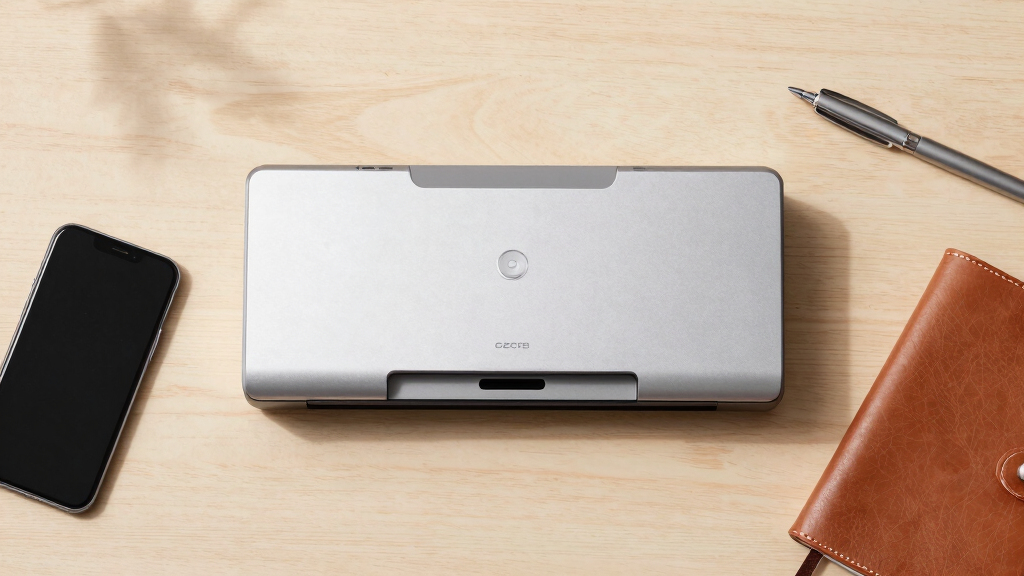

When searching for a document scanner premium, you’re likely looking for speed, reliability, and advanced features that handle high volumes with ease. The Epson Workforce ES-400 II stands out as the best overall choice thanks to its fast duplex scanning and versatile image tools. The ScanSnap iX2500 offers a seamless wireless experience with a large touchscreen, making it ideal for busy offices. However, these premium options come with tradeoffs like higher costs or larger footprints. Continue reading to see how these models compare and find the best fit for your scanning needs.
Key Takeaways
- Speed and duplex capabilities are key for high-volume users; the Epson Workforce ES-400 II excels here.
- Wireless and cloud features add convenience but often come with higher price tags, as seen in the ScanSnap iX2500.
- Portability varies significantly; compact models like the Epson Workforce ES-50 suit mobile needs but sacrifice some features.
- Auto feeders with large capacities are essential for heavy daily use, but they increase overall size and cost.
- Build quality and ease of use are consistent differentiators; premium models tend to be more durable and user-friendly.


More Details on Our Top Picks
Epson Workforce ES-400 II Color Duplex Desktop Document Scanner for PC and Mac with Auto Doc Feeder (ADF), Image Adjustment Tools
This model stands out for its high-speed, duplex scanning up to 35 pages per minute, making it ideal for busy office environments. Compared with the Brother DS-640, it offers a larger automatic document feeder and more advanced image adjustment tools, which translate into better quality and ease of handling large batches. Its seamless software integration, including OCR and cloud sharing, makes it a versatile choice for professionals who need quick, searchable digital copies. The tradeoff is that it’s bulkier and more expensive than portable options like the Epson WorkForce ES-50, which is better suited for on-the-go tasks. Overall, this scanner makes the most sense for small to medium-sized offices that prioritize speed and quality over portability.
Pros:- Fast duplex scanning at 35 pages per minute
- Includes advanced image adjustment tools for high-quality scans
- Seamless OCR and cloud sharing integration
Cons:- Relatively bulky and less portable
- Higher price point compared to portable models
Best for: Small to medium office teams needing fast, high-volume scanning with advanced image correction
Not ideal for: Remote workers or field professionals who require a lightweight, portable device
- Scanner Type:Color Duplex Desktop
- Resolution:300 dpi
- Sheet Capacity:50 sheets
- Connectivity:USB
- Dimensions:14.5″D x 10″W x 11.25″H
- Weight:3.7 kg
Bottom line: This pick suits office environments where speed, quality, and integration matter most.
Brother DS-640 Compact Mobile Document Scanner, (Model: DS640)
Compared with larger desktop scanners like the Epson Workforce ES-400 II, the Brother DS-640 excels in portability, weighing just 1.5 pounds and fitting into a bag or pocket. Its fast speed of 16 pages per minute makes it suitable for quick on-the-go scanning, especially for business cards, receipts, and ID cards, thanks to its support for various media types. Although it doesn’t match the high volume capacity of desktop models, it compensates with flexible connectivity options, including TWAIN/WIA drivers for Mac and Linux, and a simple workflow via Brother’s app. The main tradeoff is reduced sheet capacity and fewer advanced image correction features, which makes it less ideal for large office workflows. This scanner makes the most sense for mobile professionals needing quick, high-quality scans without bulk.
Pros:- Extremely portable and lightweight
- Fast scan speed of 16 pages per minute
- Supports multiple media types including business cards and receipts
Cons:- Limited sheet capacity (up to 72 inches long documents)
- Fewer advanced image correction tools
Best for: Traveling salespeople, freelancers, or field workers needing lightweight, portable scanning solutions
Not ideal for: Large offices requiring high-volume, batch scanning with advanced image processing
- Scanner Type:Business Card and Document
- Resolution:300 dpi
- Sheet Capacity:Up to 72 inches long
- Connectivity:USB, TWAIN/WIA
- Dimensions:11.9″W x 1.45″H x 1.99″D
- Weight:1 lb
Bottom line: This device is perfect for on-the-move professionals prioritizing portability and speed over high capacity.
ScanSnap iX2500 Premium Wireless or USB High-Speed Cloud Enabled Document, Photo & Receipt Scanner with Large 5″ Touchscreen for Mac or PC, Includes 4-Year Protection Plan
This scanner makes a compelling case for users who need high-speed, versatile scanning combined with cloud connectivity and a large touchscreen interface. Its impressive 45 pages per minute speed, 100-sheet feeder, and support for Wi-Fi 6 connect it easily to multiple devices without tethering. Compared with the Epson Workforce ES-580W, the ScanSnap iX2500 offers more automation, including automatic file naming, OCR, and sorting, making it ideal for digitizing large amounts of documents efficiently. The built-in protection plan adds reassurance for long-term use. Its main drawback is the higher cost and potentially more complex setup for less tech-savvy users. It comes highly recommended for busy professionals or small offices that need a reliable, feature-rich solution with long-term support.
Pros:- High-speed 45 pages per minute
- Large 5″ touchscreen for easy navigation
- Supports cloud storage and automatic file management
Cons:- Relatively heavy and less portable
- Higher price compared to basic portable scanners
Best for: Small offices or home users handling large document volumes with cloud integration needs
Not ideal for: Users seeking a lightweight, portable scanner for quick, on-the-go tasks
- Scanner Type:Wireless & USB Document
- Resolution:600 dpi
- Sheet Capacity:100 sheets
- Connectivity:Wi-Fi 6, USB-C
- Dimensions:6.26″D x 11.5″W x 6.34″H
- Weight:7.7 lbs
Bottom line: Ideal for high-volume scanning with cloud integration and user-friendly controls for busy environments.
Epson Workforce ES-580W Wireless Color Duplex Tax Receipt & Desktop Document Scanner for PC and Mac with 100-sheet Auto Feeder (ADF), Intuitive 4.3′ Touchscreen
Compared with the ScanSnap iX2500, the Epson Workforce ES-580W offers a more budget-friendly, compact option with a focus on receipt and document scanning for small businesses. Its 35 pages per minute speed and 100-sheet capacity make it suitable for office workflows, especially when paired with its wireless connectivity and intuitive 4.3″ touchscreen. While it doesn’t match the speed or automation features of the higher-end models, it provides reliable duplex scanning, OCR, and cloud sharing capabilities. The main tradeoff is slightly slower speed and fewer advanced image correction tools, making it better suited for small business owners who prioritize ease of use and connectivity without requiring extensive automation. This scanner is ideal for small offices that need dependable, all-in-one document and receipt scanning with wireless flexibility.
Pros:- Wireless connectivity with a 4.3″ touchscreen
- Auto document feeder for up to 100 sheets
- Supports duplex and OCR for searchable PDFs
Cons:- Maximum speed of 35 pages per minute, slower than premium models
- Less automation and fewer advanced editing features
Best for: Small business owners or remote teams needing reliable duplex scanning and cloud sharing
Not ideal for: High-volume or heavy-duty office environments requiring faster throughput
- Scanner Type:Color Duplex Desktop
- Resolution:300 dpi
- Sheet Capacity:100 sheets
- Connectivity:Wireless, USB
- Dimensions:Approx 6.3″D x 11.5″W
- Weight:about 7.7 lbs
Bottom line: Best suited for small businesses seeking dependable, wireless duplex scanning with simple operation.
Epson WorkForce ES-50 Portable Sheet-Fed Document Scanner for PC and Mac
Compared to larger, more feature-rich scanners like the ScanSnap iX2500, the ES-50 is designed for ultra-lightweight portability, weighing only about 1.1 pounds and fitting into a bag or pocket. Its fast one-page scan in 5.5 seconds makes it perfect for quick, occasional scans of receipts, IDs, or small documents. While it lacks advanced image correction and high-volume capacity, its simplicity and ease of use make it ideal for travelers or remote workers who need quick scans without bulk. The main tradeoff is its limited sheet capacity and fewer automation features, which may make it less suitable for continuous batch processing. This device is best for those who need a portable, straightforward scanner for light, occasional use.
Pros:- Extremely portable and lightweight
- Fast single-page scan speed of 5.5 seconds
- USB-powered, no external power needed
Cons:- Limited to single-sheet scanning
- No automatic document feeder or advanced correction features
Best for: Travelers, freelancers, or field workers needing quick, portable document scans
Not ideal for: Offices or users requiring high-volume, high-speed batch scanning
- Scanner Type:Portable Sheet-Fed
- Resolution:600 dpi
- Sheet Capacity:Single sheet
- Connectivity:USB
- Dimensions:6.26″D x 11.5″W x 6.34″H
- Weight:1.1 lbs
Bottom line: This scanner is perfect for light, on-the-go scanning needs where portability outweighs capacity.
ScanSnap iX2500 Wireless or USB High-Speed Cloud Enabled Document, Photo & Receipt Scanner with Large 5″ Touchscreen and 100 Page Auto Document Feeder for Mac or PC, Black
The ScanSnap iX2500 stands out for its combination of speed, usability, and cloud integration, making it ideal for busy offices that need reliable, high-volume scanning. Its large touchscreen rivals smartphone interfaces, simplifying operation, while the 45ppm duplex speed outpaces many competitors like the iX2400, which offers similar speed but lacks the customizable profiles. The 100-page feeder reduces reloads, but the build feels lighter and less sturdy than earlier models like the IX500, which could impact durability over time. Connectivity options include Wi-Fi 6 and USB-C, providing versatile placement, though Wi-Fi setup can be finicky without a static IP. Automatic optimizations and support for cloud services streamline workflows, but software updates can be picky and may require reinstallation for optimal performance. This pick makes the most sense for organizations with high scanning demands who prioritize speed and cloud sharing, accepting a slight tradeoff in build quality.
Pros:- Fast duplex scanning at 45ppm
- Large 5″ touchscreen for intuitive use
- Supports cloud services and multiple device types
- High-capacity 100-sheet feeder
Cons:- Build feels lighter and less robust than previous models
- Lighter plastic casing may impact durability
- Wi-Fi setup can be finicky without static IP
Best for: Medium to large offices with frequent, high-volume scanning needs and cloud integration preferences
Not ideal for: Small home users or those seeking a rugged, heavy-duty scanner for daily transport and rough handling
- Scanner Type:Business Document
- Connection Type:Wi-Fi and USB-C
- Resolution:600 dpi
- Sheet Capacity:100 sheets
- Color Depth:24-bit
- Dimensions:6.26″D x 11.5″W x 6.34″H
- Weight:7.7 pounds
Bottom line: This scanner is ideal for fast-paced environments that need high-volume, cloud-ready scanning with easy management, despite some concerns about build quality.
ScanSnap iX2400 High-Speed Simple One-Touch Button Color Document, Photo & Receipt Scanner with 100 Page Auto Document Feeder for Mac or PC, Black
The iX2400 offers straightforward operation with a single-touch interface, making it a great entry point for users new to document scanning. Its speed of 45ppm closely matches the iX2500, but the design is more compact and simplified, focusing on ease of use without sacrificing core features like automatic de-skew, streak removal, and blank page detection. Unlike the iX1300, which is more portable but slower and less feature-rich, the iX2400 strikes a balance between performance and simplicity. It connects reliably via USB, with Wi-Fi as an option, though setup remains straightforward and less prone to issues. The ScanSnap Home software consolidates management, editing, and organization, reducing the learning curve for new users. This model makes sense for small business owners or individuals who want fast, reliable results without complex settings, accepting fewer customization options.
Pros:- Single-touch operation for fast scanning
- Reliable USB connection for consistent performance
- Automatic document detection and cleanup
- Includes comprehensive management software
Cons:- Less customizable than higher-end models
- Build may feel less durable compared to more industrial scanners
- Wi-Fi setup can be occasionally tricky for beginners
Best for: Small business owners or home users seeking quick, easy, and reliable scanning with minimal fuss
Not ideal for: Power users or organizations requiring extensive customization or rugged durability for heavy daily use
- Scanner Type:Color Document Scanner
- Connection Type:USB and Wi-Fi
- Resolution:600 dpi
- Sheet Capacity:100 sheets
- Color Depth:48-bit
- Dimensions:6.26″D x 11.5″W x 6.34″H
- Weight:7.1 pounds
Bottom line: A smart choice for new users who want fast, simple, and dependable scanning without the complexity of advanced features.
ScanSnap iX1300 Compact Wireless or USB Double-Sided Color Document, Photo & Receipt Scanner with Auto Document Feeder and Manual Feeder for Mac or PC, Black
The iX1300 emphasizes space-saving design without sacrificing core functionality, making it perfect for tight workspaces like small home offices or portable setups. Its duplex speed of 30ppm is slightly slower than the iX2400 or iX2500, but still efficient for typical document loads, especially with its auto de-skew, blank page removal, and color optimization. Its smaller dimensions—just 4.5″D x 11.7″W—allow it to fit easily into crowded desks, though this compact size means a lower sheet capacity of 50 sheets, compared to the 100+ in larger models. Connectivity is flexible via USB or Wi-Fi, with reliable performance for most uses, but it may lack some advanced features found in larger models. The software suite, ScanSnap Home, offers organized management, but fewer customization options make it less suitable for heavy or specialized scanning tasks. This makes sense for individuals or small teams prioritizing space and simplicity over volume.
Pros:- Very compact and space-saving design
- Automatic de-skew and blank page removal
- Wireless and USB connectivity
- Easy one-touch scanning
Cons:- Lower sheet capacity of only 50 sheets
- Slower duplex speed at 30ppm
- Limited customization options
Best for: Individuals in small spaces or mobile workers needing quick, space-efficient scanning
Not ideal for: High-volume offices or users needing extensive customization and maximum sheet capacity
- Scanner Type:Color Document
- Connection Type:USB and Wi-Fi
- Resolution:600 dpi
- Sheet Capacity:50 sheets
- Color Depth:48-bit
- Dimensions:4.5″D x 11.7″W x 3.3″H
- Weight:4.4 pounds
Bottom line: Ideal for space-constrained environments where quick, reliable scans of smaller batches are needed, accepting some volume limitations.
How We Picked
These products were selected based on a combination of performance, build quality, and feature set tailored for premium users. We prioritized scanners that support high-volume workflows, advanced image processing, and seamless connectivity options. Cost was considered, but only for models that justify a higher price through added value. Our ranking emphasizes usability, reliability, and feature richness, ensuring each pick serves a specific type of professional or enthusiast who needs a premium experience. The result is a lineup that balances speed, durability, and innovative features, helping buyers find the best fit for their high-end scanning needs.Factors to Consider When Choosing Document Scanner Premium
Choosing a document scanner premium involves more than just looking at features; understanding your specific workflows and needs ensures a worthwhile investment. Here are some key factors to consider beyond the product specs to make an informed decision.Scanning Speed and Capacity
For high-volume environments, look for scanners with fast duplex speeds and large auto feeder capacities. These features reduce wait times and minimize manual interventions. However, faster models often come with larger footprints and higher costs, so consider your space and budget before prioritizing speed over portability or affordability.
Connectivity and Compatibility
Premium scanners should support multiple connection options, including Wi-Fi, Ethernet, and USB, to integrate smoothly into existing workflows. Compatibility with your operating system and cloud services is equally important. Overlooking these factors can lead to frustration or additional costs for adapters and software updates.
Image Quality and Processing
High-resolution sensors and advanced image adjustment tools enable cleaner, more accurate scans. If you frequently digitize documents with fine print or detailed graphics, prioritize models with adjustable image settings. Cheaper or simpler models might struggle with clarity or color accuracy, which can affect document usability downstream.
Size, Portability, and Build Quality
Consider where you’ll place the scanner—desktop, mobile, or in a shared office space. Compact models are easier to move but may lack some advanced features. Durability matters for frequent use; a well-built device reduces repair costs and downtime, especially in demanding environments.
Cost and Total Value
Premium scanners come with higher upfront costs, but they often save time and reduce errors. Balance the features you need against your budget, and beware of models that offer unnecessary bells and whistles. Investing in a slightly more expensive model with better durability and support can pay off over time, especially for busy offices or professional users.
Frequently Asked Questions
Is a higher price justified for a document scanner premium?
Yes, higher-priced scanners typically offer faster speeds, larger capacities, better build quality, and advanced features like enhanced image processing and wireless connectivity. If you handle large volumes regularly or need reliable, high-quality scans, investing in a premium model can improve efficiency and reduce long-term costs associated with repairs or workflow disruptions.
What features are most important for a high-volume work environment?
In a high-volume setting, focus on duplex scanning speeds, auto feeder capacity, durability, and seamless connectivity options. These features ensure that your workflow remains uninterrupted, and the scanner can handle daily demands without frequent maintenance or jams. Prioritizing these aspects helps prevent bottlenecks and keeps productivity high.
Are wireless features worth paying extra for?
Wireless connectivity offers significant convenience, allowing multiple users to access the scanner without cables and enabling direct uploads to cloud services. If your workflow involves multiple devices or remote access, paying extra for wireless features makes sense. However, if your setup is fixed and wired, you might save money by opting for a wired model.
How important is automatic document feeding for a premium scanner?
Auto feeders are essential for efficiency in busy environments, reducing manual loading and boosting throughput. Premium models often feature larger, more reliable feeders that can handle hundreds of pages daily. If you scan infrequently or in small batches, a simpler flatbed might suffice, but for regular high-volume use, an auto feeder is almost indispensable.
Should I prioritize image quality or speed?
It depends on your primary use case. If you need to digitize documents with fine details or color accuracy, prioritize image quality. For bulk scanning where speed is critical, look for models with fast duplex capabilities and large capacity auto feeders. Many premium scanners strike a balance, offering both, but understanding your key needs helps make the best choice.
Conclusion
For most professional environments, the Epson Workforce ES-400 II offers a superb balance of speed, reliability, and feature set, making it the best overall pick. Budget-conscious users who need high-volume processing but can compromise on some advanced features might prefer the Brother DS-640 for portability. Those seeking premium convenience with wireless connectivity and a large touchscreen will find the ScanSnap iX2500 ideal. Finally, beginners or infrequent users should consider more affordable, simpler models without sacrificing core functionality. Your choice ultimately depends on your specific workflow, volume, and feature preferences.