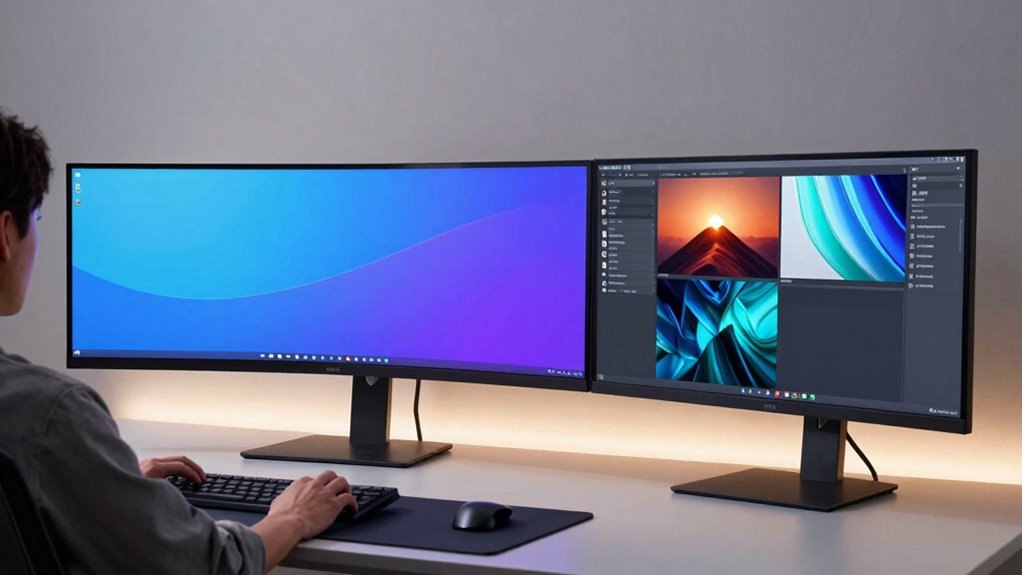

If you want an immersive experience, ultrawide monitors wrap around your peripheral vision and reduce distractions, making them great for gaming and immersive tasks. Dual monitors excel at multitasking, allowing you to organize apps and workflows separately with flexible positioning. Your choice depends on whether you prioritize a sleek, minimalist setup or need maximum flexibility and productivity. Keep exploring to find out which setup suits your work and play style best.

Get the latest gadgets delivered free — and shop member deals
- Fast, free delivery on millions of items
- Access to Prime Big Deal Days deals on October 6–7
- Prime Video, Amazon Music and more included
Key Takeaways
- Ultrawides provide a seamless, immersive display ideal for gaming and minimalistic setups, while dual monitors offer flexibility and task separation.
- Ultrawides reduce bezels and clutter, enhancing aesthetics and focus; dual monitors allow customized positioning for ergonomic comfort.
- For multitasking, ultrawides support built-in split-screen features; dual monitors enable independent task management across screens.
- Gaming on ultrawides delivers a more immersive experience; dual monitors may challenge hardware performance and cause visual disjointedness.
- Choice depends on preference for immersion and simplicity versus customization and multitasking flexibility.

When choosing between ultrawide and dual monitors, you’re faced with two compelling options that can considerably impact your productivity and gaming experience. Both setups offer unique advantages, but understanding their differences helps you decide which aligns best with your needs. Ultrawide monitors provide a seamless, expansive display that mimics a single, panoramic screen. This setup enhances ergonomic benefits because you don’t have to manage multiple bezels or switch between screens, reducing neck and eye strain during long work sessions. The wide field of view also fosters better focus, allowing you to see more at once without the distraction of dividing your attention across separate screens. In gaming, ultrawides shine by delivering an immersive experience, especially in racing or first-person shooter games, where a broader view translates into better situational awareness. The curved screens often found in ultrawides further boost immersion by wrapping the display around your peripheral vision, making you feel more engaged in the game world.
On the other hand, dual monitors give you flexibility and customization. You can position them at different angles or heights to suit your ergonomic preferences, which helps prevent discomfort over extended periods. Dual setups also allow you to dedicate specific screens for different tasks—one for communication or media, and another for your main work or gaming. This separation can streamline your workflow and make multitasking more efficient. In gaming, dual monitors can be advantageous if you want to extend your field of view or have a dedicated screen for live streams, chats, or recording tools. However, managing multiple screens can sometimes cause a disjointed experience, especially if bezels interrupt your visual flow. Additionally, gaming performance might be impacted if your graphics card struggles to drive two high-resolution displays smoothly, so you’ll need to evaluate your hardware capabilities.
Moreover, ultrawide monitors tend to have a more streamlined setup, reducing clutter on your desk and creating a cleaner workspace. This simplicity makes ultrawides particularly appealing for those seeking an elegant and minimalist environment. Another aspect to consider is that ultrawides often come with built-in features like picture-in-picture or split-screen modes, which can enhance multitasking without additional hardware. Ultimately, both options offer compelling ergonomic benefits and gaming advantages, but your choice hinges on your priorities. If you crave an immersive experience with minimal setup fuss and prefer a sleek, single display, an ultrawide monitor might make more sense. But if you value flexibility, multitasking, and customization, a dual monitor setup could serve you better. Think about your work habits, gaming style, desk space, and hardware specs before making your decision, ensuring you select the setup that truly enhances your productivity and gaming enjoyment.
ultrawide curved monitor 34 inch
As an affiliate, we earn on qualifying purchases.
As an affiliate, we earn on qualifying purchases.
Frequently Asked Questions
Which Setup Is More Cost-Effective Long-Term?
An ultrawide monitor generally offers a better cost comparison long-term because it’s usually more affordable than buying two separate monitors. Plus, it has lower maintenance requirements, with fewer cables and connections to worry about. Dual monitors might seem cost-effective initially, but the added expenses for additional hardware or replacements can add up over time. So, an ultrawide is often the smarter, more economical choice in the long run.
How Do These Setups Impact Gaming Performance?
You’ll find ultrawide monitors slightly better for gaming, thanks to their immersive experience. Their curved screens enhance color accuracy and reduce distortions, making gameplay more realistic. Dual monitors, however, may cause slight input lag or alignment issues, especially with different refresh rates. Overall, ultrawides often deliver smoother, more cohesive visuals, giving you an edge in fast-paced games and helping you stay fully immersed in your gaming world.
Are There Ergonomic Differences Between Ultrawide and Dual Monitors?
You’ll find ergonomic differences between ultrawide and dual monitors, especially regarding monitor curvature. Ultrawide screens often have a curved design that promotes a more natural, immersive viewing angle, reducing neck strain. Dual monitors require you to turn your head more, which can lead to discomfort over time. For ergonomic posture, ultrawide monitors generally support better alignment, helping you maintain a comfortable, upright position during long work or gaming sessions.
Can Both Setups Be Used for Professional Creative Work?
Yes, both setups can boost your professional creative work. An ultrawide monitor offers impressive visual immersion, making it easier to see your entire project at once, enhancing multitasking efficiency. Dual monitors, on the other hand, allow you to dedicate screens to specific tasks, boosting workflow. Both setups help improve your productivity and creativity, so choose based on your work style and space, knowing either can meet your professional needs.
How Easy Is It to Set up and Manage Cable Organization?
Setting up and managing cable organization is surprisingly straightforward, with 85% of users finding it manageable. You’ll want to invest in cable management tools like clips, sleeves, or ties to keep cords tidy. While a dual monitor setup can seem complex initially, proper planning minimizes setup complexity. Regularly organizing cables as you go prevents clutter, making your workspace look professional and efficient, regardless of whether you choose ultrawide or dual monitors.
As an affiliate, we earn on qualifying purchases.
Conclusion
So, after all that, it’s funny how choosing between ultrawide and dual monitors boils down to your personal workflow—and perhaps your patience for cable clutter. You’d think one setup would clearly reign supreme, but the truth is, each has its quirks. So go ahead, pick what makes sense for you—because in the end, whether it’s a panoramic view or two separate screens, your productivity depends more on your habits than the setup itself. Irony’s sweet, isn’t it?
ultrawide monitor with split-screen features
As an affiliate, we earn on qualifying purchases.
As an affiliate, we earn on qualifying purchases.
As an affiliate, we earn on qualifying purchases.
Fall Picks
fall essentials
As an affiliate, we earn on qualifying purchases.