
To work from home productively, create a dedicated workspace to stay focused, and optimize your internet with wired connections and bandwidth management. Use task management tools to set clear priorities and track progress, while minimizing distractions with website blockers and focus timers. Automate repetitive tasks and regularly back up your data for security. Investing in ergonomic equipment can boost comfort. Keep exploring these tech tips to make your home office even more efficient.

Get the latest gadgets delivered free with Prime
- Fast, free delivery on millions of items
- Prime Video, Amazon Music and more included
- Member-only deals all year
Key Takeaways
- Create a dedicated, organized workspace to enhance focus and establish clear work boundaries.
- Use wired Ethernet connections and optimize your internet to ensure stable, fast connectivity.
- Prioritize essential apps and close unnecessary ones to maximize bandwidth for work tasks.
- Set clear goals and track progress with user-friendly project management tools like Trello or Asana.
- Minimize distractions by enabling focus modes, using website blockers, and automating repetitive tasks.
As an affiliate, we earn on qualifying purchases.
Establish a Dedicated Workspace
Creating a dedicated workspace is essential for maintaining focus and productivity while working from home. When you set aside a specific area, you signal to your brain that it’s time to work, helping you stay disciplined and avoid distractions. Choose a quiet spot with minimal interruptions, ideally separate from your relaxation zones. Keep your workspace organized with essential tools within reach—like your computer, notepads, and chargers—so you don’t waste time searching. Personalize it with a few motivating items or plants to make it inviting. Establishing a consistent routine, starting and ending your workday at the same time, helps reinforce boundaries. A dedicated workspace not only boosts your efficiency but also helps you mentally switch between work and personal life, improving overall balance. Incorporating simple organizing systems into your workspace setup can also help keep clutter at bay and promote a calm environment. Additionally, ensuring your workspace has proper electrical safety measures, such as avoiding overloaded outlets, can prevent hazards and maintain a secure environment. Proper lighting is also crucial, as it reduces eye strain and enhances focus during long work hours. Taking regular breaks and stretching can further improve your physical comfort and prevent fatigue during extended periods of work. Recognizing the importance of a well-designed workspace, many find that ergonomic principles can further enhance comfort and reduce fatigue during long work hours.
As an affiliate, we earn on qualifying purchases.
Optimize Your Internet Connection
To keep your work running smoothly, you should prioritize your internet setup. Using wired connections can provide a more stable signal, while closing unnecessary apps frees up bandwidth. Focus on managing your bandwidth by assigning priorities to essential tasks for a seamless remote work experience. Additionally, optimizing your internet speed can significantly improve connectivity and reduce lag during important calls or data transfers. Upgrading to energy-efficient European cloud servers can further enhance your network reliability and security. For those considering investments, exploring precious metal investments can also serve as a reliable hedge against market fluctuations. Regularly checking your automotive repair system for updates can help prevent unexpected disruptions in your network performance. Incorporating Free Floating network solutions may also assist in maintaining consistent internet access during outages or disruptions.
Use Wired Connections
Since Wi-Fi signals can be affected by interference and distance, plugging directly into your router with an Ethernet cable is one of the most effective ways to guarantee a stable and fast internet connection. Wired connections reduce latency, minimize disruptions, and ensure consistent speeds, which are vital when video conferencing or uploading large files. To get the best performance, use high-quality Ethernet cables, ideally Cat6 or higher, and keep them away from potential interference sources like other electronics. If possible, connect your computer directly to the router instead of using powerline adapters or extension cords. This setup minimizes signal loss and provides a more reliable connection, helping you work smoothly without frustrating interruptions or lag. Additionally, using proper cable management can prevent physical damage and maintain optimal signal quality. Incorporating local automation solutions can also optimize your network setup and enhance your overall working environment, ensuring seamless connectivity. Being aware of Rhythm Failure and its themes can also inspire your workspace environment to boost creativity and positivity. To further improve stability, consider monitoring your network for interference sources and adjusting your setup accordingly.
Close Unnecessary Apps
Running multiple apps simultaneously can strain your internet connection, causing slower speeds and increased lag. To optimize your bandwidth, close any unnecessary apps running in the background. These apps often use data without you realizing, which can reduce the bandwidth available for your work tasks. Check your task manager or activity monitor to identify apps consuming significant resources and shut them down. This simple step frees up bandwidth, improves connection stability, and reduces buffering or lag during video calls and file uploads. Be especially mindful of apps like streaming services, cloud sync tools, or social media that may run in the background. Regularly closing unused applications helps maintain a smoother, more reliable internet experience, allowing you to work more efficiently from home. Additionally, managing your network traffic can help ensure your connected appliances operate seamlessly, enhancing your overall home office setup. Knowing how to optimize your network can also prevent issues with device interference, which might impact your work productivity.
Prioritize Bandwidth Usage
Prioritizing your bandwidth guarantees that your most important work tasks receive the connection they require. To do this, use Quality of Service (QoS) settings on your router to assign higher priority to essential applications like video conferencing and collaboration tools. Limit background activities such as automatic updates or downloads during work hours to free up bandwidth. Consider connecting your work device via Ethernet for a more stable and faster connection. If multiple users share your network, set up separate networks or guest accounts to prevent congestion. Regularly check your internet speeds to make sure your setup is effective. Understanding network traffic can help you identify which devices or applications are consuming the most bandwidth. Additionally, managing your network with connected equipment can optimize overall performance. Monitoring your network security is also important to prevent unauthorized access that could affect bandwidth. Employing modern networking technologies can further enhance your connection stability and security. By actively managing bandwidth, you minimize lag and disruptions, allowing you to work more efficiently and stay focused on your tasks. Regularly evaluating your internet setup can ensure your network remains optimized for productivity.
As an affiliate, we earn on qualifying purchases.
Use Task Management Tools
Using task management tools can keep you organized and focused throughout your workday. Make sure to choose a platform that fits your needs, set clear priorities, and regularly track your progress. This approach helps you stay on top of your tasks and boosts your productivity. Incorporating performance cookies into your workflow ensures you focus on the most valuable tools and techniques. Additionally, optimizing your digital workspace by configuring your devices and software can improve overall efficiency and reduce distractions.
Choose the Right Platform
Choosing the right task management platform can considerably boost your productivity when working from home. To find the best fit, consider your workflow, team size, and preferred features. Some platforms excel at task tracking, while others focus on collaboration or deadlines. Evaluate options based on ease of use, integrations, and mobile access. For example, if you need seamless communication, a platform like Slack combined with Trello might work well. If detailed project planning is your focus, Asana could be ideal. Here’s a quick comparison:
| Feature | Best For | Notable Tool |
|---|---|---|
| Collaboration | Team communication | Slack, Microsoft Teams |
| Task Tracking | Managing tasks | Trello, Asana |
| Deadlines & Scheduling | Project timelines | ClickUp, Monday.com |
Choose wisely to streamline your work process.
Set Clear Priorities
To stay productive while working from home, you need to set clear priorities for your tasks each day. Use task management tools like Todoist, Trello, or Asana to organize your to-do list. Break projects into smaller, actionable steps and assign deadlines to stay on track. Focus on high-impact tasks first—those that move your goals forward. Avoid cluttering your day with low-priority items; instead, schedule time for urgent and important work. Check your priorities at the start of each day to stay aligned with your goals. By clearly defining what matters most, you’ll reduce distractions and maintain focus. Efficient prioritization helps you work smarter, not harder, making your remote workday more productive and less stressful.
Track Progress Effectively
Keeping track of your progress is essential for staying productive when working from home. Using task management tools helps you organize your daily goals and monitor completed tasks. Choose apps like Todoist, Trello, or Asana to visualize your workflow clearly. Break projects into smaller, manageable tasks, and set deadlines to stay on schedule. Regularly updating your progress keeps you accountable and motivated. These tools also allow you to prioritize urgent tasks and avoid distractions. Review your task list at the end of each day to see what you’ve accomplished and adjust plans as needed. By tracking your progress consistently, you gain better insight into your productivity patterns and can make informed adjustments to improve your work-from-home routine.
As an affiliate, we earn on qualifying purchases.
Set Clear Boundaries and Schedules

Establishing clear boundaries and a consistent schedule is essential for maintaining productivity while working from home. Define your work hours and communicate them to family or roommates to minimize interruptions. Create a dedicated workspace that signals when you’re working versus relaxing. Use technology to set reminders and alarms to start and finish your day on time. To help you stay organized, consider this schedule:
| Time Block | Activity | Purpose |
|---|---|---|
| 8:00-9:00 AM | Planning & Priorities | Set daily goals and focus areas |
| 9:00-12:00 PM | Deep Work | Concentrated task completion |
| 12:00-1:00 PM | Lunch Break | Rest and recharge |
| 1:00-5:00 PM | Meetings & Collaboration | Team communication |
| 5:00 PM | Wrap-up & Shutdown | Shift to personal time |
Stick to these boundaries to improve focus and work-life balance.
Leverage Collaboration Software
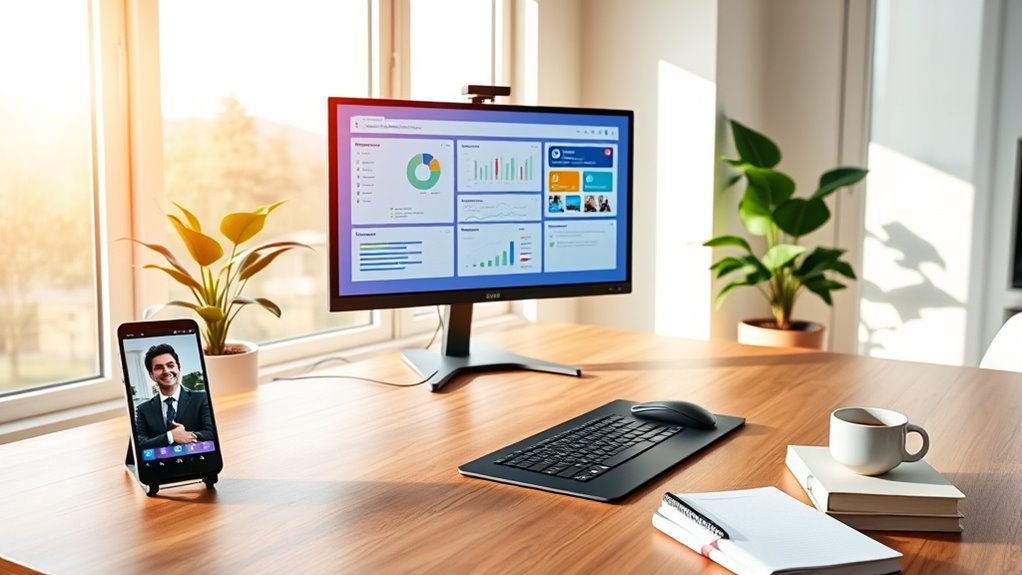
Have you explored the full potential of collaboration software to boost your remote productivity? These tools streamline communication, making teamwork seamless even when you’re apart. Use platforms like Slack or Microsoft Teams to keep conversations organized and accessible. Share files instantly with cloud-based solutions such as Google Drive or Dropbox, reducing delays. Schedule and track projects with apps like Asana or Trello to stay on top of deadlines. Video conferencing tools like Zoom or Google Meet facilitate face-to-face interactions, fostering clearer communication. Integrate these apps into your daily workflow to minimize email clutter and ensure everyone stays aligned. Leveraging collaboration software not only boosts efficiency but also helps maintain a connected, motivated team, making remote work more manageable and productive.
Minimize Distractions With Tech Solutions

Distractions can quickly derail your productivity when working from home, but technology offers effective solutions to stay focused. Use website blockers like Freedom or StayFocusd to limit access to distracting sites during work hours. Enable “Do Not Disturb” modes on your phone and computer to silence notifications, preventing interruptions. Set specific app limits with tools like Screen Time or Digital Wellbeing to avoid spending too much time on social media or messaging apps. Utilize focus timers such as the Pomodoro Technique apps to structure your work sessions and breaks. Additionally, customize your notifications to only alert you for essential messages, reducing the temptation to check your device constantly. These tech solutions help create a distraction-free environment, keeping your attention on the task at hand.
Invest in Ergonomic Equipment

Investing in ergonomic equipment is the next step to maintaining your productivity and comfort while working from home. Proper setup reduces strain, prevents injuries, and helps you stay focused longer. Choose an adjustable chair that supports your back and promotes good posture. Use a desk that matches your height to avoid slouching or reaching. Consider a monitor stand to keep your screen at eye level, reducing neck tension. An ergonomic keyboard and mouse can prevent repetitive strain injuries. Remember, assure your investment in quality equipment pays off by boosting your efficiency and well-being.
- Prioritize adjustable features for personalized comfort
- Guarantee your workspace promotes good posture
- Balance affordability with durability
- Regularly assess and update your setup
- Incorporate footrests or wrist supports as needed
Automate Repetitive Tasks

Automating repetitive tasks can save you valuable time and reduce errors, allowing you to focus on more important aspects of your work. Use tools like macros, scripts, or automation platforms such as Zapier or IFTTT to handle routine activities. For instance, set up automatic email responses, schedule social media posts, or transfer data between apps without manual effort. This streamlines your workflow and minimizes the risk of mistakes caused by manual input. Make sure to identify tasks that occur regularly and look for software solutions to automate them. Keep your systems organized by creating templates and workflows. Regularly review and update your automations to ensure they stay effective and relevant, freeing you up to concentrate on creative and strategic priorities.
Regularly Back Up Your Data
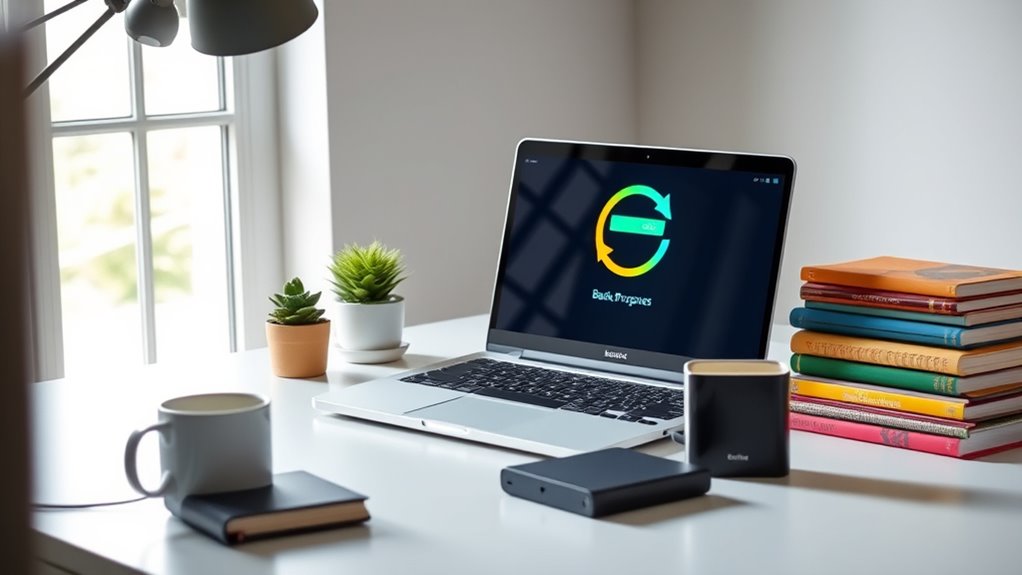
After setting up automation to handle routine tasks, it’s equally important to safeguard your hard work by regularly backing up your data. Consistent backups ensure you won’t lose important files due to hardware failures, cyberattacks, or accidental deletions. Use reliable backup solutions like cloud services or external drives, and schedule backups at regular intervals. Keep multiple copies in different locations for added security. Regular backups save time and stress when issues arise, allowing you to restore your work quickly. Remember, data loss can happen unexpectedly, so staying proactive is key.
- Choose automated backup tools to save time
- Store copies both locally and in the cloud
- Test your backups periodically for integrity
- Keep backups up-to-date with your latest files
- Develop a backup routine and stick to it
Frequently Asked Questions
How Can I Ensure My Home Tech Setup Is Secure From Cyber Threats?
You can guarantee your home tech setup is secure by updating your software regularly, using strong, unique passwords, and enabling two-factor authentication. Make sure your Wi-Fi network has a strong password and uses WPA3 encryption. Install reputable security software and keep it updated. Avoid clicking on suspicious links or downloading unknown attachments. Regularly back up your data, and consider a VPN for added privacy when browsing. These steps greatly reduce cyber threats.
What Are the Best Practices for Maintaining Work-Life Balance Remotely?
You should set clear boundaries, like designated work hours, to maintain work-life balance. Use separate devices or accounts for work and personal tasks to avoid overlap. Take regular breaks, step away from your workspace, and disconnect after hours. Communicate your availability to colleagues and family, and prioritize self-care. By establishing routines and respecting boundaries, you’ll find it easier to stay productive while enjoying your personal time.
How Do I Troubleshoot Common Internet Connectivity Issues Quickly?
Did you know that over 50% of remote workers face internet issues? To troubleshoot quickly, start by restarting your router and modem—this refreshes your connection. Check your device’s network settings and run a speed test to identify slowdowns. If problems persist, try connecting directly with an Ethernet cable instead of Wi-Fi. Keep your device updated and consider contacting your internet provider if issues continue.
Which Apps Are Most Effective for Virtual Team Building?
You should try apps like Slack for communication, which keeps everyone connected. Use Miro for collaborative whiteboarding and brainstorming, making team ideas come alive visually. For fun team-building activities, try Kahoot or Jackbox Games to encourage engagement and laughter. These apps foster interaction, boost morale, and strengthen bonds among team members. Incorporate them into your routine to create a more connected and motivated remote team.
How Can I Manage Multiple Devices Efficiently During Work Hours?
You can manage multiple devices efficiently by setting up dedicated work zones, using device management tools, and establishing clear boundaries. Think of yourself as a digital circus ringmaster, juggling screens while not dropping the ball. Use app integrations and notifications wisely, so you stay focused without feeling overwhelmed. Regularly sync devices and schedule breaks to prevent chaos. With a little discipline, you’ll keep those gadgets working seamlessly in your productivity show.
Conclusion
By weaving these tech tips into your daily routine, you’ll craft a seamless symphony of productivity from your home office. Think of your workspace as a well-tuned instrument, where each tool and boundary harmonizes to boost efficiency. With the right tech, distractions fade into the background like distant thunder, letting your focus shine bright. Embrace these strategies, and watch your remote work flow like a masterful river, steady and unstoppable.
Halloween Picks
halloween
As an affiliate, we earn on qualifying purchases.