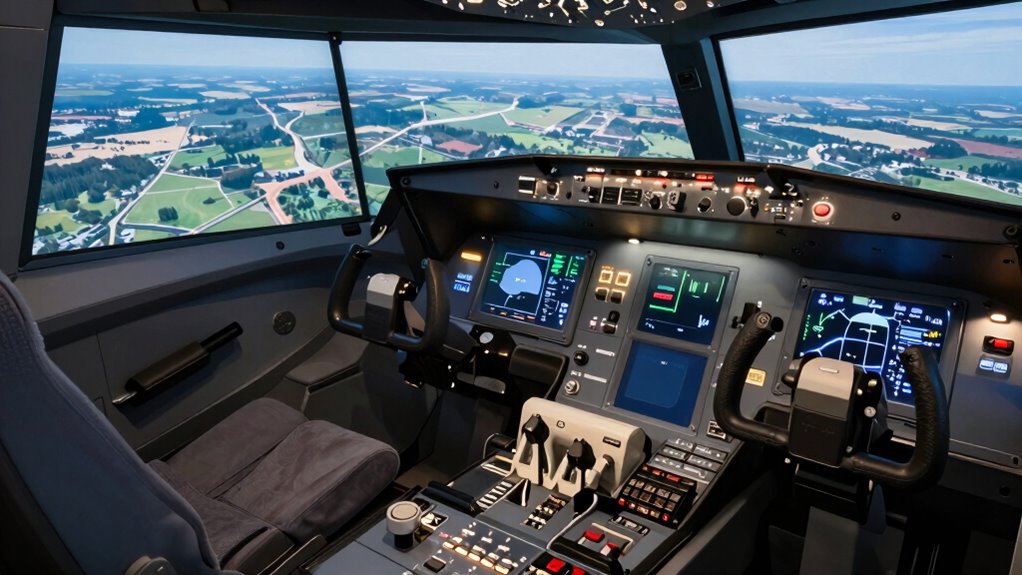

You pursue flight sim hardware as a serious hobby because it offers an incredibly realistic flying experience through high-quality controls, immersive visuals, and customizable setups. You can replicate real cockpit instruments, use VR for natural viewing, and add motion or haptic feedback for authentic sensations. As technology advances and hardware becomes more accessible, your passion can grow into a deeply engaging and personalized aviation hobby. Keep exploring, and you’ll discover even more ways to elevate your flying adventures.
Key Takeaways
- The pursuit of realism drives enthusiasts to invest in high-quality controls, displays, and VR for authentic flying experiences.
- Customization options allow hobbyists to create personalized, immersive cockpits tailored to their aircraft preferences.
- Advanced hardware such as motion platforms and haptic feedback enhances tactile realism, elevating the hobby’s seriousness.
- Technological advancements have made high-end flight sim setups more accessible and appealing to dedicated enthusiasts.
- The evolving nature of simulation hardware fosters a passionate community committed to continuous skill improvement.
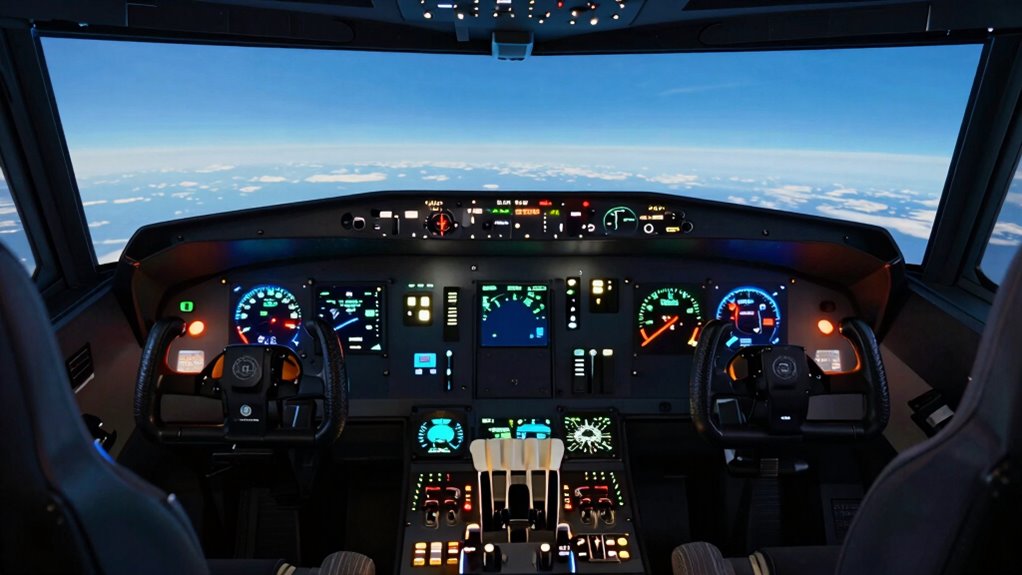
For many aviation enthusiasts, the flight sim hardware hobby offers an exciting way to bring the cockpit experience home. It’s more than just playing a game; it’s about immersing yourself in a craft that demands precision, skill, and an eye for detail. You find yourself investing in high-quality controls, pedals, and displays that mimic real cockpit instruments. The thrill of customizing your setup isn’t just about aesthetics—it’s about creating a functional and realistic environment that enhances your flying experience. With cockpit customization, you can tailor every element to match your preferences, whether that’s adding a yoke with force feedback or installing multi-monitor displays that expand your field of view. These choices make your simulator not only more immersive but also more reflective of real-world flying.
One of the driving factors behind the hobby’s growth is VR integration, which takes immersion to a whole new level. When you slip on a VR headset, suddenly, you’re transported inside the cockpit of a commercial airliner or a small private plane. The ability to look around, check your instruments, and feel as if you’re really in the pilot’s seat transforms how you experience flight simulation. VR integration removes the boundaries of traditional screens, making every toggle, switch, and instrument feel within reach. It’s like the cockpit has come alive, and you’re truly flying rather than just controlling a game. This level of realism makes the hobby not only engaging but also incredibly rewarding, especially when you’re practicing procedures or exploring new aircraft. Incorporating advanced simulation hardware further enhances this realism by providing more precise and responsive controls.
The combination of VR and cockpit customization gives you the power to craft your ideal flying environment. You can set up multiple physical controls, like throttle quadrants or radio stacks, to match your preferred aircraft. Some enthusiasts even go further by installing motion platforms or haptic feedback systems to add physical sensations that match what you see in VR. This attention to detail and commitment to realism is what elevates flight sim hardware from a casual pastime to a serious hobby. You’re not just simulating flying; you’re creating a personal, immersive cockpit that challenges your skills and deepens your passion for aviation. It becomes a dynamic space where technology, craftsmanship, and love for flying converge, making every flight a truly engaging and authentic experience. Exploring emerging trends in this field reveals how technology continues to push the boundaries of realism and immersion in flight simulation. Additionally, advancements in simulation hardware are making these setups more accessible and customizable for enthusiasts at all levels.

MOZA AY210 Force Feedback YOKE Base Flight Simulator FFB Controls, Black
- Force Feedback: 210N push force with smooth feedback
- Advanced Sensors: 15-bit magnetic encoder for precision
- Powerful Processor: 280 MHz processor for responsiveness
As an affiliate, we earn on qualifying purchases.
As an affiliate, we earn on qualifying purchases.
Frequently Asked Questions
What Are the Most Essential Components for Starting a Flight Sim Setup?
To start your flight sim setup, you need a high-quality joystick or yoke, a reliable throttle, and a good pair of pedals for realism. VR integration enhances immersion, so consider a VR headset. For added realism, a motion platform can simulate turbulence and maneuvers. Confirm your computer meets the necessary specs. These components create an engaging experience, making your simulation feel as authentic as possible.
How Much Does a High-End Flight Sim Hardware System Typically Cost?
A high-end flight sim hardware system can cost you a pretty penny—often between $5,000 and $15,000, depending on how deep your pockets are. Think virtual reality headsets and motion simulators that make you feel like you’re actually flying. You might as well start saving now, because this hobby’s budget rivals that of a small aircraft, promising immersive experiences but demanding serious cash.
Can Beginners Easily Learn to Use Advanced Flight Sim Hardware?
As a beginner, you can definitely learn to use advanced flight sim hardware, especially with virtual reality. VR makes controls more intuitive and immersive, easing the learning curve. Additionally, many setups offer customization options, allowing you to tailor the hardware to your skill level over time. Start with basic features, and as you gain experience, explore more advanced controls. With patience and practice, you’ll master your flight sim hardware comfortably.
What Are the Best Brands for Flight Sim Controllers and Accessories?
Think of your virtual cockpit brought to life with the best brands like Logitech, Thrustmaster, and Fanatec. These companies offer controllers with realistic force feedback, making your experience immersive. Their pedals, sticks, and throttles are designed for durability and precision, helping you navigate the skies confidently. With top-quality gear, you’ll feel like a real pilot, commanding every move with authentic control and immersive feedback.
How Do You Troubleshoot Common Problems With Flight Sim Hardware?
When troubleshooting flight sim hardware issues, start by checking connections and updating drivers. For virtual reality setups, make sure your headset is properly calibrated and software is current. If you’re using motion platforms, verify their power supply and calibration. Restart your system if problems persist, and consult user manuals or online forums for specific fixes. Regular maintenance and keeping firmware updated help prevent glitches, providing a smoother and more immersive flight experience.

AltMot Flight Simulator Instrument Panel Six Pack – Includes software and integrated monitor
- Compatibility: Works with X-Plane and FS2020/2024
- Includes Software & Monitor: Software and built-in monitor included
- Windows Compatible: Designed for Windows PCs only
As an affiliate, we earn on qualifying purchases.
As an affiliate, we earn on qualifying purchases.
Conclusion
As you exploring the world of flight sim hardware, you realize it’s more than just a hobby—it’s a voyage of mastery and passion. Like a seasoned pilot steering endless skies, your dedication transforms simple controls into an art form. This evolution from casual interest to serious pursuit proves that, in the domain of flight simulators, the sky isn’t the limit; it’s just the beginning of your journey. So, take the cockpit—adventure awaits beyond the horizon.

Pimax Crystal Super VR Headset, 3840×3840 per Eye, Ultrawide, 140° FOV, Eye- Tracking, Ultra-Sharp for Flight & Racing Simulators & Gaming, DP Connection with PC
- High-Resolution Per Eye: 3840×3840 pixels with local dimming
- Exceptional Visual Clarity: 50 PPD with aspherical lenses
- Ultra-Wide Field of View: 140° for immersive experience
As an affiliate, we earn on qualifying purchases.
As an affiliate, we earn on qualifying purchases.

Literature for Flight Simulator (Motion) Requirements Research
As an affiliate, we earn on qualifying purchases.
As an affiliate, we earn on qualifying purchases.