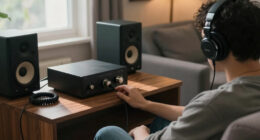
A good beginner streaming setup means investing in quality, affordable gear that improves your audio, visuals, and lighting. Use a decent microphone with a pop filter, a comfortable headset, and a webcam at least 720p or 1080p, positioned at eye level. Enhance your stream’s look with good lighting, like natural light or ring lights. Focus on simplicity and gradually upgrade your equipment as you grow—there’s plenty more to discover for building a professional stream.

Get the latest gadgets delivered free with Prime
- Fast, free delivery on millions of items
- Prime Video, Amazon Music and more included
- Member-only deals all year
Key Takeaways
- Use a quality microphone with noise reduction and a comfortable headset for clear audio communication.
- Set up proper lighting with natural light or softboxes for a bright, professional appearance.
- Select a 720p or 1080p webcam positioned at eye level for natural viewer engagement.
- Invest in reliable, user-friendly streaming software like OBS Studio or Streamlabs.
- Keep the setup simple, focusing on essential gear and gradually upgrading as skills and audience grow.

Getting started with streaming can seem overwhelming at first, but setting up a beginner-friendly streaming setup makes the process manageable. The key is to focus on essentials that deliver quality without complicating your workflow. Your setup should prioritize clear audio and crisp visuals, which means investing in good gaming accessories and reliable lighting solutions. These elements help you connect with your audience and create a professional-looking stream, even if you’re just starting out.
Start streaming easily with essential gear for clear audio, crisp visuals, and a professional look—no stress needed.
When it comes to gaming accessories, choose a decent microphone and headset. You don’t need the most expensive gear, but a clear microphone ensures your voice comes through without distracting background noise. A comfortable headset with good audio quality helps you stay focused during long streams and allows you to communicate effectively with viewers. If possible, opt for a microphone with a pop filter or noise suppression features to improve sound clarity. Additionally, a reliable mouse, keyboard, and a gaming controller (if applicable) can enhance your gameplay experience and make streaming smoother.
Lighting solutions are equally important, as proper lighting dramatically improves your video quality. Natural light works if you stream during the day, but for consistent results, invest in simple lighting options like ring lights or softboxes. These provide even, flattering light that minimizes shadows and highlights your face, making your stream more engaging visually. Position your lights in front of you, slightly above eye level, to achieve a natural look. Avoid harsh overhead or backlighting, which can make your image look unprofessional. Using lighting setups designed for streaming can further optimize your visual clarity and consistency. Incorporating adjustable lighting solutions can help you tailor your setup as your streaming needs evolve.
Your camera choice also influences your stream’s quality. You don’t need a high-end DSLR right away; a decent webcam that records in at least 720p or 1080p is sufficient for beginners. Ensure that your camera is stable and positioned at eye level to create a more natural connection with your viewers. Pairing good lighting with a solid webcam will make your face and expressions clear, helping to build a genuine connection with your audience. Additionally, understanding the importance of streaming hardware can help you make smarter choices as you upgrade your setup over time. Incorporating video quality considerations from the start can also help you plan future upgrades effectively.
Finally, don’t forget about your streaming software. Choose user-friendly options like OBS Studio or Streamlabs, which are free and widely supported. These programs allow you to add overlays, alerts, and scenes easily, making your stream more polished. As you grow, you can upgrade your gear and customize your setup further, but for now, focus on the basics—solid gaming accessories, effective lighting solutions, and reliable software—to create an inviting, professional vibe that draws viewers in.
Products Worth Considering

Bose QuietComfort Ultra Earbuds (2nd Gen), Deep Plum

Sonos Era 100 Wireless Smart Speaker, Black

DJI Osmo Mobile 8 Phone Gimbal with Mic Mini Transmitter, Infinity Black
As an affiliate, we earn on qualifying purchases.
Frequently Asked Questions
How Much Does a Beginner Streaming Setup Typically Cost?
A beginner streaming setup usually costs between $300 and $800, depending on your budget constraints and the hardware compatibility you need. You can start with a decent microphone, a basic webcam, and a mid-range PC or laptop. Prioritize essential gear first, then upgrade over time. Remember, you don’t need the most expensive equipment initially—focus on quality and compatibility to guarantee a smooth streaming experience.
Which Software Is Best for New Streamers?
For new streamers, OBS Studio is the best choice, with over 55% of streamers using it worldwide. It’s free, user-friendly, and highly customizable. You can easily create a compelling scene layout and add stream overlays to enhance your broadcast’s visual appeal. Its intuitive interface helps you get started quickly, so you can focus on engaging your audience while customizing your stream to look professional and inviting.
How Do I Improve My Internet Upload Speed?
To improve your internet upload speed, start by checking your current internet speed using speed test tools. Consider upgrading your data plans to ones that offer higher upload speeds. You can also optimize your network by reducing the number of devices using bandwidth simultaneously, connecting your streaming device via Ethernet for a more stable connection, and closing background apps that consume data. These steps help guarantee your upload speed is sufficient for smooth streaming.
What Lighting Options Are Best for Streaming?
You should prioritize a ring light or ambient lighting to brighten your face evenly, avoiding harsh shadows. Ring light options provide a focused, professional glow that enhances your visibility, while ambient lighting creates a softer background atmosphere. Combining both can give your stream a balanced, inviting look. Avoid dark or uneven lighting—your viewers want to see you clearly, and good lighting makes that possible without distracting from your content.
How Do I Choose the Right Microphone?
To choose the right microphone, prioritize audio quality and noise reduction features. Look for a microphone that captures clear sound with minimal background noise, such as a cardioid condenser or dynamic mic. Consider your environment; if it’s noisy, opt for one with built-in noise reduction. Test different options to find one that delivers crisp, professional audio, making your streams more engaging and enjoyable for viewers.
Conclusion
A good beginner streaming setup is your guiding star, illuminating your path through the vast night sky of content creation. Like a steady lighthouse, it offers stability amid the chaos, helping your passion shine brighter. Remember, it’s not just about the gear—it’s about your dedication and voice. With the right foundation, you’ll navigate the streaming universe confidently, turning your dreams into a constellation that inspires others to find their own light in the darkness.