TL;DR

Get the latest gadgets delivered free with Prime
- Fast, free delivery on millions of items
- Prime Video, Amazon Music and more included
- Member-only deals all year
An Oct. 24 XDA article describes five ways thrifted 4K Blu-rays shaped one contributor’s approach to building a Plex library: lower per-film costs, ownership of physical copies, higher-bitrate playback, local access and control over what stays in the collection. The article presents a personal strategy, not a measured comparison or proof that every shopper can find discs at the cited prices.
XDA Developers published a personal account on Oct. 24 describing how its contributor used thrifted 4K Blu-rays to build a Plex library, favoring owned discs and local playback over repeated digital rentals. The piece argues that secondhand films can offer a cost and quality alternative to streaming, while its prices and performance comparisons are presented as estimates rather than independently tested results.
The article outlines five changes to the contributor’s approach: buying used instead of paying retail, treating films as lasting purchases rather than temporary rentals, prioritizing higher-bitrate disc sources, keeping files on a local server, and choosing which titles and audio tracks to retain. Its central premise is that a disc bought once can be watched repeatedly through Plex after being copied to a home media library.
XDA estimates that secondhand 4K Blu-rays can sometimes be found for $5 to $8 each, compared with stated new-release retail prices of about $25 to $30. It suggests that a budget near $200 could yield roughly 20 to 30 films, but that calculation depends on availability and the condition of individual discs. The article also cites an approximately $100 upfront cost for a compatible drive, before accounting for storage or other hardware.
For the suggested workflow, the contributor names MakeMKV for creating MKV files from discs and Plex for organizing and playing them. The article says a compatible Ultra HD Blu-ray drive is required and recommends checking disc condition and selecting only needed audio tracks to reduce storage use. It does not report a controlled test, a completed library inventory or a standardized comparison of image and sound quality across services.
Home Media · Personal Account · Oct. 24, 2026
5 Ways Thrifted 4K Blu-rays Changed How I Built My Plex Library
One XDA contributor’s approach to collecting movies: buy selected discs secondhand, keep them available locally, and build a Plex library around repeat viewing. The prices and quality comparisons are estimates, not controlled findings.
Per 4K Blu-ray, when wanted titles are available in good condition.
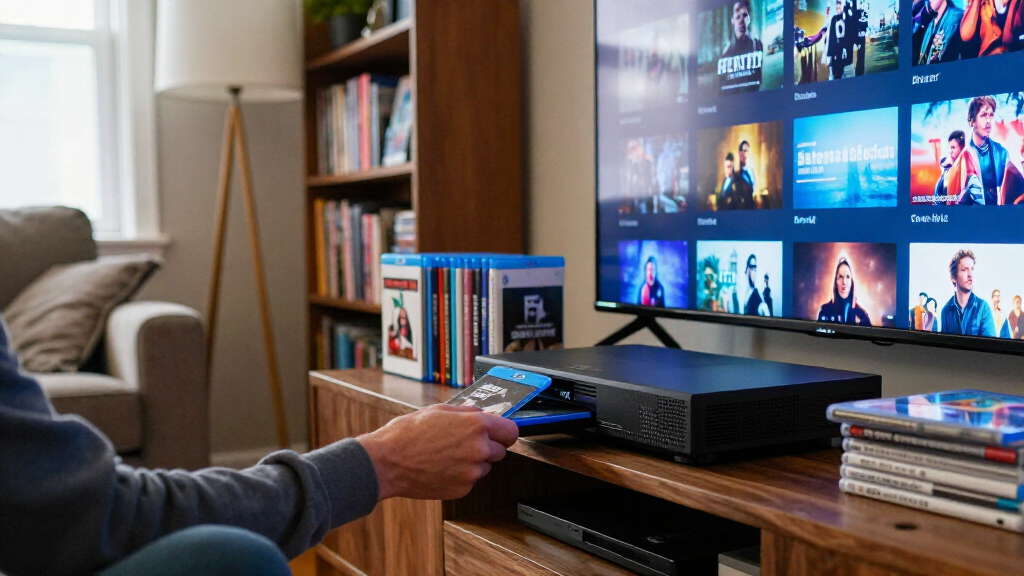
A physical disc can become a movie file organized and played through a home Plex setup.
Five ways the discs changed the plan
The article describes one contributor’s personal strategy for choosing, acquiring, and watching movies at home.
Look for used
Secondhand discs may cost less than the article’s stated new-release retail range, if the right titles turn up.
Own the copy
A purchased disc remains with its owner; a rental ends, and a streaming catalog can change.
Prioritize disc bitrate
The piece points to higher broad bitrate ranges for 4K Blu-ray than for streaming. It does not run a controlled comparison.
Keep it local
A Plex server can make a selected library available across devices on a home network, depending on the setup.
Choose what stays
Select titles and needed audio tracks, balancing a personal collection against storage space.
From secondhand shelf to Plex
The per-disc estimate is only one part of the budget. A compatible drive, storage, and time also matter.
Illustrative price ranges
Bars use approximate range midpoints for visual scale. The article does not report a store survey; disc prices and availability vary.
Suggested path
Setup note: The article estimates about $100 for a compatible drive, before storage or other hardware. Compatibility depends on the drive and disc.
Higher bitrate is a premise, not a test result
XDA gives broad bitrate ranges to explain the appeal of disc sources. Actual playback varies by title, platform, connection, and equipment.
A broad range from the article; no named service or standardized test is specified.
The article argues that disc sources can carry more video and audio data.
These are source-reported ranges, not a side-by-side measurement. The article does not identify test titles, streaming settings, or playback equipment, so it does not prove that disc playback always looks or sounds better.
Useful for some setups; results vary
The method may suit people who rewatch selected films and can source discs affordably. It is not presented as a universal replacement for subscriptions or rentals.
What the approach offers
A chosen set of films can stay available locally, with repeat access through a home media setup.
- Potentially lower per-film cost when deals are available
- Ownership of purchased physical copies
- Control over which titles and audio tracks to keep
What it asks of you
Finding, checking, storing, and converting discs takes equipment, space, and time.
- High-quality files can require substantial storage
- Drive compatibility and disc condition matter
- Copying rules depend on local law and the media involved
What the article supports
A personal account of one contributor’s method, with estimated prices and general bitrate ranges.
What remains unmeasured
No store survey, completed library inventory, long-term cost study, or standardized quality comparison is reported.
The idea, connected
What to know before trying it
What is the article’s main point?
One XDA contributor describes using secondhand 4K Blu-rays for a Plex library, emphasizing repeat access, local control, and potentially lower per-film costs.
How much might thrifted discs cost?
XDA cites $5–$8 per disc as a possible range. It does not establish how often those prices are available.
What does the workflow need?
An Ultra HD-compatible Blu-ray drive, MakeMKV, storage, and a Plex server. Total cost depends on the hardware already owned.
Does it prove disc playback is always better?
No. The article gives general bitrate ranges but no controlled, title-by-title comparison. Results depend on source and equipment.
Source: XDA Developers, personal account published Oct. 24, 2026. Figures and claims summarized as reported in the article.
Lower Costs, More Control at Home
The approach appeals to viewers who repeatedly rent the same films or want access to titles that may disappear from subscription catalogs. A physical purchase remains available to its owner, while a rental is temporary and a streaming catalog can change. A local Plex collection can also make a chosen set of films available across devices on a home network, subject to the server, storage and playback setup.
There are trade-offs. Buying discs requires finding, checking and storing them; converting them takes time and compatible equipment; and high-quality files can use substantial storage. The article’s affordability case is strongest for people who can find wanted titles cheaply and already have, or are willing to buy, the necessary hardware. It is not a universal replacement for subscriptions or rentals.
UHD 4K Blu-ray drive compatible with MakeMKV
As an affiliate, we earn on qualifying purchases.
As an affiliate, we earn on qualifying purchases.
From Disc Collection to Plex Files
The XDA article contrasts online streaming with disc playback, citing streaming 4K bitrates of roughly 15 to 25 Mbps and 4K Blu-ray rates of about 60 Mbps to more than 100 Mbps. Those figures are broad ranges in the source, not results from a named test of particular films or services. Actual quality can vary by title, platform, connection and playback equipment.
The proposed process starts with sourcing used discs through thrift shops, pawn shops, clearance bins or marketplace lots. After checking the discs, a user needs a drive capable of reading Ultra HD Blu-rays and software to copy the movie. Files can then be placed in Plex’s media folders so the application can organize them. The article describes this as preserving disc video and audio, but does not detail format compatibility, copy-protection limits or legal rules that may apply where a reader lives.
NAS for Plex media server 4K streaming
As an affiliate, we earn on qualifying purchases.
As an affiliate, we earn on qualifying purchases.
Prices and Results Vary by Setup
The piece is a personal account and recommendation, not a reported survey of secondhand stores or a lab comparison of streaming and disc playback. It does not document how often $5-to-$8 4K discs are available, which titles were purchased, or whether the proposed $200 budget includes storage, the drive and any other equipment.
Its quality claims also lack a specific side-by-side test, and the source does not identify the streaming titles or settings behind the bitrate ranges. The article does not address in detail whether particular discs can be copied with a given drive, or the legal restrictions that may govern copying protected media. Those details depend on hardware, software, jurisdiction and the discs themselves.
large capacity NAS hard drive for Plex media library
As an affiliate, we earn on qualifying purchases.
As an affiliate, we earn on qualifying purchases.
What a Practical Trial Would Show
The article does not announce a follow-up test or a broader XDA project. For readers considering the method, the next step is to check local secondhand prices, confirm drive compatibility, inspect discs and estimate storage needs before setting a budget. A useful cost comparison would include those upfront expenses and compare them with how often a person would otherwise rent or stream the same titles.
Whether the approach saves money or improves playback for a particular household will depend on the titles available, equipment already owned and viewing habits. The source provides no results from a long-term cost or quality test, so those outcomes remain personal rather than established findings.
As an affiliate, we earn on qualifying purchases.
Key Questions
What is the article’s main point?
It describes how one XDA contributor used secondhand 4K Blu-rays as the source for a Plex library, emphasizing repeat access, local control and potentially lower per-film costs.
How much does the article estimate thrifted discs cost?
XDA cites $5 to $8 per disc as a possible secondhand price range. Availability and prices vary, and the article does not provide a store survey to establish how typical that range is.
What equipment and software does the workflow require?
The described setup uses an Ultra HD-compatible Blu-ray drive, MakeMKV to create movie files, storage and a Plex server. The source estimates a drive could cost around $100, but total costs depend on the setup.
Does the article prove disc playback always looks better than streaming?
No. It cites general bitrate ranges and argues that discs can preserve more video and audio data, but it does not present a controlled, title-by-title comparison. Playback results can vary by source and equipment.
Source: XDA Developers
Halloween Picks
halloween
As an affiliate, we earn on qualifying purchases.