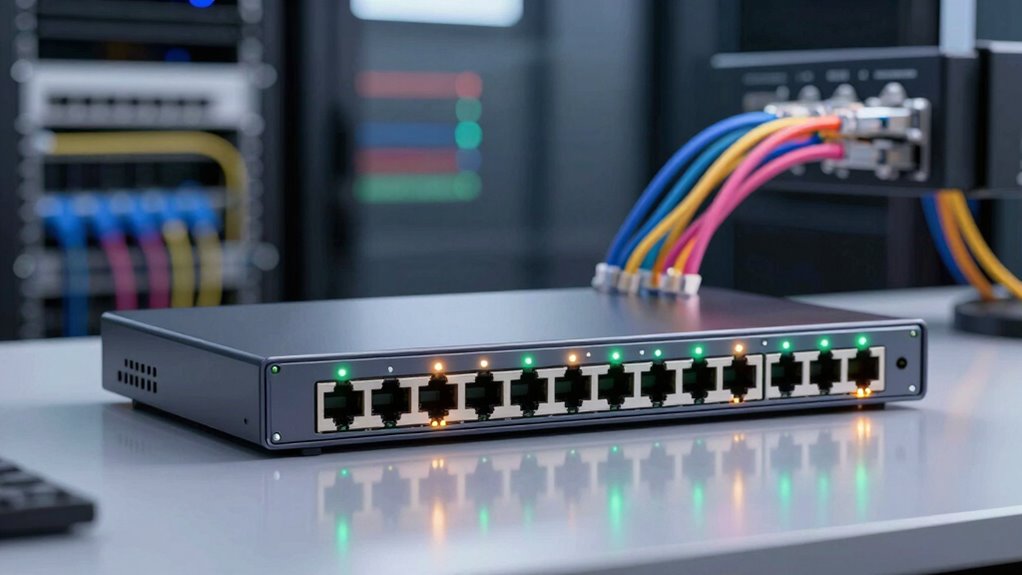

A managed switch gives you control over your network traffic, security, and configuration. You can monitor data flow, set access controls, and improve network security with features like port security and 802.1X authentication. It also allows you to create VLANs to segment your network, reducing congestion and increasing security. Additionally, it helps optimize traffic and supports security scanning to keep your network safe. Keep exploring to discover more ways a managed switch boosts your network’s performance and protection.
Key Takeaways
- Provides detailed control over network traffic and data flow management.
- Supports security features like access controls, port security, and authentication protocols.
- Enables VLAN creation for network segmentation and improved security.
- Optimizes traffic to reduce congestion and enhance network efficiency.
- Offers security monitoring, vulnerability detection, and compliance support.

Have you ever wondered how large networks efficiently manage data traffic and guarantee security? That’s where a managed switch comes into play. Unlike unmanaged switches, which simply connect devices and forward data without much control, managed switches give you granular control over your network. They allow you to monitor, configure, and optimize traffic, ensuring your network runs smoothly and securely. One of the key features they offer is enhanced network security. With a managed switch, you can set up access controls, restrict certain devices from communicating with others, and implement security protocols to prevent unauthorized access. This helps keep sensitive data protected and reduces the risk of cyber threats. You can also enable features like port security, which limits the number of devices connected to a specific port, or enable 802.1X authentication for user verification. These measures make it much harder for intruders to infiltrate your network.
Another essential aspect of what a managed switch does is VLAN configuration. Virtual Local Area Networks allow you to segment your network into different logical groups, even if they share the same physical infrastructure. This segmentation improves security and performance by isolating traffic between departments or teams. For example, you might assign the finance department to one VLAN and the HR team to another, preventing sensitive information from leaking between groups. Configuring VLANs on a managed switch is straightforward, and it grants you the flexibility to adapt your network as your organization grows or changes. By doing this, you also reduce broadcast traffic, which can otherwise slow down your entire network. Plus, VLANs enable better traffic management, making sure data reaches only the intended recipients. Additionally, understanding the contrast ratio of your projector can significantly impact the overall image quality, especially in dark scenes. Implementing proper requirements traceability within network management practices can help track changes and ensure compliance with industry standards.
In addition, a managed switch often supports security scanning and alerting features that help identify vulnerabilities or suspicious activity within your network, further enhancing your organization’s security posture.
As an affiliate, we earn on qualifying purchases.
Frequently Asked Questions
Can a Managed Switch Improve Network Security?
Yes, a managed switch can improve your network security. It allows you to perform network monitoring, so you can detect and respond to suspicious activity quickly. You also get access control features, enabling you to restrict device connections and prevent unauthorized access. By configuring VLANs and implementing security protocols, you create a safer network environment. In short, a managed switch helps you actively protect and manage your network more effectively.
How Does a Managed Switch Differ From an Unmanaged Switch?
A managed switch acts like a traffic cop, directing data with precision, unlike an unmanaged switch that’s more like a free-roaming vehicle. You can set up network redundancy and Power over Ethernet, ensuring seamless connectivity even if one path fails. Managed switches give you control, visibility, and flexibility, making your network resilient and adaptable. Unmanaged switches simply handle basic data flow without any customization or advanced features.
What Are the Key Features to Look for in a Managed Switch?
When choosing a managed switch, look for features like network redundancy to guarantee continuous connectivity during failures, and traffic prioritization to optimize critical data flow. You should also consider support for VLANs to segment your network, advanced security options to protect data, and manageable interfaces for easy configuration. These features help you maintain a reliable, secure, and efficient network, adapting to your organization’s evolving needs.
Is a Managed Switch Suitable for Small Businesses?
Yes, a managed switch is suitable for small businesses. It helps you control and optimize your network, making it easier to expand as your business grows. With features like network scalability, you can add more devices without sacrificing performance. Plus, you gain better security and management options, ensuring your network stays reliable and efficient. This makes a managed switch a smart investment for small businesses aiming for growth and smooth operations.
How Does VLAN Configuration Enhance Network Performance?
VLAN configuration enhances network performance by enabling VLAN segmentation, which logically groups devices and reduces unnecessary traffic. This segmentation promotes network isolation, ensuring that data flows only between relevant devices, minimizing congestion. You can prioritize critical applications and improve security by isolating sensitive data. As a result, your network becomes more efficient, responsive, and protected, making VLAN setup a valuable tool for optimizing overall network performance.
managed switch with VLAN support
As an affiliate, we earn on qualifying purchases.
As an affiliate, we earn on qualifying purchases.
Conclusion
Think of a managed switch as the captain of a ship, steering your network through calm and stormy seas alike. It keeps everything on course, making sure data reaches the right port efficiently. Without it, your network is like a ship without a captain—adrift and vulnerable. By regulating traffic, prioritizing important data, and providing security, a managed switch guarantees your network sails smoothly, no matter what challenges come your way.
As an affiliate, we earn on qualifying purchases.
As an affiliate, we earn on qualifying purchases.