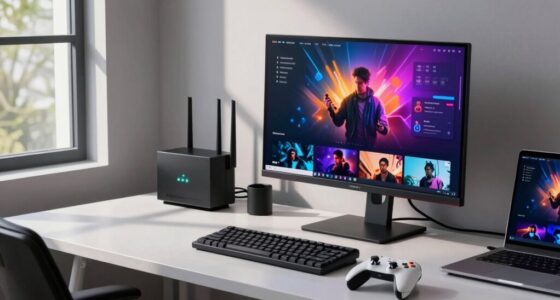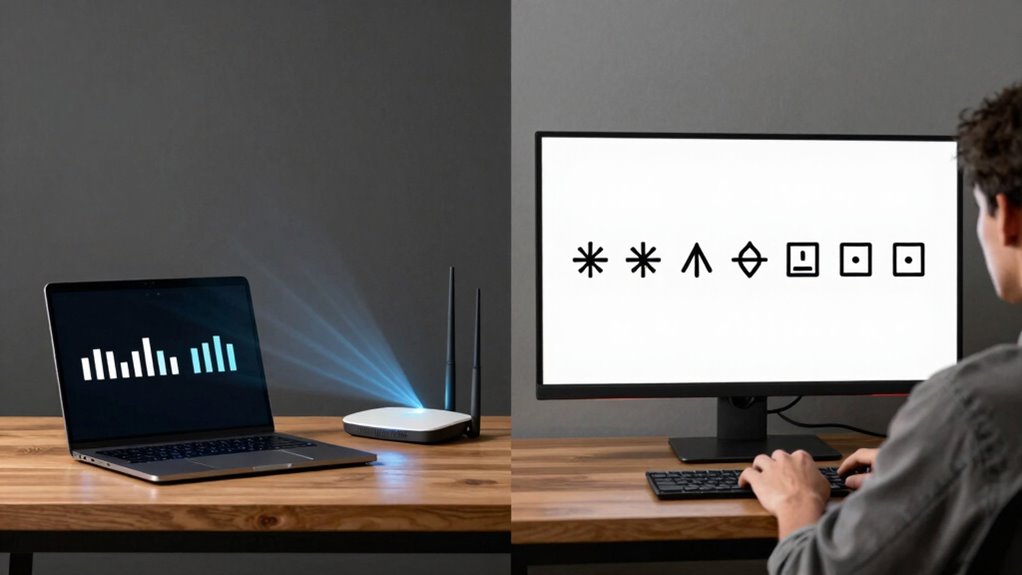
Wi-Fi speed is how fast data travels from the internet to your devices, while stability is about maintaining a consistent connection without drops or interruptions. Speed doesn’t matter much if your connection keeps disconnecting or lagging, especially during important tasks like streaming or gaming. A stable Wi-Fi guarantees smooth performance and reliable access, often more valuable than just fast speeds. Keep exploring to discover how optimizing your setup can improve both speed and stability effectively.
Key Takeaways
- Wi-Fi speed measures data transfer rate, while stability reflects consistent connection without drops or interruptions.
- High speed doesn’t ensure stability; a fast connection can still be unreliable if prone to drops.
- Stability depends on factors like router placement, interference management, and hardware quality.
- A stable Wi-Fi provides a smooth experience for streaming, gaming, and remote work, regardless of speed.
- Improving stability often yields better everyday performance than focusing solely on increasing speed.

When choosing a Wi-Fi connection, you might assume that faster speeds automatically mean a better experience, but in reality, stability often matters more. A high-speed connection can seem appealing, but if your Wi-Fi drops frequently or lags during critical moments, those blazing speeds won’t do you much good. The key to a smooth, reliable internet experience lies in reliability, which depends on several factors, including how well you optimize router placement and minimize interference sources.
Router placement plays a crucial role in maintaining a stable Wi-Fi connection. If your router sits tucked away in a corner or behind thick walls, signals struggle to reach your devices clearly. Position your router in a central, elevated spot, free from obstructions. This way, the Wi-Fi signal can spread evenly across your space, reducing dead zones and preventing sudden drops in connection. Proper placement ensures that your devices maintain a consistent link to the router, which directly impacts stability. Additionally, understanding the wireless environment in your area can help you select the best channels and frequency bands for optimal performance.
Interference sources, such as other electronic devices, neighboring Wi-Fi networks, and even microwave ovens, can disrupt your connection. These interference sources introduce noise into the wireless environment, causing your devices to struggle with maintaining a steady signal. To combat this, consider switching your router to a less congested channel, especially if you’re in an apartment complex or densely populated area. Using the 5 GHz band instead of the 2.4 GHz one can also help, as it’s less crowded and less prone to interference. Additionally, interference management can significantly improve your connection’s stability.
Beyond placement and interference, other factors influence stability, like outdated firmware or hardware limitations. Ensuring your router’s firmware is current helps optimize its performance and bug fixes, reducing the chances of drops. If your router is old, it might not handle multiple devices well, leading to inconsistent connections even if your speeds are high. Regularly updating firmware can enhance network stability and improve overall performance. Upgrading to newer hardware may also be necessary if your current router cannot support the demands of your household.
In essence, prioritizing stability involves more than just chasing higher speeds. You need to strategically place your router, avoid interference sources, and keep your hardware updated. When your Wi-Fi signal is stable, your internet feels faster because you’re not constantly battling disconnects or buffering. Remember, a consistent connection makes the most of your internet plan, providing a seamless experience whether you’re streaming, gaming, or working remotely. Sometimes, improving stability offers more tangible benefits than simply increasing your internet speed, especially when it comes to everyday reliable connectivity.

TP-Link BE6500 Dual-Band WiFi 7 Router (BE400) – Dual 2.5Gbps Ports, USB 3.0, Covers up to 2,400 sq. ft., 90 Devices, Quad-Core CPU, HomeShield, Private IoT, Free Expert Support
- Wi-Fi 7 Technology: Supports Multi-Link Operation and 4K-QAM
- High-Speed Dual-Band: Up to 6.5 Gbps total bandwidth
- Wide Coverage: Covers up to 2,400 sq. ft.
As an affiliate, we earn on qualifying purchases.
As an affiliate, we earn on qualifying purchases.
Frequently Asked Questions
Can I Have Fast Wi-Fi but Still Experience Frequent Disconnections?
Yes, you can have fast Wi-Fi but still experience frequent disconnections. This often happens when interference mitigation isn’t enough, or signal strength drops due to obstacles or distance. Even with high speed, unstable signals cause disconnections. To improve stability, you should optimize your router placement, reduce interference sources, and guarantee your device maintains a strong signal. This way, you’ll enjoy fast, reliable Wi-Fi without constant disconnects.
How Does Wi-Fi Stability Affect Online Gaming Performance?
Wi-Fi stability directly impacts your online gaming performance by ensuring consistent signal quality. When interference mitigation is effective, your connection remains steady, reducing lag and preventing sudden disconnections. Signal consistency allows your game data to transfer smoothly, giving you a competitive edge. Without stable Wi-Fi, even fast speeds won’t help if your connection constantly fluctuates. Prioritizing stability helps you enjoy seamless gameplay with minimal interruptions.
What Factors Primarily Influence Wi-Fi Speed?
Imagine streaming your favorite show smoothly, but suddenly it buffers. That’s often due to factors influencing Wi-Fi speed. Interference sources, like nearby devices or thick walls, disrupt signals, reducing speed. Additionally, signal range matters—if you’re far from your router, your connection slows down. To boost speed, minimize interference and stay within a good signal range, ensuring faster, more reliable Wi-Fi performance.
Does Upgrading My Router Improve Both Speed and Stability?
Upgrading your router can improve both speed and stability, but only if you consider factors like router placement and interference sources. Proper placement away from thick walls or electronic devices reduces interference, enhancing stability. A new router with better technology can boost speed, but if you neglect placement and interference, gains might be limited. So, upgrading helps, but optimizing these factors is equally vital for peak Wi-Fi performance.
How Can I Test My Wi-Fi Speed and Stability Accurately?
You can test your Wi-Fi speed and stability accurately by using tools like Speedtest.net or Fast.com. These tests measure your connection’s upload and download speeds, revealing if network congestion or signal interference is affecting performance. Notably, over 30% of Wi-Fi issues stem from interference. To get reliable results, run tests at different times, away from congestion, and make sure your device is close to the router for an accurate assessment.

TP-Link Dual-Band BE3600 Wi-Fi 7 Router Archer BE230 | 4-Stream | 2×2.5G + 3×1G Ports, USB 3.0, 2.0 GHz Quad Core, 4 Antennas | VPN, EasyMesh, HomeShield, MLO, Private IOT | Free Expert Support
- Wi-Fi 7 Technology: Faster speeds and increased reliability
- Dual-Band Wi-Fi 7 Router: Up to 2882 Mbps on 5 GHz, 688 Mbps on 2.4 GHz
- Multi-Gig Ethernet Ports: 1x 2.5G WAN/LAN, 3x 1G LAN ports
As an affiliate, we earn on qualifying purchases.
As an affiliate, we earn on qualifying purchases.
Conclusion
Think of your Wi-Fi like a car on a road. Speed is how fast it can go, while stability is how smoothly it stays on course without bouncing or stalling. Both are essential for a smooth ride, but knowing the difference helps you troubleshoot better. Whether you want to breeze through downloads or enjoy seamless streaming, understanding this balance guarantees your connection is like a well-paved highway—reliable and swift, wherever you’re headed.

WiFi Router EMF Protection Cover – Faraday Shield for 5G & Standard Routers
- Effective EMF Shielding: Reduces electromagnetic fields from routers
- Oversized Compatibility: Fits large routers and modem combos
- Maintains Signal & Airflow: Honeycomb design ensures airflow and performance
As an affiliate, we earn on qualifying purchases.
As an affiliate, we earn on qualifying purchases.

TP-Link AC1200 WiFi Extender – 1.2Gbps Home Signal Booster, Dual Band 5GHz/2.4GHz, Up to 1600 Sq.ft and 32 Devices, EasyMesh Compatible, One Ethernet Port (RE315)
- Enhanced Wi-Fi Coverage: Eliminates dead zones with strong signals
- Dual-Band Speed: Supports 867 Mbps on 5GHz and 300 Mbps on 2.4GHz
- Wide Coverage Area: Up to 1500 sq.ft for reliable connections
As an affiliate, we earn on qualifying purchases.
As an affiliate, we earn on qualifying purchases.