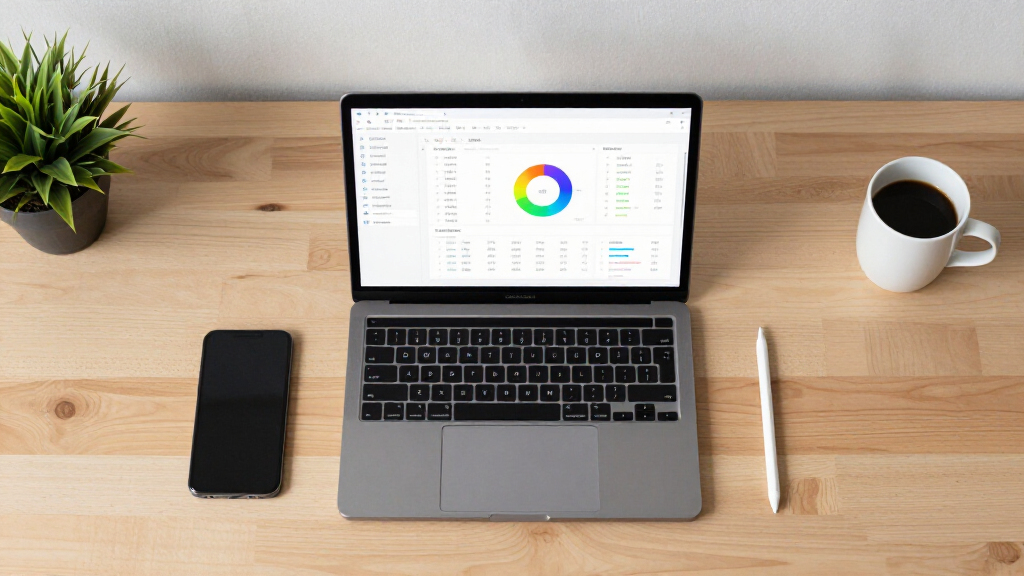

📊 Full opportunity report: Elevate Your Spreadsheet Data Using AI-Driven Sheets Canvas Tools on ThorstenMeyerAI.com — validation score, market gap, and execution plan.
TL;DR
Google has announced Sheets Canvas, a Gemini-powered feature in Google Sheets that transforms data into interactive visual tools via natural-language prompts. Available to select subscribers, it aims to simplify dashboard creation and data presentation.
Google has officially launched Sheets Canvas, a new Gemini-powered feature that allows users to generate interactive dashboards and visual tools directly within Google Sheets using natural-language prompts. The feature is now available globally in English to select Google AI Pro and Ultra subscribers, with a phased rollout to Workspace and education customers beginning August 13, 2026. This development marks a significant step toward making data visualization and interface creation accessible without coding or manual dashboard design.
Sheets Canvas operates as a read-write visual layer over existing spreadsheet data, enabling users to bring their data to life with innovative visualization techniques. Users can describe the desired interface—such as a study tracker, sports dashboard, or seating chart—in natural language, and Gemini generates the corresponding interactive visual. The created canvas appears as a tab within Google Sheets, and any changes made through the canvas or directly in the sheet are synced in real time. Users can also send follow-up prompts to revise the layout, appearance, or functionality of the interface.
Google emphasizes that the Canvas integrates seamlessly with existing sharing and collaboration features, allowing multiple users to interact with and modify the visual interface while maintaining data integrity. For more on visual data tools, see the original analysis on Sheets Canvas. The feature aims to lower technical barriers, enabling users—such as students, households, and small businesses—to create purpose-built interfaces from their existing data without needing specialized skills. However, Google has not yet disclosed detailed technical limits, performance benchmarks, or how well the tool handles complex datasets or formulas.
Impact on Data Presentation and User Accessibility
The launch of Sheets Canvas could significantly simplify how users create and interact with data visualizations within spreadsheets, reducing reliance on manual dashboard building or external tools. By enabling no-code, AI-driven interface generation, it broadens access to data analysis and presentation, particularly for users without technical expertise. This could enhance productivity in various contexts, from education to small business management, by making data more understandable and actionable.
Moreover, the integration of Gemini’s natural-language capabilities into Sheets represents a step toward more intuitive AI assistance in everyday productivity tools. If reliable, the feature could reshape workflows, encouraging users to leverage AI for dynamic data interaction rather than static spreadsheets alone.
Google Sheets Mastery: From Beginner to Expert in One Book: Master Formulas, Dashboards, and Automation with Real-World Examples and Ready-to-Use Script Templates (Business Productivity Blueprint)
As an affiliate, we earn on qualifying purchases.
As an affiliate, we earn on qualifying purchases.
Google’s AI Integration into Workspace Tools
Google has been progressively integrating Gemini AI models across its Workspace suite, including features for generating, organizing, and interpreting spreadsheet content. The introduction of Sheets Canvas extends this trend by moving beyond cell-level assistance to providing interactive, visual interfaces that sit atop existing data. The rollout aligns with Google’s broader strategy to embed AI deeply into productivity tools, aiming to enhance user experience and reduce technical barriers.
Previous updates have included AI-generated summaries, suggestions, and data insights, but Canvas marks a shift toward visual, interactive outputs. The feature’s success will depend on its performance across diverse datasets and user scenarios, which remains under evaluation as the rollout progresses.
“Sheets Canvas is designed to turn your spreadsheet data into interactive visual interfaces through simple prompts, making data more accessible and easier to interpret.”
— Google spokesperson

No-Code AI: Acquire High Demand AI Skills and Boost Your Value: Beginners Guide to No-Code AI, Machine Learning, Data Visualization and Workflow Automation (The Adaptive Enterprise Series)
As an affiliate, we earn on qualifying purchases.
As an affiliate, we earn on qualifying purchases.
Performance and Limitations of Sheets Canvas
Google has not provided detailed information about usage limits, speed, or dataset size support. It remains unclear how reliably Sheets Canvas can handle complex formulas, permissions, or large datasets. The accuracy of the generated interfaces and their synchronization with the underlying sheet in various scenarios are still under observation, and independent performance assessments are pending.

From Excel to JavaScript: Build Interactive Dashboards, Automate the Web, and Make Your Data Come Alive (From Spreadsheets to Code Series)
As an affiliate, we earn on qualifying purchases.
As an affiliate, we earn on qualifying purchases.
Next Steps for User Adoption and Technical Refinement
As the phased rollout continues, Google is expected to gather user feedback and address technical limitations. Future updates may include expanded language support, increased dataset capacity, and improved accuracy for complex spreadsheets. Users should monitor official communications for further guidance on best practices, limitations, and potential enhancements to Sheets Canvas.

Power BI 2026 Complete Handbook: Master Data Analytics, Visualization, Reporting, and AI-Powered Insights with Power BI
As an affiliate, we earn on qualifying purchases.
As an affiliate, we earn on qualifying purchases.
Key Questions
What is Sheets Canvas?
Sheets Canvas is an AI-powered feature within Google Sheets that creates interactive dashboards and visual tools based on spreadsheet data, using natural-language prompts.
Do I need coding skills to use Sheets Canvas?
No, Google states that no coding or formulas are required. Users describe what they want in plain language, and Gemini generates the interface.
Will changes in the Canvas affect the spreadsheet data?
Yes, Google claims that edits made in the Canvas and directly in the sheet are synchronized in real time.
Who can access Sheets Canvas?
Initially, the feature is available in English to Google AI Pro and Ultra subscribers globally, with rollout beginning August 13, 2026, to select Workspace and education customers.
What are the limitations of Sheets Canvas?
Details about technical limits, handling of complex datasets, and long-term reliability are still unknown as the feature is in early rollout stages.
Source: ThorstenMeyerAI.com