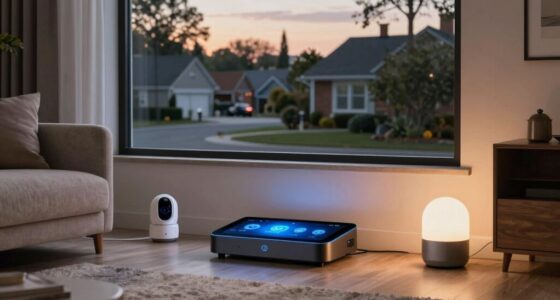
Smart home convenience happens when your devices work smoothly together to save you time, energy, and effort, giving you easy control over lights, thermostats, and entertainment through simple commands. Chaos occurs when devices are disorganized or conflicting settings cause issues like misinterpretations, overlapping schedules, or inconsistent temperatures. Proper setup, compatibility, and routine management are key to maintaining harmony—if you want to discover how to keep everything running seamlessly, keep exploring these strategies.

Get the latest gadgets delivered free — and shop member deals
- Fast, free delivery on millions of items
- Access to Prime Big Deal Days deals on October 6–7
- Prime Video, Amazon Music and more included
Key Takeaways
- Convenience arises from well-organized automation that simplifies daily routines, while chaos results from conflicting or poorly managed device interactions.
- Proper device compatibility and setup ensure smooth operation, preventing misinterpretations and system conflicts.
- Simplicity in routines and commands helps maintain control, avoiding overwhelming or unpredictable device behaviors.
- Regular reviews and adjustments of system settings keep automation aligned, reducing the risk of chaos.
- Clear boundaries and security measures protect privacy and ensure devices function harmoniously, enhancing convenience over chaos.
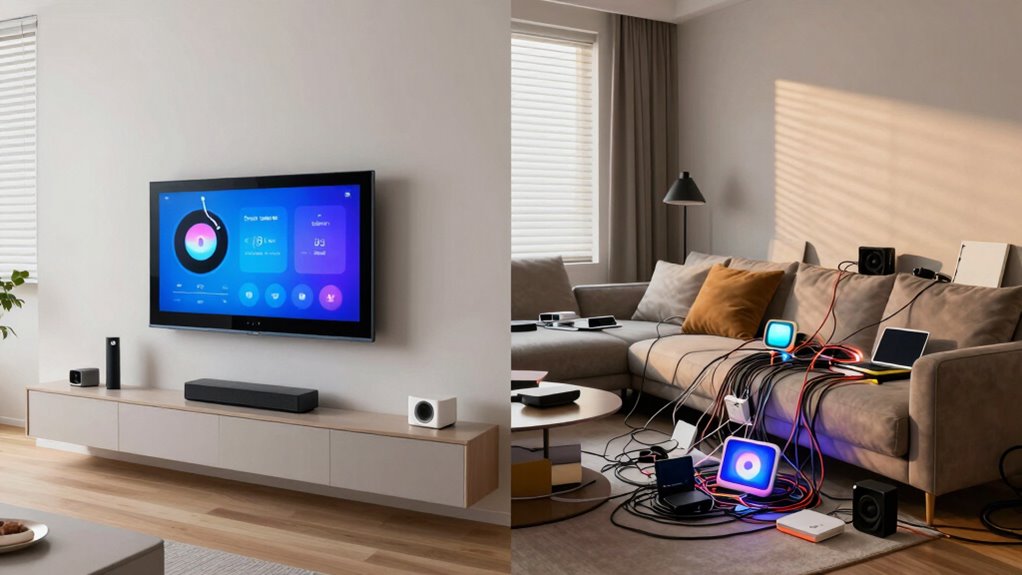
Smart home technology promises unparalleled convenience, but it can also introduce a level of chaos if not managed carefully. When you start integrating devices that rely on voice recognition, it’s tempting to think everything will become effortless. You can simply speak commands to control lights, adjust the thermostat, or play music, which feels like a major step forward in convenience. However, if you don’t set clear boundaries or organize your devices properly, the system can become unpredictable or frustrating. Voice recognition works best when it’s well-calibrated, and you use it consistently. Otherwise, you might find yourself repeating commands or dealing with misinterpretations, which quickly undermines the ease you sought.
A key to avoiding chaos is understanding how these devices interact with each other and your overall energy management. Smart home systems often include energy efficiency features, like scheduling appliances or adjusting the heating and cooling based on your habits. When you set up these features thoughtfully, you can reduce waste and save money on utilities. But if you’re not careful, overlapping commands or conflicting schedules can cause devices to work against each other. For example, if your thermostat is set to lower the temperature at the same time your window sensors detect open windows, your system may struggle to decide what to do, leading to inconsistent temperature control. This confusion can make your home feel less comfortable, defeating the purpose of smart automation. Understanding the importance of device compatibility can also help prevent such issues.
Maintaining a balance between convenience and chaos involves a bit of planning. You want your voice recognition devices to be easy to use, so you don’t have to repeat yourself or get frustrated. At the same time, your energy efficiency goals should guide your automation rules and device settings. For instance, you might program your smart lights to turn off automatically when no motion is detected or set your HVAC to operate only during certain hours. When you keep these routines straightforward and avoid overloading your system with too many commands, you’ll find it easier to enjoy the benefits without the downsides. Additionally, understanding the technology behind projectors can help you create a more immersive and hassle-free home entertainment experience, reducing the chance of technical frustrations. Being aware of the product features and compatibility of your smart devices also plays a crucial role in maintaining a smooth operation. Regularly reviewing your system’s security settings is equally important to protect your privacy and prevent unauthorized access. Moreover, staying informed about smart home safety best practices can further safeguard your family and property.
In the end, smart home technology can be a tool for effortless living, but only if you manage it wisely. Clear voice commands and well-thought-out energy-saving routines help prevent chaos from creeping in. Stay organized, keep your device interactions simple, and regularly review your settings to ensure everything works harmoniously. When you do, you’ll enjoy a home that’s not only smarter but also more comfortable and efficient.
As an affiliate, we earn on qualifying purchases.
Frequently Asked Questions
How Secure Are Smart Home Devices From Hacking?
Smart home devices can be vulnerable to hacking, especially if cybersecurity risks aren’t addressed. You should regularly update firmware and use strong, unique passwords to reduce these risks. Be aware of privacy concerns, as hackers could access personal data or control devices remotely. Taking these precautions helps keep your smart home secure, ensuring you enjoy convenience without exposing yourself to unnecessary cybersecurity threats or privacy breaches.
Can Smart Devices Work Without an Internet Connection?
Yes, some smart devices can work without an internet connection through offline functionality and local control. Devices like smart locks, thermostats, and security cameras often have local processing capabilities, allowing you to control them directly via a hub or app on your local network. This setup guarantees you maintain control and security even when your internet is down, reducing dependency on cloud services and enhancing privacy.
What Is the Average Cost of Setting up a Smart Home?
Setting up a smart home is like planting a garden—costs vary widely. On average, you’ll spend between $1,000 and $3,000, depending on device choices and installation complexity. Smart device integration and voice control capabilities boost your home’s convenience, but costs add up with multiple devices. Budget for hubs, sensors, and smart speakers, and consider future upgrades to keep your smart home functioning smoothly without breaking the bank.
How Do I Troubleshoot Connectivity Issues With Smart Devices?
To troubleshoot connectivity issues with your smart devices, first check that your device firmware is up to date, as outdated firmware can cause problems. Next, make certain your Wi-Fi signal is strong; you might need to use signal boosting devices like extenders or mesh networks. Restart your devices and router, and verify they’re connected to the same network. If issues persist, reset the device and reconfigure it for a fresh connection.
Are Smart Home Devices Compatible Across Different Brands?
Yes, smart home devices can be compatible across different brands, but it’s not always seamless. You might encounter brand interoperability challenges, where devices don’t easily communicate. To avoid chaos, prioritize devices with universal compatibility or support for common standards like Zigbee or Z-Wave. Proper device integration can enable a truly connected home, but you’ll need to double-check specs and confirm your ecosystem supports cross-brand operation for a smooth experience.
As an affiliate, we earn on qualifying purchases.
Conclusion
You might think smart homes are all about convenience, but without proper setup, chaos can quickly take over. Did you know that 40% of smart home devices are improperly configured, leading to security risks and frustration? By staying informed and organized, you can enjoy seamless automation without the headaches. Remember, smart homes should simplify your life—not complicate it. Keep learning, stay cautious, and embrace the true convenience these technologies can offer.
smart thermostat compatible with Alexa
As an affiliate, we earn on qualifying purchases.
As an affiliate, we earn on qualifying purchases.
smart home device compatibility kit
As an affiliate, we earn on qualifying purchases.
As an affiliate, we earn on qualifying purchases.
Fall Picks
fall essentials
As an affiliate, we earn on qualifying purchases.