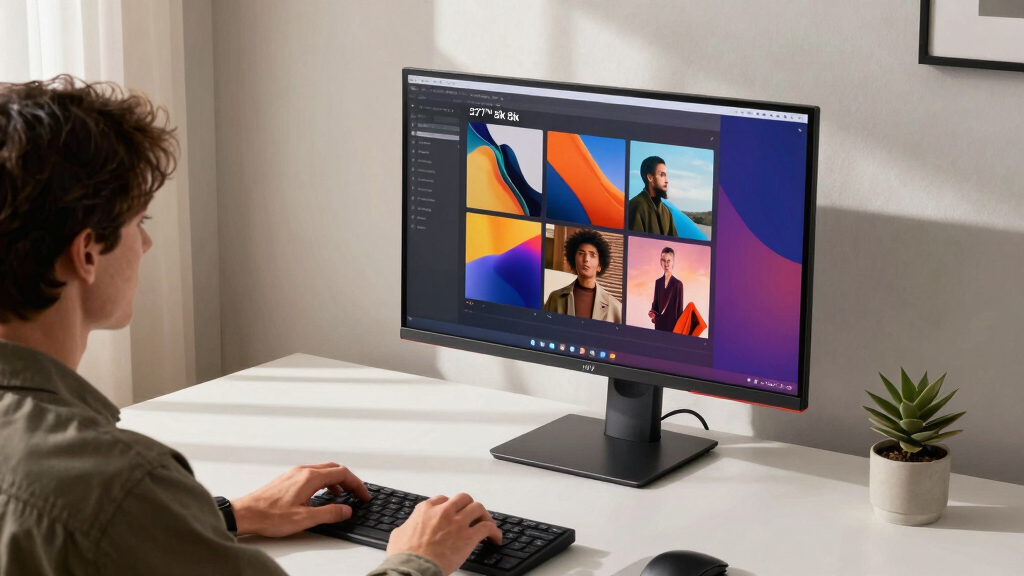

If you’re searching for a 5K monitor, you’re likely after a display that offers exceptional resolution for detailed editing, professional workflows, or immersive creative experiences. The ASUS ROG Strix 27” 5K HDR Gaming Monitor stands out as the best overall choice, combining high refresh rates with fast response times. For those prioritizing color accuracy, the BenQ PD2730S provides a superb palette suited for designers. Meanwhile, the ViewSonic VP2788-5K offers Mac-optimized features at a compelling price. Keep reading for a detailed comparison to help you find the right fit, balancing resolution, performance, and price.
Key Takeaways
- High refresh rates and low response times are rare in 5K monitors but crucial for gaming and fast-moving workflows.
- Color accuracy and wide color gamuts like P3 or Adobe RGB are common priorities for creative professionals.
- Connectivity options such as Thunderbolt 4 and USB-C significantly influence compatibility with modern devices.
- Price varies widely, with premium models offering better color and build quality, while budget options focus on basic 5K resolution.
- Design and ergonomics, including height adjustment and tilt, are often overlooked but essential for long-term comfort.


More Details on Our Top Picks
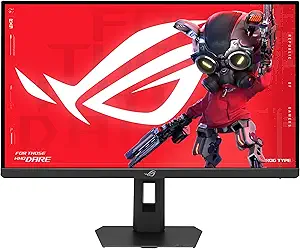
ASUS ROG Strix 27” 5K HDR Gaming Monitor (XG27JCG) – 5120×2880, 180Hz, 0.3ms, Fast IPS, Dual Mode (180Hz or QHD 330Hz), Extreme Low Motion Blur Sync, G-SYNC Compatible, DisplayWidget, 3 yr Warranty
This ASUS ROG Strix model stands out for its stunning 5K resolution combined with ultrafast 180Hz refresh rate, making it ideal for both detailed creative tasks and high-performance gaming. Unlike the KTC 5K, which offers excellent color accuracy but at a lower refresh rate, this monitor’s dual mode enables switching from cinematic 5K to an ultra-responsive QHD at 330Hz, catering to gamers seeking speed and creatives needing precision. The 0.3ms response time and NVIDIA G-SYNC compatibility reduce ghosting and tearing, providing fluid visuals. However, the premium features come with some drawbacks: the stand’s attachment process is cumbersome, cable management is awkward due to a fixed plastic section, and the 330Hz mode produces audible whine in some setups. Still, its build quality and AI-powered gaming tools make it a prime choice for gamers and professionals who want a versatile, high-end display.
Pros:- Exceptional 5K resolution with 218 PPI delivers razor-sharp clarity
- Dual Mode switches seamlessly between 180Hz 5K and 330Hz QHD for speed and detail
- G-SYNC compatible with low motion blur enhances gaming experience
- Vibrant 97% DCI-P3 color gamut with HDR600 for vivid visuals
Cons:- Cumbersome stand removal process can be frustrating
- Cable management is hindered by a non-removable plastic section
- 330Hz mode can produce an audible whine in some setups
Best for: High-end gamers and creative professionals who need a versatile monitor that excels in both gaming and detailed content editing.
Not ideal for: Budget-conscious users or those prioritizing simple office tasks, as the premium features and price point may be unnecessary.
- Display Resolution:5120×2880
- Refresh Rate:180Hz (OC) / 330Hz (QHD)
- Response Time:0.3ms
- Screen Size:27 inches
- Color Gamut:97% DCI-P3
- HDR:VESA DisplayHDR 600
- Connectivity:DisplayPort, HDMI, USB-C
- Warranty:3 years
Bottom line: This monitor is perfect for gamers and creative professionals who want a high-performance, visually stunning display with flexible modes.
KTC 5K Monitor 27 Inch: Dual Mode 5K (5120×2880) @60Hz / 2K@160Hz Computer Monitor, 99% DCI-P3, 100% sRGB, ΔE<2, Type-C 65W, HDMI & DP, HDR400, Compatible with Mac mini, H27P3
Compared to the ASUS XG27JCG, the KTC H27P3 offers a more affordable entry point into 5K displays, emphasizing color precision with 99% DCI-P3 and 100% sRGB coverage, and supporting dual modes for work and gaming at 60Hz and 160Hz. While it lacks the ultrafast refresh of the ASUS, its HDR400 and 65W Type-C charging make it a solid choice for creative workflows and Mac users. Its relatively modest response times and 60Hz native refresh rate mean it’s less suited for competitive gaming, but its excellent color accuracy and broad connectivity options compensate for that. The monitor’s main tradeoff is the lower refresh rate at 5K, which isn’t suitable for fast-paced gaming, and some users may find the dual mode switching less smooth than the ASUS’s dedicated gaming features. Nonetheless, it provides true professional-grade color performance with versatile connectivity at a competitive price point.
Pros:- Excellent 99% DCI-P3 and 100% sRGB color coverage with ΔE<2 for precision
- Dual mode supports 5K at 60Hz and 2K at 160Hz for multitasking
- HDR400 provides vibrant images with high brightness
- Type-C port delivers 65W power and data transfer
Cons:- Lower 60Hz native refresh rate limits fast gaming performance
- Dual mode switching can feel less responsive than dedicated gaming monitors
- Build quality and design are more utilitarian compared to premium models
Best for: Creative professionals and Mac users seeking accurate colors and flexible dual-mode performance without the high cost.
Not ideal for: Competitive gamers or users needing ultra-high refresh rates for fast-paced gaming, as it maxes out at 160Hz and 60Hz in 5K mode.
- Display Resolution:5120×2880
- Refresh Rate:60Hz / 160Hz
- Color Gamut:99% DCI-P3, 100% sRGB
- HDR:HDR400
- Connectivity:Type-C, HDMI, DP
- Power Delivery:65W
Bottom line: Ideal for professionals needing color accuracy and versatile connectivity, but not suited for high-speed gaming.
LG 27US500-W Ultrafine Monitor 27-Inch 4K UHD (3840×2160) HDR10 IPS Borderless Design Reader Mode Flicker Safe Switch App HDMI DisplayPort – White
This LG 27US500-W offers a crisp 4K UHD resolution with HDR10 support and wide viewing angles thanks to its IPS panel, making it suitable for general use, media consumption, and light creative work. While it doesn’t reach the native 5K resolution of the ASUS or KTC, its affordability and HDR10 capabilities make it appealing for those seeking vibrant visuals without the high-end price tag. Its 60Hz refresh rate and 5ms response time are adequate for everyday tasks and casual media editing, but not for fast gaming. The borderless design and Flicker Safe technology enhance comfort during long sessions. Unlike the BenQ PD2730S, which targets professional creators with higher color accuracy, the LG’s color coverage is slightly lower, but its user-friendly features and clean aesthetics suit office environments well. This monitor strikes a good balance for those prioritizing 4K clarity in a budget-friendly package.
Pros:- Sharp 4K UHD resolution with rich color reproduction
- IPS panel offers wide viewing angles and accurate colors
- HDR10 support enhances media content vibrancy
- Borderless design and flicker-safe technology improve user comfort
Cons:- Limited to 60Hz refresh rate, not suitable for fast-paced gaming
- Lower contrast ratio compared to higher-end models
- Color coverage slightly below professional-grade monitors
Best for: General users and media consumers who want a sharp, HDR-capable 4K display for everyday tasks and light content editing.
Not ideal for: High-end creators or gamers needing ultra-high resolution or high refresh rates, as it maxes out at 60Hz and 4K resolution.
- Display Resolution:3840×2160
- Refresh Rate:60Hz
- Response Time:5ms
- Contrast Ratio:1000:1
- Color Gamut:Not specified, suitable for general use
- HDR:HDR10
Bottom line: A solid choice for everyday use and media viewing, but not for high-performance gaming or professional color work.
Amazon Basics 27 in IPS Monitor, Full HD 1080P, 75 Hz, Adjustable Stand, HDMI, Display Port, VGA Input, Built-in Speakers, VESA Compatible, Black
The Amazon Basics 27-inch IPS monitor provides a straightforward Full HD experience with a 75Hz refresh rate, making it suitable for office work, casual media, and basic multitasking. While it doesn’t match the resolution or speed of the other monitors like the BenQ PD2730S or LG 4K, it compensates with affordability and VESA compatibility, allowing flexible mounting options. Its IPS panel ensures decent color accuracy and wide viewing angles, but the lower resolution and slower response time limit its appeal for detailed creative work or gaming. Compared to the BenQ PD2730S, it offers fewer professional features, but for budget-conscious users, it remains a reliable, all-purpose display. The built-in speakers and multiple input options add to its practicality for everyday tasks.
Pros:- Affordable Full HD resolution with decent IPS color accuracy
- 75Hz refresh rate improves smoothness over standard 60Hz
- Adjustable stand for ergonomic positioning
- Multiple input options including HDMI, DisplayPort, and VGA
Cons:- Limited to Full HD resolution, not suitable for detailed editing
- Response time of 5ms may cause motion blur in fast-paced content
- Lacks advanced color accuracy or HDR support
Best for: Budget-conscious users needing a reliable, VESA-compatible display for office, media, and light multitasking.
Not ideal for: Creative professionals or gamers requiring higher resolution, faster refresh rate, or color precision.
- Display Resolution:1920×1080
- Refresh Rate:75Hz
- Response Time:5ms
- Screen Size:27 inches
- Connectivity:HDMI, DisplayPort, VGA
- Built-in Speakers:Yes
Bottom line: A cost-effective, versatile monitor for basic office and media tasks, but not for professional creative work or gaming.
BenQ PD2730S 27″ 5K 218 PPI Mac Monitor, 90W Thunderbolt 4, 98% P3, Uniformity, 2000:1 Contrast, Nano Matte Panel, Daisy Chain, KVM, Height Adjustable, for 3D Artists, VFX Animators, Game Designers
The BenQ PD2730S is tailored for creative professionals, offering a 5K resolution with 98% DCI-P3 coverage and a Nano Matte panel that minimizes reflections—ideal for detailed editing and color-critical work. Its Thunderbolt 4 support provides up to 90W power delivery, simplifying connectivity with Mac systems and supporting daisy chaining. While its 60Hz refresh rate and 4ms response time are not suited for competitive gaming, features like uniformity correction and adjustable height enhance workflow precision. It also includes a built-in KVM switch for managing multiple systems efficiently. Compared with the ASUS XG27JCG, which targets gaming and multimedia, the BenQ emphasizes color accuracy and workflow enhancements but at a higher price. Its main tradeoffs are the lower refresh rate and higher cost, which make it less adaptable for gaming or casual use.
Pros:- Retina-like 5K resolution with 218 PPI for ultra-sharp detail
- 98% P3 color coverage and 2000:1 contrast for accurate, vibrant visuals
- Thunderbolt 4 with 90W power and daisy chaining simplifies Mac workflows
- Ergonomic height adjustment and built-in KVM switch for efficiency
Cons:- Limited to 60Hz, not ideal for fast-paced gaming
- Higher price point compared to standard 5K displays
- Response time of 4ms may be insufficient for competitive gaming
Best for: VFX artists, 3D modelers, and game designers who need precise color, high resolution, and ergonomic features.
Not ideal for: Casual users or gamers seeking high refresh rates and fast response times for competitive gaming.
- Display Resolution:5120×2880
- Refresh Rate:60Hz
- Response Time:4ms
- Color Gamut:98% P3
- Contrast Ratio:2000:1
- Connectivity:Thunderbolt 4, HDMI, DP
- Additional Features:KVM, Daisy Chain, Height Adjustable
Bottom line: Designed for creative professionals who demand top-tier color fidelity and ergonomic flexibility, but not for high-speed gaming or budget buyers.
KTC 27 Inch 5K Monitor, 5120 x 2880 5K2K Monitor with 65W Type-C Port, Dual Mode Computer Monitors Compatible with Mac mini, IPS Panel, HDR 400, 217 PPI, 135% sRGB, HDMI DisplayPort, Tilt, H27P3
This KTC 27-inch 5K monitor excels for users who require high-resolution clarity paired with versatile connectivity options. Its ability to switch between 5K 60Hz and 2K 120Hz modes offers flexibility for both professional workflows and casual use. Compared to the BenQ MA270S, it provides broader input support, including HDMI and DisplayPort, making it more adaptable for various setups. The HDR 400 and 135% sRGB ensure vibrant, accurate colors, ideal for creative work. However, a tradeoff is its relatively large bezels, which can disrupt a seamless multi-monitor experience. It’s best suited for Mac users or creatives needing sharp detail and flexible connections, but those seeking a sleek, bezel-less design might prefer other options. Pros: Excellent resolution and color accuracy, flexible mode switching, multiple connectivity options, VESA compatibility.
Cons: Noticeable bezel gap, only 60Hz in 5K mode, slightly bulky design.
Verdict: Perfect for professionals who want detailed visuals and varied connectivity without sacrificing compatibility.
Specs: 27″ LCD, 5120×2880 resolution, HDR 400, 135% sRGB, 60Hz/120Hz dual mode, HDMI, DisplayPort, VESA, 8.27 lbs.Pros:- High-resolution 5K display with vibrant color accuracy
- Supports dual mode (60Hz/120Hz) for flexibility
- Multiple connectivity options including HDMI, DP, Type-C
- VESA compatible for versatile mounting
Cons:- Large bezels around the display
- Limited to 60Hz in 5K mode, which may affect fast-paced content
- Bulky for small desk spaces
Best for: Mac users and creative professionals needing high resolution and flexible connections.
Not ideal for: Those prioritizing a bezel-less design or ultra-slim profile for multi-monitor setups.
- Display Size:27 Inches
- Resolution:5120 x 2880
- HDR:400
- Color Gamut:135% sRGB
- Refresh Rate:60Hz/120Hz dual mode
- Connectivity:HDMI, DisplayPort, Type-C
- VESA Mount:Yes
- Weight:8.27 lbs
Bottom line: This monitor offers a balanced combination of high resolution, color fidelity, and connectivity, ideal for professional creatives on Mac or PC.
INNOCN 40 Inch 5K 5120 x 2160p Ultrawide Monitor for Laptop, 21:9, 100Hz, IPS, HDMI, DP, FreeSync, HDR400, USB-C, DeltaE<2, Built-in Speakers, Height Adjustable, Black – 40C1U
This INNOCN 40-inch ultrawide 5K monitor is tailored for users seeking expansive workspace with high-resolution detail. Its 21:9 aspect ratio and 100Hz refresh rate make it excellent for multitasking, video editing, and immersive workflows. Compared to the BenQ MA270S, it offers a larger, ultrawide display that significantly boosts productivity by accommodating multiple windows side by side. The HDR400 and DeltaE<2 calibrations ensure accurate color representation, perfect for creative professionals. The main tradeoff is its size, which requires ample desk space, and some users might find the curved design less suited for precise color work. It’s ideal for digital artists, video editors, or anyone needing broad visual real estate, but less so for those with limited space. Pros: Large ultrawide 40-inch display, high resolution with 100Hz refresh, versatile connectivity including USB-C, factory-calibrated color accuracy.
Cons: Very large footprint, potentially less portable, curved screen may not suit all tasks.
Verdict: Excellent for professionals who need a wide, detailed workspace for productivity and creative tasks.
Specs: 40″ LCD, 5120×2160 resolution, 100Hz, HDR400, IPS panel, HDMI, DP, USB-C, 19.3 lbs.Pros:- Expansive 40-inch ultrawide screen for multitasking
- High resolution and 100Hz refresh rate for smooth visuals
- Multiple ports including USB-C with power delivery
- Factory-calibrated for color accuracy
Cons:- Requires a large desk area
- Curved display may not be ideal for detailed color work
- Less portable and harder to mount in limited spaces
Best for: Video editors, digital artists, and multitaskers who benefit from an ultrawide high-res display.
Not ideal for: Users with limited desk space or those needing a more compact, traditional monitor.
- Display Size:40 Inches
- Resolution:5120 x 2160
- Refresh Rate:100Hz
- HDR:400
- Panel Type:IPS
- Connectivity:HDMI, DP, USB-C
- Weight:19.3 lbs
- Aspect Ratio:21:9
Bottom line: A superb ultrawide monitor for creative professionals and productivity enthusiasts needing ample screen real estate.
ASUS ProArt Display 27” 5K HDR Professional Monitor (PA27JCV) – 5K (5120 x 2880), IPS, 99% DCI-P3, 100% sRGB, ΔE < 2, USB-C PD 96W, Calman Verified, Color Accurate, LuxPixel, 3 yr Warranty
The Amazon Basics 24-inch Full HD monitor offers a practical, budget-friendly option for everyday tasks such as office work, webinars, and casual media consumption. Its IPS panel ensures decent color reproduction and wide viewing angles, making it suitable for general use. Compared to the higher-resolution 5K models like the BenQ MA270S or ASUS ProArt, it sacrifices resolution for affordability, but still provides adequate clarity for most productivity tasks. The adjustable stand and VESA compatibility enhance ergonomic flexibility, and built-in speakers add convenience. The main limitation is its lower resolution, which isn’t ideal for detailed creative work or high-end media editing, and its 75Hz refresh rate is modest for gaming. This monitor is best for those on a tight budget, but less suitable for professional color-critical tasks. Pros: Affordable price, IPS panel for good color and viewing angles, VESA mount compatibility, adjustable stand.
Cons: 1080p resolution limits detail, not suitable for high-end creative work, modest refresh rate for gaming.
Verdict: A cost-effective, reliable monitor suited for general office and home use, but not for professional creative work.
Specs: 24″ IPS, 1920×1080 resolution, 75Hz, HDMI, DisplayPort, VGA, VESA, 13 lbs.Pros:- Affordable and reliable for everyday tasks
- IPS panel provides good color and wide viewing angles
- VESA compatible and height adjustable
- Built-in speakers for convenience
Cons:- Lower 1080p resolution limits detail
- Not suitable for professional color-critical work
- Limited refresh rate for gaming
Best for: Home users and office workers needing a budget-friendly, decent-quality display.
Not ideal for: Creative professionals or gamers seeking high resolution or fast refresh rates.
- Display Size:24 Inches
- Resolution:1920 x 1080
- Refresh Rate:75Hz
- Panel Type:IPS
- Connectivity:HDMI, DisplayPort, VGA
- VESA Mount:Yes
- Weight:13 lbs
- Color Gamut:Good (IPS)
Bottom line: A solid, budget-friendly monitor for basic productivity and media viewing, but not for professional or gaming use.
ViewSonic VP2788-5K 27 Inch 5K Mac-Ready Monitor, IPS with 100% sRGB, 99% DCI-P3 and Pantone Validated for Mac Studio Desktop Setups, Advanced Ergonomics, Thunderbolt 4, USB, HDMI, and DisplayPort
The ViewSonic VP2788-5K stands out for its exceptional 5K resolution, which delivers sharp, detailed visuals ideal for creative professionals. Compared with the BenQ PD2730S, it offers better color accuracy with 99% DCI-P3 and Pantone validation, making it a top choice for Mac users demanding precise color reproduction. Its Thunderbolt 4 connectivity simplifies setups with ultrafast data transfer and 100W charging, reducing cable clutter—a clear advantage over older USB-C models. However, its 75Hz refresh rate might fall short for fast-paced gaming or video editing requiring higher frame rates. The ergonomic stand ensures comfort during long work sessions, but the high power consumption of 242W could impact energy efficiency. Overall, this monitor suits Mac professionals needing a reliable, color-accurate display, though it may be overkill for casual users or gamers.
Pros:- Stunning 5K resolution for detailed visuals
- Exceptional color accuracy with 99% DCI-P3 and Pantone validation
- Seamless Thunderbolt 4 connectivity with 100W power delivery
- Fully adjustable ergonomic stand for long-term comfort
Cons:- Relatively high power consumption at 242W
- 75Hz refresh rate less ideal for gaming or fast video editing
- Premium price point may be prohibitive for casual users
Best for: Mac-based creative professionals needing ultra-high resolution and color precision
Not ideal for: Gamers or fast-paced video editors requiring higher refresh rates and lower power use
- Display Size:27 Inches
- Resolution:5120 x 2880 (5K UHD)
- Color Gamut:99% DCI-P3, 100% sRGB
- Connectivity:Thunderbolt 4, HDMI, DisplayPort, USB-C, USB-A
- Refresh Rate:75 Hz
- Power Consumption:242 Watts
- Ergonomics:Tilt, Swivel, Pivot, Height Adjustment
- Color Validation:Pantone Validated
Bottom line: This monitor is perfect for Mac professionals focused on detailed, color-critical work who prioritize high resolution and connectivity over gaming performance.
How We Picked
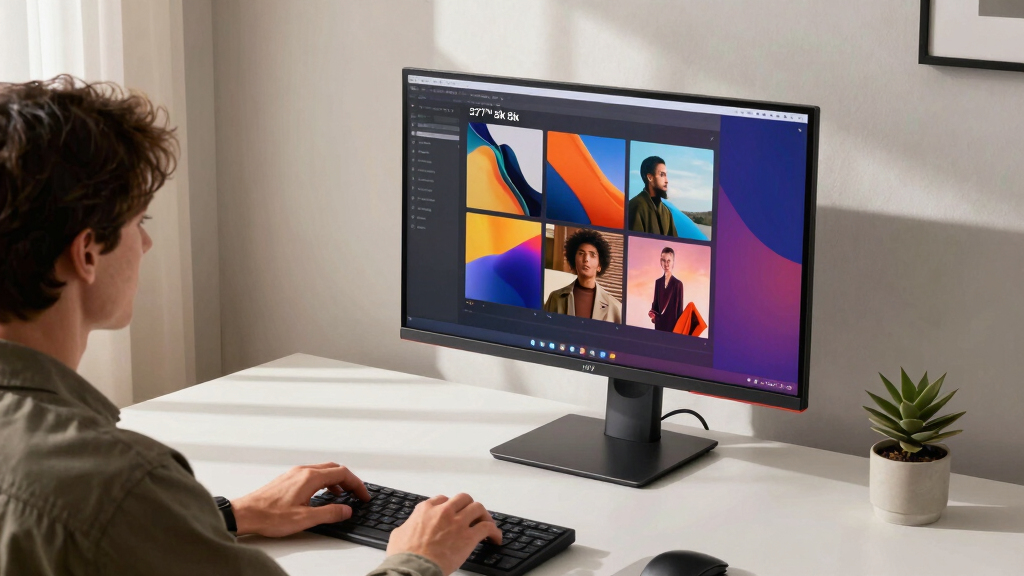
In selecting these 11 monitors, I prioritized resolution, color accuracy, refresh rate, connectivity, build quality, and overall value. Each model was evaluated on its ability to deliver crisp 5K images, support professional color workflows, and integrate seamlessly with modern hardware. Monitors offering versatile connectivity like Thunderbolt 4 and USB-C earned higher marks due to their compatibility with newer Macs and PCs. The ranking reflects a balance between performance, price, and user flexibility, aiming to help buyers find options suitable for both professional and enthusiast use.Factors to Consider When Choosing 5k Monitor
Choosing a 5K monitor involves more than just pixel count. When evaluating options, consider how resolution interacts with your workflow needs, whether gaming, creative work, or general use. Connectivity plays a vital role, especially if you rely on MacBooks or high-end desktops. Color accuracy and gamut coverage are critical for professionals, but they often come with higher prices. Ergonomics, build quality, and future-proof features like Thunderbolt 4 can significantly impact your long-term satisfaction. Understanding these factors helps avoid costly mistakes and ensures you select a monitor that truly fits your needs.Resolution and Performance
While 5K resolution offers incredible detail, it also demands powerful hardware for smooth performance, especially in gaming or video editing. Some models, like the ASUS ROG Strix, feature high refresh rates and low response times, making them suitable for fast-paced activities. Others prioritize static image quality over gaming performance. Be mindful that higher refresh rates in 5K monitors are less common and often come at a premium, so evaluate whether your use case benefits from this feature or if standard 60Hz suffices for your needs.
Color Accuracy and Gamut
For creative professionals, color accuracy isn’t optional. Monitors like the BenQ PD2730S and ViewSonic VP2788-5K cover 98% or more of P3 and sRGB gamuts, ensuring your digital work matches print or display outputs. Cheaper 5K options may lack this coverage, leading to mismatched colors. Consider calibration tools and factory color profiles, especially if your work relies on precise color matching for branding, photography, or video editing.
Connectivity and Compatibility
Modern connections are vital, especially for Mac users or those with high-end desktops. Thunderbolt 4 and USB-C ports facilitate fast data transfer and power delivery, reducing cable clutter. Some monitors, like the BenQ and ViewSonic models, offer multiple ports and daisy-chain support, streamlining your workspace. Check your device’s port availability and ensure the monitor supports your workflow, whether it’s simple HDMI or advanced Thunderbolt or USB-C setups.
Build Quality and Ergonomics
Long hours at a desk demand good ergonomics. Adjustable stands, tilt, swivel, and height adjustment features are standard on premium models but may be absent or limited on budget options. A sturdy build and VESA compatibility extend the monitor’s lifespan and flexibility. If you work in a dynamic environment or need multiple setups, these features become even more important for comfort and productivity.
Price and Future-Proofing
While 5K monitors are generally more expensive, investing in a higher-tier model can pay off in longevity and performance. Premium models often include better color calibration, higher build quality, and longer warranties. However, budget options can handle basic tasks but might lack advanced features or durability. Think about your long-term needs—if you’re a professional or gamer, paying more for future-proofing could be worthwhile.
Frequently Asked Questions
Is a 5K monitor worth it for gaming?
Generally, 5K monitors are not optimized for gaming, as few support high refresh rates suitable for fast-paced gameplay. Most 5K displays prioritize image quality and color accuracy over gaming performance. If gaming is a primary concern, a high-refresh-rate 4K or ultrawide display might be more appropriate. However, for immersive experiences where detail and clarity are paramount, a select few 5K models like the ASUS ROG Strix can offer a good compromise, but at a higher cost.
Do I need a powerful PC to run a 5K monitor?
Running a 5K display smoothly requires a capable graphics card, especially for tasks like gaming or 3D rendering. Most integrated GPUs will struggle to push 5120×2880 resolution at high frame rates. For professional work such as video editing or CAD, ensure your hardware can handle the resolution without lag. When shopping, check the recommended GPU specifications for your monitor to avoid bottlenecks and ensure fluid performance.
What should I look for in a 5K monitor for creative work?
Color accuracy and wide color gamut support are paramount, so look for monitors covering 99% of sRGB and P3, with factory calibration. High resolution alone isn’t enough; uniformity and contrast also matter for detailed editing. Features like Thunderbolt 4 or USB-C facilitate seamless connections with MacBooks and other devices. Lastly, consider ergonomic features, as prolonged editing sessions require comfort over many hours.
Are 5K monitors suitable for office use?
For general office tasks, a 5K monitor might be overkill, both in cost and resolution. Most office applications do not benefit from such high pixel density, and a 4K display can often deliver similar clarity at lower cost. However, if your work involves multitasking with multiple windows or detailed spreadsheets, a 5K monitor can improve productivity, provided your hardware supports it and you value sharper text and images.
How important is connectivity when choosing a 5K monitor?
Connectivity options significantly impact your setup flexibility. Thunderbolt 4 and USB-C ports offer fast data transfer and power delivery, reducing cable clutter and supporting modern laptops and desktops. Multiple ports enable daisy-chaining monitors or connecting multiple peripherals. Assess your device’s ports and future needs— investing in a monitor with versatile connectivity can extend its usefulness and streamline your workspace.
Conclusion
For professional creators or those who demand top-tier color accuracy and build quality, the BenQ PD2730S and ASUS ProArt PA27JCV stand out as ideal options. Gamers or users seeking high refresh rates will find the ASUS ROG Strix 27” 5K HDR best suited for their needs. Budget-conscious buyers or casual users should consider more affordable models like the Amazon Basics 27-inch or LG Ultrafine for everyday tasks. Ultimately, your choice depends on whether you prioritize performance, color precision, connectivity, or price—matching the right monitor to your specific workflow and budget.