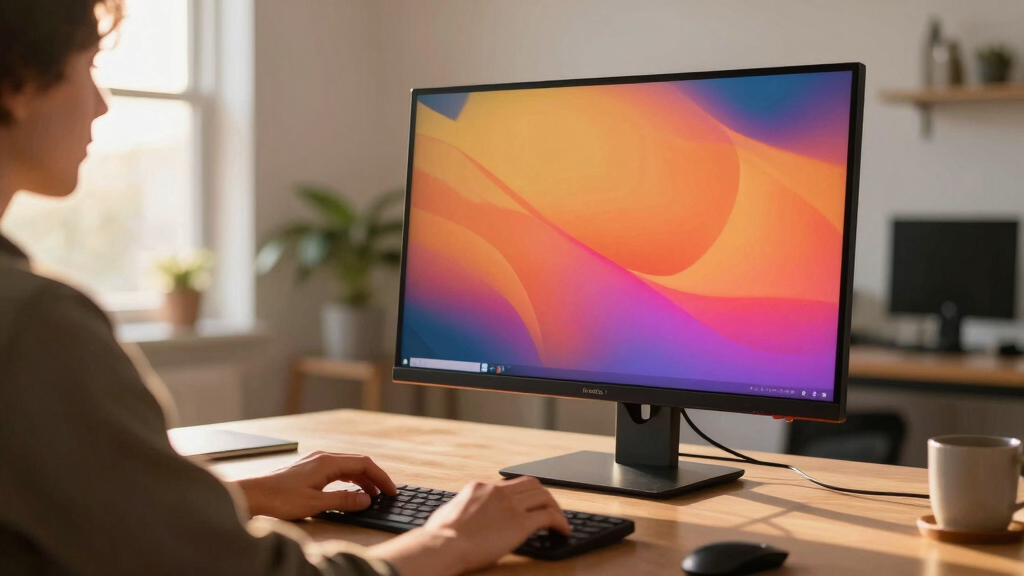

If you’re searching for a 32 inch 4K monitor, you’re likely balancing high resolution with a sizable display for productivity, gaming, or creative work. The best options deliver crisp images and wide viewing angles but often come with tradeoffs like higher cost or limited refresh rates. The LG 32UR550K-B stands out as the overall best for its versatile stand and HDR support, while the SAMSUNG 32″ UJ59 offers a solid budget-friendly choice. If you want premium features like higher refresh rates or color accuracy, you may need to spend more. Continue reading to see how each monitor compares and find the perfect fit for your needs.
Key Takeaways
- Top picks balance display quality, connectivity, and ergonomic features, with the LG 32UR550K-B standing out overall.
- Budget options like the SAMSUNG UJ59 provide good 4K resolution at a lower price but may lack advanced gaming or color features.
- Gaming-focused models like the Samsung Odyssey G55C prioritize high refresh rates and low response times over color accuracy.
- Professional users should consider monitors with high color fidelity and VESA mount support, such as the ASUS VP327Q.
- Tradeoffs often include higher prices for premium features or limited gaming specs in more affordable models.


More Details on Our Top Picks
LG 32UR550K-B 32-inch Ultrafine 4K UHD (3840 x 2160) Computer Monitor, HDR10, 60Hz, HDMI, DisplayPort, Tilt/Height/Pivot Adjustable Stand, Black
This LG model stands out for its impressive combination of vivid 4K HDR visuals and gaming features like Dynamic Action Sync and Black Stabilizer, making it suitable for both content creation and casual gaming. Compared to the ViewSonic VX3276-4K-MHD, it offers more advanced gaming responsiveness and a more adjustable stand, but at a slightly higher price. The HDR10 support and 90% DCI-P3 color coverage ensure rich, lifelike images, while the stand adjustments add comfort for long sessions. The input lag reduction and dark scene visibility are real advantages for gamers, but the 60Hz refresh rate limits high-end competitive gaming. Additionally, its connectivity options via HDMI and DisplayPort are robust, supporting multitasking and gaming peripherals.
Pros:- Rich 4K HDR visuals with 90% DCI-P3 coverage
- Highly adjustable stand: tilt, height, pivot
- Gaming features like Dynamic Action Sync and Black Stabilizer
Cons:- 60Hz refresh rate limits fast-paced gaming
- HDR performance may be limited compared to higher-tier monitors
- Slightly higher price point
Best for: Creative professionals who need accurate color, gamers seeking responsiveness, and multitaskers who value ergonomic flexibility.
Not ideal for: High-end gamers demanding 120Hz+ refresh rates or professional color grading requiring wider color gamuts than 90% DCI-P3.
- Display Size:32 Inches
- Resolution:3840 x 2160 (4K UHD)
- HDR Support:HDR10
- Refresh Rate:60Hz
- Color Gamut:90% DCI-P3
- Connectivity:HDMI, DisplayPort
- Adjustability:Tilt, Height, Pivot
- Speakers:Built-in stereo
Bottom line: This monitor is ideal for users who want a versatile 4K display with gaming and creative features at a balanced price.
LG 32UR500K-B Ultrafine 32-inch 4K UHD (3840×2160) Computer Monitor HDR10 Built-in Speaker x2 OnScreen Control Reader Mode Flicker Safe Borderless Design HDMIx2 DisplayPort Black
This LG model offers a sleek borderless design with HDR10 support and dual built-in speakers, making it a strong choice for multimedia consumption. While it lacks the gaming-oriented features of the LG 32UR550K-B, it compensates with a pure focus on visual quality and a minimalist aesthetic. Its 90% DCI-P3 coverage ensures vibrant colors, and the flicker-safe technology reduces eye fatigue during long viewing sessions. Compared to the ViewSonic VX3276-4K-MHD, it emphasizes style and HDR performance over gaming responsiveness. The on-screen control makes adjustments straightforward, though it’s not optimized for fast-paced gaming due to its standard 60Hz refresh rate. Connectivity via HDMI and DisplayPort provides flexible setup options.
Pros:- Borderless, stylish design
- HDR10 support for rich contrast and color
- Built-in dual stereo speakers
Cons:- Lacks gaming-specific features like Black Stabilizer or Response Time Optimization
- 60Hz refresh rate limits high-speed gaming
- No USB ports for peripherals
Best for: Home entertainment enthusiasts and content consumers who prioritize vivid images and a clean design over gaming performance.
Not ideal for: Competitive gamers or users requiring high refresh rates for fast-paced titles.
- Display Size:32 Inches
- Resolution:3840 x 2160 (4K UHD)
- HDR Support:HDR10
- Refresh Rate:60Hz
- Color Gamut:90% DCI-P3
- Speakers:Dual built-in
- Design:Borderless
- Connectivity:HDMI, DisplayPort
Bottom line: Ideal for users seeking a visually striking 4K HDR monitor for movies, streaming, and casual use without gaming demands.
This Dell monitor combines high color accuracy with an increased refresh rate of up to 120Hz, making it suitable for both detailed work and smooth multimedia playback. The VA panel provides a contrast ratio of 1500:1, delivering deep blacks and vibrant colors, especially with 99% sRGB and 95% DCI-P3 coverage. It stands out compared to the LG 32UR550K-B by offering a higher refresh rate for more fluid motion, ideal for casual gaming or fast-paced video editing. However, the VA panel’s viewing angles are narrower than IPS displays, which can be a drawback for wide-angle viewing. Its Blue Light Filter and ComfortView Plus reduce eye strain, making it a good choice for all-day use. Connectivity options are robust with HDMI, DisplayPort, and a built-in USB hub.
Pros:- High color accuracy with 99% sRGB and 95% DCI-P3
- 120Hz refresh rate for smoother motion
- Deep contrast with 1500:1 VA panel
Cons:- Narrower viewing angles compared to IPS screens
- Limited tilt adjustment (fixed or minimal)
- Potentially higher price for extended features
Best for: Designers, video editors, and casual gamers who prioritize color fidelity and smooth motion without high-end gaming specs.
Not ideal for: Competitive gamers needing 144Hz+ or professional color grading requiring wider color spaces than 99% sRGB.
- Display Size:31.5 Inches
- Resolution:3840 x 2160 (4K UHD)
- Panel Type:VA
- Refresh Rate:Up to 120Hz
- Color Coverage:99% sRGB, 95% DCI-P3
- Contrast Ratio:1500:1
- Connectivity:HDMI, DisplayPort, USB
Bottom line: Perfect for creatives and general users seeking accurate colors and a higher refresh rate in a 4K display.
32 Inch 4K UHD Monitor (3840×2160), IPS,60Hz Refresh Rate, 100% sRGB, AMD FreeSync, 178° Viewing Angle, HDMI/DisplayPort, VESA 100x100mm Mount Compatible, Tilt Adjustable – Black
This ViewSonic monitor offers excellent color accuracy with 100% sRGB and wide viewing angles thanks to its IPS panel, making it ideal for photo editing, content creation, and general productivity. Its 60Hz refresh rate is comparable to other models in this roundup, but its standout feature is the combination of vibrant colors and consistent image quality from any angle. The tilt-adjustable stand and VESA compatibility provide flexible setup options. While it doesn’t include gaming-specific enhancements like Black Stabilizer or high refresh rates, it excels in delivering accurate visuals and comfortable viewing for extended periods. The build quality and aesthetics are modern, with ultra-thin bezels enhancing the visual appeal.
Pros:- 100% sRGB for accurate color reproduction
- IPS panel with 178° wide viewing angles
- VESA mount compatibility and tilt adjustment
Cons:- Limited to 60Hz, not suitable for high-speed gaming
- No built-in speakers or gaming features
- Price can be higher for premium color accuracy
Best for: Photographers, designers, and professionals who need reliable color accuracy and wide viewing angles in a 4K display.
Not ideal for: Fast-paced gaming or users seeking higher refresh rates for competitive eSports.
- Display Size:32 Inches
- Resolution:3840 x 2160 (4K UHD)
- Panel Type:IPS
- Refresh Rate:60Hz
- Color Gamut:100% sRGB
- Viewing Angle:178°
- Connectivity:HDMI, DisplayPort
Bottom line: This monitor is a top choice for visual professionals and users prioritizing color fidelity and viewing comfort.
SAMSUNG 32″ Odyssey G55C Series QHD 1000R Curved Gaming Monitor, 1ms(MPRT), HDR10, 165Hz, AMD Radeon FreeSync, Eye Care, Glare Free, Sharp Resolution LS32CG550ENXZA
This monitor stands out for its ultra-responsive 1ms response time and 165Hz refresh rate, making it ideal for fast-paced gaming compared with the Dell 32″ 4K monitor, which targets creators and professionals with its color accuracy and HDR support. The 1000R curved display surrounds your peripheral vision, enhancing immersion, but the QHD resolution falls short of 4K crispness, which might matter for detailed work or content creation. Its HDR10 and AMD FreeSync technology reduce tearing and improve visual quality during gameplay, though the curved screen can be less suitable for multitasking or office work. The glare-free and eye care features help reduce eye strain during extended gaming sessions, yet the monitor’s focus on gaming performance means it’s less optimized for professional color grading or photo editing. Compared to the ASUS VP327Q, which emphasizes color accuracy and eye comfort for creators, the Odyssey G55C prioritizes speed and immersion for gamers. Overall, this pick makes the most sense for serious gamers who want smooth, fast visuals but should be skipped by those needing high-resolution or color-critical work.
Pros:- 165Hz high refresh rate for ultra-smooth gameplay
- 1ms response time minimizes lag and ghosting
- Vivid HDR10 support enhances scene vibrancy
- Curved 1000R display surrounds peripheral vision
Cons:- QHD resolution less sharp than 4K for detailed tasks
- Curved screen may be unsuitable for multitasking or office use
- Limited color accuracy compared to professional monitors
Best for: Avid gamers seeking ultra-fast response and immersive curved display for competitive play.
Not ideal for: Creative professionals or photo editors who require precise color accuracy and 4K resolution.
- Screen Size:32 inches
- Resolution:2560 x 1440 (QHD)
- Refresh Rate:165Hz
- Response Time:1ms
- Curvature:1000R
- HDR Support:HDR10
- Connectivity:HDMI, DisplayPort
Bottom line: This monitor is perfect for competitive gamers who prioritize speed and immersion over resolution or color precision.
Samsung 32″ UJ59 Series 4K UHD (3840×2160) Computer Monitor, VA Panel, HDMI, Display Port, Eye Saver/Flicker Free Mode, FreeSync, LU32J590UQNXZA, Black
This 4K monitor excels in delivering stunning visuals with over a billion colors and a crisp 3840×2160 resolution, making it a better choice for content creators and professionals compared to the Samsung Odyssey G55C’s QHD. Its VA panel provides a high contrast ratio of 3000:1, resulting in deep blacks and vibrant images ideal for multimedia and design work. The slim bezels and VESA compatibility make it versatile for multi-monitor setups, unlike the curved gaming-focused Odyssey. It supports AMD FreeSync and Flicker-Free technology, which benefits both casual gaming and long work sessions, although the 60Hz refresh rate isn’t suited for fast-paced gaming. Compared to the ASUS VP327Q which offers HDR and color accuracy, the UJ59 emphasizes resolution and contrast for multimedia. This monitor makes perfect sense for users prioritizing high resolution, sharp images, and multitasking, but it’s less suitable for competitive gaming or color-critical tasks.
Pros:- 3840×2160 4K UHD resolution for crisp visuals
- High contrast ratio improves blacks and vibrant images
- Slim bezels for seamless multi-monitor setups
- VESA mount compatibility for flexible placement
Cons:- 60Hz refresh rate not ideal for fast gaming
- Limited color accuracy compared to professional-grade monitors
- No HDR support for high dynamic range content
Best for: Professionals and multitaskers needing high-resolution display for productivity and media.
Not ideal for: Fast-paced gamers or those requiring high refresh rates for competitive play.
- Screen Size:32 inches
- Resolution:3840 x 2160
- Contrast Ratio:3000:1
- Refresh Rate:60Hz
- Panel Type:VA
- Connectivity:HDMI, DisplayPort
Bottom line: This monitor is best suited for professionals who need detailed, high-resolution visuals and multitasking capabilities.
Dell 32″ 4K UHD Gaming Monitor, 144Hz 1ms Fast IPS Computer Display, AMD FreeSync, NVIDIA G-SYNC, VESA DisplayHDR 600, 95% DCI-P3, HDMI, Displayport, USB-A|B, Height/Swivel/Tilt Adjustable Stand
This Dell monitor combines 4K resolution with a 144Hz refresh rate and 1ms response time, making it highly versatile for both gaming and creative work, surpassing the Samsung LS32B304NWNXGO’s 75Hz for gaming smoothness and color accuracy. Its Fast IPS panel offers excellent color coverage with 95% DCI-P3 and 99% sRGB, suitable for photo editing and content creation, unlike the Odyssey’s focus on speed. Its HDR600 support and G-SYNC compatibility provide tear-free, vibrant visuals during fast action, while the fully adjustable stand improves ergonomics over many flat monitors. Compared to the ASUS VP327Q, which emphasizes eye comfort for prolonged use, the Dell leans into high-performance multimedia and gaming. This pick is ideal for users who want a high-resolution, color-accurate, and fast display, though it’s more expensive and overkill for simple office tasks.
Pros:- 144Hz refresh rate for smooth gaming
- 1ms GTG response time minimizes lag
- VESA DisplayHDR 600 for vivid images
- 94% DCI-P3 color coverage for accurate colors
Cons:- Higher price point compared to simpler monitors
- Requires more space due to ergonomic stand
- May be overkill for casual use
Best for: Creative professionals and serious gamers seeking high resolution, speed, and excellent color fidelity.
Not ideal for: Budget buyers or those needing basic office monitors with minimal features.
- Screen Size:32 inches
- Resolution:3840 x 2160
- Refresh Rate:144Hz
- Response Time:1ms
- HDR:VESA DisplayHDR 600
- Color Coverage:95% DCI-P3
- Connectivity:HDMI, DisplayPort, USB
Bottom line: This monitor offers a compelling combination of high resolution, fast response, and color accuracy for demanding creative and gaming users.
Samsung 32-Inch Flat Computer Monitor, 75Hz, Borderless Display, AMD FreeSync, Game Mode, Advanced Eye Care, HDMI and DisplayPort, LS32B304NWNXGO, 2024
This Samsung monitor emphasizes a sleek borderless design and eye care features, making it suitable for office setups and general multimedia use, contrasting with the Dell 4K gaming monitor which focuses on color accuracy and speed. Its 75Hz refresh rate and AMD FreeSync support provide smooth visuals for casual gaming or video watching, but lack the high refresh rates needed for competitive gaming. The 4K resolution and HDR support deliver sharp, vibrant images, ideal for media consumption and multitasking, unlike the Odyssey’s QHD focus for gaming immersion. Its adjustable stand and VESA compatibility allow flexible placement, though the 60Hz refresh rate is less suited for fast-paced gaming or detailed creative work. Compared to the ASUS VP327Q’s HDR and extensive connectivity, LS32B304NWNXGO balances affordability with modern aesthetics for everyday use. This monitor is best for users seeking a stylish, versatile display for work and entertainment without high-end gaming or creative demands.
Pros:- Borderless, modern aesthetic for sleek setups
- 75Hz refresh rate suitable for casual gaming
- AMD FreeSync reduces tearing during video playback
- Eye Care technology minimizes eye strain
Cons:- Limited 75Hz refresh rate not suitable for competitive gaming
- Resolution limited to 1080p, not 4K
- Fewer advanced features compared to higher-end monitors
Best for: Office workers and general multimedia users prioritizing style and eye comfort.
Not ideal for: Gamers or creative professionals needing ultra-high refresh rates or color accuracy.
- Screen Size:32 inches
- Resolution:1920 x 1080
- Refresh Rate:75Hz
- HDR Support:HDR10
- Panel Type:VA
- Connectivity:HDMI, DisplayPort
Bottom line: This monitor offers an attractive, eye-friendly display for everyday use, ideal for office and media but not for high-end gaming or professional content creation.
ASUS 31.5” 4K HDR Eye Care Monitor (VP327Q) – UHD (3840 x 2160), 99% sRGB, HDR-10, Adaptive-Sync, Speakers, DisplayPort, HDMI, Flicker Free, Blue Light Filter, VESA Mountable,Black
This ASUS monitor targets creative professionals with its 4K UHD resolution, 99% sRGB coverage, and HDR-10 support, offering superior color accuracy compared to the Dell or Samsung lower-end models. Its adaptive-sync technology and flicker-free, blue light filter technology ensure comfortable extended use, making it ideal for editing and design work. The 60Hz refresh rate is less suitable for fast gaming but sufficient for most creative workflows. Its comprehensive connectivity options and VESA mountability add flexibility, and factory calibration guarantees color precision straight out of the box, unlike the gaming-focused Dell or Odyssey models. Compared to the Samsung LS32B304NWNXGO, which emphasizes style and basic multimedia, the VP327Q prioritizes color fidelity and ergonomics for demanding tasks. This monitor makes the most sense for content creators and professionals who need accurate visuals and long-term comfort, but it’s overkill for casual users or gamers.
Pros:- 99% sRGB coverage for accurate colors
- HDR-10 support enhances dynamic range
- Flicker-Free and Blue Light Filter reduce eye strain
- VESA mountable for flexible positioning
Cons:- Limited 60Hz refresh rate not ideal for fast gaming
- Higher price compared to basic monitors
- Requires longer calibration for perfect color accuracy
Best for: Content creators and professionals needing accurate color and ergonomic comfort for prolonged use.
Not ideal for: Casual users or gamers seeking high refresh rates and fast response times.
- Screen Size:31.5 inches
- Resolution:3840 x 2160
- Color Coverage:99% sRGB
- HDR:HDR-10
- Refresh Rate:60Hz
- Connectivity:HDMI, DisplayPort
Bottom line: This monitor is the optimal choice for creators and professionals demanding precise color and ergonomic comfort for extended tasks.
SAMSUNG 32″ ViewFinity S8 (S80D) Series 4K UHD High Resolution Computer Monitor, HDR10, Multiple Ports w/ HDMI, DisplayPort, USB-A, Height Adjustable Stand, LS32D806EANXGO, 2024, 3Yr Warranty
This Samsung ViewFinity S8 stands out as the best overall due to its crisp 4K UHD resolution and impressive color accuracy, thanks to HDR10 support. Compared with the Gawfolk curved monitor, it offers a more traditional flat display, which some users prefer for precise editing. The easy tool-free setup and versatile ergonomic adjustments make it highly user-friendly. The multiple connectivity options—HDMI, DisplayPort, USB-A, and USB-B—enable seamless integration with various devices, streamlining workspace organization. Its automatic brightness and color temperature adjustments contribute to reduced eye strain during long sessions, with TÜV-certified eye care features.
However, the 60Hz refresh rate may be limiting for high-end gaming or fast-paced video editing. The menu interface can feel a bit clunky initially, requiring some patience. Additionally, its premium price tag might be a consideration for budget-conscious buyers.
Pros:- Outstanding 4K UHD resolution with high pixel density
- Accurate, vivid colors with HDR10 support
- Easy tool-free setup and ergonomic stand adjustments
- Multiple ports for versatile device connectivity
Cons:- Limited to 60Hz refresh rate, not suited for high-speed gaming
- Menu controls can be confusing initially
- Higher cost compared to basic 4K monitors
Best for: Creative professionals and office users who need detailed visuals and flexible connectivity in a large, adjustable display.
Not ideal for: Competitive gamers or users seeking ultra-high refresh rates for fast-paced gaming or real-time editing.
- Display Size:32 inches
- Resolution:3840 x 2160 (4K UHD)
- Refresh Rate:60 Hz
- Ports:HDMI, DisplayPort, USB-A, USB-B
- Brightness:350 Candela
- Contrast Ratio:3000:1
- Viewing Angle:178 degrees
- Stand Adjustment:Height, tilt, pivot
- Warranty:3 years
Bottom line: This monitor is ideal for professionals who prioritize image quality and flexible workspace setup over high refresh rates.
Gawfolk 32 Inch 4K UHD Curved 1500R Computer Monitor, Ultra-Clear (3840×2160p) Screen, 100% sRGB, 178° Viewing Angle, DisplayPort, HDMI, Compatible with Wall Mounting 100 * 100MM – Black
This Gawfolk curved monitor offers an immersive 1500R curvature that closely matches the natural eye’s field of view, making it especially suitable for gaming, media consumption, or multi-tasking with wide screens. Its 4K UHD resolution delivers sharp, vibrant images, comparable to the Samsung but with a focus on color accuracy due to full sRGB coverage and 16.7 million colors, ideal for photo editing and color-sensitive work. The curved design minimizes edge distortion and reduces eye fatigue, unlike flat screens like the Samsung. Its high contrast ratio of 3000:1 enhances dark scene details, making it better suited for viewing in controlled lighting environments. The dual HDMI and DisplayPort inputs support multiple devices, and its VESA compatibility adds mounting flexibility.
However, the curved design might not appeal to users who prefer flat displays for precise editing, and the lack of built-in speakers requires additional accessories. Its 60Hz refresh rate is similar to the Samsung’s, which might not satisfy high-speed gaming needs. The monitor’s price is competitive but still significant for casual users.
Pros:- 1500R curvature for immersive viewing
- Sharp 4K UHD resolution with vibrant color reproduction
- Full sRGB coverage for accurate color work
- VESA mounting compatibility for flexible setup
Cons:- Curved design may not suit all workspace setups
- Lacks built-in speakers, requiring external audio devices
- Same 60Hz refresh rate as flat monitors
Best for: Creative professionals and media enthusiasts seeking an immersive experience with accurate colors and ergonomic design.
Not ideal for: Competitive gamers or users who need ultra-high refresh rates for fast-moving action or high-end eSports play.
- Display Size:32 inches
- Resolution:3840 x 2160 (4K UHD)
- Refresh Rate:60 Hz
- Panel Type:VA curved
- Color Gamut:100% sRGB
- Brightness:330 cd/m²
- Contrast Ratio:3000:1
- Viewing Angle:178 degrees
- Wall Mount Compatibility:100 x 100mm
Bottom line: This monitor excels for immersive media and creative tasks, especially where accurate color and ergonomic comfort are priorities.
How We Picked
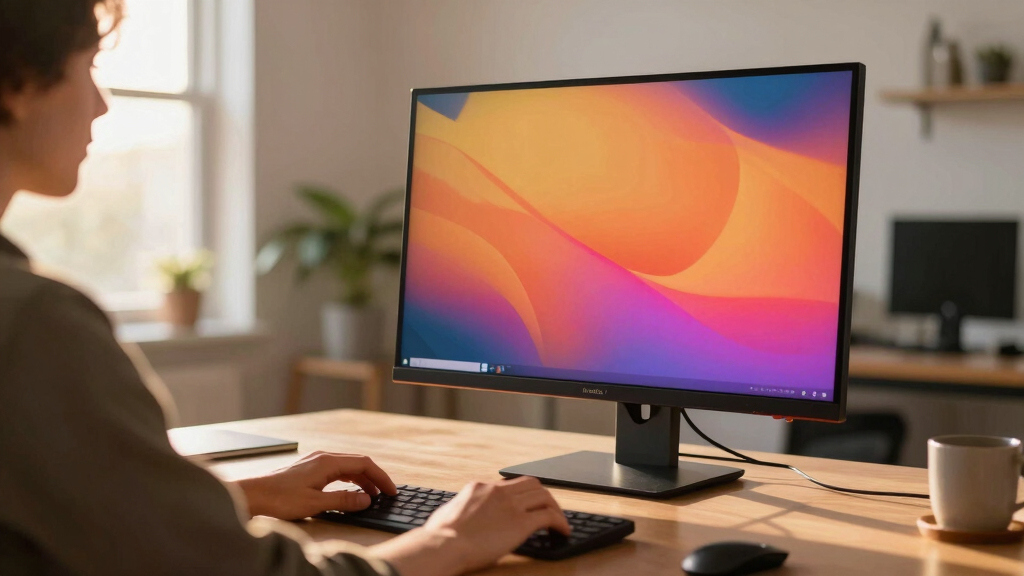
I evaluated these monitors based on several key factors: display quality including resolution, color accuracy, and viewing angles; performance specs like refresh rate and response time; build quality and ergonomic features such as height adjustment and pivot; connectivity options including HDMI, DisplayPort, and USB; and overall value considering price versus features. Monitors were prioritized for versatility—whether suited for professional work, gaming, or general use—and their ability to meet the demands of a 4K display in a 32-inch size. The ranking reflects a balance of these aspects, favoring models that excel in multiple categories while considering price and user needs.Factors to Consider When Choosing 32 Inch 4k Monitor
Choosing the right 32 inch 4K monitor involves understanding several core factors that affect usability, image quality, and long-term satisfaction. Beyond specs, it’s important to consider how the monitor fits your specific tasks—whether it’s for detailed creative work, fast-paced gaming, or everyday productivity. Making the right tradeoffs between price, performance, and features can save you money and frustration. This guide highlights the key considerations to help you make an informed decision.Display Quality and Panel Type
The clarity and accuracy of your display depend heavily on the panel type. IPS panels generally offer the best color accuracy and wide viewing angles, making them ideal for creative professionals. VA panels, like those used in some gaming monitors, provide higher contrast but may suffer from slower response times. When selecting a 4K monitor, look for high sRGB or DCI-P3 coverage if color accuracy is essential, and consider HDR support for richer visuals. Be wary of budget panels that cut corners on color and contrast, which can diminish the display’s effectiveness for detailed work.
Refresh Rate and Response Time
For gaming or fast-moving content, a higher refresh rate (at least 75Hz, ideally 120Hz or more) and a low response time (1-5ms) are critical. Many 32-inch 4K monitors prioritize professional or casual use and stick with 60Hz, which is sufficient for most productivity tasks but less ideal for gaming. If gaming performance is your priority, choose a model with adaptive sync technology like FreeSync or G-SYNC compatibility. Remember that increased refresh rates often come with higher prices and sometimes require more powerful graphics hardware to fully leverage.
Ergonomics and Build Quality
A good monitor should be adjustable to suit your workspace, reducing strain during long sessions. Features like height adjustment, tilt, swivel, and pivot are essential for ergonomic comfort. Additionally, build quality impacts durability and ease of setup—look for sturdy stands and VESA compatibility for flexible mounting options. Monitors with thin bezels and slim profiles enhance aesthetics and reduce distractions, especially in multi-monitor setups. Cheaper models may lack these features, so consider your usage patterns before making a final choice.
Connectivity Options
Ensure the monitor includes all necessary ports for your setup, such as HDMI, DisplayPort, and USB-C if you plan to connect modern laptops or devices. Multiple inputs allow easy switching between sources, which is helpful in multi-device environments. Some models also feature built-in USB hubs, which can declutter your desk. Check for compatibility with your existing hardware and future upgrades, as missing or limited ports can become frustrating in the long run. Also, consider whether the monitor supports daisy-chaining via DisplayPort for multi-monitor configurations.
Price and Value
While higher-priced models tend to offer better color accuracy, higher refresh rates, and more ergonomic features, there are many budget-friendly options that deliver solid 4K resolution at a lower cost. Be cautious of overspending if your primary use is casual browsing or office work—features like high refresh rates or HDR might be unnecessary. Conversely, if you’re a creative professional or gamer, investing in a more expensive model with better color coverage and performance can pay off in the long run. Always compare features versus price, and prioritize what truly matters for your workflow.
Frequently Asked Questions
Is a 32 inch 4K monitor suitable for gaming?
Most 32 inch 4K monitors are primarily designed for productivity and creative tasks, often with 60Hz refresh rates. However, some gaming-oriented models, like the Samsung Odyssey G55C, feature higher refresh rates (up to 165Hz) and low response times, making them more suitable for gaming. Keep in mind that gaming at 4K demands more powerful hardware, and not all 4K monitors are optimized for fast-paced gameplay. If gaming is a priority, choose a model explicitly built for that purpose, balancing resolution with high refresh rates and adaptive sync technology.
Are 32 inch 4K monitors good for professional photo editing?
Yes, a 32 inch 4K monitor can be excellent for photo editing, especially if it features an IPS panel with high sRGB and DCI-P3 coverage. These panels provide accurate color reproduction and wide viewing angles, which are critical for professional work. Look for monitors with factory calibration or color management features for precise adjustments. Avoid models with limited color gamut or poor uniformity, as these can lead to inaccurate edits. Investing in a monitor with HDR support can also enhance your ability to see detailed highlights and shadows.
Should I choose a curved or flat 32 inch 4K monitor?
Choosing between curved and flat depends on your primary use and workspace. Curved monitors, like the Gawfolk 32 Inch 4K UHD Curved, can offer a more immersive experience and reduce glare or reflections, which benefits gaming and multimedia consumption. Flat monitors tend to be better for professional work, such as graphic design or photo editing, where distortion can affect accuracy. Consider your desk setup and personal preference—curved monitors may require more space and can be more expensive, but they can also provide a more engaging viewing experience.
Is HDR support necessary on a 4K monitor?
HDR support enhances image quality by providing greater contrast and more vibrant colors, making it highly desirable for media consumption and creative work. However, not all HDR implementations are equal; look for monitors with at least HDR10 certification and a high peak brightness (at least 300 nits) for noticeable improvements. If your primary use is office work or browsing, HDR may be unnecessary. For video editing, gaming, or content creation, investing in an HDR-capable monitor can significantly improve visual fidelity.
What is the importance of VESA compatibility on a 32 inch 4K monitor?
VESA compatibility allows you to mount the monitor on an adjustable arm or wall mount, which can save desk space and improve ergonomic positioning. This feature is especially valuable if you plan to set up a multi-monitor workspace or need to adjust the monitor frequently. Not all monitors include VESA mounting options, so if this flexibility is important to you, verify compatibility before purchasing. Even if you don’t plan to mount now, choosing a VESA-compatible model offers future-proofing and setup versatility.
Conclusion
For general productivity and all-around performance, the LG 32UR550K-B offers a versatile blend of features and affordability, making it ideal for most users. Creative professionals seeking color accuracy should consider the ASUS VP327Q for its high sRGB coverage and VESA support. Gamers who want high refresh rates and fast response times will find the SAMSUNG Odyssey G55C best suited for their needs. Budget-conscious buyers can opt for the SAMSUNG UJ59 for solid 4K resolution without breaking the bank. Ultimately, your choice depends on your specific priorities—whether it’s performance, price, or professional features.