
The best Netgear router overall in this roundup is the Nighthawk RS200, a practical Wi-Fi 7 choice for households that want a current-generation router without stepping up to a tri-band model. For broader Wi-Fi 6 coverage, the RAX70 offers three bands, while the CAX30 suits cable customers who want a modem and router in one device. Your main tradeoffs are newer Wi-Fi features versus the cost and compatibility of upgrading, dual-band simplicity versus tri-band capacity, and a separate router versus a cable gateway. Older Wi-Fi 6 and Wi-Fi 5 models can still suit existing devices and moderate demands, but they offer less room for future upgrades. Read on for the full breakdown and a guide to matching a Netgear router to your internet plan and home.

Get the latest gadgets delivered free with Prime
- Fast, free delivery on millions of items
- Prime Video, Amazon Music and more included
- Member-only deals all year
Complete the kit



Key Takeaways
- The RS200 is the roundup’s balanced Wi-Fi 7 pick: it offers a newer wireless generation without the extra bands and complexity of the RS300, RS500, or RAX70.
- Wi-Fi generation alone does not settle the choice: the Wi-Fi 6 RAX70’s tri-band design can suit busy networks better than a dual-band Wi-Fi 7 router when many devices compete for airtime.
- The CAX30 is the only listed modem-router combo: it can simplify a compatible cable setup, but it is not a fit for fiber or many other connection types.
- Several entries overlap or have special purchase conditions: the RS150 and RS200 each appear twice, while the RS300 and RS500 listings are refurbished or renewed, so check the exact model and condition before choosing.
- Older models remain targeted choices rather than universal bargains: the X6 AC3200 is Wi-Fi 5, while the R6700AX, RAX36, RAX41, and RAX43 are Wi-Fi 6 options for buyers who do not need Wi-Fi 7.
| NETGEAR Nighthawk R6700AX WiFi 6 Router |  | Best for Simple, Smaller Homes | WiFi generation: WiFi 6 (802.11ax) | Frequency bands: 2.4 GHz and 5 GHz | Maximum WiFi speed: Up to 1.8 Gbps | VIEW LATEST PRICE | See Our Full Breakdown |
| NETGEAR Nighthawk RS150 Dual-Band WiFi 7 Router |  | Best Entry to WiFi 7 | WiFi generation: WiFi 7 | Frequency band: Dual-band | Maximum wireless speed: Up to 5.0 Gbps | VIEW LATEST PRICE | See Our Full Breakdown |
| NETGEAR Nighthawk CAX30 DOCSIS 3.1 Cable Modem and WiFi 6 Router Combo, AX2700 |  | Best Cable Modem-Router Combo | Modem standard: DOCSIS 3.1 | WiFi standard and class: WiFi 6 (802.11ax), dual-band AX2700 | WiFi streams: 6 | VIEW LATEST PRICE | See Our Full Breakdown |
| NETGEAR Nighthawk RS500 Tri-Band WiFi 7 Router, BE12000, 2.5 Gig Internet Port (Renewed) |  | Best for High-Capacity WiFi 7 | WiFi generation: WiFi 7 | Frequency band: Tri-band, including 6 GHz | Wireless speed: Up to 12 Gbps | VIEW LATEST PRICE | See Our Full Breakdown |
| NETGEAR Nighthawk AX3000 WiFi 6 Dual-Band Router (RAX36) |  | Best Value WiFi 6 Upgrade | Model: RAX36 | WiFi generation: WiFi 6 (802.11ax) | Wireless speed: Up to 3 Gbps | VIEW LATEST PRICE | See Our Full Breakdown |
| NETGEAR Nighthawk RS200 Dual-Band WiFi 7 Router |  | Best Balanced WiFi 7 Pick | WiFi generation: WiFi 7 | Frequency band: Dual-band | Maximum wireless speed: Up to 6.5 Gbps | VIEW LATEST PRICE | See Our Full Breakdown |
| NETGEAR Nighthawk RS180 WiFi 7 Dual-Band Router, Up to 5.5 Gbps, 2,500 sq. ft. Coverage | | Best for Home Network File Sharing | WiFi generation: WiFi 7 | Frequency bands: 2.4 GHz and 5 GHz | Maximum data rate: Up to 5.5 Gbps | VIEW LATEST PRICE | See Our Full Breakdown |
| NETGEAR Nighthawk AX5 WiFi 6 Dual-Band Router (RAX41, AX3600) |  | Best for Moderate-Speed WiFi 6 Homes | WiFi generation: WiFi 6 (802.11ax) | WiFi class: AX3600 | Maximum data rate: Up to 3.45 Gbps | VIEW LATEST PRICE | See Our Full Breakdown |
| NETGEAR Nighthawk RS300 Tri-Band WiFi 7 Router, up to 9.3 Gbps, 2,500 sq. ft. Coverage, Certified Refurbished | 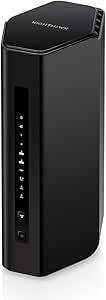 | Best High-Capacity Refurbished WiFi 7 Pick | Condition: Certified refurbished | WiFi generation: WiFi 7 | Frequency band: Tri-band, including 6 GHz | VIEW LATEST PRICE | See Our Full Breakdown |
| NETGEAR Nighthawk X6 AC3200 Tri-Band Wi-Fi Router (R8000) |  | Best for Legacy WiFi 5 Networks and Shared Storage | WiFi generation: WiFi 5 (802.11ac) | Frequency band: Tri-band | Maximum data transfer rate: Up to 3.2 Gbps | VIEW LATEST PRICE | See Our Full Breakdown |
| NETGEAR Nighthawk RS200 Dual-Band WiFi 7 Router | | Best Overall | WiFi generation: WiFi 7 | Frequency bands: Dual-band, 2.4 GHz and 5 GHz | Maximum data transfer rate: Up to 6.5 Gbps | VIEW LATEST PRICE | See Our Full Breakdown |
| NETGEAR Nighthawk RS150 Dual-Band WiFi 7 Router, BE5000 | | Best for Easy WiFi 7 Setup | WiFi generation: WiFi 7 | Frequency bands: Dual-band, 2.4 GHz and 5 GHz | Maximum speed: Up to 5 Gbps | VIEW LATEST PRICE | See Our Full Breakdown |
| NETGEAR Nighthawk RAX43 AX4200 WiFi 6 Dual-Band Router |  | Best WiFi 6 Pick for Moderate Homes | Model: RAX43 | WiFi generation: WiFi 6 (802.11ax) | Wireless speed: AX4200, up to 4.2 Gbps | VIEW LATEST PRICE | See Our Full Breakdown |
| NETGEAR Nighthawk RAX70 AX6600 Tri-Band WiFi 6 Router |  | Best for Busy Streaming Homes | Model: RAX70 | WiFi standard: WiFi 6 (802.11ax) | Wireless speed: AX6600, up to 6.6 Gbps | VIEW LATEST PRICE | See Our Full Breakdown |
| NETGEAR Nighthawk RS90 WiFi 7 Dual-Band Router |  | Best Compact-Home WiFi 7 Pick | WiFi generation: WiFi 7 | Frequency bands: Dual-band, 2.4 GHz and 5 GHz | Maximum data transfer rate: 3.6 Gbps | VIEW LATEST PRICE | See Our Full Breakdown |
| Netgear router | WiFi generation | Coverage | Ethernet ports |
|---|---|---|---|
| NETGEAR Nighthawk R6700AX WiFi | WiFi 6 (802.11ax) | Up to 1,500 sq. ft. | Four 1 Gig LAN ports and one 1 Gig WAN port |
| NETGEAR Nighthawk RS150 Dual-B | WiFi 7 | Up to 2,250 sq. ft. | — |
| NETGEAR Nighthawk CAX30 DOCSIS | — | Up to 2,000 sq. ft. | 4 Gigabit Ethernet ports |
| NETGEAR Nighthawk RS500 Tri-Ba | WiFi 7 | Up to 3,000 sq. ft. | — |
| NETGEAR Nighthawk AX3000 WiFi | WiFi 6 (802.11ax) | Up to 2,000 sq. ft. | 4 x 1 Gigabit |
| NETGEAR Nighthawk RS200 Dual-B | WiFi 7 | — | 1 x 2.5 Gig internet port; 3 x 1 Gig LAN ports |
| NETGEAR Nighthawk RS180 WiFi 7 | WiFi 7 | — | — |
| NETGEAR Nighthawk AX5 WiFi 6 D | WiFi 6 (802.11ax) | — | 4 x Gigabit Ethernet |
| NETGEAR Nighthawk RS300 Tri-Ba | WiFi 7 | — | 2 x 2.5 Gig LAN; 2 x 1 Gig LAN |
| NETGEAR Nighthawk X6 AC3200 Tr | WiFi 5 (802.11ac) | — | 4 x Gigabit Ethernet |
| NETGEAR Nighthawk RS200 Dual-B | WiFi 7 | Up to 2,500 sq. ft. | — |
| NETGEAR Nighthawk RS150 Dual-B | WiFi 7 | Up to 2,250 sq. ft. | — |
| NETGEAR Nighthawk RAX43 AX4200 | WiFi 6 (802.11ax) | Up to 2,000 sq. ft. | 4 x 1 Gbps |
| NETGEAR Nighthawk RAX70 AX6600 | — | Up to 2,500 sq. ft. | — |
| NETGEAR Nighthawk RS90 WiFi 7 | WiFi 7 | Up to 2,000 sq. ft. | — |
More Details on Our Top Picks
NETGEAR Nighthawk R6700AX WiFi 6 Router
I’d choose the R6700AX for a modest home that needs a straightforward WiFi 6 upgrade, not the highest speeds or widest coverage in this group. Its 1.8 Gbps dual-band WiFi and stated coverage of up to 1,500 square feet suit everyday browsing, streaming, and a lighter mix of connected devices. Four Gigabit LAN ports also give wired equipment a direct connection. Compared with the RAX36, this model has a smaller stated coverage area and lower device capacity, so it makes more sense when the network is less demanding. App or browser setup, WPA3, automatic updates, and a guest network round out the basics. It still needs a separate modem, and walls or multiple floors can limit its reach; larger households should look at the RAX36 or a mesh system instead.
Pros:- WiFi 6 supports newer devices and is backward compatible with earlier WiFi generations.
- Four Gigabit LAN ports provide wired connections for devices such as a desktop or game console.
- WPA3, automatic firmware updates, and a guest network are included.
- Setup and management are available through the app or a web browser.
Cons:- Requires a separate modem or gateway with an Ethernet connection.
- Stated coverage of up to 1,500 square feet is more limited than the RAX36’s 2,000 square feet.
- NETGEAR Armor protection after its 30-day trial requires a separate subscription.
Best for: Apartment dwellers or small-home households with up to 20 connected devices who want WiFi 6 and wired ports without a modem-router combo.
Not ideal for: People in larger or multi-story homes, or households with many simultaneous users, who need broader coverage or more capacity.
- WiFi generation:WiFi 6 (802.11ax)
- Frequency bands:2.4 GHz and 5 GHz
- Maximum WiFi speed:Up to 1.8 Gbps
- Coverage:Up to 1,500 sq. ft.
- Maximum connected devices:Up to 20
- Ethernet ports:Four 1 Gig LAN ports and one 1 Gig WAN port
- Security:WPA2, WPA3, automatic firmware updates, and guest network
- Internet connection requirement:Separate modem or gateway with an RJ45 Ethernet port
Our verdict“Choose the R6700AX for a smaller home and everyday WiFi 6 needs, but pick the RAX36 if you need more stated coverage and device capacity.”
NETGEAR Nighthawk RS150 Dual-Band WiFi 7 Router
The RS150 is the straightforward pick here for buyers who want WiFi 7 and a multi-gig internet connection without stepping up to a larger tri-band router. It’s rated for up to 5.0 Gbps, 2,250 square feet, and 80 devices, making it a clear capacity upgrade over the WiFi 6 R6700AX. Its 2.5 Gig internet port can also make better use of a compatible fast service plan than a standard Gigabit WAN port. The tradeoff is its dual-band design: unlike the tri-band RS500, it lacks a third band, including 6 GHz, and offers fewer ways to spread busy wireless traffic. The listed WPA2-PSK security protocol is another point to weigh against models in this lineup with WPA3. I’d favor it for a mixed-device home, not a network built around maximum tri-band capacity.
Pros:- WiFi 7 wireless speeds are rated up to 5.0 Gbps.
- Stated coverage of up to 2,250 square feet and support for up to 80 devices exceed the R6700AX figures.
- A 2.5 Gig internet port supports compatible multi-gig service.
- NETGEAR Armor security features are included.
Cons:- Dual-band design offers less band flexibility than the tri-band RS500.
- Product specifications list WPA2-PSK rather than WPA3.
- The three-port total may limit wired connections compared with routers offering more LAN ports.
Best for: Households upgrading to WiFi 7 with a multi-gig internet plan and a moderate-to-large number of connected devices.
Not ideal for: Buyers who want tri-band WiFi, 6 GHz access, or WPA3 listed in the product specifications.
- WiFi generation:WiFi 7
- Frequency band:Dual-band
- Maximum wireless speed:Up to 5.0 Gbps
- Coverage:Up to 2,250 sq. ft.
- Supported devices:Up to 80
- Internet port:2.5 Gig
- Number of ports:3
- Security protocol:WPA2-PSK
Our verdict“Pick the RS150 for a WiFi 7 and 2.5 Gig WAN upgrade in a dual-band setup, but choose the RS500 if you specifically need tri-band WiFi and 6 GHz.”
NETGEAR Nighthawk CAX30 DOCSIS 3.1 Cable Modem and WiFi 6 Router Combo, AX2700
The CAX30 earns its place by combining a DOCSIS 3.1 cable modem and a WiFi 6 router in one unit. That can simplify a cable setup and remove the need to pair a separate modem with a router such as the RAX36. Its stated coverage reaches 2,000 square feet, it supports 25 or more devices, and four Gigabit Ethernet ports plus a USB 3.0 port provide useful wired and peripheral connections. The convenience comes with a firm compatibility boundary: it works with select Xfinity, Spectrum, and Cox plans, requires provider activation, and doesn’t support DSL, satellite, or bundled voice service. Unlike the RS150, it is WiFi 6 rather than WiFi 7, so this is a practical cable-equipment consolidation choice, not the pick for the newest wireless generation. Check provider and plan compatibility before buying.
Pros:- Combines a DOCSIS 3.1 cable modem and WiFi 6 router in one unit.
- Stated coverage reaches 2,000 square feet and device capacity is 25 or more.
- Four Gigabit Ethernet ports and a USB 3.0 port add wired connection options.
- Includes WPA3, a firewall, and denial-of-service attack prevention.
Cons:- Works only with select cable providers and plans, and provider activation is required.
- Not compatible with DSL, satellite, or bundled voice plans.
- Uses WiFi 6 rather than the WiFi 7 offered by the RS150.
Best for: Cable internet customers on compatible Xfinity, Spectrum, or Cox plans who want a modem and WiFi 6 router in one device.
Not ideal for: DSL, satellite, or bundled-voice subscribers, and customers whose cable plan or provider is not listed as compatible.
- Modem standard:DOCSIS 3.1
- WiFi standard and class:WiFi 6 (802.11ax), dual-band AX2700
- WiFi streams:6
- Coverage:Up to 2,000 sq. ft.
- Connected device capacity:25+ devices
- Ethernet ports:4 Gigabit Ethernet ports
- USB port:1 USB 3.0 port
- Compatible providers:Xfinity up to 800 Mbps; Spectrum and Cox up to 1 Gbps
Our verdict“Choose the CAX30 if your cable provider and plan are compatible and you want one device for modem and router duties; otherwise, consider a separate modem and router.”
NETGEAR Nighthawk RS500 Tri-Band WiFi 7 Router, BE12000, 2.5 Gig Internet Port (Renewed)
For a busy home that can make use of three wireless bands, the RS500 is the most capable router in this batch on paper. Its tri-band WiFi 7, including 6 GHz, is rated up to 12 Gbps, with coverage up to 3,000 square feet and support for as many as 120 devices. That gives it more room for simultaneous traffic than the dual-band RS150, while the 2.5 Gig WAN and LAN ports provide a wired multi-gig option in each direction. The limits matter: it is a router, not a modem, and only one LAN port is 2.5 Gig; the other three are Gigabit. This listing is also Renewed, a different purchase condition from a new router. I’d reserve it for demanding networks that can use its extra capacity, rather than paying for wireless headroom a smaller household won’t need.
Pros:- Tri-band WiFi 7 includes 6 GHz and is rated up to 12 Gbps.
- Stated coverage of up to 3,000 square feet and support for up to 120 devices exceed the RS150 figures.
- Includes both a 2.5 Gig internet port and a 2.5 Gig LAN port.
- WPA3 and automatic firmware updates are listed security features.
Cons:- A separate modem is required for internet service.
- Only one 2.5 Gig LAN port is provided; the other three LAN ports are 1 Gig.
- This is a renewed product with a listed 90-day limited warranty.
Best for: Large, device-heavy households with WiFi 7 clients, multi-gig networking needs, and a separate modem already in place.
Not ideal for: Buyers who need an all-in-one cable modem, want multiple 2.5 Gig LAN connections, or prefer a new-condition product.
- WiFi generation:WiFi 7
- Frequency band:Tri-band, including 6 GHz
- Wireless speed:Up to 12 Gbps
- Coverage:Up to 3,000 sq. ft.
- Supported devices:Up to 120
- WAN and LAN ports:1 x 2.5 Gig internet port; 1 x 2.5 Gig LAN; 3 x 1 Gig LAN
- Security protocol:WPA3
- Condition and warranty:Renewed; 90-day limited warranty
Our verdict“Choose the renewed RS500 for a large, heavily connected home that can use tri-band WiFi 7 and multi-gig wired links, but not if you need a modem or several multi-gig LAN ports.”
NETGEAR Nighthawk AX3000 WiFi 6 Dual-Band Router (RAX36)
The RAX36 is a sensible middle ground for buyers who want more WiFi 6 capacity than the R6700AX without moving to a WiFi 7 model. It is rated up to 3 Gbps, with coverage up to 2,000 square feet for as many as 25 devices—more headroom than the R6700AX’s 1,500-square-foot and 20-device figures. Four Gigabit Ethernet ports cover common wired needs, while its 1.7 GHz quad-core processor is listed as part of the hardware. Compared with the RS150, the RAX36 trades WiFi 7 and a 2.5 Gig internet port for a WiFi 6 setup with four Gigabit ports. It is not an all-in-one solution: a separate modem is required. I’d choose it for a growing household with a compatible modem, but skip it if you want WiFi 7 or a single modem-router device.
Pros:- WiFi 6 wireless speeds are rated up to 3 Gbps.
- Stated coverage reaches 2,000 square feet, with support for up to 25 devices.
- Four Gigabit Ethernet ports support wired devices.
- Includes a 1.7 GHz quad-core processor and WPA3 security.
Cons:- Requires a separate modem for internet service.
- Dual-band WiFi 6 lacks the WiFi 7 generation and tri-band capacity of the RS500.
- Its Gigabit Ethernet ports do not provide the 2.5 Gig WAN option found on the RS150.
Best for: Households with an existing modem that want a WiFi 6 router for up to 25 devices and broader stated coverage than the R6700AX.
Not ideal for: Buyers looking for a WiFi 7 upgrade, a built-in cable modem, or a 2.5 Gig internet port.
- Model:RAX36
- WiFi generation:WiFi 6 (802.11ax)
- Wireless speed:Up to 3 Gbps
- Frequency band:Dual-band
- Coverage:Up to 2,000 sq. ft.
- Supported devices:Up to 25
- Ethernet ports:4 x 1 Gigabit
- Processor:1.7 GHz quad-core
- Modem requirement:No modem included; requires a separate modem
Our verdict“Pick the RAX36 for a higher-capacity WiFi 6 network with an existing modem, but choose the RS150 if WiFi 7 and a 2.5 Gig WAN port matter more.”
NETGEAR Nighthawk RS200 Dual-Band WiFi 7 Router
The Nighthawk RS200 is a sensible middle ground for buyers moving to WiFi 7 who want a multi-gig internet connection without stepping up to a tri-band model. Its up to 6.5 Gbps wireless speed and 2.5 Gig internet port give it more headroom than the WiFi 6 AX5, while the dual-band design keeps the setup simpler than the RS300. Three Gigabit LAN ports cover common wired needs such as a desktop, console, or TV.
The tradeoff is that it lacks the RS300’s 6 GHz band and extra multi-gig LAN ports. Its listed coverage is also a planning estimate, not a promise through walls. This is a router, not a modem, and multi-gig service may require a compatible modem. I’d choose it for a straightforward WiFi 7 upgrade, not for the most demanding wired network.
Pros:- WiFi 7 wireless speeds listed up to 6.5 Gbps
- 2.5 Gig internet port supports a multi-gig connection
- Three Gigabit LAN ports for wired devices
- WPA2, WPA3, and automatic firmware updates
Cons:- Dual-band design lacks the RS300’s 6 GHz band
- Only one multi-gig port; the LAN ports are Gigabit
- Requires a separate modem for internet service
Best for: Households upgrading to WiFi 7 that want one multi-gig internet port and a few wired connections without needing tri-band capacity.
Not ideal for: Homes with several multi-gig wired devices or buyers who need a modem included; the RS300 offers more multi-gig LAN capacity, and the RS200 requires a separate modem.
- WiFi generation:WiFi 7
- Frequency band:Dual-band
- Maximum wireless speed:Up to 6.5 Gbps
- Listed coverage:Up to 2,500 sq. ft.
- Ethernet ports:1 x 2.5 Gig internet port; 3 x 1 Gig LAN ports
- Antennas:2 fixed antennas
- Security:WPA2, WPA3, automatic firmware updates; 30-day NETGEAR Armor trial
- Modem requirement:Separate modem required
Our verdict“Choose the RS200 for a practical dual-band WiFi 7 upgrade with a 2.5 Gig internet port, but pick the RS300 if you need tri-band wireless and more multi-gig wired connections.”
NETGEAR Nighthawk RS180 WiFi 7 Dual-Band Router, Up to 5.5 Gbps, 2,500 sq. ft. Coverage
The Nighthawk RS180 earns its place through a feature the RS200 does not list: a USB 3.0 port for sharing files across a home network. That can suit a household that wants a simple shared storage point alongside WiFi 7, without buying a tri-band router like the RS300. Support for up to 80 devices, plus MU-MIMO and OFDMA, gives it a better fit for a busy mix of compatible clients than an older WiFi 5 option such as the X6.
Its listed wireless ceiling is 5.5 Gbps, below the RS200’s 6.5 Gbps and well below the RS300’s 9.3 Gbps. It remains dual-band, so the RS300 is the stronger choice when 6 GHz and extra capacity matter more than USB sharing. The RS180 also needs a separate modem or gateway, and walls can cut into its stated coverage.
Pros:- USB 3.0 port supports file sharing on the home network
- WiFi 7 with MU-MIMO and OFDMA
- Listed support for up to 80 devices
- Compatible with WiFi 6 and earlier devices
Cons:- Dual-band and listed at a lower maximum speed than the RS200
- Requires a separate modem or gateway with Ethernet
- Coverage can be reduced by walls, floors, and interference
Best for: WiFi 7 households that want a USB port for local file sharing and have many connected devices, but do not need tri-band service.
Not ideal for: Buyers seeking the highest WiFi 7 speed or 6 GHz connectivity; the RS300 is tri-band and has a higher listed maximum speed.
- WiFi generation:WiFi 7
- Frequency bands:2.4 GHz and 5 GHz
- Maximum data rate:Up to 5.5 Gbps
- Listed coverage:Up to 2,500 sq. ft.
- Supported devices:Up to 80
- Processor:Quad-core 2.0 GHz
- USB:USB 3.0
- Modem requirement:Separate modem or gateway with an RJ45 Ethernet port
Our verdict“Pick the RS180 if USB network file sharing matters alongside WiFi 7, but choose the RS300 for 6 GHz and higher listed wireless capacity.”
NETGEAR Nighthawk AX5 WiFi 6 Dual-Band Router (RAX41, AX3600)
The Nighthawk AX5 RAX41 is the straightforward choice for a household that does not need WiFi 7 or multi-gig internet. Its WiFi 6 support, 160 MHz channel capability, and four Gigabit Ethernet ports serve everyday streaming, gaming, and wired devices, with a stated recommendation of up to 25 connected devices. Compared with the newer RS200, it gives up WiFi 7 and a 2.5 Gig internet port, but those extras may bring little benefit on an internet plan capped at 1 Gbps.
Its listed coverage of up to 2,250 sq. ft. is slightly below the 2,500 sq. ft. figures for the RS200 and RS180. The four wired ports are useful, though each is limited to Gigabit speeds. I’d shortlist it for a modest home network that values familiar WiFi 6 hardware over newer wireless standards; buyers planning a multi-gig plan should look at the RS200 instead.
Pros:- WiFi 6 with support for 160 MHz channels
- Four Gigabit Ethernet ports for wired devices
- Listed for up to 25 connected devices
- WPA3 security support
Cons:- WiFi 6 rather than WiFi 7
- Ethernet ports are limited to 1 Gbps
- Listed coverage is lower than the RS200 and RS180
Best for: Households with an internet plan up to 1 Gbps, around 25 connected devices, and a need for several Gigabit-wired connections.
Not ideal for: Buyers planning a multi-gig internet plan or seeking WiFi 7; the RS200 has a 2.5 Gig internet port and the newer wireless generation.
- WiFi generation:WiFi 6 (802.11ax)
- WiFi class:AX3600
- Maximum data rate:Up to 3.45 Gbps
- Listed coverage:Up to 2,250 sq. ft.
- Recommended connected devices:Up to 25
- Processor:1.5 GHz triple-core
- Ethernet ports:4 x Gigabit Ethernet
- ISP plan compatibility:Cable, satellite, fiber, and DSL; plans up to 1 Gbps
Our verdict“Choose the AX5 for a WiFi 6 home with a plan up to 1 Gbps and several wired devices, but favor the RS200 if you want WiFi 7 or multi-gig internet support.”
NETGEAR Nighthawk RS300 Tri-Band WiFi 7 Router, up to 9.3 Gbps, 2,500 sq. ft. Coverage, Certified Refurbished
The certified refurbished Nighthawk RS300 is the most capable wireless option in this group on paper: tri-band WiFi 7 includes 6 GHz, with a listed maximum speed of 9.3 Gbps and support for up to 100 devices. Its two 2.5 Gig LAN ports give wired multi-gig equipment more room than the RS200, which has only one 2.5 Gig internet port and three Gigabit LAN ports. For a dense home network, the extra band and ports create a clear reason to choose it over the dual-band RS180.
The main compromise is its certified refurbished condition, which buyers should weigh against their preference for new hardware. It also needs a separate modem, and a multi-gig service plan may require a compatible modem. Its stated coverage matches the RS200 rather than extending farther, so the upgrade is about capacity and connectivity, not a larger listed footprint.
Pros:- Tri-band WiFi 7 includes the 6 GHz band
- Listed wireless speed up to 9.3 Gbps
- Two 2.5 Gig LAN ports plus two Gigabit LAN ports
- Supports up to 100 connected devices
Cons:- Certified refurbished condition may not suit buyers seeking new hardware
- Requires a separate modem for cable or fiber service
- Listed coverage is up to 2,500 sq. ft., the same as the RS200
Best for: Technically demanding households with WiFi 7 devices, multi-gig wired equipment, and a preference for tri-band capacity over new-in-box condition.
Not ideal for: Buyers who only need basic dual-band WiFi 7 or who will not consider refurbished hardware; the RS200 is a simpler dual-band alternative.
- Condition:Certified refurbished
- WiFi generation:WiFi 7
- Frequency band:Tri-band, including 6 GHz
- Maximum wireless speed:Up to 9.3 Gbps
- Listed coverage:Up to 2,500 sq. ft.
- Ethernet ports:2 x 2.5 Gig LAN; 2 x 1 Gig LAN
- Internet port:2.5 Gig
- Supported features:Guest network, MU-MIMO, OFDMA, VPN, WPA3
Our verdict“Choose the RS300 if tri-band WiFi 7 and multiple multi-gig LAN ports justify refurbished hardware for your network, otherwise the RS200 is the simpler dual-band pick.”
NETGEAR Nighthawk X6 AC3200 Tri-Band Wi-Fi Router (R8000)
The Nighthawk X6 R8000 suits buyers maintaining a WiFi 5 network who value its tri-band design, broad stated coverage, and two USB ports for shared storage or printer access. Its listed coverage reaches up to 3,500 sq. ft., more than the 2,500 sq. ft. figures given for the WiFi 7 RS200 and RS300, while four Gigabit Ethernet ports handle nearby wired devices. Beamforming+ and Dynamic QoS are aimed at directing and prioritizing network traffic across a household.
That larger listed footprint does not make it the better choice for a new high-performance network: the X6 uses WiFi 5, tops out at 3.2 Gbps, and supports WPA2 rather than WPA3. The RS200 and RS300 are stronger fits for newer devices and WiFi 7 capability. I’d choose the X6 when legacy compatibility and USB sharing matter more than newer wireless standards, while checking the included trial-based service terms before relying on optional security or parental-control features.
Pros:- Tri-band WiFi 5 with listed coverage up to 3,500 sq. ft.
- Two USB ports for shared storage and printer access
- Four Gigabit Ethernet ports
- Beamforming+ and Dynamic QoS support traffic management
Cons:- WiFi 5 is older than the WiFi 6 AX5 and WiFi 7 RS200
- Security specifications list WPA2 rather than WPA3
- NETGEAR Armor and Smart Parental Controls are described as trial-based features
Best for: Households keeping a WiFi 5 setup that want tri-band connectivity, broad listed coverage, and USB access for shared storage or a printer.
Not ideal for: Buyers building a new network around WiFi 7 devices or seeking WPA3; the RS200 and RS300 offer newer wireless generations and WPA3 support.
- WiFi generation:WiFi 5 (802.11ac)
- Frequency band:Tri-band
- Maximum data transfer rate:Up to 3.2 Gbps
- Listed coverage:Up to 3,500 sq. ft.
- Recommended devices:Up to 50
- Ethernet ports:4 x Gigabit Ethernet
- USB ports:1 x USB 3.0; 1 x USB 2.0
- Security:WPA, WPA2, firewall, VPN, and guest Wi-Fi
Our verdict“Pick the X6 for a legacy WiFi 5 network where coverage and USB sharing matter, but choose the RS200 or RS300 for a newer WiFi 7 setup.”
NETGEAR Nighthawk RS200 Dual-Band WiFi 7 Router
The Nighthawk RS200 makes the strongest all-around case among these picks by combining WiFi 7 speeds up to 6.5 Gbps with coverage rated for 2,500 square feet and capacity for 80 devices. Compared with the RS150, it adds higher stated wireless speed, slightly more coverage, and a 2.5 Gigabit LAN port alongside its 2.5 Gigabit WAN port. That extra wired capacity suits a home with a fast internet plan and a desktop or NAS that can use a multi-gig connection. Three additional Gigabit LAN ports and USB 3.0 offer useful ways to connect equipment or share files. The tradeoff is that it remains dual-band, rather than adding a third band like the WiFi 6 RAX70, and it needs a separate modem or gateway. Armor also becomes subscription-based after its trial.
Pros:- WiFi 7 with stated speeds up to 6.5 Gbps and support for up to 80 devices.
- 2.5 Gigabit WAN and LAN ports provide multi-gig connections on both sides of the router.
- Rated coverage of up to 2,500 square feet.
- USB 3.0 port supports file sharing over the home network.
Cons:- Requires a separate modem or gateway with an Ethernet connection.
- Dual-band design lacks the extra band available on the tri-band RAX70.
- NETGEAR Armor requires a paid subscription after the 30-day trial.
Best for: Households upgrading to WiFi 7 that want broad stated coverage, support for many devices, and a multi-gig wired connection.
Not ideal for: Buyers who need a modem built in, want tri-band WiFi, or do not have devices or internet service that can benefit from WiFi 7 and multi-gig Ethernet.
- WiFi generation:WiFi 7
- Frequency bands:Dual-band, 2.4 GHz and 5 GHz
- Maximum data transfer rate:Up to 6.5 Gbps
- Coverage:Up to 2,500 sq. ft.
- Maximum connected devices:Up to 80
- WAN and LAN ports:1 x 2.5 Gigabit WAN; 1 x 2.5 Gigabit LAN; 3 x 1 Gigabit LAN
- USB port:USB 3.0
- Processor:Quad-core 2.0 GHz
- Internet service requirement:Separate modem or gateway with an RJ45 Ethernet port
Our verdict“Choose the RS200 for a capable WiFi 7 upgrade with multi-gig wired connections, provided you already have a modem and do not need tri-band WiFi.”
NETGEAR Nighthawk RS150 Dual-Band WiFi 7 Router, BE5000
The Nighthawk RS150 is a straightforward way to bring WiFi 7 to a home without stepping up to the RS200’s higher speed rating and multi-gig LAN connection. It still supports up to 80 devices, and its Nighthawk app offers guided setup and everyday network management, making it a practical pick for buyers who want a manageable upgrade rather than a router that requires much configuration. WPA3 and automatic firmware updates add useful security maintenance. Compared with the RS90, the RS150 has a higher stated maximum speed and room for more devices; compared with the RS200, it gives up some speed, coverage, and a second 2.5 Gigabit port. Its one 2.5G Ethernet connection is useful for a fast incoming service, but the three remaining wired ports are Gigabit. A separate modem or gateway is required, and some combined modem-router gateways may need bridge mode.
Pros:- WiFi 7 supports stated speeds up to 5 Gbps.
- Supports up to 80 devices with coverage rated for up to 2,250 square feet.
- App-guided setup includes guest network and device management features.
- WPA3 security and automatic firmware updates are included.
Cons:- Requires a separate modem or gateway with an Ethernet port.
- Only one 2.5G Ethernet port is listed; the other three are Gigabit.
- Some modem-router gateways may need bridge mode for setup.
Best for: Households seeking an app-managed WiFi 7 router with room for many devices and a simple guided setup.
Not ideal for: Buyers who need a 2.5 Gigabit LAN port, greater stated coverage than 2,250 square feet, or a router with a modem built in.
- WiFi generation:WiFi 7
- Frequency bands:Dual-band, 2.4 GHz and 5 GHz
- Maximum speed:Up to 5 Gbps
- Coverage:Up to 2,250 sq. ft.
- Device capacity:Up to 80 devices
- Ports:1 x 2.5G Ethernet; 3 x Gigabit Ethernet
- Security protocols:WPA3, WPA2-PSK
- Setup and management:NETGEAR Nighthawk app for iOS and Android
- Internet connection requirement:Separate modem or gateway with an RJ45 Ethernet port
Our verdict“Pick the RS150 for app-guided WiFi 7 and high device capacity, but choose the RS200 if you need more coverage or multi-gig LAN.”
NETGEAR Nighthawk RAX43 AX4200 WiFi 6 Dual-Band Router
The Nighthawk RAX43 suits buyers who want WiFi 6 performance and wired connections without making the move to WiFi 7. Its AX4200 rating, four Gigabit Ethernet ports, and app-based management cover the needs of a moderately sized home with up to 25 devices and an internet plan up to 1 Gbps. A one-year NETGEAR Armor subscription is included, unlike the RS200’s 30-day Armor trial, though continued service terms are not specified here. Compared with the newer RS90, the RAX43 lacks WiFi 7 and a 2.5G port, but its four Gigabit Ethernet ports give it a straightforward wired setup. Its stated coverage is lower than the RAX70’s 2,500 square feet, and its 25-device limit makes it a less fitting choice for a busy connected home. It is also made for U.S. use only.
Pros:- AX4200 WiFi 6 supports stated wireless speeds up to 4.2 Gbps.
- Four Gigabit Ethernet ports support wired computers, consoles, and other devices.
- Nighthawk app provides setup and network management.
- Includes a one-year NETGEAR Armor subscription.
Cons:- Rated for up to 25 devices, fewer than the WiFi 7 RS150 and RS200.
- Coverage is specified for up to 2,000 square feet.
- Designed for use in the United States only.
Best for: U.S. households with an internet plan up to 1 Gbps, a moderate number of devices, and several wired devices to connect.
Not ideal for: Buyers planning to use WiFi 7, needing multi-gig wired networking, covering a larger home, or using the router outside the United States.
- Model:RAX43
- WiFi generation:WiFi 6 (802.11ax)
- Wireless speed:AX4200, up to 4.2 Gbps
- Frequency band:Dual-band
- Coverage:Up to 2,000 sq. ft.
- Supported devices:Up to 25
- Ethernet ports:4 x 1 Gbps
- Security:WPA2; NETGEAR Armor subscription included for 1 year
- Compatibility and region:Works with existing cable modem and internet plans up to 1 Gbps; U.S. use only
Our verdict“Choose the RAX43 if WiFi 6 and four Gigabit ports fit your U.S. home better than paying for the newer WiFi 7 features of the RS90.”
NETGEAR Nighthawk RAX70 AX6600 Tri-Band WiFi 6 Router
The Nighthawk RAX70 is the lineup’s WiFi 6 option for households that favor multiple demanding activities over the newest WiFi generation. Its tri-band, eight-stream design is aimed at homes with streaming, gaming, and other high-bandwidth traffic happening at once; compared with the dual-band WiFi 6 RAX43, it also has a higher stated speed, broader coverage, and capacity for more devices. It supports up to 40 devices across a stated 2,500 square feet, but the four Ethernet ports are Gigabit rather than multi-gig. That makes it less compelling for buyers building a 2.5G wired setup than the WiFi 7 RS200. A USB 3.0 port, app setup, guest mode, and parental controls add useful household features. The tradeoffs are its WiFi 6 generation, separate modem requirement, U.S.-only use, and Armor trial period.
Pros:- Tri-band WiFi 6 and eight streams are suited to concurrent high-bandwidth activities.
- Rated for up to 2,500 square feet and 40 devices.
- Four Gigabit Ethernet ports and a USB 3.0 port support wired devices and file sharing.
- Includes app-based setup, guest mode, and parental controls.
Cons:- WiFi 6 rather than WiFi 7, unlike the RS200 and RS150.
- Requires a separate modem or modem-router.
- NETGEAR Armor is a 30-day trial, and the router is designed for U.S. use only.
Best for: U.S. households with several people streaming or gaming at once who want tri-band WiFi 6 and do not need WiFi 7.
Not ideal for: Buyers who want a multi-gig Ethernet port, WiFi 7, a built-in modem, or a router intended for use outside the United States.
- Model:RAX70
- WiFi standard:WiFi 6 (802.11ax)
- Wireless speed:AX6600, up to 6.6 Gbps
- WiFi bands and streams:Tri-band; 8 streams
- Coverage:Up to 2,500 sq. ft.
- Device capacity:Up to 40 devices
- Ethernet and USB ports:4 x 1 Gigabit Ethernet; 1 x USB 3.0
- Processor:Quad-core 1.5 GHz
- Internet and region:Separate modem or modem-router required; U.S. use only
Our verdict“Choose the RAX70 for tri-band WiFi 6 and busy household traffic, but opt for the RS200 if WiFi 7 and multi-gig Ethernet matter more.”
NETGEAR Nighthawk RS90 WiFi 7 Dual-Band Router
The Nighthawk RS90 is a more modest WiFi 7 choice for homes that do not need the RS200’s higher speed rating or 2,500-square-foot coverage claim. It is rated for up to 3.6 Gbps, 2,000 square feet, and 50 devices, with one 2.5G Ethernet port for a fast internet connection and three Gigabit ports for wired equipment. Compared with the RS150, it has lower stated speed, less coverage, and lower device capacity, but still offers WiFi 7, WPA2/WPA3 security, and app tools for guided setup, guest networks, speed tests, and pausing devices. Automatic firmware updates simplify ongoing maintenance. This is a sensible fit for a smaller home or a targeted WiFi 7 upgrade; it is a weaker match for expansive or multi-story layouts, where the RS200’s greater stated coverage—or a mesh system—may be more appropriate.
Pros:- WiFi 7 with stated speeds up to 3.6 Gbps.
- Includes one 2.5G Ethernet port and three Gigabit ports.
- App tools include guided setup, speed tests, device pausing, and guest networks.
- WPA2/WPA3 security and automatic firmware updates are included.
Cons:- Rated for up to 2,000 square feet and 50 devices, below the RS150 and RS200 capacity figures.
- Requires a separate modem or gateway with an RJ45 Ethernet port.
- Larger or multi-story homes may need a mesh system for broader coverage.
Best for: People in smaller homes who want WiFi 7, app-based network controls, and a 2.5G WAN connection without needing the RS200’s higher capacity.
Not ideal for: Large or multi-story households, homes with more than 50 connected devices, or buyers seeking higher speeds and broader stated coverage.
- WiFi generation:WiFi 7
- Frequency bands:Dual-band, 2.4 GHz and 5 GHz
- Maximum data transfer rate:3.6 Gbps
- Coverage:Up to 2,000 sq. ft.
- Maximum connected devices:Up to 50
- Ports:1 x 2.5G Ethernet; 3 x Gigabit Ethernet
- Antennas and processor:4 fixed antennas; quad-core 2.0 GHz
- Security protocols:WPA2, WPA3
- Internet connection requirement:Separate modem or gateway with an RJ45 Ethernet port
Our verdict“Pick the RS90 for a smaller home that wants core WiFi 7 and convenient app controls, and choose the RS150 or RS200 if you need more capacity.”

How We Picked
I ranked these Netgear routers by how well their specifications and designs match distinct household needs, not by wireless generation or headline speed alone. I weighed Wi-Fi generation, dual-band versus tri-band capability, wired port options where specified, coverage claims where available, and whether a product includes a cable modem. I also accounted for listing details that affect a buying decision, including refurbished or renewed condition and repeated models.
The RS200 leads as a current-generation, dual-band option with a relatively straightforward role; it beats older Wi-Fi 6 picks for buyers seeking Wi-Fi 7, while avoiding the extra complexity of higher-tier tri-band models. The RAX70 and RS300/RS500 fill the tri-band and capacity-focused roles, with the renewed or refurbished condition tempering the latter pair’s position. The CAX30 ranks for cable households that value an all-in-one setup, not as a general router choice. Older Wi-Fi 6 and Wi-Fi 5 models sit lower because their appeal depends more on a specific connection, existing devices, or avoiding an unnecessary upgrade.
| Netgear router | WiFi generation | Coverage |
|---|---|---|
| NETGEAR Nighthawk R6700AX WiFi | WiFi 6 (802.11ax) | Up to 1,500 sq. ft. |
| NETGEAR Nighthawk RS150 Dual-B | WiFi 7 | Up to 2,250 sq. ft. |
| NETGEAR Nighthawk CAX30 DOCSIS | — | Up to 2,000 sq. ft. |
| NETGEAR Nighthawk RS500 Tri-Ba | WiFi 7 | Up to 3,000 sq. ft. |
| NETGEAR Nighthawk AX3000 WiFi | WiFi 6 (802.11ax) | Up to 2,000 sq. ft. |
| NETGEAR Nighthawk RS200 Dual-B | WiFi 7 | — |
| NETGEAR Nighthawk RS180 WiFi 7 | WiFi 7 | — |
| NETGEAR Nighthawk AX5 WiFi 6 D | WiFi 6 (802.11ax) | — |
| NETGEAR Nighthawk RS300 Tri-Ba | WiFi 7 | — |
| NETGEAR Nighthawk X6 AC3200 Tr | WiFi 5 (802.11ac) | — |
| NETGEAR Nighthawk RS200 Dual-B | WiFi 7 | Up to 2,500 sq. ft. |
| NETGEAR Nighthawk RS150 Dual-B | WiFi 7 | Up to 2,250 sq. ft. |
| NETGEAR Nighthawk RAX43 AX4200 | WiFi 6 (802.11ax) | Up to 2,000 sq. ft. |
| NETGEAR Nighthawk RAX70 AX6600 | — | Up to 2,500 sq. ft. |
| NETGEAR Nighthawk RS90 WiFi 7 | WiFi 7 | Up to 2,000 sq. ft. |
Factors to Consider When Choosing Best Netgear Routers
Choosing among these Netgear models is easier when I start with the internet connection and the devices in the home, then compare wireless features. A newer standard is useful only when the router, client devices, and plan can make use of it. These checks help avoid paying for unused capability or buying a router that does not work with your service.
Match the router to your internet service
Before comparing Wi-Fi speeds, check whether your service comes through cable, fiber, or another connection. The CAX30 includes a DOCSIS 3.1 cable modem, so it can replace separate equipment only when your provider supports that modem and permits customer-owned hardware. It is not a modem solution for fiber service, which typically uses an optical network terminal. A standalone router such as the RS200 or RAX70 needs a modem or provider handoff supplied separately. A common mistake is buying a cable gateway for fiber, or buying a router without checking whether an existing modem is still required. Confirm compatibility with your provider before deciding between an all-in-one unit and separate devices.
Choose Wi-Fi generation by your devices, not the label
Wi-Fi 7 can provide newer capabilities, but the benefit depends on having compatible client devices and a suitable internet plan. If most household devices are Wi-Fi 6 or older, a Wi-Fi 7 router may still serve them, but its newest features will not automatically make those devices Wi-Fi 7 clients. The R6700AX, RAX36, RAX41, RAX43, and RAX70 are Wi-Fi 6 alternatives in this lineup, while the X6 R8000 uses the older Wi-Fi 5 generation. Avoid choosing by a model’s maximum combined speed figure alone; it does not describe the speed a single device will receive. Think about which devices are likely to be replaced over the router’s lifetime. Paying for the newest generation makes more sense when you expect to add compatible phones, laptops, or other equipment soon.
Decide whether extra bands solve a real problem
A tri-band router adds another wireless band that can help distribute traffic across a busy network, but it does not automatically improve every home’s connection. The RAX70, RS300, RS500, and X6 are tri-band choices here; the RS150, RS200, RS180, RS90, and several Wi-Fi 6 models are dual-band. Extra capacity can matter when many devices stream, game, or transfer files at the same time. For a smaller household with moderate use, a simpler dual-band model may be easier to place and configure without giving up a benefit you would notice. Do not confuse more bands with wider home coverage; walls, floors, router placement, and home layout also affect signal. Choose tri-band for competing traffic, not as a shortcut for fixing dead zones.
Treat coverage claims as estimates, not guarantees
Coverage figures can help compare models, but they are not promises that Wi-Fi will reach every room at a particular speed. The RS180 and RS300 list coverage of up to 2,500 square feet, yet actual results vary with construction, interference, and router placement. A compact apartment and a multi-story home with dense walls place very different demands on the same router. Consider where the modem or internet handoff sits, whether the router can be placed centrally, and which rooms need reliable service. A common mistake is buying a faster standalone router when the real issue is distance or obstruction. If your home has persistent dead zones, assess whether a mesh system or an additional access point is a better category of solution.
Check wired ports and plan for equipment you will connect
Wireless speed is only part of a router’s usefulness; wired connections can give desktop PCs, consoles, televisions, and network storage a steadier link. Among these listings, the RS500 specifies a 2.5 Gig internet port, which is most relevant when the internet plan and connected equipment can use a faster-than-gigabit link. That feature will not raise the speed of a slower plan, and a fast internet port is different from having multiple high-speed LAN ports for local devices. Check the product’s full port list and your modem, switch, and client requirements before paying for multi-gig capability. For basic browsing and streaming, standard wired ports may be enough. For large local transfers or a faster service plan, port layout can matter more than a headline Wi-Fi number.
Factor in condition, duplicate listings, and replacement plans
The list includes both new-model descriptions and special-condition listings: the RS300 is marked certified refurbished and the RS500 is marked renewed. These may suit buyers who accept a non-new unit, but check the seller’s return terms, warranty coverage, included accessories, and the exact hardware condition before ordering. The RS150 and RS200 each appear twice, including a separate RS150 listing identified as BE5000, so compare the full model designation rather than treating every listing as a different router. Also think about how long you intend to keep the device; a router bought to serve existing Wi-Fi 6 equipment has a different job from one meant to support a planned Wi-Fi 7 upgrade. Avoid paying for an upgrade path you will not use, but do not overlook compatibility and support details to focus only on the model name. This check can prevent confusion between a genuine feature difference and a duplicate or condition-specific listing.
Frequently Asked Questions
Should I choose a Wi-Fi 7 Netgear router if my devices are mostly Wi-Fi 6?
You can, but the main reason would be to prepare for compatible devices you expect to add, rather than to give current Wi-Fi 6 devices Wi-Fi 7 features. Those older clients can connect, but their capabilities remain limited by their own wireless hardware. In this roundup, the RS200 is a more restrained Wi-Fi 7 direction than the tri-band RS300 or RS500. If your devices and internet plan are unlikely to change soon, a Wi-Fi 6 model such as the RAX43 or RAX70 may better match your current setup. Compare the cost and condition of each listing before making the generational jump.
Is the CAX30 a good replacement for any modem and router?
No. The CAX30 combines a cable modem with a Wi-Fi 6 router, so it is designed for compatible cable internet service. It does not replace the optical network terminal used for fiber, and provider policies can affect whether a customer-owned cable modem is permitted. Check your provider’s supported-device list and your plan before purchasing. If your service already uses a separate modem or fiber handoff, a standalone router may be the more appropriate choice. The all-in-one design can reduce equipment and cabling, but it also ties the modem and router together as one unit.
Will a tri-band Netgear router improve Wi-Fi coverage in a large house?
Not necessarily. A third band can help manage traffic from multiple devices, but coverage depends more on the home’s layout, building materials, router placement, and interference. The RAX70, RS300, and RS500 offer tri-band designs, while models such as the RS200 are dual-band. If your issue is a weak signal in distant rooms, another access point or a mesh setup may address it better than adding a band to a single router. Check whether you can place the router centrally before deciding that you need a higher-tier model. Treat listed coverage figures as estimates rather than guarantees.
What should I check before buying the renewed RS500 or refurbished RS300?
Confirm the exact model, the condition wording, and what is included in the box. Read the listing’s warranty and return terms, since those can differ from a new-product purchase. Check that the stated features, including the RS500’s 2.5 Gig internet port, match what you need and that your plan or equipment can use them. A renewed or refurbished tri-band router may be a sensible fit when you specifically want its capabilities and accept the condition terms. If you want the simplest purchase with fewer condition questions, compare it with the new-model RS200 or RS150 listings instead.
How do I choose between the RS150 and RS200 when both appear more than once?
Start by matching the full model name and any stated specification, rather than assuming repeated entries are different products. The list contains two RS150 descriptions, one of which specifies BE5000, and two RS200 entries. Check the exact product identifier, included features, condition, and warranty on the listing you plan to buy. If the descriptions appear identical, treat them as duplicate listings rather than separate upgrades. The comparison here positions the RS200 as the balanced overall Wi-Fi 7 pick, but a specific RS150 configuration may suit a buyer whose needs are more modest. Verify the details before using a model name alone to decide.
Conclusion
For most buyers seeking a current-generation router without moving to a more complex tri-band setup, I recommend the RS200 as the best overall. The best value depends on your service and needs: the RAX43 is a straightforward Wi-Fi 6 option for homes that do not need Wi-Fi 7, while the CAX30 can simplify a compatible cable setup by combining modem and router. For a premium, capacity-focused choice, look at the tri-band RS500 or RS300, but check their renewed or refurbished condition and verify that your devices and plan can use their capabilities; the RAX70 is another tri-band route if you prefer Wi-Fi 6. The best option for beginners is the CAX30 when the provider supports it and an all-in-one cable device fits the home; otherwise, a simple standalone router such as the RS200 avoids modem compatibility assumptions. For specific needs, choose the RS500 for its stated 2.5 Gig internet port, the RAX70 or other tri-band model for a busy device mix, and a Wi-Fi 6 model when existing equipment matters more than a generational upgrade. Match the router to your connection, home layout, and actual devices before deciding.